Best Email & Outreach Software for Recruiters and Staffing Agencies (2026)

The short answer
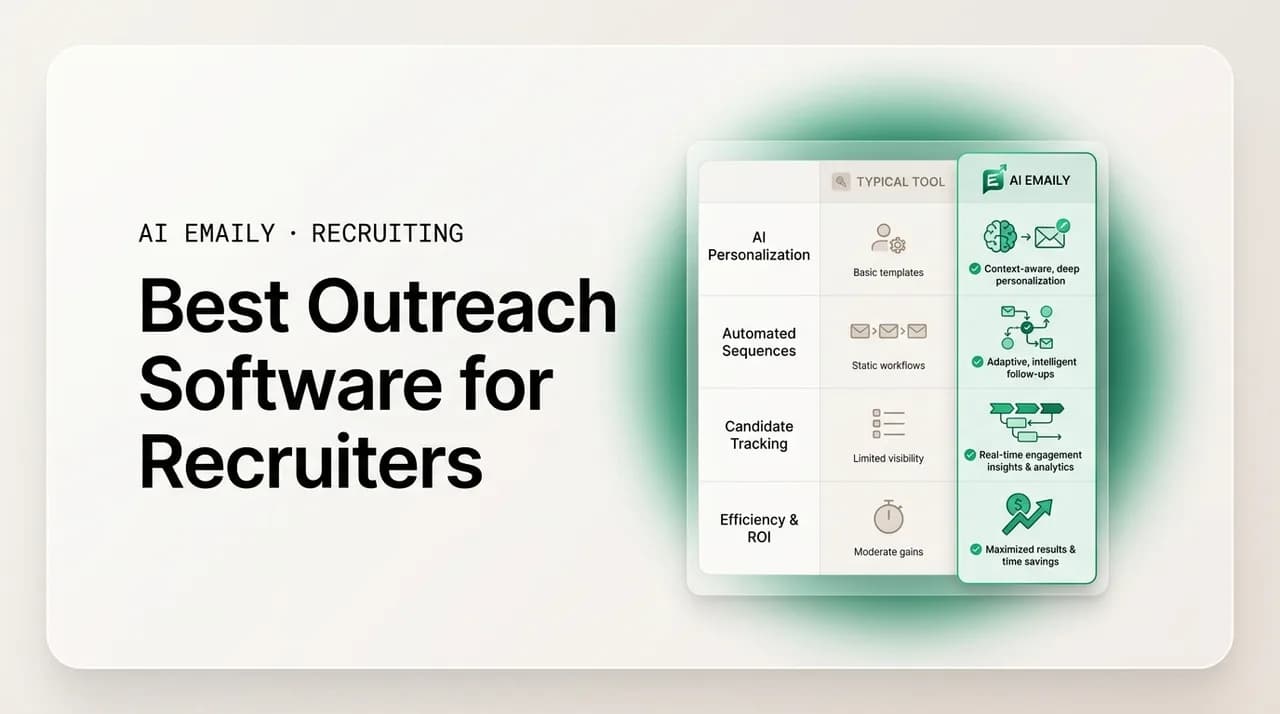
The best outreach software for recruiters depends on your desk. Sourcing platforms (hireEZ, SeekOut, Gem) find and sequence candidates; ATS/CRMs (Bullhorn, Loxo, Ashby) run the pipeline. But the actual reply-writing, follow-up, and scheduling still happen in your inbox. AI Emaily is our top pick for that email-and-AI layer — an AI-native client that drafts in your voice, chases every follow-up, and books interviews across Gmail, Outlook, and IMAP. It is not an ATS or a sourcing database, so most agencies pair it with one.
The best outreach software for recruiters compared for 2026: AI Emaily, Bullhorn, Loxo, hireEZ, Gem, SeekOut, Ashby, and Gmail/Outlook — with honest pros, cons, pricing, and who each tool is really for.
On this page
- 01What recruiters actually mean by "outreach software"
- 02What recruiters need from outreach software
- 03How we ranked these tools
- 041. AI Emaily — best AI email and outreach layer for recruiters
- 052. Bullhorn — best ATS/CRM system of record for staffing agencies
- 063. Loxo — best all-in-one talent platform for boutique search firms
- 074. hireEZ — best outbound sourcing and candidate outreach at scale
- 085. Gem — best sequencing and analytics for in-house and hybrid teams
- 096. SeekOut — best deep sourcing for technical and diverse talent
- 107. Ashby — best modern all-in-one for in-house recruiting teams
- 118. Gmail and Outlook — the default, and why most recruiters outgrow them
- 12Comparison matrix: recruiting outreach software at a glance
- 13How to choose the right outreach stack for your desk
- 14Where AI Emaily fits in your stack
- 15The bottom line
What recruiters actually mean by "outreach software"#
Ask ten recruiters for the best outreach software for recruiters and you will get ten different answers, because "outreach" quietly means four different things depending on where you sit on the desk. To a sourcer it means a database that finds passive candidates and fires a LinkedIn-and-email sequence at them. To a full-desk biller it means the inbox where every candidate reply, client update, and scheduling thread actually lives. To an agency owner it means the ATS/CRM that keeps the whole pipeline from leaking. And to a high-volume staffing branch it means whatever gets a qualified shortlist out the door before the account goes cold. Those are not the same product, and the tools that win each job are different.
This guide compares the real contenders across all four jobs — sourcing platforms, ATS/CRMs, and the email-and-AI layer that sits on top of both — so you can see honestly which one fits the desk you run. We rank AI Emaily first because, for the part of the job that is genuinely email, it is the strongest tool we have used. But we will be equally clear about what it is not: it is not an ATS, it is not a sourcing database, and for most agencies it works best alongside one of the platforms below, not instead of it. If you only want a candidate database, skip to the sourcing section; if you want the thing that writes and sends the actual emails, start at number one.
The stakes are not abstract. In a specialist market like tech or healthcare, the best candidates are off the market in roughly ten days, and the recruiter who presents and schedules fastest wins the placement. The US national average time-to-fill sits around 44 days. Every hour your candidate outreach and follow-up spends stuck in a draft is measurable lost fee revenue. So the question behind "what is the best outreach software" is really "what removes the most manual email from my day without making my messages sound like a robot wrote them." That is the lens we used.
What recruiters need from outreach software#
Before the rankings, it helps to name the jobs the software has to do, because a tool can be excellent at one and useless at another. Here is the checklist we scored every tool against — the capabilities that separate a real recruiting outreach stack from a generic email plugin.
- Candidate outreach at scale. Personalized first-touch messages that do not read like a mail merge, sent across email and ideally LinkedIn, without you retyping the same opener a hundred times a week.
- Sequencing and follow-up. Automatic, spaced-out follow-ups and "still interested?" nudges, because most replies come from the second and third touch, and the manual chase is exactly what recruiters drop when the desk gets busy.
- Voice-matched AI drafting. Drafts that sound like you, not like a template — because a tone-deaf message to a senior candidate or a retained client can cost a relationship, and generic AI copy is easy to spot.
- A unified inbox. Every reply from every account and channel in one place, so a candidate answer does not sit unseen in a secondary mailbox while the placement window closes.
- ATS / CRM context. The ability to draft with the candidate's stage, role, and client in mind — pulled from your system of record — instead of you re-explaining the situation in every message.
- Interview scheduling. Booking without the seven-email back-and-forth, because the recruiter who gets the interview on the calendar first usually gets the placement.
- Control, undo, and audit. Especially once AI is sending on your behalf: a way to review before send, reverse a mistake, and see exactly what went out and when.
No single tool does all seven well
How we ranked these tools#
We are the team behind AI Emaily, so treat the number-one placement with the skepticism any vendor list deserves — and then check it against the honest cons we list for our own product, which are real. Our aim here is a comparison you would still trust if a competitor wrote it. We ranked on the seven jobs above, weighted toward the email work that eats a recruiter's day: outreach and follow-up quality, voice-matched drafting, unified inbox, scheduling, and how much manual effort the tool actually removes. Sourcing reach and ATS depth matter too, and we score them, but they are a different category of product and we say so.
Pricing notes are directional. Most recruiting platforms in this category quote by seat, by contract, or "contact sales," and published numbers move; verify current pricing with each vendor before you buy. Where a tool publishes a transparent price, we use it. Where it does not, we say "contact sales" rather than guess. Everything below reflects what these products do as of mid-2026.
1. AI Emaily — best AI email and outreach layer for recruiters#
AI Emaily is an AI-native email client with an autonomous chief of staff for your inbox. For recruiters, that translates into the part of outreach that is genuinely email: it drafts candidate and client messages in your voice, chases every follow-up on a schedule so nothing is dropped, and books interviews without the back-and-forth — across Gmail, Outlook, iCloud, Fastmail, Proton, and any IMAP account, on web, macOS, iOS, and Android. It is the tool on this list built specifically to remove the repetitive email volume that a full-desk recruiter drowns in, rather than to store your pipeline or source new candidates.
The reason it earns the top spot is the voice-matching plus the autonomy model. Instead of pasting a candidate into a template, you tell AI Emaily what you want to say and it writes the message the way you would — the same opener, the same register, the same sign-off you actually use — so a first-touch to a scarce engineer or an update to a retained client does not read like a mail merge. Then it keeps working after you close the tab: it can queue the follow-up, send the "still interested?" nudge on day three, and surface the reply the moment it lands, so the candidate who answers at 9 p.m. is not sitting unread until noon while a competitor schedules them first.
Crucially, you control how much it does. AI Emaily runs in three modes — Manual (you write, it assists), Copilot (it drafts, you approve every send), and Autopilot (it handles bounded, routine replies on its own within rules you set). Copilot approval before any send is the default, so nothing goes to a candidate or client without your sign-off unless you explicitly hand a narrow, repetitive category over to Autopilot. Every autonomous action is reversible with undo and a full audit trail of exactly what was sent and when. That gates the real risk of AI outreach — a wrong-tone message to a senior contact — behind human approval where it matters, while still automating the templated volume where it is safe.
- Voice-matched drafting — candidate and client emails written the way you actually write, not from a template library.
- Autonomous follow-up — spaced follow-ups and "still interested?" nudges queued and sent so no candidate is dropped for a missed touch.
- Interview scheduling — proposes times and books without the multi-email volley.
- Unified inbox across Gmail, Outlook, iCloud, Fastmail, Proton, and IMAP — every account and reply in one place.
- Three modes (Manual / Copilot / Autopilot) with Copilot approval before send by default, plus undo and a full audit trail.
- Web, macOS, iOS, and Android; zero-retention AI, on-device options, and BYOK for teams that need it.
Honest cons — what AI Emaily is not
Who it is for: solo full-desk (360) recruiters who are the only person doing sourcing, selling, and admin and want their evenings back; boutique agency owners who want consistent, on-brand follow-up across every recruiter's desk without adding a template-policing job; and any tech, healthcare, or high-volume desk where the volume of candidate and client email — not the sourcing — is the bottleneck. It is a weaker standalone fit for a pure sourcer whose entire job is discovering passive candidates in a database (you want a sourcing platform first) or for a retained executive search where almost every message is bespoke and high-stakes — though even there, Copilot's draft-and-review plus scheduling coordination is genuinely useful as long as you keep a human on every send.
Pricing is transparent, which is rare in this category: a Free plan at no cost for light use, Pro at $12.42 per month on the annual plan (500 AI credits, voice-matched drafting, Copilot, up to 5 accounts), and an Autopilot tier at $20.75 per month annually for hands-free routine replies and follow-ups. There is a Team plan for multi-seat agencies. You can start free at app.aiemaily.com/signup and connect an existing mailbox in minutes, since it is a client on top of your current email rather than a new address to migrate to.
| Dimension | AI Emaily |
|---|---|
| Category | AI-native email client + outreach/follow-up layer |
| Best for | Full-desk (360), solo, and boutique recruiters; high-volume email desks |
| Sourcing / candidate database | No — you bring the candidates |
| ATS / CRM | No — pairs with your existing one |
| Voice-matched AI drafting | Yes — core strength |
| Follow-up automation & scheduling | Yes — autonomous, with Copilot approval + undo |
| Providers | Gmail, Outlook, iCloud, Fastmail, Proton, IMAP |
| Pricing | Free; Pro $12.42/mo annual; Autopilot $20.75/mo annual; Team |
2. Bullhorn — best ATS/CRM system of record for staffing agencies#
Bullhorn is the incumbent applicant tracking system and CRM for staffing and recruiting agencies, and for good reason: it is deep, mature, and built specifically for the agency model of managing clients, candidates, requisitions, submittals, and placements in one system of record. If your agency runs on a pipeline that multiple recruiters touch and that has to survive turnover, Bullhorn is the category leader, with a large ecosystem of add-ons and integrations built around it. Its own industry research is some of the most-cited in staffing — the GRID reports that shape how agencies think about trends, including AI adoption.
For outreach specifically, Bullhorn does have email tracking, templates, and — through its automation products and acquisitions — sequencing and candidate-engagement tooling. But its center of gravity is the pipeline, not the inbox. The email experience is functional rather than delightful, the AI drafting is not the voice-matched, learns-how-you-write experience a dedicated AI client offers, and getting the most out of it often means buying additional modules. It is a system you configure and administer, not one a solo recruiter sets up over lunch.
- Pros: category-leading ATS/CRM for agencies; deep pipeline, submittal, and placement workflows; huge integration ecosystem; strong reporting and industry data.
- Cons: enterprise pricing and contracts (contact sales); implementation and administration overhead; email/outreach is functional, not its strength; full value often requires paid add-on modules.
- Best for: established staffing agencies and boutiques (roughly 5+ recruiters) that need a multi-user pipeline of record and can invest in setup.
Bullhorn + an email layer is a common stack
3. Loxo — best all-in-one talent platform for boutique search firms#
Loxo positions itself as a "talent intelligence platform" that bundles an ATS, a CRM, sourcing, outreach, and analytics into a single product — an all-in-one alternative to stitching a sourcing tool onto a separate ATS. For boutique and search-led firms that want fewer vendors and a modern interface, it is a compelling package: it includes a large candidate database, AI sourcing, and multi-channel outreach (email plus other channels) with sequencing built in, so a lot of the recruiting workflow lives in one place.
The tradeoff of all-in-one is that no single part is necessarily the strongest option in its own category. Loxo's outreach and sequencing are solid, but the email drafting is not the deeply voice-matched, autonomous-inbox experience of a dedicated AI email client, and the unified-inbox experience across all your personal accounts is not the point of the product — it is a recruiting platform first, an email tool second. Pricing is tiered and generally quote-based; you will want a demo to size it for your firm.
- Pros: genuine all-in-one (ATS + CRM + sourcing + outreach); modern UI; built-in candidate database and AI sourcing; multi-channel sequencing; fewer vendors to manage.
- Cons: jack-of-all-trades depth; outreach/AI drafting less specialized than a dedicated AI email client; pricing typically quote-based; migrating an existing pipeline in takes effort.
- Best for: boutique search firms and small agencies that want one platform for sourcing through placement and value consolidation over the strongest tool in each layer.
4. hireEZ — best outbound sourcing and candidate outreach at scale#
hireEZ (formerly Hiretual) is a sourcing-first outbound recruiting platform. Its core strength is finding passive candidates across the open web and professional networks and then running personalized email sequences to them at scale, with contact-finding, engagement analytics, and increasingly AI-assisted messaging. If your job is to build large targeted pipelines of people who are not actively applying — classic outbound tech or specialist recruiting — hireEZ is one of the strongest tools in the category for the discovery-plus-first-touch part of the funnel.
Where it is not the answer is the rest of your inbox. hireEZ is optimized for outbound campaigns, not for being the daily email client where every candidate reply, client thread, and scheduling conversation lives. Its sequencing is built around sourcing campaigns rather than the messy reality of a full-desk inbox, and it is not an ATS of record. Pricing is contact-sales and lands at the platform level rather than the solo-seat level.
- Pros: powerful passive-candidate sourcing; strong at scaled, personalized outbound email sequences; contact discovery and engagement analytics; AI-assisted outreach.
- Cons: sourcing-campaign focused, not a daily unified inbox; not an ATS of record; contact-sales pricing; overkill if you are not doing heavy outbound sourcing.
- Best for: sourcers and agencies whose bottleneck is finding and first-touching large volumes of passive candidates, not managing inbound replies.
5. Gem — best sequencing and analytics for in-house and hybrid teams#
Gem is a talent-engagement and CRM platform best known for its outreach sequencing and its analytics. It grew up in the in-house talent-acquisition world, layering on top of email and LinkedIn to run multi-step candidate sequences, track engagement, and give recruiting leaders pipeline and conversion metrics that most tools do not. Its sequencing and reporting are genuinely strong, and it integrates with the ATS and email systems teams already use rather than trying to replace them.
For an agency, the caveats are fit and focus. Gem's sweet spot is in-house and larger recruiting teams that care deeply about funnel analytics; a solo agency biller may find it heavier than they need and priced for teams. Like the other sourcing/engagement platforms here, its email is campaign-and-sequence oriented, not a voice-matched autonomous inbox, and pricing is quote-based. It is an excellent outreach-and-analytics layer for the teams it is built for, less so for a lone full-desk recruiter who mostly needs a faster inbox.
- Pros: excellent outreach sequencing; strong recruiting analytics and reporting; integrates with existing ATS and email; good for team-wide consistency.
- Cons: oriented to in-house/larger teams; can be heavy and pricey for solo agency recruiters; email is sequence-driven, not a voice-matched inbox; contact-sales pricing.
- Best for: in-house talent teams and larger agencies that want serious sequencing plus pipeline analytics.
6. SeekOut — best deep sourcing for technical and diverse talent#
SeekOut is a sourcing and talent-intelligence platform with a strong reputation for depth, particularly in technical, hard-to-find, and diversity-focused searches. It aggregates candidate profiles from many sources into rich, searchable records, adds contact-finding, and includes outreach and messaging so you can go from finding a candidate to first-touching them in one place. For a recruiter whose challenge is genuinely locating scarce talent — niche engineering, clinical, or underrepresented-talent searches — its database and filtering are a serious advantage.
As with hireEZ, the honest caveat is that SeekOut is a discovery engine, not your inbox or your ATS. Its outreach exists to activate the candidates it helps you find, not to be the unified place where you run all your daily email, follow-ups, and scheduling. It is priced at the platform level (contact sales), and if your problem is follow-up discipline and inbox volume rather than candidate discovery, it solves the wrong bottleneck.
- Pros: deep, high-quality candidate database; excellent for technical and diversity sourcing; strong search filters and analytics; built-in contact-finding and outreach.
- Cons: sourcing-first, not a daily inbox or ATS; outreach is activation, not full email management; contact-sales pricing; more than a low-volume desk needs.
- Best for: recruiters whose primary challenge is finding scarce or specialized talent, especially in tech and diversity-focused hiring.
7. Ashby — best modern all-in-one for in-house recruiting teams#
Ashby is a modern, analytics-heavy all-in-one recruiting platform (ATS, CRM, sourcing, scheduling, and reporting) aimed primarily at in-house talent teams at growing companies. It is polished, fast, and unusually strong on scheduling and analytics, with built-in candidate outreach and sequencing. If you run in-house recruiting and want one well-designed system instead of a patchwork, Ashby is one of the best products in the category and a frequent favorite of scaling startups.
For agency-side recruiters, the fit is looser. Ashby is architected around in-house hiring — one company, many roles — rather than the agency model of many clients, submittals, and placements with fee tracking. Its outreach and scheduling are good, but it is not designed to be the multi-client agency system of record, and it is not a personal unified inbox for all your mail accounts. Pricing is quote-based and oriented to teams.
- Pros: excellent modern all-in-one for in-house teams; standout scheduling and analytics; built-in outreach and sequencing; strong user experience.
- Cons: built for in-house, not agency (no native client/submittal/placement model); team-oriented pricing (contact sales); not a personal unified inbox.
- Best for: in-house recruiting teams at growing companies that want one modern platform end to end.
8. Gmail and Outlook — the default, and why most recruiters outgrow them#
Almost every recruiter starts here, because Gmail and Outlook are where the email already is. Both are reliable, universal, and now ship AI features — Gemini in Google Workspace, Copilot in Microsoft 365 — that can draft and summarize inside the mailbox. For a brand-new solo recruiter with a light req load, a good template library plus canned responses and a basic scheduling link can genuinely carry you for a while, at close to no extra cost.
The ceiling arrives fast once volume climbs. Templates do not follow up on their own — the "still interested?" chase on day three is a manual task you will drop the moment the desk gets busy, and that is exactly where placements leak. The built-in AI drafts in a generic voice rather than yours, there is no unified view across multiple mail accounts, and neither client understands your candidate pipeline or knows a reply is time-sensitive. You end up bolting on separate tools for scheduling, sequencing, and reminders, and living in your inbox stitching them together by hand. That gap — a real inbox that also follows up, schedules, and drafts in your voice with your approval — is precisely the one the AI email clients on this list, AI Emaily included, exist to close.
- Pros: free or near-free, universal, reliable; native AI add-ons (Gemini, Copilot) can draft and summarize; fine for a light, early solo desk.
- Cons: no autonomous follow-up; generic-voice AI; no unified multi-account inbox; no pipeline awareness; you assemble scheduling and sequencing from separate tools.
- Best for: brand-new or very low-volume recruiters not yet feeling the follow-up and scheduling pain.
Comparison matrix: recruiting outreach software at a glance#
Here is the whole field in one view. "Category" is the single most important column — it tells you what job the tool is really built for, and why pairing across categories (a system of record plus a great email layer) usually beats forcing one tool to do everything. Pricing is directional; verify current numbers with each vendor.
| Tool | Category | Voice-matched AI email | Sourcing DB | ATS/CRM | Follow-up + scheduling | Best for |
|---|---|---|---|---|---|---|
| AI Emaily | AI email client + outreach layer | Yes (core) | No | No (pairs) | Yes — autonomous, Copilot-gated | Full-desk, solo & boutique recruiters |
| Bullhorn | ATS / CRM (system of record) | No | Partial | Yes (leader) | Add-on modules | Established staffing agencies |
| Loxo | All-in-one talent platform | No | Yes | Yes | Sequencing built in | Boutique search firms |
| hireEZ | Sourcing + outbound outreach | No | Yes | No | Campaign sequencing | Outbound sourcers at scale |
| Gem | Sequencing + analytics / CRM | No | Partial | Partial | Sequencing (strong) | In-house / larger teams |
| SeekOut | Deep sourcing / talent intel | No | Yes (deep) | No | Activation outreach | Technical & diversity sourcing |
| Ashby | All-in-one (in-house ATS) | No | Yes | Yes (in-house) | Strong scheduling | In-house recruiting teams |
| Gmail / Outlook | Email client (generic) | Generic AI add-on | No | No | Manual / links | New, low-volume recruiters |
How to choose the right outreach stack for your desk#
The mistake is asking "which one tool is best" when the real question is "which two or three fit together." Work from the job that is actually costing you placements, then fill the gaps. A quick way to reason about it:
- If your bottleneck is finding candidates — passive, scarce, or specialized talent — start with a sourcing platform (hireEZ or SeekOut for outbound and deep search, Loxo if you also want the ATS in the same box).
- If your bottleneck is a leaking pipeline across multiple recruiters — start with an ATS/CRM system of record (Bullhorn for agencies, Ashby if you are in-house).
- If your bottleneck is email itself — slow follow-up, dropped candidates, hours lost to drafting and scheduling — start with the email-and-AI layer (AI Emaily), and keep whatever system of record you already have.
- If you are brand new and low-volume — Gmail or Outlook with good templates and a scheduling link is a fine starting point; upgrade when follow-up discipline starts costing you.
- Most established agencies end up with a pairing: a system of record (Bullhorn/Loxo/Ashby) plus a genuinely good email layer for the daily writing, chasing, and scheduling. Very few desks are best served by one product doing all jobs adequately.
The part everyone underestimates
Where AI Emaily fits in your stack#
To be direct about our own product: AI Emaily is not trying to replace your ATS or your sourcing database, and you should be suspicious of any email tool that claims it can. It sits on top of the mailbox you already use and takes over the part of outreach that is genuinely email — the drafting, the following-up, the scheduling — while your system of record keeps doing what it is good at. You bring the candidates (from your own network, LinkedIn, or a sourcing platform above), and AI Emaily makes sure every one of them gets a fast, personal, on-time response and never falls through a missed follow-up.
For a solo full-desk recruiter, that is the difference between billing and admin: the AI drafts in your voice and chases your follow-ups so your evenings are yours and no candidate is lost to a forgotten day-three nudge. For a boutique owner, it standardizes the quality and cadence of candidate and client email across every recruiter's desk without you policing templates. And because Copilot approval is the default and every action is reversible with an audit trail, you get the speed of automation without handing a stranger the keys to your client relationships.
It is the same idea across the whole product — an autonomous chief of staff for your inbox, drafting, triaging, following up, and handling the busywork so you spend your time on the calls and closes that actually place people. You can connect an existing account and try it free at app.aiemaily.com/signup, with a Free plan at no cost and Pro at $12.42 per month on the annual plan.
The bottom line#
There is no single best outreach software for recruiters, because "outreach" covers four different jobs and no tool wins all of them. Bullhorn owns the agency pipeline; Loxo bundles the workflow for boutiques; hireEZ and SeekOut find scarce candidates; Gem sequences and measures; Ashby runs in-house hiring; Gmail and Outlook get you started. Each is genuinely the right pick for a specific desk, and we would recommend any of them for the job it is built for.
For the job that quietly eats the most hours — writing, chasing, and scheduling the actual candidate and client email — AI Emaily is our top pick, and we have been honest about why and about what it is not. Pair it with the system of record or sourcing platform your desk needs, point it at the mailbox you already use, and let it handle the follow-up discipline that decides placements in a market where the best candidates are gone in ten days. Start with the bottleneck that is costing you fees, and build the stack around it.
Frequently asked
See it in AI Emaily
Keep reading
Sources

Written by
Nafiul HasanNafiul Hasan is an entrepreneur and AI automation system builder with 10+ years of experience turning messy, manual workflows into reliable automated systems. He designs and ships AI enterprise solutions end-to-end — the agent logic, the data plumbing, and the product people actually use — and founded AI Emaily to give busy professionals their attention back. He writes here from the builder's seat: what works, what breaks, and how to put AI to work without giving up control.