High-Volume Candidate Screening & Scheduling Automation for Staffing Desks

The short answer
High volume recruiting automation is what lets a light-industrial or volume staffing desk get a qualified shortlist out first, which is usually who wins the account. Safe to fully automate: application acknowledgments, knockout screening questions, and interview scheduling. Keep human: final selection, adverse decisions, and sensitive cases. Automating the repetitive top of the funnel with the same questions for every applicant also makes the process faster and more consistent, which is exactly what fair, EEO-defensible screening requires.
A practical guide to high volume recruiting automation for staffing desks: what to fully automate (application acks, screening, scheduling), what to keep human, and how to build a fast, fair, EEO-consistent pipeline.
On this page
- 01Why a high-volume staffing desk lives or dies on shortlist speed
- 02What is high volume recruiting automation, really?
- 03What is safe to fully automate on a volume desk
- 04What must stay human, and why the line matters
- 05The auto-versus-human map for every stage of the funnel
- 06How to build the automated pipeline, step by step
- 07Keeping the candidate experience good at scale
- 08Fairness, consistency, and EEO defensibility at volume
- 09How AI Emaily helps a high-volume desk
- 10Putting it all together
Why a high-volume staffing desk lives or dies on shortlist speed#
On a high-volume desk, the math is brutal and it never changes. A single warehouse, call-center, or light-industrial requisition can pull hundreds of applications in the first forty-eight hours it is live. Multiply that by a dozen open orders across three branch accounts and you are not managing candidates anymore, you are managing a flood. The recruiter who can turn that flood into a clean, qualified shortlist first is usually the one who fills the order, keeps the account, and gets the next one. Everyone else is presenting yesterday's candidates to a client who already hired somebody. This is why high volume recruiting automation stopped being a nice-to-have and became the difference between a desk that scales and a desk that drowns.
The dynamic is different from executive or niche technical search. In retained or scarce-talent recruiting, the candidate is the bottleneck: you are hunting for a rare person and communication is bespoke, careful, and personal. On a volume desk it is the opposite. The candidates are there, often more than you can handle, and the bottleneck is throughput. Your product is not a perfectly written personal note to one hard-to-find engineer. Your product is speed and reliability at scale: acknowledging every applicant, screening them consistently, booking the qualified ones, and getting a shortlist in front of the client before the shift needs filling. The communication is standardized and endlessly repeated, which is exactly what makes it a candidate for automation and exactly what makes it soul-destroying to do by hand.
That repetition is the tell. When the same acknowledgment, the same three screening questions, and the same scheduling link go out to two hundred people a week, word for word, you are not doing skilled recruiting work in those moments. You are doing data entry with a friendly tone. The skill on a volume desk lives in the judgment calls, the client relationship, and the close, not in copy-pasting a screening question for the ninetieth time before lunch. Every minute the desk spends on the mechanical part is a minute not spent on the part a client actually pays for.
It helps to put a number on why speed matters this much. The staffing industry runs on placements, and placements run on being first with a viable candidate. Text messages, which are the volume desk's channel of choice for exactly this reason, get roughly an eight-times-higher response rate than email and come back faster, which is why the fastest desks lean on them heavily to compress the time between application and screen. But a channel is only as fast as the person or system feeding it. If a recruiter is manually acknowledging, manually asking screening questions, and manually chasing replies, the channel's speed advantage evaporates in the queue. The bottleneck moves from the candidate to the recruiter's own hands.
So the real question for a volume desk is not whether to automate, it is which parts to automate and where to keep a human firmly in the loop. Get that split right and you get the best of both worlds: instant, consistent, tireless handling of the repetitive top of the funnel, and human judgment concentrated exactly where it earns its keep. Get it wrong and you either burn out your recruiters on busywork or you let a machine send something tone-deaf to a candidate, or worse, make a screening decision it has no business making. This guide is about getting that split right, and then building a pipeline around it that stays fast, fair, and defensible even when the application count spikes.
The one metric a volume desk should watch
What is high volume recruiting automation, really?#
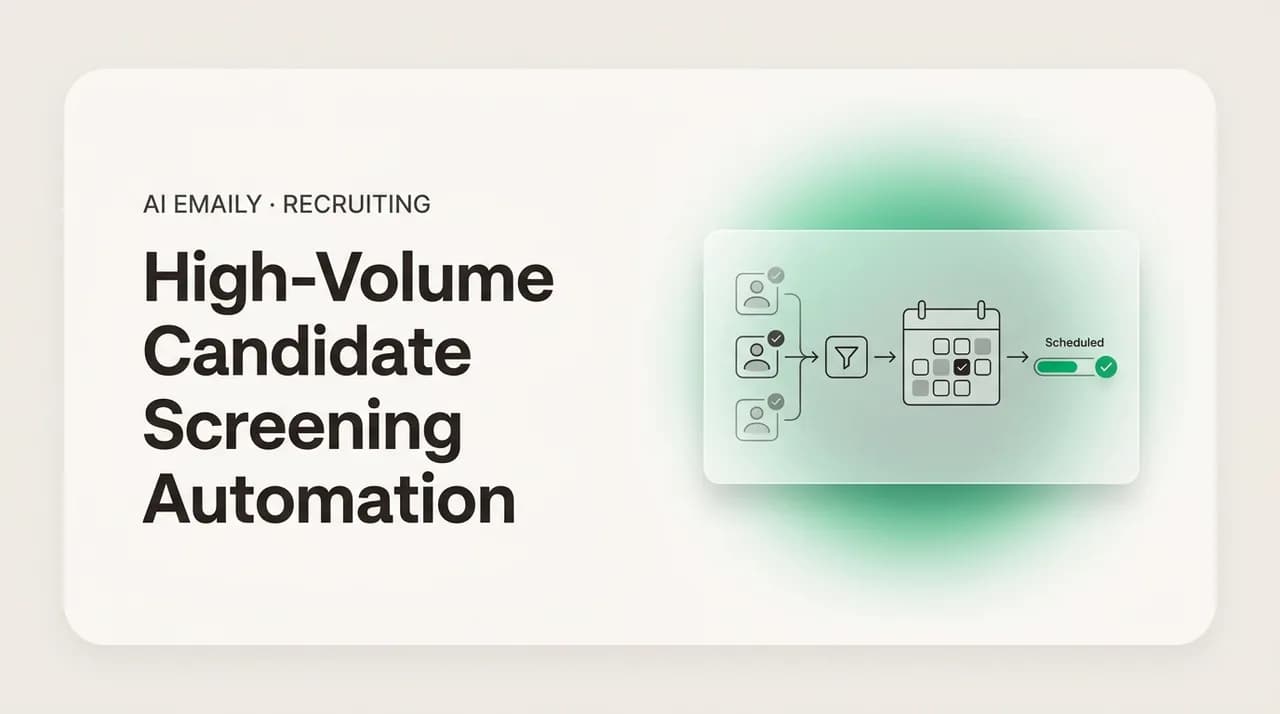
High volume recruiting automation is the practice of letting software handle the repetitive, rule-based candidate communication at the top and middle of a staffing funnel, so recruiters spend their time on judgment and relationships instead of mechanics. In plain terms: the acknowledgment when someone applies, the standard screening questions, the scheduling of a qualified candidate into an open slot, and the nudges that keep people from going cold, all handled without a recruiter typing each one by hand. The recruiter still owns the decisions. The machine owns the typing.
It is worth being precise about the word automation, because it gets used to mean two very different things. The first is templated assistance, where the software drafts a message and a human reviews and sends it. That is fast but still gated on a person clicking send. The second is autosend, where, within clearly defined rules, the software sends the message on its own with no per-message human click. Most recruiting tools stop at the first kind because the second kind is where the risk lives. But for a volume desk, the second kind is where nearly all the value lives, precisely because the volume is so high that human review of every acknowledgment is the bottleneck you are trying to remove. The art is drawing the line so that the safe, repetitive, low-stakes messages autosend and everything with judgment or sensitivity in it stops for a human.
This is not the same as a spray-and-pray outreach blast, and it is important not to confuse the two. Bulk candidate outreach automation done badly means the same generic message fired at a list with no regard for context, which candidates smell instantly and which damages your brand. Done well, it means a smart, rules-driven pipeline where each message is triggered by a real event, an application received, a screening question answered, a slot opened, and is personalized from the candidate's own data. The difference between the two is the difference between a desk that candidates recommend to their friends and a desk that shows up in a Reddit thread about recruiters who never follow up.
What is safe to fully automate on a volume desk#
The safe-to-automate list is longer than most recruiters expect, and it covers the exact tasks that consume the most time. The common thread is that these are messages with no judgment content: the outcome is determined by a rule or an event, not by a human weighing a person. When there is nothing to weigh, there is nothing for a human click to add except delay.
- 1
The application acknowledgment
The instant someone applies, they should get a warm, branded confirmation that their application landed, what happens next, and roughly when. This is pure win: it costs nothing, it is identical for everyone, and its absence is the single most common candidate complaint on a volume desk. Autosend it. A silent application is the fastest way to lose a candidate before you have even looked at them.
- 2
Knockout and structured screening questions
The standardized questions that every applicant for a role must answer, availability for the shift pattern, legal work authorization, required certification or license, distance to the site, ability to lift a stated weight, should be asked automatically and identically of everyone. Asking the same questions the same way is not just faster, it is the fair way, which we will come back to. Autosend the questions; route the answers.
- 3
Scheduling qualified candidates
Once a candidate clears the knockout questions, sending a scheduling link or offering interview slots is mechanical and high-value. The candidate self-serves a time, the recruiter's calendar fills, and nobody plays email tag. High volume staffing scheduling automation is where hours per week disappear, because scheduling is the single most back-and-forth-heavy task on the desk.
- 4
Confirmations, reminders, and reschedules
Interview confirmations, day-before reminders, and the mechanical parts of rescheduling (offering new slots when someone cancels) are all rule-driven. Automating reminders alone measurably cuts no-shows, which on a volume desk directly protects your fill rate and your client relationship.
- 5
Status nudges and re-engagement
The "still interested?" nudge to a candidate who went quiet, the "we have a new shift that matches you" note to a warm past applicant, the gentle reminder to complete a half-finished application, these are templated, event-triggered, and low-stakes. They are the difference between a pipeline that leaks and one that holds.
- 6
Document and information requests
Requests for the standard documents a role requires, an ID, a certification copy, references, availability confirmation, are identical for everyone in a given role and can be triggered automatically at the right stage. The recruiter reviews what comes back; the asking is automated.
The reason this whole list is safe is that each item shares three properties: it is triggered by a clear event, its content is the same for every candidate in the same situation, and getting it slightly wrong is cheap and reversible. An acknowledgment sent a moment too early, a reminder to someone who already replied, a scheduling link to a candidate who just withdrew, these are minor, recoverable, and vastly outweighed by the cost of not sending them at all. That risk profile is what makes autosend appropriate. You are not automating a decision, you are automating a chore.
Notice too that automating these does not make the candidate experience worse, it makes it dramatically better. The most common complaints from candidates on high-volume desks are silence and slowness: they applied and heard nothing, or they were qualified and waited days for a screen. Automation attacks both directly. An instant acknowledgment beats a thoughtful reply that arrives four days late. A same-hour scheduling link beats a recruiter who meant to get to it. At volume, consistency and speed are the candidate experience, and those are precisely what a machine is better at than a tired human at 4 p.m. on a Friday.
Automated does not mean impersonal
What must stay human, and why the line matters#
The keep-human list is shorter but it is non-negotiable, and the whole credibility of an automated pipeline rests on drawing it correctly. The common thread here is the mirror image of the safe list: these are moments that involve judgment, sensitivity, or a decision that affects someone's livelihood, and where getting it wrong is neither cheap nor reversible. Automating a chore is smart. Automating a decision about a person is a mistake, and often a legally serious one.
- 1
The final selection decision
Who moves forward, who gets presented to the client, and who is ultimately placed are human decisions. Software can surface candidates who meet stated, objective criteria and organize them for you, but a recruiter should own the call about who is actually the right fit. The machine narrows and orders; the human chooses.
- 2
Adverse and rejection decisions
Telling a candidate they are not moving forward is a decision, not a chore, and it deserves human ownership even if the message itself is templated. A simple knockout on an objective criterion (no required license, wrong shift availability) can be handled through automation with care, but a rejection based on any judgment or fit assessment should be a human call. Rejections are also where legal exposure concentrates, which is reason enough to keep a person accountable for them.
- 3
Anything that reads as a screening decision about a protected characteristic
The moment a screening step could correlate with age, disability, national origin, or any other protected class, a human needs to own it. Automating a lift-requirement question is fine; automating an inference about who can probably do the job is not. Keep the questions objective and automated, keep the judgment human.
- 4
Sensitive, escalated, or emotional cases
A candidate who is upset, a dispute, a complaint, a situation involving an accommodation request, a background-check flag, or anything with legal or emotional weight, these go to a human immediately. An automated system should be able to recognize when a conversation has left the templated happy path and stop, handing it to a recruiter rather than trying to answer.
- 5
The client-facing shortlist and presentation
How candidates are packaged and pitched to the client is part of the recruiter's judgment and the agency's value. Automation can assemble the raw materials, but the recruiter owns how the desk represents itself and its candidates to the account that pays the bills.
- 6
Offer, negotiation, and placement terms
Anything involving pay, terms, or the offer itself is a human conversation. These are high-stakes, individual, and exactly the kind of moment where the personal relationship the recruiter has built is the entire point.
The principle underneath all of this is simple enough to put on a sticky note: automate the asking, keep the deciding. Automation is superb at asking the same question of everyone, sending the same confirmation to everyone, and reminding everyone at the same interval. It should never be the thing that decides who is worthy, because that decision carries judgment, accountability, and legal weight that belongs to a person. When you hear a proposal to automate something, run it through that test. Is this asking or reminding? Automate it. Is this deciding about a person? A human owns it, with the machine assisting.
There is also a trust dimension for your candidates and your clients. Candidates accept, and even appreciate, automation for the mechanical parts, because a fast acknowledgment and easy scheduling make their life easier. What they resent is being rejected, judged, or handled at a sensitive moment by something that is obviously a bot with no human behind it. Clients feel the same about the shortlist: they want the recruiter's read, not a machine's ranking dressed up as a recommendation. Respecting that line is not just ethically right, it is what keeps automation from backfiring on your reputation.
The one thing never to automate blindly
The auto-versus-human map for every stage of the funnel#
It helps to see the whole funnel laid out at once, stage by stage, with a clear call on what the machine owns and what the human owns at each step. Use this as the blueprint when you configure your pipeline. The pattern is consistent: mechanical, event-driven, identical-for-everyone tasks are automated, and every genuine decision or sensitive moment routes to a person.
| Funnel stage | Safe to fully automate | Keep human (or human-owned) |
|---|---|---|
| Application received | Instant branded acknowledgment; what-happens-next note; add to the right pipeline. | Nothing, this stage is pure automation. |
| Initial screening | Send identical knockout and structured questions; collect answers; route by objective criteria. | Any judgment-based read of the answers; anything that looks like a fit inference. |
| Screening outcome | Advance candidates who clearly meet stated objective criteria to scheduling. | Borderline cases; any rejection based on judgment; adverse decisions. |
| Scheduling | Offer slots or send a scheduling link; book confirmed times; sync calendars. | Reschedules involving a special accommodation or an upset candidate. |
| Confirmations & reminders | Interview confirmation, day-before reminder, no-show follow-up. | Nothing, unless a candidate replies with a problem, which routes to a human. |
| Re-engagement | "Still interested?" nudges; new-shift matches to warm past applicants. | Any candidate who has raised a concern or complaint. |
| Document collection | Standard document and reference requests triggered at the right stage. | Reviewing documents; anything flagged in a background check. |
| Selection & shortlist | Assemble and organize qualified candidates for the recruiter to review. | Who advances, who is presented, how they are packaged for the client. |
| Client presentation | Draft the shortlist summary for the recruiter to edit and approve. | Sending it, positioning candidates, and the client conversation. |
| Offer & placement | Logistics reminders once terms are agreed (start date, paperwork). | Pay, terms, negotiation, and the offer itself, always human. |
Read down the middle column and you can see the size of the prize. On a volume desk, the automated column is where the overwhelming majority of the message volume lives, acknowledgments, screening questions, scheduling, reminders, nudges, document requests, and that volume is precisely what has been eating the recruiter's day. Read down the right column and you see how little of it actually requires the recruiter, and how important each of those items is. That asymmetry is the entire business case: automate the eighty percent that is mechanical, and you free the recruiter to be excellent at the twenty percent that is not.
How to build the automated pipeline, step by step#
Building this is less about buying a tool and more about mapping your funnel into clear, event-driven rules and then deciding, stage by stage, what autosends and what stops for a human. Here is a practical sequence that works whether you are automating a single high-volume order or standardizing across a whole branch.
- 1
Map your actual funnel first
Before you automate anything, write down every stage a candidate passes through on your busiest role type and every message that currently goes out at each stage. You cannot automate a process you have not made explicit. Most desks are surprised how many of their messages are already, in effect, templates they retype by hand.
- 2
Standardize the screening questions per role
For each high-volume role, define the exact set of objective, job-related knockout and screening questions, and commit to asking every applicant the same ones in the same way. This is the foundation of both speed and fairness. Ad-hoc, recruiter-by-recruiter screening is slower and legally shakier; a standard set is faster and more defensible.
- 3
Decide the auto/human line for each stage
Go through your funnel map and mark each message: autosend within rules, or draft-and-review, or fully human. Use the map in the table above as your starting point. Be deliberate, this line is the single most important decision you will make, and it should be written down, not improvised.
- 4
Write the messages in your desk's real voice
Automated does not mean robotic. Write the acknowledgment, the screening prompt, the scheduling offer, and the nudges the way your best recruiter would, warm, specific, and personalized from the candidate's data. Bad templates are what give automation a bad name; good ones are indistinguishable from a fast human.
- 5
Set the triggers and the guardrails
Wire each automated message to a real event (application received, screening passed, slot opened) rather than a blast. Then set the guardrails: what stops the automation cold and routes to a human, an upset reply, an off-script question, a sensitive keyword, a borderline screening result.
- 6
Build the escalation path
Decide exactly what happens when a conversation leaves the happy path. The candidate replies with a complaint, an accommodation request, or a question no template covers. The system should recognize it, stop sending, and hand a full conversation history to a named recruiter, fast. An automated pipeline is only as trustworthy as its ability to know when to stop.
- 7
Turn it on in stages, with a human watching
Do not flip everything to autosend on day one. Start with the safest, highest-volume message, usually the acknowledgment, run it live, and watch. Then add screening, then scheduling. Each stage, confirm the messages are landing well and the escalation path works before you add the next. Trust is earned incrementally.
- 8
Review the audit trail and tune
Once it is running, review what the automation actually sent, where it escalated, and where candidates dropped. Tune the messages and the guardrails from real behavior. A pipeline is not a set-and-forget artifact; it is a living process that gets better as you watch it work.
The through-line of that whole sequence is control. Good automation is not about handing the desk to a machine and walking away, it is about encoding your best practices into rules, letting the machine execute the repetitive parts at a speed and consistency no human can match, and keeping a human in the loop precisely where judgment lives. When you build it this way, automation does not make the desk less human, it concentrates the humanity where it counts, on the candidates and clients who need a real conversation, instead of spreading it thin across two hundred acknowledgments a week.
Keeping the candidate experience good at scale#
There is a fear, and it is a reasonable one, that automating the top of the funnel will make candidates feel like numbers. In practice the opposite is usually true, but only if you build it deliberately. Candidates on volume desks do not feel like numbers because they got an automated acknowledgment. They feel like numbers because they got nothing, or because they waited days for a reply, or because they were ghosted after an interview. Automation, aimed correctly, is the cure for exactly those complaints, not the cause.
The trick is to remember what candidates actually want, which is not artisanal, hand-typed prose. They want to know their application was received, to understand what happens next, to be screened and scheduled quickly if they qualify, and never to be left in silence. Every one of those is something automation delivers better than a busy human. A candidate who gets an instant, warm, specific acknowledgment and a same-hour scheduling link has a better experience than one waiting on a recruiter who is genuinely trying but is buried under a hundred other applicants. Speed and reliability are the experience at volume.
Where automation goes wrong on candidate experience is almost always the same two failures: messages that are obviously generic and impersonal, and a system that cannot tell when a real human needs to step in. Fix the first by personalizing from the candidate's own data and writing in a genuine voice. Fix the second by building the escalation path so that the moment a candidate asks something off-script, raises a concern, or gets upset, a real recruiter takes over with full context. Get those two things right and candidates experience the best of both worlds: instant on the mechanical parts, human on the parts that need a human.
The escalation path is the candidate-experience feature
Fairness, consistency, and EEO defensibility at volume#
Here is the point most automation conversations miss, and it is arguably the most important one for a high-volume desk: done right, automating the top of the funnel does not just make screening faster, it makes it more fair and more legally defensible. The reason is structural. When every applicant for a role gets the exact same acknowledgment, the exact same objective screening questions, in the exact same order, evaluated against the exact same stated criteria, you have removed a huge amount of the inconsistency and ad-hoc human variation that is where discrimination, intentional or not, tends to creep in.
Consistency is the heart of defensible screening. When a recruiter screens two hundred people by hand across a stressful week, subtle inconsistency is almost inevitable: a slightly different question here, a bit more benefit-of-the-doubt there, a criterion applied a touch more loosely on Monday than on Friday. Those small variations are exactly the kind of thing that can produce disparate treatment or disparate impact and that becomes very hard to defend if a decision is ever challenged. A standardized, automated screening step asks everyone the same job-related questions the same way, every time, which is both the fair thing to do and the thing you can actually document.
That said, automation is not a free pass on fairness, and it can introduce its own risks if you are careless. Employers are responsible for the outcomes of the selection procedures they use, including automated ones, and a screening tool that produces a disparate impact on a protected group is a problem whether a human or a machine ran it. The safeguards are the same principles that govern all lawful selection: keep every screening question objective and genuinely job-related, avoid any question or inference that correlates with a protected characteristic, keep humans accountable for adverse decisions, and be able to explain and document why each criterion is there. Automate the asking and the consistency; never automate away the accountability.
- Ask identical, objective, job-related questions of every applicant for a role, availability, authorization, required certification, physical requirement, and nothing that probes a protected characteristic.
- Keep the criteria for advancing a candidate stated, objective, and documented, so "why did this person move forward and that one not" always has a clear, non-discriminatory answer.
- Keep a human accountable for every adverse decision and every borderline call, so no rejection is ever made by a machine on a judgment it should not be making.
- Watch your outcomes: if an automated screening step is filtering out one group at a very different rate, treat that as a signal to review the step, not to ignore it because "the software did it."
- Keep an audit trail of what was asked, when, and how each candidate was handled, so the process is transparent and reviewable if it is ever questioned.
The mental model to hold onto is that fairness and speed are not in tension on a volume desk, they are the same thing achieved by the same means. Standardizing and automating the objective, repetitive top of the funnel makes it faster and more consistent at the same time. The inconsistency you remove in the name of speed is the same inconsistency that creates fairness risk. This is one of the rare cases where the efficient thing and the right thing are genuinely the same move, provided you keep the human accountable for the decisions and keep the questions objective.
A note, not legal advice
How AI Emaily helps a high-volume desk#
AI Emaily is an AI-native email client that connects to Gmail, Outlook, and any IMAP account and acts as an autonomous chief of staff for the inbox, drafting, triaging, and handling the repetitive work so a recruiter spends less time typing and more time on the calls that fill orders. On a high-volume staffing desk, that maps almost exactly onto the auto-versus-human split this guide has been describing, because the whole product is built around keeping a human in control of the decisions while the machine handles the chores.
The way it works is through three modes, and the modes are the point. In Manual mode nothing is automated, you write everything yourself. In Copilot mode the app drafts the message, the acknowledgment, the screening prompt, the scheduling offer, the nudge, in your voice, and you review and send it. In Autopilot mode, within rules you define, it sends the routine, safe messages on its own, no per-message click required. That is the autosend capability a volume desk needs: application acknowledgments, standardized screening questions, and scheduling handled automatically for the exact repetitive categories where per-message human review is the bottleneck you are trying to remove. You decide which categories autosend and which stop for you, so the line between asking and deciding is yours to draw and enforce.
Crucially, this is autosend with a safety net rather than autosend on faith. Every action the agent takes is logged in a full audit trail, so you can see exactly what went out, to whom, and when, and every action can be undone. The system is designed to keep email content treated as untrusted input and to stop for a human when a conversation leaves the templated path, which is precisely the escalation behavior that keeps candidate experience good and keeps a machine from handling a sensitive case it should not touch. You get the throughput of automation on the acknowledgment-screen-schedule loop, and you keep human judgment and accountability exactly where this guide says they belong, on the decisions, the adverse calls, and the sensitive cases.
In practice, that means the flood becomes manageable. Every applicant gets an instant, on-brand acknowledgment. Qualified candidates get screened and scheduled fast, consistently, and identically. Warm candidates get nudged instead of ghosted. And the recruiter's day empties out of the mechanical work and fills back up with the client relationship and the close, the parts of the job that actually win and keep accounts. You can try it free at app.aiemaily.com/signup, with a Free plan at no cost and Pro at $12.42 per month on the annual plan.
Putting it all together#
A high-volume staffing desk wins on one thing above all others: getting a qualified shortlist out first. Everything about high volume recruiting automation should be aimed at that outcome. Automate the repetitive, event-driven, identical-for-everyone parts of the funnel, the application acknowledgment, the standardized screening questions, the scheduling, the reminders, the nudges, because those are chores, not skill, and a machine does them faster and more consistently than any human buried under two hundred applicants.
Keep a human firmly in charge of everything that involves judgment or sensitivity: the final selection, the adverse decisions, the sensitive cases, the client presentation, and the offer. The rule that keeps you safe is short enough to remember, automate the asking, keep the deciding. Build the pipeline as explicit, event-driven rules with a real escalation path, turn it on in stages with a human watching, and tune it from the audit trail. Do that and you get speed and fairness at the same time, because standardizing the objective top of the funnel is what makes it both faster and more consistent.
The desks that will pull ahead are the ones that stop treating the acknowledge-screen-schedule loop as a recruiter's manual burden and start treating it as a solved, automated problem, freeing their people for the work only people can do. If you would rather not wire all of that together by hand, an AI email client that offers exactly this auto-versus-human split, with the routine messages autosent within your rules and undo and a full audit trail on everything, can give a volume desk that speed without giving up the control that keeps it fair and defensible.
Frequently asked
See it in AI Emaily
Keep reading
Sources

Written by
Nafiul HasanNafiul Hasan is an entrepreneur and AI automation system builder with 10+ years of experience turning messy, manual workflows into reliable automated systems. He designs and ships AI enterprise solutions end-to-end — the agent logic, the data plumbing, and the product people actually use — and founded AI Emaily to give busy professionals their attention back. He writes here from the builder's seat: what works, what breaks, and how to put AI to work without giving up control.