Email & Inbox Management for Staffing Agencies: The Full-Desk System (2026)

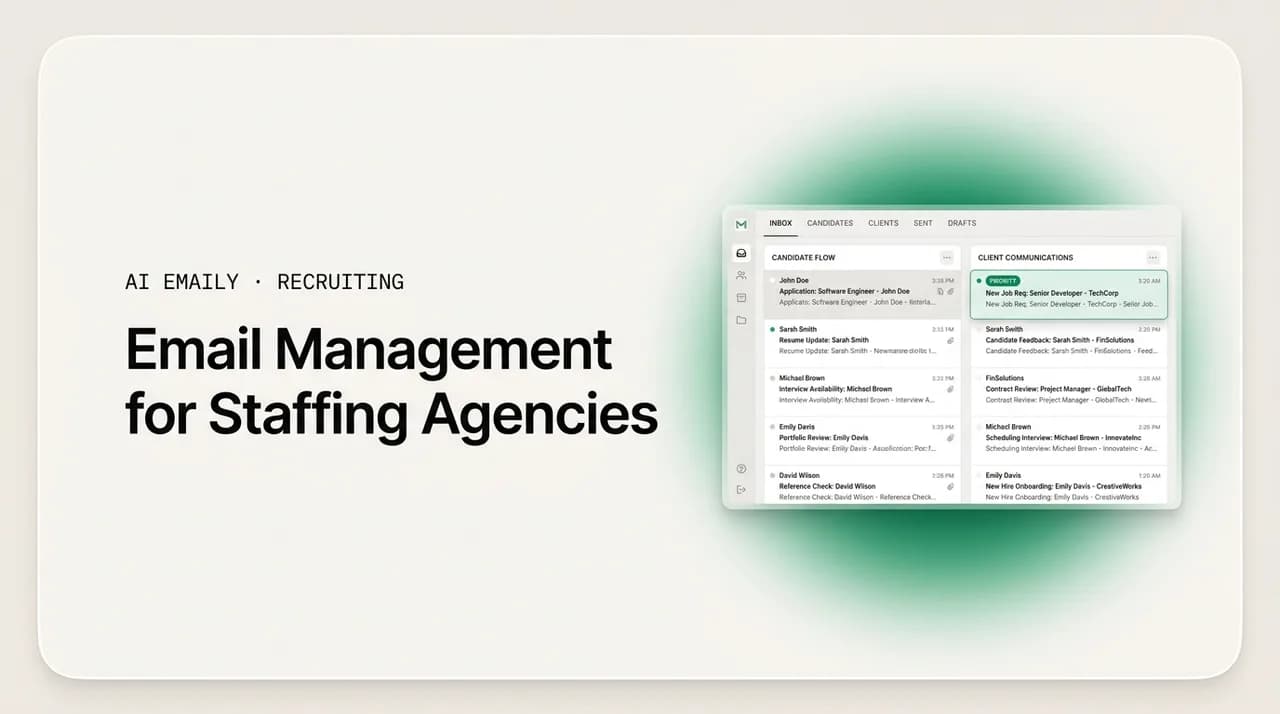
The short answer
Email management for staffing agencies works when you stop treating the inbox as one long list and start running it as a system: triage every message into a fixed set of buckets, organize threads by requisition, reply from templates, batch the routine work, and keep the ATS as the source of truth. On a full desk that runs candidates and clients at once, the recruiter who is organized and fast wins the placement, because the best people leave the market in roughly ten days. This guide gives you the buckets, the workflow, and an honest look at where AI triage and drafting remove the repetitive volume.
A practical email management system for staffing agencies: why recruiter inboxes overflow, how to triage candidate and client threads, per-req organization, templates, batching, ATS integration, and how AI Emaily keeps a full desk fast as you scale.
On this page
- 01Why email management for staffing agencies is a placement problem, not a tidiness problem
- 02Why staffing inboxes overflow in the first place
- 03The core idea: run your inbox as a triage system, not a to-do list
- 04Organize threads by requisition, not just by person
- 05Reply from templates so you never write the same email twice
- 06Batch the routine work instead of reacting all day
- 07Make the ATS the source of truth, and stop the inbox from becoming a second one
- 08Running a full desk: candidates and clients in the same inbox
- 09Scaling to a team without losing speed or consistency
- 10Keeping speed as your req load grows
- 11How AI Emaily helps you manage a staffing inbox
- 12Putting it all together
Why email management for staffing agencies is a placement problem, not a tidiness problem#
Email management for staffing agencies is usually filed under "admin," somewhere below sourcing and closing on the list of things that supposedly matter. That framing is wrong, and it costs desks money. On a staffing desk the inbox is not where you tidy up after the real work; it is where the real work happens. Candidates confirm interest in the inbox. Clients approve a shortlist in the inbox. Interviews get scheduled, rescheduled, and confirmed in the inbox. References come back in the inbox. A placement is, in practice, a chain of email threads that either moves forward on time or stalls, and the recruiter who keeps that chain moving beats the one who lets a message sit for a day.
The economics are unforgiving. In tech, healthcare, and high-volume staffing, the strongest candidates are off the market in roughly ten days, and the recruiter who presents and schedules fastest tends to win. Against that clock, a national average time-to-fill of around 44 days is not a comfortable buffer; it is a long stretch during which any dropped follow-up quietly loses you a fee. The gap between a well-managed inbox and a chaotic one is measured in submittals that went out same-day versus next-day, in candidates who felt kept-warm versus candidates who ghosted, and in clients who trust that you are on it versus clients who chase you.
So this guide treats email management as a core recruiting skill with a dollar value, not as housekeeping. It covers why staffing inboxes overflow, a concrete system for triaging and organizing the flood, how to keep that system working across a full desk and a growing team, and how to stay fast as your req load scales. Where AI genuinely helps, we say so plainly, and where a human still has to make the call, we say that too.
Why staffing inboxes overflow in the first place#
Before you can fix the inbox, it helps to see exactly why a recruiter's inbox fills faster than almost anyone else's. It is not that recruiters are disorganized. It is that a full-desk recruiter sits at the intersection of more inbound streams than most jobs ever touch, and each stream has its own tempo, its own urgency, and its own consequence for being missed. Here are the streams that pile up.
- Candidate replies. Every outreach message you send is a small promise to respond. Multiply your open reqs by the candidates in play on each, add the follow-ups and "still interested?" nudges, and candidate threads alone can fill a day. Miss one and a warm candidate cools; miss it for two days and they take another recruiter's call.
- Client and hiring-manager threads. Job intake, shortlist approvals, interview feedback, offer negotiation, and the steady drip of "any update?" from the account. These are lower in volume than candidate mail but far higher in stakes, because the client relationship is the desk.
- Submittals and shortlists. Sending candidates over, chasing feedback, and reworking the list when the manager passes. Each submittal spawns a thread that needs to be tracked to a decision, not just sent and forgotten.
- Scheduling and rescheduling. Interviews are the single most email-intensive step in the pipeline: proposing times, confirming, sending calendar invites, handling the reschedule when a candidate's shift changes or a manager double-books. One interview can generate half a dozen messages across three people.
- References and credentials. Reference requests and chase-ups, and in healthcare and other licensed fields, credential and document collection that repeats on nearly every placement. This is high-volume, templated, and easy to let slip because it feels like paperwork.
- Job-board and platform alerts. New applicants, saved-search matches, InMail replies, and notifications from every board and sourcing tool you run. Genuinely useful signal, buried in genuinely overwhelming noise, all landing in the same inbox as the client who is waiting on you.
- Internal and vendor mail. Teammates, your ATS and CRM, background-check vendors, invoicing, compliance. Not the work, but it shares the inbox with the work and competes for the same attention.
Put those streams together and the problem becomes obvious. A solo full-desk recruiter is running the client relationship and the candidate delivery with no support staff, so every one of those messages is a personal task competing with the selling and closing that actually pays. In high-volume light-industrial or healthcare staffing, the same near-identical outreach, screening, and credential emails go out hundreds of times a month by hand. The inbox does not overflow because recruiters are bad at email. It overflows because the job structurally generates more mail, at more different tempos, than an unstructured inbox can hold.
The instinct, when the inbox is full, is to work harder: get in earlier, stay later, keep the tab open all evening and pick off messages as they arrive. That feels productive and it does not scale, because reacting to whatever is newest means the loudest thread wins rather than the most valuable one. A job-board alert interrupts a client reply. A cold candidate's "thanks anyway" gets answered before the hot candidate's "yes, I'm interested." What a full desk needs is not more hours; it is a system that decides, for every message, what it is and what happens to it.
The inbox is your pipeline, wearing a disguise
The core idea: run your inbox as a triage system, not a to-do list#
The single most useful change a recruiter can make is to stop reading the inbox top to bottom and start triaging it. A to-do list mindset says: handle messages in the order they arrived until the list is empty. A triage mindset says: sort every message by what it is and how urgent it is first, then work the sorted piles in priority order. The difference sounds small and it is the whole game, because triage is what lets you answer the hot candidate before the newsletter and the client before the vendor invoice, every time, without deciding it fresh on each message.
Triage borrows deliberately from the emergency room. When patients arrive faster than they can be seen, nobody treats them first-come-first-served; they sort by severity so the critical cases get attention now and the minor ones wait safely. Your inbox on a busy desk is exactly that scene: messages arrive faster than you can fully handle them, so the job is not to clear them in order but to sort them fast, act on what cannot wait, and route the rest to where it will get done at the right time. A triaged message is not necessarily answered yet, but it is decided, and a decided inbox is a calm inbox.
Here is a triage bucket system built for a staffing desk. Every message that lands gets sorted into exactly one of these, ideally within seconds of you seeing it. The point is not the specific labels; it is that there is a fixed, small set of buckets and every message goes into one.
| Triage bucket | What lands here | Target response | Action |
|---|---|---|---|
| Hot — act now | Interested candidate on a live req, client shortlist approval, interview confirmation, an offer in motion. | Same hour, or as fast as you physically can. | Reply or schedule immediately. This bucket is where placements are won or lost; nothing outranks it. |
| Client / account | Any hiring-manager or client thread that is not already "hot": updates, feedback requests, new intake, relationship touches. | Same day, ideally within a few hours. | Reply from a template, adapt, send. Clients read slow replies as low priority even when they are not. |
| Candidate — active | Follow-ups, "still interested?" nudges, scheduling back-and-forth, and screening replies on open reqs. | Same day. | Batch these. Most are templated; handle them in a dedicated block rather than one at a time. |
| Submittals & scheduling | Feedback chases on candidates you've sent over, and the interview-coordination threads that follow. | Same day; move stalled ones forward. | Track each to a decision. A submittal with no reply for two days needs a nudge, not silence. |
| References & credentials | Reference requests and chase-ups, document and license collection, compliance paperwork. | Within a day or two, but never dropped. | Templated and easy to automate. Keep a running list of what's outstanding so nothing stalls a start date. |
| Alerts & noise | Job-board notifications, saved-search matches, platform digests, most newsletters. | Reviewed in a batch, not in real time. | Filter out of the main inbox. Skim on your schedule; act on the few that are real leads. |
| Later / reference | FYI threads, non-urgent internal mail, things you want but don't need to act on now. | No response required. | Archive or snooze. Get it out of sight so the buckets above stay visible. |
Two rules make this system hold up under a real day's volume. First, every message goes into exactly one bucket, and you sort before you handle. The temptation is to start answering the first interesting message you see, but that is how the loud thread beats the important one. Do a fast triage pass across new mail, then work the buckets top to bottom: hot first, then client, then active candidates, and so on. Second, the buckets are a small fixed set. If you find yourself inventing a new bucket for every situation, you are back to a to-do list. Seven buckets is plenty; most desks run well on four or five.
This is also the honest answer to "inbox zero for recruiters," a phrase that gets thrown around as if the goal were an empty inbox. It is not. On a full desk you will never end the day with zero unread messages, and chasing that will make you miserable and slower. The realistic and far more valuable target is triage zero: every message sorted into a bucket and nothing important sitting undecided. An inbox where the hot bucket is empty and the rest are queued in priority order is a won day, even if a hundred alerts are still sitting in a filtered folder you will skim tomorrow.
Aim for triage zero, not inbox zero
Organize threads by requisition, not just by person#
The most common way recruiter inboxes fall apart is that they are organized by person when the work is organized by requisition. You have a thread with Maria the candidate, a thread with the hiring manager at Northwind, a job-board alert about the same role, and a scheduling thread for Maria's interview — four separate threads scattered across the inbox, all belonging to one placement. When the manager asks "where are we on this role?" you are reconstructing the state of a req from four different corners of your mailbox. That reconstruction, done dozens of times a day, is a huge silent tax.
The fix is to make the requisition the organizing unit of your inbox, so that everything about one role clusters together and you can see the whole placement at a glance. There are a few ways to do it depending on your tools, and they stack.
- 1
Label or tag by req
Give every open requisition a label — a role code, client name, or "Client · Role" — and apply it to every message about that req: candidate threads, client threads, scheduling, references. Now one click shows you the entire state of a placement instead of a scavenger hunt.
- 2
Use a consistent subject convention
Lead subjects with a short req tag, for example "[NW-Nurse] Interview times for Maria." A predictable prefix makes threads searchable and sortable, and it trains clients and candidates to reply within the right thread rather than starting new ones.
- 3
Keep the thread, don't start new ones
Reply within the existing thread for a candidate or req rather than opening fresh emails. One continuous thread per relationship-within-a-req keeps the full history in one place, so you never lose the context of what was already said.
- 4
Filter alerts by role where you can
Route job-board and saved-search alerts for a given req into the same label or folder, so applicant flow for a role sits beside the human threads for that role instead of drowning in a generic notifications pile.
- 5
Snooze to the next action, per req
When a req is waiting on someone — client feedback, a candidate deciding, a reference — snooze the thread to resurface on the day you need to chase. The inbox becomes a queue of "what needs a nudge today" instead of a static pile you have to re-scan.
Organizing by requisition is what makes the client update effortless instead of dreaded. When every thread about a role carries the same label, answering "any update?" is a matter of opening the label, seeing the current state — three candidates submitted, two interviews scheduled, one reference outstanding — and writing a two-line status from what is right in front of you. Compare that with hunting through an inbox sorted by person, trying to remember which of your forty candidates belongs to which of your twelve reqs. The req-centric inbox is slower to set up once and faster forever after.
This is also where your inbox and your applicant tracking system have to agree. The inbox is where the live conversation happens; the ATS is where the structured record lives. If the two disagree — a candidate has verbally accepted over email but the ATS still says "submitted" — you will make decisions on stale data and eventually embarrass yourself in front of a client. We come back to ATS integration below, but the principle starts here: your inbox organization should mirror your ATS structure closely enough that moving information between them is trivial, not a translation exercise.
Reply from templates so you never write the same email twice#
A staggering share of a recruiter's outbound email is the same handful of messages, sent over and over with the names swapped. The initial outreach. The follow-up when there's no reply. The "still interested?" nudge. The interview-invitation and confirmation. The rejection that keeps the door open. The reference request. The credential-and-documents ask. On a high-volume desk, these templated messages go out hundreds of times a month, and writing each one from scratch is a pure waste of the exact minutes you should be spending selling and closing.
The answer is a real template library — not a vague memory of "how I usually phrase it," but a set of saved, named templates you can drop into a reply in one action, then personalize in a line or two. Templates do three things at once: they make you faster, they keep your candidate and client communication consistent so nobody gets a sloppy version on a busy day, and they turn writing into editing, which is far less taxing than facing a blank message forty times before lunch.
- Candidate outreach — the first-touch message for a role, with a slot for the one specific detail that proves it isn't a blast.
- Follow-up and "still interested?" — the nudge that recovers candidates who went quiet, which is where a lot of placements are quietly saved.
- Interview invitation and confirmation — proposing times, then locking and confirming, with the details a candidate actually needs to show up prepared.
- Submittal cover note to the client — the short framing that goes over a candidate, tuned to what this manager cares about.
- Reference request — the ask that makes it easy for a referee to reply fast, plus the polite chase.
- Credential and document request — for licensed fields, the repeatable ask for the exact paperwork a placement needs.
- Reject-but-keep-warm — the gracious no that leaves a candidate willing to take your call on the next role.
- Status update to the client — the two-line "here's where we are" that heads off the "any update?" email before it's sent.
The risk with templates is that they read like templates. A candidate who gets an obviously mass-produced message feels like a number, and a client who gets a generic status update wonders whether you're paying attention to their account specifically. The discipline that keeps templates working is a simple one: template the structure, personalize the opening. Keep the body and the mechanics — the times, the logistics, the ask — as reusable text, and spend your saved minutes on one genuinely specific line at the top that proves you know who you're writing to and why. That's the line that makes a templated message land like a personal one, and it's exactly the judgment call a recruiter should be spending time on instead of retyping the same three paragraphs.
Templates also want light, periodic maintenance. The follow-up that pulls the best reply rate, the outreach that gets opened, the phrasing a particular client responds to — these are worth noticing and folding back into the library. A template set is not something you write once and freeze; it's a living asset that gets sharper the more you pay attention to what actually works on your desk.
Template the structure, personalize the opening
Batch the routine work instead of reacting all day#
Even with buckets and templates, an inbox left open all day will shred your attention. Every new message is an interruption, and the research on task-switching is consistent and grim: it takes real time to recover focus after each interruption, so a day spent reacting to every ping is a day where nothing gets your full attention, including the closing work that pays. The antidote is batching — handling similar messages together in dedicated blocks rather than one at a time as they arrive.
A batched day for a recruiter looks roughly like this, and the specific times matter less than the shape.
- 1
Morning triage and hot-bucket sweep
Start the day with a fast triage pass across everything that came in overnight, then immediately clear the hot bucket — interested candidates, client approvals, anything time-critical. This is the highest-leverage half hour of your day; do it before the noise starts.
- 2
A scheduling and coordination block
Handle all the interview-scheduling and confirmation threads together. They share a mental mode and a set of templates, so doing them in one block is far faster than scattering them across the day between other tasks.
- 3
A candidate follow-up block
Work the active-candidate bucket in one sitting — follow-ups, nudges, screening replies — mostly from templates with a personalized opener each. Batching these is where the templated volume of the desk gets absorbed efficiently.
- 4
A client-comms block
Write your status updates and answer account threads together, when you can hold the whole desk in your head and give each client a coherent picture rather than a fragment typed between candidate replies.
- 5
An end-of-day triage-zero pass
Close the day by getting to triage zero: every message sorted, hot bucket empty, tomorrow's chases snoozed to resurface. You leave with a decided inbox and walk in tomorrow to a queue, not a pile.
Batching does not mean ignoring genuinely urgent things. The hot bucket exists precisely so the small number of truly time-critical messages — an interested top candidate, a client ready to approve — get an immediate response while everything else waits for its block. The mistake is treating every message as hot, which is how the whole inbox becomes an emergency and nothing gets real focus. A good rule of thumb: if a message doesn't move a placement forward today, it can wait for its batch.
Batching also protects your outbound quality. Messages written in a calm, dedicated block are simply better than messages fired off between three other things — fewer typos in the one place a typo really hurts (the candidate's name, the interview time, the backup email), more consistent tone, better judgment about what to say. Speed and quality are usually framed as a trade-off in recruiting; batching is one of the few moves that improves both at once.
Turn off notifications during focus blocks
Make the ATS the source of truth, and stop the inbox from becoming a second one#
Every staffing desk runs an applicant tracking system, and the inbox and the ATS have a relationship that either works quietly in the background or actively fights you. The failure mode is that the inbox slowly becomes a shadow ATS: the real status of a candidate lives in a thread you half-remember, the actual client feedback is buried in an email rather than logged, and the ATS drifts into a stale record nobody fully trusts. When that happens, you're maintaining two systems of record that disagree, and disagreeing systems are worse than one imperfect one because you never know which to believe.
The principle that keeps this clean: the ATS is the source of truth for structured pipeline state, and the inbox is where the live conversation happens. Anything that changes a candidate's status — an acceptance, a decline, a client's yes or no, a scheduled interview — needs to make it into the ATS, not just live in email. The goal is a workflow where moving information from inbox to ATS is a few seconds of friction, not a data-entry chore you avoid until Friday and then do badly from memory.
- Log status-changing emails immediately. When a candidate accepts or a client approves, update the ATS in the same motion as reading the email, while the fact is fresh and unambiguous. Deferred logging is how records go stale.
- Mirror your req structure. Keep your inbox labels aligned with how reqs are named in the ATS, so a message and its record are obviously the same thing and moving between them needs no translation.
- Use the ATS's email integration where it exists. Many systems can capture correspondence against a candidate or req automatically. Turn that on so the conversation history attaches itself to the record instead of you copying it over.
- Don't ask the inbox to do the ATS's job. Reporting, compliance records, and pipeline analytics belong in the structured system. The inbox is for the conversation; let each tool do what it's good at.
- Reconcile on a cadence. A short weekly pass to catch any thread whose outcome never made it into the ATS keeps the two systems honest before a gap becomes an embarrassment in front of a client.
The reason this matters so much on a staffing desk is speed under load. When you're moving fast — same-day submittals, same-hour replies to hot candidates — you don't have the luxury of stopping to reconstruct where a placement stands. If your ATS is current, that glance is instant. If it's stale and the truth is scattered across your inbox, every fast decision risks being based on outdated information, and at recruiting speed those mistakes compound. A clean inbox-to-ATS workflow isn't bureaucracy; it's what lets you go fast safely.
Running a full desk: candidates and clients in the same inbox#
Everything above gets harder on a true full-desk (360) role, where one person owns both the client relationship and the candidate delivery. Now the same inbox holds a client who expects a considered, senior, on-brand reply and a candidate who needs a fast, warm, human one — often in adjacent threads, often within the same hour. The two audiences want different things from you, and the risk of a full desk is that the tone and priority meant for one leaks into the other: a client gets a rushed, templated-feeling note, or a candidate gets a formal, slow reply that makes them feel like a case number.
The buckets already do most of the work of separating these, because "client / account" and "candidate — active" are different piles with different response targets and different templates. The additional discipline on a full desk is to protect the client stream from the sheer volume of the candidate stream. Candidate mail is higher-volume and more templated; client mail is lower-volume and higher-stakes. If you let candidate volume set the pace of your whole inbox, client threads get answered in the same hurried mode as a follow-up nudge, and that's exactly the mode a client relationship can't afford.
- Give client threads their own protected block. A dedicated client-comms block, handled when you can think clearly about the account, keeps high-stakes relationship mail out of the candidate-follow-up rush.
- Keep two tones, on purpose. Candidate mail can be fast and warm; client and hiring-manager mail should stay considered and on-brand. Separate template sets for each keep the voices from bleeding together.
- Never let a candidate nudge outrank a client reply. In your bucket order, client mail sits above routine candidate mail for a reason — a slow reply to the account costs more than a slightly slower nudge to one candidate.
- Watch the confidential threads. In executive and senior search especially, a single tone-deaf or misrouted message can damage a premium relationship. High-stakes and confidential threads are the ones to slow down on, not speed up.
The other reality of a solo full desk is that every one of these messages competes with the work that actually generates fees. When you're the only person on the desk, the hour spent hand-typing forty follow-ups is an hour you didn't spend closing, and there's no colleague to hand the routine to. This is the specific pressure that makes a good email system non-optional for solo recruiters: it's about buying back the hours that manual, repetitive email quietly eats — the evenings, the between-call gaps, the time that should go to selling. A recruiter who has templated and automated the routine layer of their inbox has meaningfully more selling time than one who hasn't.
Full desk means two audiences, one inbox
Scaling to a team without losing speed or consistency#
When a desk grows into a small agency, the inbox problem changes shape. Now it's not one person's system that has to hold; it's several recruiters' inboxes, and the agency owner's worry shifts from "am I fast enough?" to "is everyone fast enough, and does every candidate and client get the same quality of communication regardless of which recruiter they happen to be talking to?" Inconsistent follow-up and a different voice on every desk is how a growing agency quietly leaks placements and dilutes its brand. The follow-up that one recruiter nails, another forgets; the tone that one keeps warm, another lets go cold.
The move that solves this is standardization — turning the best individual practices into shared agency ones, so quality doesn't depend on who's at the keyboard.
- 1
Shared template library
Maintain one agency template set rather than each recruiter reinventing their own. Everyone starts from the proven version of each message, so candidate and client communication reads consistently on-brand across every desk, not like a different company each time.
- 2
A shared triage standard
Agree on the buckets and the response targets as a team, so "hot" means the same thing and gets the same speed on every desk. A shared standard is what makes coverage possible when someone's out — anyone can pick up a colleague's inbox and know how to work it.
- 3
Clear ownership and handoff rules
Define who owns which threads and how a handoff works when a recruiter is unavailable, so no candidate or client falls into the gap between two people. The most damaging dropped follow-ups happen in exactly these seams.
- 4
Shared visibility into req state
Keep req status somewhere the whole team can see — the ATS, ideally — so an owner or a covering colleague can answer a client without hunting through someone else's personal inbox.
- 5
A light quality loop
Periodically review what's actually working — the follow-up cadence, the templates, the response times — and fold the wins back into the shared standard. Standardization isn't a one-time setup; it's a practice that keeps the whole team improving together.
The payoff for the owner is speed and consistency at once, which usually feel like a trade-off. A standardized inbox system means a new recruiter ramps faster because the templates and the workflow are handed to them rather than learned by trial and error. It means a client gets the same responsiveness whether they reach their usual recruiter or a colleague covering. And it means the agency's communication quality becomes a repeatable asset the owner controls, not a variable that swings with whoever's handling the thread. For a growing agency, that consistency is often the difference between scaling cleanly and scaling into chaos.
Keeping speed as your req load grows#
There's a hard ceiling that every growing desk eventually hits: manual email doesn't scale linearly, and past a certain req load, the same responsiveness that made you fast becomes impossible to sustain by hand. Ten reqs' worth of follow-ups you can hand-type. Thirty reqs' worth, at the speed the market demands, you cannot — not without either working unsustainable hours or letting your response times slip, which quietly loses you the placements your speed used to win. The uncomfortable truth is that a bigger desk with slower email can place fewer candidates than a smaller desk with faster email.
The way through is not heroics; it's leverage. Three levers, in order of how much they buy you.
- Automate the truly repetitive. Application acknowledgments, screening-question sends, credential requests, and basic scheduling logistics are high-volume and low-judgment. This is the layer that eats the most hours and needs the least of your personal touch — the first thing to take off your plate.
- Template everything else. The messages that need a personal opener but a repeatable body — outreach, follow-ups, submittals, status updates — should never be written from scratch. Templates keep these fast at any volume.
- Reserve human time for judgment. Closing conversations, sensitive candidate moments, high-stakes client threads, and confidential searches are where a recruiter's judgment is the product. Protect this time by clearing the other two layers off your desk, not by squeezing it.
This is where AI genuinely changes the math, and it's worth being precise about how. The value isn't "AI writes my emails so I don't have to think." The value is that AI can absorb the repetitive, high-volume, low-judgment layer of the inbox — the triage, the routine drafts, the follow-up cadence — so that a recruiter's finite human attention goes to the judgment layer where it actually matters. A desk that offloads the routine layer can carry more reqs at the same responsiveness, which is the whole point: more placements, without the response times slipping and without the recruiter burning out. The next section is an honest account of what that looks like in practice.
How AI Emaily helps you manage a staffing inbox#
AI Emaily is an AI-native email client built around the idea that your inbox should have an autonomous chief of staff — something that triages, drafts, follows up, and handles the busywork so you spend your time on the work that actually needs you. For a staffing desk, that maps directly onto the system in this guide. Here is what it does, described plainly, without pretending it replaces a recruiter's judgment.
- AI triage. It sorts your inbox the way this guide describes — surfacing the hot bucket (interested candidates, client approvals, anything time-critical) and pushing job-board alerts and noise out of your way — so a full desk's flood arrives pre-sorted instead of as one undifferentiated pile. Triage zero becomes the default state rather than a discipline you have to enforce by hand.
- One unified inbox. It connects Gmail, Outlook, iCloud, Fastmail, Proton, and any IMAP account, so if your candidate and client mail lives across more than one address, it's all in one place — one inbox to triage, one set of labels, one workflow, instead of tab-switching between accounts.
- Drafts waiting for you. Because it learns how you actually write, the routine replies — follow-ups, "still interested?" nudges, scheduling, credential requests, status updates — come back already drafted in your voice, personalized opener and all. Writing forty follow-ups becomes reviewing forty drafts, which is the difference between a lost afternoon and a batched half hour.
- Copilot and Autopilot modes. You choose how much to hand over. In Copilot, every draft waits for your review and approval before it sends — the right mode for anything with a client or a judgment call in it. In Autopilot, you let it handle the genuinely routine, safe-to-automate volume on its own — application acknowledgments, screening sends, basic scheduling — the exact repetitive layer that scales badly by hand.
- Undo and a full audit trail. Everything the agent does is reversible and logged. You can see exactly what was sent, when, and why, and undo anything that shouldn't have gone out. On a desk where a wrong message to a candidate or client has real consequences, that safety net is what makes handing over the routine layer something you can actually trust.
The honest framing is this: AI Emaily is strongest exactly where a staffing inbox is most repetitive and weakest — the templated follow-ups, the scheduling back-and-forth, the credential chases, the "still interested?" nudges that are the same message hundreds of times a month. That's the volume Autopilot is built to remove and Copilot is built to accelerate. Where the work is judgment — the close, the sensitive candidate conversation, the confidential executive search, the high-stakes client thread — the product's job is to draft and get out of your way, not to make the call. It keeps you in control with review, undo, and audit precisely because a recruiter's judgment is the part that shouldn't be automated.
For a solo full-desk recruiter, the pitch is your evenings back and never dropping a candidate follow-up again. For a boutique agency owner, it's standardizing the quality and speed of candidate and client communication across every desk, so responsiveness stops depending on who's at the keyboard. In both cases the mechanism is the same: take the repetitive layer of the inbox off human hands so the human hours go to placing candidates. You can try it free at app.aiemaily.com/signup, with a Free plan at no cost and Pro at $12.42 per month on the annual plan.
Putting it all together#
Email management for staffing agencies comes down to one shift and a handful of habits that follow from it. The shift is to stop treating the inbox as a to-do list you work top to bottom and start running it as a triage system — every message sorted into a small fixed set of buckets, worked in priority order, with the hot bucket answered immediately and the routine batched. That single change is what lets the recruiter who's organized also be the recruiter who's fast, and on a desk where the best candidates vanish in about ten days, fast is what wins the fee.
Around that core sit the habits: organize threads by requisition so a placement's whole state is one click away, reply from a real template library so you never write the same email twice, batch the routine work so your attention isn't shredded all day, and keep the ATS as the trustworthy source of truth so you can move fast without moving on stale data. On a full desk, protect the client stream from the volume of the candidate stream. As you grow into a team, standardize the buckets and templates so quality doesn't swing with whoever's at the keyboard.
And where the volume outgrows what human hands can carry at speed, use AI to absorb the repetitive layer — the triage, the routine drafts, the follow-up cadence — so your finite attention goes to the judgment that actually places candidates. Whether you set that up yourself or let an AI email client do it for you, the goal is the same: an inbox that moves placements forward on time, every time, instead of one that quietly loses fees to a missed follow-up.
Frequently asked
See it in AI Emaily
Keep reading
Sources

Written by
Nafiul HasanNafiul Hasan is an entrepreneur and AI automation system builder with 10+ years of experience turning messy, manual workflows into reliable automated systems. He designs and ships AI enterprise solutions end-to-end — the agent logic, the data plumbing, and the product people actually use — and founded AI Emaily to give busy professionals their attention back. He writes here from the builder's seat: what works, what breaks, and how to put AI to work without giving up control.