AI That Sounds Like Me: How Voice-Matched Email Drafting Actually Works

The short answer
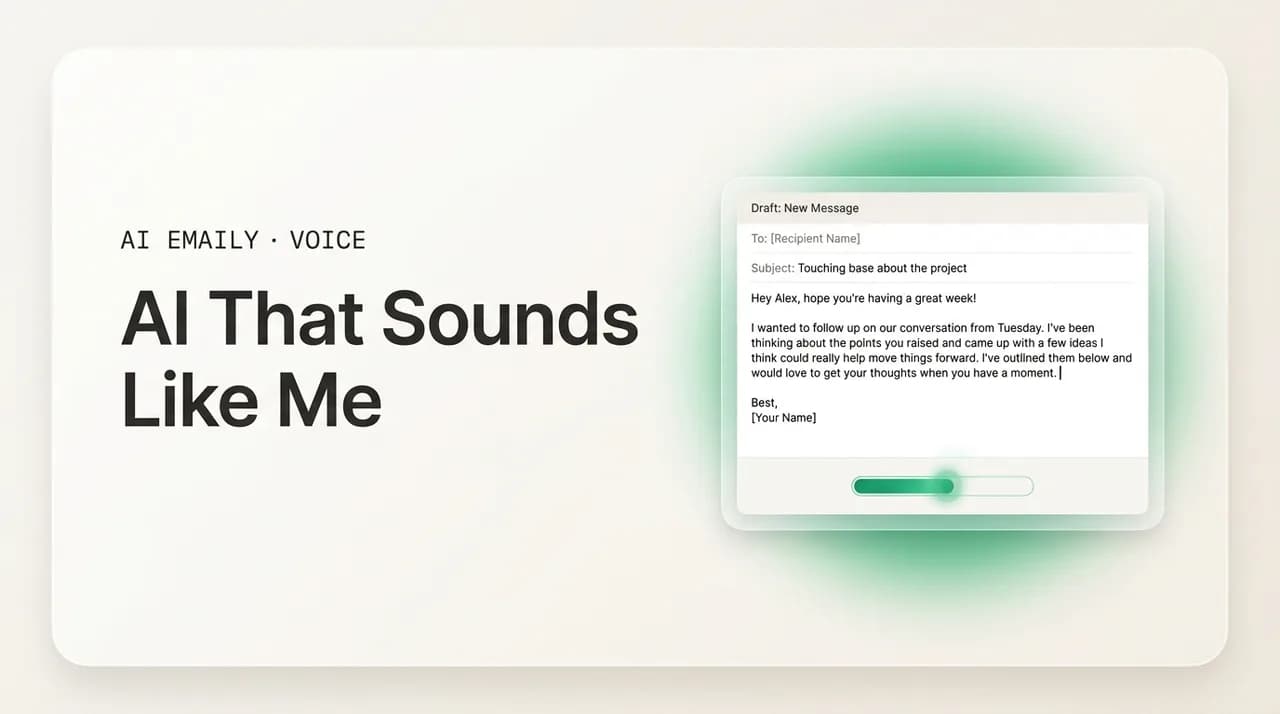
AI that sounds like me means a tool that learns your voice from your real sent mail — your openers, rhythm, and defaults — instead of guessing from a prompt. Most AI sounds generic because it has no sample of you. The fix is a style profile built from your own emails, applied per recipient, with you approving before send.
An AI that sounds like me learns your real writing voice from the emails you have already sent, then drafts new ones in that voice. Here is how voice-matching works, why most AI sounds generic, and what to look for in a tool.
On this page
- 01What does it mean for AI to sound like you?
- 02Why does most AI email sound so generic?
- 03How does AI actually learn to sound like you?
- 04Style profile vs. prompts: which one really sounds like you?
- 05What should you look for in an AI that sounds like you?
- 06What are the approaches to AI that sounds like you, compared?
- 07What does the generic-to-you difference actually look like?
- 08How does AI Emaily sound like you specifically?
- 09Is it safe and private to let AI read your sent mail?
- 10The bottom line on finding an AI that sounds like you
You typed it into a search bar at some point: an AI that sounds like me. Not an AI that writes a competent email — there are dozens of those, and they all produce the same thing. You want one that writes the email you would have written. The one where the opener is the half-sentence you actually use, the rhythm matches how you talk, the closer is your closer, and the person on the other end reads it and never once thinks a machine touched it.
That is a specific and reasonable thing to want, and it is also the exact thing most AI email tools fail at. They are fluent — grammatically perfect, structurally tidy — and they are unmistakably not you. They open with "I hope this email finds you well." They hedge in places you would not hedge. They are warm where you are blunt and formal where you are casual. The output is fine. It is just generic, in the precise way that generic is the opposite of sounding like you.
This guide is about the difference between those two things, and what it actually takes to close the gap. We will cover why most AI email reads as generic even when it is technically good, how voice-matching works under the hood — learning from your sent mail versus asking you to describe your style in a prompt — what genuinely separates a tool that sounds like you from one that just claims to, and a fair comparison of the approaches on the market in 2026. Then, because this is what we build, we will be straight with you about how AI Emaily does it and where it fits.
The short version, so you have it up front: an AI sounds like you only when it has a real sample of you to learn from. A prompt that says "write in a friendly professional tone" describes a category, not a person. The tools that actually sound like you are the ones that read your sent folder — the thousands of emails where your voice already lives — build a profile from it, and apply that profile to each new draft. Everything else is a clever way of producing the average internet email with your name on it.
What does it mean for AI to sound like you?#
Before judging whether a tool sounds like you, it helps to name what "your voice" in email actually is, because it is more concrete than it feels. Your email voice is not a vibe. It is a set of consistent, measurable habits that show up across the messages you send, and they are specific enough that a colleague could probably pick your email out of a lineup with the names removed.
There is your opener — the way you start. Some people open cold with the ask. Some open with one line of acknowledgment ("Thanks for the quick turnaround on this"). Some never use a greeting at all in an internal thread. You have a default, and you use it without thinking. There is your sentence rhythm: whether you write in short clipped lines or longer flowing ones, whether you use dashes, whether you break paragraphs every two sentences or write a wall. There is your vocabulary — the words you reach for and the ones you never would. You might say "circle back" or you might find it unbearable. You say "thanks" or "thank you" or "cheers," consistently, and switching it feels wrong.
Then there is the part that is hardest for a generic tool to fake: your register shifts by relationship. You are not one voice — you are a few. The way you write your manager is not the way you write your direct report, which is not the way you write a vendor you are mildly annoyed at, which is not the way you write a close collaborator. A real human voice is a range, and the boundaries of that range are part of who you are. An AI that nails your tone for a casual teammate but uses the same casualness on a first email to a CEO has not actually learned your voice — it has learned one slice of it and over-applied it.
So "sounds like me" decomposes into something a machine could, in principle, learn: opener pattern, rhythm and length, vocabulary and idiom, sign-off, level of directness, how much you hedge, and how all of those flex across the people you write to. None of that is magic. It is all sitting in your sent folder, repeated thousands of times. The question is whether a tool bothers to read it — and that is exactly where the approaches split.
Your voice is data, not vibes
Why does most AI email sound so generic?#
If AI is so good at language now, why does the email it writes still read as obviously AI? The answer is not that the models are weak. It is that, by default, the model has no information about you. A general-purpose chatbot was trained on a vast average of human writing. When you ask it for an email with no further context, it gives you the statistical center of all the emails it has ever seen — and the center of all email is bland, hedged, and a little corporate. That average is the generic voice. It is not a bug; it is the most likely output when the model knows nothing about who is writing.
This produces a recognizable set of tells. The over-warm opener that nobody says out loud ("I hope this message finds you well"). The throat-clearing first paragraph that restates the situation before getting to the point. The relentless evenness — every sentence the same length, every paragraph the same shape, no rhythm. The hedging ("I just wanted to reach out to see if perhaps you might have a moment") where a real person would write "Do you have ten minutes Thursday?" And the tidy three-bullet structure applied to a message that should have been two sentences. Individually each is minor. Together they form a texture that experienced readers clock instantly as machine-written.
The deeper issue is that fixing this with instructions does not scale to a person. You can tell a chatbot "be more concise" and it will get shorter. You can say "sound more casual" and it will add a contraction. But "sound like me" is not an instruction it can follow, because it has never read you. The best you can do by describing yourself is land in a sub-category of the average — "the casual concise average" instead of "the formal verbose average." That is closer, and it is still not you. The gap between a category and a person is exactly the gap that makes people give up on AI email and go back to writing it themselves.
There is also a structural reason it stays generic even when the model is capable of more: the model resets. A chatbot in a separate browser tab starts every conversation with no memory of the last one. So even if you painstakingly coach it into your voice on Monday, Tuesday's session begins from the average again, and you re-coach. Most people do this two or three times, conclude the AI does not really sound like them, and stop. They are not wrong. A tool with no persistent model of you cannot consistently sound like you — it can only be re-aimed, by hand, every single time.
| Generic AI tell | What it sounds like | What a real voice does |
|---|---|---|
| Over-warm opener | "I hope this email finds you well." | Opens the way you actually open — often straight into it |
| Throat-clearing | Restates the situation before the point | Gets to the ask in the first line or two |
| Flat rhythm | Every sentence the same length | Varies length; uses your real cadence and dashes |
| Reflexive hedging | "I just wanted to see if perhaps…" | States the request plainly when you would |
| Default bullets | Three tidy bullets for a two-line note | Matches structure to the message's actual size |
| No memory | Resets to the average every session | Carries a stable profile of you across every draft |
How does AI actually learn to sound like you?#
There are really only two ways a tool can try to sound like you, and the difference between them explains almost everything about which tools work. The first is to ask you to describe yourself. The second is to learn from what you have already written. They sound similar. They are not close.
The describe-yourself approach is what you do every time you prompt a chatbot. You tell it your tone ("professional but warm"), maybe paste a single sample, maybe list a few rules ("no exclamation points, sign off with 'Best'"). The model uses that as a steering signal on top of its average. The ceiling here is low for a structural reason: you are a poor narrator of your own voice. Most people cannot accurately describe their own writing habits — you do not consciously know that you open three out of four emails with a one-line acknowledgment, or that you use em-dashes constantly, or that your sentences run long with your manager and short with everyone else. Self-description captures the handful of traits you happen to be aware of and misses the dozens you are not. The result is better than nothing and still recognizably generic.
The learn-from-your-mail approach inverts this. Instead of asking you to describe your voice, the tool reads the place your voice already lives in undeniable detail: your sent folder. Years of real emails, written by you, to real people, in every register you use. From that corpus a tool can build a style profile — your actual opener distribution, your real sentence-length variance, your genuine vocabulary, your true sign-off habits, and crucially how all of those change by recipient. This is the difference between describing a person's accent and recording hours of them speaking. One is a sketch; the other is the thing itself. A profile learned from your sent mail captures the traits you do not even know you have, which is precisely the set that makes writing sound like you.
A good voice-matching system then does a third thing that pure imitation does not: it grounds each draft in context. Your voice is the how; the what comes from the specific thread, the relationship, and the facts you actually know about this person. Sounding like you on a reply means not just your cadence but referencing the thing you discussed last week, in the way you would reference it. So the strongest tools pair a style profile (learned from sent mail) with a context layer (what is in this thread and what you know about this person) and produce a draft that is both in your voice and about the right thing. Imitation alone gives you a draft that sounds like you and says nothing; imitation plus context gives you the draft you would have written.
- 1
Connect your mailbox
The tool reads your sent folder — the corpus where your real voice already exists across thousands of emails and every register you use.
- 2
Build a style profile
It extracts your actual habits: opener patterns, sentence rhythm, vocabulary, sign-offs, directness, and how each shifts by recipient — including the traits you cannot self-describe.
- 3
Ground each draft in context
For a given reply, it pulls the relevant thread history and what is known about the recipient, so the draft is about the right thing, not just in the right voice.
- 4
Match the register to the recipient
It applies the slice of your voice that fits this specific person — formal for a first client contact, lighter for a daily teammate — rather than one flat tone for everyone.
- 5
You review and send
The draft arrives in your voice; you tweak a word if you want and approve. Over time the profile sharpens as it sees more of how you actually write and edit.
Style profile vs. prompts: which one really sounds like you?#
It is worth sitting on this distinction because it is the single biggest predictor of whether a tool will sound like you, and the marketing around AI email blurs it on purpose. Many tools advertise that they "match your tone" when what they actually offer is a tone dropdown — pick "professional," "friendly," or "casual" — which is the describe-yourself approach with three preset answers. That is tone selection, not voice matching. It moves you between categories of the average. It never reaches a person.
A genuine style profile is different in kind, not degree. It is persistent: built once from your mail and reused on every draft, so you are not re-teaching the AI each session. It is specific: derived from your actual writing, so it captures the unconscious habits self-description misses. And it is relational: it holds more than one version of your voice and knows which to use for whom. A tone dropdown has none of these properties. It forgets between sessions, captures only what a preset label encodes, and applies the same setting to everyone until you change it by hand.
The practical test is simple. Ask any tool: where does it get its sense of my voice? If the answer is "you tell it" or "you pick a tone" or "you paste a sample each time," it is prompt-based, and it will sound like a category. If the answer is "it reads your sent mail and builds a profile," it has the raw material to sound like you. A tool can do both — learn a profile and let you nudge it with instructions — and that is ideal. But a tool that only takes instructions has set its own ceiling, and that ceiling is below your actual voice.
One honest caveat: a style profile is only as good as the mail it learns from. If your sent folder is mostly two-word replies, there is less voice to extract, and the profile leans on what little signal exists. The systems that handle this well keep learning — they watch which drafts you accept unchanged and which you rewrite, and they treat your edits as the strongest possible signal about your real voice. That feedback loop is what closes the last gap between "close to me" and "me."
The one question that sorts every tool
What should you look for in an AI that sounds like you?#
If you are shopping for a tool specifically because you want one that writes in your voice, a handful of criteria separate the ones that deliver from the ones that demo well and disappoint. Use these as a checklist when you evaluate anything — including us.
First, learning source. Does it learn from your sent mail, or does it only take a prompt or a tone setting? This is the foundational one; everything else is secondary. Second, persistence. Does the voice stick across sessions and across your whole inbox, or do you re-teach it every time you open a new draft? A voice you have to re-establish is not really yours to the tool. Third, per-recipient adaptation. Does it write the same to everyone, or does it shift register for a stranger versus a teammate the way you actually do? A single flat tone is a tell that there is no real profile underneath. Fourth, context grounding. Can it reference the actual thread and what is known about the person, or does it produce voice-correct emails that are vague about the substance?
Fifth, control and safety. Does it draft and wait for your approval, or does it send on its own? For most people the right default is draft-then-approve: you get the speed of AI and keep the final say, especially early on while you are still trusting the voice. Sixth, coverage. Does it work across all your email — Gmail, Outlook, IMAP — or only one account, leaving your voice inconsistent across the inboxes you actually use? Seventh, privacy. Is your mail used to draft for you, or also to train shared models? An AI that learns your voice necessarily reads your most personal writing; how that data is handled is not a footnote.
Notice that most of these have nothing to do with how good the underlying language model is. By 2026 the models are all capable enough to write a fluent email. The differentiation has moved entirely to whether the tool has a real, persistent, per-recipient model of you, grounded in your actual mail, under your control. A tool can wrap the best model in the world and still sound generic if it never learns who you are. A tool with a modest model and a strong voice profile will sound more like you every time.
| What to check | Generic / weak | Sounds-like-you / strong |
|---|---|---|
| Learning source | Prompt or tone dropdown | Reads your sent mail, builds a profile |
| Persistence | Re-teach every session | Profile reused on every draft |
| Per-recipient | Same tone for everyone | Shifts register by relationship |
| Context | Voice-correct, substance-vague | Grounded in the actual thread |
| Control | Sends on its own | Drafts, you approve before send |
| Coverage | One account only | Gmail, Outlook, any IMAP |
| Privacy | Trains shared models on your mail | Your mail drafts for you only |
What are the approaches to AI that sounds like you, compared?#
The tools you will run into cluster into a few categories, and it is worth being fair and accurate about each — they are not all bad, they are built for different jobs, and some of those jobs are not "sound like a specific person." Here is the honest map of the landscape in 2026.
General chatbots (ChatGPT, Claude, Gemini) are extraordinary writers and the wrong tool for this specific job. They live in a separate tab, they have no access to your inbox, and they reset every session, so any voice you coach in is lost. They are best for one-off drafting where you do not mind pasting context and editing the result — not for an inbox that should sound like you by default. Browser extensions and inline assistants (the "compose with AI" buttons inside Gmail and Outlook, and add-ons that bolt onto them) bring AI to where you write, which is a real improvement, but most rely on a tone setting and the current thread rather than a learned profile from your whole history. They sound better than a blank chatbot and still tend toward the category, not the person.
AI humanizers are a separate category aimed at a different fear — making AI text read as not-AI, often to evade detection. They paraphrase to break the generic texture, which can help, but they are working on text after the fact with no model of you, so "not obviously AI" is not the same as "sounds like me." Removing the tells gets you to neutral human, not to your voice. Mail-merge and outreach tools personalize at scale with merge fields and templates — "{{firstName}}, I saw {{company}} just…" — which is personalization of facts, not voice; the sentence around the variable is still a template everyone using the tool shares. Useful for volume, not for sounding personally like you.
Finally, voice-matched email clients — the category AI Emaily is in — are built specifically for this: an AI-native inbox that learns your voice from your sent mail, holds a persistent profile, adapts per recipient, grounds drafts in your real threads, and keeps you in control of sending. This is the only category whose core design goal is "sound like this specific person across their whole inbox." The table lays out the trade-offs so you can match the approach to what you actually need.
| Approach | How it gets your voice | Sounds like you? |
|---|---|---|
| General chatbot | You describe it / paste samples each session | Category-close; resets every time |
| Inline / extension assistant | Tone setting + current thread | Better than blank, still generic-leaning |
| AI humanizer | Paraphrases existing text; no model of you | Less robotic, not your voice |
| Mail-merge / outreach | Merge fields in a shared template | Personal facts, template voice |
| Voice-matched client (AI Emaily) | Learns from your sent mail; persistent profile | Built to sound like you, per recipient |
What does the generic-to-you difference actually look like?#
Abstractions about "voice" only land when you see them side by side, so here is a concrete before-and-after. Same situation: a colleague named Sam asked you to review a proposal, and you need to reply that you will get to it Thursday and you have one concern about the budget section. Watch what a generic AI produces versus a draft matched to a person who writes short, direct, and warm without throat-clearing.
The generic version is not wrong. It is grammatically clean, polite, and complete. It is also exactly the email three million other people would get from the same prompt — the over-warm opener, the hedge, the restatement, the even rhythm. The voice-matched version says the same things in fewer words, opens the way this person opens, raises the concern plainly the way they would, and signs off with their actual closer. A reader who knows you would not blink at the second one. They would pause on the first.
The point of the comparison is not that one is longer. It is that the second one is recognizably a person and the first one is recognizably nobody. That recognizability is the entire job. An AI that sounds like you is one whose drafts you can send without the small editing pass where you strip out the AI-isms and put yourself back in — because you were never taken out.
Same facts, different person
How does AI Emaily sound like you specifically?#
This is what we build, so here is the straight version of how AI Emaily does the thing you searched for — an AI that sounds like you — and where the honest boundaries are.
AI Emaily learns your voice from the emails you have actually sent. When you connect your inbox, it reads your sent mail and builds a style profile of the real you: how you open, your sentence rhythm, the words you reach for, how you sign off, how blunt or warm you run. That profile is persistent — it is not a tone you re-pick every session; it lives in the client and is applied to every draft, so the voice is the same on Tuesday as it was on Monday. And it is per-relationship: a first email to a new client comes back more formal, a reply to a teammate you message daily comes back in the lighter register you actually use with them, because the profile holds your range rather than one flat setting.
It does not just imitate cadence — it grounds each draft in the real thread. AI Emaily's drafting is built to pull in what is actually in the conversation and what is known about the recipient, so the email is about the right thing in your voice, not voice-correct and substance-empty. That is the difference between a draft that sounds like you and says nothing and the draft you would have actually written. Under the hood, the voice profile and the context layer work together, and you can read more about how that is structured in our notes on AI drafting and the rules and memory that personalize it.
You stay in control. AI Emaily's default is Copilot mode: it drafts the reply in your voice and waits — nothing sends until you approve it, so you can tweak a word or the tone before it goes, especially while you are still building trust in the voice. When you are ready to hand off more, Autopilot can handle defined, low-stakes work on your terms, with undo and an audit trail — but the default keeps you as the final reviewer. It works across every account you connect — Gmail, Outlook, and any IMAP provider — so your voice is consistent everywhere you write, not just in one inbox. And it is private by design: your mail is used to draft for you, not to train models for anyone else.
Two honest boundaries, because the criteria above apply to us too. First, the profile is only as rich as your sent mail — if you have barely sent anything, give it a little time and a few edits and it sharpens fast, because your corrections are the strongest signal it gets. Second, no tool nails every draft on the first pass; the win is that you are reviewing and tweaking a draft that already sounds like you instead of rewriting one that sounds like nobody. You can compare the approach against alternatives on our comparison page, and start free at app.aiemaily.com/signup — the Free plan connects your inbox with AI drafting at $0, and Pro is $12.42/month billed annually when you want it across everything you send.
Try it on your own sent folder
Is it safe and private to let AI read your sent mail?#
Any tool that genuinely sounds like you has read the place your voice lives — your most personal writing. That is unavoidable for voice matching to work, so the right question is not whether it reads your mail but how that data is handled, and you should hold every tool to a clear standard here, including us.
The standard worth insisting on: your mail is used to draft for you and not to train shared models that benefit other people or the vendor. Voice matching does require reading your sent mail to build a profile; it does not require pooling your writing into a model that everyone else's tool gets smarter from. Those are separate things, and a tool that conflates them — quietly using your private correspondence as training data for a general model — is doing something different from what "learns your voice" implies. Read the privacy terms for that distinction specifically.
Beyond training, look for the basics of how email content is treated: minimal access scopes so the tool only touches what it needs, content handled as your data rather than fodder, and a clear story on where drafting happens. AI Emaily's position is that your mail is yours — used to draft for you, kept private, and not turned into training material for anyone else. The whole pitch of voice matching is that it sounds like you, and that only makes sense if the you it learns stays yours.
There is also a practical safety layer that has nothing to do with data handling and everything to do with not embarrassing you: the draft-then-approve default. Because an AI that sounds like you can produce a send-ready email in your voice, the guardrail that matters most day to day is that it does not actually send without you. That is why Copilot mode — draft, you approve — is the default, and why Autopilot is opt-in and scoped. Sounding like you is the feature; you deciding what goes out is the safeguard.
Voice matching needs your mail — set the bar for what happens to it
The bottom line on finding an AI that sounds like you#
You went looking for an AI that sounds like you, and the reason most tools disappoint is now clear: by default a model knows nothing about you, so it gives you the average of all email — fluent, polite, and unmistakably nobody. You cannot fix that by describing yourself in a prompt, because you are a poor narrator of your own voice and the description only moves you between categories of the average. You fix it by giving the tool the one thing that actually encodes your voice: the emails you have already sent.
So the test for any tool is short. Does it learn from your sent mail or just take a tone setting? Does the voice persist across sessions and your whole inbox, or do you re-teach it every time? Does it shift register per recipient the way you actually do? Does it ground drafts in the real thread? Do you stay in control of sending, and is your mail kept private? A tool that answers those well will sound like you; one that does not will sound like a category no matter how good its underlying model is.
AI Emaily is built to answer all of them — a voice-matched, AI-native client that learns from your sent mail, holds a persistent per-recipient profile, grounds drafts in your threads, keeps you as the approver, works across Gmail, Outlook, and IMAP, and treats your mail as yours. The point is not that a machine writes in your name. It is that the drafts arrive already sounding like you, so your inbox moves at the speed of AI while still reading as a specific person — you. Start free at app.aiemaily.com/signup and test it on the only corpus that matters: your own.
Frequently asked
See it in AI Emaily
Keep reading
Sources

Written by
Nafiul HasanNafiul Hasan is an entrepreneur and AI automation system builder with 10+ years of experience turning messy, manual workflows into reliable automated systems. He designs and ships AI enterprise solutions end-to-end — the agent logic, the data plumbing, and the product people actually use — and founded AI Emaily to give busy professionals their attention back. He writes here from the builder's seat: what works, what breaks, and how to put AI to work without giving up control.