Best AI Email Writer That Sounds Like You (2026): Voice-Matched Tools Compared

The short answer
The best AI email writer that sounds like you does three things most tools skip: it learns from your real sent mail rather than a pasted prompt, it shifts tone per recipient, and it lets you edit before anything sends. Chatbots and native AI handle the words; voice-matching needs your inbox. AI Emaily is built for it.
The best AI email writer that sounds like you learns from sent mail and adapts per recipient. ChatGPT, Claude, Gmail, Superhuman and Shortwave compared.
On this page
- 01What makes an AI email writer actually sound like you?
- 02Why do most AI email tools sound generic?
- 03Are ChatGPT and Claude good AI email writers?
- 04Is the AI built into Gmail and Outlook enough?
- 05What about Superhuman and Shortwave?
- 06Do generic AI email writers and Chrome extensions work?
- 07How do the best AI email writers compare on voice-matching?
- 08Why is AI Emaily the pick for matching your voice?
- 09How do you choose the right AI email writer for you?
- 10The bottom line on the best AI email writer for your voice
Every email tool can write an email now. Type a line into ChatGPT, hit the "Draft with AI" button in Gmail, ask Copilot in Outlook — out comes a grammatically clean, perfectly structured paragraph. That stopped being the hard part somewhere around 2024. The hard part in 2026 is that the paragraph does not sound like you. It sounds like an AI doing an impression of a polite professional: the same tidy three-sentence rhythm, the same "I hope this email finds you well," the same cheerful closer you would never actually type. Your recipients have read a thousand of those, and they can tell.
So the buyer's question has shifted. It is no longer "which tool can write my emails" — they all can. It is "which AI email writer actually sounds like me, to the specific person I am writing to, without me re-teaching it my voice every single time." That is a narrower and much harder bar, and most of the tools marketed as AI email writers do not clear it. They generate competent generic text. Voice-matching — sounding like a particular human, adapting to a particular relationship — is a different capability that depends on something most chat tools never have: your actual mailbox.
This guide is the honest comparison. We will define what "sounds like you" really requires — the five must-haves that separate a voice-matched writer from a text generator — then run an even-handed roundup of the real options people choose in 2026: ChatGPT and Claude, the native AI baked into Gmail and Outlook, premium clients like Superhuman and Shortwave, and the generic AI email writers and Chrome extensions. Each has a genuine use; none is graded on a curve. Then we score them all on voice-matching in one table, walk through a worked example, and explain why AI Emaily is the pick when matching your voice is the actual job.
If you are comparing tools to buy or adopt, this is written for you. No invented prices, no straw men — accurate about what each competitor does well and where it stops. The aim is that by the end you can pick the right tool for your situation, whether that turns out to be ours or not.
What makes an AI email writer actually sound like you?#
"Sounds like you" is a vague promise until you break it into the things that have to be true for it to happen. A generic writer fails not because the words are bad but because it is solving a different problem — producing acceptable text — than the one you have, which is producing your text. Five capabilities separate the two, and a tool that misses any one of them will drift back toward generic no matter how good its underlying model is.
First and most important: it has to learn from your real sent mail, not a prompt. Your voice is not a setting you describe in a sentence — "write casually but professionally" — it is a pattern living in the hundreds of emails you have already sent: how you open, how long your sentences run, whether you use contractions, the phrases you reach for, how warm you are by default. A tool that asks you to describe your voice is asking you to do the thing you are bad at (most people cannot articulate their own style) instead of reading the evidence that already exists. The best writers ingest your sent folder and model the pattern.
Second: per-relationship tone. You do not have one voice — you have a register that slides depending on who is reading. Clipped and warm with the teammate you message hourly; careful and formal with a new client; deferential with your manager; brief with a vendor. A writer that produces the same tone for everyone is not matching you; it is matching an average of you, which is to say no one. Real voice-matching keys the draft to the specific recipient and the history you have with them.
Third: edit control. The draft is a starting point, not a verdict. The best tools put the draft in front of you, make it trivial to adjust tone or tighten a line, and — critically — never send until you say so. A tool that auto-sends, or that buries the draft behind a flow you cannot easily correct, takes control of the one thing you cannot un-send. Human approval before send is not a limitation; it is the feature.
Fourth: every provider, one place. Your voice should be the same whether the message goes from your work Google Workspace account, your personal Gmail, or an Outlook address. A writer locked to a single provider can only learn the slice of you that lives there, and forces you to switch tools — and lose the voice — when you switch accounts. The best option works across Gmail, Outlook, and any IMAP inbox so it models all of you.
Fifth: privacy you can actually trust. To learn your voice, a tool reads your sent mail — some of the most sensitive text you own. That only works if the arrangement is clear: your mail is used to draft for you, not harvested to train a shared model for strangers. A voice-matched writer you cannot trust with your inbox is not a tool you will use, and should not be.
The one distinction that matters
Why do most AI email tools sound generic?#
It helps to understand the failure before shopping for the fix, because the same root cause shows up across very different products. The reason a chatbot draft and a native "help me write" draft both come out sounding like an AI is that they are working from almost nothing about you. You gave them an instruction and maybe a sentence of context; everything else they fill in from the statistical middle of how emails are written. The statistical middle is exactly the bland, hedged, over-polite voice everyone recognizes — because it is literally the average of all email.
That produces a set of tells you have probably learned to spot. The throat-clearing opener ("I hope this email finds you well"). The relentlessly even sentence rhythm, every line about the same length. The corporate softening — "I just wanted to reach out," "I was wondering if perhaps" — that no confident person actually types. The tidy bulleted structure imposed on a message that should have been two casual lines. The over-eager closer. None of these are wrong, exactly. They are just generic, and generic is the opposite of sounding like a specific person.
The deeper problem is context, or the lack of it. A chat tool in a separate tab does not know who you are writing to, what you said in the last three messages of the thread, that this client is touchy about timelines, or that you and this teammate drop greetings entirely. So it cannot adapt — it writes into a vacuum and produces vacuum-shaped text. Even when you paste the thread in, you are doing manual labor the tool should do, and re-doing it every single time because the chatbot forgets you between sessions. Voice and context are two sides of the same gap: the tool does not have your mailbox, so it can be neither you nor situational.
This is why "just use a better model" does not fix it. A more capable model writes more fluent generic email. Fluency was never the bottleneck. The bottleneck is grounding — in your sent voice and in the specific conversation — and grounding is a property of where the tool lives and what it can see, not of the model behind it.
A fast test for any AI email writer
Are ChatGPT and Claude good AI email writers?#
ChatGPT and Claude are the default first stop for most people writing email with AI, and for good reason — they are excellent general writers. Give either one a clear prompt and good context and you will get genuinely strong prose: well-organized, appropriately toned, often better structured than what you would have typed in a hurry. For a one-off message where you can describe what you want and paste in the relevant background, they are hard to beat on raw writing quality. If you already pay for one, it is a reasonable tool to reach for.
But as voice-matched email writers specifically, they hit three structural limits. The first is that they live in a separate tab, disconnected from your inbox. To draft a reply you copy the thread out of your mail client, paste it into the chat, write your instruction, get the draft, copy it back, and paste it into the reply box. That is five steps of context-shuttling per email, and you do it every time. The second is that they do not know your voice unless you teach them — every session, from scratch. You can paste in three sample emails and say "write like this," and it helps for that conversation, but the model does not remember you tomorrow. There is no persistent voice profile learned from your real sent mail.
The third limit is the one buyers underrate: they have no awareness of the relationship. ChatGPT does not know that this recipient is a long-time client you are warm with, or that the last message in the thread was tense, or that you and this colleague have exchanged forty emails this month and dropped all formality. It writes from the prompt and the pasted text, not from a model of the person and the history. So even a strong ChatGPT draft tends to land at a polite, capable, slightly generic register — the safe middle — because that is what it can infer from a cold start. Custom instructions and memory features help around the edges, but they store a description of your preferences, not a learned pattern from hundreds of your sent emails.
The honest summary: ChatGPT and Claude are top-tier writing engines and weak voice-matching email tools, because email voice-matching is a grounding problem (your sent mail, the thread, the recipient) and a chatbot in a separate tab has none of that grounding by design. They are a fine choice when you want to compose a careful one-off and are willing to feed them context; they are the wrong choice when you want every reply, all day, to sound like you without the manual setup each time.
Is the AI built into Gmail and Outlook enough?#
The native AI in Gmail ("Help me write," powered by Google's Gemini) and Outlook (Copilot) has one enormous advantage over a chatbot: it is right there in the compose window. No tab-switching, no copy-paste — you click a button and a draft appears in place. For a lot of people that convenience is the whole reason they use AI for email at all, and it is a real one. If you live in Gmail or Outlook and just want a quick assist getting a message started, the native tools are the lowest-friction option that exists, and they are free or bundled with a subscription you may already pay for.
Convenience, though, is not the same as voice. The native assistants generate competent, neutral, professional text — and they generate it the same way for everyone, because they are not built around a learned model of your individual voice. Gmail's "Help me write" gives you tone toggles (formalize, elaborate, shorten) that adjust the output, which is genuinely useful, but those are presets you pick, not your voice the tool absorbed from your sent folder. The draft is a good generic draft nudged toward a category, not a draft that sounds like you specifically.
There is also a relationship gap, though a smaller one than the chatbots have. The native tools can sometimes pull a little context from the thread, but they do not maintain a persistent, per-recipient sense of how you write to this person versus that one. And they are, by definition, single-provider: Gmail's AI works on your Gmail, Outlook's on your Outlook. If you run both a work Google Workspace account and a personal Outlook address — extremely common — you are using two different AI writers with two different behaviors, and neither learns the whole of you. Your voice fragments across providers.
Where this nets out: native AI is the best convenience-per-effort on the market and a fine choice if a fast generic assist in your existing inbox is all you need. It is not a voice-matching tool. It does not learn from your sent mail, it does not adapt per relationship in a durable way, and it cannot follow you across accounts. It clears the "can write an email" bar effortlessly and the "sounds like me" bar barely at all.
Native AI vs voice-matched, plainly
What about Superhuman and Shortwave?#
Superhuman and Shortwave are the premium AI email clients, and they belong in any serious comparison because they are real products built by people who care about email — not chatbots, not bolted-on buttons, but full inbox experiences with AI woven in. If you are willing to pay for a better email client and AI is part of why, both are credible. They also illustrate something important: being an AI-native client is necessary for good voice-matching, but it is not automatically sufficient. What the AI is built to do still matters.
Superhuman's reputation is speed. It is a famously fast, keyboard-driven client built to get you through your inbox quickly, and it has added AI features — including AI drafting that can write in your voice and tools to triage and summarize. The voice work is real and the product is polished. The trade-offs buyers weigh are that the experience is intensely optimized around the power-user-with-Gmail-or-Outlook flow, the price sits at the premium end of the market, and the AI, while good, sits inside a product whose center of gravity is speed and triage rather than voice-matched drafting as the headline job. It is a strong choice if blazing-fast inbox processing is your priority and voice drafting is a welcome bonus.
Shortwave leans harder into AI than Superhuman does — it is built around an AI assistant that can search your mail, summarize threads, write drafts, and increasingly act on your inbox, with genuinely capable thread understanding and an AI-first design. Of the two it is the more AI-forward product and the more interesting if drafting and AI assistance are what you are buying. Its trade-offs: it is most at home on Gmail (Google Workspace and personal Google accounts), so it is not the universal any-provider answer, and like the others it asks you to move your whole email life into its client to get the benefit.
The fair read on both: these are good products that take email and AI seriously, and either could be the right pick depending on what you weight. Neither is a generic-text problem the way a chatbot is. The questions to ask when comparing them on voice specifically are the must-haves: how deeply does the AI learn your voice from your actual sent mail, how well does it adapt the tone per recipient and per thread, does it cover every provider you use or mainly the one it is optimized for, and what is the privacy posture toward your mail. Run them through that lens rather than the marketing, and decide on the answers that matter to you.
Do generic AI email writers and Chrome extensions work?#
There is a whole tier below the premium clients: standalone AI email writers, Chrome extensions that inject an AI button into Gmail, and the email-writing features inside broader writing tools and sales-engagement platforms. As a category they are easy to start with — install, click, get a draft — and many are cheap or free. For certain jobs they are fine. The question is whether voice-matching is one of those jobs, and mostly it is not.
Most of these tools are template-and-tone engines. You tell them the gist and pick a tone (professional, friendly, persuasive), and they expand it into a full email. That is useful when you are starting from a blank page and just need words on the screen, and some of the sales-focused ones add merge fields and light personalization for outreach at volume. But the underlying behavior is the same generic generation the chatbots do, often on top of the same models — they produce the statistical-middle email, dressed in a tone preset. They do not have your sent folder, so they cannot learn your voice; they do not have your thread, so they cannot be situational; they forget you between uses.
The personalization some of them advertise is usually merge-field personalization — inserting {{first_name}} and {{company}} — which is not the same as voice-matching or genuine per-recipient adaptation. It makes a mass email say your name; it does not make the email sound like a specific human wrote it to you. (That gap between mail-merge tokens and real, grounded personalization is worth understanding on its own; it is the difference between a form letter that knows your name and a message that reads like it was written for you.) For high-volume cold outreach where "good enough and personalized-ish at scale" is the goal, these tools have a place. For sounding like you in your everyday inbox, they are the same generic engine with a friendlier button.
A second concern with the extension tier specifically is privacy. To draft inside Gmail, a Chrome extension typically requests broad permission to read and change your email on the page, and some pass your content to third-party services with terms that are not always clear about retention or training. Before granting an extension access to your mailbox, it is worth knowing exactly what it does with the text it reads. The convenience is real; so is the access you are handing over.
Check what an email extension does with your mail
How do the best AI email writers compare on voice-matching?#
Here is the whole field scored on the thing this guide is about — sounding like you — rather than on general writing quality, where most of these tools do fine. The columns are the five must-haves: learns from your sent mail, adapts tone per recipient, lets you edit before send, works across every provider, and a clear privacy posture toward your mail. A tool can be excellent at its actual job and still score low here; that is the point of grading on voice specifically.
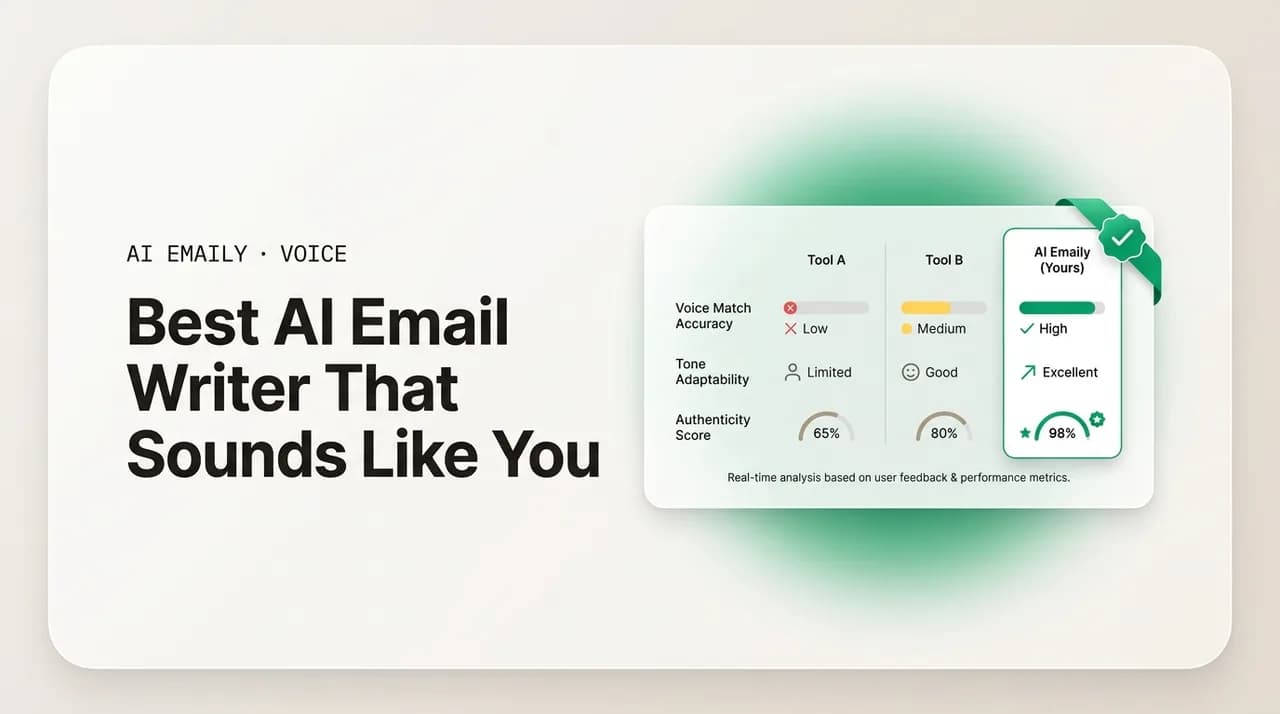
Read the table as a fit guide, not a leaderboard. ChatGPT and Claude are superb writing engines that happen to be poor voice-matchers because of where they live. Native AI wins convenience and little else for voice. The premium clients do real voice work inside products built around other priorities. AI Emaily is built with voice-matching as the headline job, which is why it clears every column — and why, if matching your voice is your actual requirement, it is the recommendation.
| Tool | Learns from your sent mail | Adapts tone per recipient | Edit before send | Every provider | Voice-match fit |
|---|---|---|---|---|---|
| ChatGPT / Claude | No — you re-teach it each session | No — writes from the prompt | Yes (you copy it back manually) | N/A — not an email client | Low — great writer, no grounding |
| Gmail / Outlook native AI | No — tone presets, not your voice | Limited — some thread context | Yes — drafts in the compose box | No — single provider only | Low — convenient, generic |
| Generic writers / extensions | No — template + tone engine | No — merge fields at best | Usually yes | Varies; many Gmail-only | Low — generic with a button |
| Superhuman | Some voice features | Some, inside a speed-first client | Yes | Gmail / Outlook | Medium — voice is a bonus, not the focus |
| Shortwave | AI-forward drafting | Some, with good thread understanding | Yes | Best on Gmail | Medium — AI-first, provider-limited |
| AI Emaily | Yes — learns from your real sent mail | Yes — per recipient and thread | Yes — Copilot waits for approval | Yes — Gmail, Outlook, any IMAP | High — built for voice-matching |
One caveat in fairness: these products ship updates constantly, and a feature that is a bonus today may become a focus next quarter. Treat the table as a snapshot of how each tool is built and weighted in 2026, and verify the specific capability you care about on the vendor's current site before you commit. The structural points — a chatbot in a tab cannot see your inbox, a single-provider tool cannot follow you across accounts — are durable. The exact feature checkmarks are the parts most likely to move.
Pick on your actual constraint
Why is AI Emaily the pick for matching your voice?#
AI Emaily is an AI-native email client built around the job the others treat as a side feature: writing email that sounds like you, to the specific person you are writing to. It does not ask you to describe your voice or paste in samples. It learns your voice from the emails you have actually sent — your real openers, your sentence rhythm, your warmth, the closings you genuinely use, the phrases that are yours — and builds a voice profile from that evidence rather than from a prompt you have to write every session. The first draft already sounds like you because it was modeled on you.
It is also grounded in the conversation and the relationship, which is what makes the tone right and not just the words. When AI Emaily drafts a reply, it reads the thread and what it knows about the recipient, then keys the register to them: a first email to a new client comes back careful and warm; a reply to the teammate you message hourly comes back in the clipped, friendly shorthand you already use with them; a thank-you to someone who just helped you closes with genuine gratitude. The whole email arrives consistent — greeting, body, and sign-off in one register — instead of the safe generic middle a context-blind tool defaults to.
Crucially, it works across every inbox you have. Connect Gmail, Outlook, and any IMAP provider, and AI Emaily models all of you in one place, so the voice is the same whether the message leaves your work account or your personal one. You are not running two different AI writers with two different behaviors; you are running one that knows your whole voice. And it is private by design: your mail is yours, used to draft for you — not harvested to train a shared model for anyone else. That is the arrangement that makes letting a tool read your sent folder reasonable in the first place.
You keep control throughout. In its default Copilot mode, AI Emaily drafts the reply with the right tone and sign-off and then waits — nothing sends until you approve it, so you can tighten a line, shift the tone, or rewrite a sentence before it goes. (More autonomous handling exists for the cases you choose to delegate, gated and auditable, but the default is human approval before send, because the one thing you cannot take back is a sent email.) You can start free at app.aiemaily.com/signup: the Free plan is $0 and connects your inbox with AI drafting, and Pro is $12.42/month billed annually when you want it across everything you send. The pitch is narrow and honest — not that AI writes your email, but that the email it writes sounds like you, to the right person, every time, while you keep the final word.
Try it on your own inbox
How do you choose the right AI email writer for you?#
The mistake most buyers make is shopping by output quality — comparing demo drafts side by side — when the demo is the part every tool does well. A clean draft tells you the model is competent; it tells you nothing about whether the tool will sound like you on your two-hundredth email next Tuesday. Shop instead by structure: what the tool can see, where it lives, and what job it is built around. Those determine whether you get voice-matching or generic text, and they do not show up in a one-shot demo.
Start from your real constraint and work backward. If you write the occasional careful one-off and already pay for ChatGPT or Claude, use them — feed them context and accept that you are doing the voice work each time. If you just want a fast generic assist inside the inbox you already live in, the native Gmail or Outlook AI is the lowest-friction option and costs nothing extra. If you want a faster, better email client overall and AI drafting is a welcome bonus on top, look hard at Superhuman or Shortwave and check how each handles your provider. And if the actual requirement — the reason you are reading a guide about voice-matching — is that every reply should sound like you, to the right person, across every account you own, then you want a tool built for that specific job, which is the lane AI Emaily occupies.
Whatever you are leaning toward, run it through the five must-haves before you commit, because a tool can demo beautifully and still miss the ones that matter to you. Does it learn from your sent mail, or do you re-teach it every time? Does it adapt per recipient, or write one tone for everyone? Can you edit before it sends, and does it wait for your approval? Does it cover every provider you use, or just one? And is its privacy posture toward your mail clear enough that you are comfortable letting it read your sent folder? The right pick is the one that answers those the way your situation needs — and for the voice-matching job specifically, that answer points to a tool built around your mailbox, not a chatbot in a separate tab.
The shortcut, if you only remember one thing
The bottom line on the best AI email writer for your voice#
Every AI email tool in 2026 can write a clean, competent email — that capability is settled and commodity. The real question, the one worth choosing on, is whether the email sounds like you, written to the specific person reading it, without you re-teaching your voice on every message. On that question the field splits cleanly. Chatbots like ChatGPT and Claude are excellent writers and poor voice-matchers because they cannot see your inbox. Native Gmail and Outlook AI win convenience and lose voice. Generic writers and extensions are the same generic engine with a friendlier button, sometimes at a privacy cost. The premium clients do real voice work inside products built around speed or general AI assistance rather than voice-matching as the headline job.
The five must-haves are the filter that cuts through it: learns from your real sent mail, adapts tone per recipient, lets you edit before anything sends, works across every provider you use, and treats your mail as yours. A tool that misses any one of them drifts back toward generic, no matter how strong its model is — because voice-matching is a grounding problem, not a fluency problem.
AI Emaily is built for exactly that filter. It learns your voice from the emails you have sent, matches the tone to each recipient and thread, keeps you in control with approval before send, works across Gmail, Outlook, and any IMAP inbox, and keeps your mail private. If you want a generic assist or a faster inbox, other tools fit fine and we have said so plainly. But if the job is sounding like you — to the right person, on every email — that is the one AI Emaily is designed to do. You can start free at app.aiemaily.com/signup and watch it learn your voice on your own inbox.
Frequently asked
See it in AI Emaily
Keep reading
Sources

Written by
Nafiul HasanNafiul Hasan is an entrepreneur and AI automation system builder with 10+ years of experience turning messy, manual workflows into reliable automated systems. He designs and ships AI enterprise solutions end-to-end — the agent logic, the data plumbing, and the product people actually use — and founded AI Emaily to give busy professionals their attention back. He writes here from the builder's seat: what works, what breaks, and how to put AI to work without giving up control.