Humanize AI Email Tools vs Voice-Matched Drafting: Which Actually Sounds Like You?

The short answer
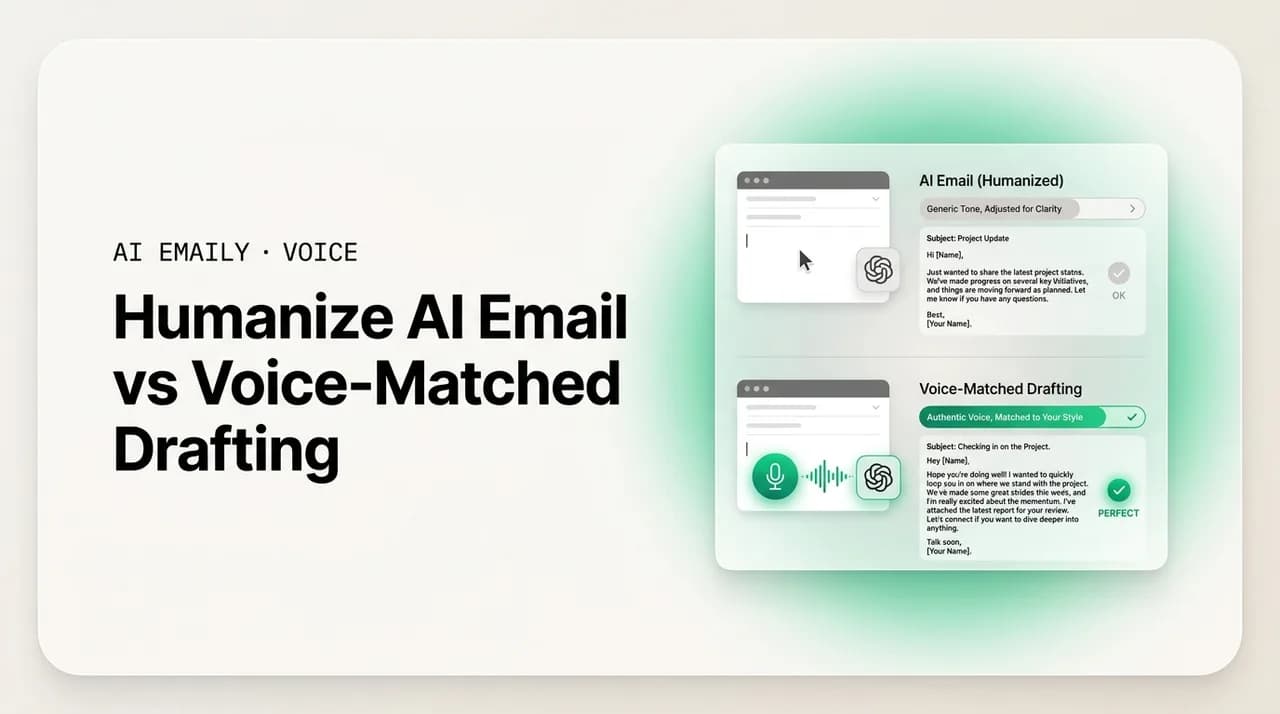
Humanize AI email tools rewrite generic machine text to slip past AI detectors — a band-aid, not a fix. Voice-matched drafting learns your real style from emails you have already sent, so the draft sounds like you from the first word. For email there is no detector to beat, so voice-matching wins.
Humanize AI email tools paraphrase machine text to dodge detectors. Voice-matched drafting learns your real voice from your sent mail. Here's how each works, why humanizers are a band-aid, and which actually sounds like you.
On this page
- 01What does it mean to humanize AI email?
- 02How do AI email humanizer tools actually work?
- 03What is voice-matched drafting, and how is it different?
- 04Humanizer vs voice-matched drafting: how do they compare?
- 05Why is humanizing AI email just a band-aid?
- 06Why is beating AI detectors the wrong goal for email?
- 07Why does learning from your sent mail actually fix it?
- 08A worked example: the same email through both approaches
- 09When is an AI email humanizer actually the right tool?
- 10How does AI Emaily do voice-matched drafting?
- 11The bottom line on humanizing vs voice-matched drafting
You typed a request into ChatGPT, got back a perfectly grammatical email, and read it twice. It is correct. It is clear. It also sounds nothing like you — too smooth, too even, opening with "I hope this email finds you well" and closing with a tidy little summary you would never write. So you do the thing half the internet now does: you paste it into an "AI humanizer," hit a button, and get a version that has been shuffled around enough that an AI detector would call it human. You copy that into your mail client and send it.
Here is the question worth stopping on, because it is the one that actually decides whether your email lands: did that make it sound like you, or just sound less like a machine? Those are not the same thing. A humanizer takes generic AI text and roughs it up so a classifier scores it as human-written. It does not know who you are. It has never seen an email you sent. It is solving a detection problem — and for email, there is no detector. Your recipient is not running your message through a scanner. They are reading it, and what they notice is whether it sounds like the person they know.
This guide is for the moment you are in: you are choosing between two ways to fix AI email that does not sound right. One is the humanizer route — paraphrase the output, dodge the detector, ship it. The other is voice-matched drafting — an email tool that learns your voice from the mail you have actually sent and writes in it from the start, so there is nothing to disguise. We will explain exactly how each works, where humanizers genuinely help and where they quietly fail, why the AI-detector arms race is the wrong goal for email specifically, and why learning your real voice is the fix that lasts.
We will be concrete, not hand-wavy. There is a side-by-side comparison table, a worked example showing the same email through both approaches, the honest limits of each, and a clear recommendation at the end. Some of these tools are free, some are paid, and the right answer depends on what you are actually trying to do — so we will keep separating "sounds human" from "sounds like you," because that distinction is the whole ballgame.
What does it mean to humanize AI email?#
To humanize AI email means to take text a model generated and rewrite it so it reads as if a person wrote it — and, in most tools, so an AI detector classifies it as human rather than machine. You feed in the AI draft, the humanizer paraphrases it, and you get back a version with the obvious machine fingerprints sanded off. The term comes out of the academic-writing and content-marketing worlds, where AI detectors became a gate to clear, and it has since spread to anyone pasting model output into email.
Under the hood, a humanizer is doing a handful of fairly mechanical things. It swaps predictable word choices for less predictable ones ("utilize" becomes "use," "in order to" becomes "to"). It varies sentence length so the rhythm stops being metronomic — AI text tends toward a steady, even cadence that detectors and human ears both pick up on. It breaks up the tidy parallel structure models love (the three-part lists, the "Firstly… Secondly… Finally" scaffolding). It injects mild irregularity: a contraction here, a sentence fragment there, an idiom, a slightly looser transition. Technically, much of this is aimed at raising what detector researchers call perplexity and burstiness — the unpredictability and variation that human writing has and default AI writing lacks.
The result genuinely reads less robotic. The giveaway phrases are gone, the rhythm is more natural, the structure less suspiciously neat. For its actual purpose — making a block of generic text harder for a classifier to flag — a decent humanizer works. The problem is not that it fails at its job. The problem is that its job is the wrong job for email, and we will get to exactly why. First, it helps to be honest about what a humanizer is optimizing for, because that single fact explains all of its limits.
Humanize ≠ personalize
How do AI email humanizer tools actually work?#
Most AI email humanizers follow the same pipeline, whether they are a free browser tool or a paid subscription. You paste in AI-generated text. The tool runs it through its own language model (or a rules-and-model hybrid) tuned for paraphrasing. It rewrites the passage to lower the statistical signals detectors look for, often offering modes like "more human," "more casual," or "bypass detection." Many bundle a built-in AI detector so you can check the score, rewrite, and re-check until the meter reads green. Some let you nudge a tone slider — formal, friendly, confident. Then you copy the output out and use it.
What they are optimizing, explicitly, is a detector score. The marketing language is consistent across the category: "bypass AI detection," "100% human score," "undetectable," "pass Turnitin/GPTZero/Originality." That framing tells you everything about the design goal. The tool is not trying to reproduce a particular person's writing — it is trying to move a number on a classifier from "AI" toward "human." The paraphrase is a means to that end. Whatever your text sounded like before, the priority is that it now scores as human-authored.
Notice what the humanizer never sees: you. It does not read your sent folder. It has no record of how you open emails, how warm or terse you run, whether you use em dashes or never touch them, whether you sign off "Thanks" or "Best" or just your initials. It cannot, because it is a one-shot text transformer — text in, paraphrased text out, no memory of you between sessions. So it cannot put your voice in, even in principle. It can only remove the most obvious machine markers and substitute a kind of generic-human texture — irregular, idiomatic, plausibly hand-typed, and belonging to no one in particular.
That is the crucial mechanical fact. A humanizer replaces "machine-generic" with "human-generic." Both are generic. The first reads like a model; the second reads like a competent stranger. Neither reads like you, because the tool has no information about you to work from. This is not a flaw in any one product — it is a property of the whole approach. Detection-dodging and voice-matching are different problems, and a tool built for the first cannot solve the second.
What is voice-matched drafting, and how is it different?#
Voice-matched drafting starts from the opposite end. Instead of generating generic text and then trying to disguise it, a voice-matched email tool learns how you write before it writes anything — by reading the emails you have already sent. Your sent folder is a large, honest sample of your real voice: how you greet people, how long your sentences run, how formal you are with a client versus a teammate, your go-to transitions, your sign-offs, the words you reach for and the ones you never use. The tool builds a style profile from that and drafts new email in it.
The difference is where the personalization lives. A humanizer applies a generic "sound human" pass after the fact, with no knowledge of the author. Voice-matching bakes your specific style in from the first token, because it learned that style from you. There is no disguise step because there is nothing to disguise — the draft was written in your voice to begin with. The output is not "machine text, roughed up." It is "your voice, drafted for you."
And because a voice-matched tool lives inside your email rather than in a separate browser tab, it can do something a standalone humanizer structurally cannot: ground the draft in context. It knows who the recipient is and what your prior thread with them said. It can pull a real detail — the date you agreed on, the document you promised, the name of their colleague — into the draft instead of leaving a generic placeholder. That is the difference between an email that merely reads natural and one that reads like you actually know the person, because you do, and the draft reflects it. A humanizer, working from a pasted block of text with no inbox around it, has none of that.
So the two approaches are not competing versions of the same idea. They are different ideas. Humanizing is a cosmetic, post-hoc fix aimed at a detector. Voice-matching is a generative approach aimed at a person — yours specifically. One asks "does this look machine-written?" The other asks "does this sound like the person sending it?" For email, only the second question is the one your reader is actually asking.
The one-line distinction
Humanizer vs voice-matched drafting: how do they compare?#
Put them side by side and the gap is not subtle. They differ on what they optimize for, what they know about you, what they produce, and whether the fix lasts. The table below maps the whole comparison. Read down the "What it optimizes for" and "What it knows about you" rows first — those two lines explain every other difference in the table.
The short version: a humanizer is a one-shot paraphraser that knows nothing about you and aims at a detector score. Voice-matched drafting is a system that learns your style from your real mail, grounds drafts in your actual threads, and aims at sounding like you to a human reader. The first treats a symptom; the second removes the cause.
| Dimension | AI email humanizer | Voice-matched drafting |
|---|---|---|
| What it optimizes for | A detector score — "bypass AI detection," look human | Sounding like you to a human reader |
| What it knows about you | Nothing — never sees your sent mail | Your real style, learned from emails you have sent |
| When personalization happens | After the fact — a cosmetic pass on finished text | From the first word — your voice is built in |
| Input | A block of AI-generated text you paste in | Your request + your sent-mail style + the live thread |
| Output | Generic text with machine markers removed (human-generic) | A draft in your specific voice, grounded in context |
| Recipient awareness | None — no inbox, no thread, no contact history | Knows who you are writing to and what was said |
| Where it lives | A separate browser tab you copy in and out of | Inside your email client, in the compose box |
| Workflow | Generate → paste → humanize → copy → send | Open reply → review draft → send |
| The fix it provides | Band-aid — symptom (sounds machine) hidden each time | Root fix — cause (it was generic) removed once |
| Result over time | You re-humanize every email, forever | It keeps learning your voice as you write |
One row deserves a second look: "Workflow." The humanizer path is five steps and three apps — write a prompt in a chatbot, paste the output into a humanizer, run it, copy the result, paste it into your mail client. You do that on every email, and the friction never goes away because the tool never learns anything. The voice-matched path is two steps in one app: the draft appears in your reply already in your voice, you read it and send. The first workflow taxes you forever; the second gets out of your way. That is what "band-aid versus root fix" means in practice, not in theory.
Both can produce a natural-sounding email
Why is humanizing AI email just a band-aid?#
Call it a band-aid because it covers a wound without healing it. Every single time you write an email, the underlying problem recurs: your AI tool produced generic text that does not sound like you. The humanizer patches that one instance — paraphrases it, makes it pass — and then the next email starts from the same generic place, and you patch it again. The tool learns nothing between uses. There is no accumulation, no improvement, no point at which the drafts start arriving in your voice on their own. You are doing manual cleanup, in perpetuity, on a problem that a better-designed tool would not create in the first place.
It is also a band-aid because it operates on the wrong layer. The reason AI email sounds off is not that it failed a detector — it is that the model had no idea who you are, so it defaulted to the bland average of its training data. Humanizing changes the surface (word choice, rhythm) while leaving the cause untouched: the text still was not written from your voice, it was written from nobody's and then disguised. You can make "nobody's voice" read more naturally, but you cannot make it read as yours by paraphrasing, because the information that makes it yours — your actual writing — was never in the pipeline.
And there is a quieter cost: the humanizer can strip out meaning along with the machine markers. Paraphrasers optimize for sounding different, not for preserving your exact intent. They will happily soften a firm ask, drop a caveat that mattered, reword a number, or flatten the one specific sentence that carried the point — all in service of a smoother, more "human" score. For marketing copy that might be acceptable. For an email where the precise commitment, deadline, or condition matters, a paraphrase pass you did not closely re-read is a real risk. You added a step that can quietly change what you meant.
Stack it up and the band-aid framing is exact. Recurring effort that never compounds. A fix at the wrong layer that leaves the cause in place. A paraphrase step that can distort your meaning. The right move is not a better band-aid — it is to stop producing the generic text that needs disguising. That is what voice-matched drafting does: it removes the cause, so there is no symptom to patch.
Why is beating AI detectors the wrong goal for email?#
Here is the part that should change how you think about this entire category: for email, there is no detector to beat. The whole humanizer industry grew up around contexts where an AI detector is a literal gate — a professor running essays through Turnitin, a publisher screening submissions, a search engine that some people believe penalizes AI content. In those settings, "score as human" is a real, enforced requirement. Email has none of that. Your recipient is a person who opens your message and reads it. There is no GPTZero between you and them. No classifier decides whether your email gets through.
So when a humanizer optimizes for "undetectable," it is optimizing for a test that nobody is administering on the receiving end of your email. The thing your recipient actually evaluates — instantly, unconsciously — is whether the message sounds like you, the person they have corresponded with before. A detector measures "statistically machine-like." A human reader measures "does this match the sender I know." Those are different judgments, and chasing the first does not win the second. You can have an email that scores 100% human on every detector and still reads, to your actual colleague, as not-quite-you — because "generic human" is not "this human."
The AI-detector arms race is also a treadmill you do not want to be on. Detectors update; humanizers update to beat them; detectors update again. It is a moving target with no finish line, and worse, the detectors themselves are unreliable — they produce false positives on genuine human writing and miss plenty of machine text. Optimizing your email against a noisy, shifting classifier that your reader will never run is effort spent on the wrong scoreboard entirely. You are training for a game that is not being played in your inbox.
Reframe the goal and the right tool becomes obvious. The goal for email is not "undetectable" — it is "unmistakably me." Not "pass as human in general" but "sound like the specific person whose name is on the From line." A detector-dodging tool cannot aim there; it has no model of who you are. A voice-matched tool aims there by design, because it learned you. The moment you stop optimizing for a detector nobody is running and start optimizing for the reader who actually opens your email, the humanizer stops being the answer.
Ask the right question
Why does learning from your sent mail actually fix it?#
If the goal is "sound like me," the only honest way to get there is to learn what "me" sounds like — and the best available record of that is the email you have already written and sent. It is not a survey or a tone slider or three pasted samples; it is hundreds or thousands of real messages, written to real people, in real situations. That is a far richer signal than anything you could describe about your own style, because most of your voice is unconscious. You do not know you always open with "Hey" to your team and "Hi [Name]" to clients, or that your sentences shorten when you are being firm, or that you never use semicolons. Your sent folder knows.
A voice-matched tool reads that signal and builds a profile of how you actually write: your typical openers and closings, your average sentence length and rhythm, your formality range across different relationships, your characteristic phrasings, the vocabulary you favor and avoid, even how you tend to structure a request versus an update. Crucially, it can capture that your voice is not one fixed thing — you are warmer with a long-time collaborator than with a procurement contact you emailed once — and reproduce the right register for the right recipient, because it can see who the recipient is.
Then it grounds the draft in your real context rather than generic filler. Because a voice-matched email tool lives in your inbox, it can read the thread you are replying to and pull in the specifics: the question they actually asked, the date you proposed, the file you said you would send. The result is an email that sounds like you and knows what it is talking about — the two things generic AI text most conspicuously lacks. A humanizer cannot do either, because it has no sent folder to learn from and no thread to read; it only has the block of text you pasted in.
There is one more advantage that compounds: it keeps learning. The more you write and the more drafts you accept, lightly edit, or reject, the closer the profile gets to your real voice. The fix improves over time instead of resetting on every email. That is the structural opposite of the humanizer treadmill — where you redo the same disguise step forever and the tool never gets to know you. Learning from your sent mail fixes the cause, and then keeps getting better at it.
A worked example: the same email through both approaches#
Concrete beats abstract. Say you need to reply to a client, Maria, who asked whether you can move a project deadline from the 14th to the 21st, and you want to say yes but flag that it pushes the review call. Here is what happens through each approach, starting from the same generic AI draft.
First, the raw AI draft — what a chatbot hands you with no knowledge of you or Maria. It is grammatically perfect and completely generic: stock opener, even rhythm, no specific detail beyond what you told it, a tidy closing. It reads like a model wrote it, because one did.
Now the humanizer pass. You paste that draft into a humanizer. It comes back with the stock opener gone, some contractions added, the rhythm varied, and a detector score of "100% human." It reads more naturally — but it still does not sound like you (it has never seen your mail), it still might soften your flag about the review call (paraphrasers blur specifics), and you had to leave your inbox, paste, run it, and copy it back. It is cleaner generic prose. It is still generic.
Finally, voice-matched drafting. Inside your email client, you hit reply and the draft is already there — in your voice (it learned you open warm with Maria and keep it short), grounded in the thread (it pulled the actual dates, the 14th and the 21st, and the review call from your earlier messages), with your usual sign-off. You read it, confirm the deadline flag is right, and send. One app, two steps, and it sounds like you because it was written from you. The lines below show the contrast.
Read the three out loud
When is an AI email humanizer actually the right tool?#
It would be dishonest to claim humanizers are useless — they have a real niche, and being clear about it makes the case for voice-matching stronger, not weaker. A humanizer is the right tool when the actual requirement is a detector score. If you are writing in a context where AI-generated text is genuinely screened and penalized — certain academic submissions, some content-platform policies, contexts with a hard "no AI" rule enforced by a classifier — then dodging detection is a legitimate, named goal, and a humanizer is built for exactly that. That is its home turf.
It can also be a reasonable quick fix when you have a one-off block of AI text, no email tool that learns your voice, and you just want it to read less robotically before you send it once. If you are pasting from a chatbot and you only need this single message to sound less machine-like — not to sound like you across a thousand future emails — a humanizer will sand off the worst tells in a few seconds. As a stopgap on an occasional message, that is fine.
The honest boundary is this: a humanizer is right when your goal is "not detectably AI" and wrong when your goal is "sounds like me." For most email, the second goal is the real one, and there is no detector in the loop — so the humanizer is solving a problem you do not have while leaving the one you do have (it does not sound like you) unsolved. Use a humanizer when a detector is actually the gate. For everything else — which is nearly all of your email — you want the tool that learned your voice.
There is also a category caution worth stating plainly. Some "undetectable AI" tools market themselves for getting around rules that exist for good reasons — academic integrity policies, platform disclosure requirements. Email is generally not one of those contexts, which is the point: in your inbox there is no rule to evade and no detector to beat, so the entire premise the humanizer is sold on does not apply. That is not a knock on the tools; it is a statement that they are aimed at a problem your email does not have.
How does AI Emaily do voice-matched drafting?#
AI Emaily is an AI-native email client built around the goal that matters for email: not "undetectable," but unmistakably you. Instead of generating generic text for you to disguise afterward, it learns your writing voice from the emails you have actually sent — your real openers, your length and rhythm, how warm or measured you run with different people, your phrasings, your sign-offs — and drafts new email in that voice from the first word. There is no separate humanizer step, no detector to chase, no copy-pasting between a chatbot and your inbox. The draft arrives in your voice because it was written from your voice.
Because it lives inside your email rather than in a browser tab, it does the thing a standalone humanizer structurally cannot: it grounds each draft in your real context. It reads the thread you are replying to and the history with that contact, then pulls the specifics into the draft — the date you actually proposed, the document you promised, the question they actually asked — instead of leaving generic filler. And it matches the register to the recipient automatically: a first email to a new client comes back more measured; a reply to a teammate you message daily comes back in the lighter, shorter voice you would have used anyway. One voice, the right version of it, per person.
It works across every account you connect — Gmail, Outlook, and any IMAP provider — so your voice is consistent wherever you write, not split across tools that each know nothing about you. And it is private by design: your mail is used to draft for you, not to train models for anyone else. The point of learning from your sent folder is to sound like you to your own recipients — not to feed a shared system.
You stay in control the entire time. In its default Copilot mode, AI Emaily writes the draft in your voice, grounded in the thread, and then waits — nothing sends until you approve it, so you read it, tweak a line if you want, and send. The difference from the humanizer workflow is the whole experience: not generate-paste-disguise-copy-send across three apps on every message, but open-the-reply, read, send — in one place, in your voice, with the real details already there. You can start free at app.aiemaily.com/signup: the Free plan is $0 and connects your inbox with AI drafting, and Pro is $12.42/month billed annually when you want it across everything you send.
Try it on your own sent folder
The bottom line on humanizing vs voice-matched drafting#
The choice comes down to one distinction you can hold in your head: "sounds human" is not "sounds like you." A humanizer takes generic AI text and makes it read as not-machine by paraphrasing it to beat a detector. For email, that is a band-aid on the wrong layer — it never learns who you are, it patches the same generic output forever, it can blur the specifics that mattered, and it optimizes for a detector that no recipient is running. You end up with cleaner generic prose and a workflow that taxes you on every message.
Voice-matched drafting fixes the cause instead of disguising the symptom. By learning your real style from the email you have already sent, and by grounding each draft in your actual threads, it writes in your voice from the first word — so there is nothing to humanize, because it was never generic. It gets better as you write, it matches the right register to each recipient, and it lives where you already work. For email specifically, where there is no detector and the only judge is the person who opens your message, that is the approach that wins.
If you genuinely need to pass an AI detector somewhere, use a humanizer — that is its job. For the email you send every day, where the goal is to sound unmistakably like you, that is exactly what AI Emaily is built to do: learn your voice, draft in it, ground it in the real thread, and let you approve before anything sends. Stop disguising machine text. Start sending email that sounds like you because it was written from you. Start free at app.aiemaily.com/signup.
Frequently asked
See it in AI Emaily
Keep reading
Sources

Written by
Nafiul HasanNafiul Hasan is an entrepreneur and AI automation system builder with 10+ years of experience turning messy, manual workflows into reliable automated systems. He designs and ships AI enterprise solutions end-to-end — the agent logic, the data plumbing, and the product people actually use — and founded AI Emaily to give busy professionals their attention back. He writes here from the builder's seat: what works, what breaks, and how to put AI to work without giving up control.