How to Automate Email Responses Without Sounding Like a Robot

The short answer
Automate email responses with three layers: saved templates for predictable replies, rules-triggered messages for clear events, and AI-drafted answers that read the thread and match your voice. Fully automate acknowledgments and FAQs; route anything sensitive, financial, or high-stakes to human approval first.
Automate email responses without sounding robotic: templates, rules-triggered replies, and AI-drafted answers in your voice, plus what is safe to send.
On this page
- 01Why do most email replies repeat, and what does that mean for automation?
- 02What are the three ways to automate email responses?
- 03How do you set up templates and canned responses?
- 04How do rules-triggered replies work, and when should you use them?
- 05How do AI-drafted replies actually understand your email?
- 06What is safe to fully automate versus what needs a review?
- 07How do you keep automated responses personal?
- 08How does AI Emaily automate responses in your voice?
- 09How should you roll this out without breaking anything?
- 10What does this look like over a normal week?
- 11Conclusion: automate the typing, keep the judgment
Open your sent folder and read the last fifty emails you wrote. Really read them. You will notice something uncomfortable: most of them are variations of ones you have already sent a hundred times. "Thanks, received, I will get back to you by Friday." "Here is the link to the deck." "Yes, that time works, sending an invite now." "Got your request, our team is looking into it." The wording shifts a little, the names change, the details swap out, but the shape is the same. You are not composing original prose forty times a day. You are filling in a small number of patterns with the day's specifics.
That repetition is exactly what makes email responses automatable. If a reply is genuinely one of a kind, automation has nothing to grab onto. But when ninety percent of your outgoing messages are recognizable types, you can stop typing them from scratch. The goal is not to remove yourself from your inbox. It is to remove the typing you do not need to do, so the energy you have left goes to the few replies that actually require a human brain.
Consider what those repeated replies cost you. Each one is small, maybe two minutes to read the message, decide what to say, and type it out. But two minutes times forty replies is over an hour, and that hour is not the worst of it. The worst part is the context switching. Every time you stop what you are doing to bang out a routine acknowledgment, you pay a tax to get back into your real work. Automating the predictable replies is not really about saving the two minutes. It is about protecting the deep work those two-minute interruptions keep shredding.
There is a catch, though, and it is the reason most people quietly distrust automated email. Done badly, it sounds like a machine. A canned line fires at the wrong moment, ignores what the person actually asked, and lands with a thud. Everyone has received the auto-reply that answers a question nobody asked, or the form letter that opens with "I hope this email finds you well" while completely missing the urgent thing in the message above it. That is not automation working. That is automation with no judgment behind it. The recipient feels it instantly, and the cost is not just an awkward email; it is the small erosion of trust that comes from realizing the person you wrote to was not really there.
This guide is about getting the speed of automation without that robotic cost. We will walk through the three ways to automate responses, from simplest to smartest: saved templates you insert by hand, rules that fire replies when a clear event happens, and AI that reads the thread and drafts an answer in your own voice. We will be specific about what is safe to send fully automatically and what should always pass under your eyes first. We will cover the small habits that keep an automated reply reading like it came from a person, because that is the part most tools skip. And we will end with how AI Emaily runs the whole system in one place, in your voice, with you in control of every send that matters.
Why do most email replies repeat, and what does that mean for automation?#
The reason your replies repeat is that the questions repeat. People email you about a small, stable set of things. They ask for a file you have sent before. They confirm a time. They acknowledge that they received something. They report a problem that looks a lot like last week's problem. They request a quote, a status, an introduction, a refund, a reschedule. Across a normal week, the variety is far lower than it feels in the moment, because each individual message feels fresh while you are reading it.
Once you accept that your inbox is mostly patterns, automation stops being scary and starts being obvious. Every pattern is a candidate. The question is not whether a reply can be automated but how much judgment it needs. A pure acknowledgment needs almost none: the content is fixed and the only variable is who sent it. A nuanced answer to a frustrated customer needs a great deal: tone, history, and stakes all matter. Most replies sit somewhere between those poles, and the right tool depends on where a given reply lands.
This is why a single approach never covers a whole inbox. Templates are great for the fixed-content end and useless for the judgment-heavy end. Rules are great when a clear trigger exists and dangerous when it does not. AI drafting handles the messy middle but still needs a human on anything consequential. The people who automate responses well do not pick one method. They layer all three and point each at the work it is actually good at.
The test for any candidate reply
What are the three ways to automate email responses?#
There are three distinct ways to automate a response, and they form a ladder of increasing intelligence. Each rung does more thinking for you, and each rung asks for more trust in return. Understanding the differences is the whole game, because the most common automation mistake is using the wrong rung for the job: forcing a rigid template onto a reply that needs nuance, or letting an AI auto-send something that needed a second look.
The first rung is templates, also called canned responses. You write a reply once, save it, and insert it by hand whenever you need it. The automation is the storage and retrieval, not the sending. You stay in full control of when it goes and what you change before it leaves. This is the oldest form of response automation and it is still the workhorse for a huge share of routine email.
The second rung is rules-triggered replies. Here a condition you define fires a response automatically, with no click from you. "When an email arrives from this address, send this acknowledgment." "When a message lands in this folder, reply with the intake link." The system watches for the trigger and acts. This is powerful for clear, unambiguous situations and reckless for anything that requires reading the message first.
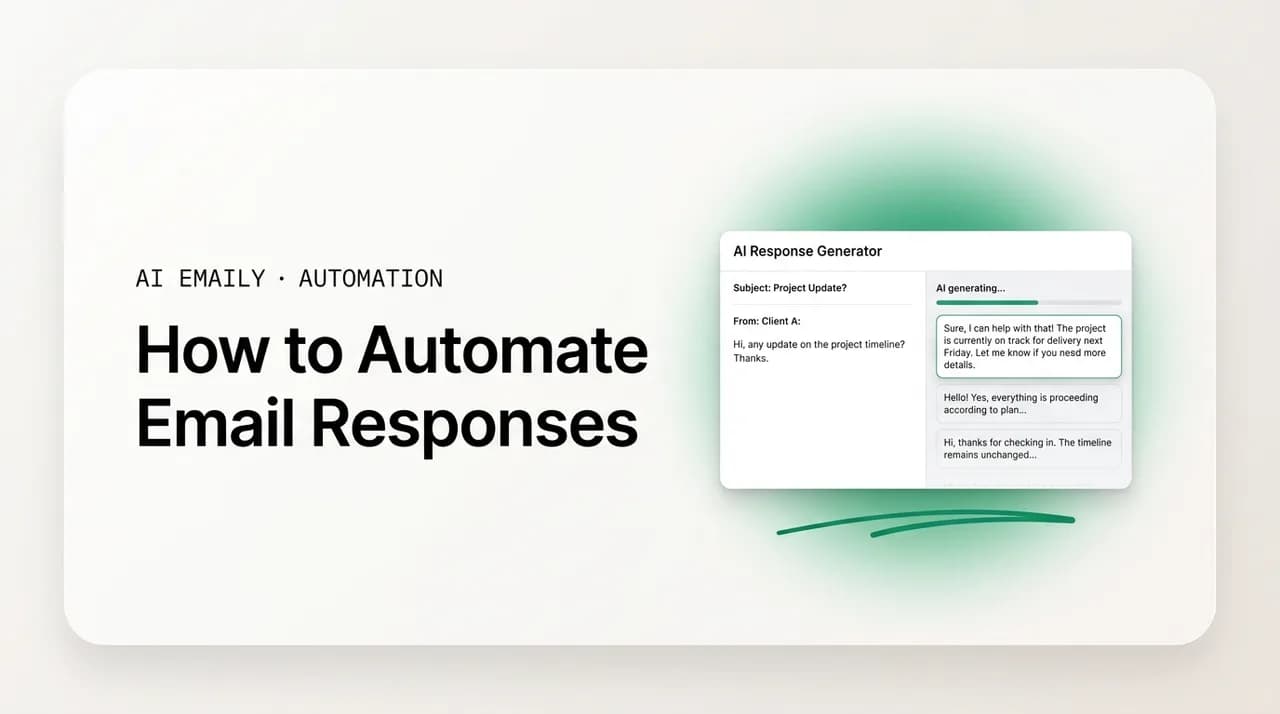
The third rung is AI-drafted replies. Instead of inserting fixed text, an AI reads the actual incoming message, understands what is being asked, and writes a tailored answer in your voice. It can pull in the right details, match the tone of the sender, and respect the history of the thread. In a well-built system the AI drafts and you approve, so you keep the final say while skipping the blank-page work. This is the rung that handles the messy middle of your inbox, the replies that are too varied for a template but too routine to deserve your full attention.
| Method | How it works | You stay in control by | Best for |
|---|---|---|---|
| Templates / canned responses | Save a reply once, insert it manually, edit the variable bits | Choosing when to send and what to change every time | High-volume, mostly-fixed replies you send by hand |
| Rules-triggered replies | A condition you define fires a fixed reply automatically | Defining narrow, unambiguous triggers and tight scope | Acknowledgments and routing where the trigger is crystal clear |
| AI-drafted replies | AI reads the message and writes a tailored answer in your voice | Approving or editing each draft before it sends | The varied middle: real answers that still follow a pattern |
Layer, do not pick
How do you set up templates and canned responses?#
Templates are the right place to start because they are low risk and immediately useful. The idea is simple: anything you have typed more than three times this month deserves to be saved. Instead of reconstructing the same answer from memory each time, you keep a small library of reusable replies and drop the right one in when you need it. Every major email client supports this in some form. Gmail calls the feature Templates and you enable it under advanced settings. Outlook supports reusable message templates and Quick Parts. Apple Mail and most modern clients have an equivalent.
Building a useful template library is mostly an editing job, not a writing one. Pull up your sent folder, find the replies you repeat, and clean each one into a reusable version. Strip out the specifics that change every time and leave a clear gap for them. Where the recipient's name goes, leave a visible placeholder. Where the date or the project or the amount goes, mark it so you cannot miss it on the way out. The single most common template mistake is sending one with the placeholder still in it, so make the gaps loud, not subtle.
Keep the library small and named clearly. A dozen sharp templates you actually use beat fifty you have to hunt through. Name them by the job they do, not by clever shorthand: "Intro request decline," "Deck link + next step," "Received, ETA Friday," "Refund approved." When the name describes the situation, picking the right one takes a second instead of a search. Review the set every month or two, retire the ones you never reach for, and tighten the ones you edit heavily every time, because heavy editing is a sign the template is not quite right yet.
The honest limitation of templates is that they are static, and static text cannot read the room. A template does not know that this particular sender is annoyed, or that they actually asked two questions and you only have a saved answer for one. That is why the discipline of adding one specific line before you send matters so much with templates: the saved text gets you ninety percent of the way, and that one human sentence covers the gap the static text cannot see. When you find yourself rewriting a template so heavily that the saved version barely survives, that is the signal that this kind of reply has outgrown templates and belongs to the AI-drafting layer instead, where the answer is composed fresh for the message in front of you. Templates are a floor, not a ceiling; they are the fastest possible way to handle the replies that genuinely never change, and the wrong tool for the ones that do.
- 1
Mine your sent folder
Scan your last few weeks of sent mail and list every reply you wrote more than three times. Those repeats are your starting template set.
- 2
Strip out the specifics
Rewrite each one as a reusable shell. Remove names, dates, and details, and leave a loud placeholder wherever something must change before sending.
- 3
Name templates by their job
Label each one for the situation it answers, not with cryptic shorthand, so the right template is obvious at a glance.
- 4
Insert, personalize, then send
Drop the template into the reply, fill the placeholders, add one specific line that proves you read the message, and send.
- 5
Prune monthly
Retire templates you never use and rewrite any you edit heavily every time. Heavy edits mean the saved version is still wrong.
The placeholder that ships
How do rules-triggered replies work, and when should you use them?#
Rules-triggered replies remove the last manual step: you no longer insert and send, the system does it for you when a condition is met. A rule is an if-this-then-that instruction you set once. If an email arrives matching some condition, then a reply goes out automatically. The classic example is the out-of-office responder, which fires the same message to everyone who writes you while you are away. But rules can do far more than vacation notices, and the more precise your trigger, the more useful and safe the rule becomes.
The triggers that work are the ones with no ambiguity. An email from a specific known address. A message landing in a folder your sorting already routes correctly. A subject line that contains an exact phrase your forms always use. A submission from a particular web form. In each case the system does not need to understand the message to know the right response, because the trigger itself is the signal. That is the dividing line: rules are safe precisely when no reading is required. The moment a correct reply depends on what the message actually says, a fixed rule is the wrong tool, because it will fire the same words regardless of content.
Keep the scope of every rule tight and the content of every rule honest. The best rules-triggered replies do not pretend to answer the question. They acknowledge receipt, set an expectation, and point to a next step. "Thanks, we have your request and a person will reply within one business day." "Got it, here is the intake form to speed things up." "Received, your ticket number is below for reference." These messages are honest about being automatic. They buy time and reduce the sender's anxiety without faking a personal answer that is not there yet. Research on buyer expectations is blunt about why this matters: a large share of people expect some kind of response within minutes, and a fast, honest acknowledgment beats silence by a wide margin even when the real answer takes longer.
A good acknowledgment does three jobs at once, and naming them helps you write better rules. It confirms receipt, so the sender stops wondering whether the message vanished into a void. It sets an expectation, so they know roughly when a real answer arrives and do not send three follow-ups in the meantime. And it offers a next step, whether that is a form to fill, a help center link that might solve their problem faster than you can, or an escalation path for genuine urgency. The classic scheduling acknowledgment is a good model: "Thanks for the meeting request, I have it and I am checking availability, you will get a confirmation with the time shortly, and if there is anything you want on the agenda just reply." It promises nothing it cannot keep, it reduces the sender's anxiety, and it deflects the impatient follow-up, all without faking an answer that does not exist yet.
Where rules-triggered replies earn their keep beyond acknowledgments is deflection. If a large share of your inbound is the same handful of questions, a rule that points those senders to a clear answer, a pricing page, a setup guide, a status portal, frees you from typing the same link forty times and often solves the sender's problem faster than a personal reply would. The trick is to only deflect when you are certain of the trigger. Deflecting a routine question to a help article is helpful; deflecting a confused or upset person to a generic FAQ when they needed a human is the exact robotic failure this guide is trying to prevent. Tight triggers are what keep deflection on the right side of that line.
Guardrails on every auto-firing rule
How do AI-drafted replies actually understand your email?#
AI-drafted replies are the rung that finally handles the part of your inbox templates and rules cannot: the replies that follow a pattern but still need a real, specific answer. Instead of inserting fixed text, an AI reads the actual incoming message, works out what is being asked, and writes a tailored response. It does the part you find tedious, the first draft, and leaves the part you are good at, the judgment, to you. The difference from a template is that the AI is not retrieving a saved string. It is composing fresh text grounded in what this particular person actually wrote.
Good AI drafting rests on three things working together. First, context: the AI reads the full thread, not just the latest line, so it does not contradict something agreed three messages earlier or repeat an answer you already gave. The standard practice in 2026 is to ground each draft in the whole conversation, because a reply that ignores history reads as worse than no reply at all. Second, voice: the AI learns how you actually write by studying your past messages, your greetings, your sentence length, your usual sign-off, your level of formality, so the draft sounds like you and not like a generic assistant. Third, intent: it classifies what the message is for, a scheduling request versus a complaint versus a simple question, and shapes the reply to fit, matching a formal sender with a formal tone and a casual one with a lighter touch.
It helps to be concrete about what "reads the thread" buys you, because it is the single biggest difference between a draft that lands and one that embarrasses you. Imagine a customer who emailed three days ago, got an answer, and is now writing back. A template knows nothing about the earlier exchange and will happily greet them as if they are new. A thread-aware AI sees the prior message, notices you already promised a fix by Friday, and drafts a reply that picks up where the conversation left off instead of starting over. That continuity, not contradicting yourself, not re-asking for information already given, not repeating an answer, is most of what makes a reply feel like it came from someone who was actually paying attention.
The crucial design choice is what happens after the draft exists. The dominant operating model across serious tools in 2026 is hybrid and human-in-the-loop: the AI assists with triage, summarizing, and suggested replies, while a human stays responsible for what actually goes out. A draft suggestion should never silently auto-send for anything that matters. The best systems present the draft ready to go, so approving it is one glance and one click, but they keep you as the final arbiter. You get the speed of a machine writing the first version and the safety of a person confirming it before it leaves. If you want a deeper look at how this works end to end, our companion piece on AI that replies to email automatically walks through the mechanics, and our guide to AI auto-reply to emails covers the day-to-day setup.
A refinement worth building in is confidence-based routing. A well-designed AI response system does not treat every message with the same certainty; it scores how sure it is about what a message means and what the right reply is. When it is highly confident on a clear, routine message, it can draft a finished reply and, for the safe categories, even send it. When confidence drops, on an ambiguous request, an unfamiliar situation, a message that reads as emotional, it should flag the email for a human rather than guess. Configuring those thresholds well is one of the most important decisions in any automated-response setup, because it is the mechanism that keeps the AI bold where it should be fast and cautious where being wrong is costly.
Draft-first beats send-first
What is safe to fully automate versus what needs a review?#
This is the question that decides whether your automation helps you or embarrasses you, so it deserves a clear rule rather than a vibe. Response automation works best when it handles repetitive, predictable replies and stays away from the higher-stakes ones. The dividing line is the combination of how fixed the content is and how much it costs you if the reply is slightly wrong. Low-complexity, high-volume, low-consequence replies are safe to fully automate. Anything sensitive, financial, legal, or strategic is not, and a human review layer there is non-negotiable.
On the safe side sit the replies where the content barely changes and a small error costs almost nothing. Acknowledgments that confirm receipt. FAQ answers that point to a known resource or a help center. Confirmations of an appointment or a booking that is already set. Routing messages that tell a sender where their request is going. Simple, predictable lines like "thanks for the update" or "received, will review." These are exactly the messages an AI can draft accurately in an instant, or a rule can fire honestly, because the right answer does not depend on subtle judgment.
On the review side sit the replies where tone, history, or money are in play. A response to an upset customer. Anything involving pricing, contracts, refunds, or commitments. Negotiations and approvals. A message to a senior stakeholder where the relationship matters more than the speed. Anything legal, anything that makes a promise, anything where being wrong is expensive. These should be drafted by AI to save you the typing, but a person reads them before they send. A useful refinement many teams adopt is confidence-based routing: when the system is highly confident about a clear, routine message it can act, and when its confidence drops it flags the message for a human instead of guessing.
| Reply type | Verdict | Why |
|---|---|---|
| Receipt acknowledgment | Fully automate | Fixed content, clear trigger, near-zero cost if generic |
| FAQ / known answer | Fully automate | Answer is stable and points to a real resource |
| Appointment / booking confirmation | Fully automate | Details are already set; the reply just confirms them |
| Routing / "we got it, here is who has it" | Fully automate | Sets expectations honestly, promises nothing it cannot keep |
| Routine scheduling reply | AI draft, quick review | Mostly predictable but depends on reading the request |
| Answer to a real question | AI draft, review | Content varies; a wrong answer misleads the sender |
| Upset or sensitive customer | AI draft, always review | Tone and history matter; a flat reply makes it worse |
| Pricing, contracts, refunds, money | AI draft, always review | High stakes; errors are expensive and hard to undo |
| Legal, commitments, promises | Human writes or approves | Consequences are real and binding |
When in doubt, draft do not send
How do you keep automated responses personal?#
Speed is worthless if every reply reads like it came off a conveyor belt. The whole reason people distrust automated email is that they can feel the machine behind it, and the moment a recipient senses they are talking to a form letter, the relationship cools. The good news is that staying personal is mostly a handful of small habits, and once they are built in you keep the speed without the cost. Personal does not mean long. It means the message proves a human was paying attention.
The single highest-leverage habit is to answer the actual question first. A reply that addresses the specific thing the person asked, in the first line, immediately reads as human, even if the rest is structured. Generic openers do the opposite: skip clichés like "I hope this email finds you well" and lead with the substance. The second habit is matching tone to the sender. If they wrote three formal paragraphs, reply in kind. If they fired off a casual one-liner, a warm, short reply fits better than stiff formality. Mirroring tone is one of the strongest signals that a real person, not a template, is on the other end.
The third habit is the one specific detail. Even a mostly-automated reply feels personal the moment it references one concrete thing from the conversation: the project name, the date they mentioned, the problem they described in their own words. One specific sentence is enough to lift an entire message out of form-letter territory. The fourth is your own voice, your real greeting and your real sign-off, kept consistent so the reply sounds like you and not like a default. This is exactly where AI drafting earns its place over rigid templates: a good AI learns your voice from your own history and adapts each draft to the message in front of it, so the personalization happens automatically instead of being something you have to remember to add. The point of automation is never to replace the human touches. It is to handle the typing so you have the attention left to add them.
It is worth being clear about what personalization is not, because the marketing around it has muddied the word. Personalization is not merging a first name into a greeting. "Hi Sarah," attached to an otherwise generic blast is still a generic blast, and most recipients have learned to see right through it. Real personalization is relevance: the reply engages with what this specific person said and needs. A message that opens with a plain "Hi" but then directly answers the awkward question they buried in paragraph three feels far more personal than one that gets their name right and ignores their actual point. When you decide what to automate, optimize for relevance, not for the cosmetic touches, because relevance is what the recipient actually registers as human attention.
There is also a tone trap specific to automation that is worth naming. Automated text tends to drift toward a flat, over-polished register, the corporate voice that is grammatically perfect and completely lifeless. Real people are a little looser. They use contractions, they occasionally start a sentence with "and," they match the energy of whoever wrote to them. If your automated replies all read like a press release, they will feel automated no matter how accurate they are. Setting a tone that matches how you actually talk, and letting it flex toward formal or casual depending on the sender, is what keeps the speed of automation from costing you the warmth of a human reply.
- Answer the specific question in the first line; never open with a filler greeting.
- Match the sender's tone and length: formal with formal, casual with casual.
- Reference one concrete detail from the thread so the reply could not have been sent to anyone else.
- Keep your real greeting and sign-off consistent so every reply sounds like you.
- Read the whole thread before replying so you never contradict or repeat an earlier message.
- Let an AI that has learned your voice draft the personal version, then confirm it, rather than firing fixed text.
Personal is a feeling, not a word count
How does AI Emaily automate responses in your voice?#
Everything above describes the method. AI Emaily is built to run all three rungs of it in one place, so you do not stitch together a template tool, a rules engine, and a separate AI writer that none of them talk to. It is an AI-native email client that connects to your existing accounts, Gmail, Outlook, any IMAP provider, and more, and it does not ask you to move to a new address or change how mail reaches you. Your inbox stays your inbox. The automation lives on top of it.
The rules brain handles the rules-triggered layer. You describe what should happen in plain language, "acknowledge anything in the support folder and tell them we will reply within a day," and it sets up the trigger and the response without you writing filter syntax. For the AI-drafted layer, the agent reads the full thread, works out what is being asked, and writes a reply in your voice, learned from how you actually write, not a generic house style. It answers the real question, matches the sender's tone, and pulls in the specific details from the conversation, which is precisely the personalization that keeps a reply from sounding like a robot. Templates live alongside both, for the truly fixed replies you would rather keep word for word.
The part that makes this safe is how sending works. AI Emaily runs in three modes you choose between, and you can set the mode per situation. In Manual, nothing is automated; you write, the AI just helps. In Copilot, the AI drafts every reply and waits for your approval, which is the draft-first default this whole guide recommends, and the one we suggest for almost everything that matters. In Autopilot, you let it send a defined, safe set of responses on its own, the acknowledgments and routine confirmations where unattended sending is genuinely fine. Crucially, every automated action is reversible and audited: there is an undo, and there is a clear record of what was sent and why, so you are never guessing what your inbox did while you were away.
It is also private and built for trust. AI Emaily treats incoming email as untrusted input, so instructions hidden inside a message cannot hijack the agent into doing something you did not approve, an action allowlist and prompt-injection defenses sit between the mail and any action. Your mail is not used to train models. You can connect every provider you use rather than being locked to one. And the pricing keeps it accessible: the Free plan is $0 to start, Pro is $12.42 per month billed annually for the full drafting and rules toolkit, and Autopilot is $20.75 per month billed annually when you are ready to let the safe categories send themselves. You can create an account at app.aiemaily.com/signup and have your first templates, rules, and AI drafts running the same day. For the broader picture of how this fits into automating your whole inbox, the email automation guide is the place to start, and the auto-reply setup walkthrough goes deep on the responder mechanics specifically.
| The method | How AI Emaily runs it | Mode |
|---|---|---|
| Templates / canned responses | Saved replies kept word for word for the truly fixed messages | Manual / Copilot |
| Rules-triggered replies | Rules brain: plain-language triggers and honest acknowledgments | Copilot / Autopilot |
| AI-drafted replies | Agent reads the thread and writes in your learned voice | Copilot |
| Safe unattended sends | Defined acknowledgment and confirmation set, sent automatically | Autopilot |
| Safety net | Undo on every action plus a full audit trail of what sent and why | All modes |
Start in Copilot, graduate to Autopilot
How should you roll this out without breaking anything?#
You do not flip your whole inbox to automatic on day one. The reliable rollout is gradual, and it mirrors the three rungs. Start with templates, because they are pure upside and zero risk: build a dozen from your sent folder and use them by hand for a week. You will feel the time saved immediately and learn which replies repeat most, which tells you what to automate next.
Then add a small number of tight rules for the clearly safe acknowledgments, the ones with an unambiguous trigger and fixed, honest content. Watch them for a few days, confirm they are not firing on the wrong messages or replying to other automated mail, and tighten the triggers if anything looks off. Only after the rules behave do you lean on AI drafting in earnest, in draft-first mode, so every AI reply passes your eyes before it sends while you build confidence in its voice and accuracy.
Review the whole setup on a regular cadence. Read a sample of what went out, retire templates you never reach for, adjust rules that misfire, and note where the AI's drafts needed heavy edits, because that is feedback about your voice settings and your safe-versus-review lines. Automation is not a set-and-forget switch; it is a system you tune. Tuned well, it gives back hours a week and keeps every reply reading like you wrote it, because you set the patterns and you stayed in control of the few that mattered.
The order that works
What does this look like over a normal week?#
Picture the payoff in concrete terms. On a normal Tuesday, forty messages land. Eighteen are acknowledgments, FAQ answers, and confirmations that fire or draft automatically: the sender gets an honest, instant response and you never touch them. Twelve are real questions and routine scheduling that the AI drafts in your voice; you read each draft, approve most with a click, and tweak a couple. Six are sensitive or financial, flagged for you to write or carefully approve, exactly as they should be. Four are genuinely one of a kind and get your full, undivided attention, which you now actually have.
The math is the point. You went from typing forty replies from scratch to composing four, reviewing twelve, and confirming eighteen with a glance. The repetitive work that used to eat your morning is gone, the personal touch survived because the AI learned your voice and you stayed in the loop, and nothing sensitive went out without a human reading it. That is what automating email responses is supposed to feel like: faster on the routine, fully present on the few replies that deserve it, and never once sounding like a robot.
Conclusion: automate the typing, keep the judgment#
Most of your replies repeat, and that repetition is the opening. Templates take the fixed ones off your plate, rules fire honest acknowledgments the moment a clear trigger hits, and AI drafting handles the varied middle by reading the thread and writing in your voice. The line that keeps it safe is simple: fully automate the predictable, low-stakes replies, and route anything sensitive, financial, or high-consequence through a human first. The line that keeps it human is just as simple: answer the real question, match the tone, add one specific detail, and sound like yourself.
AI Emaily is built to run that entire system in one place, across every provider you use, with your voice learned from your own writing, with Copilot for draft-first approval and Autopilot for the genuinely safe sends, and with undo and a full audit trail so you are always in control. Free is $0 to start, Pro is $12.42 per month billed annually, and Autopilot is $20.75 per month billed annually. Create an account at app.aiemaily.com/signup and have your first automated responses, in your voice and under your control, running today.
One change to make this week
Frequently asked
See it in AI Emaily
Keep reading
Sources

Written by
Nafiul HasanNafiul Hasan is an entrepreneur and AI automation system builder with 10+ years of experience turning messy, manual workflows into reliable automated systems. He designs and ships AI enterprise solutions end-to-end — the agent logic, the data plumbing, and the product people actually use — and founded AI Emaily to give busy professionals their attention back. He writes here from the builder's seat: what works, what breaks, and how to put AI to work without giving up control.