Bulk Folder vs Spam Folder: What Is the Difference?

The short answer
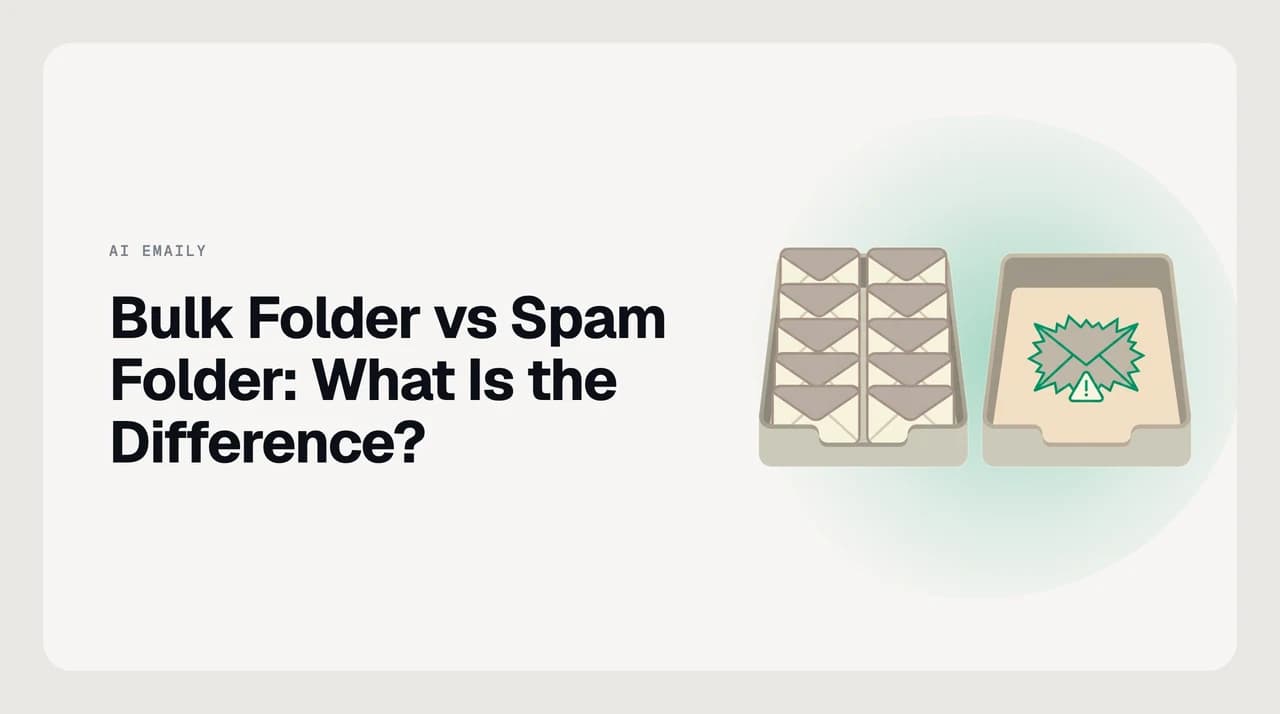
The spam folder holds mail flagged as abusive — phishing, malware, or forgery. The bulk folder holds mail that is not abusive but is unwanted at scale: newsletters, marketing blasts, and mass sends you did not clearly ask for. Spam is a safety judgment; bulk is a wantedness judgment, and only some providers surface a separate Bulk folder at all.
Bulk folder vs spam folder difference explained: bulk = unwanted at scale (newsletters), spam = abusive (phishing). Where each provider draws the line.
On this page
- 01Bulk folder vs spam folder at a glance
- 02When is the spam folder the right home?
- 03When is a separate bulk folder the right home?
- 04How Microsoft and Google actually implement bulk
- 05Microsoft: a published Bulk Complaint Level
- 06Gmail: no BCL, no Bulk folder — tabs instead
- 07Who is a bulk-vs-spam separation actually for?
- 08Enterprise IT with heavy marketing intake
- 09Deliverability engineers on the sending side
- 10Individual consumers, mostly not
- 11A third option: triage that decides per message
Email providers do two related-but-different jobs when they file mail you did not clearly want. One is a safety judgment: this looks like phishing, malware, or a forged sender, so it goes to Spam or Junk. The other is a wantedness judgment: this looks like a mass send you did not clearly ask for, so it goes somewhere out of the primary view. Some providers give that second job its own folder called Bulk; others fold it into Spam or into a category tab. That is why the same newsletter can end up in three different places on three different accounts.
The short answer: spam is about abuse, bulk is about wantedness, and only some providers publish a separate Bulk folder at all. Microsoft's Exchange Online Protection publishes a Bulk Complaint Level (BCL) score from 0 to 9 and routes above-threshold mail out of the primary inbox. Consumer Gmail does not — it has one Spam label plus category tabs (Promotions, Social, Updates, Forums, Primary). The distinction still matters even where the folder is missing, because senders, admins, and client-side triage tune to it separately.
There is no universal Bulk folder. Microsoft ships one on Exchange Online configurations and publishes a BCL score for it. Gmail does not — legitimate mass mail there usually lands in the Promotions tab, not in Spam. Do not assume advice about "the bulk folder" applies across providers.
Bulk folder vs spam folder at a glance#
Here is what changes between the two, at the level that determines how a message actually gets treated. Read the table as a set of design decisions, not a set of rules — every provider makes trade-offs, and the row that says "where it lives" is where most confusion comes from.
| Dimension | Spam folder | Bulk folder |
|---|---|---|
| What triggers it | Abuse signals: forged sender, phishing patterns, malware, blocklisted IP, high spam score | Legitimate mass-send patterns: newsletters, marketing blasts, authenticated bulk mail with complaints |
| Provider stance | Almost certainly harmful — filter aggressively | Probably unwanted, probably legitimate — file out of the way |
| Sender identity | Anonymous, forged, or on a blocklist | Known and usually authenticated with SPF, DKIM, and DMARC passing |
| How long it lives | Typically auto-deleted after around 30 days on major providers | Kept longer or handled per admin retention policy |
| User trust in the folder | "Do not open unless expecting" | "Might be something I want, check occasionally" |
| Where it exists | Every mail provider | Microsoft Exchange Online Protection setups; not on consumer Gmail |
| What tuning it looks like | Move-to-spam, report-phishing, safe-senders list | BCL threshold change, allow-list, or on Gmail tab reassignment |
When is the spam folder the right home?#
Spam is the folder for messages the provider is willing to make a strong safety claim about. A message lands there because it fails one or more tests aimed at abuse, not because you personally would rather not read it.
- The sender fails SPF, DKIM, or DMARC in a way that suggests forgery, not a config mistake.
- The body matches known phishing templates or links to a domain on a threat feed.
- An attachment matches a malware signature or is a file type used almost exclusively for attacks.
- The sending IP is on a real-time blocklist such as Spamhaus, SORBS, or Barracuda.
- The message accumulates a high SpamAssassin or Microsoft Content Filter score across several independent checks.
None of those tests care whether you wanted the message. They care whether the message looks like an attack. That is why the spam folder is treated as a quarantine you should not open lightly, and why every major provider auto-purges it after roughly 30 days: safety-flagged mail should not accumulate.
The unambiguous cases for Spam:
- Suspected phishing you cannot verify with the sender out of band. If it is phishing and you interact, the harm is instant.
- Mail from a sender your provider has already scored as consistently abusive, even if one specific message looks harmless. Sender reputation is a signal on its own.
- Mail with a spoofed From address of someone you know. Catching that is the entire point of DMARC.
- Executables, macro-enabled Office files, or scripts you did not ask for. Attachment-based malware is still one of the most common breach vectors after credential phishing.
Do not routinely fish messages out of Spam
When is a separate bulk folder the right home?#
Bulk is for messages the provider is unwilling to call abusive but is willing to call unwanted-at-scale. A message lands there because it fits the pattern of legitimate mass sending — the shape of a real newsletter, not the shape of a real attack.
- Sent from an authenticated ESP such as Mailchimp, SendGrid, Klaviyo, or HubSpot, with SPF and DKIM passing.
- A templated body — the same message going to a large audience with per-recipient tokens.
- Contains a List-Unsubscribe header (RFC 8058), one of the strongest signals of legitimate bulk mail.
- Comes from a domain with an otherwise decent reputation but a meaningful complaint volume.
- Recipients on average delete without opening, which the provider treats as an engagement-quality signal.
The message is almost certainly not a threat, but the provider's confidence that you want it is low. Rather than filter it as spam (unfair to a legitimate sender) or deliver it as normal mail (unfair to your inbox), the provider files it somewhere you can browse when you feel like it.
Where a separate bulk folder makes life easier:
- Newsletters you signed up for once and never read but do not want to unsubscribe from one at a time.
- Marketing from a store you legitimately bought from and might buy from again.
- Community updates, mailing-list digests, and event announcements you glance at occasionally.
- Cold-outreach follow-ups that are unwanted but authenticated and not abusive.
Use the List-Unsubscribe header, then leave the rest alone
How Microsoft and Google actually implement bulk#
This is where "bulk vs spam" stops being a single universal design and becomes vendor-specific. Two vendors, two answers. If you skip this section you will end up applying advice for one to the other, which is the source of most bulk-folder confusion online.

Microsoft: a published Bulk Complaint Level#
Microsoft Exchange Online Protection publishes a Bulk Complaint Level (BCL) for every inbound message, from 0 (no complaints against this sender) to 9 (very high complaint rate). By default, EOP filters at BCL 7 and above, and administrators can tune the threshold per anti-spam policy or user group. A message above the threshold is filed to Junk (and in some configurations to a distinct Bulk folder) with the BCL stamped in the message header so an admin can audit the decision after the fact.
BCL is deliberately separate from the Spam Confidence Level (SCL), which handles abuse-oriented spam. That is the whole point: an admin can tighten one without touching the other. A tenant that wants to be more permissive on legitimate marketing while still filtering phishing hard raises the BCL threshold and leaves SCL alone. That is a real, useful lever, and it is why Outlook admins argue about BCL numbers when Gmail admins do not.
Gmail: no BCL, no Bulk folder — tabs instead#
Gmail does not publish a Bulk folder and does not publish a Bulk Complaint Level to end users or to senders. It has one Spam label — messages either land in Spam or they do not — plus category tabs on the primary inbox (Promotions, Social, Updates, Forums, Primary). Legitimate mass sends usually land in Promotions rather than Spam; abusive mass sends land in Spam.
The tabbed model is Gmail's answer to the same underlying problem, but the user-facing surface is completely different. A message you would find in Outlook's Junk-with-BCL-7 bucket often lives in Gmail's Promotions tab instead. Senders diagnosing a placement problem on Gmail work with Postmaster Tools (domain reputation, IP reputation, spam-rate metrics) rather than a per-message published score.
| Microsoft (Exchange Online Protection) | Gmail (consumer + Workspace) | |
|---|---|---|
| Bulk score published to admins | Yes — Bulk Complaint Level (BCL 0–9), stamped in headers | No public bulk score; internal signals only |
| Default filtering threshold | BCL 7 and above, tenant-configurable | No bulk threshold — one Spam label, categories are for placement |
| Where legitimate mass sends land | Junk (default) or a distinct Bulk folder (per configuration) | Promotions tab in the primary inbox |
| Where abusive mass sends land | Junk (driven by SCL score) | Spam label |
| User-facing surface | Junk folder, and in some setups a Bulk folder alongside it | One Spam label plus category tabs |
| Sender-side diagnostic | Tenant admin center, message trace, header BCL/SCL | Postmaster Tools — domain reputation, spam rate under 0.3% |
Verify defaults against the vendor's live page
Who is a bulk-vs-spam separation actually for?#
Two groups get real value from bulk vs spam separation, and one group is genuinely better served without it. Naming the difference matters because otherwise the same advice gets pointed at the wrong reader.
Enterprise IT with heavy marketing intake#
A large organization on Exchange Online receives huge volumes of authenticated but unwanted mail — vendor pitches, industry newsletters, marketing follow-ups on old outreach. Dumping this into the same Junk folder as phishing would either make Junk unusable (nobody would check it) or force real threats to compete for attention with newsletter blasts. BCL keeps them separated by intent, and admins tune the threshold per tenant or per user group. This is the case a Bulk folder was designed for.
Deliverability engineers on the sending side#
A team sending legitimate mass mail (ESPs, product-led SaaS, ecommerce) needs to know whether their mail is failing on abuse signals or on wantedness signals. Fixing an abuse problem is a different workstream from fixing a bulk-complaint problem — you tighten authentication and content for the first, and you tighten list hygiene, the unsubscribe path, and relevance for the second. A folder distinction that names the difference makes the diagnosis faster and cheaper.
Individual consumers, mostly not#
For a personal Gmail user, a separate Bulk folder is not the intervention that would help most. What would help is a decision per message per sender per moment: this newsletter usually goes to Promotions but this specific issue is something you want to see today; this store you bought from is now sending daily and should stop; this cold email is authenticated and non-abusive but is still noise. That is a triage judgment, not a folder assignment, and no folder-based system does it well.
A third option: triage that decides per message#
Neither the spam folder nor the bulk folder answers the question most people actually have: is this specific message from this specific sender worth my attention right now? That is a client-side judgment, and it is what AI Emaily does — we build AI Emaily — as a triage layer sitting on top of Gmail, Outlook, and IMAP without changing what the mail server does about spam or bulk.
The concession up front, because it is what makes the rest credible: on obvious abuse, a server-side spam filter beats a client-side layer, and it is not close. Microsoft Defender for Office 365 and Google's abuse infrastructure catch mass-forged phishing before it reaches a mailbox at all, and nothing a client does is going to match that scale. If your problem is a phishing wave, tune your server filter and your DMARC policy — do not swap out your client. We do not compete on that dimension and we do not pretend to.
Where a client-side layer does add something the server does not: it decides per message whether an authenticated bulk sender is worth surfacing today, not once and forever. AI Emaily runs on Rules plus a user-set Context Brain and per-client profiles, plus authority modes (Manual, Copilot, Autopilot) so you decide which categories are trusted to move themselves and which pause for your approval. Every action is logged and undoable. There is no free plan; there is a free trial on Pro or Autopilot, and AI Emaily pricing shows the current numbers.
Frequently asked
See it in AI Emaily
Keep reading
Sources

Written by
Nafiul HasanNafiul Hasan is an entrepreneur and AI automation system builder with 10+ years of experience turning messy, manual workflows into reliable automated systems. He designs and ships AI enterprise solutions end-to-end — the agent logic, the data plumbing, and the product people actually use — and founded AI Emaily to give busy professionals their attention back. He writes here from the builder's seat: what works, what breaks, and how to put AI to work without giving up control.