CC vs BCC: What They Mean and When to Use Each (With Examples)

The short answer
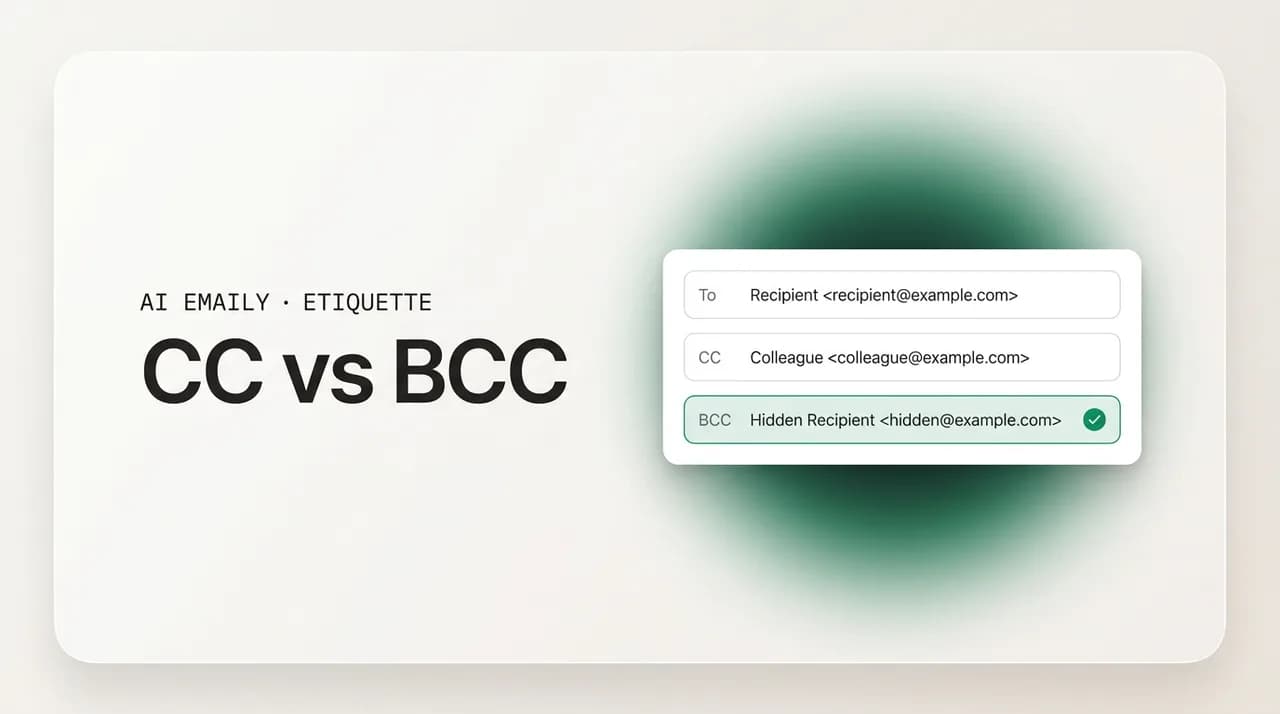
CC (carbon copy) keeps people visibly in the loop; everyone sees who is on the email. BCC (blind carbon copy) copies people privately — other recipients cannot see them, which protects addresses on mass email. Use To for who must act, CC for visibility, and BCC to hide a recipient list or quietly drop someone from a thread.
CC vs BCC explained simply: what each field means, when to use To, CC, and BCC, the etiquette and privacy rules, how BCC protects addresses on mass email, and the reply-all trap to avoid.
On this page
- 01What do CC and BCC actually mean?
- 02What is the difference between To, CC, and BCC?
- 03When should you use CC?
- 04When should you use BCC?
- 05What is the BCC-reveal trap, and how do you avoid it?
- 06Is CC just adding noise to people's inboxes?
- 07How do CC, BCC, and Reply All interact?
- 08How does AI Emaily get the recipient fields right for you?
- 09The bottom line on CC vs BCC
Every email client has three address fields, and most people confidently use one of them. The To field is obvious — that is who the email is for. Then there are the other two, CC and BCC, sitting right there in smaller text, and the honest truth is that a lot of otherwise competent professionals have never been completely sure what the difference is. They CC people who should have been in To, BCC their boss in a way that feels faintly sneaky, or fire off a fifty-person announcement with every address sitting in the open CC line for the whole list to see.
It matters more than it looks. CC and BCC are not just two ways to add extra names — they carry meaning. Who you CC signals who is watching a conversation. Whether you use BCC instead of CC is the difference between protecting a hundred people's email addresses and leaking them to strangers. And the choice between them is where some of the most common email mistakes live: the accidental reply-all storm, the awkward "I can see you BCC'd the lawyer," the mass email that exposes a customer list. These are small fields that cause large problems when used wrong.
This guide is the complete, plain-English reference. You will get exactly what CC and BCC stand for and what each one actually does, a side-by-side table of all three fields so the distinction is obvious at a glance, clear rules for when to reach for each, the etiquette and privacy norms that separate a thoughtful sender from an annoying one, and the specific traps — the BCC-reveal mistake, the CC-as-noise problem, the reply-all chain reaction — with how to avoid them. There are real example blocks throughout so you can see the right call in context, not just read about it.
We will keep it concrete. No jargon without a definition, a clear default for the everyday case, and honest notes on the edge cases where reasonable people disagree. Near the end we look at the part nobody mentions — that you make these recipient decisions on every email, fast, and what an AI-native email client does so the right field gets the right person without you second-guessing it after you hit send.
What do CC and BCC actually mean?#
Both terms are leftovers from the typewriter era, which is why they sound a little odd today. CC stands for carbon copy. Before photocopiers, you placed a sheet of carbon paper between two pages so that whatever you typed on the top sheet was duplicated onto the one beneath — the carbon copy went to a second person while the original went to the main recipient. Email kept the name: putting someone in CC sends them a copy of a message that is primarily addressed to someone else.
BCC stands for blind carbon copy. It is the same idea — a copy sent to an additional person — with one crucial difference: it is blind. The people in the To and CC fields cannot see that anyone was BCC'd. The copy goes out invisibly. To everyone else on the email, the BCC recipient simply does not exist on the thread. That single property — invisibility to the other recipients — is the whole point of BCC and the source of both its usefulness and its potential for awkwardness.
So the practical distinction is about visibility, not importance. A CC recipient is openly copied: everyone on the email sees their name and address. A BCC recipient is secretly copied: only you, the sender, know they received it. Neither field implies the person needs to act — that is the To field's job. CC and BCC are both "for your awareness" fields; the only difference between them is whether that awareness is public to the group or private to you.
One more mechanical detail that trips people up: replies follow the visible fields. When someone clicks Reply All, the message goes to the sender, the To recipients, and the CC recipients — but never to anyone who was BCC'd, because their address was never visible to reply to. A BCC recipient who hits Reply All will only reach the original sender, not the wider group. This is exactly why BCC is the safe way to loop someone in quietly: they cannot accidentally out themselves by replying to everyone, because the thread does not know they are there.
It is worth pausing on why these two relics survived when so much typewriter vocabulary did not. The reason is that the underlying need never went away: people have always wanted to send one message to a main recipient while keeping others informed, and they have always wanted some of that informing to be open and some of it to be discreet. The carbon-paper metaphor happened to map perfectly onto how email routes a single message to many addresses, so the words stuck even as the technology underneath them changed completely. Knowing the origin is not trivia — it is the cleanest way to remember the distinction. A carbon copy was something everyone in the room could watch you make; a blind carbon copy was the one you made without telling anyone. That image is the whole rule.
The core idea in one line
What is the difference between To, CC, and BCC?#
The clearest way to hold all three fields at once is side by side. Each one answers a different question about a recipient: do they need to act, are they being kept in the loop openly, or are they being copied privately? Get those three questions straight and you will almost never put a name in the wrong place.
Here is the comparison. The single most important column is the last one — whether other recipients can see that person — because that is what separates a harmless mistake from a real privacy problem.
| Field | Who goes here | Expected to act? | Visible to other recipients? |
|---|---|---|---|
| To | The main recipient(s) — the person the email is for and who should respond or act | Yes — this is who the message is asking something of | Yes — everyone sees the To list |
| CC | People who should see the email for awareness but are not the main recipient | No — they are being kept in the loop, not asked to act | Yes — everyone sees the CC list |
| BCC | People copied privately, or a large list whose addresses should stay hidden | No — awareness only, and usually no reply expected | No — no other recipient knows they were copied |
A few notes on reading the table. The line between To and CC is about action versus awareness: if you need a reply or a task done, the person belongs in To; if you just want them to know it happened, they belong in CC. The line between CC and BCC is about visibility: use CC when it is fine — and usually good — for everyone to see who is copied, and BCC when the copy should stay private, either to protect a recipient's identity or to protect a whole list of addresses from being exposed to each other.
There is a useful tie-breaker for the To-versus-CC question. Read the email's opening line. If the message is written to the person — "Hi Sam, could you send the figures?" — Sam goes in To. If the person is only mentioned in passing — "looping in Sam for visibility" — Sam goes in CC. When you address several people directly and all of them need to act, they can all go in To; CC is for the ones along for the ride.
The same logic scales to addressing groups, which is where people most often muddle the fields. If you are writing to a small working group where everyone is expected to weigh in, put them all in To and greet them together. If one person owns the work and the rest are oversight, the owner goes in To and the watchers go in CC — the structure of the address line then mirrors the structure of the responsibility, and every recipient can tell at a glance whether the ball is in their court. This is a small piece of clarity that saves a surprising amount of "wait, was I supposed to handle this?" back-and-forth, because the fields have already answered the question before anyone reads a word of the body.
The fast rule for choosing a field
When should you use CC?#
Use CC when you want someone to see a conversation without making them responsible for it. The classic case is keeping a manager, a project lead, or a stakeholder in the loop. You email a vendor about a deadline (To), and you CC your own manager so they have visibility into the exchange without being on the hook to reply. Everyone can see your manager is copied, which is exactly what you want — it is transparent, and it signals "this is on the record and being watched" in a perfectly normal, non-threatening way.
CC also works for handoffs and introductions where openness is the point. Introducing two people over email? Put both in To (or the person being introduced in To and the connector in CC) so everyone sees the full cast — the whole value of an intro is that nobody is hidden. Bringing a colleague into an ongoing thread? CC them with a one-line note ("CC'ing Priya, who owns this now") so the existing recipients know who joined and why. The visibility is a feature: CC documents who is aware of what.
The discipline with CC is restraint. Every name you add gets a copy of every reply, and every unnecessary CC is a small tax on someone's attention and a nudge toward a longer reply-all chain. Before you CC someone, ask whether they actually need to see this or whether you are copying them defensively — to cover yourself, or out of habit. CC the people for whom the information is genuinely useful, not everyone who could conceivably care. Here is the CC set in practice.
A practical caution on the most common CC mistake: copying someone's boss to apply pressure. CC'ing a manager on a routine email so the recipient "hurries up" reads as passive-aggressive, and experienced people notice it instantly. There are legitimate times to escalate visibly — but do it deliberately and sparingly, not as a reflex on every chase email. If the only reason a senior person is in CC is to make someone uncomfortable, leave them off and ask directly instead.
And remember that CC quietly grows threads. Five people in CC means five inboxes get every reply, and if two of them start a side-conversation with Reply All, you have manufactured the exact noise everyone complains about. CC is a broadcast: use it when the broadcast is worth it, and drop people from the CC line the moment the thread no longer concerns them. A short "moving Daniel to BCC so his inbox gets a break" on a winding-down thread is a courtesy, not a slight.
CC is awareness, not pressure
When should you use BCC?#
BCC has two genuinely good uses and a couple of grey-area ones. The first clearly good use is protecting addresses on a message to many people who do not know each other. If you are emailing fifty customers, an announcement to a community list, an invitation to a group of people from different companies — put them all in BCC. Each person receives the email, but nobody can see anyone else's address, and nobody can Reply All to a list of fifty strangers. Putting that list in CC instead would expose every recipient's email to everyone else, which is a privacy breach and, in many places, a regulatory one.
The second clearly good use is quietly dropping people from a thread. When a conversation has run its course and the early participants no longer need every reply, you move them to BCC and say so: "Moving the wider group to BCC to spare their inboxes — Sam and I will take it from here." This is the polite, transparent way to shrink a thread. The people being moved get this last message and then fall off the chain, and because you announced it, nothing feels sneaky. It is the single most underused good habit in group email.
Then there are the grey areas. BCC'ing yourself to keep a copy is harmless and common (though a folder or label does the same job better). BCC'ing a colleague or your boss to silently loop them in is where judgment is required: it can be a reasonable, low-friction way to give someone awareness — but if the recipient would feel deceived to learn a third party was secretly reading the exchange, it crosses into something that damages trust. Here is the BCC set, from clearly-fine to use-with-care.
The mass-email case deserves a hard line because the cost of getting it wrong is high. If you ever find yourself pasting more than a handful of addresses into CC for people who do not all know each other, stop — that should be BCC, every time. The exposed-recipient-list mistake is one of the most common real privacy incidents in everyday business email: a single send can leak hundreds of addresses, invite reply-all chaos, and in regulated contexts trigger a reportable breach. When the recipients are a list rather than a conversation, BCC is not a nicety, it is the correct and safe choice.
For the quiet-loop-in case, a simple test keeps you honest: would you be comfortable if the BCC'd person were revealed? Looping your manager into a routine customer thread for awareness — fine, you would happily say so. Secretly copying a competitor, a lawyer, or HR into a private exchange so they can watch someone unknowingly — not fine, and if it ever surfaced it would read as a betrayal. When in doubt, either CC the person openly or forward them the thread separately afterward. Both achieve the loop-in without the trust risk.
The privacy stakes here are not abstract, and they have sharpened over the last few years. Regulators across the major markets now treat an exposed recipient list as a genuine data incident rather than a harmless slip, and organizations have been fined for the exact mistake of CC'ing a list that should have been BCC'd — a support team that copies every client on a service update, a clinic that emails patients with all addresses visible, a school that sends a notice to parents in the open. The fix costs nothing: the addresses go in BCC and the problem disappears. But because the CC field is right there and looks identical, the error is easy to make on a busy afternoon, which is why it remains one of the most common avoidable breaches in everyday email. Treat any list of people who are not a single conversation as a privacy decision, not a formatting one.
Mass email goes in BCC, never CC
What is the BCC-reveal trap, and how do you avoid it?#
The most dangerous thing about BCC is that the people in it can betray themselves — and you. Here is how it happens. You BCC a colleague on an email so they are quietly aware of an exchange with a client. The colleague, not realizing they were copied invisibly, reads the message and hits Reply All to chime in. Now their reply — and the fact that they were secretly on the thread — lands in front of the client. The blind copy is suddenly very much not blind. The client sees that someone was reading over their shoulder the whole time, and the relationship takes a hit you did not intend.
This is the BCC-reveal trap, and it is the single biggest reason to be cautious with BCC as a loop-in tool. A BCC recipient cannot Reply All to the visible group — their address was never there — but they can absolutely break cover by replying and adding people manually, by forwarding, or by referencing the thread in a way that exposes they saw it. You do not fully control what the person you BCC'd does next, which means every quiet BCC carries a small risk of becoming a loud, awkward reveal.
The fix is to not rely on BCC for sensitive loop-ins at all. If you want someone aware of a conversation, the cleaner moves are: forward them the thread separately so they are on their own message and cannot accidentally reply into the original, or CC them openly if there is no reason to hide them, or simply tell them about it. Reserve BCC for the cases where a reply from the copied party is neither expected nor possible to misfire — protecting a mass-send list, or dropping announced participants off a thread. Below is the trap and the safer alternatives side by side.
A BCC can stop being blind in one click
Is CC just adding noise to people's inboxes?#
Often, yes — and that is the quieter problem with CC. Where BCC's risk is a privacy reveal, CC's risk is volume. Every person in CC receives every reply on the thread, whether or not it concerns them. Multiply that across an organization where copying people is the default reflex, and you get inboxes full of messages where the reader is a passive spectator, unsure if they are meant to do anything, scanning yet another "FYI" that did not need to reach them. The cost is real: attention is finite, and a CC line stuffed with names is a small drain on every one of them.
The fix is to treat CC as a deliberate choice, not a default. Before adding a name, ask what the person is supposed to do with the email. If the answer is "nothing, but they'd want to know" — and they genuinely would — CC is right. If the answer is "nothing, and honestly they probably don't care" — leave them off. You can always forward the message later to the one person who turns out to need it, which is far cheaper than copying ten people on the chance that one of them does. The most considerate senders keep CC lists short on purpose.
There is also the matter of when a CC stops being useful. A name that belonged in CC at the start of a thread is often dead weight by the tenth reply, when the conversation has narrowed to two people. Leaving everyone copied through a long back-and-forth is how a routine thread becomes a forty-message ordeal for people who stopped needing it on message three. Pruning the CC line as a thread evolves — moving spectators to BCC with a quick note, or just dropping them — is a courtesy that almost nobody extends and everybody appreciates.
Every CC has a cost
How do CC, BCC, and Reply All interact?#
Understanding how replies flow through these fields prevents most group-email disasters. The rule is simple: Reply goes only to the sender; Reply All goes to the sender plus everyone in To and CC; nobody in BCC is ever included in either, because their address was never visible. That last clause is what makes BCC safe for mass sends and dangerous as a hidden loop-in — the copied party is invisible to replies, but only as long as they do not break cover themselves.
The infamous failure mode is the reply-all storm. Someone sends a message to a large CC or To list — a company-wide "please update your details" — and one recipient hits Reply All with "Got it, thanks." That harmless reply lands in everyone's inbox. A few people reply all to ask to be removed. Those removal requests trigger more reply-all. Within an hour, hundreds of people are buried in a self-feeding avalanche of messages, none of which anyone needed. The original sin was almost always a field choice: a large group put in To or CC when it should have been BCC, which makes Reply All impossible by design.
So the fields are not just about who sees what — they shape what replies are even possible. If you do not want a large group replying to each other, do not put them where Reply All can reach them. Put the list in BCC and address the email to yourself. If you do want a small group to discuss openly, To and CC are correct and the conversation is the point. Choosing the field is choosing the reply behavior in advance, which is why the recipient line deserves a half-second of thought before you send. Here is how each field behaves on a reply.
| Action | Goes to sender? | Goes to To + CC? | Goes to BCC? |
|---|---|---|---|
| Reply | Yes | No | No |
| Reply All | Yes | Yes — all visible recipients | No — BCC is never included |
| A BCC recipient replies | Yes (only the sender) | No — they cannot see those addresses | n/a |
| Forward | Chosen new recipients only | No (unless you re-add them) | No |
The practical takeaway pairs with reply-all etiquette generally: before you Reply All, check who is actually on the email and whether your reply needs to reach all of them, or just the sender. And before you send to a group, decide the reply behavior you want and pick the field that enforces it. A list that should not talk amongst itself goes in BCC; a working group that should goes in To or CC. Most reply-all pain is not a discipline failure by the repliers — it is a field-choice failure by the sender, baked in before the message ever went out.
Field choice decides reply behavior
How does AI Emaily get the recipient fields right for you?#
Here is the part nobody talks about. None of this is hard to understand — the hard part is doing it correctly on every email, fast, while you are thinking about the actual message. You decide who acts, who watches, and who stays hidden dozens of times a day, mostly on reflex. That is exactly where a stakeholder lands in To instead of CC, where a fifty-person list goes in CC instead of BCC, and where a quiet BCC loop-in turns into an awkward reveal you only notice after the reply lands.
AI Emaily is an AI-native email client built so the right recipient ends up in the right field without you policing it after the fact. When it drafts a reply or a new message, it reads who the email is actually for and suggests the correct placement — the person you are asking goes in To, the manager you mention for awareness goes in CC, and when you are sending to a list of people who do not know each other, it flags that those addresses belong in BCC rather than exposed in CC. It catches the common, costly mistakes — a mass send that would leak addresses, a Reply All that reaches more people than your message intends — before they go out, not after.
It works across every account you connect — Gmail, Outlook, and any IMAP provider — in one place, so the same checks apply wherever you write. And it is private by design: your mail is yours, used to draft and protect your sends, not to train models for anyone else. The point is not that software takes over your address line — it is that the obvious errors get caught and the routine calls get made for you, so you are reviewing a sensible default instead of reconstructing the To-CC-BCC logic from scratch on every message.
You stay in control the whole time. In its default Copilot mode, AI Emaily drafts the message and lays out the recipients, then waits — nothing sends until you approve it, so you can move a name from CC to BCC or drop a spectator before it goes. You can start free at app.aiemaily.com/signup: the Free plan is $0 and connects your inbox with AI drafting, and Pro is $12.42/month billed annually when you want it across everything you send. The right field, the right person, every time — without the second-guessing after you hit send.
Try it on your own inbox
The bottom line on CC vs BCC#
CC and BCC are small fields that carry real weight. CC, the carbon copy, keeps people in the loop visibly — everyone on the email can see who is copied. BCC, the blind carbon copy, copies people invisibly — no other recipient knows they got it, which is what protects addresses on mass email and lets you quietly drop people from a thread. To is for who must act; CC and BCC are both for awareness, differing only in whether that awareness is public to the group or private to you.
From there, the rules are short. Use To for the person who needs to do something. Use CC for genuine awareness, kept short and pruned as threads narrow — never to apply pressure with someone's boss. Use BCC for mass sends so you do not leak a recipient list, and for announced drops off a winding-down thread. Be wary of BCC as a secret loop-in: a copied party can break cover in one click, so forward the thread or CC openly instead. And remember that the field you choose decides reply behavior — a large list in BCC simply cannot become a reply-all storm.
Get those calls right and the address line stops being a place where avoidable mistakes happen. If you would rather not run the To-CC-BCC logic on every message, that is exactly what AI Emaily handles — placing recipients in the right field and catching the costly errors before they send, while you keep final say. Either way, the principle holds: To for action, CC for open awareness, BCC for privacy — and never expose a list that should have stayed hidden.
Frequently asked
See it in AI Emaily
Keep reading
Sources

Written by
Nafiul HasanNafiul Hasan is an entrepreneur and AI automation system builder with 10+ years of experience turning messy, manual workflows into reliable automated systems. He designs and ships AI enterprise solutions end-to-end — the agent logic, the data plumbing, and the product people actually use — and founded AI Emaily to give busy professionals their attention back. He writes here from the builder's seat: what works, what breaks, and how to put AI to work without giving up control.