GTD for Email: How to Run Getting Things Done Without Drowning in Processing

The short answer
GTD for email applies David Allen's five steps — capture, clarify, organize, reflect, engage — to the inbox. Treat the inbox as a capture point, not storage; process each message to a decision with the two-minute rule; file into action, waiting, and reference; and run a weekly review. The result is an inbox you empty by deciding, not by reading.
GTD for email treats the inbox as a capture point, not storage: clarify, organize and engage via action, waiting and reference folders, plus weekly review.
On this page
- 01What is GTD, and why does it apply so well to email?
- 02Why should you treat your inbox as a capture point, not storage?
- 03How do GTD's five stages map to email actions?
- 04What is the two-minute rule, and how do you use it on email?
- 05What folder structure does GTD for email need?
- 06What is the step-by-step GTD email workflow?
- 07What does processing a real inbox to zero look like?
- 08How often should you process, and why does the weekly review matter?
- 09Why is GTD on email so much manual work?
- 10How does AI Emaily automate the GTD email workflow?
- 11The bottom line on GTD for email
Getting Things Done — David Allen's method, GTD for short — was never written about email. It came out in 2001, and its core promise was older than the inbox: get everything out of your head and into a trusted system, decide what each thing means, and work from organized lists instead of from a churning sense of everything you might be forgetting. The method is about stuff, broadly — papers, ideas, commitments, the half-finished thought you had in the shower. Email just happens to be the channel where most knowledge workers now meet the largest volume of that stuff, all day, faster than they can think about it.
Which is exactly why GTD and email fit so well, and also why most people apply GTD to email badly. They adopt the vocabulary — "next actions," "contexts," "the two-minute rule" — and then keep using the inbox the way they always did: as a place to read messages, feel slightly anxious, and leave them sitting. The method only works when you change the underlying behavior, not just the labels. The single behavior that changes everything is this: you stop using the inbox to store mail and start using it as a capture point you empty by deciding, not by reading.
This guide walks the full GTD email workflow end to end. We will map each of Allen's five stages — capture, clarify, organize, reflect, engage — to a concrete email action, so you know exactly what to do with a message the moment you open it. You will get the two-minute rule applied to replies, the action/waiting/reference folder structure that makes "organize" trivial, the weekly review that keeps the whole thing honest, and a worked example of processing a real inbox to zero. None of it is abstract. By the end you should be able to sit down at a full inbox and know, message by message, what happens next.
Then we will be honest about the catch. GTD on email works — and it is a lot of manual processing. You are the one clarifying every message, deciding every next action, dragging every email into the right folder, several times a day, forever. Near the end we look at what an AI-native email client changes about that: which GTD stages can be automated, which still need your judgment, and how a system that triages and drafts for you turns the daily grind back into the few decisions that actually need a human.
What is GTD, and why does it apply so well to email?#
GTD is a five-stage workflow for handling everything that has your attention. Capture: collect every open loop — task, idea, message, commitment — into trusted inboxes so none of it lives in your head. Clarify: process each captured item by asking what it is and whether it requires action, then deciding the very next physical step. Organize: put the results where they belong — a next-action list, a calendar, a someday/maybe list, a reference file. Reflect: review the whole system regularly, weekly at minimum, so you trust it and keep it current. Engage: actually do the work, choosing what to do now based on context, time, and energy. That is the entire method in one breath.
The reason it maps onto email so cleanly is that an inbox is already a capture tool — arguably the most active one most people own. Messages arrive carrying open loops: a request that needs a reply, a document you need to file, a meeting you have to confirm, an FYI you can drop. Each one is exactly the kind of "stuff" GTD was built to process. The trouble is that the default way we use email collapses all five stages into a vague sixth activity called "checking email," where you capture, half-clarify, never organize, never reflect, and only sometimes engage — all at once, repeatedly, with nothing ever finished.
GTD's contribution is to pull those stages apart and put them in order. You capture (mail arrives), then in a deliberate processing session you clarify each message into a decision, organize the result into the right place, and only engage — do the work — as a separate act. The inbox becomes a queue you empty by processing, not a pile you maintain by reading. That single reframe is why people who run GTD on email describe it as the first system that made the inbox feel finite instead of infinite.
The five stages in one line
Why should you treat your inbox as a capture point, not storage?#
This is the load-bearing idea of GTD for email, so it is worth stating plainly: the inbox is an in-tray, not a filing cabinet. Its only job is to hold incoming messages until you process them. The moment you start leaving processed mail in the inbox — read but not filed, decided but not moved — you have turned a capture tool into storage, and storage is where GTD breaks. A capture point you never empty stops being trusted, and a system you do not trust is one you constantly re-scan, which is the exact anxiety GTD was designed to remove.
Consider what most inboxes actually are: a single undifferentiated list where a critical client request sits two pixels above a newsletter, a thing you are waiting on sits below a thing you already answered, and a receipt you might need in March is mixed in with a question due this afternoon. Every time you look at that list, your brain re-evaluates all of it — what is this, is it urgent, did I deal with it — because nothing has been decided. You pay the clarify cost over and over for the same messages. That is the tax of using the inbox as storage: not the reading, the re-reading.
Treating the inbox as a capture point flips it. Mail lands, you process in batches, and after each processing session the inbox is empty — every message has been turned into a decision and moved somewhere that reflects that decision. Empty does not mean every task is done; it means every message has been clarified and organized, so nothing in the inbox is unprocessed. "Inbox zero," properly understood, was never about an empty inbox as a trophy. It is the natural state of a capture point that you actually empty. The mail you still have to act on lives in your action and waiting lists, where it belongs, not in the in-tray.
There is a quieter benefit too. When the inbox is genuinely just capture, you can check it without processing it — glance to see if anything is on fire, then go back to your real work — because the messages will still be there, unprocessed and obvious, at your next processing block. You stop feeling obligated to act on each message the instant it arrives, which is the root of the always-on, reactive inbox that wrecks focus. Capture and process become two activities at two different times, and that separation is most of the relief.
The test for storage creep
How do GTD's five stages map to email actions?#
The fastest way to internalize GTD for email is to hold the whole method as a single map: each of Allen's five stages corresponds to one concrete thing you do with mail. Once the map is in your head, processing stops being a vague chore and becomes a sequence of small, decidable steps. Here is the mapping — the stage on the left, what it actually means for an email on the right.
Read this as the operating manual for a single message. Capture is automatic (the mail arrived). Clarify is the one moment of thought: what is this, and does it need action? Organize is where the decision becomes physical — the message moves. Reflect happens later, across the whole system, in your weekly review. Engage is the doing, ideally batched and separated from processing. The genius of the mapping is that clarify and organize are the only stages you perform per-message, and both are fast once you commit to deciding rather than deferring.
| GTD stage | What it means for email | Concrete action on a message |
|---|---|---|
| Capture | Collect every incoming open loop in one trusted place | Mail lands in the inbox — the capture point. Do nothing else yet; let it queue. |
| Clarify | Decide what it is and whether it's actionable | Open it once. Ask: is this actionable? If not — trash, reference, or someday. If yes — what's the next action? |
| Organize | Put the outcome where it belongs | Move it: Action folder (a next step you'll do), Waiting folder (delegated/pending reply), Reference (keep, no action), Calendar (date-specific). |
| Reflect | Review the system to keep it trusted and current | Weekly review: empty all inboxes, scan Action and Waiting folders, clear stale items, confirm nothing is stuck. |
| Engage | Do the work with full context | Work your Action list in batched sessions — reply, draft, decide — choosing by context, time, and energy. Not while processing. |
Two things make this mapping work in practice. First, you touch each message as few times as possible — ideally once to clarify and organize it, then later to engage with it from your action list. The classic failure mode is reading a message, feeling its weight, deciding nothing, and leaving it to read again tomorrow. GTD forbids that: every message you open gets a decision before you move on. Second, organize is mechanical, not emotional. Once you have clarified "this needs a reply I owe by Thursday," filing it into your Action folder is a reflex, not a deliberation. The thinking happens in clarify; organize just executes it.
Clarify is the only hard part
What is the two-minute rule, and how do you use it on email?#
The two-minute rule is GTD's most quoted line, and for email it is the single highest-leverage habit in the whole method. The rule: while you are clarifying a message, if the next action it requires will take less than about two minutes, do it right now instead of filing it. The logic is purely about overhead. Anything you defer has to be organized, tracked, remembered, and re-opened later — and for a tiny task, that bookkeeping costs more than just doing the thing. Two minutes is roughly the break-even point where deferring becomes more expensive than acting.
On email this is enormous, because a startling share of inbox traffic is two-minute work in disguise. "Yes, Thursday works." "Approved — go ahead." "Here's the link." "Thanks, received." "Looping in Sam." Each of these is a ten-second reply that, deferred, becomes a message you re-read three times, a nagging open loop, and a line item you eventually answer anyway — having paid the clarify cost repeatedly in between. Done on the spot during processing, it is gone: replied, archived, off your mind. The two-minute rule is how a processing session burns down a third of an inbox almost effortlessly.
The discipline is in the threshold. The rule is not "do every quick thing the instant it arrives" — that pulls you back into reactive, all-day email and destroys the capture-then-process separation. It applies during a processing session, when you are already clarifying mail with intent. And it is a ceiling, not an invitation: if the reply will genuinely take ten minutes, it is not a two-minute task, and pretending otherwise turns processing into working, blows your time box, and leaves the rest of the inbox unprocessed. Two-minute replies get done now; everything larger becomes a next action on your Action list, to be engaged with later.
The two-minute rule is for processing, not all day
What folder structure does GTD for email need?#
GTD does not need a sprawling folder tree — that is one of the most common mistakes people make adopting it. They build forty folders by project and client, then spend the clarify step agonizing over which one a message goes in, which reintroduces exactly the per-message friction the method is meant to remove. GTD organizes by action state, not by topic. The question is never "what is this about?" but "what is its status — does it need my action, am I waiting on someone, or is it just reference?" Three or four folders answer that for nearly every message.
The core set is small. Action (sometimes "Action Required" or "Next") holds messages that represent a next action you will personally take — a reply you owe, a task an email kicked off. Waiting (or "Waiting For") holds anything where the ball is in someone else's court: a delegated request, a reply you are expecting, an order you are tracking. This folder is GTD gold, because it makes following up systematic instead of relying on memory. Reference holds messages you want to keep but that need no action — confirmations, documents, useful threads. And Someday/Maybe (optional) holds things you might act on eventually but not now, so they leave the inbox without being lost. Date-specific commitments do not go in a folder at all — they go on your calendar.
Here is how each folder maps to a GTD outcome and what triggers a message to leave it. Notice that every actionable message ends up in either Action or Waiting, and you work from those two folders rather than from the inbox — which is empty after processing.
| Folder | What goes here | What removes it |
|---|---|---|
| Action / Next | Messages needing a next action you'll personally take | You complete the action (reply, finish the task), then archive to Reference or delete |
| Waiting For | Delegated requests, expected replies, tracked orders — ball in someone else's court | The response arrives or the item lands; you reprocess it from there |
| Reference | Keep-but-no-action: confirmations, docs, useful threads, receipts | Rarely — it's an archive. Search beats foldering here; one big Reference store is fine |
| Someday / Maybe | Might act on eventually, not now — ideas, optional reads, far-off plans | Weekly review promotes it to Action, or you decide to drop it |
| Calendar (not a folder) | Date- or time-specific commitments | The date passes; the calendar, not the inbox, is the trigger |
Resist the folder forest
A note on Reference, because it is where people overthink. The instinct is to file reference mail into neat topic folders so you can find it later. In 2026, with the search every major email client ships, that effort is mostly wasted — you will find a message faster by searching the sender or a keyword than by remembering which of thirty folders you filed it in. A single large Reference archive (or just "All Mail") plus good search beats an elaborate tree for retrieval, and it removes a real decision from every clarify step. Spend your foldering energy on the action states — Action and Waiting — that actually drive your work, and let search handle the rest.
The Waiting For folder deserves a second mention because it quietly solves one of email's worst failure modes: things that fall through the cracks because you delegated them and forgot. Every time you forward a request, ask someone for something, or place an order, the relevant message goes to Waiting For. Then your weekly review scans that one folder and surfaces everything that has gone quiet — the reply that never came, the task you handed off that stalled. Without it, following up depends on you happening to remember; with it, following up is a systematic sweep of a single list. That reliability is a large part of why GTD makes the inbox feel trustworthy.
What is the step-by-step GTD email workflow?#
Here is the whole method as a repeatable sequence you run in a dedicated processing session — a time box you schedule rather than email you react to. The goal of one session is to take the inbox to zero by deciding on every message, not by answering every message. Work top to bottom, one message at a time, and never skip a message without making a decision about it. Each step below is what you do, in order.
- 1
1. Time-box a processing session
Schedule a block — two or three times a day works for most people — to process mail with intent, separate from your deep-work hours. This is the deliberate version of 'checking email.' Outside these blocks, capture only: let mail queue, don't process it.
- 2
2. Capture: let the inbox collect, untouched
Between sessions, the inbox is pure capture — incoming open loops queueing up. Don't half-read and re-leave messages. The only rule for capture is that everything lands in one trusted place, which the inbox already does.
- 3
3. Clarify: open the top message and decide what it is
Process top to bottom, one at a time. For each message ask: is this actionable? If not — delete it, send it to Reference, or drop it in Someday/Maybe. If yes — name the single next action it requires. Don't move on until you've decided.
- 4
4. Apply the two-minute rule
If the next action takes under ~2 minutes, do it now — reply, forward, file — then archive. The bookkeeping of deferring a tiny task costs more than doing it. This clears a large share of the inbox during the session itself.
- 5
5. Organize: file anything you didn't finish
For actions over two minutes, move the message by its state: Action (you'll do it), Waiting For (you delegated it or expect a reply), Reference (keep, no action), or Calendar (date-specific). The message leaves the inbox carrying its decision with it.
- 6
6. Reach zero, then stop
Keep going until the inbox is empty — every message decided and moved. Empty means processed, not that all tasks are done. Then close the inbox. The work now lives in your Action and Waiting folders, not the in-tray.
- 7
7. Engage: work the Action list in a separate block
Do the real work — the replies and tasks over two minutes — in dedicated work blocks, choosing items by context, time, and energy. This is distinct from processing. Processing decides; engaging does. Keeping them apart protects your focus.
- 8
8. Reflect: run a weekly review
Once a week, empty every inbox, scan Action and Waiting For end to end, clear stale items, promote Someday entries that are now live, and confirm nothing is stuck. This is what keeps the system trusted — without it, GTD slowly rots.
Decide every message — that's the whole discipline
What does processing a real inbox to zero look like?#
Theory is tidy; a real inbox is messier. So here is a worked processing session — a realistic morning inbox of mixed mail, processed top to bottom using the workflow above. Watch how few messages actually require deferred work: most are two-minute replies, reference, or trash. That ratio is typical, and it is why a full-looking inbox usually empties faster than it looks. The label on the left is the decision; the note is what you do.
Tally the session: nine messages in, inbox at zero, and only three items deferred to your Action list — the deck review, the Q3 reply, and (in Waiting) the intro and the shipment. Five were cleared on the spot via the two-minute rule or a quick file-and-forget. The whole pass takes a few minutes, not the half-hour the full inbox seemed to threaten, because you were deciding, not laboring. When you later sit down to engage, you have a clean list of three real tasks instead of a wall of nine ambiguous messages — and that clarity is the entire payoff of running the method.
The realistic friction is not the easy messages; it is the borderline ones. The reply that might be two minutes or might be twenty. The request you are not sure you own. The thread you keep half-reading because deciding feels like committing. GTD's answer is the same every time: make a decision now, even a provisional one. A defer-to-Action you revisit in your work block is infinitely better than a message left to re-clarify tomorrow. The cost of a slightly wrong decision is small; the cost of no decision, paid every time you re-read the message, is what buries people. Process fast, decide always, and trust the weekly review to catch anything you mis-sorted.
How often should you process, and why does the weekly review matter?#
Processing frequency is where GTD and focus meet. The point of separating capture from processing is that you do not have to process continuously — you can let mail queue and clear it in scheduled blocks. For most people, two to three processing sessions a day is the sweet spot: enough that nothing urgent waits too long, few enough that you spend the bulk of your day in real work rather than in the inbox. A common rhythm is mid-morning (after a first deep-work block), early afternoon, and a final clear before logging off. Outside those windows, the inbox is just capturing, and you are free to ignore it.
This rhythm is what makes GTD compatible with deep work rather than opposed to it. Because you trust that mail will be processed in the next block, you do not feel the pull to check it constantly, and you stop paying the context-switching tax of dipping into the inbox between every task. The capture-then-process model is, in effect, a structured form of batching — and batching is one of the best-supported ways to reduce the focus damage email does. If you want to go deeper on the timing side, our guides on time blocking for email and email and deep work cover how to fit these processing blocks around your focus hours.
But the daily processing only stays trustworthy because of the stage people skip: reflect, the weekly review. Once a week — Friday afternoon is the classic slot — you do a full sweep. Empty every inbox to zero. Read down your entire Action list and confirm each item is still a real next action. Scan Waiting For top to bottom and chase anything that has gone quiet. Promote Someday/Maybe items that have become live, and prune ones that are dead. Glance at the calendar for the week ahead. The review takes thirty to sixty minutes and does one essential thing: it keeps you trusting the system. The instant you stop reviewing, doubts creep in — did I miss something, is that folder still accurate — and you start re-scanning the inbox out of anxiety, which is the exact behavior GTD exists to end.
Skip the weekly review and the system rots
Why is GTD on email so much manual work?#
Here is the honest reckoning. GTD for email works — when you run it well, the inbox becomes finite, follow-ups stop slipping, and your focus hours stop bleeding into the in-tray. But look at what running it well actually requires of you, every single day. You are the one opening every message and clarifying what it is. You are the one deciding the next action on each. You are the one applying the two-minute rule, drafting the quick replies, dragging messages into Action and Waiting and Reference, and remembering to do all of it two or three times a day, plus an hour every Friday, indefinitely. The method offloads the thinking from your memory into a system, but the labor of running the system stays entirely on you.
And much of that labor is not the part that needs you. Clarify is judgment — but a large fraction of clarify decisions are obvious and repetitive: this is a newsletter (Reference or trash), this is a delivery update (Waiting), this is a scheduling confirmation (two-minute reply), this is a routine approval. Organize is almost pure mechanics — dragging a decided message to the right folder is something you do hundreds of times a week without an ounce of insight. Even a good share of the two-minute replies are formulaic: confirmations, acknowledgments, simple yes/no answers you could write in your sleep. You are spending real attention, all day, on processing that is closer to data entry than to decision-making.
This is the quiet cost nobody mentions when they recommend GTD: the system is only as good as your discipline in feeding it, and feeding it is relentless. Miss a few sessions and the inbox backs up into the storage pile GTD was meant to prevent. Skip the weekly review and the whole thing degrades. The method does not fail because it is wrong — it fails because it asks a tired human to perform the same dozens of small clarify-and-organize decisions, perfectly, forever. That is precisely the kind of work that no longer has to be manual.
The method is sound; the labor is the problem
How does AI Emaily automate the GTD email workflow?#
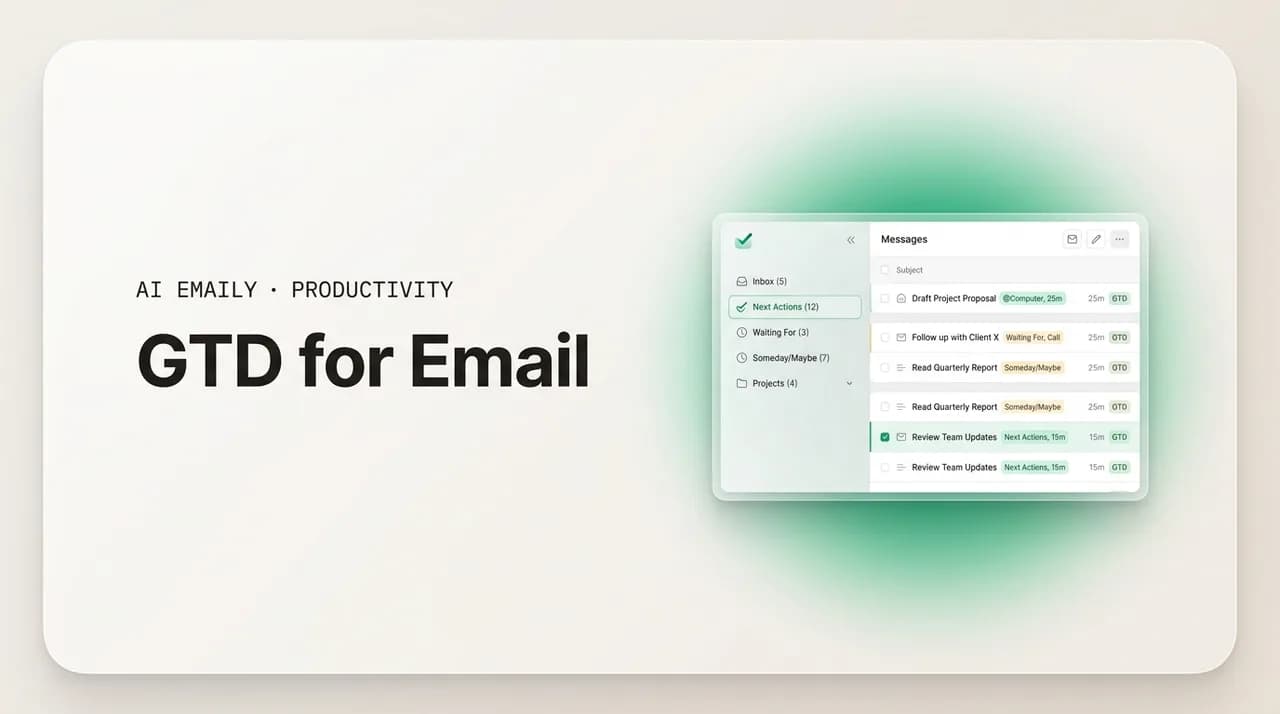
AI Emaily is an AI-native email client built around exactly this insight: the GTD stages that are repetitive and mechanical — most of clarify, nearly all of organize, and a good share of two-minute engage — can be handled by an AI assistant, while the genuine judgment calls stay with you. Instead of you opening every message to clarify and file it, AI Emaily reads incoming mail as it arrives and triages it automatically: it recognizes what each message is and routes it the way you would — newsletters and receipts to reference, things awaiting a response into a waiting state, real action items surfaced as decisions you need to make. The capture-clarify-organize loop you used to grind through by hand runs continuously, in the background, without you dragging a single message.
On engage, it goes further. The formulaic two-minute replies — the confirmations, the acknowledgments, the simple yes/no answers — are exactly the work an agent can draft for you. AI Emaily drafts those replies in your own voice, learned from the mail you have actually sent, so the quick responses that ate up your processing sessions arrive pre-written, waiting for a glance and a send. The deferred work that genuinely needs you — the deck review, the Q3 reply, the call that takes real thought — is the small set of decisions left on your plate, which is exactly where your attention should have been all along. The Rules brain lets you encode your own clarify-and-organize logic explicitly, so the routing matches how you actually think about your mail.
And the weekly review — the reflect stage, the one people skip — becomes something you read rather than something you grind. Instead of manually sweeping every folder to see what is stuck, AI Emaily can produce a brief: a running summary of what came in, what is waiting on a reply, and what needs your decision, so the state of your whole system is handed to you instead of reconstructed by hand. The thing GTD asks you to do with discipline once a week, AI Emaily keeps current continuously. You still review and decide — you just do it from a clear summary instead of a cold inbox.
Crucially, you stay in control. In its default Copilot mode, AI Emaily triages and drafts but sends nothing until you approve it — so the judgment that makes GTD work stays human, and the labor that made it exhausting does not. It works across every account you connect — Gmail, Outlook, any IMAP provider — in one place, and it is private by design: your mail is used to triage and draft for you, never to train models for anyone else. You can start free at app.aiemaily.com/signup; the Free plan is $0 and connects your inbox with AI triage and drafting, and Pro is $12.42/month billed annually when you want the full workflow across everything you send. GTD told you to build a trusted system; AI Emaily is the system that runs itself and leaves you the decisions.
Run GTD without running the grind
The bottom line on GTD for email#
GTD maps onto email better than almost any system, because an inbox is already a capture tool full of open loops waiting to be clarified, organized, and acted on. The whole method comes down to a few moves: treat the inbox as a capture point you empty by deciding, not storage you maintain by reading; process in scheduled sessions, clarifying every message into a next action and filing it by state into Action, Waiting, or Reference; clear the two-minute work on the spot; engage with the rest in separate work blocks; and run a weekly review that keeps the system trusted. Do that and the inbox stops being an infinite pile and becomes a queue you actually finish.
The catch is that running it by hand is relentless — dozens of clarify-and-organize decisions a day, most of them repetitive, all of them on you, forever. That is the part that has changed. An AI-native client can run the mechanical stages continuously — triaging incoming mail, drafting the routine replies, keeping the state of your system summarized — so you are left with the genuine decisions GTD was always meant to free you to make, instead of the data entry it quietly demanded. If you would rather keep the method and drop the grind, that is exactly what AI Emaily handles, with you approving before anything sends.
Either way, the principle holds. Capture everything in one trusted place, decide what each thing means, organize by action state, review weekly, and do the work from clean lists — not from a churning inbox. Whether you run that by hand or let a system run it for you, the goal is the same: an inbox that ends each day empty because every message left it with a decision attached.
Frequently asked
See it in AI Emaily
Keep reading
Sources

Written by
Nafiul HasanNafiul Hasan is an entrepreneur and AI automation system builder with 10+ years of experience turning messy, manual workflows into reliable automated systems. He designs and ships AI enterprise solutions end-to-end — the agent logic, the data plumbing, and the product people actually use — and founded AI Emaily to give busy professionals their attention back. He writes here from the builder's seat: what works, what breaks, and how to put AI to work without giving up control.