How to Respond to Customer Emails Faster in Ecommerce (Under 5 Minutes)

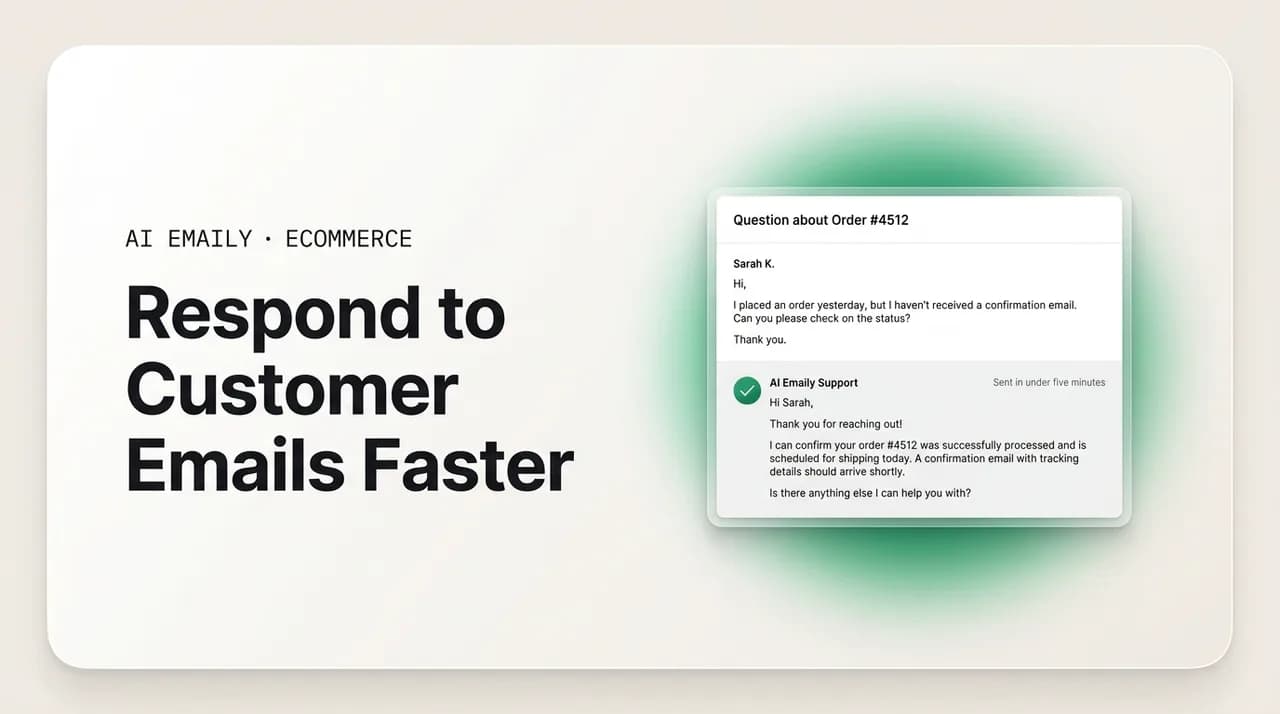
The short answer
To respond to customer emails faster in ecommerce, cut your first response time before your resolution time: acknowledge instantly, triage by intent, answer repetitive order-status and returns questions with macros or automation, and deflect the routine tickets entirely. In DTC, a 24-hour reply to a shipping question behaves like a churn event, so speed is a retention lever, not a nicety.
How to respond to customer emails faster in ecommerce: why a slow first reply drives churn, and a practical system of triage, macros, auto-first-response, and deflection to answer support emails in under five minutes.
On this page
- 01Why does response speed matter so much in ecommerce?
- 02How does slow email response cause churn and hurt CSAT?
- 03Why are founders and lean ecommerce teams so slow to reply?
- 04What does a fast-response system look like end to end?
- 05Should you use an instant acknowledgement or a personal reply?
- 06How do you set up triage and macros that actually save time?
- 07How do you deflect the tickets that never needed a human?
- 08What is a realistic response time target, and what does slow cost?
- 09How does AI Emaily help you respond to customer emails faster?
- 10Putting it all together
Why does response speed matter so much in ecommerce?#
If you run a Shopify or DTC store, the fastest way to lose a customer you already paid to acquire is to let a simple email sit. Someone bought from you, their package is late or they want to swap a size, and they send a short, anxious note asking where their order is. That message is not really about logistics. It is a small test of whether your brand is reliable, and the clock on that test starts the second they hit send. Learning how to respond to customer emails faster in ecommerce is, in practice, learning how to pass that test consistently, at volume, without living in your inbox.
Here is the uncomfortable truth that this whole guide is built on: in DTC ecommerce, a 24-hour response to a shipping question is effectively a churn event. By the time you reply the next day, the customer has already refreshed the tracking page five times, messaged you on Instagram, maybe opened a dispute, and quietly decided they will buy the next thing from someone faster. The order might still get delivered. The relationship is already damaged. Slow first response is the single most expensive habit a lean ecommerce team can have, precisely because it is invisible on the P&L until the repeat-purchase rate sags.
Shoppers did not invent this expectation in a vacuum. They were trained by Amazon, by same-day chat, by every brand that answers in minutes, and they now compare your response speed to the fastest experience they have had anywhere, not to your two-person team's capacity. That is the bar. It feels unfair, and it is the reality you are competing in. The good news is that hitting it is a systems problem, not a heroics problem, and systems can be built.
Two ideas run through everything below, so it is worth naming them up front. First, first response time and resolution time are different metrics, and speed is mostly about the first one. A customer can wait a little for the full answer if they get an immediate, human signal that a real person has their message and is on it. Silence is what breaks trust, not the honest "we are looking into this." Second, the majority of your inbound is repetitive. Where-is-my-order (WISMO), returns, exchanges, and a short list of product FAQs make up the bulk of a typical DTC support queue, and repetitive work is exactly what you can template, automate, and deflect. You do not have to answer faster by typing faster. You answer faster by making sure the routine questions barely reach a human at all.
This guide covers why speed drives retention and CSAT, why founders and lean teams end up slow even when they care, and then a concrete, buildable system to get your first response time under five minutes: triage, macros, an instant acknowledgement, an automated first response for the repetitive tickets, and deflection so the volume never hits the inbox in the first place. We will end with an honest look at where an AI email client fits, what it should and should not do on its own, and how to keep a human in the loop for anything that carries risk.
First response time vs. resolution time
How does slow email response cause churn and hurt CSAT?#
Retention math is what makes response speed a business decision rather than a customer-service nicety. Acquiring a new customer costs several times more than keeping an existing one, so every avoidable churn event quietly resets money you already spent. When a post-purchase question goes unanswered for a day, you are not just risking one order's margin; you are risking the second, third, and fourth purchase that customer would have made, plus the word-of-mouth they would have carried. A late reply to a $40 order can cost you a multi-hundred-dollar lifetime value. That is the trade you are actually making when an email waits.
The expectation gap is stark, and it is worth being precise about it. Research on customer experience has repeatedly found that a large share of shoppers expect a response within an hour, and a meaningful slice expect it even faster than that. Zendesk's customer-experience research has consistently shown that consumers reward fast, seamless service and abandon brands after poor experiences, and that a majority will switch to a competitor after just one or two bad interactions. When you sit at a 6-to-24-hour first response time, you are not slightly below the bar. You are on the wrong side of a threshold where the customer has already started shopping around.
CSAT (customer satisfaction) tracks response speed almost linearly at the fast end and then falls off a cliff. A reply in a few minutes and a reply in a few hours can produce very different satisfaction scores for the exact same resolution, because the waiting itself is the negative experience. This is why fast first response is such a high-leverage lever: it improves the number customers report even when the underlying answer is identical. You are not changing what you say, only when they hear from you, and that alone moves the score.
The most dangerous churn, though, is the churn you never see. In subscription and replenishment DTC especially, most customers do not complain before they leave. They go quiet. A shipping delay at month two goes unanswered, they feel unimportant, and they cancel from the account page without ever telling you why. There is no angry email to fix, no negative review to respond to, just a number that trends down. Slow post-purchase communication is the leading cause of this silent bleed, and it is invisible precisely because the customer never gave you the chance to recover.
That silence cuts both ways, which is the hopeful part. There is a well-documented service-recovery paradox: a problem handled quickly and well can build more loyalty than a flawless experience that never had a hiccup. A customer whose late package you got ahead of, with a fast, honest, proactive note, often ends up more loyal than one whose order simply arrived on time. Speed is what unlocks that paradox. You cannot recover a relationship you learn about a day too late. Answer fast enough and a complaint becomes a loyalty moment; answer slow and the same complaint becomes a cancellation you never see coming.
The 24-hour shipping reply is a churn event
Why are founders and lean ecommerce teams so slow to reply?#
It is almost never because founders do not care. It is because the structure of a lean ecommerce operation makes fast, consistent replies genuinely hard, and understanding why is the first step to fixing it. When you know the specific failure modes, you can design directly against them instead of just resolving to try harder, which never works past week two.
The first and biggest one is that the founder is the support desk. In a solo or two-person brand, the same person answering support is also running ads, packing orders, talking to suppliers, and building the next product. Support gets answered in the gaps, which means it gets answered late, in batches, whenever there is a lull. The same order-status and returns questions get typed out from scratch dozens of times a day, each one a small tax on the exact hours that should go to growth. It is not a motivation problem. It is a single-threaded-attention problem.
The second is volume that arrives in spikes, not a steady trickle. A normal week is manageable; then a promo drops, a product goes viral, or Q4 hits, and ticket volume jumps to several times baseline overnight. Ecommerce CX teams routinely see 3-to-5x normal volume during Q4 and big promotions. You cannot hire fast enough or cheaply enough to absorb a spike that lasts six weeks and then vanishes, and margins rarely justify staffing for the peak. So the queue backs up exactly when the stakes (and the shopper's impatience) are highest.
The third is fragmentation across channels. The same customer emails you, then DMs you on Instagram, then messages you through the Shopify inbox, then leaves a comment. Their questions scatter across platforms with different notification patterns and different implied response times, and stitching it all into one coherent view eats the very minutes you are trying to save. Most retailers do not offer genuinely unified support across their channels, which means most teams are quietly losing time just figuring out where the next message even is.
The fourth is the composition tax. Even when a team is staffed and organized, agents spend a large chunk of their day simply writing responses, roughly 40% by common estimates, much of it re-typing near-identical answers to near-identical questions. That is the specific, measurable inefficiency this guide attacks. When almost half of support time is spent composing messages that are 90% the same as the last one, the opportunity is not to type faster; it is to stop typing the repetitive ones by hand at all.
Add these up and the pattern is clear. Slowness is structural: one person's divided attention, unpredictable volume, scattered channels, and a mountain of repetitive composition. Every fix that follows targets one of those four directly. You are not going to out-hustle the queue. You are going to re-engineer it.
Diagnose before you optimize
What does a fast-response system look like end to end?#
The way out is a system with layers, where each layer catches as much volume as possible so less reaches the next one. Think of it as a funnel pointed the opposite direction from your marketing funnel: you want most questions answered before they ever become a ticket a human has to write. The layers, from first contact inward, are deflection, instant acknowledgement, triage, macros, and automated first response, with human handling reserved for the exceptions. Build them in that order and your first response time drops without anyone typing faster.
The goal is a first response time measured in minutes, not hours, for the routine 80% of your inbox, and a clear, prioritized path to a human for the 20% that genuinely needs judgment. Here is the whole system as a sequence you can implement piece by piece.
- 1
Deflect before it becomes an email
Put the answers to your most common questions where customers look first: a clear shipping-and-returns page, a tracking link in every confirmation email, an order-status lookup, and proactive shipping-delay notices. The fastest reply is the one you never had to send because the customer never had to ask. This is the top of the funnel and the highest-leverage layer.
- 2
Acknowledge instantly, automatically
The moment an email arrives, the customer should get an immediate, honest acknowledgement that sets expectations: we have your message, here is roughly when to expect a full reply, and here is where to self-serve in the meantime. This is not the answer; it is the signal that stops the anxious follow-ups and buys you a grace window.
- 3
Triage by intent, the second it lands
Sort every incoming message by what it actually is — WISMO, return, order edit, product question, complaint — and by urgency. Post-purchase and time-sensitive intents jump the queue. Triage is what makes sure the shipping question does not sit behind a low-stakes product inquiry.
- 4
Answer the repetitive with macros
For every common intent, have a pre-written, personalizable macro (a saved reply). A human picks it, drops in the specifics, and sends in seconds instead of composing from scratch. This alone can cut minutes off every routine ticket and is the single easiest speed upgrade for a team not yet ready to automate.
- 5
Automate the first response for safe, routine intents
For the clearly repetitive and low-risk tickets — order status, returns policy, standard FAQs — let an automated reply handle the full first response, not just an acknowledgement, pulling in the real order or tracking data. This is where first response time goes to near-zero for the bulk of the queue.
- 6
Escalate the exceptions to a human, fast
Everything that is ambiguous, emotional, high-value, or policy-edge — an angry customer, a damaged high-ticket item, a special request — routes immediately to a person with full context attached. The human's job is the hard 20%, not the easy 80%, so they can be fast and thoughtful where it counts.
Should you use an instant acknowledgement or a personal reply?#
This is the question that trips up thoughtful founders, and it deserves a real answer rather than a slogan. The worry is legitimate: an instant auto-acknowledgement can feel cold, and a cold reply to an anxious customer can be worse than a slower human one. But the framing of "instant-and-robotic versus slow-and-personal" is a false choice. The right model is a fast, honest acknowledgement followed by the right level of human involvement for that specific ticket. You are not choosing between speed and warmth; you are sequencing them.
The rule of thumb: acknowledge everything instantly, personalize the resolution in proportion to the stakes. A routine WISMO question can be fully resolved by an instant, accurate, order-aware reply and never needs a human at all — that is not cold, that is exactly the fast answer the customer wanted. A complaint about a damaged product, a billing dispute, or an emotional message needs a human voice on the actual resolution, but it still benefits from an instant acknowledgement that says "we have this, a person is looking into it right now." Speed on the acknowledgement never costs you warmth. It buys you the room to be warm where warmth matters.
What makes an acknowledgement feel human rather than robotic is honesty and specificity. "Thanks, we got your message and will reply within a few hours" is fine. "Thanks for your order #1043 question — we see it shipped Tuesday and are pulling the latest tracking now, expect a full update within the hour" is dramatically better, because it is specific, it is true, and it already moves the resolution forward. The difference between a cold auto-reply and a great instant response is whether it demonstrates that something real is actually happening. Generic filler feels like a machine; specific, accurate detail feels like attention.
There is one hard line to hold: never send an instant reply that is confidently wrong. A fast wrong answer is worse than a slightly slower right one, because it destroys trust and usually generates a second, angrier ticket. This is the core discipline of any automated first response — it should only fully handle intents it can answer correctly with real data (a live tracking status, the actual returns policy, a genuine order lookup), and it should hand off, not guess, the moment it is unsure. Automate confidence, escalate doubt.
So the practical answer to "instant acknowledgement or personal reply?" is: both, in sequence, calibrated by risk. Everyone gets speed. The routine majority gets a complete, accurate, instant resolution. The sensitive minority gets an instant acknowledgement plus a fast, genuinely personal human follow-up. Design your system so the fast lane and the human lane are not in tension, and the old trade-off between speed and care simply dissolves.
Make instant replies specific, not generic
How do you set up triage and macros that actually save time?#
Triage and macros are the two layers a lean team can build this week without any automation at all, and together they typically take the biggest single bite out of first response time. Triage decides what gets answered first; macros decide how fast each answer goes out. Neither requires new headcount or new software you do not already have. They require a little upfront setup and then relentless consistency.
Start with triage, because ordering the queue correctly is free and immediate. The principle is that not all tickets are equally time-sensitive, so a strict first-in-first-out inbox actively hurts you: a low-stakes product question answered before an anxious shipping complaint is a scheduling error that costs you a customer. Sort by intent and urgency the moment mail lands, and always float the post-purchase, time-sensitive intents to the top.
- 1
Define your intents from real data
Use the week of tagging from earlier to name your actual top intents — usually WISMO, returns/exchanges, order edits, sizing/product questions, discounts, and complaints. Do not invent categories; use the ones your inbox actually produces. These become both your triage buckets and your macro library.
- 2
Rank intents by urgency, not arrival order
Put time-sensitive, post-purchase intents (late shipment, wrong item, address change before dispatch) at the front. Complaints and emotional messages get fast human attention. Low-stakes questions (general product curiosity, restock timing) can wait a little. Encode this order so it is applied every time, not just when you remember.
- 3
Write one clean macro per common intent
For each top intent, write a warm, on-brand saved reply with clear blanks for the specifics: name, order number, tracking, dates. Keep it short and human. This is your speed engine — a good macro turns a three-minute compose into a fifteen-second personalize-and-send.
- 4
Personalize every macro before it sends
A macro is a starting point, not a stamp. Always drop in the real details and adjust the tone to the message you received. The customer should never be able to tell it started as a template. The time you save is in not writing from scratch, not in skipping the human touch.
- 5
Review and prune macros monthly
Kill macros nobody uses, tighten ones that draw follow-up questions, and add new ones as new intents emerge (a new product line, a seasonal issue). A macro library is a living thing; a stale one quietly slows you back down as your catalog and policies drift.
Macros have a well-known failure mode worth naming: they can drift into feeling robotic, and a customer who senses a canned reply feels less cared for, not more. The fix is the personalization discipline above — real details, matched tone, no visible seams — plus keeping the macros genuinely good rather than merely present. A macro that reads like a warm human wrote it in ten seconds is a gift to both sides. A macro that reads like a form letter saves you time and costs you the relationship. Write them as if the customer will read them closely, because the ones who are upset will.
The compounding win is that triage and macros together also make your later automation safer and easier. Once your intents are clearly defined and your best replies are written down, you already know which intents are safe to hand to an automated first response and exactly what a good reply to each looks like. The manual system is the specification for the automated one. Do the human version well first, and automation becomes a matter of turning up the speed on flows you have already proven, rather than trusting a machine to invent them.
How do you deflect the tickets that never needed a human?#
Deflection is the highest-leverage layer because the fastest possible response time on a ticket is not sending it, since the customer answered their own question before they ever wrote in. Every WISMO email you deflect is a first response time of zero and a human minute saved. For most DTC stores, deflection is where the largest, most durable speed gains live, because it attacks volume at the source rather than processing it faster downstream.
The single biggest deflection opportunity is WISMO. "Where is my order" is, by many estimates, around a fifth of all inbound ecommerce contacts, and almost none of it needs a human, because the answer is a tracking status the customer can see for themselves if you put it in front of them. Proactive, self-serve order visibility turns a fifth of your inbox into near-zero. That is not a marginal optimization; that is a structural reduction in how much mail you ever have to answer.
- Put tracking everywhere: in the confirmation email, the shipping-confirmation email, and a clearly linked order-status lookup page. Most WISMO questions evaporate when the customer can check the status in one click.
- Send proactive shipping-delay alerts. If an order is running late, tell the customer before they ask. A proactive "your order is delayed two days, here's the new date" prevents the anxious WISMO email entirely and reads as care, not apology.
- Publish a crisp shipping-and-returns page and link it from the footer, the order pages, and your acknowledgement replies. A clear self-serve returns flow deflects a huge share of return and exchange questions.
- Add a short, honest FAQ for your genuine top questions — sizing, materials, restocks, order edits — written from real ticket data, not guesses. Answer the questions people actually ask, in plain language.
- For subscription brands, make pause, skip, and swap self-serve from the account page. A customer who can pause without emailing you does not churn out of friction, and you never touch the ticket.
Deflection and speed reinforce each other in a way that is easy to miss. Every routine ticket you deflect shrinks the queue, which means the tickets that do reach a human get answered faster because there are fewer of them competing for attention. Cutting WISMO by deflection does not just remove those tickets; it accelerates every remaining ticket by clearing the traffic in front of it. This is why deflection belongs at the top of the funnel: it makes every layer beneath it lighter and quicker.
The mindset shift is to stop measuring your support team only on how fast they answer and start measuring how few tickets they have to answer at all. A store that deflects half its routine volume and answers the rest in minutes has a faster, calmer, cheaper support operation than a store that heroically answers twice the volume by hand. Speed is partly about answering quickly and largely about arranging things so most questions answer themselves.
Deflection is a first response time of zero
What is a realistic response time target, and what does slow cost?#
Targets are worth setting concretely, because "faster" without a number never changes behavior. For ecommerce, a defensible goal is a first response time under an hour for anything that reaches a human, under five minutes for anything routine enough to be handled by a macro or automation, and effectively instant for the acknowledgement that goes to everyone. Those are not aspirational fantasy numbers; teams that deflect volume and automate the repetitive routinely hit them, because the hard cases are the only ones a human touches.
The table below sketches how response time tends to map to customer satisfaction and retention risk in a DTC context. Treat the bands as directional rather than precise — your exact numbers depend on your category, price point, and customers — but the shape is consistent across the customer-experience research: satisfaction and retention are strong at the fast end, degrade through the middle, and fall off sharply once you cross into next-day territory, especially on post-purchase questions.
| First response time | Likely CSAT | Retention effect | What it feels like to the customer |
|---|---|---|---|
| Under 5 minutes (instant / automated) | Very high | Strongly positive | "This brand is on it." Anxiety never starts; the question is handled before frustration builds. |
| Under 1 hour | High | Positive | Fast and reassuring. Meets the expectation of the large share of shoppers who want an hour-or-less reply. |
| 1–4 hours | Moderate | Neutral to slightly negative | Acceptable for non-urgent questions; risky for shipping issues, where the anxious window has begun. |
| 4–24 hours | Low | Negative | The customer has followed up elsewhere and started to doubt you. Post-purchase trust erodes. |
| Over 24 hours | Very low | Churn risk | On a shipping question, effectively a churn event. Many customers have already decided to buy elsewhere next time. |
Read that table as a cost curve, not a report card. Every band you slip down is not a small satisfaction dip; it is a step toward a lost repeat purchase and the acquisition cost you will have to spend again to replace that customer. The distance from "under an hour" to "next day" looks like a modest operational miss and behaves like a revenue leak. That is the case for investing in the system: you are not chasing a vanity metric, you are protecting lifetime value that is far larger than the ticket in front of you.
It is also why the target should be tiered rather than uniform. You do not need a five-minute human reply to every message — that would be exhausting and unnecessary. You need instant acknowledgement for everyone, sub-five-minute automated resolution for the routine majority, and sub-hour human replies for the exceptions. Aiming for one flat number across all tickets either burns your team out or sets a bar so low it fails the urgent cases. Tier the target to the stakes, and both the customer and your team come out ahead.
How does AI Emaily help you respond to customer emails faster?#
Everything above is buildable by hand, and plenty of lean teams run a version of it with saved replies and a disciplined triage habit. The reason to bring in an AI email client is that the manual system is fragile: it depends on a busy founder remembering to triage, keeping macros fresh, and being awake and at the desk when the mail arrives. AI Emaily is an AI-native email client that runs this system for you continuously, so the speed does not depend on your attention. It connects to Gmail, Outlook, and any IMAP inbox, so it works with the support address you already use rather than asking you to migrate.
The order-status, returns-process, and standard-FAQ replies — the exact 30-to-40% of routine tickets that are safe to handle automatically — are where it earns its place. AI Emaily triages every incoming message by intent the moment it lands, drafts an accurate, on-brand reply pulling in the real specifics, and, for the clearly repetitive and low-risk tickets, can send a complete first response in seconds. Because it learns how you actually write, the replies come back in your brand's voice rather than as generic support boilerplate, which is what keeps fast from feeling cold. The anxious WISMO email that used to sit until you had a spare minute gets an accurate, specific answer immediately, and the founder never has to type it.
The part that makes this safe is the control model, because "let the AI answer support" is only a good idea if a human decides how much rope it gets. AI Emaily runs in Manual, Copilot, or Autopilot. In Manual, it drafts and you send everything. In Copilot, it drafts every reply and you approve before anything goes out, so you get the speed of a ready answer with a human on the trigger — a sensible default while you build trust. In Autopilot, you let it fully send the routine, low-risk intents on its own while it escalates everything ambiguous, emotional, high-value, or policy-edge to you with full context. You choose which intents graduate to autosend and which always wait for a person. Every action has undo and a full audit trail, so nothing the agent does is a mystery or a one-way door.
That maps cleanly onto the instant-versus-personal question from earlier. Autopilot handles the routine tickets that only ever needed an accurate, instant answer, so your first response time on the bulk of the inbox drops to near-zero. Copilot and human handling cover the sensitive minority, where AI Emaily still drafts an instant, specific acknowledgement and a proposed reply, but a person makes the final call on the resolution. You get speed everywhere and human judgment exactly where the stakes require it, which is the whole point of the system rather than a compromise on it.
It fits the four structural reasons lean teams are slow, one for one. It removes the single-threaded-attention problem, because it answers while you are packing orders or asleep. It absorbs volume spikes, because automating the routine tickets lets a small team take a 3-to-5x Q4 surge without proportional hiring. It consolidates the inbox you already have rather than scattering work further. And it kills the composition tax, since the repetitive replies that ate roughly 40% of support time are the ones it drafts and sends for you. The founder is left with the small number of tickets that genuinely need a human, answered fast because the queue in front of them is finally short.
You can try it free at app.aiemaily.com/signup, with a Free plan at no cost and Pro at $12.42 per month on the annual plan. Start in Copilot so you approve every reply, watch how it triages and drafts your routine tickets, and graduate the safe intents to Autopilot only once you trust them. The goal is not to remove yourself from your customers; it is to make sure the shipping question never waits a day again.
Putting it all together#
Responding to customer emails faster in ecommerce is not about typing faster or caring more. It is about building a system that answers the routine questions before they reach you and routes the hard ones to a human quickly. Deflect what you can with tracking, proactive alerts, and self-serve pages. Acknowledge everything instantly and honestly. Triage by intent so the shipping question never waits behind a low-stakes one. Answer the repetitive with sharp, personalized macros. Automate the first response for the safe, routine intents. And keep a human on the exceptions, fast, because the queue in front of them is finally short.
Hold on to the two ideas underneath all of it. First response time is the metric that drives the customer's perception of speed, so protect it above resolution time, and never send an instant reply that is confidently wrong. And the majority of your inbox is repetitive, which is exactly what you can template, automate, and deflect — meaning the path to fast is mostly the path to answering fewer things by hand. In DTC, where a 24-hour reply to a shipping question behaves like a churn event, speed is not a nicety. It is one of the cheapest retention levers you have.
Build the manual version first so you know your intents and your best replies cold, then let an AI email client run it continuously so the speed no longer depends on you being at the desk. Either way, the win is the same: the customer who is anxious about their order hears back in minutes, decides you are reliable, and comes back to buy again. That is what fast replies actually buy — not a better metric, but the next order.
Frequently asked
See it in AI Emaily
Keep reading
Sources

Written by
Nafiul HasanNafiul Hasan is an entrepreneur and AI automation system builder with 10+ years of experience turning messy, manual workflows into reliable automated systems. He designs and ships AI enterprise solutions end-to-end — the agent logic, the data plumbing, and the product people actually use — and founded AI Emaily to give busy professionals their attention back. He writes here from the builder's seat: what works, what breaks, and how to put AI to work without giving up control.