How to Sound Friendly in Email Without Being Unprofessional (AI Tone Guide)

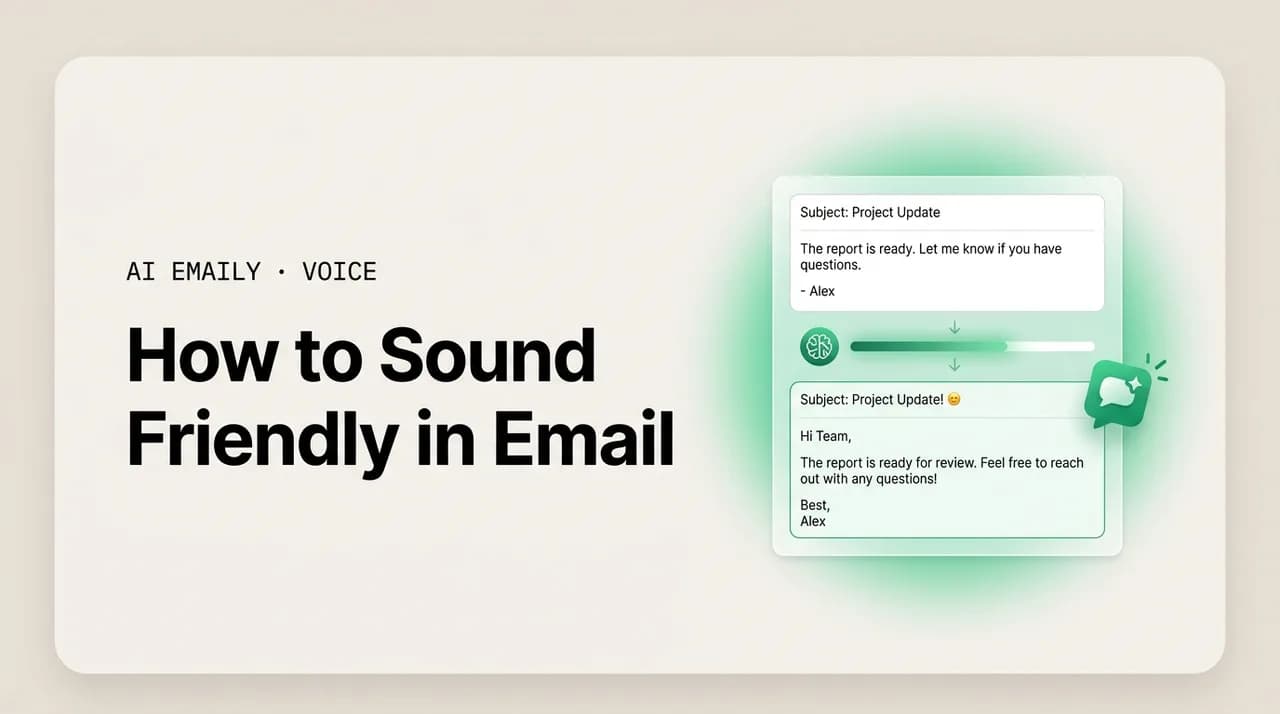
The short answer
How to sound friendly in email without being unprofessional: open warm, acknowledge the person before the ask, frame things positively, and add one light personal touch — then keep the message clear and short. Use AI to warm a cold draft, but match it to your real voice and skip warmth when delivering bad news.
How to sound friendly in email without tipping into unprofessional or fake — the warmth signals that work, AI prompts for a warm tone, how to stay clear while being kind, when warmth is wrong, and how to keep it in your own voice.
On this page
- 01What does it actually mean to sound friendly in email?
- 02What are the warmth signals that make an email feel friendly?
- 03How do you sound friendly without sounding unprofessional?
- 04How do you use AI to make an email sound friendlier?
- 05How do you stay clear and direct while still being friendly?
- 06When is sounding friendly the wrong move?
- 07How does AI Emaily make your email sound friendly in your own voice?
- 08The bottom line on sounding friendly in email
You write an email, read it back, and it sounds fine — correct, complete, gets the point across. But it also sounds a little cold. Flat. Like a form letter, or like you are annoyed when you are not. So you add an exclamation point, then delete it because now it looks manic. You try "Hope you're well!" and it feels like filler. You land somewhere stiff and slightly robotic and hit send anyway, and the reply that comes back is just as clipped, and now the whole thread reads like two people who do not particularly like each other negotiating a hostage release.
Sounding friendly in email is harder than it should be, for a specific reason: you have no tone of voice, no facial expression, no smile to soften the words. The reader supplies all of that themselves, and by default they supply the worst available reading. A neutral sentence reads as cold. A direct request reads as a demand. A short reply reads as curt. Warmth, in writing, has to be built in deliberately — and most people either skip it entirely (and sound robotic) or overdo it (and sound fake, gushing, or unprofessional). The sweet spot is narrow and most of us miss it in both directions.
This guide is about hitting that sweet spot on purpose. We will start with what "friendly" actually means in an email — it is not exclamation points and emoji, it is a small set of concrete warmth signals you can learn and place. Then the line that trips everyone up: how to sound warm without sounding unprofessional or fake, because those are the two ditches on either side of the road. We will cover how to use AI to warm up a cold draft (with prompts you can copy), how to stay clear and direct while being kind — because friendly and wishy-washy are not the same thing — and the situations where warmth is exactly the wrong move and you should not force it.
Near the end we get to the part that actually solves this day to day. Knowing how to sound friendly is one thing; doing it on every email, to every kind of person, while you are tired and behind, is another. That is where an AI-native email client that has learned your real voice earns its place — drafting replies that are warm in the way you are warm, matched to who you are writing to, so the friendly version is the one that lands without you wordsmithing it at 6 p.m. We will keep all of it plain and practical, with before-and-after examples and a cold-to-warm table you can steal from directly.
What does it actually mean to sound friendly in email?#
Most people, asked to make an email friendlier, reach for the wrong tools. They add exclamation points. They drop in an emoji. They open with "Hey!!" or close with "Thanks so much!!! 😊". None of that is warmth — it is volume, and volume is not the same thing. You can sound friendly with zero exclamation points, and you can sound fake and exhausting with five of them. Warmth in email is not about punctuation or enthusiasm. It is about a handful of specific, learnable signals that tell the reader: I see you as a person, I am glad to be talking to you, and I am on your side.
There are four of these signals, and they do almost all the work. A warm greeting that uses the person's name and acknowledges them as a human being, not just a recipient. A moment of acknowledgment — naming something they did, said, or are dealing with — before you launch into your own agenda. Positive framing, which means saying what you can do rather than only what you cannot, and choosing words that open rather than close. And a light personal touch — one small, genuine, human note that proves a person wrote this and not a template. Place those four and an email reads as friendly almost regardless of the subject.
What matters is that these are about the reader, not about you performing friendliness. The difference between warm and fake is exactly the difference between attention to the other person and a show of feeling aimed at yourself. "Hope you had a great weekend!" with no follow-up is a performance. "Hope the move went smoothly — I know last week was hectic for you" is attention. Same length, completely different temperature, because one references the actual person and one is wallpaper. Friendly email is mostly just the written form of being considerate, and considerate people notice things.
It helps to separate friendliness from formality, because people conflate them and get stuck. Formality is about distance and register — "Dear Dr. Reyes" versus "Hey Sam." Warmth is about regard — how much you signal that you care about the person on the other end. They are independent dials. You can be formal and warm (a gracious note to a senior client). You can be casual and cold (a one-word Slack-style reply to a teammate). The goal of this guide is the warm dial, turned up to the right level for the relationship, at whatever formality the situation calls for. You do not have to get casual to get friendly.
Friendly is a signal, not a volume
What are the warmth signals that make an email feel friendly?#
Let us make the four signals concrete, because "be warmer" is useless advice and "add an acknowledgment line before your ask" is something you can actually do. Each one is small. Together they are the entire difference between an email that feels human and one that feels like it came out of a vending machine. Here is each signal, what it does, and how to place it without overdoing it.
The warm greeting sets the temperature in the first three words. "Hi Sam," is already friendlier than "Sam," or a cold launch straight into the ask. "Hi Sam, hope your week's going well —" is friendlier still, as long as the rest of the email earns it. The trap is the empty pleasantry: "Hope you're well!" with nothing behind it is the email equivalent of "how are you" shouted while walking past someone. Better to make it specific or skip it. A greeting that names the person and, where natural, references something real, does more than a paragraph of forced cheer.
Acknowledgment is the single highest-leverage warmth signal, and it is the one people skip most. Before you say what you want, say something about them — thank them for the thing they sent, recognize the work they did, note the situation they are in. "Thanks for turning this around so fast — I know it was a tight window" before "one small change" makes the change land as collaboration, not criticism. The order matters: acknowledgment first, agenda second. An email that opens with your demand and never once references the reader's effort feels transactional no matter how politely it is worded.
Positive framing is about word choice and direction. Say what is possible before what is not: "I can get this to you Thursday" reads warmer than "I can't do it before Thursday," even though they mean the same thing. Choose collaborative words — "let's," "we," "happy to," "glad to" — over adversarial or bureaucratic ones — "you need to," "as previously stated," "per my last email." And soften the edges of necessary friction: "one quick thing" instead of "a problem," "could you" instead of "you have to." None of this makes you less clear; it makes the clarity easier to receive.
The light personal touch is the proof of life. One genuine, specific, human note — a callback to something they mentioned, a brief acknowledgment of their week, a small bit of yourself — that no template could have generated. "Congrats on the launch, by the way — saw it go out yesterday." "Enjoy the long weekend." "Hope the conference wasn't too draining." The rule is one, and genuine. Two or three personal touches start to feel like you are trying too hard, and a generic one ("hope you're crushing it!") is worse than none. The touch works precisely because it is specific to this person and this moment.
Acknowledgment is the one to add first
How do you sound friendly without sounding unprofessional?#
This is the question that keeps people stiff. They suspect that warmth and professionalism trade off against each other — that to sound friendly they have to get loose, casual, chatty, and risk looking unserious to a client or a boss. So they default to cold, because cold at least reads as competent. But the trade-off is mostly imaginary. Warmth and professionalism are not opposites; the thing that actually trades off against professionalism is sloppiness, and you can be warm without being sloppy. The senior people who are warmest in email are not less professional for it — they are more trusted.
The line between friendly and unprofessional is not about how warm you are. It is about whether the warmth comes at the cost of clarity, respect, or appropriate boundaries. An email is warm-and-professional when it is kind and clear and still respects the reader's time and the context. It tips into unprofessional when the warmth starts eating the substance — rambling preamble, over-familiarity with someone you barely know, oversharing, jokes that assume a closeness that is not there, or so much softening that the actual point disappears. You can keep every warmth signal and avoid all of those.
The practical safeguards are simple. Keep it tight: warmth is a sentence or two, not three paragraphs of throat-clearing before you get to the point. Match the closeness to the relationship: a personal touch with a teammate can be a running joke; with a new client it is a single gracious line, no more. Stay specific rather than gushing: "this was genuinely helpful" beats "omg you're the BEST thank you sooo much!!!" every time, and reads as more sincere precisely because it is measured. And never let warmth blur the ask — say the warm thing, then say the clear thing, and do not braid them together until neither is legible.
There is also a register question. Friendly does not require casual. You can write "Dear Ms. Okafor" and still be warm — "Thank you for taking the time to walk me through this; it clarified a lot" is formal and warm at once. Conversely, getting more casual to seem friendlier with someone senior or external can backfire, reading as presumptuous rather than warm. The reliable move is to hold the formality the relationship calls for and turn up regard within it: more acknowledgment, more positive framing, a graceful personal line — not more slang, exclamation points, or familiarity. Warmth inside the right register is what reads as both friendly and professional.
| Move | Fake / unprofessional version | Warm + professional version |
|---|---|---|
| Greeting | Heyyy!! 😄 | Hi Sam, hope your week's off to a good start. |
| Thanks | omg thank you SO much you're a lifesaver!!! | Thanks so much for this — it genuinely saved me time. |
| A request | Sooo sorry to bug you again but pretty pleeease could you maybe… | When you have a moment, could you send the updated file? |
| Enthusiasm | I'm SUPER excited, this is going to be AMAZING!!! | Really looking forward to this — it's shaping up well. |
| Personal touch | How was your weekend?? Do anything fun?? Tell me everything! | Hope you had a good weekend. |
| Sign-off | xoxo talk soon!! 💕 | Thanks again — talk soon. |
Read down the table and the pattern is clear: the unprofessional column is not warmer than the professional one — it is louder, and loudness reads as either fake or frantic. The warm-and-professional version says the same friendly thing once, specifically, and then stops. That restraint is what signals competence. The reader feels the warmth and also feels that you are someone who has their act together, which is the whole point of professional email. You are not choosing between liked and respected; the calibrated version gets you both.
One more guardrail worth naming: warmth has to be genuine to read as genuine, and people are remarkably good at detecting performed feeling in writing. A thank-you for something that did not actually help, enthusiasm you do not feel, a personal question you do not care about the answer to — these register as fake even when the words are technically nice, and fake is worse than neutral. So the rule underneath all the tactics is sincerity: only warm up the parts you mean. If you are not actually grateful, do not gush; if you do not actually know the person's weekend plans, do not ask. Genuine and brief always beats effusive and hollow.
Effusive is not the same as warm
How do you use AI to make an email sound friendlier?#
Warming up a draft by hand works, but it is slow, and on a flat or slightly cold email you have already written, AI is genuinely good at it — if you ask correctly. The failure mode is asking for "friendlier" and getting back something drenched in exclamation points and "I hope this email finds you well!" boilerplate, which is the robotic-fake version, not the warm-human one. The fix is to tell the model what warmth means in concrete terms — the four signals — rather than the vague word "friendly," and to constrain it so it does not over-correct.
A good warming prompt does four things. It names the signals you want (acknowledge the reader, frame positively, one personal touch). It sets a ceiling on the things you do not want (no exclamation points unless natural, no emoji, no clichés like "hope this finds you well"). It anchors the register ("keep it professional — this goes to a client I've met once"). And it preserves the substance ("keep all the facts and the ask exactly as they are; only change the tone"). With those four constraints, the output lands warm and clean instead of warm and exhausting. Below are prompts you can paste into any chatbot, in rough order of how much control they give you.
Tell the AI what 'friendly' means
Two cautions about the chatbot route, because they are the reason it gets frustrating over time. First, a generic model does not know you or your relationships. It will warm an email to your manager and an email to a stranger in exactly the same way, because it has no idea which is which — so the output is friendly in the average, generic way, not the way you are friendly with that specific person. You end up editing it back toward your own voice, which eats the time you were trying to save. Second, you have to re-teach it your voice every session by pasting in sample emails, and even then it drifts within a few exchanges. The warmth is real but it is not yours, and it is not anchored to who you are writing to.
The deeper point: warmth is relational, and a tool that does not know the relationship can only guess. The right amount of warmth for your closest collaborator is wrong for a regulator; the personal touch that lands with a long-time client would be presumptuous with a cold prospect. A general chatbot flattens all of that into one "friendly" setting. That gap — between generic friendly and warm-in-your-voice-to-this-person — is exactly what a purpose-built email client closes, which we get to below. For now: AI is a great way to warm a draft, as long as you supply the context it cannot infer and edit the output back toward something you would actually write.
How do you stay clear and direct while still being friendly?#
Here is the failure that scares people away from warmth in the first place: they try to be friendly and end up being mushy. The email gets so padded with softeners — "just," "maybe," "if it's not too much trouble," "no worries at all if not," "sorry to bother you" — that the reader cannot find the actual request, or cannot tell whether it is a request at all. This is not friendliness; it is anxiety wearing friendliness as a disguise, and it is genuinely unkind to the reader, who now has to do the work of figuring out what you want. Warm and clear are not in tension. Warm and wishy-washy are a different thing entirely, and you want the first, not the second.
The principle is: be warm about the person, be direct about the ask. Soften the relationship, not the request. "I'd really appreciate your help on this" is warm; "could you maybe possibly send it if you get a chance, no pressure though" is mush. You can be entirely kind in how you frame a deadline and still state the deadline plainly. In fact, clarity is itself a form of respect — making someone guess what you need, or burying the ask under three paragraphs of apology, wastes their time, which is the opposite of friendly. The kindest email is often the one that is warm at the edges and unambiguous in the middle.
The mechanics: keep the ask in one clean sentence, in its own line if you can, with the warmth around it rather than inside it. Cut the hedge words that do not change the meaning — "just," "actually," "I think maybe," "sort of." Replace apology-for-existing ("sorry to bother you," "I hate to ask") with gratitude ("thanks for taking a look"), which is warmer and does not undercut you. State deadlines as facts, kindly framed ("to keep us on track for Friday, could you send it by Thursday?"). And resist the urge to apologize for the request itself — if the ask is reasonable, asking it plainly is not rude, and dressing it in sorries makes it read as if you think it is.
Soften the relationship, not the request
Notice that the cold-and-clipped version and the mushy version fail in opposite ways but for the same underlying reason: neither one is calibrated. The clipped one has clarity and no warmth; the mushy one has warmth-shaped padding and no clarity. The warm-and-clear version simply has both, in the right places — regard around the edges, a clean ask in the middle. That is the target for almost every working email: kind enough that the reader feels respected, direct enough that they know exactly what to do. You can hit it in two sentences. You do not need a paragraph of cushioning to be nice.
A useful self-check before you send: can a reader who skims this email in four seconds tell what you want and feel that you were friendly about it? If the ask is buried, tighten it. If the email is all ask and no regard, add one acknowledgment line. If it is all regard and the ask has dissolved into hedges, cut the hedges and restate the request plainly. Most emails fail this test in one direction or the other, and the fix is almost always small — a line added or a few words removed, not a rewrite.
When is sounding friendly the wrong move?#
Warmth is not free in every context, and one of the most useful things you can learn is when to dial it down or off. Forcing friendliness onto the wrong message reads as tone-deaf at best and manipulative at worst. The clearest case is bad news. When you are declining someone, delivering a problem, apologizing for a real mistake, or pushing back firmly, a breezy warm tone is exactly wrong — it makes the message feel like you are not taking it seriously, or worse, like you are using friendliness to slide something past the reader. Bad news calls for a different register: clear, calm, respectful, and plain. Kind, yes. Cheerful, no.
The distinction is between warmth and cheerfulness, which people collapse together. You can deliver bad news with genuine warmth — "I know this is disappointing, and I'm sorry for the impact on your timeline" is warm — without a trace of brightness. What you cut in serious moments is the upbeat signals: the exclamation points, the "hope you're having a great day!", the chirpy personal touch, the emoji. Those read as a mismatch with the gravity of the message, and a mismatch makes the reader trust you less. Match the temperature to the news. Warm regard is almost always appropriate; performed cheer rarely is.
There are other places to ease off. In a tense thread where someone is upset, sudden friendliness can read as dismissive — meet them with calm acknowledgment, not brightness, before any warmth. In genuinely formal or legal contexts, a personal touch can read as inappropriate; keep it gracious and restrained. With someone you do not know at all, heavy warmth reads as familiarity you have not earned — start polite-and-pleasant and let warmth grow as the relationship does. And in a fast operational thread where everyone wants the answer and nothing else, a paragraph of pleasantries is friction, not friendliness; the warm move there is to be quick and clear.
The meta-rule is that friendly is a default, not a constant. Warm is the right baseline for most email because most email goes to people you are glad to be dealing with about things that are basically fine. But "most" is not "all," and the skill is reading when a message wants less warmth — or a different kind. The same emotional intelligence that makes you warm in the normal case makes you appropriately plain in the serious one. Forcing the same friendly tone onto a layoff notice and a lunch invite is not friendliness; it is not paying attention, which is the one thing warmth is supposed to signal.
| Situation | Dial warmth… | Because |
|---|---|---|
| Everyday request to a colleague | Up — full warmth | The default; warm + clear reads best and earns goodwill |
| Thanking someone for real help | Up — genuine and specific | Sincere gratitude is the warmest, most welcome signal there is |
| Declining or saying no | Down to calm + kind | Cheerfulness reads as not taking the no seriously |
| Delivering bad news / an apology | Down to warm-but-plain | Brightness mismatches the gravity and erodes trust |
| A tense or upset thread | Acknowledge first, warmth later | Sudden friendliness reads as dismissive of their feelings |
| First contact with a stranger | Polite + pleasant, not effusive | Heavy warmth implies a closeness you haven't earned yet |
| Fast operational thread | Brief — clarity is the warmth | Pleasantries become friction when everyone wants the answer |
If there is one line to keep from this section: warmth should fit the moment, not override it. The reason warmth works in normal email is that it signals attention to the reader — and attention sometimes means recognizing that the reader does not want brightness right now, they want you to be straight with them, or quick, or simply calm. Reading that correctly is the same skill as being warm in the first place. The people who are best at email are not maximally friendly on every message; they are accurately calibrated on every message, and most of the time accurate happens to be warm.
Bad news: warm, not cheerful
How does AI Emaily make your email sound friendly in your own voice?#
Here is the gap everything above runs into. You now know the warmth signals, the line between warm and fake, how to stay clear, and when to dial it down. The problem was never the knowledge — it is doing all of it on every email, to every kind of person, while you are moving fast. A general chatbot can warm a draft, but it does it in a generic, average-friendly way that is not how you are friendly, and it has no idea whether this email is going to your closest collaborator or a stranger, so it applies the same warmth to both. You spend your saved time editing it back toward yourself.
AI Emaily is an AI-native email client built to close exactly that gap. It learns your writing voice from the emails you have actually sent — how warm you naturally are, the acknowledgments and personal touches you genuinely use, your real defaults — so when it drafts a reply, the warmth in it is yours, not a model's idea of friendly. There are no exclamation points you would never type, no "hope this email finds you well," no gushing. It reads like you on a good day: the warm, clear version of your own voice, which is the version you were trying to write before you ran out of time.
Crucially, it matches the warmth to the person you are writing to, because it is grounded in your actual mailbox — the real thread, the real history with this contact. A reply to a teammate you message daily comes back with the easy, familiar warmth you already use with them. A first email to a new client comes back gracious and appropriately reserved, warm without overstepping. A thank-you to someone who just helped you closes with genuine, specific gratitude rather than a generic "thanks so much!" And when a thread turns serious — bad news, a decline, an upset customer — it dials the brightness down to calm-and-kind on its own, the way you would, instead of staying chirpy into a moment that does not want it.
It also keeps the whole email coherent and works wherever you write. Greeting, body, warmth, and sign-off arrive in one consistent register, so you are not warming the opening and forgetting the close. It runs across every account you connect — Gmail, Outlook, and any IMAP provider — in one place, so your voice is the same everywhere. And it is private by design: your sent mail is used to draft for you, not to train models for anyone else. The point is not that a machine fakes friendliness for you. It is that the warm, clear, you-shaped version of each reply is the one that shows up, matched to who is on the other end.
You stay in control the entire time. In its default Copilot mode, AI Emaily drafts the reply with the right warmth for that recipient and waits — nothing sends until you approve it, so you can nudge a personal touch, soften or sharpen a line, or strip the warmth out of a serious message before it goes. You can start free at app.aiemaily.com/signup: the Free plan is $0 and connects your inbox with AI drafting, and Pro is $12.42/month billed annually when you want it across everything you send. Knowing how to sound friendly is half of it; having the friendly version land on every email without you wordsmithing it is the half AI Emaily handles.
Try it on your own inbox
The bottom line on sounding friendly in email#
Sounding friendly in email is not about exclamation points, emoji, or forced cheer — it is four learnable signals applied with attention to the reader: a warm greeting, an acknowledgment of the person before your ask, positive framing, and one genuine personal touch. Place those and almost any email reads as human and considerate, regardless of the subject. The reason most email comes out cold is not that people are cold; it is that warmth has to be built in deliberately, because the reader supplies none of it on your behalf.
The two ditches are fake and mushy, and you avoid both the same way: with restraint and sincerity. Say the warm thing once, specifically, and stop — that is what separates warm-and-professional from loud-and-anxious. Keep warmth around the ask and the ask itself plain, so friendly never collapses into wishy-washy. And remember that warm is a default, not a law: when the message is bad news, a decline, or a serious thread, dial the brightness down to calm-and-kind, because attention to the reader sometimes means recognizing they want you straight rather than cheerful.
All of which is easy to know and hard to do on every message at speed. That is the part AI Emaily handles — drafting the warm, clear version in your own voice, matched to whoever is on the other end, with you approving before anything sends. Whether you do it by hand or let it draft for you, the principle is the same: friendliness in email is just the written form of paying attention to the person you are writing to. Build it in on purpose, keep it genuine, and know when to turn it down — and your email will read the way you actually mean it.
Frequently asked
See it in AI Emaily
Keep reading
Sources

Written by
Nafiul HasanNafiul Hasan is an entrepreneur and AI automation system builder with 10+ years of experience turning messy, manual workflows into reliable automated systems. He designs and ships AI enterprise solutions end-to-end — the agent logic, the data plumbing, and the product people actually use — and founded AI Emaily to give busy professionals their attention back. He writes here from the builder's seat: what works, what breaks, and how to put AI to work without giving up control.