How to Sound Professional in Email (AI Rewrites)

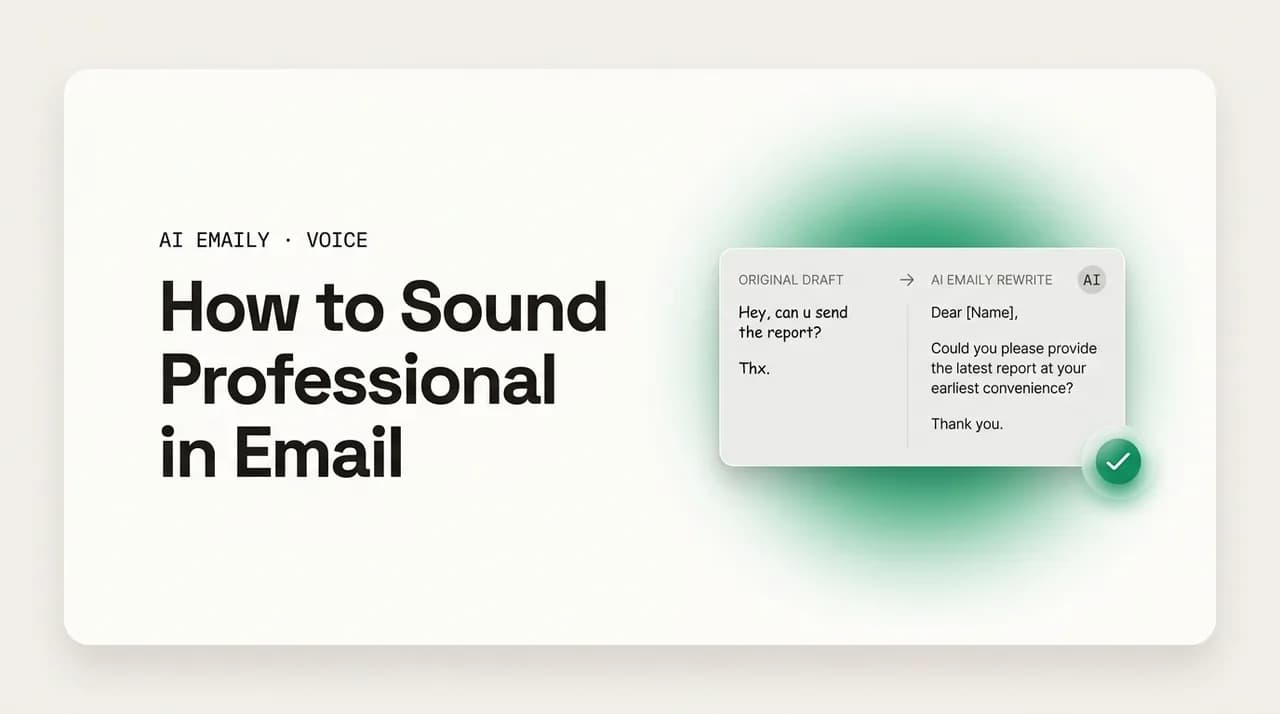
The short answer
How to sound professional in email comes down to five things: be clear, be concise, be polite, be correct, and match the formality the situation calls for. AI is good at the rewrite — feed it a rushed draft and the right prompt and it tightens the wording without making you stiff. Match the tone, keep your voice, and review before you send.
Professional email is clear, concise, polite, correct, and appropriately formal — not stiff. AI prompts that fix a rushed draft without losing your voice.
On this page
- 01What does it actually mean to sound professional in email?
- 02Why do rushed and casual emails come across as unprofessional?
- 03How do you use AI to make an email sound more professional?
- 04Why does AI make emails sound stiff and robotic — and how do you stop it?
- 05What does casual-to-professional look like, phrase by phrase?
- 06What do before-and-after professional rewrites look like?
- 07What are some professional email templates I can reuse?
- 08How formal should a professional email be?
- 09Can AI keep an email professional without losing your voice?
- 10How does AI Emaily make your email sound professional in your own voice?
- 11The bottom line on sounding professional in email
You typed the email in thirty seconds because you were between meetings. "hey can you get me those numbers asap, need them for the thing tomorrow, thanks" — and now your cursor is hovering over send and something feels off. The person on the other end is a client, or your manager's manager, or a vendor you have emailed twice. The message is clear enough, but the tone is wrong for who is reading it. So you start retyping, and three rewrites later you have swung the other way: a four-sentence wind-up, two apologies, and a closing so formal it sounds like a legal notice. Neither version is right. One reads rushed, the other reads stiff, and the actual point — send the numbers by tomorrow — got buried in both.
This is the real problem with sounding professional in email. It is not that you do not know the words. It is that "professional" is a moving target: it changes with the recipient, the stakes, and the relationship, and you are making that judgment call dozens of times a day, mostly on autopilot, mostly while thinking about something else. The cost of getting it wrong is quiet but real — a curt note that reads as rude when you were just busy, an over-polished one that reads as cold when you meant to be warm, a rambling one that makes a simple request look complicated.
AI is genuinely good at this specific task. Not at having your ideas — you still need the message and the ask — but at the rewrite: taking a draft that is too casual, too rushed, or too long and tightening it into something clear, polite, and correctly formal, in seconds, as many times as you need. The trick is knowing what "professional" actually means so you can ask for the right thing, and knowing the failure mode — AI loves to over-correct into stiff, robotic prose — so you can stop it.
This guide covers both halves. First, what professional tone actually is, broken into the five qualities that make an email read as professional, so you have a checklist instead of a vibe. Then the AI side: the exact prompts that turn a rushed or casual draft into a professional one, the over-correction trap and how to avoid it, a casual-to-professional rewrite table you can steal from, before-and-after examples across common situations, and finally how an AI-native email client folds all of this into the way you already write — matching your voice and the formality each recipient needs without you stopping to think about it.
What does it actually mean to sound professional in email?#
"Sound more professional" is advice everyone gives and almost no one defines. It is treated as a single quality you either have or lack, which is why people reach for the wrong fixes — bigger words, longer sentences, more hedging — and end up sounding worse. Professional tone is not formality, and it is not vocabulary. It is the sum of five concrete qualities, and you can check an email against each one.
The five are: clear (the reader understands the point and the ask on one read), concise (no padding, no wind-up, no repeated information), polite (courteous without groveling), correct (grammar, spelling, names, and facts are right), and appropriately formal (the register matches the recipient and the situation). An email that hits all five reads as professional regardless of whether it is a two-line note to a teammate or a careful message to a board member. An email that misses one — a clear, polite, correct message that rambles, say — reads as slightly off, and the reader feels it even if they cannot name why.
The key word in the last quality is appropriately. Professional does not mean maximally formal. A stiff, hyper-formal email to a colleague you talk to daily is just as much a tone failure as a sloppy one to a stranger — it reads as cold and a little strange, like you are addressing them through a lawyer. Professionalism is about fit: the right level of formality for this reader, this relationship, and this moment. That is the judgment AI cannot fully make for you on its own, and the thing you have to tell it.
Here is the breakdown — the five qualities, what each one means in practice, and the most common way people get it wrong. Run a draft against this and you will usually spot exactly which dial is off.
| Quality | What it means in practice | Common failure |
|---|---|---|
| Clear | The point and the ask are obvious on one read; no guessing what you want | Burying the ask three paragraphs down, or never stating it directly |
| Concise | Says it once, no wind-up or filler, respects the reader's time | Long throat-clearing intros; repeating the same point in different words |
| Polite | Courteous and warm without over-apologizing or groveling | Stacking 'sorry to bother you' and 'just' until you sound unsure |
| Correct | Grammar, spelling, names, dates, and facts are all right | Typos, a misspelled recipient name, wrong meeting time — quietly fatal to trust |
| Appropriately formal | Register matches the reader and the stakes — neither stiff nor sloppy | Over-formal with a teammate; too casual with a senior or external contact |
Professional is not the same as formal
Why do rushed and casual emails come across as unprofessional?#
Most unprofessional-sounding emails are not written by unprofessional people. They are written by busy people in a hurry, and the haste leaks through in predictable ways. Understanding the patterns helps, because once you can name what makes a draft read badly, you can ask AI to fix exactly that instead of vaguely "making it better."
Rushed emails fail mostly on clarity and politeness. When you fire off a message between tasks, you skip the connective tissue — the one line of context that tells the reader why you are asking, the courtesy that softens a demand into a request. "Send me the deck" is clear but bare; it reads as an order because the haste stripped out the politeness that would have made it a request. Rushed emails also tend to front-load urgency words ("ASAP," "urgent," "need this now") that raise the temperature without adding information, and they often skip the greeting and sign-off entirely, which reads as curt even when you did not mean it.
Casual emails fail mostly on formality fit and correctness. Texting habits bleed in: lowercase "i," no capital at the start of sentences, "u" and "thru" and "thx," trailing "..." instead of full stops, an emoji where a stranger expects a period. None of this is wrong with a friend. With a client or a senior contact, it signals that you did not switch modes — that you are talking to them the way you talk to your group chat. The content might be perfectly competent; the packaging undercuts it.
Then there is the over-corrected email, which is its own failure and the one AI most often produces. Trying too hard to sound professional, people (and models) inflate: simple verbs become Latinate ones ("use" becomes "utilize," "help" becomes "facilitate"), sentences grow subordinate clauses, and every request gets wrapped in three layers of hedging ("I was just wondering if perhaps you might possibly be able to..."). The result reads as stiff, insecure, and weirdly impersonal — professional in the worst sense, like corporate boilerplate. Real professional writing is closer to clear speech than to a legal brief. We will come back to this trap in detail, because it is the one to watch for when you hand the rewrite to AI.
Name the specific failure before you fix it
How do you use AI to make an email sound more professional?#
Here is where AI earns its place. The rewrite — taking a draft you already have and adjusting its tone — is exactly the kind of bounded, well-defined task large language models do well. You are not asking the model to know your business or invent the message; you are asking it to re-package words you already wrote at a different level of polish. That is a translation problem, and it is reliable when you ask for it precisely.
The core move is simple: paste your draft, then tell the model three things — what to do (make it more professional), what to preserve (your meaning, the ask, roughly the length), and what to avoid (stiffness, jargon, over-formality). The 'what to avoid' part is the one most people skip, and it is the difference between a clean rewrite and a robotic one. A generic prompt like 'make this professional' gives the model permission to inflate; a specific one keeps it honest.
A reliable prompt structure looks like this: "Rewrite the email below to sound more professional. Keep it clear and concise, keep my meaning and the ask exactly, and do not make it stiff or formal — it should still sound like a real person wrote it. Keep it roughly the same length. Here is the draft: [paste]." That single instruction handles the common case. From there you can dial it in with follow-ups — more formal, warmer, shorter, less apologetic — which is faster than rewriting from scratch and lets you steer toward the exact register you want.
The prompts below cover the situations you will actually hit. Each one is written to fix a specific failure from the previous section, and each tells the model what to keep, not just what to change — which is what keeps the output sounding like you rather than like a template.
- 1
The all-purpose professional rewrite
"Rewrite this email to sound professional, clear, and concise. Keep my meaning and my ask exactly the same, keep it roughly the same length, and do not make it stiff or robotic — it should sound like a real person. [paste draft]" This is your default; it fixes a rushed or casual draft without over-correcting.
- 2
Fix a too-blunt or rushed note
"This email reads too blunt and abrupt. Make it polite and warm without adding length or hedging — add a short greeting and a courteous framing for the request, but keep it direct. [paste draft]" Use this when the message is clear but lands like an order.
- 3
Tighten a rambling email
"This email is too long and repeats itself. Cut it to the essentials — keep the ask and the key context, remove the wind-up and any repeated points, and aim for half the length. Keep the tone professional and human. [paste draft]" Use this when the message buries its point.
- 4
Raise the formality for a senior or external reader
"Make this email more formal and polished for [a client / a senior executive / a first contact]. Keep it concise and do not over-formalize — no jargon, no 'utilize,' no stacked hedging. It should read as respectful and competent. [paste draft]" Tell it who the reader is; that is what calibrates the level.
- 5
De-stiffen an over-formal draft
"This email sounds stiff and over-formal. Make it sound like a real, warm professional — use plain words, contractions are fine, drop the corporate phrasing — while staying polite and clear. [paste draft]" Use this on your own over-corrected drafts, or on AI output that came back robotic.
- 6
Match the tone to a specific recipient
"Rewrite this to match how I'd write to [my manager / a long-time client / a new vendor]. Keep my voice, make it professional, and use the right level of formality for that relationship. [paste draft]" The more specific the recipient, the better the calibration.
Why does AI make emails sound stiff and robotic — and how do you stop it?#
Hand a generic chatbot the instruction "make this professional" and you will often get something worse than what you started with: technically polished, grammatically perfect, and completely lifeless. This is the over-correction trap, and it is the single biggest reason people give up on AI for email tone. Understanding why it happens is what lets you prevent it.
Models over-formalize because, in their training data, "professional email" correlates with a particular register — longer sentences, Latinate vocabulary, hedged requests, formulaic openers and closers. When you ask for 'professional' with no constraints, the model reaches for that average, which is the stiff corporate voice nobody actually enjoys reading. It is not wrong, exactly; it is just the mean of a million dull business emails. Left unchecked, it produces the tells everyone has learned to spot: "I hope this email finds you well," "Please do not hesitate to reach out," "I wanted to take a moment to," "utilize" instead of "use," "in order to" instead of "to," and a request so wrapped in conditionals it sounds nervous.
The fix is to constrain the rewrite in the prompt and to recognize the tells in the output. In the prompt: explicitly forbid stiffness ("do not make it formal or robotic; it should sound like a real person"), cap the length ("keep it roughly the same length" stops the model from padding), and allow plain language ("contractions are fine, use plain words"). In the output: scan for the stock phrases above and the inflated verbs, and either delete them or ask for a de-stiffened pass. A second prompt — "that came back too stiff, make it sound human and plain" — usually fixes it in one shot.
The deeper issue is that a fresh chatbot does not know your voice. It defaults to a generic professional because it has no model of how you specifically sound when you are being professional — which is warmer, or drier, or more direct than the average. You can paste samples of your real sent email to teach it within a session, but that resets every time you open a new tab. This is the gap that purpose-built email AI closes, and we will get to it. For now, the practical defense is the table below: the AI tells to watch for, and the human version to replace each with.
| Robotic AI phrasing | Why it reads wrong | Human version |
|---|---|---|
| I hope this email finds you well. | Empty filler; signals a generated or templated email | Open with the actual point, or a one-line genuine context |
| I wanted to reach out to you regarding... | Throat-clearing; delays the message | 'About the Q2 report —' or just state it |
| Please do not hesitate to reach out. | Stock closing; nobody talks this way | 'Let me know if you have questions.' |
| Utilize / facilitate / leverage | Inflated verbs that sound like padding | Use / help / use |
| In order to / due to the fact that | Wordy connectors | To / because |
| I was wondering if you might possibly be able to... | Stacked hedging; sounds nervous | 'Could you...' or 'Would you be able to...' |
| At your earliest convenience | Vague and slightly passive-aggressive | 'By Thursday' — a real, specific date |
| Thank you for your understanding in this matter. | Formulaic; reads as boilerplate | 'Thanks for bearing with me.' |
A clean rewrite still needs your eyes
What does casual-to-professional look like, phrase by phrase?#
Most of sounding professional happens at the phrase level. You do not need to rewrite a whole email from scratch; you need to swap the handful of casual or rushed phrases that are dragging the tone down. Once you can see the swaps, you start making them automatically — and when you ask AI to do it, you can tell it exactly what kind of change you want.
The table below maps common casual or too-blunt phrasings to their professional equivalents. Notice that the professional version is almost never longer or fancier — it is usually clearer and a touch more courteous. That is the whole game: professional is plain plus polite, not formal plus inflated. A blunt "send me that" becomes a courteous "could you send me that?" — same length, same clarity, different temperature.
| Casual / rushed | Professional | What changed |
|---|---|---|
| hey, got a sec? | Hi [Name] — do you have a few minutes? | Greeting + name, full words, courteous |
| send me the deck asap | Could you send the deck by [time]? I need it for [reason]. | Request not order; real deadline; context |
| this doesn't work for me | This timing doesn't work on my end — could we look at [alt]? | Softened, offers an alternative |
| idk, what do you think? | I'm not sure on this one — what's your read? | Plain words, full spelling, still casual-OK |
| sorry to bug you again but | Following up on my last note — | Drops the over-apology, stays direct |
| k sounds good | Sounds good — I'll go ahead with that. | Confirms the action, not just acknowledgment |
| can you fix this | Could you take another look at this? A couple of things are off. | Request framing + brief context |
| no worries if not! | No pressure either way. | Same warmth, less filler |
| thx!! | Thanks, [Name]. | Full word, name, calmer punctuation |
| circling back on the thing | Following up on the [specific item]. | Names the thing; drops jargon-y filler |
Swap phrases, don't inflate sentences
What do before-and-after professional rewrites look like?#
Phrase swaps are the building blocks; here is what they look like assembled into whole emails. Each pair below takes a real, rushed-or-casual draft and shows the professional version — with a note on exactly what changed, so you can see the moves rather than just the result. These are the kinds of rewrites a good prompt (or a purpose-built email AI) produces in one pass.
Read the 'after' versions closely and notice what they are not: they are not longer, they do not use bigger words, and they do not pile on hedges or formal flourishes. They state the point, frame the ask courteously, fix the register, and stop. That restraint is the difference between professional and stiff.
The next one is the over-blunt reply — the kind of message that is technically fine but lands like a slammed door. The fix is not to soften the substance; it is to add the courtesy and context that a rushed draft strips out.
Now the opposite failure: the over-formal, over-apologetic draft. Here the move is to cut, not add — strip the throat-clearing and the stacked hedges down to a clear, confident request that still reads as polite.
Finally, the casual-to-client jump — a note that is perfectly fine for a teammate but needs a register change for an external or senior reader. The content stays; the formality rises just enough to fit, without tipping into stiff.
The 'after' is rarely longer
What are some professional email templates I can reuse?#
Templates are useful as a starting register — a known-good skeleton you adapt rather than write from scratch. The professional versions below cover the most common everyday situations. Treat them as patterns, not scripts: keep the structure (greeting, point, ask, courteous close) and swap in your specifics. The structure is what carries the professionalism; the words are yours.
Notice the shared shape across all of them: a quick greeting with the name, the point stated early, the ask made clearly and courteously, a real deadline where one applies, and a clean close. That shape is the professional default. Memorize the shape and you can produce a professional email about anything without a template at all.
Adapt the register to the reader
How formal should a professional email be?#
The hardest part of sounding professional is not the words — it is calibrating the formality, because the right level changes with every recipient. Get this wrong in either direction and a perfectly good email reads as off: too casual with a stranger feels disrespectful; too formal with a teammate feels cold and strange. The skill is reading the situation and matching it.
Three signals set the level. First, the relationship: a first contact or a stranger sits high on formality; a daily colleague sits low. Second, the seniority and externality: senior people and external parties (clients, vendors, partners) pull the register up; peers and internal contacts pull it down. Third, the stakes of the message: an apology, a negotiation, or anything with consequences pulls formality up even with someone you know well, because the gravity of the content should be matched by the care of the tone.
In practice this resolves to three tiers. Formal — for first contact, senior or external readers, and high-stakes messages — uses 'Dear [Name],' complete sentences, no contractions or slang, and a 'Best regards,' close. Professional-friendly — the broad middle, where most work email lives — uses 'Hi [Name],' is concise and warm, contractions are fine, and closes with 'Best,' or 'Thanks.' Casual-professional — for close colleagues and people you know well — uses 'Hey [Name],' is short and direct, and closes lightly. All three are professional; the difference is fit. The table maps it out.
| Tier | Use it for | Greeting → close, and how it reads |
|---|---|---|
| Formal | First contact, senior/external readers, high-stakes messages | 'Dear [Name],' → 'Best regards,' — complete sentences, no slang, measured |
| Professional-friendly | The everyday middle of work email — most messages | 'Hi [Name],' → 'Best,' / 'Thanks,' — concise, warm, contractions fine |
| Casual-professional | Close colleagues and people you know well | 'Hey [Name],' → 'Thanks!' — short, direct, light, still courteous |
When unsure, go one notch up — then relax
Can AI keep an email professional without losing your voice?#
This is the real bar, and it is where generic tools fall down. Making an email "professional" by flattening it into corporate boilerplate is easy and useless — it sounds professional and sounds like nobody. The thing you actually want is professional and still you: clear, polite, correctly formal, but recognizably written by the same person who wrote your last fifty emails. A chatbot cannot do that out of the box, because it has no model of how you specifically sound.
You can get partway there by feeding samples — paste five of your real sent emails into the chat and ask the model to match that voice while raising the polish. It works, within a session. The problem is that it does not persist: open a new tab tomorrow and you are pasting samples again, re-explaining your tone again, every time. For something you do dozens of times a day, that friction means you stop bothering and fall back to either the generic-professional default or to sending the rushed draft as-is.
The structural answer is an email tool that learns your voice once and keeps it. That is the difference between asking a chatbot to imitate you and using a client that already knows your defaults — your warmth, your directness, the way you actually open and close, the formality you use with different kinds of people. When the voice model is persistent and built from your real mail, the rewrite stops being 'make this sound professional' (generic) and becomes 'make this sound like professional me' (specific) — which is the version that is worth sending without a full rewrite.
Professional-and-you beats professional-and-generic
How does AI Emaily make your email sound professional in your own voice?#
AI Emaily is an AI-native email client built around exactly this problem: sounding professional without stopping to think about it, and without sounding like a generated template. Instead of you pasting a draft into a separate chatbot, re-explaining your tone, and copying the result back, the drafting lives inside the inbox and already knows two things — how you write, and who you are writing to.
It learns your voice from the emails you have actually sent. Not a style you describe in a settings menu, but your real defaults pulled from your real sent mail: how warm or dry you are, how you open and close, how direct you get, the words you genuinely use. So when it drafts or rewrites, 'professional' means professional in your voice — the message comes out clear, polite, and correctly formal while still reading like you wrote it on a good day, not like corporate boilerplate.
It also calibrates the formality to the recipient automatically. A first email to a new client comes back at the formal-professional register — measured, courteous, 'Best regards.' A reply to a teammate you message daily comes back at the lighter register you would actually use, contractions and all. You are not setting a dial each time; the tool reads the relationship and matches it, which is exactly the judgment call that is hard to make consistently dozens of times a day. And because it is built for email rather than a general chat tool, it avoids the over-correction trap — it does not pad your two-line note into a five-paragraph formal letter or reach for 'utilize' and 'please do not hesitate.'
You stay in control the whole time. In its default Copilot mode, AI Emaily drafts the professional, voice-matched reply and waits — nothing sends until you approve it, so you can adjust the wording, dial the formality up or down, or fix a fact before it goes. It works across every account you connect — Gmail, Outlook, and any IMAP provider — so your professional voice is consistent wherever you write, and it is private by design: your mail is used to draft for you, never to train models for anyone else. You can start free at app.aiemaily.com/signup — the Free plan is $0 and connects your inbox with AI drafting, and Pro is $12.42/month billed annually when you want it everywhere you send.
Try the rewrite on your own rushed draft
The bottom line on sounding professional in email#
Sounding professional in email is not a mystery and it is not about big words. It is five concrete qualities — clear, concise, polite, correct, and appropriately formal — and the last one is about fit, not maximum formality. A professional email matches the reader and the moment: warm and short with a teammate, measured and careful with a client, courteous and direct with everyone. Run any draft against those five dials and you will usually find exactly which one is off.
AI is genuinely good at the rewrite. Give it your draft plus a precise instruction — make it professional, keep my meaning and the ask, keep it roughly this length, and do not make it stiff — and it will tighten a rushed or casual note into something polished in seconds. The one thing to watch for is over-correction: generic tools default to corporate boilerplate, so constrain the prompt, scan the output for the stock phrases, and de-stiffen anything that came back robotic. And always read it before it sends, because the rewrite handles tone but not facts.
The harder, better version of this is professional in your own voice, matched to each recipient — and that is exactly what AI Emaily handles inside your inbox, learning how you write from your real sent mail and calibrating the formality to whoever you are emailing, while you keep final say. Either way, the principle holds: be clear, be courteous, fit the formality to the reader, and never let the polish erase the person.
Frequently asked
See it in AI Emaily
Keep reading
Sources

Written by
Nafiul HasanNafiul Hasan is an entrepreneur and AI automation system builder with 10+ years of experience turning messy, manual workflows into reliable automated systems. He designs and ships AI enterprise solutions end-to-end — the agent logic, the data plumbing, and the product people actually use — and founded AI Emaily to give busy professionals their attention back. He writes here from the builder's seat: what works, what breaks, and how to put AI to work without giving up control.