42 Recruiting Email Templates for Candidate Outreach & Follow-Up (2026)

The short answer
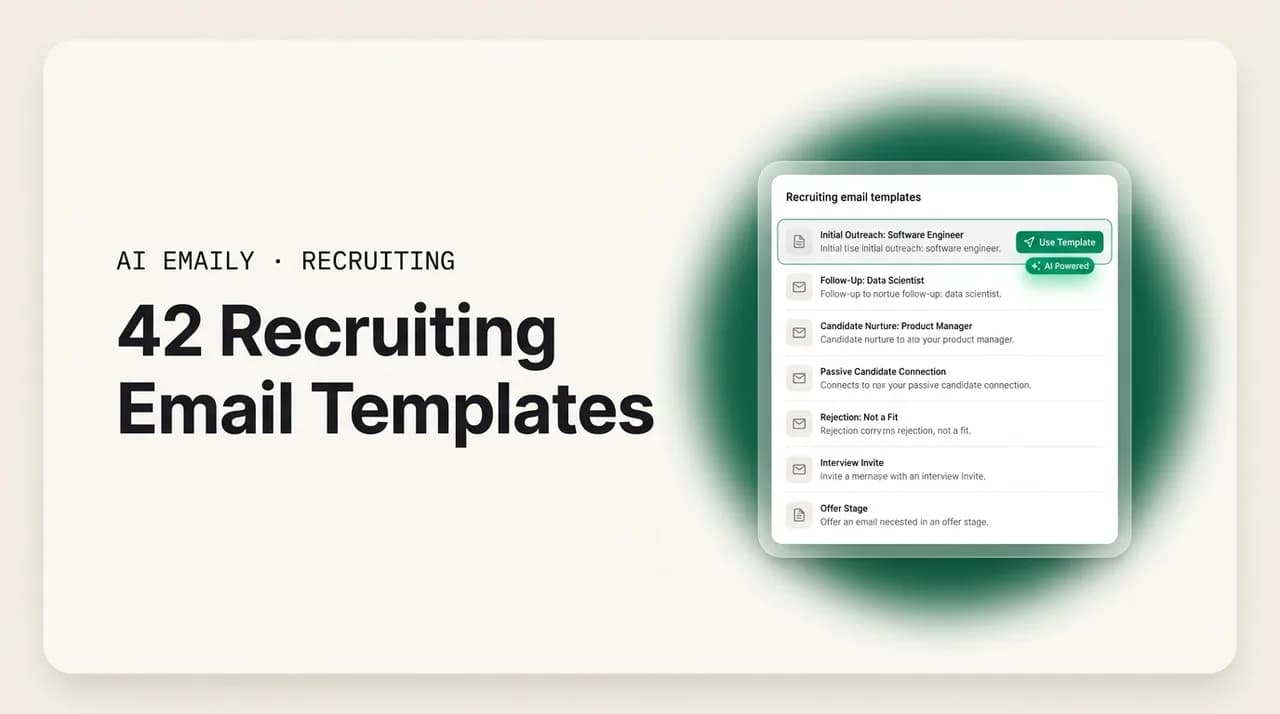
The best recruiting email templates are a starting point, not a script: keep the structure, swap in one specific, personal detail, and always give the candidate a clear next step. Below are 42 templates covering cold outreach, follow-ups, interview scheduling, post-interview, offers, rejections, reference and client emails. Personalize the first line, follow up on a schedule, and never leave a candidate in silence.
42 recruiting email templates for candidate outreach, follow-up, interview scheduling, offers, rejections, and client updates — copy-paste ready, plus how to personalize them at scale without ghosting candidates.
On this page
- 01Why recruiting email templates are worth getting right
- 02Cold candidate outreach email templates
- 03Follow-up and 'still interested?' email templates
- 04Interview invitation and scheduling email templates
- 05Post-interview follow-up and status update templates
- 06Offer and closing email templates
- 07Rejection email templates (that keep your reputation intact)
- 08Reference request and reference-check email templates
- 09Client-facing email templates for full-desk recruiters
- 10How to personalize recruiting email templates at scale
- 11Candidate experience: personalize at scale without ghosting
- 12Which recruiting emails should you automate?
- 13How AI Emaily helps recruiters send more of these, faster
- 14Putting it all together
Why recruiting email templates are worth getting right#
A recruiter's day is, to a first approximation, email. Sourcing messages, follow-ups, interview invites, scheduling back-and-forth, status updates, offers, rejections, reference requests, and client check-ins all move through the inbox, and the same handful of messages go out over and over. That is exactly why good recruiting email templates matter: they turn the twentieth near-identical send of the day from a blank-page decision into a thirty-second edit. Done well, templates protect your speed without flattening your voice.
Speed is not a nicety in this job; it is the whole game. In tight talent markets the best candidates are off the market in roughly ten days, and the recruiter who presents and schedules fastest usually wins the placement. Against a national average time-to-fill of around 44 days, every hour a candidate spends waiting for your reply is an hour a competitor can use to move them along. Templates are how you buy that speed back — as long as they do not read like templates.
This guide gives you 42 recruiting email templates grouped by the moment they are for: cold candidate outreach, follow-ups and 'still interested?' nudges, interview invitations and scheduling, post-interview updates, offers, rejections, reference requests, and the client-facing emails (submittals, updates, and re-engagement) that keep the account side of a full desk healthy. After the templates you will find a short playbook on personalizing at scale, a candidate-experience section on why you should never ghost, a reference table for which emails to automate, and a FAQ. Copy what fits, swap in the specifics, and send.
One honest caveat before the templates. A template is scaffolding, not the building. The recruiters who get replies are not the ones with the cleverest boilerplate; they are the ones who take a decent structure and drop in one true, specific detail — the candidate's recent project, the exact reason this role fits them, the name of the hiring manager they will meet. That single personal line is the difference between an email that gets archived and one that gets a reply. Treat every template below as a frame you finish, not a message you fire.
The one-line rule
Cold candidate outreach email templates#
Cold outreach is the hardest email a recruiter sends, because the candidate did not ask to hear from you and has probably heard from ten recruiters this month already. The templates that work are short, specific about why you are reaching out to them in particular, honest about the ask, and easy to say yes to. Lead with the personal detail, keep the role pitch to a couple of lines, and close with a low-friction next step. Here is a clean, general-purpose first-touch template.
For a tech or engineering candidate, who likely gets more recruiter mail than anyone, respect their time and prove you understand the work. Referencing a specific technology, repository, or talk signals you are not blasting a list.
In healthcare and other licensed professions, where the same requisition repeats and credentials matter, candidates respond to specifics about location, schedule, and pay far more than to a pitch about culture. Keep it concrete.
A referral-based opener has one of the highest response rates in recruiting because it borrows trust. If a mutual connection pointed you to the candidate, say so first — but only if it is true and you have the connection's blessing.
For a passive candidate who is clearly happy where they are, do not oversell. Acknowledge that they are not looking, make the value obvious, and give them an easy exit so the message feels respectful rather than pushy.
A high-volume, light-industrial or clerical outreach can be shorter and more direct, because the candidate has usually applied somewhere recently and expects to hear about jobs. The job is to confirm interest and move to scheduling fast.
Follow-up and 'still interested?' email templates#
Most placements are lost in the follow-up, not the first message. Candidates are busy, your email got buried, or they meant to reply and forgot — none of which means they are not interested. A short, friendly, specifically-timed follow-up sequence is one of the highest-leverage habits in recruiting, and it is almost entirely templated, which makes it a prime candidate for automation later. Send two or three follow-ups spaced a few days apart, add a small new piece of value each time, and then close the loop gracefully so you are not chasing forever.
Here is a first follow-up, sent two to three days after an unanswered outreach.
A second follow-up should add something the candidate did not have before — a detail about the team, the comp band, or the flexibility — so it does not read as 'just checking in' for the third time.
The classic 'still interested?' email is worth having as its own template, because it is the exact message you send when a candidate went quiet mid-process. Keep it warm and give a clear deadline so it prompts action rather than another delay.
Finally, the graceful breakup email. When a candidate has gone silent through multiple touches, one last message that closes the loop leaves the door open for the future and protects your reputation far better than simply disappearing yourself.
Follow-up cadence, not spam
Interview invitation and scheduling email templates#
Once a candidate is interested, scheduling is where speed wins or loses the placement. The recruiter who gets an interview on the calendar first is often the one who closes, so the goal of these emails is to remove every ounce of friction: propose concrete times, include everything the candidate needs, and make replying a single click. Here is a clean interview invitation.
When you want to hand scheduling off entirely, a self-serve link removes the back-and-forth. Keep the framing warm so it does not feel like you are outsourcing the relationship to a booking page.
A confirmation email the day the slot is booked reassures the candidate and quietly reduces no-shows by putting every logistical detail in one place. Include the link, the interviewer, and how to reach you.
The night before or morning of, a light reminder cuts no-shows further, especially for high-volume roles where candidates are juggling several processes. Keep it to one or two lines.
When a candidate needs to reschedule, respond with zero friction. How you handle a reschedule tells the candidate a lot about what working with your agency is like, so make it painless.
Post-interview follow-up and status update templates#
The stretch after an interview is where candidate experience is won or lost. Candidates rank being left in silence after an interview as one of the worst parts of job hunting, and a recruiter who keeps them informed — even when there is no news — stands out immediately. These templates keep the candidate warm and the client's process moving. Start with the same-day thank-you and pulse-check.
When the client is slow and you have nothing concrete, the 'no news yet' update is the email that separates good recruiters from the rest. Sending it — instead of going quiet — is the single most effective anti-ghosting move you have.
When there is good news — an advance to the next round — move fast to keep momentum, because a candidate who feels wanted stays engaged and less likely to accept a competing offer.
A candidate who asks for feedback after an interview deserves an honest, useful reply, even when the answer is neutral. Passing along real feedback builds trust and keeps strong candidates in your network for the next role.
Offer and closing email templates#
The offer stage is high-stakes and time-sensitive; a candidate weighing multiple options can slip away in the gap between a verbal yes and a signed agreement. These emails combine warmth, clarity, and a light sense of urgency without pressure. Start with the offer itself.
When a candidate is deciding between your offer and another, the closing email should reinforce why this role fits their goals rather than simply pushing. Reconnect the offer to what they told you they wanted.
After acceptance, a warm confirmation email that also sets up onboarding logistics ends the process on a high note and reduces the risk of the dreaded pre-start-date fall-through.
Between acceptance and day one, a quiet candidate can get cold feet or entertain a counteroffer. A short pre-start check-in keeps them engaged and gives you an early warning if something is wobbling.
Rejection email templates (that keep your reputation intact)#
Rejections are the emails recruiters most want to skip and most often should not. A candidate you reject well today is a candidate — or a referral source, or a future client — you keep in your network tomorrow. The rules: be prompt, be kind, be specific enough to be useful without opening a debate, and never leave someone hanging in silence hoping they will just get the hint. Here is a respectful post-application rejection.
Rejecting a candidate after interviews requires more care, because they invested real time. Acknowledge the effort, give one concrete, kind piece of feedback, and keep the relationship warm.
For a strong candidate who was simply edged out, a 'silver medalist' email keeps a valuable person close for the next requisition — often the fastest fill you will ever make.
Reference request and reference-check email templates#
Reference requests are routine, repetitive, and easy to templatize, which makes them another strong automation candidate. Two audiences matter: the candidate (asking them to provide references) and the references themselves (asking for their time). Keep both short and make the ask concrete. First, asking the candidate.
When contacting a reference, respect that you are asking a stranger for a favor. Be brief, flexible, and clear about what you need and how little time it will take.
Client-facing email templates for full-desk recruiters#
On a full desk, the client side generates just as much repetitive email as the candidate side — submittals, status updates, and re-engagement of dormant accounts — and inconsistent client communication quietly leaks placements. These templates keep the account side sharp. Start with the candidate submittal, the email that presents a shortlisted candidate to the client.
A recurring client status update keeps the account informed and demonstrates your activity, which protects the relationship and justifies the fee. Send it on a predictable rhythm so the client comes to expect and rely on it.
When a client goes quiet on feedback — a common cause of lost candidates — a nudge that frames the risk in their terms tends to work better than a generic 'any update?'
Re-engaging a dormant client is a warm-outreach template that reopens a past relationship. Lead with something relevant — a candidate you already have, or a market insight — rather than a generic 'checking in.'
A new-business prospecting email to a company you have not worked with follows the same rules as candidate cold outreach: specific, brief, and easy to respond to. Lead with a reason you are writing to them in particular.
Match the client's stakes to the tone
How to personalize recruiting email templates at scale#
The tension at the heart of this whole guide is real: templates give you speed, but a template that reads like a template gets ignored. The resolution is not to abandon templates — it is to personalize the parts that matter and standardize the parts that do not. A message can be 80% reusable structure and still feel one-to-one if the right 20% is specific to the person. Here is how to get both.
The highest-leverage personalization is the opening line and the 'why you' sentence. Everything else — the role summary, the logistics, the sign-off — can stay templated with little cost. So spend your personalization budget where it changes reply rates: the first line that proves you looked at this person, and the sentence that connects the role to their specific situation. If you only customize two lines per email, make it those two.
- Personalize the first line, always. Reference a specific project, post, credential, or shared connection. This one line does more than the rest of the email combined.
- Tie the role to the person, not the person to the role. 'Your work on X lines up with this' beats 'we have an opening' every time.
- Keep merge fields honest. A misfired {FirstName} or a wrong company name is worse than no personalization — it proves you are blasting a list. Verify the token filled correctly before you send.
- Standardize the boring parts. Logistics, disclaimers, scheduling links, and signatures should be identical every time. Reusing them is not lazy; it is consistent.
- Build a template library, not a single template. Have variants by role type, seniority, and stage so the base you start from already fits the situation, and less editing is needed.
- Match your own voice. If a template does not sound like you, rewrite it once so it does, then reuse your version. Candidates can tell the difference between your words and a canned script.
This is also where the case for the right tooling gets concrete. Doing genuine personalization by hand across dozens of daily sends is where the day disappears — the exact repetitive volume that makes recruiters late on follow-ups and slow on scheduling. The goal is not to send more generic email faster; it is to keep the personal touch while removing the mechanical parts: the merge, the send, the follow-up timing, the scheduling round-trip. That is the difference between automation that helps a candidate experience and automation that ruins it.
Candidate experience: personalize at scale without ghosting#
There is one rule that overrides every template in this guide: do not ghost. The fastest way to burn your reputation, your referral pipeline, and your future placements is to leave candidates in silence — after an application, after an interview, or mid-process when the client goes quiet. Candidates talk, they review agencies publicly, and the ones you treat well become the ones who refer their friends and come back as clients. A templated 'no news yet' email costs you thirty seconds and buys you years of goodwill.
The uncomfortable truth is that ghosting is almost always a capacity problem, not a values problem. No recruiter wants to leave a candidate hanging; they simply run out of hours, the follow-up falls off the list, and days later it feels too awkward to send. That is exactly why the anti-ghosting move is systemic: templated status updates on a schedule, so 'keep everyone informed' stops depending on you remembering. When the update writes itself and goes out on time, the candidate experience holds up even on your busiest week.
- Acknowledge every application. Even a one-line automated confirmation beats silence and sets the tone for the whole relationship.
- Never end an interview loop in silence. If a candidate interviewed, they get an answer — good, bad, or 'still waiting' — full stop.
- Send the 'no news' update. When the client is slow, tell the candidate that, with an expected date. It is the single most-appreciated recruiter email.
- Reject promptly and kindly. A prompt, human rejection keeps a candidate in your network; a slow or absent one loses them and their referrals.
- Close every loop. If a process ends, tell the candidate it ended. Trailing off is the thing candidates remember and warn others about.
- Keep silver medalists warm. The candidate who came second is your fastest future fill — do not let them go cold.
Ghosting is a placement leak, not just a courtesy problem
Which recruiting emails should you automate?#
Not every recruiting email should be automated, and not every one should be hand-written. The right split depends on how templated the message is and how much judgment the moment requires. High-volume, low-stakes, repetitive messages are safe to automate and are exactly where the day is lost to manual work. High-stakes, relationship-defining messages — a close, a nuanced rejection, an executive-search touch — should stay human, or at most be AI-drafted and human-approved. Here is a quick reference.
| Email type | When to send | Safe to automate? |
|---|---|---|
| Application acknowledgment | Instantly on receipt | Yes — fully automate |
| Follow-up / 'still interested?' nudge | 2–5 days after no reply | Yes — automate the cadence, review the copy |
| Interview scheduling / confirmation | As soon as candidate is interested | Yes — automate within your rules |
| Interview reminder | Day before / morning of | Yes — fully automate |
| 'No news yet' status update | When client is slow, on a schedule | Yes — automate the trigger, keep it warm |
| Reference request | At the reference stage | Yes — semi-automate |
| Cold candidate outreach (first touch) | Start of sourcing | Draft with AI, personalize and approve |
| Post-interview feedback to candidate | Once client feedback is in | Draft with AI, review before send |
| Rejection (post-interview) | Promptly after decision | Draft with AI, always review |
| Offer / closing | On offer, time-sensitive | No — keep human (AI can draft) |
| Executive / retained search touch | Throughout a confidential search | No — draft-and-review only |
| Weekly client status update | Same day each week | Yes — automate the draft, review the details |
The pattern across that table is simple: automate the cadence and the mechanics, keep the judgment. The messages you can safely put on autopilot are the ones eating your day — acknowledgments, reminders, scheduling, routine status updates — while the messages that make or break a placement stay in your hands, ideally with a strong first draft already written for you.
How AI Emaily helps recruiters send more of these, faster#
Everything above is a template you still have to personalize, send, and follow up on by hand — which is where a recruiter's day actually goes. AI Emaily is an AI-native email client that acts as an autonomous chief of staff for your inbox, and it is built for exactly this pattern: lots of near-identical candidate and client emails that each need one genuine personal touch and reliable follow-through.
Because it learns how you write, the drafts come back voice-matched — your phrasing, your level of warmth, your sign-off — not generic recruiter boilerplate. You point it at a candidate or a thread, and it produces a personalized outreach, a follow-up, an interview invite, or a status update already shaped to the situation, with the specific detail pulled from the conversation rather than a blank {FirstName} you have to fill. It connects to Gmail, Outlook, and other providers, so this works across whatever inbox your desk runs on.
It handles the two things recruiters most often drop: follow-up and scheduling. Within rules you set, it can send the timed 'still interested?' nudges, propose interview times and confirm the slot, and send the 'no news yet' update so a candidate is never left in silence because you got busy — the anti-ghosting habit, made automatic.
The part that makes this safe for a job where a tone-deaf message can damage a relationship is that you choose how much control to hand over, per type of email. AI Emaily runs in three modes: Manual, where you write and it just assists; Copilot, where it drafts and you approve every send; and Autopilot, where it handles defined, low-stakes categories on its own within your rules. So the application acknowledgments and interview reminders can run on Autopilot while every offer, close, and nuanced rejection stays in Copilot for your review — matching the automate/keep-human split in the table above.
Every action is reversible and logged. There is undo on sends and a full audit trail of what the agent did and when, so you are never guessing whether a follow-up went out or worrying that something sent in your name that you would not have written. You get the speed of automation on the repetitive volume, without giving up the judgment that is the actual product on a recruiting desk. You can try it free at app.aiemaily.com/signup, with a Free plan at no cost and Pro at $12.42 per month on the annual plan.
Putting it all together#
Recruiting email templates are worth building because the same messages go out all day, and speed decides placements — but a template only works when you finish it with something true about the person in front of you. Keep the structure, personalize the opening line and the 'why you' sentence, follow up on a schedule, and close every loop instead of trailing off into silence.
Grab the templates that match your desk — cold outreach, follow-ups, scheduling, post-interview, offers, rejections, references, and the client-side submittals and updates — swap in the specifics, and send. Automate the repetitive, low-stakes messages so you never fall behind on follow-up, and keep the high-stakes ones human. Do that consistently and you become the recruiter candidates reply to and clients keep calling: fast on the mechanics, personal where it counts, and never the reason someone got ghosted.
Frequently asked
See it in AI Emaily
Keep reading
Sources

Written by
Nafiul HasanNafiul Hasan is an entrepreneur and AI automation system builder with 10+ years of experience turning messy, manual workflows into reliable automated systems. He designs and ships AI enterprise solutions end-to-end — the agent logic, the data plumbing, and the product people actually use — and founded AI Emaily to give busy professionals their attention back. He writes here from the builder's seat: what works, what breaks, and how to put AI to work without giving up control.