Tax Season Client Communication: Automate the Chasing, Keep the Financial Data Human

The short answer
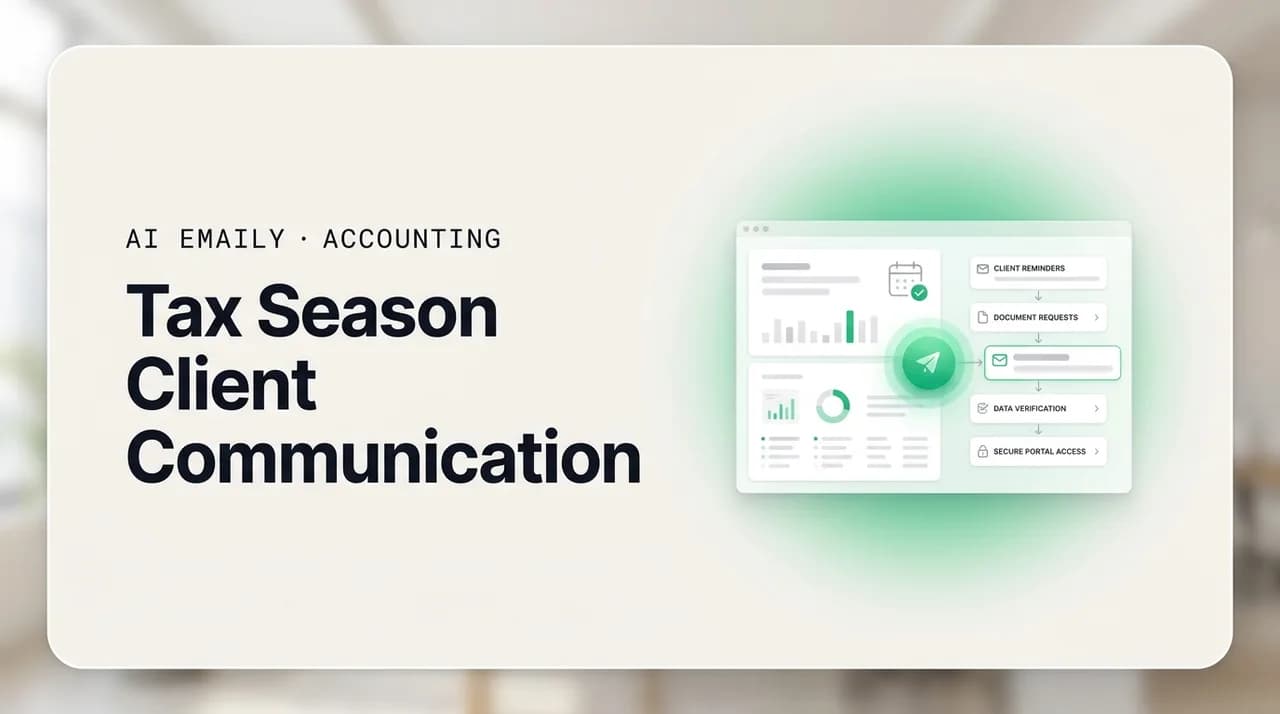
Tax season client communication is mostly repetitive chasing — document requests, reminders, status updates, and extension notices — that you can safely automate. The one hard line: never send or collect SSNs, financial statements, or tax documents over plain email. Route those to a secure portal, keep advice and figures human-reviewed, and let templated reminders do the rest. This is general guidance, not tax, legal, or security advice.
A practical guide to tax season client communication: how to automate the document chasing, deadline reminders, and status updates while keeping every SSN, financial figure, and tax document off plain email and out of the AI's reach.
On this page
- 01Why tax season client communication breaks every year (and what actually breaks)
- 02The one rule that overrides everything: no sensitive data over plain email
- 03What is safe to automate, and what must stay human
- 04Surviving the deluge: a triage system for the inbox
- 05Document collection without the weekly chase
- 06Deadline, status, and extension communication
- 07A compliant-communications checklist for the season
- 08Where AI fits — and where it must not go
- 09How AI Emaily helps (and what it deliberately won't do)
- 10Putting it all together
Why tax season client communication breaks every year (and what actually breaks)#
Tax season client communication is the part of the job that nobody trains you for and everybody underestimates. The tax work itself — the returns, the schedules, the judgment calls — is the thing you are qualified and paid to do. But for roughly fourteen weeks between late January and mid-April, the work is not the bottleneck. The email is. One widely cited figure from a tax-season answering-service analysis puts the seasonal jump in inbound volume at 200 to 300 percent, and most of that surge is not complex questions. It is the same handful of messages, over and over: where are my documents, did you get my W-2, when will my return be done, do I owe anything, can you file an extension. Multiply a few of those by every client on your list and the inbox stops being a tool and starts being a second job.
The frustrating part is that almost none of it is hard. The document-request email you send to one client is nearly identical to the one you send to the next. The reminder you send on day seven is the same reminder you send on day fourteen. The status update — "we have everything, your return is in review" — is a template with two variables in it. Firms consistently name document collection as their number-one workflow problem, and the reason is not that any single message is difficult. It is that the volume of trivially repetitive messages crowds out the small number of messages that genuinely need your brain: the client with a messy K-1, the one who moved states mid-year, the one who needs actual advice.
So the honest framing of tax season client communication is a sorting problem. Most of what lands in your inbox during the deluge is low-judgment, high-volume chasing that a system should handle. A minority is high-judgment, low-volume work that a human must handle. The firms that survive the season without burning out are the ones that draw that line cleanly — they automate the chasing and protect the thinking — and, critically, they draw a second line that has nothing to do with efficiency and everything to do with safety: the line around sensitive financial data. This guide is about drawing both lines well.
Before we go further, one plain disclaimer, because this topic sits on top of real legal and security obligations and we are not going to pretend otherwise. AI Emaily is an email tool. We are not a law firm, a tax authority, or a security consultancy, and nothing in this article is tax, legal, or data-security advice. The specifics of what you must do to protect client data depend on your firm, your jurisdiction, your regulator, and your professional obligations. Treat everything here as general guidance and a starting point for a conversation, then confirm the particulars with your firm's own policy, the IRS, the FTC, and a qualified security or compliance professional. Where we mention a rule or an expectation, we link to the official source so you can read it yourself rather than taking our summary as gospel.
This is general guidance, not professional advice
The one rule that overrides everything: no sensitive data over plain email#
Everything else in this guide is about efficiency. This section is about safety, and it is not negotiable, so it comes first. The single most important thing to get right about tax season client communication is what you must never do: you should not send or collect Social Security numbers, financial statements, tax returns, W-2s, 1099s, bank details, or any other sensitive client information over plain, unencrypted email. Not as an attachment, not in the body, not "just this once because the client is in a hurry." Plain email is the wrong channel for that data, and the busiest weeks of the year — when everyone is rushed and a portal login feels like friction — are exactly when the temptation to cut that corner is highest.
The reason is straightforward. Standard email is not designed to keep its contents private in transit or at rest in the way sensitive financial data requires. A message can sit unencrypted on servers, get forwarded, be captured if an account is compromised, or be delivered to the wrong address because of a single mistyped character. Tax professionals are a known, actively targeted group: the IRS runs an ongoing Security Summit effort precisely because criminals go after preparers to steal the rich troves of client data they hold. A single W-2 image in a plain email thread is exactly the kind of thing that data is stolen for.
There is also a compliance dimension that most preparers are subject to whether they realize it or not. Under the Gramm-Leach-Bliley Act, professional tax preparers are generally treated as "financial institutions," which brings them under the FTC's Safeguards Rule — a requirement to maintain a written information-security program with administrative, technical, and physical safeguards for customer information. The IRS reinforces this in Publication 4557, its data-security guidance for tax professionals, and requires preparers to have a written information security plan. We are not going to interpret those obligations for you — that is exactly the kind of thing to confirm with a security professional and your regulator — but at a high level, the expectation is clear: sensitive client data needs real protection, and casually emailing it does not meet that bar.
Never send or collect sensitive data over plain email
So if plain email is out, where does the sensitive stuff go? The standard answer, and the one most modern accounting practice-management and portal tools are built around, is a secure client portal: an encrypted, access-controlled space where clients upload documents and you retrieve them, without those files ever passing through an ordinary inbox. The portal holds the data; email holds the conversation about the data. That separation is the whole game. Your email becomes the layer that says "please upload your W-2 to the portal," "we received your documents," and "your return is ready for review in the portal" — never the layer that carries the W-2 itself.
Once you internalize that split, a lot of the anxiety about automating tax season client communication evaporates. The messages you most want to automate — the requests, the reminders, the status updates — are precisely the messages that contain no sensitive data. They are logistics. They point at the portal; they do not contain what is in the portal. That is why automation and security are not in tension here. Done correctly, the automated layer is the safe layer, because it deliberately holds none of the material that has to stay protected. The human, sensitive layer stays exactly where it belongs: in the portal, and in your reviewed judgment.
What is safe to automate, and what must stay human#
The most useful mental model for tax season client communication is a two-column list. In one column: the high-volume, low-judgment, no-sensitive-data messages that a system should handle so you never think about them again. In the other: the low-volume, high-judgment, or sensitive-data messages that must stay with a human, reviewed and approved before anything goes out. Getting this split right is what lets you automate aggressively without ever putting client data or your professional judgment on autopilot.
Here is the split we would draw. Your firm's policy may draw it differently, and it should override ours — this is a default, not a decree.
| Safe to automate (templated, no sensitive data) | Keep human (reviewed, approved, or private) |
|---|---|
| Initial document-request emails pointing clients to the secure portal. | Any message containing an SSN, EIN, account number, or figure from a return. |
| Reminder nudges when documents are still outstanding (day 3, 7, 14). | Tax advice, planning guidance, or an answer to "what should I do?" |
| Status updates: "received," "in preparation," "in review," "ready." | Anything sending or attaching a tax document, W-2, 1099, or statement. |
| Deadline and extension-window reminders with dates and the portal link. | Bad news, a fee discussion, or a sensitive personal situation. |
| Appointment and e-signature reminders that link to the secure system. | The final "your return is ready, here is what you owe" figure conversation. |
| Generic FAQ replies (hours, what to gather, how the portal works). | Anything you are not certain is routine — when unsure, keep it human. |
Notice the pattern in the left column. Every safe-to-automate item is a message about logistics that points at a secure system without containing anything sensitive itself. "Please upload your documents to the portal by March 15" carries no data. "We have received everything and your return is in review" carries no figures. "Just a reminder that the extension window is approaching" is a date and a link. These are the messages that eat your season, and they are exactly the messages that are safe to hand to a system, because there is nothing in them that a leak could expose.
The right column is defined by two triggers, and if a message hits either one it stays human. The first trigger is sensitive data: any specific figure, identifier, or document that belongs behind the portal. The second is judgment: advice, a decision, bad news, a fee, or anything bespoke to one client's situation. A status update is fine to automate; a status update that includes the balance due is not, because it now carries a figure. A reminder is fine; a reminder that quotes the client's refund amount is not. The rule of thumb that keeps you safe is simple: if a message contains a number from the return or an answer that required your professional judgment, a human writes and approves it. When in doubt, it goes in the human column. There is no penalty for over-including on the safe side.
The two-trigger test for any tax-season message
Surviving the deluge: a triage system for the inbox#
Volume is the enemy during tax season, and volume is beaten by triage, not by heroics. Trying to answer every email in the order it arrives is how firms end up doing their billable work at midnight. The alternative is to sort ruthlessly the moment mail lands, so that each message flows to the fastest safe path: automated, quick-human, or deep-human. Here is a triage structure that holds up under a 200-to-300 percent volume spike.
First, separate the inbound into three lanes. The automatable lane is the flood of routine logistics — document questions, status checks, "did you get it," scheduling. The quick-human lane is short messages that need a person but not much thought — a one-line clarification, a yes/no, a reassurance. The deep-human lane is the small set that needs real attention: advice, complications, sensitive situations, anything with a figure. In most firms the automatable lane is by far the largest and the deep-human lane by far the smallest, which is the whole reason automation pays off: you are removing the biggest pile, not the hardest one.
- 1
Triage on arrival, not on reply
Sort each message into automatable, quick-human, or deep-human the moment it lands, before you start typing. The sorting decision is fast; the typing is what eats time. Most inbound during the season is automatable logistics — get it out of the way so the deep-human lane is all that is left for your attention.
- 2
Let templates own the automatable lane
Document requests, reminders, and status updates should never be written from scratch during the season. They are the same message with the client's name and a date swapped in. A saved template — or an assistant that fills the template for you — handles the whole lane, and because these messages carry no sensitive data, they are safe to send at volume.
- 3
Batch the quick-human lane
Short, low-judgment replies drain focus when handled one at a time between deep work. Batch them into two or three fixed windows a day. Answer the whole lane in one sitting, then close the inbox. This protects the uninterrupted stretches you need for actual returns.
- 4
Protect the deep-human lane
Advice, complications, and anything with a figure or a sensitive detail get your full, unhurried attention — and get reviewed before they go out. This is the lane where mistakes are costly, so it should never be rushed or automated. The point of automating the other two lanes is to buy time for this one.
- 5
Keep one status record per client
Scattered replies across three inboxes and a portal is how follow-ups get missed and clients get chased twice. Keep a single view of where each client stands — documents outstanding, in prep, in review, filed — so nobody asks a client for something they already sent, and no reminder goes to someone who is already done.
Document collection without the weekly chase#
Document collection is the beating heart of the tax-season problem, and it is worth treating as its own system rather than an ad-hoc scramble. The pattern is always the same: you need a defined set of documents from each client, some clients send everything at once, most send some things and forget others, and a stubborn tail sends nothing until you have chased them three times. The manual version of this is a preparer personally re-sending "just following up on those statements" emails for weeks, which is both soul-destroying and a poor use of a licensed professional's time.
The system that fixes it has four parts, and none of them requires sensitive data to touch email. First, a clear initial request that tells the client exactly what to gather and where to put it — the portal, not a reply. Second, a defined reminder cadence rather than reminders sent whenever you happen to remember: a nudge at a few days, another at a week, another as the deadline nears, each one referencing the portal and never the documents themselves. Third, a status view that tells you at a glance who is complete and who is outstanding, so reminders only go to the people who actually still owe you something. Fourth, an escalation for the stubborn tail — a firmer, deadline-anchored message when the soft nudges have not worked.
The reason this is safe to automate almost entirely is that every message in it is logistics. "Please upload your W-2 and 1099s to the portal" contains no W-2 and no 1099. "We are still missing two items — please check your portal checklist" names no figures. The documents live in the secure portal the entire time; email only ever points at them. That is what makes document-collection automation the single cleanest win of the season: it removes the biggest, most repetitive pile of work, and it does so without ever putting a byte of sensitive data into an unsafe channel.
The reminder that follows a few days later is even simpler, because its whole job is to nudge without nagging and without carrying any content. The key is that it references the portal checklist rather than listing documents, so the client goes to the secure system to see what is missing rather than discussing sensitive specifics over email.
Deadline, status, and extension communication#
Beyond document collection, three other message types dominate the season, and all three are safe to templatize because none of them needs a figure or a document to do its job. Status updates keep clients from emailing to ask where things stand. Deadline reminders keep the whole book moving toward the filing date. Extension notices handle the clients who will not make it in time. Get all three onto templates and you remove another large slice of the inbound flood.
Status updates are the most underrated. A client who knows their return is "in review" does not email to ask. A client who hears nothing for two weeks emails to ask, and now you have two messages to handle instead of zero. A simple status update at each stage — received, in preparation, in review, ready — pre-empts a huge volume of "just checking in" emails. Crucially, the ready update should announce that the return is ready and route the client to the portal to see it, not state the balance due or refund figure in the email body. The figure conversation is a human, portal-based one; the "it's ready" nudge is automatable.
Deadline and extension communication follows the same logic. A reminder that the filing deadline is approaching, or that the window to get documents in for a timely return is closing, is a date and a call to action — no sensitive data, safe to send on a schedule. An extension notice — letting a client know you will file for an extension so they are not surprised — is likewise logistics, though anything touching what they might owe with the extension crosses into figure territory and should be handled by a reviewed, human message. As always: the moment a real number or a piece of advice enters the message, it leaves the automatable lane.
Keep figures in the portal, not the email
A compliant-communications checklist for the season#
Pulling the safety practices together, here is a checklist to run your tax-season communications against. It is a general starting point, not a compliance program — a written information-security plan is its own document with its own requirements, and building one is a job for your firm and a qualified professional, informed by IRS Publication 4557 and the FTC's Safeguards Rule guidance. Use this to sanity-check your day-to-day email habits, then verify the formal requirements with the proper sources.
- Sensitive documents and figures never travel over plain email — they live in a secure, access-controlled portal or an encrypted channel.
- Email is used only for logistics that point at the portal: requests, reminders, status, deadlines — never the documents or numbers themselves.
- Automated messages are reviewed as templates before they are switched on, so no template accidentally includes a figure or asks for sensitive data by reply.
- Any message containing a specific figure from a return, an identifier, or advice is written and approved by a human, not auto-sent.
- Recipient addresses are verified before sensitive conversations — a mistyped address is a data-exposure event, not just an embarrassment.
- The firm has a written information-security plan and follows it (confirm the specifics against IRS Publication 4557 and the FTC Safeguards Rule, with a security professional).
- Staff know that deadline pressure is never a reason to email an SSN or a W-2 — the busiest week is exactly when the rule matters most.
- There is an audit trail of what client-facing messages went out and when, so nothing is a mystery after the fact.
A checklist is not a compliance program
Where AI fits — and where it must not go#
AI is genuinely useful for tax season client communication, but only in one specific place: the automatable, no-sensitive-data lane. An AI email assistant can draft the document request, fill the reminder template with the right name and date, generate the status update, and keep the whole logistics layer flowing so you never write those messages from scratch. That is a real and large time saving during the exact weeks you have no time. What AI must never do is touch the sensitive layer — it should not be sending SSNs, generating messages that state figures from a return, drafting the actual tax advice, or having sensitive documents fed into it. The guardrail is not a nice-to-have bolted onto the automation; it is the thing that makes the automation acceptable in the first place.
This is why we treat the data guardrail as a feature rather than a caveat. A tool that will happily automate anything, including the sensitive things, is a liability in an accounting context — one confident mistake and a client's SSN is in a plain email thread. A tool that structurally keeps the sensitive layer human, and only automates the logistics layer, is one you can actually deploy during the busiest weeks of your year without lying awake about it. The value is not "automate everything." The value is "automate the right things, and make it hard to automate the wrong ones."
How AI Emaily helps (and what it deliberately won't do)#
AI Emaily is an AI-native email client — an autonomous chief of staff for your inbox that drafts, triages, and handles the repetitive busywork so you spend less time managing email and more time on the work only you can do. For a tax or bookkeeping practice, that maps almost perfectly onto the season: the automatable lane is enormous and repetitive, and that is precisely what the product is built to absorb. It connects to Gmail, Outlook, and other accounts, learns how you write, and turns the document-request-reminder-status treadmill into something that mostly runs itself.
Concretely, it drafts your document-request emails in your voice, fills reminder templates with the right client and dates, and generates status updates so the "where do things stand" flood shrinks. It can chase outstanding documents on a cadence instead of you personally re-sending the same follow-up for weeks. Every one of those messages is logistics that points at your secure portal — the design assumption is that the documents and figures live in the portal, and email only ever refers to them, never carries them.
The guardrails are the part that matters most for this audience, and they are built in rather than bolted on. Copilot is the default: the assistant drafts, and a human reviews and approves before anything is sent, so nothing goes out that you have not seen. There is undo and a full audit trail, so every action is reversible and recorded — you can see exactly what went out and when. And there are guardrails designed to block risky sends, so the tool resists doing the very thing you never want automated. The intent is that advice, figures from a return, and sensitive documents stay human and stay in your secure systems, while the templated reminders and status updates are what gets automated.
AI Emaily is a tool, not a compliance or tax authority
The honest positioning is this: AI Emaily is very good at removing the largest, most repetitive, least sensitive part of tax season client communication, and it is deliberately conservative about the sensitive part. It will draft and send your reminders; it is designed not to be the thing that emails a client's W-2. It gives you approval-before-send by default, undo, an audit trail, and guardrails that resist risky actions — a set of controls aimed squarely at letting a firm automate confidently without loosening its grip on client data. Used the way it is meant to be used, it lets you spend the season on returns and judgment rather than on typing the same follow-up for the hundredth time. You can try it free at app.aiemaily.com/signup, with a Free plan at no cost and Pro at $12.42 per month on the annual plan.
Putting it all together#
Tax season client communication does not have to be the thing that breaks you every spring. The volume is real, but it is overwhelmingly composed of a small number of repetitive, low-judgment, no-sensitive-data messages — document requests, reminders, status updates, deadline and extension notices — that a system can carry so you do not have to. Draw the line between the automatable logistics lane and the human judgment lane, automate the first aggressively, and protect the second.
Then draw the second, non-negotiable line: sensitive data never travels over plain email. SSNs, W-2s, 1099s, returns, statements, and figures live in a secure portal or an encrypted channel; email only ever points at them. That single discipline is what makes automation safe, because the messages you automate are, by design, the ones that carry nothing worth stealing. Advice and figures stay human, reviewed, and private. Logistics get automated. The busiest week of the year is exactly when both lines matter most, so build the habit before the season, not during it.
And remember the framing this whole article rests on: this is general guidance, and AI Emaily is a tool, not a tax, legal, or security authority. Read the official IRS and FTC sources below, confirm your specific obligations with your firm's policy and a qualified professional, and then use automation for what it is genuinely great at — taking the repetitive chasing off your plate so you can spend the season doing the work you are actually there to do.
Frequently asked
See it in AI Emaily
Keep reading
Sources

Written by
Nafiul HasanNafiul Hasan is an entrepreneur and AI automation system builder with 10+ years of experience turning messy, manual workflows into reliable automated systems. He designs and ships AI enterprise solutions end-to-end — the agent logic, the data plumbing, and the product people actually use — and founded AI Emaily to give busy professionals their attention back. He writes here from the builder's seat: what works, what breaks, and how to put AI to work without giving up control.