What Is a Read Receipt? How Email Open Confirmations Work

The short answer
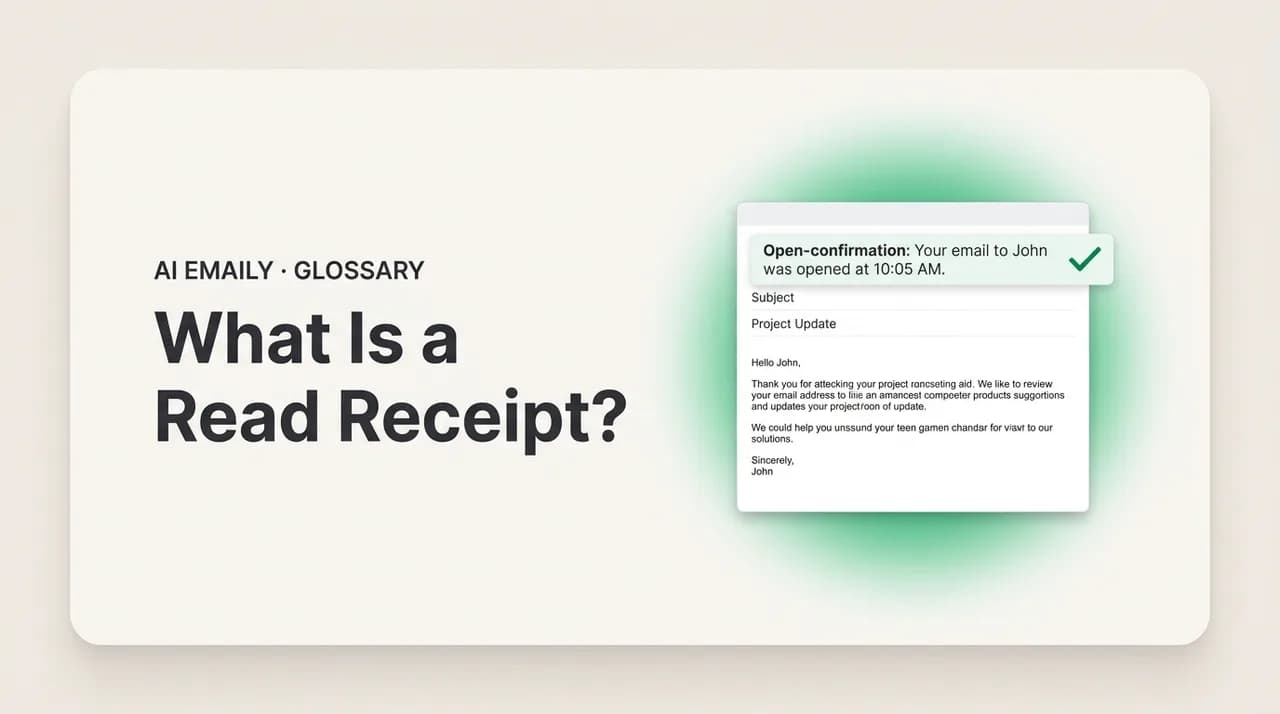
A read receipt is a notification sent back to the sender confirming that the recipient opened their email. The official version (a Message Disposition Notification) asks the recipient's client to send an acknowledgment — which the recipient can decline. A separate, silent method uses tracking pixels. Both are unreliable, and most webmail blocks them.
A read receipt is a notification telling the sender their email was opened. How MDN receipts and tracking pixels differ, and why neither one is reliable.
On this page
- 01What is a read receipt, exactly?
- 02How does an official read receipt (MDN) work?
- 03How do tracking pixels work, and how are they different?
- 04Why are read receipts so unreliable?
- 05Which email clients and services support read receipts?
- 06How do you request a read receipt in your email?
- 07What are the privacy concerns with read receipts and tracking?
- 08How do you block read receipts and tracking pixels?
- 09What are the alternatives to read receipts?
- 10How does AI Emaily handle read receipts and tracking?
- 11The bottom line on read receipts
You send an important email and then you wait. Did they see it? Are they ignoring you, or did it land in a folder they never check? The silence is the worst part, and somewhere in your email client there is a checkbox labeled "request a read receipt" that promises to end it — a little notification that pings you the moment they open the message. It sounds like exactly what you want. In practice it is one of the most misunderstood features in all of email, and the gap between what people think it does and what it actually does is wide enough to cause real confusion.
Here is the short version, which this guide then unpacks in full. A read receipt is a request, not a guarantee. When it works the official way, your email politely asks the recipient's software to send back a confirmation when they open the message — and the recipient can simply say no. When it works the other way, through an invisible tracking pixel, it watches whether your email loads images and reports back silently, without the recipient ever agreeing to it. Those are two completely different mechanisms that people lump together under one phrase, and understanding the difference is the whole point of this article.
This is a plain-English explainer of what a read receipt is, how each kind actually works under the hood, and — crucially — why both are far less reliable than they sound. We will cover the official standard (its real name is a Message Disposition Notification), the tracking-pixel method that powers most "open tracking," the reasons a receipt so often never arrives, which email clients and services support what, the genuine privacy concerns on both sides, how to block tracking, and the alternatives that get you the certainty you actually wanted. Near the end we look briefly at how an AI-native email client treats this whole category — and why blocking the silent tracking is the default.
We will keep it honest. Read receipts are not a trick, exactly, but they are sold as more dependable than they are, and the way they are commonly used — silent pixels — raises privacy questions most senders never think about. By the end you will know precisely what that checkbox does, what it cannot do, and what to use instead when you genuinely need to know an email was seen.
What is a read receipt, exactly?#
A read receipt is a notification that confirms to the sender that the recipient has opened — "read" — their email. In its proper, standardized form it works as a request the sender attaches to a message: a small instruction that asks the recipient's email program to send back a short acknowledgment once the message is displayed. If everything goes as designed, the sender receives a separate email saying, in effect, "this message was opened on this date at this time."
The key word is request. Unlike a delivery confirmation — which tells you a message reached the recipient's mail server, a server-to-server fact the sender cannot refuse — a read receipt depends on the recipient's side cooperating. The standardized version, called a Message Disposition Notification (MDN), is defined in an internet standard (RFC 8098, which updated the older RFC 3798). It specifies a special header the sender adds to the message asking for a notification of the message's "disposition" — whether it was displayed, deleted unread, and so on. That header is a polite ask, not a command, and the recipient's client is free to honor it, ignore it, or hand the decision to the recipient.
People use "read receipt" loosely to mean any signal that an email was opened, and that looseness hides an important fork. There are two entirely separate technologies that both deliver "they opened it" but work nothing alike. The first is the official MDN described above — visible, consent-based, and easy to decline. The second is the tracking pixel: a tiny invisible image embedded in the email body that quietly reports back when the message is rendered, with no header, no request, and no chance for the recipient to consent. Most of what marketers and sales tools call "open tracking" is the second kind, even though casual usage calls it a read receipt. Telling these two apart is the foundation for everything else in this guide.
It is worth separating read receipts from their cousins, too. A delivery receipt (or delivery status notification) confirms the message reached the destination server, not that any human saw it. A "return receipt" is an older term — borrowed from postal mail's certified-letter slips — that in email usually means the same thing as a read receipt or an MDN; you will see it in older Outlook and enterprise documentation. And out-of-office automatic replies, while they also tell you something landed, are a different feature entirely. The thing this article is about is the open confirmation: proof, or the appearance of proof, that the person on the other end actually looked at your message.
The core idea in one line
How does an official read receipt (MDN) work?#
Start with the standards-based version, because it is the one the term was coined for. When you compose a message and tick "request a read receipt," your email client adds a header to the outgoing email — typically Disposition-Notification-To, naming the address that should receive the acknowledgment. That header rides along invisibly with the rest of the message and reaches the recipient's mail server and client exactly like any other email.
Nothing happens automatically on arrival. The receipt is only generated when the recipient actually opens (displays) the message, and even then only if the recipient's email client is configured to honor the request. At that moment the client constructs a separate, structured email — the Message Disposition Notification — and sends it back to the address in that header. That MDN is itself a small machine-readable message: it carries a message/disposition-notification part describing what happened (the message was "displayed"), the original message's ID so the sender can match it up, and a timestamp. Your client receives it and shows you a friendly line like "Recipient read this message on Tuesday at 9:14 AM."
The pivotal step is the one most people forget exists: in nearly every well-behaved email client, the recipient is asked first. When you open a message that requested a receipt, a dialog typically appears — "The sender has requested a read receipt. Send one?" — with Yes and No buttons. The recipient can click No and no receipt is ever sent. Many people, finding the prompts annoying, set their client to never send receipts at all, in which case the request is silently dropped. So even in the best case, the official read receipt is contingent on the recipient choosing to tell you. It is consent-based by design, which is the honest, privacy-respecting behavior — and also the reason it so often produces nothing.
Below is roughly what that request header and the returned notification look like in simplified form, so the mechanism is concrete rather than abstract.
Disposition, not just "read"
How do tracking pixels work, and how are they different?#
The second mechanism is the one doing most of the real-world "open tracking," and it does not use the MDN standard at all. It uses a tracking pixel — sometimes called a web beacon, a spy pixel, or a 1x1 pixel — embedded invisibly in the body of an HTML email. This is the engine behind email marketing open rates, sales-engagement tools that tell a rep "your prospect opened this 4 times," and the browser extensions that put a little eye next to messages people have viewed.
The trick is simple. An HTML email can contain images, and images are loaded from a server when the message is displayed. A tracking pixel is a tiny, transparent image — often a single pixel, deliberately invisible — whose URL is unique to that one email and recipient. When the recipient's client renders the message and fetches that image, it sends a request to the sender's tracking server. The server logs the hit: this specific message, to this specific recipient, was just loaded — along with the time, and often the recipient's approximate location (from their IP address) and the device or client they used. No header, no request, no prompt. The recipient is never asked and, unless they look closely, never knows it happened.
That is the crucial difference from an official read receipt. An MDN is a visible, consent-based request that the recipient can decline. A tracking pixel is a silent, automatic surveillance technique that requires no consent and gives no notice. The MDN asks; the pixel watches. They produce a similar-sounding result — "the email was opened" — but they are opposite in spirit and in mechanics. This distinction matters enormously for both reliability and privacy, and it is exactly the part casual usage blurs by calling everything a "read receipt."
Here is the difference laid out directly, because almost every misunderstanding about read receipts dissolves once you see these two columns side by side.
| Aspect | Official read receipt (MDN) | Tracking pixel (open tracking) |
|---|---|---|
| What it is | A standardized request header (RFC 8098) | An invisible 1x1 image embedded in the email body |
| How it triggers | Recipient's client sends a confirmation on open | Image loads from a server when the message renders |
| Recipient consent | Usually prompted; can decline or disable | None — silent, no prompt, no notice |
| Recipient awareness | Visible request; recipient knows it was asked | Hidden by design; recipient typically unaware |
| What sender learns | "Displayed" + timestamp (if honored) | Open time, count, IP/location, device/client |
| Common in | Outlook, enterprise/desktop clients | Marketing email, sales tools, tracking extensions |
| Blocked by | Declining the prompt; disabling MDNs | Blocking remote images; image proxies (Gmail, Apple) |
| Reliability | Low — depends on recipient saying yes | Eroding — defeated by image blocking and proxies |
Why are read receipts so unreliable?#
Whichever mechanism you use, the honest answer is that a missing receipt tells you almost nothing. No receipt does not mean "unread." It might mean unread — or it might mean the recipient declined, their client does not support receipts, they read your message on a device that ignored the request, or images were blocked so the pixel never fired. The signal is so noisy that treating "no receipt" as "they ignored me" is a mistake, and treating "got a receipt" as proof of careful reading is a stretch. Several independent failure modes stack up, and any one of them breaks the confirmation.
For official MDNs, the dominant reason is the one already covered: the recipient can decline. Most modern email clients either prompt the recipient (who often clicks No, because the prompts feel intrusive) or are configured to never send receipts at all. A great many users have these turned off without realizing it. On top of that, plenty of clients — including, critically, mainstream webmail — do not implement MDN sending in the first place, so the request simply evaporates. The header asks; nobody answers.
For tracking pixels, the failures are different but just as common. The pixel only fires if the recipient's client loads remote images — and a huge share of clients now block remote images by default until the user clicks "display images," specifically to defeat this kind of tracking. Worse for trackers, Apple's Mail Privacy Protection (introduced in 2021) and Gmail's image proxy fundamentally broke open tracking at scale: Apple Mail can pre-fetch every image, including the pixel, for messages the user never opened — inflating opens to near-100% and making the data meaningless — while Gmail routes images through Google's own servers, masking the recipient's real IP and device. A pixel "open" in 2026 is as likely to be a privacy proxy as a human.
There are quieter failure modes too. Reading a message in the preview pane may or may not count, depending on the client. Forwarding, automatic filtering, or opening in a different app can each change the outcome. Some recipients read on a phone client that handles receipts differently from their desktop. And corporate mail systems sometimes strip receipt requests or block external images at the gateway entirely. Add it all up and the lesson is consistent: a read receipt is a weak, lossy signal in one direction. Getting one means the message was probably opened; not getting one means very little at all.
Don't read meaning into silence
Which email clients and services support read receipts?#
Support is uneven, and the single most important fact surprises most people: Gmail, the world's most-used email service, has no read receipt feature for ordinary personal accounts. The option exists only in paid Google Workspace plans, and even there it must be enabled by an administrator and typically works only for messages sent to recipients inside the same organization (or specifically allowed domains). So if you have a regular @gmail.com address, you cannot natively request a read receipt at all — which is a big reason the feature feels broken to so many people. The pixel-based browser extensions people install for "Gmail read receipts" are open tracking, not MDNs.
Microsoft Outlook is the stronghold of native, official read receipts. In desktop Outlook you can request a read receipt (and a separate delivery receipt) per message or by default for all messages, and Outlook will both send and process MDNs — including prompting the recipient before sending one, with the prompt behavior controllable in settings. This is why read receipts are most associated with corporate and enterprise environments: they tend to run on Outlook and Microsoft Exchange, where both ends speak the same MDN dialect and an administrator can shape the policy. Exchange and similar enterprise mail servers are where receipts are most likely to actually function end to end.
Elsewhere it is a patchwork. Apple Mail does not offer a built-in read-receipt request for standard IMAP accounts. Many desktop clients (such as Thunderbird) support requesting and sending MDNs, with the recipient prompt in place. Mobile clients vary widely; some honor incoming requests, many do not. And because a receipt requires cooperation on both ends, even an Outlook user requesting one from a Gmail recipient will usually get nothing, since the Gmail web client will not generate the MDN. The matrix below summarizes the rough state of play in 2026 — but remember the universal caveat: support on the sending side is meaningless unless the recipient's client also chooses to respond.
| Client / service | Request a read receipt? | Notes |
|---|---|---|
| Microsoft Outlook (desktop) | Yes — native MDN | Per-message or default; prompts recipient; the main MDN stronghold |
| Microsoft Exchange / enterprise | Yes — admin-shaped | Most likely to work end to end when both sides are on Exchange |
| Gmail (personal @gmail.com) | No native feature | Receipts unavailable; "Gmail read receipts" extensions are tracking pixels |
| Google Workspace (paid) | Yes — if admin enables | Often limited to same-organization or allowed recipients |
| Apple Mail (IMAP) | No built-in request | No native MDN request; relies on third-party tools for tracking |
| Thunderbird / desktop clients | Often yes | Can request and send MDNs; prompts the recipient on open |
| Mobile clients | Varies widely | Inconsistent support for both sending and honoring receipts |
Both ends have to agree
How do you request a read receipt in your email?#
If you are on a client that supports it — realistically, Outlook or an enterprise setup — requesting a receipt is straightforward. The steps below cover the most common paths. Keep in mind throughout that you are sending a request the recipient can refuse, so set expectations accordingly: this is a courtesy ask, not a tracking guarantee.
- 1
In desktop Outlook, per message
Compose a new email, open the Options tab in the message window, and tick "Request a Read Receipt" (and optionally "Request a Delivery Receipt"). Send as normal. If the recipient's client honors it and they agree, a notification returns to your inbox.
- 2
In Outlook, for all messages by default
Go to File → Options → Mail, scroll to the Tracking section, and enable read and/or delivery receipts for all sent messages. Use this sparingly — requesting a receipt on every email reads as heavy-handed to recipients.
- 3
In Google Workspace (paid plans only)
An administrator must first turn on read receipts in the Admin console. Once enabled, compose a message, open the three-dot "More options" menu in the compose window, and choose "Request read receipt." It is unavailable on free personal Gmail accounts.
- 4
In Thunderbird or similar desktop clients
While composing, open the Options menu and select "Return Receipt" before sending. You can also set the default behavior and the recipient-prompt policy in the account's settings under receipts.
- 5
Set the right expectation
Assume the receipt may never arrive even if the message was read. Do not chase or interpret silence — if confirmation genuinely matters, use one of the explicit alternatives below instead of relying on the receipt.
Use receipts sparingly
What are the privacy concerns with read receipts and tracking?#
Read receipts sit on a privacy fault line, and the two mechanisms land on opposite sides of it. The official MDN is the privacy-respecting design: it asks, it is visible, and the recipient can decline. The tracking pixel is the privacy-invasive one: it is silent, automatic, and gives the recipient no notice and no choice. Most of the legitimate concern about "read receipts" is really concern about tracking pixels masquerading as them.
Consider what a tracking pixel actually reveals to a sender the recipient never agreed to inform. Beyond the bare fact that the message was opened, the server hit can expose the time of every open, how many times the message was reopened, the recipient's approximate location from their IP address, and the device and email client they used. A salesperson can watch a prospect open the same proposal six times on a Sunday night; a stranger who emailed you can learn roughly what city you are in. None of that is disclosed; the recipient simply reads an email and is profiled. Privacy advocates have long called these "spy pixels," and their ubiquity — embedded in a large share of commercial and even ordinary personal email — is exactly why mail providers started fighting back.
That fight is why open tracking is collapsing as a reliable technique. Apple's Mail Privacy Protection pre-loads images through proxy servers so the sender cannot tell whether or when a human actually opened the message, and hides the recipient's IP. Gmail routes all images through Google's proxy, stripping the real IP and caching the image so repeat-open counts blur. Many clients block remote images by default. These are deliberate countermeasures against silent tracking, and they have the side effect of making both pixel-based opens and even some official receipts unreliable — privacy protection and "did they read it" certainty are, by design, in tension.
There is a reasonable-use side, too, worth stating plainly. Aggregate open tracking helps legitimate senders gauge whether a newsletter is landing, and an official read receipt on a genuinely important message is a fair courtesy ask. The problem is consent and proportionality: silent per-recipient pixels on ordinary one-to-one email, with no notice, are the practice that crosses the line for most people. Knowing the difference lets you decide what you are comfortable sending — and what you want blocked when you are the recipient.
The recipient is usually the one being tracked silently
How do you block read receipts and tracking pixels?#
If you are on the receiving end and you would rather not be tracked or pinged, you have real control — and the defenses differ for the two mechanisms. Blocking the official read receipt is about how your client handles the request; blocking tracking pixels is about not loading remote images. Both are worth setting up.
- 1
Decline or disable official read receipts
When a client prompts "Send a read receipt?", click No. Better, set your client to never send receipts: in Outlook, File → Options → Mail → Tracking → "Never send a read receipt"; in Thunderbird, set the receipts policy to never send. The request then dies silently and the sender learns nothing.
- 2
Block remote images by default
This is the single most effective move against tracking pixels. Turn off automatic image loading: Gmail Settings → "Ask before displaying external images"; Apple Mail → enable Mail Privacy Protection (or disable remote content); most clients have an equivalent toggle. Images, including the pixel, then load only when you choose.
- 3
Lean on built-in privacy proxies
Apple Mail Privacy Protection and Gmail's image proxy already blunt tracking by pre-fetching or relaying images and hiding your IP. Leaving these on means many pixels report a meaningless or proxied "open" rather than your real activity.
- 4
Use a client that blocks pixels by default
Some privacy-minded email clients strip or neutralize known tracking pixels automatically, so you do not have to manage image settings per message. If tracking bothers you, choosing a client that defaults to blocking is the lowest-effort defense.
- 5
Read in plain text when it matters
Viewing a message as plain text rather than HTML prevents images — and therefore pixels — from loading at all. It is a heavier-handed option, but it is a complete block for sensitive messages where you do not want any open reported.
Blocking images is the master switch
What are the alternatives to read receipts?#
If what you actually want is to know your message was seen and acted on, read receipts are a poor tool for the job — too unreliable, and often unavailable. The good news is that the alternatives are usually better, because they rely on explicit human or system confirmation rather than a fragile silent signal. Match the alternative to how much certainty you truly need.
The simplest and most reliable alternative is to ask for a reply. "Could you confirm you got this?" or "Let me know once you've had a chance to review" turns an invisible, deniable mechanic into an explicit acknowledgment from a human — which is both more dependable and more honest than tracking someone without telling them. For anything that genuinely matters, a one-line reply is worth more than any receipt, because it confirms the person engaged, not merely that pixels loaded in a preview pane.
When you need a system-level guarantee rather than a courtesy, step up to the right tool. A delivery status notification confirms the message reached the recipient's server (it does not prove a human saw it, but it rules out a silent bounce). For documents that must be provably opened or signed, e-signature and document-tracking platforms give a real, consented audit trail — the recipient knows they are interacting with a tracked document, and the confirmation is legally meaningful in a way an email pixel never is. For ongoing back-and-forth, real-time channels like chat carry their own visible read indicators by mutual understanding. And for newsletters, aggregate open and click metrics (with their known inaccuracy since Apple's changes) are fine for trends, just not for judging whether one specific person read one specific email.
The through-line is consent and clarity. Read receipts try to get certainty without asking; the better alternatives get it by asking — a reply, a signature, a confirmation step the recipient knows about. That is more reliable and avoids the privacy problems of silent tracking entirely. The table below maps common needs to the tool that actually fits.
| What you actually need | Better than a read receipt | Why |
|---|---|---|
| Confirm a person saw and engaged | Ask for a reply or acknowledgment | Explicit, reliable, honest; confirms a human, not a pixel |
| Confirm a document was opened/signed | E-signature / document-tracking platform | Consented audit trail that is actually meaningful |
| Confirm it reached their server | Delivery status notification | Rules out a silent bounce (not proof a human read it) |
| Real-time conversation | Chat with mutual read indicators | Read status by mutual understanding, not covert tracking |
| Gauge a newsletter's reach | Aggregate open/click metrics | Fine for trends; unreliable for any single recipient |
How does AI Emaily handle read receipts and tracking?#
Most of this guide is really about a single tension: senders want to know an email was seen, and recipients increasingly do not want to be tracked silently to provide that. AI Emaily comes down on the side of the person reading the email. It is an AI-native email client built privacy-first, and that shapes how it treats this whole category.
By default, AI Emaily blocks tracking pixels and other remote-image trackers before they can load, so the silent open tracking that powers most "read receipts" never reports back about you. When someone emails you with an embedded spy pixel, it simply does not fire — your open time, your location, your device, and how many times you reopened a message stay yours. You get to read your mail without quietly informing a sender, or a sales tool, that you did. Images you actually want still load on your terms; the invisible ones built for surveillance do not.
Because AI Emaily works across every account you connect — Gmail, Outlook, and any IMAP provider — that protection is consistent wherever your mail lives, rather than something you have to configure differently in each client. And it is private by design more broadly: your email is yours, used to help you work through your inbox, not to track you or to train models for anyone else. The privacy stance on read receipts is one piece of that larger principle.
None of this changes the honest reality covered above: read receipts are an unreliable signal, and the better way to confirm something was seen is to ask. AI Emaily's role here is mainly defensive on your behalf — keep the silent trackers out, keep your reading habits private, and let you choose explicitly when you want to load remote content. You can start free at app.aiemaily.com/signup and connect your inbox to see how much tracking was quietly riding along in your mail.
Blocking pixels is the default, not a setting you hunt for
The bottom line on read receipts#
A read receipt is a notification that an email was opened — and the most important thing to understand is that it is a request, not a guarantee. The official version, a Message Disposition Notification, politely asks the recipient's client to confirm the open, and the recipient can simply decline. The other version, the tracking pixel, watches silently when images load, with no consent and no notice. Casual usage blurs the two, but they are opposite in both mechanics and ethics.
Both are unreliable, and for overlapping reasons: recipients decline or disable MDNs, mainstream webmail like personal Gmail has no native feature at all, and tracking pixels are increasingly defeated by image blocking and the privacy proxies in Apple Mail and Gmail. A missing receipt tells you almost nothing — not "unread," just "no signal." Outlook and enterprise Exchange are where official receipts work best; almost everywhere else, expect inconsistency.
If you genuinely need to know a message was seen, the better tools ask rather than track: a one-line reply, an e-signature platform for documents, a delivery notification to rule out a bounce. And if you are the recipient who would rather not be tracked, blocking remote images is the master switch that stops most pixels cold. That is the side AI Emaily takes by default — pixels blocked, your reading private, across every inbox you connect. The principle to carry away is simple: treat read receipts as a weak courtesy signal, never as proof, and when certainty matters, just ask.
Frequently asked
See it in AI Emaily
Keep reading
Sources

Written by
Nafiul HasanNafiul Hasan is an entrepreneur and AI automation system builder with 10+ years of experience turning messy, manual workflows into reliable automated systems. He designs and ships AI enterprise solutions end-to-end — the agent logic, the data plumbing, and the product people actually use — and founded AI Emaily to give busy professionals their attention back. He writes here from the builder's seat: what works, what breaks, and how to put AI to work without giving up control.