Which Intelligent Inbox Tool Is Best for You?

The short answer
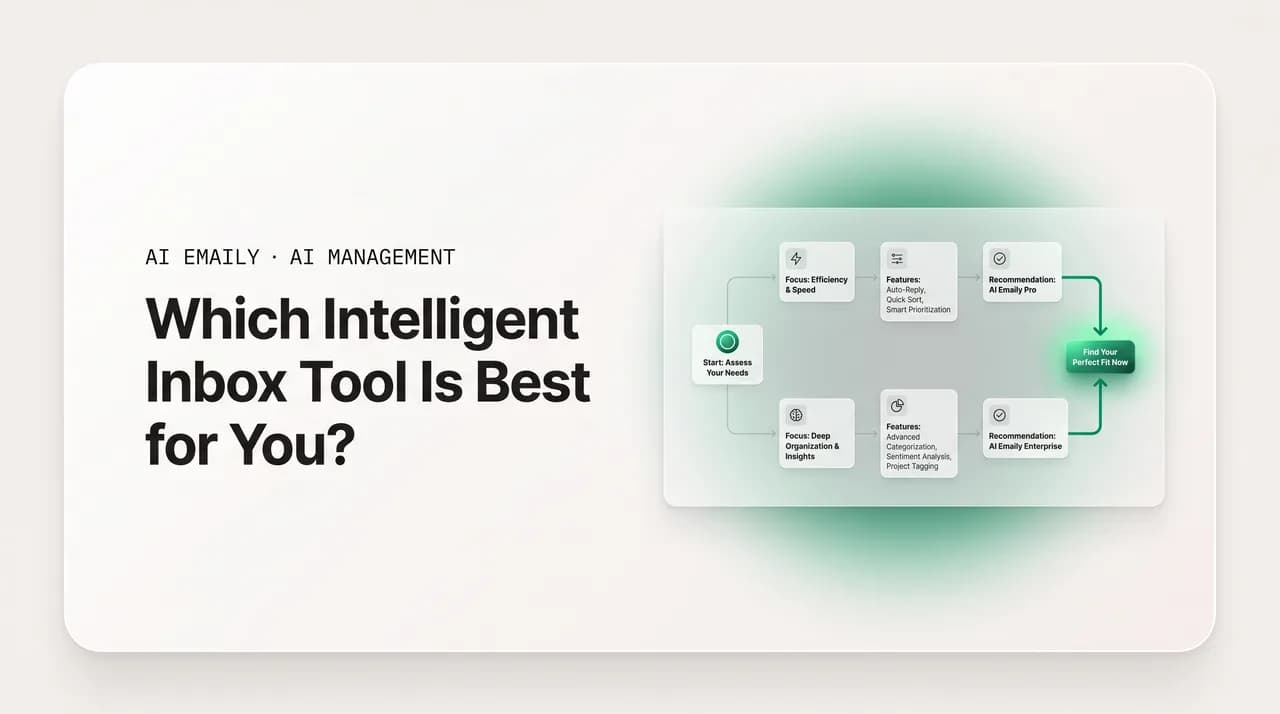
There is no single best intelligent inbox — the right one depends on who you are. This guide maps six reader profiles to the inbox archetype and capabilities that fit each, gives you a decision tree, and is honest about where another archetype wins. AI Emaily fits where agent-native, universal, and private all matter, but verify every claim against the vendor's own page.
Which intelligent inbox is best depends on you: this decision guide maps your profile — solo, founder, team, support-heavy, privacy-sensitive, multi-provider — to the right tool.
On this page
- 01What are the intelligent inbox archetypes you are actually choosing between?
- 02Which intelligent inbox is best if you are a solo professional?
- 03Which intelligent inbox is best if you are a founder or owner?
- 04Which intelligent inbox is best for a small team?
- 05Which intelligent inbox is best for a support-heavy operation?
- 06Which intelligent inbox is best if privacy is your top concern?
- 07Does it matter whether you use one provider or many?
- 08How much autonomy should you actually want?
- 09What's the decision tree for choosing your intelligent inbox?
- 10Where is AI Emaily not the best intelligent inbox for you?
- 11What does AI Emaily cost, and how should you try it?
- 12Frequently asked questions
If you have spent an afternoon comparing intelligent inbox tools, you have probably noticed the same thing we have: every review names a different winner, and almost none of them tell you which intelligent inbox is best for the way you actually work. That is not laziness on their part — it is the honest answer. There is no single best intelligent inbox, because the question is incomplete. Best for a solo consultant who lives in Gmail is not best for a five-person support team on Outlook, and neither is best for a founder who wants the inbox to mostly run itself. The tool that fits is the one matched to your profile, your providers, and your tolerance for letting AI act on its own.
So this guide does something different. Instead of crowning a universal winner, it maps the decision to you. We will define the handful of reader profiles that actually exist — the solo professional, the founder, the small team, the support-heavy operation, the privacy-sensitive user, and the person deciding between a single provider and many — and for each one we will say which intelligent inbox archetype and which specific capabilities fit best. You will leave with a decision tree you can run on your own situation, not a leaderboard you have to take on faith.
A word on what we are and are not doing. We build AI Emaily, an AI-native email client, so we have a horse in this race and we will tell you exactly where we think it is the right call — and, just as importantly, where a different archetype wins. What we will not do is invent competitor names, prices, or ratings to make a point. The market moves too fast and the specifics change too often for that to be honest. Instead we will talk in archetypes and criteria, and we will repeatedly tell you to verify the current details on each vendor's own page before you commit. If you want a structured side-by-side once you have a shortlist, our compare hub at /compare is built for exactly that.
The reason the "depends on you" framing matters is that the cost of a wrong fit is real. An intelligent inbox you adopt and abandon is worse than no tool at all: you spent the setup time, trained your habits around it, maybe moved your team onto it, and got nothing durable back. The professionals who are happy with their choice almost always picked by profile rather than by feature count — they knew what they needed the inbox to do and chose the archetype built for that. The ones who churn usually bought the most-hyped option and discovered it was designed for someone else. This guide is meant to put you in the first group.
Here is the shape of what follows. First we will name the archetypes, because you cannot match a profile to a tool without a vocabulary for the tools. Then we will walk the profiles one by one, each with the capabilities that matter and the archetype that fits. We will cover the provider question (Gmail-only versus multi-provider), the autonomy question (how much you let AI act), and the privacy question (what you are willing to share), because those three cut across every profile. Then a decision tree, an honest section on where AI Emaily is not the answer, pricing, and an FAQ. Let's start by defining the field.
What are the intelligent inbox archetypes you are actually choosing between?#
Before you can decide which intelligent inbox is best for you, you need to know what kinds of tool exist, because the marketing blurs them together. Almost every product calls itself "AI-powered" now, but under the label there are a few genuinely different archetypes, and they are built around different assumptions about who you are and what you want the inbox to do. Matching your profile to an archetype is most of the decision; matching to a specific brand within an archetype is the easier second step.
Think of it as four broad families. They are not always pure — some tools straddle two — but the distinctions are real and they predict fit better than any feature checklist.
- Assistant-on-top: a layer that sits over your existing webmail or app and adds AI features — summaries, suggested replies, smart categories — without replacing the client you already use. Low commitment, easy to try, but limited by what the underlying mail app exposes. Best when you mostly like your current setup and just want a helper bolted on.
- AI-native client: a full email client rebuilt around an AI agent, where triage, drafting, follow-up, and acting on mail are core to the product rather than features stapled on. Higher commitment (it replaces your client) but the AI can do more because the whole app is designed for it. This is the archetype AI Emaily belongs to.
- Helpdesk / shared-inbox platform: built for teams answering a shared address — support@, sales@ — with ticketing, queues, SLAs, assignment, and increasingly AI on top. Powerful for support-heavy operations, but often a silo separate from personal mail and priced and configured for scale.
- Productivity-suite AI: the assistant baked into a provider's own ecosystem (the AI that ships with your existing mail and calendar). Convenient and already paid for if you live entirely in one suite, but tied to that single provider and usually thinner on autonomous action than a purpose-built agent.
Archetype first, brand second
A few cross-cutting traits matter regardless of archetype, and you will see them recur through every profile below, so it is worth naming them now. The first is provider coverage: does the tool work on Gmail and Google Workspace, Outlook and Microsoft 365, and standard IMAP, or is it locked to one ecosystem? The second is autonomy: can the AI only suggest, or can it draft and (when you allow) send and act on its own, with an approval gate and an undo? The third is privacy posture: is your mail used to train someone's models, is it retained, and do you control when the AI acts? The fourth is whether it handles shared inboxes or only your personal mail.
Hold those four traits — provider coverage, autonomy, privacy, shared-inbox support — in your head as you read the profiles. They are the dials. Every profile below is really just a particular setting of those dials plus a budget. Once you see your own profile, you will know which way each dial should point, and that tells you the archetype, which tells you the shortlist. For a deeper look at what agent-level autonomy actually means in practice, /features/ai-agent walks through it; we will reference it again where autonomy is the deciding factor.
Which intelligent inbox is best if you are a solo professional?#
Start with the most common profile: one person, no team, no shared addresses — a consultant, freelancer, lawyer, agent, contractor, or any individual whose inbox is entirely their own. If that is you, the decision is simpler than the market makes it look, because you can ignore every team and helpdesk feature outright. They are not a benefit you are not using yet; they are weight you would carry for nothing. Your dials are set toward personal mail, the autonomy you are comfortable with, and a price that makes sense for one seat.
What actually matters for a solo professional is the daily grind: reading less, writing less, and never dropping the follow-up that was going to become revenue. That points to an AI-native client or a capable assistant-on-top, depending on how much you want the AI to do and whether you are happy with your current mail app. The helpdesk and team archetypes are simply the wrong family for you — they solve a coordination problem you do not have.
| What you need as a solo pro | Fits best | Skip / overkill |
|---|---|---|
| Triage so you read only what matters | AI-native client or strong assistant-on-top | Helpdesk queues, SLA dashboards |
| Drafting in your voice so you edit, not author | AI-native client (learns your voice) | Team voice-consistency controls |
| Follow-up that never slips | AI-native client with tracked follow-ups | Round-robin assignment, load balancing |
| One affordable seat, predictable price | Per-seat plan with AI included | Per-resolution AI metering (team tools) |
| Optional autonomy you grant deliberately | Agent with approval gate + undo | Always-on automation with no review |
The solo test
Where does AI Emaily land for a solo professional? Squarely in the fit zone, with one honest caveat. The fit: it is an AI-native client built around triage, voice-learning drafts, and follow-up that does not slip — the exact three jobs that eat a solo inbox — and its Pro plan is a single, predictable seat with the AI included rather than metered. It works on whatever provider you already use, so there is no migration. The caveat: it is a full client, which means switching to it from a webmail you are perfectly happy with. If you do not want to change clients and only want a light helper, a good assistant-on-top is the more proportionate choice, and we would rather you know that than churn out a month in.
For most solo professionals, though, the math favors the AI-native archetype, because the assistant-on-top is limited by the app it sits on — it can suggest, but it cannot restructure your day around what matters or reliably hold the thread on follow-ups the way a purpose-built client can. If your inbox is genuinely costing you hours, the deeper integration earns its switching cost. If it is a mild annoyance, it may not. Our roundup at /best/best-intelligent-inbox weighs this trade-off for the individual user in more depth, and the related read on the best intelligent inbox for busy professionals goes further on the solo-with-high-volume case specifically.
Which intelligent inbox is best if you are a founder or owner?#
A founder is a special case of solo-or-small that deserves its own treatment, because the constraint is not volume — it is that you are wearing every hat and the inbox is the seam where all of them meet. Sales, support, hiring, investors, vendors, and the cofounder thread all land in one place, and you are the only filter. What a founder needs from an intelligent inbox is leverage: the ability to hand off as much of the inbox as possible while keeping a tight grip on the few messages that carry real consequence. That is an autonomy question more than a feature question.
This is where the AI-native, agent-capable archetype pulls ahead for founders specifically. An assistant that only suggests still leaves you doing all the sending and all the deciding. An agent that can triage, draft in your voice, resolve the routine bulk under your approval, and escalate only what truly needs you — that is leverage. The founder's real scarce resource is attention, and the right inbox buys it back by handling the mail that does not deserve your attention at all.
- 1
1. Decide what you will never delegate
Investor mail, key customer escalations, anything legal or financial — the messages where a wrong move is expensive. Whatever inbox you pick, these must stay behind a human-approval gate by default. A founder should never adopt a tool that can send consequential mail unattended out of the box. This is the line that protects you.
- 2
2. Identify the routine bulk you'd love gone
Scheduling back-and-forth, FAQ-style questions, status checks, simple acknowledgments. This is the volume an agent can take off your plate entirely. The bigger and more repetitive this bucket is, the more an agent-native client is worth to you versus a suggest-only assistant.
- 3
3. Match the autonomy model to those two buckets
You want a tool with distinct modes: assist-and-approve for everything by default, and the option to let the agent act autonomously only on categories you've explicitly cleared. AI Emaily's Manual / Copilot / Autopilot modes are built around exactly this split — approval-first by default, autonomy granted on purpose. See /features/ai-agent for how the gating works.
- 4
4. Confirm undo and audit exist
Leverage without a safety net is a liability. Whatever you delegate, you need to be able to see every action the AI took and reverse what shouldn't have happened. If a tool offers autonomy but no audit trail or undo, it's the wrong tool for a founder — the downside of a mistake lands directly on a relationship the company depends on.
Founders: autonomy is only safe with a gate, undo, and audit
For a founder, AI Emaily is the case we make most confidently, because the product was designed around this exact profile: an AI-native client with graduated autonomy (Manual, Copilot, Autopilot), an approval gate before sending by default, undo, and a full audit trail — leverage with a safety net. It runs across every provider, which matters because a founder's mail is rarely all in one ecosystem. The related deep-dive on the best intelligent inbox for founders walks the founder-specific reasoning further, and the leading intelligent inbox recommendation post lays out the overall case for the agent-native archetype.
The honest boundary: if you are a founder who does not actually want to delegate email — who finds reviewing AI drafts more work than just writing the reply, or who has so little routine bulk that there is nothing to hand off — then the agent's main advantage is wasted on you, and a lighter assistant-on-top is the proportionate pick. The agent-native archetype earns its keep when you have real volume you want gone and are willing to set up the autonomy thoughtfully. If neither is true, do not pay for capability you will not use.
Which intelligent inbox is best for a small team?#
Once more than one person touches the same mail, the decision changes category. The defining problem is no longer your personal inbox — it is coordination: who owns what, no two people replying to the same customer, one consistent voice across everyone, and visibility into what is handled and what is not. A tool that only manages individual inboxes, however smart, leaves a small team back where it started: forwarding mail around and tripping over each other. Your dials now point firmly toward shared-inbox support, with autonomy and privacy still in play.
But "team" is a range, and the right archetype depends on where you sit on it. A small team handling a moderate shared volume alongside personal mail is well served by an AI-native client that treats personal and shared inboxes as one workspace. A team whose entire job is a high-volume support queue is in helpdesk-platform territory. Knowing which you are is most of the decision.
| Your team situation | Fits best | Why |
|---|---|---|
| A few people sharing info@ / sales@ alongside their own mail | AI-native client with shared inboxes | Personal + shared in one workspace; AI triage, ownership, voice consistency without a separate silo |
| A dedicated support team, high ticket volume, SLAs | Helpdesk / shared-inbox platform | Built for queues, SLA reporting, deep routing — and worth its complexity at that scale |
| A small team that also wants an agent for routine bulk | AI-native client with included agent | Agent resolves repetitive shared-inbox mail under approval, included rather than metered |
| A team scattered across Gmail and Outlook | Universal AI-native client | One workspace across providers; no forced migration to a single ecosystem |
AI Emaily fits the small team that runs shared addresses alongside personal mail — the most common small-team shape — because it treats both as one workspace with AI triage that proposes owners, collision detection so no one double-replies, one learned voice across the team, and the agent included in the Team plan rather than metered per resolution. That last point matters for a team: tools that charge per AI-resolved message turn the agent's success into a rising bill, which is exactly the volume you want it handling. The compare-intelligent-inbox-apps related read goes feature-by-feature on the team case.
Where we will point you elsewhere: if your team is a genuine, high-volume support operation — your whole job is the queue, you live and die by SLA reporting, you need deep routing rules and a dedicated admin to run them — a purpose-built helpdesk platform is likely the better fit, and we would rather you go there than stretch an AI-native client past what it is built for. The crossover point is roughly when shared-inbox volume becomes the team's primary job rather than one part of it. Below that line, the one-workspace AI-native approach usually wins on simplicity and price; above it, the specialized platform earns its complexity.
Which intelligent inbox is best for a support-heavy operation?#
It is worth pulling the support-heavy case fully apart, because it is where the "depends on you" answer most often points away from us, and saying so plainly is the whole point of an honest guide. If your operation's center of gravity is inbound support — high daily ticket volume, formal SLAs, multiple agents working a queue full time, reporting that leadership reads — then you are squarely in helpdesk-platform territory, and the depth those platforms offer in routing, queue management, and SLA analytics is built for exactly your problem.
The mistake to avoid here is buying a personal-inbox AI tool and hoping it scales into a support desk. It will not, and you will feel the gaps fast: no real queue, thin reporting, assignment that was designed for a few people rather than a shift of agents. Match the archetype to the workload. Here is how to tell which side of the line you are on.
- You are support-heavy (lean helpdesk platform): support is the primary job; daily volume is high and steady; you have formal SLAs and report on them; multiple agents work the queue full time; you need deep routing, macros, and queue analytics. The complexity pays off because the scale demands it.
- You are support-light or mixed (lean AI-native client with shared inboxes): support is one of several things a small team does; volume is moderate; you want AI triage, drafting, and ownership without standing up and administering a full helpdesk; personal and shared mail should live together. The platform's depth would be overhead you'd never use.
- You are unsure: estimate how many hours a week your team spends purely in the shared support queue. If it dominates the week and is growing, you'll grow into a helpdesk platform. If it's a slice of a broader role, an AI-native client is the proportionate and cheaper choice — and you can move up later if support takes over.
Don't force the wrong archetype onto a support queue
Where AI Emaily does fit on the support spectrum is the mixed, support-light end — the small business or team where support is real but not the entire job, and where you would rather have AI triage, ownership, voice consistency, and an agent for the routine FAQs inside one workspace than administer a separate ticketing system. For that profile, the AI-native client is both lighter and cheaper, and the agent handling repetitive support mail under your approval is included rather than metered. But if support is your operation's whole identity, treat that as a signal to look at the helpdesk archetype first and verify their AI capabilities against your queue's needs.
Which intelligent inbox is best if privacy is your top concern?#
For some readers the deciding dial is not features or price — it is what happens to your mail. If you are a lawyer, a healthcare or finance professional, anyone handling confidential client information, or simply someone who is not comfortable with AI reading sensitive correspondence on unclear terms, then privacy posture is the first filter, and a tool that fails it is disqualified no matter how good the AI is. This profile should evaluate intelligent inboxes the way a security team would, even if you do not have one.
The hard part is that almost every tool claims to be private, so the word is meaningless on its own. You have to ask specific, answerable questions and accept only specific, answerable answers. Three questions separate genuine privacy from marketing.
- 1
1. Is my mail used to train your models?
The answer you want is an unambiguous no. If a vendor is vague here, or buries a training opt-out in settings, treat that as a privacy-sensitive person should: as a no. AI Emaily does not train on your mail — that's a stated default, not a setting you have to find. Verify the current policy on the vendor's own page regardless of who they are.
- 2
2. Do I control when the AI acts, and is every action audited?
Privacy isn't only about training data; it's about agency. You want a human-approval gate before consequential sends by default, and a full audit of every action the AI takes, so nothing happens to your mail without your say-so and a record. A tool that acts autonomously with no log is a privacy problem even if it never trains on your data.
- 3
3. Where does my mail live and how is it protected?
Ask how message content is stored and protected, and what the retention terms are with any model provider. For a privacy-sensitive professional, zero-retention with the AI provider and encrypted storage are the bar. Don't accept a hand-wave — these are answerable questions, and a serious vendor will answer them plainly on a security or trust page.
The three privacy questions, verbatim
AI Emaily was built with this profile in mind — private is one of its four pillars alongside autonomous, universal, and instant — so for a privacy-sensitive professional the fit is strong: no training on your mail, an approval gate before sending by default, a full audit of every AI action, and you in control of when the AI acts. That said, the right move for this profile specifically is not to take our word for it. Read our trust and privacy documentation, read the equivalent page from every tool on your shortlist, and compare the actual commitments. A privacy-first reader who chooses on stated defaults rather than marketing language will rarely regret the choice.
One nuance for this profile: the assistant-on-top and productivity-suite archetypes can inherit the privacy posture of whatever they sit on, which may be better or worse than a purpose-built client and is often harder to pin down. The cleanest privacy story usually comes from a tool that owns its own stack and states its commitments directly, which is part of why the AI-native archetype tends to fit privacy-sensitive readers well — there is one clear party making one clear set of promises. Still verify; clarity of ownership is not the same as a good policy, and you want both.
Does it matter whether you use one provider or many?#
It matters more than almost any other single factor, and it is the one buyers most often overlook until it bites. The question is simple: is all of your mail on one provider, or is it spread across Gmail, Outlook, and maybe an IMAP address or two? Because some intelligent inboxes — especially the productivity-suite archetype and many assistant-on-top tools — only work on one ecosystem, and if your mail lives in several places, a single-provider tool can only ever manage part of your life. You would be back to checking two inboxes, defeating the point.
This is the cleanest fork in the whole decision, so it is worth deciding deliberately rather than discovering later.
| Your provider situation | What fits | Watch out for |
|---|---|---|
| All mail in one suite, and you're happy there | Productivity-suite AI or a single-provider tool both work | Lock-in: if you ever add another provider, you'll outgrow it |
| Gmail-only now, but might add accounts later | A universal tool future-proofs you at no cost | Choosing single-provider to save a little now, then re-migrating |
| Mail split across Gmail + Outlook + IMAP | A universal AI-native client is effectively required | Single-provider tools that manage only half your mail |
| Personal on one provider, shared (support@) on another | Universal tool that unifies personal + shared | Tools that silo shared mail or only support one provider |
When in doubt, choose universal
AI Emaily's fit here is straightforward: universal is a core pillar, so it runs on every major provider and treats accounts across providers as one workspace. For the multi-provider reader — which is most professionals and nearly every small business with a shared address on a different system than their personal mail — that is decisive, because it removes the constraint entirely. For the genuinely single-provider reader who is certain they will never add another account, the productivity-suite AI already in your ecosystem is a reasonable and already-paid-for option to weigh against a purpose-built client; the trade is convenience and cost versus the deeper autonomy and unified workspace of an AI-native tool. Either way, decide the provider question before you shortlist, because it eliminates whole archetypes in one stroke.
How much autonomy should you actually want?#
Cutting across every profile is the autonomy question, and it deserves its own section because it is where readers most often either oversell themselves or undersell themselves. Autonomy is a spectrum: at one end, the AI only suggests and you do everything; in the middle, it drafts and stages and you approve and send; at the far end, it acts on its own within limits you set. The best intelligent inbox for you is the one whose autonomy model matches both what you want and what your work can safely tolerate — and crucially, one that lets you move along the spectrum rather than locking you at one point.
The mistake in both directions is real. Undersell yourself and you pay for an agent you keep in suggest-only mode forever, getting an assistant's value at an agent's price. Oversell yourself and you grant autonomy you are not actually comfortable with, then either claw it back nervously or get burned by a send you would not have approved. The fix is a tool with explicit modes and a clear gate, so you start cautious and expand only as trust is earned.
- Manual / suggest-only: the AI helps you think but never acts. Right if you want a helper and nothing more, or for the highest-stakes mail you'll always handle yourself. Don't pay agent prices to stay here permanently.
- Assist-and-approve (Copilot-style): the AI drafts and stages; you review and send. The sweet spot for most professionals — you get the time savings of drafting with full control of what goes out. This should be the default posture for consequential mail.
- Autonomous within limits (Autopilot-style): the agent sends and acts on its own for categories you've explicitly cleared, with undo and audit. Right for routine, low-stakes, high-volume mail once you've watched the AI handle it well. Grant it deliberately, category by category — never as a blanket default.
The right answer is "a tool that lets autonomy grow"
This is the dimension where the AI-native, agent-capable archetype — and AI Emaily within it — has the clearest structural advantage for readers who want more than suggestions. An assistant-on-top is usually stuck near the suggest end by the app it sits on; a tool with genuine graduated modes lets you set the dial per category and move it as trust grows. If all you want is suggestions forever, that advantage is irrelevant and a lighter tool is fine. If you want to actually offload mail over time, you want the spectrum available from day one so you are not re-platforming when your comfort with autonomy grows. Match the tool to where you want to be in six months, not only where you are nervous to start today.
What's the decision tree for choosing your intelligent inbox?#
Here is the whole guide compressed into a sequence you can run on your own situation. Answer in order; the first clear match is usually your archetype. Then verify the specific tool's current features, pricing, and privacy terms on its own page — and use /compare to put your shortlist side by side — before you commit. The tree is opinionated on archetype, not on brand; within the right archetype, the brand choice is the easier one.
- 1
Step 1 — Is your mail on more than one provider?
If yes, eliminate single-provider tools now; you need a universal one. If you're certain you'll stay on one suite forever, the productivity-suite AI in that ecosystem is on the table alongside purpose-built tools. Most professionals are multi-provider and should go universal.
- 2
Step 2 — Is this just your inbox, or shared mail too?
Personal only → solo/founder path (AI-native client or assistant-on-top). Shared addresses too → team path. If shared support is the whole job at high volume, jump to the helpdesk archetype; if it's mixed with personal mail, an AI-native client with shared inboxes fits.
- 3
Step 3 — How much do you want the AI to do?
Only suggest → an assistant-on-top may be proportionate. Draft-and-approve, with the option to delegate routine mail later → an agent-capable AI-native client. If you want to grow into autonomy, insist on a tool with graduated modes plus undo and audit.
- 4
Step 4 — How sensitive is your mail?
If privacy is a top concern, make it the first filter regardless of the above: demand no training on your mail, control over when AI acts, full audit, and clear storage terms — verified on the vendor's page. Disqualify anything vague before weighing features.
- 5
Step 5 — Shortlist within the archetype, then verify
Now you know your family (assistant-on-top, AI-native client, helpdesk, or suite AI). Pick two or three brands in it, compare current pricing and capabilities on their own pages and via /compare, and try the one that fits on a free tier before paying. Prove it on real mail, then commit.
Where is AI Emaily not the best intelligent inbox for you?#
We build AI Emaily, so it would be easy to claim it fits everyone. It does not, and a guide that pretended otherwise would not be worth your time. AI Emaily is an agent-native, universal, private AI email client, and it is the strong fit when those three things matter together — when you want real autonomy under your control, your mail spans providers, and privacy is a default you care about. There are clear cases where a different archetype is the better call, and you deserve to know them before you try us.
Here, plainly, is where to look elsewhere.
- You run a high-volume, SLA-driven support desk as your primary job. A purpose-built helpdesk platform with deep queues, routing, and reporting is built for that scale; we're not trying to replace it. Look there first and verify its AI capabilities.
- You love your current mail client and only want a light helper. Switching to a full AI-native client is more change than you want. A capable assistant-on-top that adds AI without replacing your app is the proportionate choice.
- You're certain you'll live in one provider's suite forever and want nothing beyond suggestions. The AI already in your ecosystem is convenient and likely already paid for; weigh it honestly against the deeper autonomy you'd be paying us for but not using.
- You don't actually want to delegate email. If reviewing AI drafts feels like more work than writing replies yourself, the agent's core advantage is wasted on you, and a lighter tool — or no tool — is the honest answer.
Best is a fit, not a trophy
What does AI Emaily cost, and how should you try it?#
If the decision tree pointed you toward the agent-native, universal, private archetype, here is what AI Emaily costs and the sensible way to evaluate it without taking anything on faith. Pricing is built to be tried before it is bought, and the autonomous agent (Autopilot) is included in the Team plan rather than gated behind a separate AI add-on or metered per AI-resolved message — which keeps your bill predictable as the agent does more of the work.
| Plan | Price | Best for | Agent (Autopilot) |
|---|---|---|---|
| Free | $0 | Trying it on one inbox before deciding anything | Not included |
| Pro | $12.42/mo (annual) | A solo pro or founder who wants full personal-inbox AI | Personal AI; assisted |
| Team | $14.92/seat/mo (annual) | A small team running shared addresses together | Yes — included |
| Team, 5+ seats | Additional 10% off | A growing team | Yes — included |
The right way to evaluate any intelligent inbox — ours included — is to prove it on your real mail before you commit, which is exactly what the free tier is for. Connect one inbox, watch the AI triage and draft for a week, and judge it against the criteria this guide gave you: does the triage surface the right things, are the drafts good enough to send with a light edit, does it never drop a follow-up, and is the autonomy model one you can grow into. If it earns its place on one inbox, expanding to your providers, shared addresses, and the agent is an easy call. If it does not fit your profile, the tree pointed you somewhere else and you have lost nothing.
Whatever you choose, do the verification step. Pricing and features change, and no blog post — including this one — should be your final source on current specifics. Check the live details on each shortlisted vendor's own page, including ours at /pricing, put the finalists side by side at /compare, and decide on fit. The best intelligent inbox for you is the one matched to your dials, proven on your own mail, chosen with the trade-offs on the record.
Try before you trust
Frequently asked questions#
The questions readers ask most when deciding which intelligent inbox is best for them — on how to choose, who each archetype fits, autonomy, privacy, providers, and how AI Emaily fits in.
Frequently asked
See it in AI Emaily
Keep reading

Written by
Nafiul HasanNafiul Hasan is an entrepreneur and AI automation system builder with 10+ years of experience turning messy, manual workflows into reliable automated systems. He designs and ships AI enterprise solutions end-to-end — the agent logic, the data plumbing, and the product people actually use — and founded AI Emaily to give busy professionals their attention back. He writes here from the builder's seat: what works, what breaks, and how to put AI to work without giving up control.