Best Email Client for Managing Multiple Email Accounts in 2026

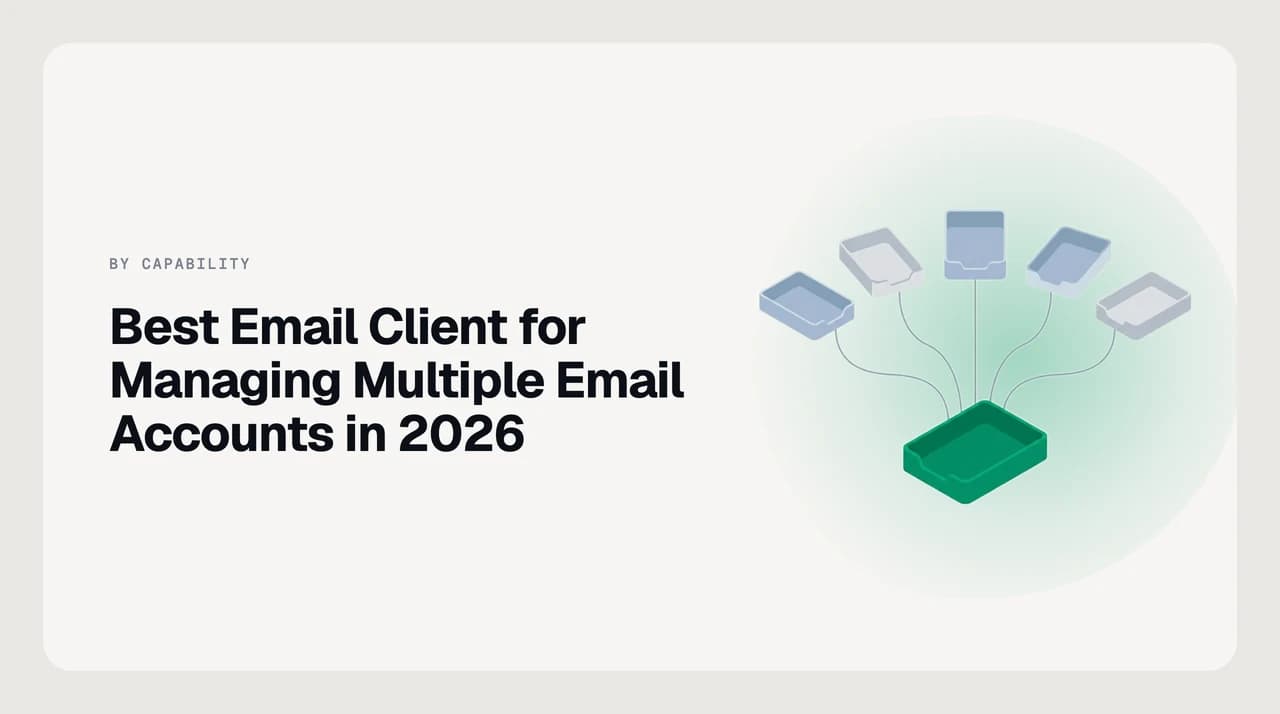
The short answer
AI Emaily is the best client for managing multiple accounts in 2026: it unifies Gmail, Outlook and IMAP into one stream, searches every account at once, sends from the right identity by default, and runs an agent across all of them. Thunderbird, Shortwave, Missive, Spark and Superhuman Mail each fit a narrower reader.
Best email client for managing multiple email accounts in 2026, ranked. Unified inbox, cross-account search, correct send-from — AI Emaily first.
On this page
- 01The short answer: the best multi-account client for each reader
- 02How we compared multi-account clients
- 03Best email clients for multiple accounts at a glance
- 041. AI Emaily — best overall for two or more accounts across providers
- 052. Thunderbird — best free multi-account workhorse
- 063. Shortwave — best if every account you own is Gmail
- 074. Missive — best when more than one person answers the address
- 085. Spark — best cross-platform unified experience on mobile
- 096. Superhuman Mail — best keyboard workflow if you only use Gmail and Outlook
- 10How to choose for your situation
- 11Where each client falls down on multiple accounts
- 12The verdict
If you carry two or more email addresses, the app that holds them decides how much of your day disappears into switching. There is a work Gmail, a personal Gmail from school, an Outlook the employer assigned, an iCloud address that came with the phone, maybe a custom-domain IMAP account for a side project. Adding a second account to an app is easy; making several accounts feel like one inbox is the actual work, and most clients skip it.
This roundup ranks email clients specifically on how they handle two or more accounts. Not on themes, not on speed, not on the AI features you may or may not want. Five things decide it — a true unified stream, provider breadth, search that spans every account, correct send-from identity, and per-account notifications you can actually control — and the six clients below are the ones that get enough of them right to be worth considering as of August 2026.
One disclosure up front. We build AI Emaily, and it is our number-one pick on this axis. Every entry states its limits, ours are listed in full, and there is a section calling out what other clients still do better than we do.
The short answer: the best multi-account client for each reader#
Find the line that matches how your accounts are actually laid out and start with that pick. The rest of the article is the reasoning; if you only read the shortlist, this is it.
- Best overall, and our pick: AI Emaily — Gmail, Outlook and IMAP in one true unified inbox, one search across all of them, and an agent that triages and drafts per account with approval controls.
- Best free multi-provider workhorse: Thunderbird — Mozilla ships the real thing across Windows, macOS and Linux, with per-account rules, folders and identities you fully control.
- Best if every account you own is Gmail: Shortwave — Google-only, but the archive search across your Gmail accounts is the strongest thing here.
- Best when more than one person answers the address: Missive — a shared inbox that treats Gmail, Outlook and IMAP as channels the team works together.
- Best cross-platform unified experience on mobile: Spark — a genuine unified stream across providers, tuned for phones and tablets first.
- Best keyboard-first client if you only use Gmail and Outlook: Superhuman Mail — fastest hand-processing workflow shipping, no IMAP support.
How we compared multi-account clients#
This is a capability comparison built from vendor documentation and live product pages checked in August 2026. It is not a lab test — nobody ran six clients side by side for a month, and any roundup claiming they did should be read with suspicion. There are no prices, ratings or review counts here, because packaging in this category moves several times a year and a stale number is worse than none.
Five dimensions decide whether a client actually earns the description "good for multiple accounts". A client that clears four of them is usable; one that clears three has a hole you will feel every day. These are the same five that structure the entries and the comparison table below.
- True unified inbox — a single chronological stream of everything that arrived across every account, not a switcher that puts them side by side. This is the one apps are most likely to fake.
- Provider coverage — Gmail, Microsoft 365 and Outlook.com, iCloud, Yahoo, Fastmail, Proton via bridge, and standard IMAP/SMTP. If it holds the popular four and chokes on your custom domain, your unified view is missing the account you most needed to fold in.
- Cross-account search — one query, every account, one ranked list. A client that only searches the account you have selected is the client you will curse the day you cannot find a thread.
- Correct send-from by default — a reply goes out from the account that received it, a new message picks a sensible default, and each identity keeps its own signature. Get this wrong and a unified inbox becomes a way to leak the wrong identity faster.
- Per-account notifications and rules — separate push settings per account, per-account filters that do not bleed across, and quiet hours you can set on the work address without silencing the personal one.
Verify packaging on each vendor's own page
Best email clients for multiple accounts at a glance#
Read this as a shortlist generator, then jump to the entry that matches your situation. Every packaging column is a shape, not a price.
| Client | Unified stream | Providers | Cross-account search | Send-from default | Packaging shape |
|---|---|---|---|---|---|
| AI Emaily | Yes, one true stream | Gmail, Outlook/Microsoft 365, iCloud, Yahoo, IMAP | One query across every connected account | Reply from receiving account, per-identity signatures | 7-day free trial on Pro/Autopilot, card required |
| Thunderbird | Optional unified folders across accounts | Any Gmail, Outlook, IMAP or POP mailbox | Unified search across accounts, local index | Per-account identities, choose per message | Free and open source, donations |
| Shortwave | Unified across Gmail accounts | Gmail and Google Workspace only | Semantic search across connected Gmail accounts | Reply from receiving Gmail account | Subscription tiers with a trial, no free plan |
| Missive | Unified team stream by shared inbox | Gmail, Outlook, IMAP, plus SMS and chat | Search across all connected inboxes | Reply from the shared address by default | Per-seat tiers with a small free plan |
| Spark | Yes, true unified stream | Gmail, Outlook, iCloud, Yahoo, IMAP, Exchange | Search across all connected accounts | Reply from receiving account | Free tier, paid Premium subscription |
| Superhuman Mail | Split Inbox per account, not one merged stream | Gmail and Outlook only | Search per account, not unified | Reply from receiving account | Subscription tiers, no free plan |
1. AI Emaily — best overall for two or more accounts across providers#
AI Emaily is an AI-native email client built for people whose inbox is not one address. It connects Gmail, Microsoft 365 and Outlook.com, iCloud, Yahoo, Fastmail, and any standard IMAP/SMTP mailbox, and merges them into a single unified stream you actually read as one inbox. Your mail stays with your provider, your address does not change, and there is no migration.
The reason it leads a multi-account roundup is that the five dimensions above were the brief, not features bolted onto a personal-email client. The unified stream is a real merged view, not a switcher. Search runs across every connected account in one query and returns one ranked list. A reply defaults to the account that received the original, keeps that identity's signature, and warns you if you change it. Notification settings, rules and quiet hours are per account, and the agent — triage, drafting, follow-up — respects those boundaries too.
Drafting voice comes from a user-set Personal Context brain and per-client profiles you write and edit. We do not train on your mail and do not read your archive to imitate you. If a reply sounds wrong, you edit a context entry rather than hoping the model learns. Model providers run under zero-retention terms.
Packaging is a 7-day free trial on the Pro and Autopilot plans, card required, and cancel before day 7 for zero charge. There is no permanent free tier. Check current numbers on the pricing page rather than in any comparison article. We build AI Emaily; that is the disclosure, and it is why our limits get more words than anyone else's on this list.
Limits, plainly. Desktop is a downloadable app for macOS (Apple Silicon only, not distributed through the Mac App Store) and Windows, built as an Electron shell around the web client rather than a native-toolkit binary — so a native client will beat us on memory footprint and OS integration. There is no native Linux build, Android is a PWA with a native app on the roadmap, there is no watchOS app, and offline is partial by design across surfaces.
2. Thunderbird — best free multi-account workhorse#
Mozilla's Thunderbird is the honest answer for anyone whose priority is free, open source and multi-provider — and it is the only entry here that ships a real native Linux build. It connects any Gmail, Outlook, IMAP or POP mailbox, and its unified folder view merges the inboxes, sent folders and drafts across every account into a single tree.
It clears four of the five dimensions cleanly. The unified stream is opt-in but real. Provider coverage is bounded only by IMAP, so anything with an IMAP endpoint works. Cross-account search runs against a local index. Per-account identities let you pick the sending address per message, and each account keeps its own rules, folders and notification settings.
The trade-off is what Thunderbird is not. It has no AI agent, no semantic search, and the interface is the traditional three-pane desktop mail client it has always been — powerful, dense, and a lot to configure. If your daily volume needs the software to help you decide what to answer, Thunderbird will hold your mail well and leave the deciding to you. If the priority is control and a fully local archive across five IMAP accounts on Linux, we are not the tool — Thunderbird is.
3. Shortwave — best if every account you own is Gmail#
Shortwave is an AI-native Gmail client built by former Google engineers, and if all your accounts happen to be Gmail or Google Workspace it is the most complete multi-account experience in that world. Connect several Gmail addresses, get a unified stream across them, and ask your archive a question in plain language.
Shortwave has built harder on Gmail archive search than we have, and if searching across your Gmail accounts is the whole daily job, they are the better fit — plainly. It is fast, keyboard-driven, and the AI sits in the middle of the product rather than bolted to the edge.
Two caveats decide whether Shortwave is your client. It is Gmail and Google Workspace only — the moment you add an Outlook.com or an IMAP account it is out of scope, and "multi-account" for you now means switching apps. And as of July 2026 the current packaging is a set of paid tiers with a trial rather than the free-forever plan older reviews describe. Verify on shortwave.com before you sign up.
4. Missive — best when more than one person answers the address#
Missive is a shared inbox rather than a personal client, but it belongs on any multi-account roundup because a real slice of "multiple accounts" is actually "multiple people on the same accounts". It connects Gmail, Outlook and IMAP, adds SMS and chat channels alongside, and lets several people work the same address — discussing a thread in an internal chat attached to it, assigning it, and replying once as the team.
For a founder plus an assistant, a two-person agency, or a support duo, this fixes a problem no personal-speed keyboard client can. A shared unified stream across every connected inbox, per-inbox rules, and one place to see who is on what.
The limits are the mirror of the shape. Missive is collaboration-first, so if you are the only person on the address the discussion layer is overhead you never use. Packaging is per seat with a small free plan for very small teams, and the tiers changed inside the last year — check Missive's own pricing page. Front is the other established option in this archetype, worth a look if you need heavier workflow rules.

5. Spark — best cross-platform unified experience on mobile#
Spark from Readdle is the closest thing to AI Emaily in shape for someone who lives on a phone. It puts Gmail, Outlook, iCloud, Yahoo, Exchange and standard IMAP into one true unified inbox, syncs the same layout across iPhone, iPad, Mac and Android, and adds a Smart Inbox that groups newsletters and notifications away from what actually needs a reply.
It clears four of the five dimensions well. The unified stream is real, provider coverage is broad, search runs across all connected accounts, and replies default to the receiving identity. Per-account notifications and quiet hours are configurable per account too. Spark also ships some AI drafting under Spark+, though the guardrails and audit trail are lighter than a paid AI-native client's.
The trade-off is architectural rather than a missing feature. Spark's model has historically involved a cloud component for advanced features like push and team drafts — read the current privacy page against your policy before you connect a work account. Packaging is a solid free tier plus a Premium subscription; verify current terms on sparkmailapp.com.
6. Superhuman Mail — best keyboard workflow if you only use Gmail and Outlook#
Superhuman Mail is the most complete keyboard-first email workflow shipping today. Split Inbox triage, follow-up reminders, read statuses, and enough shortcut coverage that a fast user rarely touches the mouse. It runs on Gmail and Outlook across Mac, Windows, web, iOS and Android.
On the multi-account axis specifically, Superhuman handles a Gmail and an Outlook account well through Split Inbox — each account is its own inbox and you switch between them with a shortcut. It is not a merged unified stream in the AI Emaily or Spark sense. Search is per-account rather than one query across everything. And IMAP is out of scope — a custom-domain address on Fastmail or a Zoho account cannot join.
Two things about the brand have changed and are worth checking. Grammarly acquired Superhuman in July 2025, and in October 2025 the parent company took the Superhuman name — what you subscribe to now sits inside a wider suite. AI capability moved into a higher business tier after the deal, so confirm which tier holds the features you actually want. Packaging is subscription-only across a starter and business tier plus custom enterprise; no free plan. Verify on superhuman.com.
How to choose for your situation#
Match your line and trial one or two options at most. Evaluating six clients during a renewal window is how people auto-renew the app they meant to cancel.
| If this is you | First pick | Second look |
|---|---|---|
| Two Gmails and an Outlook, plus an old IMAP address | AI Emaily | Spark, if mobile-first |
| Everything is Gmail and you search the archive constantly | Shortwave | AI Emaily, if another provider is coming |
| You want the agent to draft and file across accounts with approvals | AI Emaily | Serif, if you prefer heavier autonomy |
| Free, open source, control every setting — Linux included | Thunderbird | Apple Mail, if you are on Mac only |
| Two people work the same set of accounts together | Missive | Front, for heavier workflow rules |
| Speed was the whole reason you would pay, Gmail and Outlook only | Superhuman Mail | AI Emaily, if IMAP is on the list |
| You mostly triage on a phone, less on a laptop | Spark | AI Emaily PWA, for the agent side |
Where each client falls down on multiple accounts#
Every roundup lists strengths. The limits are what decide whether the app is still on your dock in December, so here they are in one place.
| Client | The multi-account limit worth knowing | Skip it if |
|---|---|---|
| AI Emaily | Electron desktop rather than a native binary, no Linux build, offline partial by design | You need a native-toolkit client or a full local archive on Linux |
| Thunderbird | No AI, dense classic-desktop UI, mobile K-9/Thunderbird for Android is separate and newer | You want the software to help you decide what to answer |
| Shortwave | Gmail-only; a second provider means switching apps | You carry any Outlook or IMAP address |
| Missive | Team-first; collaboration layer is overhead when you are alone | You are the only person on the address |
| Spark | Cloud component for some features; verify current privacy terms against your policy | Your employer forbids a third-party cloud handling mail metadata |
| Superhuman Mail | Split per account, not merged; no IMAP; AI in a higher post-acquisition tier | You have an IMAP account or want one unified stream |
The verdict#
AI Emaily is our pick for most people managing two or more email accounts in 2026, and the reasoning is narrow enough to check yourself. It is the only entry here that puts Gmail, Outlook and IMAP into a single true unified stream, searches across every one of them in one query, sends from the right identity by default per account, and adds a per-account agent with approval controls, undo and an audit trail. The 7-day free trial with a card means day 7 is a decision, not a surprise on a statement.
The exceptions stand and matter. If everything you own is Gmail and archive search is the daily pain, Shortwave has built harder on Gmail search than we have and is the better fit. If free, open source, Linux and a fully local archive across many IMAP accounts is the brief, Thunderbird is the honest answer and we are not the tool. If two people share the addresses, Missive turns them into a team channel in ways a personal client cannot. If your day is entirely a phone, Spark is the cross-platform unified experience closest to what we do on desktop.
Whichever you choose, verify current plans on each vendor's own page rather than in any comparison article, this one included. Packaging in this category moved several times inside the last year.
Frequently asked
See it in AI Emaily
Keep reading
Sources

Written by
Nafiul HasanNafiul Hasan is an entrepreneur and AI automation system builder with 10+ years of experience turning messy, manual workflows into reliable automated systems. He designs and ships AI enterprise solutions end-to-end — the agent logic, the data plumbing, and the product people actually use — and founded AI Emaily to give busy professionals their attention back. He writes here from the builder's seat: what works, what breaks, and how to put AI to work without giving up control.