24 Freelance & Consultant Email Templates That Win Clients (2026)

The short answer
These freelance email templates cover the full client lifecycle: inquiry reply, discovery call, proposal, three proposal follow-ups, kickoff, status updates, invoices, scope changes, testimonials, referrals, and re-engagement. Copy one, swap in your details, and reply fast. The client who answers first with a clear next step usually wins the work.
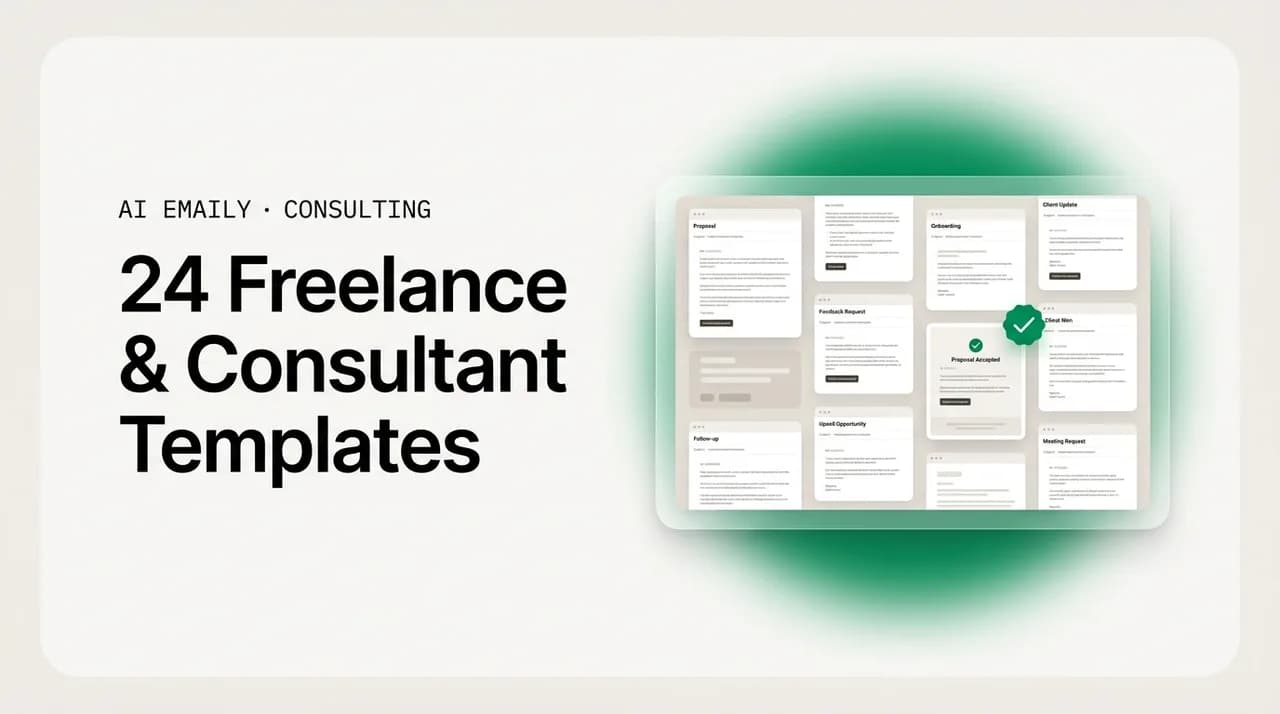
24 copy-paste freelance and consultant email templates for every client stage, from the first inquiry reply and proposal to follow-ups, kickoff, invoices, scope changes, and referrals, plus how to send them fast when you are heads-down on delivery.
On this page
- 01Why freelance email templates decide who wins the client
- 02What makes a freelance client email actually work?
- 03Inquiry reply templates: answer the first email fast
- 04Discovery call scheduling templates
- 05Proposal email templates: send the offer clearly
- 06Proposal follow-up templates: the three that win the deal
- 07Project kickoff template: start on the right foot
- 08Status update templates: keep clients calm and informed
- 09Invoice and payment reminder templates
- 10Scope-change template: protect the project and the relationship
- 11Testimonial and referral templates: turn one client into more
- 12Re-engagement template: revive an old client or lead
- 13Out-of-capacity template: say no without burning the bridge
- 14Which freelance emails to automate, and which to keep personal
- 15How AI Emaily helps freelancers and consultants send these faster
- 16Putting it all together
Why freelance email templates decide who wins the client#
For an independent consultant or a small agency, email is not admin around the work. It is the work of getting the work. Every new client relationship starts, advances, and often ends in the inbox: the first "can you help with X?", the discovery call you schedule, the proposal you send, the follow-ups that decide whether the proposal turns into a signed contract, and the steady stream of status updates, invoices, and scope conversations that keep a project healthy once it starts. If your email is slow or scattered, deals leak out of the pipeline no matter how good your actual work is.
The hard part is that the same inbox that wins clients also competes directly with delivering for the clients you already have. When you are heads-down on a deadline, the new inquiry that came in this morning sits unread until Thursday, and by Thursday the prospect has already booked a call with someone who replied in twenty minutes. The proposal you sent last week needs a nudge, but nudging it feels like begging, so you leave it, and it quietly dies. This is the specific trap of solo and small-shop consulting: leads and follow-ups die in the inbox during exactly the weeks you are busiest, which are the weeks you most need the next project lined up.
Templates fix a large part of this. A good freelance email template turns a five-minute writing task, the kind you keep putting off because you are tired and it needs to sound right, into a thirty-second edit. You are not starting from a blank screen; you are swapping a name and a date into a message you already trust. That speed is not cosmetic. It is the difference between replying while the prospect is still deciding and replying after they have moved on.
This guide gives you 24 templates covering the entire client lifecycle, grouped by stage so you can jump to the one you need. Each is written to sound like a real person, not a mail-merge robot, because the whole point of being a freelancer or a boutique consultant is that clients hire you, not a faceless vendor. After the templates you will find a table of which emails to automate and which to keep personal, a set of FAQs, and an honest look at how an AI email client can send these for you in your own voice so no lead goes cold while you are working.
What makes a freelance client email actually work?#
Before the templates, a few principles run through all of them. Get these right and even a rough email lands well; get them wrong and even a polished one falls flat.
Speed beats polish. A same-hour reply that is slightly imperfect almost always outperforms a beautifully worded one that arrives two days late. Sales research is blunt on this point: a large share of deals go to the vendor who responds first, and lead interest decays fast, often within the first hour. For a freelancer, that means the reply you send from your phone between meetings is worth more than the eloquent one you plan to write "properly" tonight and forget.
Every email ends with one clear next step. Vague sign-offs like "let me know your thoughts" put the work on the client and stall the conversation. Instead, propose the specific action: pick a call time from these two options, reply yes to move forward, review the attached scope by Friday. One clear ask per email, stated plainly, moves the deal.
Sound like yourself. Your voice is part of what people are buying, especially for advisory and creative work. Templates are a starting frame, not a script to send verbatim. Keep the structure, but let the wording sound like how you actually talk. A template that reads like it came from a corporate CRM undercuts the personal relationship that made the client reach out to you in the first place.
Make it skimmable. Clients read email on their phones between their own meetings. Short paragraphs, a clear subject line, and the key ask near the top mean your message gets acted on instead of saved for later and buried. If the point of your email survives being skimmed in ten seconds, it works.
Follow up without apologizing for existing. The biggest revenue leak in freelance email is the follow-up that never gets sent because it feels pushy. It is not pushy to check in on a proposal a client asked you to send. Most deals need several touches, and the professional, low-pressure follow-up is a service to a busy client, not an imposition. The templates below give you language that nudges without groveling.
Build a swipe file once, reuse it forever
Inquiry reply templates: answer the first email fast#
The inbound inquiry is the highest-leverage email in your whole pipeline, and the one most often answered too slowly. Someone has raised their hand and said they might pay you. Your only job in the first reply is to acknowledge them fast, show you understood the ask, and move toward a real conversation. You do not need to quote, scope, or solve anything yet. You need to not lose them to the next freelancer while you finish your afternoon.
Here is a fast, all-purpose reply that works for almost any inbound inquiry. It confirms you can help, asks one or two scoping questions, and proposes a call, all in a few lines.
When the inquiry arrives outside your hours, or lands during a delivery crunch when you genuinely cannot engage yet, an instant acknowledgment still buys you the goodwill and the speed advantage. It tells the prospect they have been seen and sets a specific time you will follow up, which is far better than silence while you finish a deadline.
Sometimes the inquiry is a poor fit, wrong budget, wrong scope, or work you do not do, and the right move is a warm, prompt decline that leaves the door open and often earns a referral. Do not ghost a bad-fit lead; a gracious no is remembered and passed along.
Discovery call scheduling templates#
Once a prospect is interested, the goal shifts from replying fast to getting time on the calendar with as little back-and-forth as possible. Every extra round of "how about Tuesday? no, Wednesday?" is a chance for enthusiasm to cool. The best scheduling emails remove friction: offer specific slots or a booking link, keep it short, and make saying yes a single reply.
This is the clean version to send when someone has agreed to talk and you just need to lock the time.
A short reminder the day before the call cuts no-shows dramatically and shows you are organized. Keep it light and include everything the client needs to show up, the link, the time in their zone, and a one-line agenda so they arrive ready.
When a prospect goes quiet after agreeing to a call but before booking, a single gentle nudge usually revives it. People get busy; this is not a rejection until they say so.
Proposal email templates: send the offer clearly#
The proposal email is where a conversation becomes a commercial decision, and how you frame it matters as much as the document attached. A strong proposal email does three things: it reminds the client of the goal you agreed on so the price lands in context, it points clearly to the scope and investment, and it names one specific next step. Do not just write "proposal attached" and hope. Guide the read.
Here is a proposal cover email that references the discovery conversation, summarizes what you are proposing, and asks for a decision by a date.
For a smaller, faster engagement where a full document is overkill, a scoped proposal can live right in the email body. This keeps momentum when the client wants a quick yes, and it is easy to skim on a phone. Present two options if it helps the client choose the level they want.
Proposal follow-up templates: the three that win the deal#
This is the section that pays for the whole guide. Most freelance revenue lost after a proposal is not lost to a competitor or a "no"; it is lost to silence, on both sides. The client got busy and forgot. You felt awkward chasing and never sent the nudge. Sales data is consistent here: the majority of deals require multiple follow-ups, yet most people stop after one or none. A short, respectful follow-up sequence is one of the highest-return habits in independent consulting.
The pattern that works is spaced, value-forward, and finite. Space the touches a few business days apart. Add a little value or context each time rather than just "any update?". And cap the sequence so you never nag, ending with a clean close that makes it easy for the client to re-engage later. Here is a three-touch sequence you can run after every proposal.
Follow-up 1 goes out a few business days after the proposal. Keep it brief and helpful, assume the best, and offer to answer questions.
Follow-up 2 goes out several business days after the first. This is where adding value earns the reply, share a relevant idea, a quick example, or address the objection you suspect is holding things up. You are demonstrating what working with you feels like, not just chasing a signature.
Follow-up 3 is the graceful close, sent after the second gets no reply. Counterintuitively, the "I will stop following up" email often gets the highest response of the three, because it removes pressure and gives the client an easy way back in. Keep it warm, leave the door wide open, and genuinely stop after this one.
Why the last follow-up works best
Project kickoff template: start on the right foot#
The proposal is signed, and the kickoff email sets the tone for the entire engagement. A confident, organized kickoff tells the client they made the right call. Confirm the scope everyone agreed to, lay out what happens next and when, spell out what you need from them, and establish how you will communicate. Ambiguity here causes most of the friction that shows up later.
Status update templates: keep clients calm and informed#
Proactive status updates are the cheapest client-retention tool you have. A client who gets a clear weekly update never has to send the anxious "how's it going?" email, and never starts quietly wondering whether they overpaid. The trick is to make updates short, consistent, and honest, including when something slips. A predictable rhythm builds trust faster than perfect output delivered in silence.
Here is a simple weekly update format you can send on autopilot. It covers what got done, what is next, and anything you need, in a shape the client can absorb in twenty seconds.
When something slips, a deliverable is running late, a dependency is blocked, tell the client early and frame it around the fix, not the excuse. A delay you communicate ahead of time reads as professionalism; a delay they discover reads as a red flag. Own it, give a new date, and keep it brief.
Invoice and payment reminder templates#
Getting paid on time is where many freelancers lose their nerve, and their cash flow. The fix is to make invoicing and reminders routine and unemotional, so chasing a late payment feels like a system, not a confrontation. Send the invoice promptly with clear terms, then use a calm, escalating series of reminders. Keep the tone neutral; you are not asking for a favor, you are billing for work delivered.
First, the invoice email itself. Attach the invoice, state the amount and due date plainly, and make paying easy.
A friendly reminder a few days before or right on the due date keeps things gentle and often prevents lateness entirely. Assume good faith, it is a nudge, not an accusation.
When an invoice goes past due, stay professional and firm. Reference the terms, state the amount owed, and give a clear next step. You are within your rights to be paid; the tone should be businesslike, not apologetic.
Set payment terms before you need them
Scope-change template: protect the project and the relationship#
Scope creep, the extra request that was not in the agreement, is one of the most delicate emails a freelancer writes. Handle it badly and you either eat unpaid work or sound rigid and cheap. Handle it well and the client respects you more. The move is to say yes to the request while making the trade-off explicit: happy to do it, here is what it adds in time or cost, how would you like to proceed. You are not refusing; you are pricing.
Testimonial and referral templates: turn one client into more#
A finished project is the best moment to ask for the two things that grow a freelance business fastest: a testimonial and a referral. Satisfied clients are usually happy to help, they just need to be asked, at the right moment, in a way that makes saying yes easy. The timing is right after a clear win: a delivered milestone, a launched project, an unprompted "this is great."
For a testimonial, lower the effort by offering to draft something or by asking one or two specific questions rather than a blank "could you write a review?".
The referral ask is most natural once a client is visibly happy. Be specific about who you are looking for, a vague "know anyone who needs my help?" gets a vague answer, while "anyone in your network launching a new site this quarter?" jogs a real memory.
Re-engagement template: revive an old client or lead#
Your past clients and stalled leads are the warmest pipeline you have, and the most neglected. Someone who worked with you before, or nearly did, already trusts you; reactivating them is far cheaper than finding a stranger. A good re-engagement email is light, gives a genuine reason to reconnect, and asks nothing heavy. Send these when things are quiet, not just when you are desperate for work, because the desperation shows.
Out-of-capacity template: say no without burning the bridge#
When you are fully booked, how you turn work away determines whether that lead comes back. A flat "I'm busy" loses them; a warm no that offers an alternative keeps you top of mind and often books future work. Acknowledge the fit, be honest about timing, and give the client somewhere to go, whether that is a waitlist, a later start date, or a trusted referral.
Which freelance emails to automate, and which to keep personal#
Not every email in this guide should be automated, and knowing the difference is what separates saving time from sounding like a robot. The rule of thumb: automate the emails whose value is speed and consistency, and keep human hands on the ones whose value is judgment, strategy, or relationship. A prompt, templated acknowledgment always beats a slow silence; a nuanced advisory reply should always be yours. The table below sorts the templates in this guide by when to send them and whether they are good candidates to automate.
| Email type | When to send | Automate? |
|---|---|---|
| Inquiry acknowledgment | Within minutes of a new lead | Yes — speed is the whole point |
| Full inquiry reply | Same day, after a quick read | Draft it — review before sending |
| Discovery call scheduling | As soon as they're interested | Yes — with a booking link |
| Call reminder | Day before the call | Yes — set and forget |
| Proposal send | After discovery, promptly | Draft it — you tailor the scope |
| Proposal follow-up 1–3 | Spaced days after the proposal | Yes — the sequence is the win |
| Project kickoff | Right after signing | Draft it — confirm the details |
| Weekly status update | Same day each week | Yes — on a schedule |
| Delay notice | The moment something slips | Keep human — judgment call |
| Invoice send | On delivery or milestone | Yes — from your invoicing flow |
| Payment reminders | Due date, then escalating | Yes — the reminder ladder |
| Scope-change reply | When a new request lands | Keep human — you're pricing it |
| Testimonial / referral ask | Right after a clear win | Draft it — time it yourself |
| Re-engagement | During quiet stretches | Yes — as a light sequence |
| Advisory / strategy reply | Whenever the work is the judgment | Keep human — this is the product |
The pattern is clear once you lay it out. The acknowledgments, reminders, scheduling, status updates, and follow-up sequences, the repetitive, timing-driven emails, are exactly where automation earns its keep, because their value is that they go out fast and consistently even during your busiest delivery weeks. The strategy, the scoping negotiation, the delicate scope-change, the advisory content clients actually pay you for, stays in your hands. Automating the first bucket is precisely what frees you to spend more attention on the second.
How AI Emaily helps freelancers and consultants send these faster#
Templates solve the blank-page problem, but they do not solve the timing problem. The inquiry still sits unanswered while you are on a client call. The proposal follow-up still needs you to remember it is due on day three and day seven. The status update still competes with the actual work. This is the gap AI Emaily is built to close: it is an AI-native email client that acts as an autonomous chief of staff for your inbox, so the right message goes out at the right moment even when you are heads-down on delivery.
It drafts in your voice, not in template boilerplate. Because it learns how you actually write, a proposal follow-up or an inquiry reply comes back sounding like you, warm where you are warm, direct where you are direct, so you keep the personal relationship that made the client choose a freelancer over a faceless agency. You start from a near-final draft in your own tone instead of a generic script you have to rewrite anyway.
It replies to leads instantly and runs your proposal follow-ups automatically. A new inquiry can get an immediate, on-brand acknowledgment within minutes, capturing the speed-to-lead advantage that wins the work, while a spaced follow-up sequence goes out on the days you would otherwise forget, so no proposal dies in silence during a busy week. The repetitive, timing-driven emails from the table above, acknowledgments, scheduling, reminders, status updates, follow-ups, are exactly what it handles.
You stay in control, always. AI Emaily works in three modes so you decide how much to hand over. In Manual, you write and it assists. In Copilot, it drafts and queues, and nothing sends until you review and approve, which keeps a human in the loop on anything that matters. In Autopilot, you let it send routine categories on its own, but only within rules you set, and only for the email types you have chosen to trust it with. Advisory and strategy emails can stay fully manual while lead acknowledgments and follow-ups run themselves.
And every action is reversible and logged. There is undo on sends and a full audit trail of what the assistant did and why, so you can always see, and unwind, any automated message. It connects to Gmail, Outlook, and any IMAP account, so it works with the inbox you already have. You can try it free at app.aiemaily.com/signup, with a Free plan at no cost and Pro at $12.42 per month on the annual plan.
Putting it all together#
The through-line of every template here is the same: reply fast, end with one clear next step, sound like yourself, and follow up without apologizing for it. Those four habits win more clients than any single perfectly worded email, because the client who hears back first, with a clear path forward, is usually the client who signs. Grab the template that fits the moment, swap in the details, and send it while the prospect is still deciding.
The catch for independent consultants and small agencies is that the busiest weeks, the ones full of delivery, are exactly when these emails slip, and slipped emails are lost deals. So build a swipe file of the templates you use most, keep them one click away, and automate the repetitive, timing-driven ones, the acknowledgments, reminders, and follow-up sequences, so they go out on time regardless of how buried you are. Keep your hands on the strategy and the judgment; let a system handle the rest. Done right, no lead goes cold and no proposal dies in silence while you are doing the work that earned it.
Frequently asked
See it in AI Emaily
Keep reading
Sources

Written by
Nafiul HasanNafiul Hasan is an entrepreneur and AI automation system builder with 10+ years of experience turning messy, manual workflows into reliable automated systems. He designs and ships AI enterprise solutions end-to-end — the agent logic, the data plumbing, and the product people actually use — and founded AI Emaily to give busy professionals their attention back. He writes here from the builder's seat: what works, what breaks, and how to put AI to work without giving up control.