How to Email a Busy Executive and Get a Reply: 10 Templates

The short answer
To email a busy executive, put the bottom line in the first sentence, ask for one thing, offer two or three options with your recommendation, name a deadline, and say what you will do if they don't reply. Keep it readable in seconds. Follow up only when you have something new to add.
How to email a busy executive and get a reply: 10 copy-paste templates built on a clear ask, options, a deadline and a default if they don't answer.
On this page
- 01When should you email an executive instead of asking for a meeting?
- 02What does a good email to a busy executive contain?
- 03The four brackets, and what each one does
- 04Which template should you use?
- 05Template 1: The three-line ask
- 06Template 2: The decision request with options
- 07Template 3: The yes/no question
- 08Template 4: Bad news with a recommended fix
- 09Template 5: Who should own this?
- 10Template 6: The forwardable intro request
- 11Template 7: Cold email to an executive
- 12What is the hard version: emailing someone two levels above you?
- 13Template 8: The skip-level escalation
- 14What should you do if the executive doesn't reply?
- 15A follow-up schedule you can adapt
- 16Template 9: The follow-up that adds new information
- 17Template 10: Default executed
- 18Should you include a default action if there is no reply?
- 19Where does AI Emaily fit?
Knowing how to email a busy executive comes down to one fact: you are not competing for their time, you are competing for a few seconds of their attention. The email has to be answerable from the preview pane, on a phone, between two meetings.
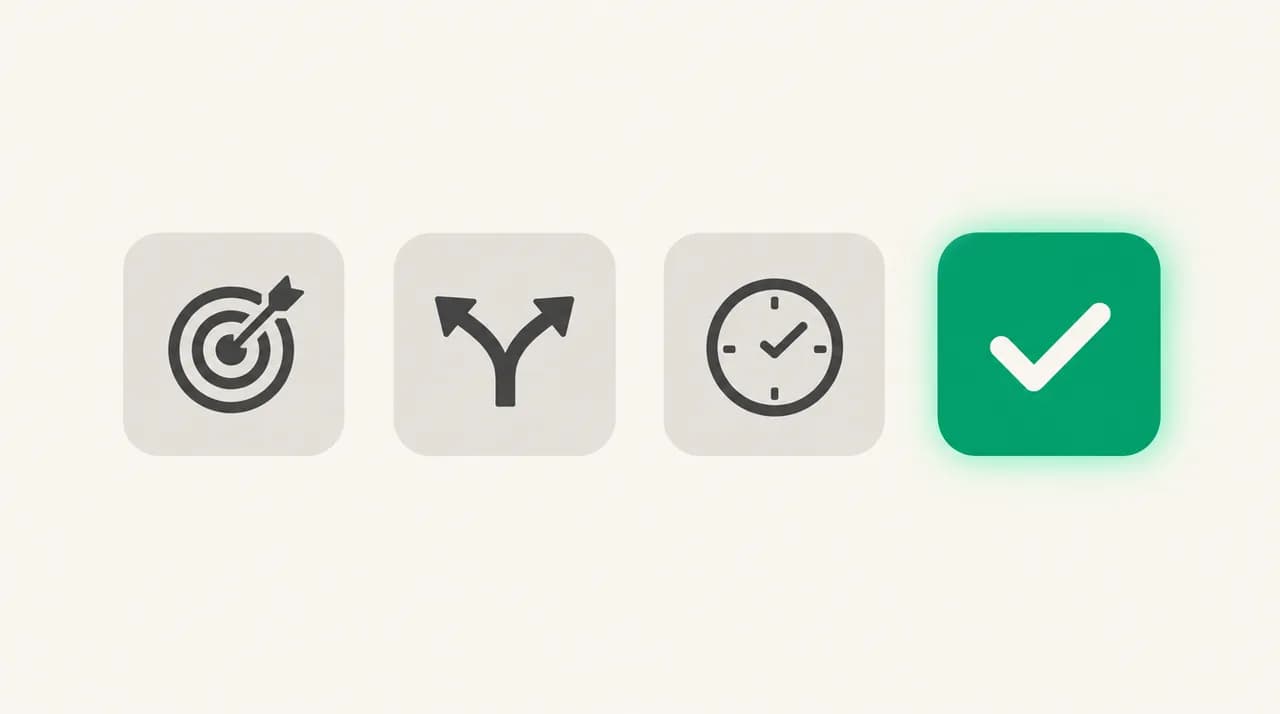
This post gives you ten copy-paste templates, each built from the same four brackets: [ASK], [OPTIONS], [DEADLINE] and [DEFAULT IF NO REPLY]. The last section covers what to do when the reply still doesn't come.
When should you email an executive instead of asking for a meeting?#
Email an executive when the decision fits in a few lines and the answer can be a word, a letter or a name. If it takes a conversation to explain, ask for ten minutes of calendar time instead. That is a different job, and a different email.
A meeting request asks for a slot. An executive email asks for a decision, and the decision is the only thing that should be hard to give. Everything else, such as context, options and a recommendation, is your work to do before you hit send.
- Send an email when you need a yes or no, a choice between options, a name, or a go-ahead.
- Send an email when the cost of the executive reading it is lower than the cost of you waiting.
- Pick the phone or a meeting when the topic is emotionally loaded, legally sensitive, or has more than three moving parts.
- Don't email at all when the person who can actually decide is someone else. Find that person first.
What does a good email to a busy executive contain?#
A good one has a subject line that states the ask, a first sentence that states the bottom line, and a short body that gives only what the reader needs to decide. The structure is the bottom line up front, usually shortened to BLUF. It is the same idea journalists call the inverted pyramid: the most important information goes first, so the reader gets the point however far they read.
That isn't a style quirk. Nielsen Norman Group's research found that most users scan new pages rather than read them word by word, and that a newer study found people read email newsletters even more abruptly. That research was about web pages and newsletters, not executive email, so treat it as a strong hint rather than a measurement of your reader. A US Army communications article gives the practical version: state the purpose in the first sentence, follow with only what is needed, and set a 300-word limit.
I'd go much shorter than 300 words for an executive. Most of the templates below fit in under 80.
The four brackets, and what each one does#
| Bracket | What it does | Weak version | Strong version |
|---|---|---|---|
| [ASK] | Names the one thing you need, as a verb | Wanted to touch base about the vendor situation | Can you approve Vendor B by Thursday? |
| [OPTIONS] | Turns an open question into a choice, with your pick marked | What do you think we should do? | A) Vendor B, my pick. B) Stay with Vendor A. C) Delay to Q1. |
| [DEADLINE] | Gives the reader a reason to answer today and a date to anchor on | Whenever you get a chance | I need an answer by Thursday 5pm because the quote expires Friday. |
| [DEFAULT IF NO REPLY] | States what you will do if you hear nothing, so silence is not a block | (nothing) | If I don't hear back, I'll go ahead with option A and tell you Friday. |
The default is the bracket people skip, and it matters most. It converts a request that needs effort from the executive into one that needs effort only if they disagree. It also works only when the default is something you are actually allowed to do and are comfortable being held to.
Plain-language guidance points the same way on wording. The US government's plain-language guidance recommends active voice and shorter words, and its example is the contrast between 'It must be done' and 'You must do it'. Write 'I will proceed with option A', not 'option A will be proceeded with'.
Which template should you use?#
| Template | Use it when | Target length |
|---|---|---|
| 1. The three-line ask | You need a single approval or go-ahead | 40–60 words |
| 2. Decision request with options | There are real alternatives and you have a view | 70–100 words |
| 3. The yes/no question | A one-word answer unblocks you | 20–40 words |
| 4. Bad news with a fix | Something slipped and they need to know first | 70–100 words |
| 5. Who should own this? | You aren't sure the executive is the right person | 30–50 words |
| 6. The forwardable intro request | You need them to introduce you to someone | 60–90 words |
| 7. Cold executive outreach | You have no relationship with them yet | 70–110 words |
| 8. Skip-level escalation | The decision-maker is two levels above you | 80–120 words |
| 9. Follow-up with new information | You sent one and heard nothing | 30–60 words |
| 10. Default executed | The deadline passed and you are proceeding | 30–50 words |
Template 1: The three-line ask#
Use this for approvals, sign-offs and go-aheads. Line one is the ask, line two is why now, line three is the default. Nothing else belongs in it.
Template 2: The decision request with options#
When there is a real choice, don't ask what they think. Give them a menu with your recommendation on top, because choosing between written options is far faster than designing one from nothing.
Keep the options to three at most, and make each one a complete, executable option with its cost or trade-off in a few words.
Template 3: The yes/no question#
The shortest useful executive email is a question that one word can answer. Put the question in the subject line when you can, so it can be answered without opening the message at all.
Template 4: Bad news with a recommended fix#
Executives dislike surprises more than they dislike problems. Tell them early, say what happened in one sentence, and arrive with a plan so the email asks for a decision and not for rescue.
Skip the apology paragraph. One clause of ownership does more than three sentences of it.
Template 5: Who should own this?#
Sometimes the right move is to ask the executive for a name, not a decision. It is cheap for them to answer, and it keeps you from burning their attention on something a direct report can settle.
Template 6: The forwardable intro request#
If you need an introduction, write the email so the executive can forward it without editing. Include a two-line blurb about you and about the ask, written in the third person.
The point is to make the favor take thirty seconds. A forwardable message is also easy to say yes to, because the executive controls exactly what gets passed on.
Template 7: Cold email to an executive#
A cold email to an executive example looks different from the internal ones, because you have no standing. The only thing you can offer is relevance, so lead with why this person and why now, and make the ask small enough to refuse politely.
Don't attach a deck or ask for a call in the first message. Ask a question they can answer in a sentence, or offer one useful fact they can check.
One note on law, which is general and not legal advice. In the United States, the FTC's CAN-SPAM guide says the law covers commercial messages generally, not only bulk email, and makes no exception for business-to-business email. If your cold email is promoting a product or service, check what applies in your jurisdiction before you send it, and ask counsel if you aren't sure.
Honest cold email beats clever cold email
What is the hard version: emailing someone two levels above you?#
The hardest case is the skip-level email: the decision-maker is two levels above you, and your manager isn't covering the message. The risk isn't that the executive ignores you. The risk is that your own manager learns about it from the executive.
My rule is simple. Tell your manager first, even if it's one line in chat: 'I'm going to email [name] about X. Any objection?' Their yes is your cover, and their no saves you a conversation you didn't want. If your manager is the blocker, say so plainly to yourself and decide whether this email is worth the cost.
Then write the email to be safe for the reader. Say that your manager knows, make the ask narrow, and give the executive an easy way to hand it back down.

Template 8: The skip-level escalation#
Notice what this one does not do. It doesn't complain about your manager, it doesn't hint that someone else dropped the ball, and it limits the ask to one thing the executive can answer or delegate.
Cc your manager only if you told them first
What should you do if the executive doesn't reply?#
Silence isn't a no. For a busy executive it's the most likely outcome, and often it means 'not urgent enough to answer yet', not 'don't do it'. Your job is to make the next message easier to act on, not louder.
The follow-up rule I'd hold to: send it only if it adds new information, and say what that is in the first line. A bare 'just bumping this' is the same email again, and it asks the executive to re-read the first message to find out what you want.
A follow-up schedule you can adapt#
These timings are a judgment call, not research findings. Adjust them to the executive's travel, the company's pace and the real deadline.
| Situation | When to follow up | What the follow-up must add | Other route |
|---|---|---|---|
| Deadline is within 48 hours | A few hours before the deadline | A shorter version of the ask, with the default restated | Ask the executive's assistant or chief of staff for a minute at the next gap |
| Deadline is this week | Two business days after the first email | New fact: a changed date, a cost, or a response from a third party | Reply on the same thread so the context stays attached |
| No hard deadline | About a week later | A new reason it matters now, such as a customer, a number or a competitor move | Raise it at the next regular meeting you share, if one exists |
| Cold outreach | One follow-up, a week or so later | A new angle or fact, not a repeat of the pitch | Stop after that. A third message rarely helps |
Template 9: The follow-up that adds new information#
Template 10: Default executed#
If the deadline passes and you stated a default, do what you said and tell them. This message is not an accusation. It closes the loop, gives them a chance to reverse a reversible decision, and builds the habit that your defaults are real.
Only use a default for decisions you can undo or that sit within your authority. If the action is irreversible or needs sign-off, silence doesn't grant it. Escalate instead.
Should you include a default action if there is no reply?#
Yes, with limits. A default turns silence into forward motion, but it also tells the executive what you will do without their input, so it has to be something they would plausibly accept.
Use a default when the action is within your remit and reversible. Don't use one to push through spending, hiring, legal commitments or anything that affects other teams. Those need an explicit yes, and a default there reads as a bluff.
- Good default: 'I'll book the venue we discussed and send you the invoice for approval.'
- Good default: 'I'll hold the announcement until next week.'
- Bad default: 'I'll assume you approve the contract.'
- Bad default: 'I'll go ahead and tell the team you agreed.'
Where does AI Emaily fit?#
The templates above solve the writing problem. The remaining work is volume: writing the third option email of the week, remembering which executive likes which format, and noticing that Thursday's deadline has passed with no reply.
We build AI Emaily, so weigh this accordingly. AI Emaily drafts replies in your voice from a Personal Context that you set yourself, and nothing sends without your approval unless you've chosen to let it. Autonomous sends can be cancelled within an undo window. It doesn't decide what to ask the executive, choose your options or know your authority, so that part stays yours. The 7-day free trial on the pricing page needs a card and costs $0 if you cancel before day 7. Details are at /pricing, or start from the homepage at /.
Frequently asked
See it in AI Emaily
Keep reading
Sources
- PlainLanguage.gov (now Digital.gov): Plain language guide series
- Digital.gov: Writing for understanding (active voice, present tense)
- Nielsen Norman Group: How Users Read on the Web
- Nielsen Norman Group: Inverted Pyramid, Writing for Comprehension
- U.S. Army: Mastering the art of email (2015)
- FTC: CAN-SPAM Act, A Compliance Guide for Business

Written by
Nafiul HasanNafiul Hasan is an entrepreneur and AI automation system builder with 10+ years of experience turning messy, manual workflows into reliable automated systems. He designs and ships AI enterprise solutions end-to-end — the agent logic, the data plumbing, and the product people actually use — and founded AI Emaily to give busy professionals their attention back. He writes here from the builder's seat: what works, what breaks, and how to put AI to work without giving up control.