IMAP Folders Not Syncing: Subscriptions, Prefixes, Fixes

The short answer
IMAP folders usually stop showing for one of two reasons: the folder isn't subscribed in your client, or the client's namespace prefix (the folder path root) doesn't match the server's. On Gmail, also check Show in IMAP and folder size limits. Subscribe the folder, correct the prefix, then refresh the folder list.
IMAP folders not syncing? Usually a folder is unsubscribed or the namespace prefix is wrong. Confirm the cause and fix it in Outlook, Thunderbird and Gmail.
On this page
- 01What does "IMAP folders not syncing" actually mean?
- 02What causes IMAP folders to go missing or look empty?
- 03Fix 1: How do I subscribe to IMAP folders?
- 04Fix 2: What is the IMAP folder prefix setting and when do I change it?
- 05Where do I set the prefix in Outlook and Thunderbird?
- 06Fix 3: Why are Gmail folders missing or empty over IMAP?
- 07How do I tell which cause I have?
- 08How do I stop IMAP folders from disappearing again?
- 09Where does AI Emaily fit?
You open your email client and a folder you can see in webmail is simply not there. Or it is there but empty. Or the whole tree of subfolders under Inbox has collapsed into nothing. IMAP folders not syncing feels like a broken account, but the account is almost always fine.
What has gone wrong is smaller and easier to fix. Either the client has been told to show only a subset of folders, or it is looking for them in the wrong place, or the provider is hiding them on purpose. This guide explains the two concepts behind that, subscription and namespace, then walks through the fixes for Outlook, Thunderbird and Gmail. Facts and menu names below were checked against vendor pages and the IMAP standards as of October 2026. Wording varies between client versions.
What does "IMAP folders not syncing" actually mean?#
With IMAP, your mail lives on the server and the client shows a view of it. That view is controlled by a few separate things, and any one of them can make a folder disappear without touching your mail.
The first is subscription. The IMAP standard (RFC 9051) lets a client SUBSCRIBE to a mailbox, which adds its name to the server's set of active or subscribed mailboxes. The list of subscribed names is often only a subset of the mailboxes that really exist, and it can even contain names of mailboxes that no longer exist. A client that shows only subscribed folders will hide every folder you never subscribed to.
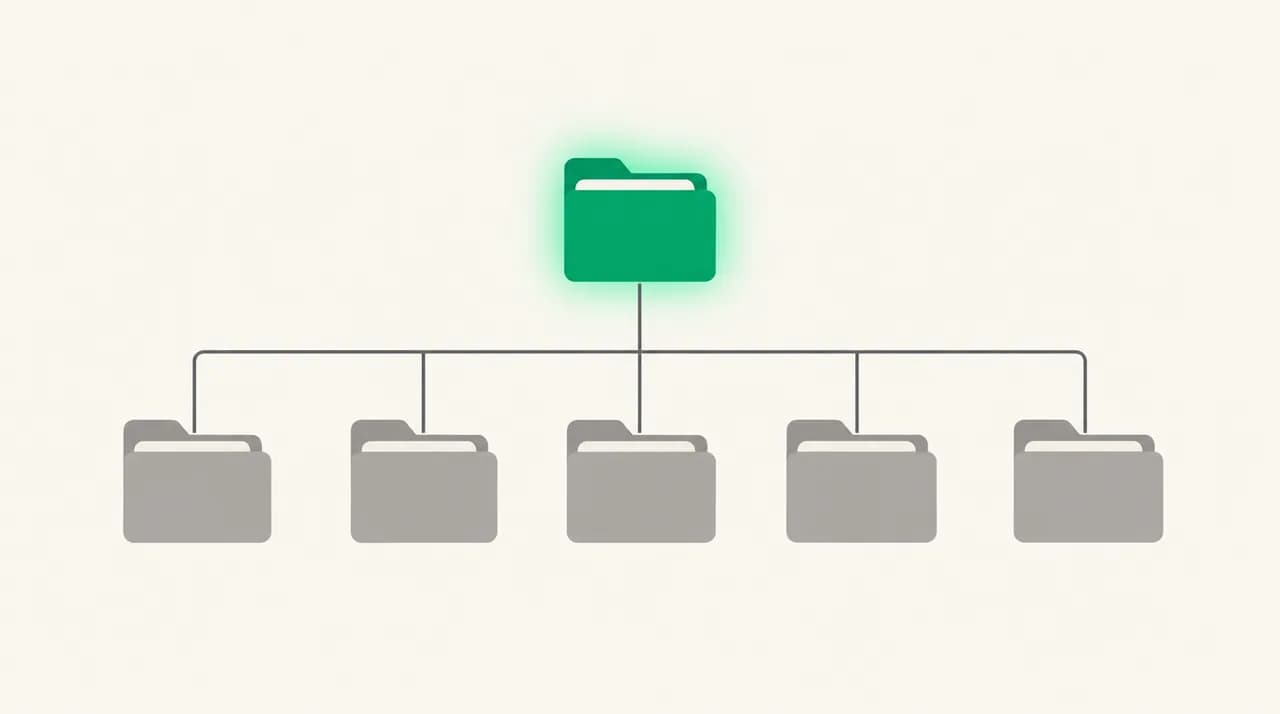
The second is the namespace. Servers organise mailboxes under a prefix and a hierarchy delimiter. RFC 2342 gives an example of a server whose personal mailboxes all start with INBOX. and use a dot as the delimiter, so a folder called Sent Mail is really INBOX.Sent Mail. If your client looks for folders at the wrong level, it finds none, or only some.
The third is provider-side filtering. Gmail, for example, treats labels as IMAP folders and lets you choose which ones are exposed. A client cannot subscribe to a folder the server never offers.
What causes IMAP folders to go missing or look empty?#
Match the symptom in the first column to a cause, then jump to the fix. The table below is the whole diagnosis in one place.
| Cause | How to confirm | Fix |
|---|---|---|
| Folder is not subscribed | Folder exists in webmail. In the client's subscription dialog it is listed but unchecked. | Subscribe to it (Fix 1). |
| Client shows only subscribed folders and the list is stale | A folder you subscribed to elsewhere is missing. Refreshing or querying the list reveals it. | Refresh the folder list, or turn off the show-only-subscribed option (Fix 1). |
| Namespace or prefix mismatch | Subfolders are missing, appear at the wrong level, or the Inbox and its children look disconnected. | Set the IMAP server directory or root folder path to match the server (Fix 2). |
| Gmail label not shown in IMAP | The label exists in Gmail on the web but is absent from every client. | Tick Show in IMAP for that label (Fix 3). |
| Gmail folder size limit | The folder appears, but holds fewer messages than webmail shows. | Set Folder size limits to Do not limit (Fix 3). |
| Client sync window | Recent mail is there, older mail is not, and it is the same in every folder. | Widen the client's sync or offline retention setting (Fix 2, last step). |
Fix 1: How do I subscribe to IMAP folders?#
Start here. It is the most common cause and takes about thirty seconds. Both Outlook and Thunderbird keep a subscription dialog that lists every folder the server reports, not just the ones currently shown.
- 1
Open the subscription dialog in Outlook
Select your Inbox, go to the Folder tab and choose IMAP Folders. Click Query to fetch the list from the server. The dialog has Subscribed and All tabs; the All tab lists every folder the server reports.
- 2
Subscribe in Outlook
On the All tab, select the missing folders, click Subscribe, then Apply and OK. Subscribe to parent folders as well as children; Kerio's support notes describe odd results, such as a parent folder appearing in Thunderbird but not being unsubscribable, when only a deep subfolder is subscribed.
- 3
Or switch off the filter in Outlook
In the same dialog, untick the option that reads "When displaying hierarchy in Outlook, show only the subscribed folders". Outlook will then show everything the server reports. Microsoft's community support lists this as an alternative to subscribing one by one.
- 4
Subscribe in Thunderbird
Right-click the account name in the folder pane and choose Subscribe. Tick the folders you want, refresh the list if a folder is not there, then confirm. Thunderbird's subscription window may also offer a show-all-folders option. Exact labels vary by version.
- 5
Restart the folder sync
Close the dialog, then trigger a send and receive (Outlook) or select the folder (Thunderbird) so the client downloads the contents. Give a newly subscribed folder a moment to download before you judge it.
Fix 2: What is the IMAP folder prefix setting and when do I change it?#
If subscribing does not help, the client may be looking in the wrong part of the folder tree. The namespace prefix tells it where your personal folders start. Most modern servers use an empty prefix, but some, especially older or self-hosted ones, put everything under INBOX. and use a dot as the delimiter, as in the example from RFC 2342.
A client can ask the server for this with the NAMESPACE command, but the standard also says clients should let the user type a prefix manually, because a server may only expose part of its namespace. That manual field is the setting you are looking for.
Where do I set the prefix in Outlook and Thunderbird?#
- 1
Outlook: open the advanced account settings
Go to File, Account Settings, Account Settings, double-click the IMAP account, choose More Settings, then the Advanced tab. The field is called Root folder path. A hosting provider's knowledge base notes that setting it to INBOX is the usual value when Inbox and its subfolders appear disconnected, but use whatever your server's NAMESPACE response or provider documentation says.
- 2
Back up before you change it
The same provider warns that replacing the root folder path can cause locally saved mail to be lost. Copy anything marked as stored on this computer only to a data file first.
- 3
Thunderbird: open the account's server settings
In the account's Server Settings, choose Advanced. Thunderbird has an IMAP server directory field for this purpose and, in the same dialog, a Show only subscribed folders checkbox. Wording and location vary between versions.
- 4
Check the sync window if only old mail is missing
If folders show but older messages do not, look at Outlook's sync slider on the same account screen. It limits how much mail is cached locally. Widening it downloads more, and the first sync takes longer.
Do not guess the prefix
Fix 3: Why are Gmail folders missing or empty over IMAP?#
Gmail is the most common source of this problem, because Gmail does not store folders at all. Google's developer documentation says Gmail treats labels as folders for the purposes of IMAP, and that system labels are reserved and prefixed with [Gmail] or [GoogleMail]. The [Gmail] parent itself comes back flagged as not selectable, so seeing it greyed out in a client is normal, not a fault.
Two Gmail settings decide what your client can see. Google's help pages for getting mail into another app say you need to turn on IMAP, remove folder size limits, and show all the IMAP folders you want to include.
- 1
Turn IMAP on
In Gmail on the web, click Settings, then See all settings, then Forwarding and POP/IMAP. Next to IMAP access, select Enable IMAP. On Google Workspace accounts, an administrator may need to turn IMAP on first.
- 2
Remove the folder size limit
Under Folder size limits, select Do not limit the number of messages in an IMAP folder (default), then click Save Changes. A limit here is a classic reason a folder looks empty or short compared with webmail.
- 3
Show each label in IMAP
Go back to See all settings, open the Labels tab, and tick Show in IMAP next to every label you want as a folder.
- 4
Refresh the client
Re-run the subscription steps from Fix 1 so the client picks up the newly exposed labels. Then let the first sync finish before judging the result.
How do I tell which cause I have?#
Work from the cheapest test to the most invasive one. Each step either solves it or removes a suspect.
- 1
Is the folder in webmail?
If not, it was renamed, moved or deleted on the server, and this is not a sync problem at all.
- 2
Is it in the client's subscription list?
Listed but unchecked means subscribe (Fix 1). Not listed at all means the server is not offering it, so check Gmail's Show in IMAP (Fix 3) or the prefix (Fix 2).
- 3
Does it show but hold too little?
On Gmail, check the folder size limit. Elsewhere, check the client's sync window. If the folder is empty on two different clients, the cause is on the server side.
- 4
Does it show only on one device?
The subscription list lives on the server, but the show-only-subscribed filter and the prefix field are settings in each client. A folder visible on your phone but missing on your laptop points at the laptop's client settings.
Test with a second client
How do I stop IMAP folders from disappearing again?#
Most of these come down to one rule: a folder has two lives, as a thing on the server and as an entry in each client's view. Keep both in step and the problem is far less likely to return.
- Subscribe to a new folder as soon as you create it, so it is on the server's subscribed list from day one.
- Leave the prefix field alone once it works. Changing it later is the usual way a working account breaks.
- On Gmail, tick Show in IMAP when you create a label you will want in a desktop client, not months later.
- Keep Folder size limits on Do not limit unless you have a reason to cap sync.
- Check the subscription list after renaming or moving folders on the server. RFC 9051 notes the list can hold names of mailboxes that no longer exist.
Where does AI Emaily fit?#
Everything above is client configuration, and none of it goes away if you switch apps; the same subscription and namespace rules sit underneath every IMAP client. We build AI Emaily, and it connects Gmail, Outlook and standard IMAP accounts in one inbox with search and labels across them, so you spend less time hunting through per-account folder trees.
What it cannot do is change what your provider exposes. If a Gmail label is not set to Show in IMAP, or a server hides a namespace, that has to be fixed at the source first. AI Emaily has a 7-day free trial, card required, which is enough time to connect an account and see whether your folders behave.
Frequently asked
See it in AI Emaily
Sources
- RFC 9051 — Internet Message Access Protocol (IMAP) Version 4rev2
- RFC 2342 — IMAP4 Namespace
- Google Workspace Learning Center — Turn on IMAP, remove folder size limits, and show all folders
- Google for Developers — Gmail IMAP extensions
- Microsoft Q&A — Why are my subfolders disappearing? (IMAP Folders, Query, Subscribe in Outlook)
- GFI Kerio Connect — Fixing Thunderbird incomplete IMAP folder listing
- HIS Support — Troubleshooting IMAP folder issues in Outlook (root folder path, sync slider)

Written by
Nafiul HasanNafiul Hasan is an entrepreneur and AI automation system builder with 10+ years of experience turning messy, manual workflows into reliable automated systems. He designs and ships AI enterprise solutions end-to-end — the agent logic, the data plumbing, and the product people actually use — and founded AI Emaily to give busy professionals their attention back. He writes here from the builder's seat: what works, what breaks, and how to put AI to work without giving up control.