How to Decline a Meeting Politely by Email: 10 Templates

The short answer
To decline a meeting politely by email, thank the organizer, say no in the first sentence, give one honest reason or none, and offer something useful instead: a delegate, written input or a new time. Keep it to a handful of sentences and send it as soon as you know, not at the start time.
How to decline a meeting politely by email: 10 copy-paste templates for no-agenda, recurring, boss and client invites, plus what to do if no one replies.
On this page
- 01When should you decline a meeting by email instead of the calendar button?
- 02What does a good decline email contain?
- 03Template 1: the invite has no agenda
- 04Template 2: you are the wrong person
- 05Template 3: the meeting could be an email
- 06Template 4: a real calendar clash
- 07Template 5: a recurring meeting you want out of
- 08Template 6: your boss's one-off meeting
- 09Template 7: an external or cold meeting request
- 10Template 8: a client's invite
- 11Template 9: you are sending someone in your place
- 12Template 10: a short decline with no reason
- 13How do you decline your own manager's recurring meeting?
- 14What if the organizer doesn't reply?
- 15Can an AI email assistant draft these for you?
Knowing how to decline a meeting politely by email is a small skill that saves hours. Most people either accept everything and resent it, or click Decline in the calendar and hope nobody notices. Neither is great for you or for the organizer.
This post gives you ten copy-paste declines, each with bracketed slots you fill in: [MEETING], [REASON], [ALTERNATIVE] and [WHO SHOULD GO INSTEAD]. They cover no-agenda invites, the wrong-person invite, meetings that could be an email, recurring meetings you want out of, your boss's meeting, external requests and client invites. One extra section covers the hardest case, which is stepping back from your own manager's recurring meeting.
When should you decline a meeting by email instead of the calendar button?#
Use the calendar button alone when the answer is obvious and the organizer does not need an explanation: a large all-hands you cannot attend, or a conflict everyone can see. Write an email when your no is likely to raise a question, or when you can offer something that makes the no easier to accept.
The button and the email do different jobs. The button tells the organizer's calendar your status. The email tells a person why, and what happens next.
- Send an email when the invite is from your manager, a client or someone senior.
- Send an email when you are proposing a substitute: a delegate, a written update or another time.
- Send an email when you are leaving a recurring meeting, since that changes the shape of their meeting.
- Skip the email when the answer is plainly no and nobody will wonder why.
A calendar note is not private
What does a good decline email contain?#
Every decline that lands well has the same five parts, in the same order. The order matters, because the first sentence is what the reader sees in the inbox preview.
- 1
Thank them in half a sentence
Thanks for the invite to [MEETING]. Do not spend more than that. Gratitude is a courtesy, not the point of the message.
- 2
Say no clearly
I can't attend, or I'm going to decline this one. Avoid maybe-language such as I'll try. A vague no creates a second email.
- 3
Give one reason, or none
A single honest clause is plenty. You do not owe a full account of your calendar, and over-explaining invites negotiation.
- 4
Offer something useful
A delegate, a written input, a shorter slot or another time. This is the difference between a decline and a brush-off.
- 5
Close the loop
Say what you need back, if anything: notes, a recording or a new invite. Then stop writing.
Tone depends on who is on the receiving end. Warmer for peers, brisk for someone you meet once, and more careful with a manager or a client where the decline touches a working relationship. The templates below are tuned accordingly.
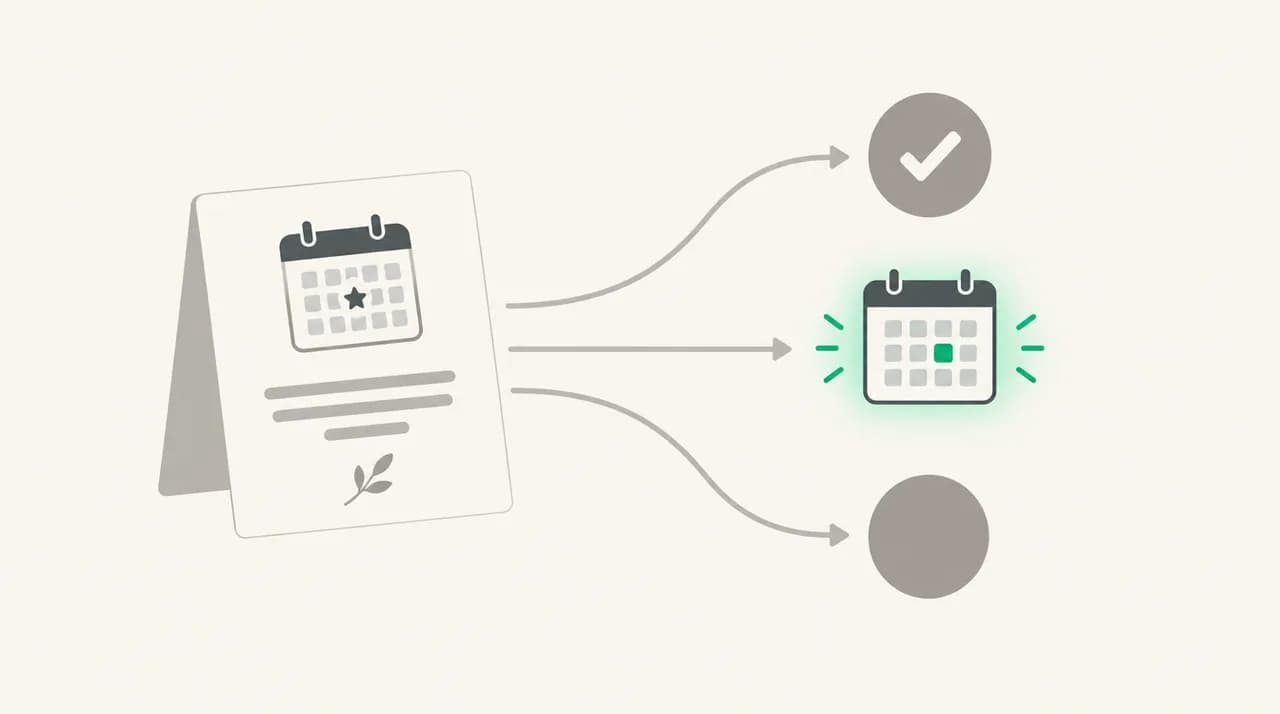
| Situation | Template | What you offer instead | Tone |
|---|---|---|---|
| Invite with no agenda | 1 | A request for the agenda | Neutral, curious |
| You are the wrong person | 2 | A named person who owns it | Helpful |
| It could be an email | 3 | Your answers in writing | Direct, friendly |
| Genuine clash | 4 | Two other times | Apologetic, brief |
| Recurring meeting you want out of | 5 | A written update each cycle | Constructive |
| Your boss's one-off meeting | 6 | Partial attendance or written input | Respectful, asks a question |
| External or cold invite | 7 | Nothing, or a better contact | Short and polite |
| A client's invite | 8 | Alternatives plus a written update | Warm, reliable |
| You are sending a delegate | 9 | A person with authority and context | Organized |
| No reason needed | 10 | Notes or recording | Minimal |
Template 1: the invite has no agenda#
This is a conditional decline. It does not slam the door; it makes the organizer say what they need. Many invites arrive with nothing but a title and a time, and an agenda request is a reasonable thing to ask for.
Template 2: you are the wrong person#
Redirecting is kinder than silently declining, because the organizer still needs someone in the room. Ask [WHO SHOULD GO INSTEAD] first before you copy them in. Do not hand a colleague a meeting they have not heard about.
Template 3: the meeting could be an email#
If you are wondering what to say when a meeting could be an email, the answer is to do the email's job for them. Guess the agenda, answer it, and invite a specific follow-up. Never write could this have been an email? It reads as a jab, even when it is true.
Template 4: a real calendar clash#
When you do want to attend and cannot, speed and alternatives matter more than the reason. Offer two options; one option sounds like an instruction, three sounds like homework.
Both major calendars have a built-in way to do this. Google Calendar has Propose a new time on an invitation, except for all-day events and events with more than 200 guests. Microsoft says you can propose a new time in Outlook, but not for a recurring meeting, and the organizer can switch the option off. As of October 2026, Microsoft documents the new Outlook flow for work or school accounts only. If the button is missing for you, this email does the same job.
Template 5: a recurring meeting you want out of#
Declining a recurring meeting invite is a different act from declining a one-off. You are renegotiating a habit. Wording that works names your actual contribution, offers a lighter-weight replacement and sets a check-in date.
Be careful with the tool, too. Check whether your calendar applied the decline to one occurrence or to the whole series before you send the email, so the message and the calendar say the same thing.
Template 6: your boss's one-off meeting#
How do you say no to a meeting with your boss? You do not say no. You say what the conflict is, who depends on it, and ask which they would prefer. That turns a refusal into a prioritization question that your manager is better placed to answer than you are.
Template 7: an external or cold meeting request#
How do you decline an external meeting request? Briefly, and without inventing a polite fiction. Do not promise to keep their details on file unless you will. If another person or channel is the right route, say so; otherwise a clean no is the courteous answer.
Template 8: a client's invite#
A client's invite carries more weight than a peer's. Keep the reason to one line, never blame another client by name, and make sure the topic does not stall on your calendar. A written update before the call is often what the client wanted anyway.
Template 9: you are sending someone in your place#
Sending a delegate is the strongest decline, because the meeting still gets what it needs. Make sure the person has both context and the right to decide, or you have only moved the problem. Tell them before you tell the organizer.
Template 10: a short decline with no reason#
You do not always owe a reason. A short, courteous no is a complete decline, and it is often the one that makes people least curious. Use it for optional meetings, FYI sessions and anything that is not your call.
How do you decline your own manager's recurring meeting?#
This is the hard version. A recurring meeting run by your manager is where a decline can read as disengagement, so the email has to carry more than a no. The principle: do not simply refuse the time. Replace your attendance with a substitute contribution your manager can see.
A decent substitute is concrete and recurring. A written update posted before each meeting, a standing question you answer by message, or a short slot only on weeks when your area is on the agenda. Name it, put a start date on it, and set a review point. Without a review point, it feels permanent, and managers resist permanent.
Raise it live first
What if the organizer doesn't reply?#
Silence after a decline is common and usually harmless. Organizers often skim responses, and a simple no needs no answer. Silence matters in three cases: you proposed a replacement, you asked a question, or you are leaving a recurring meeting.
Check the calendar first. Make sure the event shows as declined and, for a recurring meeting, whether you declined one occurrence or the series. Then give it a working day or two before following up, and keep the follow-up to one line.
- Proposed a new time: follow up once with the question, then pick a slot and send an invite yourself.
- Sent a delegate: confirm with the delegate, not the organizer, that they are on the invite.
- Left a recurring meeting: read the next set of notes to check that nothing has landed on you by default.
- Declined with no reason: do nothing. A no that needs a chaser was not a short no.
| Calendar | Reply path | Heads-up |
|---|---|---|
| Google Calendar | Yes, No or Maybe from Calendar or Gmail. A note can be added with your response. | The note is visible to all invitees. Propose a new time is unavailable for all-day events and events with more than 200 guests. |
| Outlook (work or school) | Propose new time, then a message, on the invitation. | Not available for recurring meetings, and the organizer can turn it off. Menus differ by version. |
| New Outlook decline button | Some users report Decline sends immediately with no note field. | A community answer on Microsoft Q&A describes RSVP with note to organizer. Check your own build, and email separately if unsure. |
Can an AI email assistant draft these for you?#
If you decline several meetings a week, you will be writing the same five sentences repeatedly. That is where a drafting tool earns its place. We build AI Emaily, so weigh this accordingly: it drafts replies in your voice from the Personal Context you set, which can hold the rules you actually follow, such as never declining a client invite without two alternatives.
You read and approve every draft before it goes out. In Copilot you approve each one; in Autopilot the sends are cancellable within an undo window. The seven-day free trial lets you test it on your real inbox; the pricing page has the plans. It does not replace the judgment above. The calendar RSVP is still a separate step, and the decision to say no is yours.
Frequently asked
See it in AI Emaily
Keep reading
Sources

Written by
Nafiul HasanNafiul Hasan is an entrepreneur and AI automation system builder with 10+ years of experience turning messy, manual workflows into reliable automated systems. He designs and ships AI enterprise solutions end-to-end — the agent logic, the data plumbing, and the product people actually use — and founded AI Emaily to give busy professionals their attention back. He writes here from the builder's seat: what works, what breaks, and how to put AI to work without giving up control.