Med Spa Inbox Automation: Never Miss a Consult Request Again

The short answer
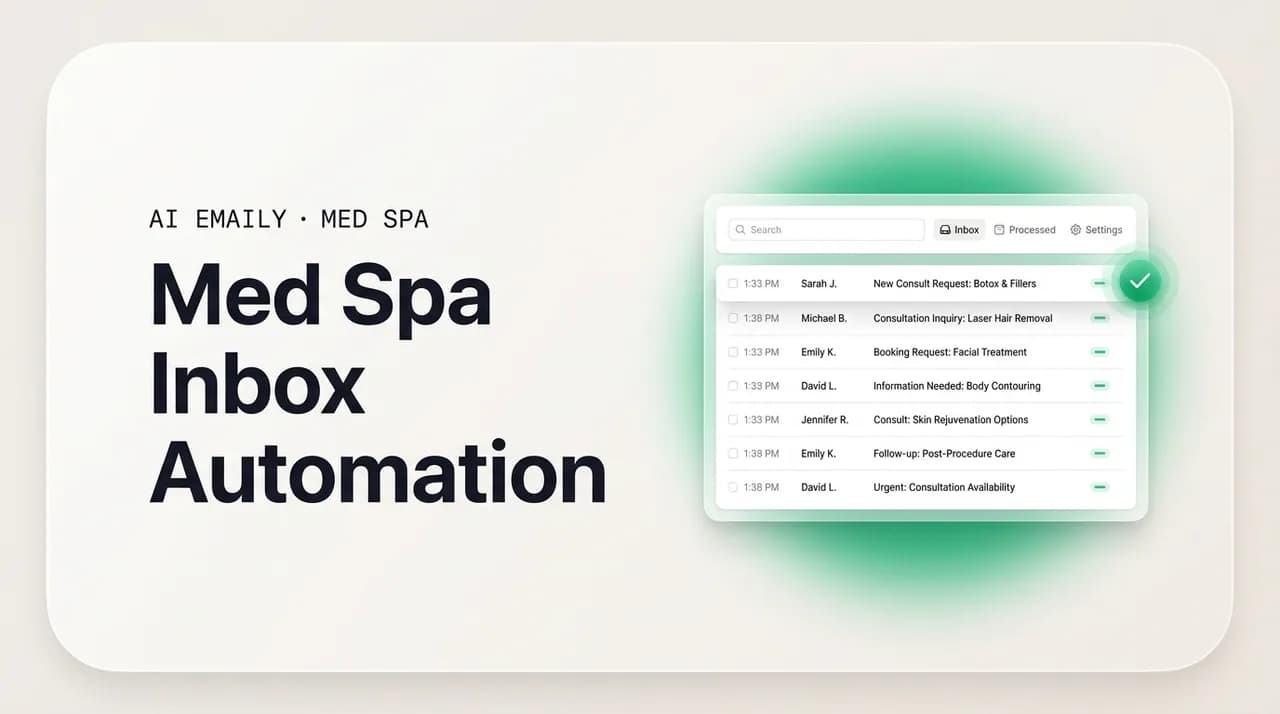
Med spa inbox automation means every consult request gets captured, acknowledged in seconds, triaged, and moved toward a booking — even a 9pm Friday inquiry that used to sit until Monday. Automate the marketing, booking, and reminder layer; keep anything clinical or PHI human. Done right, no consult request leaks and your front desk stops drowning.
A complete guide to med spa inbox automation: how to capture, acknowledge, triage, and book every consult request without letting after-hours leads sit until Monday — and how to keep clinical and PHI messages human with a HIPAA guardrail.
On this page
- 01What med spa inbox automation actually means
- 02The seven stages of a consult request (and where automation fits)
- 03The HIPAA line: what to automate and what to keep human
- 04Building the system: rules, templates, reminders, and escalation
- 05Zero consult-request leakage: the real goal
- 06Scaling across providers and locations
- 07How AI Emaily helps: mapping each pain to a capability
- 08A realistic rollout for a med spa
What med spa inbox automation actually means#
Med spa inbox automation is the practice of letting software handle the repetitive, time-sensitive parts of your inbox — capturing new consult requests, acknowledging them instantly, sorting them by intent, drafting replies in your clinic's voice, nudging them toward a booking, and reminding people before their appointment — so that nothing sits unanswered and no lead falls through a gap. It is not about replacing your front desk or your injector. It is about making sure that the moment a potential patient raises their hand, someone (or something) responds, and that the response keeps happening reliably at 9pm on a Friday exactly the way it does at 11am on a Tuesday.
The pain that makes this worth solving is specific and expensive. A consultation request lands in your inbox at 9pm Friday. Your front desk went home at six, and nobody will open that inbox until Monday morning. In the meantime, the person who emailed you is on their phone, comparing three other clinics, and one of them replies that night. By the time your team gets to the message, the lead has already booked somewhere else. The request did not fail because your work is worse — it failed because you were closed and a competitor was, effectively, open. That is the exact gap inbox automation is built to close.
It is worth being precise about the word "automation" here, because in a medical aesthetics setting it carries real constraints. Automating an inbox does not mean an unattended robot answering questions about whether a patient is a candidate for a treatment, or discussing anyone's health. It means automating the layer that is genuinely marketing and logistics — "thanks for reaching out, here's how to book a consult, here's a reminder, here's how to reschedule" — while every message that touches clinical judgment or a person's health information stays with a human. That line is the whole game, and we will draw it carefully throughout this guide.
If you run an injectables clinic, a body-contouring or laser practice, a medical weight-loss program, or a cosmetic dental office, the shape of the problem is the same even though the treatments differ. You are paying real money for leads — cost per lead in aesthetics commonly runs anywhere from roughly $7 for high-volume injectable inquiries up to $45 for higher-consideration treatments — and every one of those leads represents a visit worth hundreds to a couple of thousand dollars. When a lead evaporates because it sat in an unwatched inbox over a weekend, you did not just lose a booking; you paid to acquire a lead and then let it go cold. Inbox automation is, at its core, a way to stop paying for leads you never answer.
This guide walks through the full lifecycle of a consult request — capture, acknowledge, triage, draft, book, remind, and close the loop — then draws a clear automate-versus-keep-human line for a HIPAA setting, shows how to build the system out of rules, templates, reminders, and escalation, explains how to reach zero consult-request leakage, covers scaling across providers and locations, and closes with an honest map of how AI Emaily helps with each of these jobs. None of it is medical or legal advice; treat the HIPAA sections as a working framework and confirm specifics with your own compliance counsel.
A note on scope
The seven stages of a consult request (and where automation fits)#
Every consult request moves through the same stages, whether you handle them by hand today or not. The value of naming the stages is that it lets you see exactly where time leaks out and where automation earns its keep. Here is the full path a med spa inbox request travels, from the first inquiry to a booked, kept appointment.
- 1
Capture — nothing gets lost on arrival
Every inquiry, from every source — your website form, a Google or Meta ad, an Instagram DM forwarded to email, a phone message transcribed to your inbox — lands in one place and is registered as a consult request, not left scattered across five apps and one person's memory. Capture is the stage most clinics skip without realizing it, because a lead that never gets logged can never be worked.
- 2
Acknowledge — a reply in seconds, not days
The instant a request arrives, the sender gets a warm, on-brand acknowledgment: we received your message, here's what happens next, here's how to book. This is the single highest-leverage automation in the whole chain, because it is what wins the after-hours race. It confirms nothing clinical — it simply tells a human they were heard.
- 3
Triage — sort by intent and urgency
New consult request, existing patient rescheduling, pricing question, a clinical question that needs a provider, spam, a vendor pitch — these are not the same and should not sit in one undifferentiated pile. Triage tags and routes each message so the hot leads surface first and the clinical ones get flagged for a human immediately.
- 4
Draft — a reply ready in your clinic's voice
For the marketing-and-logistics messages, a reply is drafted and waiting: answering a pricing-range question, sending the consult-booking link, following up on a warm lead who went quiet. The draft sounds like your clinic, not a generic template, and a human can approve it in one click — or, for the safest categories, it can send on its own.
- 5
Book — turn interest into a scheduled consult
The whole point is a booking. Automation moves the conversation toward the calendar: here's the link, here are the open times, here's the confirmation. Med-spa lead-to-consultation conversion typically runs in the 20–30% range, and a faster, more organized booking path is one of the few levers that reliably moves that number.
- 6
Remind — cut the no-shows
A booked consult is not a kept consult. Roughly one in five med-spa appointments become no-shows when there are no reminders. Automated, well-timed reminders — a confirmation on booking, a nudge the day before, pre-visit prep — recover a meaningful slice of that lost revenue without anyone lifting a finger.
- 7
Close the loop — nothing stalls in the gap
The last stage is the one that quietly loses the most money: the warm lead who asked a question and never heard back, the booked patient in the 24–48 hour 'lookup leak' window before their visit, the consult that happened but never got a follow-up. Closing the loop means every open thread is tracked to a resolution instead of dying in the inbox.
Notice that automation adds the most value at the two ends of this chain — the instant acknowledgment at the start and the loop-closing at the end — because those are the stages a busy front desk is least able to cover consistently. Your team is genuinely good at the middle stages when they are at their desks and not slammed. What they cannot do is be at their desks at 9pm Friday, or remember to chase the one lead from last Tuesday who said "let me check my schedule" and then vanished. That is the work automation is uniquely suited to.
It is also why inbox automation is not the same as buying another CRM or booking platform. Those tools store your data and manage your calendar, and many med spas already run one — Mangomint, Boulevard, Zenoti, Aesthetic Record, and others. The gap they leave is the inbox itself: the actual email conversation where the lead first reaches out, asks their questions, and decides whether to book. Inbox automation lives in that conversation. It is the layer between the lead's message and your calendar, and for most clinics it is the least-automated, highest-leakage part of the whole funnel.
The HIPAA line: what to automate and what to keep human#
Before building anything, you need one rule fixed in your mind, because it governs every other decision: in a medical aesthetics practice, you automate the marketing, booking, and administrative layer, and you keep anything clinical or involving protected health information (PHI) with a human. This is not a nice-to-have caution. HIPAA — the Health Insurance Portability and Accountability Act — governs how a covered entity handles protected health information, and its Privacy and Security Rules place real, structural limits on what you can put into an automated message. Getting this line right is what makes automation safe to turn on at all.
The good news is that the line is cleaner than it first sounds, because the majority of a med spa's inbound email volume is not clinical. "How much is a consult?" "Do you have Saturday appointments?" "Can I reschedule?" "Where do I park?" — none of that touches anyone's health information. It is logistics and marketing, and it is exactly the repetitive, high-volume work that eats your front desk's day. That layer is safe to automate. The moment a message shifts to "Am I a candidate for this?" or "Here's my medical history" or anything discussing a specific person's treatment or condition, it crosses the line and belongs with a qualified human.
Here is a practical way to sort what lands in your inbox. This table is a working framework, not a compliance ruling — validate the edges with your own counsel — but it captures the distinction most med spas need day to day.
| Safe to automate (marketing / booking / admin) | Keep human (clinical / PHI) |
|---|---|
| Instant acknowledgment that an inquiry was received. | Any assessment of whether a person is a candidate for a treatment. |
| Sending a consult-booking link and open appointment times. | Discussion of a specific patient's medical history, conditions, or medications. |
| General pricing ranges and package information. | Treatment-specific advice, dosing, or expected clinical outcomes for an individual. |
| Appointment confirmations, reminders, and reschedule links. | Anything a patient shares about their own health in reply. |
| Directions, parking, hours, and pre-visit logistics (non-clinical). | Post-treatment concerns, side effects, or follow-up on how a procedure went. |
| Re-engaging a cold marketing lead who never booked. | Eligibility questions for programs like medical weight loss or GLP-1. |
| Answering FAQ that contains no individual health information. | Consent, intake forms, and any document containing PHI. |
The reason this matters for automation specifically is that an automated reply cannot exercise clinical judgment and should never be trusted to decide, on its own, whether a given message is clinical. So the design principle is conservative: automate the categories you have deliberately marked safe, and route everything else — including anything ambiguous — to a human. When in doubt, a message goes to a person. That default is what keeps the system on the right side of the line even as edge cases show up, and they always show up.
It also changes what a good acknowledgment looks like. An after-hours auto-reply for a med spa should be warm and helpful without pretending to be a clinician. "Thank you for reaching out — we've received your message and someone from our team will follow up shortly. If you'd like to get on the calendar now, you can book a consultation here." That message wins the speed race, sets expectations, and offers a booking path, all without touching anyone's health. It is the difference between a lead feeling ignored until Monday and a lead feeling handled within seconds, and it is completely compatible with keeping clinical content human.
Automation never guesses on clinical content
Building the system: rules, templates, reminders, and escalation#
A working med spa inbox automation system rests on four building blocks. None of them is exotic; the craft is in how you tune them for a medical aesthetics practice with a HIPAA guardrail. Get these four right and the seven-stage lifecycle above runs largely on its own, with humans handling exactly the parts that need them.
- 1
Rules — the logic that sorts and routes
Rules decide what happens to each incoming message based on its content and source. A new-lead rule tags anything from your consult form and triggers the instant acknowledgment. A clinical-keyword rule flags messages mentioning health terms and routes them straight to a provider, never to an auto-reply. A reschedule rule recognizes existing patients and surfaces the booking link. Rules are where you encode the automate-versus-human line so the system enforces it every time.
- 2
Templates — consistent replies in your voice
Templates are the reusable, on-brand building blocks for the messages you send constantly: the acknowledgment, the booking invite, the pricing-range answer, the warm-lead follow-up, the reminder. Good templates read like your clinic wrote them, use placeholders for the sender's name and the specifics, and are written once so every lead gets the same polished response instead of whatever the front desk had energy for that afternoon.
- 3
Reminders — the timed nudges that cut no-shows
Reminders are scheduled messages that fire relative to an event: a confirmation the moment a consult is booked, a nudge the day before, a gentle re-engagement a few days after a lead goes quiet. With roughly one in five appointments no-showing without reminders, this block alone often pays for the whole system. Keep the content logistical — time, place, how to reschedule — not clinical.
- 4
Escalation — the human handoff for anything sensitive
Escalation is the deliberate path from automation to a person. When a message is clinical, ambiguous, upset, or high-value, the system stops automating and hands it to the right human with full context, flagged and prioritized. Escalation is not a failure of automation; it is the feature that makes automation trustworthy in a medical setting. The best systems escalate generously and automate only what is clearly safe.
The sequence to build these in matters. Start with capture and acknowledgment, because that is where you are bleeding the most and where the fix is simplest: a single rule that catches every new inquiry and fires one well-written acknowledgment template. Turn that on and you have already closed the 9pm-Friday gap for a huge share of your leads. Everything after that is refinement — better triage, more templates, smarter reminders, cleaner escalation — layered on a foundation that is already stopping the worst of the leakage.
Resist the temptation to automate everything at once. A med spa inbox has enough nuance, and enough compliance sensitivity, that a staged rollout is genuinely safer and easier to trust. Automate the acknowledgment first. Then add reminders, because their value is obvious and their content is purely logistical. Then add the pricing-range and booking-link templates, reviewed by a human before they send until you trust them. Keep clinical routing manual and generous from day one. Expand the auto-send boundary slowly, only into categories you have watched behave correctly. This is the same trust-gate philosophy that governs how a good AI agent should operate: earn autonomy in stages, never grab it all at once.
Start with one rule
Zero consult-request leakage: the real goal#
The headline promise of inbox automation for a med spa is simple to state and hard to achieve by hand: zero consult-request leakage. Not fewer missed leads — zero. Every request that arrives gets captured, acknowledged, and worked to a resolution, with none silently dying in a weekend, a busy afternoon, or the gap between two staff members' shifts. That is the standard worth aiming for, because at aesthetic-clinic lead costs, every leaked request is money you already spent and then discarded.
Leakage happens in a small number of predictable places, and naming them is how you plug them. The after-hours gap is the biggest: a request arrives when nobody is watching and goes cold before anyone sees it. The volume gap is next: too many inquiries hit a small front desk at once and some simply never get answered. The follow-up gap is the quiet killer: a lead asks a question, gets one reply, doesn't respond immediately, and is never chased again — most clinics stop after one or two attempts and lose warm leads in exactly that space. And the handoff gap: a message that should have gone to a provider sits in a general inbox, or one that a human started never got finished.
Automation closes each of these by making the default behavior 'handled' instead of 'hoped someone catches it.' The after-hours gap closes because acknowledgment is instant and independent of who is working. The volume gap closes because triage and drafting scale without adding headcount. The follow-up gap closes because staged follow-ups fire on their own until a lead responds or clearly opts out. The handoff gap closes because clinical and high-value messages are flagged and routed the moment they arrive, with context attached, so nothing waits in the wrong pile.
There is one more form of leakage that is specific to med spas and worth calling out on its own: the post-booking 'lookup leak.' In the 24 to 48 hours after someone books a consult, they are still deciding whether to actually show up. They are looking you up, reading reviews, second-guessing, comparing. A meaningful share of would-be revenue — by some estimates 30 to 60 percent for solo and small practices — evaporates in that window when there is no one nurturing the lead between the booking and the arrival. Automated, voice-matched pre-visit messages that reassure and prepare the patient directly attack this leak, and they do it without any clinical content: a warm confirmation, what to expect at a consult, how to reach you with questions, a friendly day-before nudge.
The way to know whether you have actually reached zero leakage is to make it measurable. Every consult request should be a tracked object with a state: acknowledged, replied, booked, reminded, resolved. When each request carries a state, a request that has been sitting in 'acknowledged' for three days without progressing is visible as a problem instead of an invisible loss. You cannot close a gap you cannot see, and the discipline of tracking every request to a resolution is what turns 'we try to answer everyone' into 'we can prove no one was missed.'
The lookup-leak window
Scaling across providers and locations#
What works for a solo injector has to hold up when you add a second provider, a second location, or a coordinator team spread across sites — and the failure modes change as you grow. A solo provider's core problem is that there is no front desk at all: inquiries and post-booking anxiety go unanswered because the provider is in treatments. Automation solves this by being the front desk that never leaves, handling acknowledgment, reminders, and pre-visit nurture in the provider's own voice while they work. For a solo clinic, inbox automation is less a convenience than the only realistic way to cover the inbox.
As you add providers and locations, the problem shifts from 'nobody is watching' to 'everyone is watching inconsistently.' One location answers leads in ten minutes; another takes two days. One coordinator's replies sound warm and on-brand; another's are terse. The response speed and voice that a lead experiences becomes a coin flip depending on which site or which staff member catches their message, and that inconsistency leaks bookings just as surely as silence does. Automation standardizes the layer that should be consistent: every location acknowledges instantly, every reminder fires on time, every acknowledgment sounds like the brand, regardless of who is at the desk.
Scaling also means bringing every inbox into one place. A growing group often has multiple email accounts — a general clinic address, per-location addresses, a bookings address, maybe a provider's own. If those live in separate apps, no one has a complete picture and requests slip between them. A unified inbox that pulls every account, every provider, and every location into a single view is what makes zero leakage possible at scale: one place where every consult request across the whole group is visible, tracked, and worked, instead of a dozen separate piles each hoping someone is watching.
The compliance guardrail does not relax as you scale — if anything it needs to be more explicit, because more people and more locations mean more chances for someone to put clinical content into an automated flow. The safe pattern is to centralize the automate-versus-human rules so the boundary is defined once and enforced everywhere, rather than left to each coordinator's judgment. Every location automates the same safe categories, escalates the same clinical ones, and no site can quietly widen the auto-send boundary on its own. Consistency of the guardrail is as important as consistency of the voice.
The economics of scaling favor automation too. A multi-location group's inbound volume, aggregated across sites, is very high, and the coordinator load to handle it manually grows roughly in step. Automating the acknowledgment, triage, reminder, and follow-up layer lets a group absorb more volume without adding a coordinator per location, which is precisely where the cost of manual handling would otherwise balloon. The front-desk load that strains a growing group is exactly the repetitive, logistical work that automation is built to carry.
How AI Emaily helps: mapping each pain to a capability#
Everything above is the general shape of med spa inbox automation; this section is the honest, specific version — how AI Emaily, an AI-native email client with an autonomous chief-of-staff, maps onto each pain a med spa actually feels. AI Emaily connects to Gmail, Outlook, iCloud, Fastmail, Proton, and any IMAP account, works on web, macOS, iOS, and Android, and runs on three authority modes — Manual, Copilot, and Autopilot — so you decide, category by category, how much it does on its own. That last part is the whole reason it fits a HIPAA setting: the boundary between what sends automatically and what waits for a human is yours to set.
Take the pains one at a time.
The five-minute speed pain — a lead comparing three clinics while your inbox sits idle. This is where response time decides the booking, and it is what Copilot and Autopilot are built for. In Copilot, a triaged reply and a booking invite are drafted and waiting the instant a request lands, so a human sends with one click. For the categories you have marked clearly safe — a plain acknowledgment, a booking link, general hours — Autopilot can send on its own within the boundaries you define, so a 9pm inquiry gets a warm, on-brand reply in seconds instead of waiting for Monday. The acknowledgment contains no clinical content; it simply wins the race that decides who the lead books with.
The after-hours pain — the 9pm Friday request that used to sit until Monday. Autopilot does not keep office hours. Within the rules you set, it acknowledges every after-hours consult request instantly and offers a booking path, so the request that used to go cold over a weekend is handled the moment it arrives. Every one of those autonomous actions is reversible and written to a full audit trail, so you can see exactly what went out, when, and to whom — and undo it if it was ever wrong. That combination of autonomy plus undo plus audit is what makes hands-free acknowledgment safe to turn on.
The follow-up drop-off pain — warm leads lost because no one chased them past the first reply. AI Emaily's agent stages follow-ups before things slip, so a lead who went quiet gets a timely, voice-matched nudge instead of being forgotten after one attempt. It closes loops and reports back rather than letting the thread die in the inbox, which is exactly the follow-up gap where most clinics lose warm leads. The same mechanism handles the post-booking lookup-leak window with non-clinical pre-visit reassurance in your clinic's voice.
The front-desk load pain — a small team drowning in repetitive logistics while in-chair patients need them. This is what the autonomous chief-of-staff is for: it wakes up to a triaged inbox, drafts the routine replies, sorts by intent, and surfaces only what actually needs a person. The pricing-range questions, the reschedule requests, the parking-and-hours FAQ — the high-volume, non-clinical work that eats a coordinator's day — get handled or pre-drafted, so your team spends its attention on patients and on the messages that genuinely need human judgment. Across multiple locations, the same behavior runs consistently in one unified inbox, so every site answers fast and on-brand regardless of who is at the desk.
Underneath all of it, the drafts sound like your clinic because the agent learns how you actually write — voice-matched drafting means replies come back in your voice, not generic boilerplate, and its per-client context loads the real details for returning patients rather than inventing them. The unified inbox pulls every provider address and location into one view so nothing slips between accounts, which is the foundation of zero-leakage at scale.
And the HIPAA guardrail runs through the entire thing by design. Because you control the Manual / Copilot / Autopilot boundary per category, you keep everything clinical or PHI-touching in Manual or Copilot — a human reviews and approves before it ever sends — while letting Autopilot handle only the clearly safe marketing-and-logistics layer. The agent treats email content as untrusted input, validates before it acts, and gives you Copilot approval before any send by default, with Autopilot gated, bounded, reversible, and fully audited. On privacy, AI Emaily runs zero-retention AI that is never trained on your mail, encrypts data in transit and at rest, envelope-encrypts keys, and offers an on-device option and, on the Autopilot and Team plans, bring-your-own-key — so sensitive triage can run privately. None of this is a substitute for your own compliance program, but the product is built so the automate-versus-human line you drew is the line it actually enforces.
Set the boundary once, enforce it everywhere
A realistic rollout for a med spa#
Turning this on does not require a big-bang project. The fastest path to value, and the safest one for a clinic with compliance obligations, is a short staged rollout you can run in a couple of weeks and expand from there. Here is a sensible order.
- 1
Week one — connect and acknowledge
Connect every inbox — the general address, per-location and bookings addresses, any provider account — into one unified view. Build the single rule that catches every new consult request and fires one warm, non-clinical acknowledgment with a booking link. This alone closes the after-hours gap for most of your leads.
- 2
Week two — reminders and triage
Add booking-confirmation and day-before reminders to cut no-shows, and turn on triage so clinical messages are flagged to a provider immediately while marketing and logistics sort themselves. Keep clinical routing generous — anything ambiguous goes to a human.
- 3
Week three — staged follow-ups in Copilot
Enable voice-matched follow-ups for warm leads who go quiet and pre-visit nurture for the lookup-leak window, but keep them in Copilot so a human approves each send while you build trust in the drafts. Watch how they behave before widening.
- 4
Ongoing — expand the autonomous boundary slowly
Once the safest categories — plain acknowledgments, booking links, reminders — have run correctly under review, move only those to Autopilot so they send on their own. Keep everything clinical or PHI-touching in Manual or Copilot indefinitely. Review the audit trail regularly and adjust the boundary as you learn.
The measure of success is boring and concrete: every consult request that arrives is acknowledged in seconds, every booking is confirmed and reminded, every warm lead is followed up until it resolves, and nothing clinical is ever handled by anything other than a human. When you can look at your inbox and see that no request is sitting untracked — that each one carries a state and none has quietly gone cold — you have reached the goal this whole system exists for. The 9pm Friday consult request no longer waits until Monday, and it no longer books with a competitor while you sleep.
That is what med spa inbox automation buys you when it is built with the guardrail intact: the marketing, booking, and reminder layer runs itself reliably around the clock, your front desk gets its attention back for patients, your clinical and PHI messages stay firmly with the people qualified to handle them, and the leads you already paid for actually get answered. You can try it free at app.aiemaily.com/signup — the Free plan is $0 with no card required, and Pro is $12.42 per month on the annual plan.
Frequently asked
See it in AI Emaily
Keep reading
Sources
- Harvard Business Review — The Short Life of Online Sales Leads (the 5-minute lead-response window)
- CDC — Health Insurance Portability and Accountability Act of 1996 (HIPAA) overview
- eCFR — 45 CFR Part 164, HIPAA Security and Privacy Rules
- American Med Spa Association (AmSpa) — medical aesthetics industry resource
- FTC — Complying with the Telemarketing Sales Rule (outbound contact guidance)

Written by
Nafiul HasanNafiul Hasan is an entrepreneur and AI automation system builder with 10+ years of experience turning messy, manual workflows into reliable automated systems. He designs and ships AI enterprise solutions end-to-end — the agent logic, the data plumbing, and the product people actually use — and founded AI Emaily to give busy professionals their attention back. He writes here from the builder's seat: what works, what breaks, and how to put AI to work without giving up control.