Medicare AEP Email Compliance: CMS Rules, TPMO Disclaimers & Safe Automation

The short answer
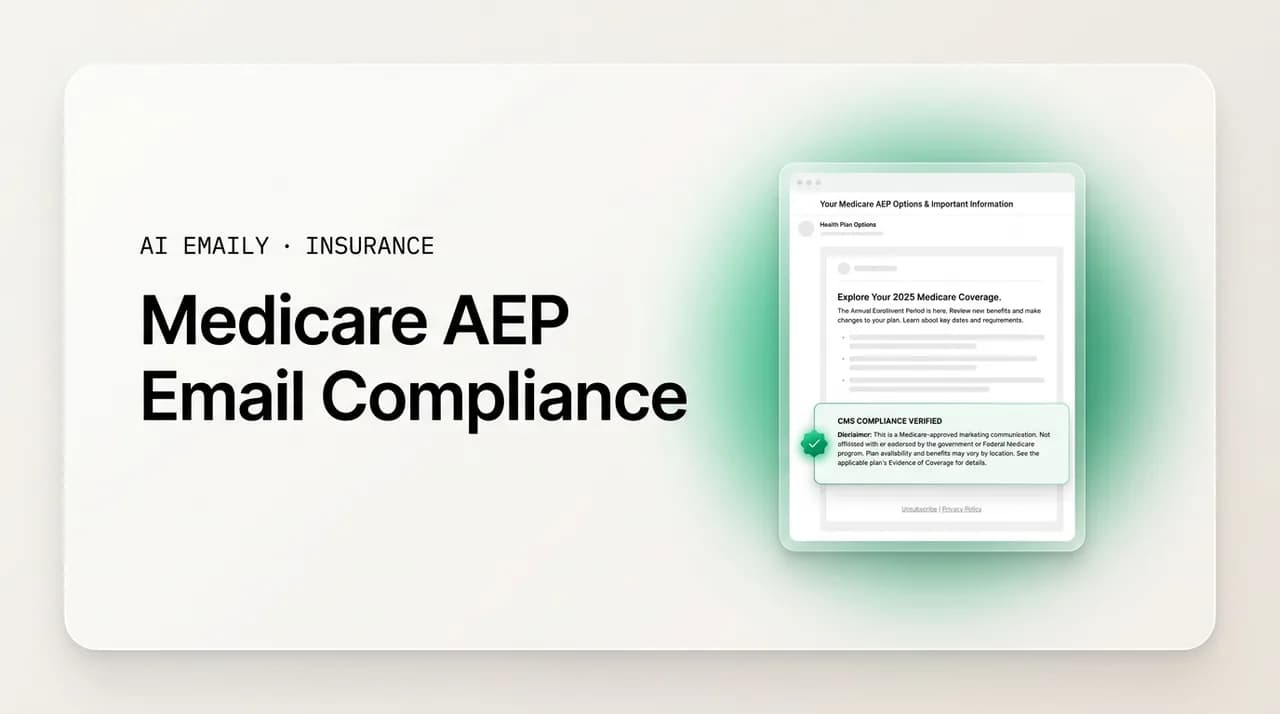
Medicare AEP email compliance means treating email as regulated marketing: include the TPMO disclaimer when your message meets the CMS threshold, never email a beneficiary who did not give permission to contact, get a Scope of Appointment before discussing plans, avoid superlatives and CMS-prohibited language, and keep records. This is general guidance, not legal advice — always confirm the current rules with your upline, FMO/IMO, carrier, and CMS.
Medicare AEP email compliance for agents: when the TPMO disclaimer is required, Scope of Appointment, unsolicited-contact limits and prohibited language.
On this page
- 01What is Medicare AEP email compliance, and why does it matter?
- 02What does CMS regulate — and where does email fit in?
- 03"Marketing" vs "communications": the distinction that drives everything
- 04The TPMO disclaimer: what it is and when your email needs it
- 05Scope of Appointment: why email can't skip it
- 06Unsolicited contact and permission to contact: the automation ceiling
- 07Prohibited and restricted language in Medicare email
- 08Record-keeping: what you have to be able to prove
- 09What agents can and can't do with AEP email — at a glance
- 10A compliant AEP email send checklist
- 11Compliant email templates (with disclaimer placeholders)
- 12How AI Emaily helps you stay compliant (and where it stops)
- 13Putting it all together
What is Medicare AEP email compliance, and why does it matter?#
Medicare AEP email compliance is the practice of making sure the emails you send to Medicare beneficiaries and prospects during the Annual Enrollment Period (October 15 to December 7) follow the marketing rules the Centers for Medicare & Medicaid Services (CMS) sets for Medicare Advantage and Part D plans. Unlike most industries, where email is a lightly-regulated marketing channel, Medicare sits inside a detailed federal framework. The moment your email mentions plan benefits, premiums, or steers someone toward enrolling, it can count as "marketing" under CMS rules, and marketing carries specific obligations: a required disclaimer, limits on who you may contact, records you have to keep, and language you are simply not allowed to use.
For the agent, this is not abstract. Medicare is where the calendar compresses a year of production into an eight-week window, so the temptation to automate outreach at scale is enormous. It is also where the penalties for getting it wrong are real. A non-compliant email is not just a bad look; depending on the violation and who catches it, it can trigger corrective action from your carrier or upline, loss of appointments, referral to CMS, or in serious cases sanctions. Because so much of Medicare distribution runs through agents rather than the plans directly, CMS holds agents and the organizations that market on a plan's behalf — third-party marketing organizations, or TPMOs — to the same standard as the plan itself.
This guide walks through what CMS marketing rules actually say as they touch email, the difference between "marketing" and "communications" (which changes what you must include), the TPMO disclaimer and when it applies, Scope of Appointment, the unsolicited-contact rules that cap how much of your outreach you can automate, the language you must avoid, and what you have to keep on record. Then it gives you a compliant email checklist, template patterns with the required disclaimer placeholders, and an honest look at how an AI email client like AI Emaily can help you stay inside the lines — with the clear caveat that a tool is not a compliance authority. Your upline, your FMO or IMO, your carrier, and CMS are.
This is general guidance, not legal or compliance advice
What does CMS regulate — and where does email fit in?#
CMS regulates how Medicare Advantage (Part C) and Medicare Part D plans, and the agents and organizations that market them, communicate with beneficiaries. The core rules live in federal regulation (42 CFR Part 422 Subpart V for Medicare Advantage and Part 423 Subpart V for Part D) and are summarized each year in a document called the Medicare Communications and Marketing Guidelines, or MCMG. The MCMG is the practical rulebook most agents and uplines work from, and it is updated regularly, so the version you followed last AEP may not be the version that governs this one.
Email is not carved out as a special category. Instead, CMS regulates by what the communication does, not by the channel it travels on. An email, a text, a mailer, a social post, and a phone call are all subject to the same underlying question: is this a "communication" or is it "marketing"? That single distinction drives most of what you must do, because marketing materials carry requirements — chiefly the disclaimer and, for materials that require it, submission and approval through the plan — that plain communications do not.
A second layer sits on top of the marketing rules: the TPMO rules. A third-party marketing organization is, broadly, an organization or individual that markets or sells Medicare Advantage or Part D plans on a plan's behalf, or that generates leads for them. Most independent agents, agencies, FMOs, and IMOs fall under the TPMO umbrella in one role or another. The TPMO rules add obligations — most visibly a standardized disclaimer — that attach to your marketing regardless of whether you also meet the definition of an agent for a specific plan.
"Marketing" vs "communications": the distinction that drives everything#
CMS draws a line between two kinds of contact, and where your email falls on that line decides what you must include. Getting this wrong in either direction costs you: treat marketing as a communication and you may omit a required disclaimer; treat every communication as marketing and you bury yourself in unnecessary review and disclaimers that can actually confuse beneficiaries.
"Communications" is the broad bucket: any activity or use of materials to provide information to current or prospective enrollees. "Marketing" is a narrower subset of communications. Under CMS rules, content generally crosses into marketing when it does two things together: it is intended to draw a beneficiary's attention to a plan (or plans) and to influence their decision to enroll, stay enrolled, or not enroll; and it mentions specific plan benefits, cost sharing, premiums, star ratings, or makes comparisons that could reasonably lead someone to choose one plan over another. Content about the enrollment process, or general educational information that does not name plan-specific benefit or cost details in a way meant to drive an enrollment decision, is more likely to be a communication.
The practical test for email: if the message names or promotes plan benefits, premiums, cost sharing, or plan comparisons, and its intent is to move the reader toward (or away from) a particular plan or enrollment, treat it as marketing. If it is a factual, service-oriented note — confirming an appointment, sharing a document you both already discussed, answering a question the beneficiary asked, or a general "AEP is here, reply if you'd like a review" that carries no plan-specific benefit or cost claims — it is more likely a communication. When you are genuinely unsure, the safe default is to treat it as marketing and apply the marketing requirements, then confirm the classification with your compliance contact.
Why the line matters for automation
The TPMO disclaimer: what it is and when your email needs it#
The single most visible TPMO obligation is a standardized disclaimer that CMS requires third-party marketing organizations to use. The purpose is transparency: a beneficiary should understand, up front, that the person contacting them does not represent every plan or every option in their area. CMS specifies the disclaimer's wording and requires it to appear prominently.
The standard TPMO disclaimer language CMS has used is a variation of: "We do not offer every plan available in your area. Any information we provide is limited to those plans we do offer in your area. Please contact Medicare.gov or 1-800-MEDICARE to get information on all of your options." CMS has adjusted the exact phrasing and the count of plans/organizations the agent represents over time, and there are carve-outs and specifics about how many organizations you represent that change the wording. Because the exact required text and the situations that trigger it can change year to year, do not copy the sentence above as gospel — pull the current, exact wording from your carrier or the current MCMG and use that verbatim.
For email specifically, the disclaimer must be included when your email is marketing and you are acting as a TPMO. CMS rules require the disclaimer on marketing materials and in specified communications; on a written or electronic marketing piece it must be displayed prominently — in practice, readable and not buried. Do not shrink it into a gray footer that no one reads; the intent is that the beneficiary actually sees it. If you send a marketing email, put the disclaimer where it will be read, in a legible size, near the relevant content.
A few practical notes agents get wrong. The disclaimer is required on marketing, not necessarily on every service email — but when in doubt, including it does no harm. It applies to the electronic message itself; a link to a landing page that carries the disclaimer is not a substitute for the email meeting its own requirements if the email itself is the marketing piece. And it is your responsibility as the sender: you cannot outsource it to the plan or assume a template you were handed last year still matches this year's required text.
Use your carrier's current, exact disclaimer text — verbatim
Scope of Appointment: why email can't skip it#
Scope of Appointment (SOA) is a CMS requirement that, before you have a marketing appointment to discuss specific Medicare Advantage or Part D plans with a beneficiary, you document which product types the beneficiary agreed to discuss. The beneficiary controls the scope; you may only discuss the plan types they authorized, and if the conversation needs to expand to other product types, that generally requires a new or amended SOA. The point is consent: the beneficiary should not be steered into a sales conversation about products they never agreed to hear about.
SOA lives mostly in the world of appointments and personal marketing contacts, but it touches email in two ways. First, email is frequently how the appointment gets set and how the SOA form itself gets sent, completed, and returned — many agents send a compliant SOA form (with the required product-type checkboxes and the beneficiary's signature or electronic acknowledgment) by email before the meeting. Second, an email exchange can itself drift into a plan-specific discussion; if you find yourself getting into specific plan recommendations by email with a beneficiary before an SOA is on file, you may be ahead of where the rules want you to be. Keep pre-SOA email factual and process-oriented (scheduling, what to expect, how to prepare), and hold the plan-specific discussion for after the SOA is documented.
There are timing and retention rules around SOA — including how far in advance it must be obtained relative to the appointment and how long you must keep it — and these details are exactly the kind of thing that gets adjusted between contract years. Confirm the current SOA timing, the acceptable formats (including electronic), and the retention period with your carrier and the current MCMG rather than relying on memory from a prior AEP.
Unsolicited contact and permission to contact: the automation ceiling#
This is the rule that most directly caps how autonomous your AEP email can be. CMS prohibits unsolicited marketing contact with Medicare beneficiaries through certain channels. In plain terms: you generally cannot cold-email, cold-text, or cold-call a beneficiary to market Medicare Advantage or Part D plans unless the beneficiary gave you permission to contact them, and that permission is specific — it is tied to the method of contact and, in practice, is not open-ended.
"Permission to contact" (PTC) is the consent that makes outreach allowable. A beneficiary might grant it by filling out a form that clearly states they agree to be contacted by email about Medicare plans, by asking you to follow up, or through a business reply card or web form with clear, conspicuous consent language. What does not count: assuming consent because someone is on a purchased list, because they engaged with an unrelated ad, or because they are an existing client for a different line of business. Permission is generally also limited in scope — consent to be called is not automatically consent to be emailed, and consent for one plan type or topic does not automatically extend to everything.
For email, this means your compliant sending universe is narrower than a normal marketing list. You may email beneficiaries who have given you permission to contact them by email about Medicare, existing clients within the bounds of your relationship and their consent, and people who have specifically requested information. You may not blast a cold list. This is why full "autopilot" outbound — an AI deciding on its own to email beneficiaries at scale — is the wrong model for Medicare marketing. The rule is not a technology limitation; it is federal law about consent, and no automation setting changes it.
Do not automate cold outreach to beneficiaries
Prohibited and restricted language in Medicare email#
CMS restricts not just who you contact but what you say. Marketing content must be accurate, must not mislead, and must avoid specific words and framings. While the exact list is in the MCMG and evolves, several categories come up constantly and are worth committing to memory as things to avoid or handle carefully in email.
Avoid absolute superlatives and unqualified claims. Words like "best," "cheapest," "most," or "#1" are the kind of unsubstantiated superlatives CMS treats as misleading unless they can be supported by data and are properly qualified. "This is the best plan for you" is a classic problem line.
Do not use the government or CMS in a way that implies endorsement. You cannot suggest that CMS, Medicare, or the Social Security Administration endorses you or a particular plan, and there are strict rules about how the Medicare name and logo may be used. Framing yourself as calling "on behalf of Medicare" or as "the official Medicare office" is prohibited.
Do not create false urgency or pressure. Language engineered to scare or rush a beneficiary — implying they will lose coverage or face a penalty if they do not act immediately with you — is the kind of high-pressure tactic CMS scrutinizes. AEP has a real deadline, and stating it factually is fine; manufacturing panic is not.
Be careful with benefit and cost claims. Statements about $0 premiums, specific benefits, drug coverage, or savings can be accurate and allowed, but they turn the email into marketing, must be truthful and not cherry-picked in a misleading way, and generally must carry the required disclaimers. Avoid implying benefits are universal ("everyone gets…") when eligibility varies.
Do not disparage other plans or use discriminatory or steering language. Comparisons have rules; blanket knocks on competitors, and any language that could steer based on health status, are problems. When in doubt, describe your own offering factually rather than attacking alternatives.
| Don't write this | Do write this instead |
|---|---|
| "This is the best Medicare plan available — guaranteed lowest cost." | "I can review the plans I offer and how their costs and benefits compare for your situation." |
| "Act now or you'll lose your coverage!" | "The Annual Enrollment Period runs October 15 through December 7. Reply if you'd like to schedule a review before it closes." |
| "I'm calling on behalf of Medicare about your benefits." | "I'm a licensed independent agent. I do not represent Medicare or the government." |
| "Everyone gets a $0 premium and free dental." | "Some plans I offer include $0-premium and dental options; eligibility and benefits vary, so let's check what applies to you." |
| Emailing a purchased list of beneficiaries you've never spoken to. | Emailing only beneficiaries who gave you documented permission to contact by email. |
| A rewritten, paraphrased version of the TPMO disclaimer. | The exact current TPMO disclaimer text from your carrier, verbatim. |
Record-keeping: what you have to be able to prove#
Medicare marketing compliance is, in large part, a record-keeping discipline. If a beneficiary complains or your carrier audits you, the question is rarely just "did you do the right thing?" — it is "can you show it?" Several artifacts commonly need to be retained, and the retention periods are set by CMS and your carrier (often multiple years), so treat this as a standing obligation, not a during-AEP afterthought.
The things agents typically need to be able to produce include: the beneficiary's permission to contact (proof they consented, by the method used), the Scope of Appointment for any plan-specific discussion, the marketing materials you actually sent (including the exact email content and the disclaimer as it appeared), and — for calls — the recordings CMS requires TPMOs to make and keep for marketing, sales, and enrollment calls. For email, the equivalent is a durable record of what was sent, to whom, when, and with what disclaimer.
This is where email is both a risk and an asset. Risk, because a casually-sent, un-logged marketing email is hard to reconstruct later. Asset, because email is inherently a written record — if you keep it well, you have a timestamped, auditable trail of exactly what went out. The discipline that makes email compliant (send only to consented recipients, include the disclaimer, avoid prohibited language) is the same discipline that makes it auditable. An email tool that preserves an audit trail of sends, edits, and approvals turns a liability into evidence you were doing it right.
What agents can and can't do with AEP email — at a glance#
Here is the practical picture compressed into a do/don't reference. It is not exhaustive and it is not a substitute for your carrier's rules, but it captures the patterns that keep agents out of trouble. Scan it before you build any AEP email workflow.
| Do | Don't |
|---|---|
| Email only beneficiaries who gave documented permission to contact by email about Medicare. | Cold-email a purchased or scraped list of beneficiaries. |
| Include the exact current TPMO disclaimer, verbatim and prominently, on marketing email. | Omit the disclaimer, shrink it into an unreadable footer, or paraphrase it. |
| Get and document a Scope of Appointment before discussing specific plans. | Dive into plan-specific recommendations by email before an SOA is on file. |
| Keep plan-specific benefit/cost claims accurate, qualified, and non-misleading. | Use superlatives like "best/cheapest," false urgency, or implied government endorsement. |
| Have a human review any email that touches plan benefits, costs, or comparisons before it sends. | Auto-send marketing emails to beneficiaries with no human approval. |
| Keep records: consent, SOA, exact email sent, disclaimer, and dates. | Send marketing email you can't later reconstruct or prove. |
| Identify yourself as a licensed independent agent and state the plans/organizations you represent per the rules. | Imply you represent all plans or speak 'on behalf of Medicare.' |
| Confirm current wording and thresholds with your upline, FMO/IMO, carrier, and the current MCMG. | Reuse last year's templates and assume the rules didn't change. |
A compliant AEP email send checklist#
Turn the rules into a repeatable pre-send routine. Run this every time before a Medicare marketing email goes out — ideally as a literal checklist your team follows, not a vibe. If any step is a "no" or an "I'm not sure," stop and resolve it before sending.
- 1
Confirm permission to contact
Verify the recipient gave documented consent to be contacted by email about Medicare, and that the consent covers this outreach. No consent, no send. Keep the record of it.
- 2
Classify the email: marketing or communication?
If it names plan benefits, premiums, cost sharing, star ratings, or comparisons meant to influence an enrollment decision, treat it as marketing and apply all marketing requirements. When unsure, default to marketing.
- 3
Insert the exact TPMO disclaimer, verbatim
For marketing email, place the current CMS-specified TPMO disclaimer prominently and legibly, using your carrier's exact wording. Do not edit or paraphrase it.
- 4
Check for a Scope of Appointment where needed
If the email moves into plan-specific discussion, confirm an SOA is on file covering those product types, or keep the email limited to scheduling and general process until it is.
- 5
Scan for prohibited and misleading language
Remove superlatives, false urgency, implied government endorsement, unqualified benefit claims, and any disparaging or steering language. Make every claim accurate and qualified.
- 6
Verify identification and representation
Make clear you are a licensed independent agent, that you do not represent Medicare or the government, and reflect the plans/organizations you represent as the rules require.
- 7
Have a human approve the send
A person — you or a compliance-designated reviewer — reviews and approves before the email leaves. This is the control that keeps automation from tipping into a violation.
- 8
Log it for records
Preserve exactly what was sent, to whom, when, and with which disclaimer, so you can produce it on request. Keep it for the retention period your carrier and CMS require.
Compliant email templates (with disclaimer placeholders)#
Below are template patterns for the most common AEP email moments. They are written to sit on the safe side of the marketing line and to slot in the required elements. Every one uses a placeholder — [EXACT CURRENT TPMO DISCLAIMER FROM YOUR CARRIER] — where the disclaimer must go. Do not invent that text; paste your carrier's current, verbatim wording. Also swap the bracketed details for your own, and run each through the checklist above before sending. These are examples, not approved materials; your carrier or FMO/IMO may require specific approved templates.
Start with the safest kind of AEP email: a general, permission-based note that invites a review without making plan-specific claims. Because it avoids benefit and cost specifics, it stays closer to a communication — but including the disclaimer does no harm and keeps you safe if it's read as marketing.
Next, an appointment-confirmation and SOA email. This is a communication (it's service and process, not a plan pitch), and it's where the Scope of Appointment gets set before any plan-specific discussion.
A post-appointment follow-up that references plans you actually discussed within the documented SOA. Because it touches plan specifics, treat it as marketing: keep claims accurate and qualified, and include the disclaimer prominently.
Finally, a service email that stays firmly in the communications lane — no plan-specific claims, no enrollment steering. Even here, identifying yourself accurately and keeping records is good practice.
Templates are a starting point, not approval
How AI Emaily helps you stay compliant (and where it stops)#
Here is the honest version of the product story, because in a regulated space the honest version is the only one worth telling. AI Emaily is an AI-native email client — an autonomous chief of staff for your inbox — that triages, drafts in your voice, and handles the busywork of email. For a Medicare agent during AEP, several of its design choices happen to line up well with what CMS compliance demands. But AI Emaily is a tool, not a compliance authority. It does not know your carrier's current disclaimer text, it cannot certify that a given email is compliant, and it does not replace your upline, FMO/IMO, or CMS. What it can do is make the compliant path the path of least resistance.
The most important thing it does is put a human in the loop by default. AI Emaily runs in three modes — Manual, Copilot, and Autopilot. For Medicare marketing email, Copilot is the right default: the AI drafts, but nothing sends until you review and approve it. That single control maps directly onto the compliance reality that a person should sign off on any email touching plan specifics before it goes out. You get the speed of AI drafting without surrendering the human-approval step that the rules effectively require.
Disclaimer injection is the second fit. Because the TPMO disclaimer is a fixed block that must appear verbatim on marketing email, you can store your carrier's exact current wording as a locked snippet and have it inserted consistently, rather than relying on memory or a copy-paste that might drop a word. The rule you enforce is yours to define — AI Emaily doesn't supply or vouch for the text — but the client makes it easy to apply the same approved disclaimer to every marketing send and hard to accidentally omit it.
Guardrails on auto-send are the third. The unsolicited-contact rule means cold, unattended blasting is exactly what you must not do. AI Emaily's model is built around that instinct: Autopilot exists for low-risk, routine work, and the safe posture for regulated outreach is to keep marketing email on Copilot — draft-and-approve — rather than letting anything auto-send to beneficiaries. You can reserve automation for genuinely safe, non-marketing tasks (like sorting or drafting an SOA-scheduling reply for your review) and keep a hard human gate on anything that touches plan benefits, costs, or enrollment.
Fourth, the audit trail and undo. Every action AI Emaily takes is logged, and drafts and sends carry an auditable history with undo. That is directly useful for the record-keeping side of compliance: you end up with a durable, timestamped record of what was drafted, edited, approved, and sent, and to whom — the kind of trail that turns "can you prove it?" from a panic into a lookup. Undo also gives you a moment of grace if a wrong draft slips toward sending.
None of this makes AI Emaily a compliance product, and we won't pretend it is. It won't tell you whether your list has valid permission to contact, it won't write your carrier's disclaimer for you, and it can't decide whether a given claim crosses into misleading territory. Those judgments are yours, made with your compliance team and the current rules. What AI Emaily does is remove the friction from doing it right: draft fast, keep a human in the loop, apply your approved disclaimer every time, avoid auto-sending regulated email, and keep a clean record of it all. Used that way, it's a tool that nudges you toward compliance instead of tempting you away from it.
AI Emaily is a tool, not a compliance authority
Putting it all together#
Medicare AEP email compliance comes down to a handful of disciplines applied consistently. Email only people who gave you permission to contact them by email about Medicare. Know whether each message is marketing or a communication, and when it's marketing, include your carrier's exact TPMO disclaimer, prominently. Get a Scope of Appointment before you talk specific plans. Strip out superlatives, false urgency, and anything implying government endorsement. Keep records of what you sent and who consented. And keep a human in the loop on anything that touches plan specifics.
The compression of AEP makes automation tempting, and used carefully, tools genuinely help — they let you draft faster, apply your approved disclaimer every time, and keep an auditable record. But the rules that cap Medicare automation are federal, not technological. Permission to contact, the disclaimer, SOA, prohibited language, and record-keeping don't bend because an AI is fast. The winning setup is human-approved drafting with your compliance controls baked in, not unattended blasting.
Treat everything here as a starting map, not the territory. The specifics — exact disclaimer wording, SOA timing, retention periods, what counts as marketing — shift between contract years and vary by carrier. Before you send, confirm the current requirements with your upline, your FMO or IMO, your carrier, and the current CMS Medicare Communications and Marketing Guidelines. Do that, keep a human on the approve button, and let your email client handle the speed — not the judgment.
Frequently asked
See it in AI Emaily
Keep reading
Sources
- CMS — Managed Care Marketing (official Medicare marketing rules landing page)
- eCFR — 42 CFR Part 422 Subpart V, Medicare Advantage Communication/Marketing Requirements
- eCFR — 42 CFR Part 423 Subpart V, Part D Communication/Marketing Requirements
- Federal Register — Medicare Advantage & Part D CY2025 Final Rule (marketing/TPMO provisions)

Written by
Nafiul HasanNafiul Hasan is an entrepreneur and AI automation system builder with 10+ years of experience turning messy, manual workflows into reliable automated systems. He designs and ships AI enterprise solutions end-to-end — the agent logic, the data plumbing, and the product people actually use — and founded AI Emaily to give busy professionals their attention back. He writes here from the builder's seat: what works, what breaks, and how to put AI to work without giving up control.