What Is BCC in Email? Blind Carbon Copy Explained

The short answer
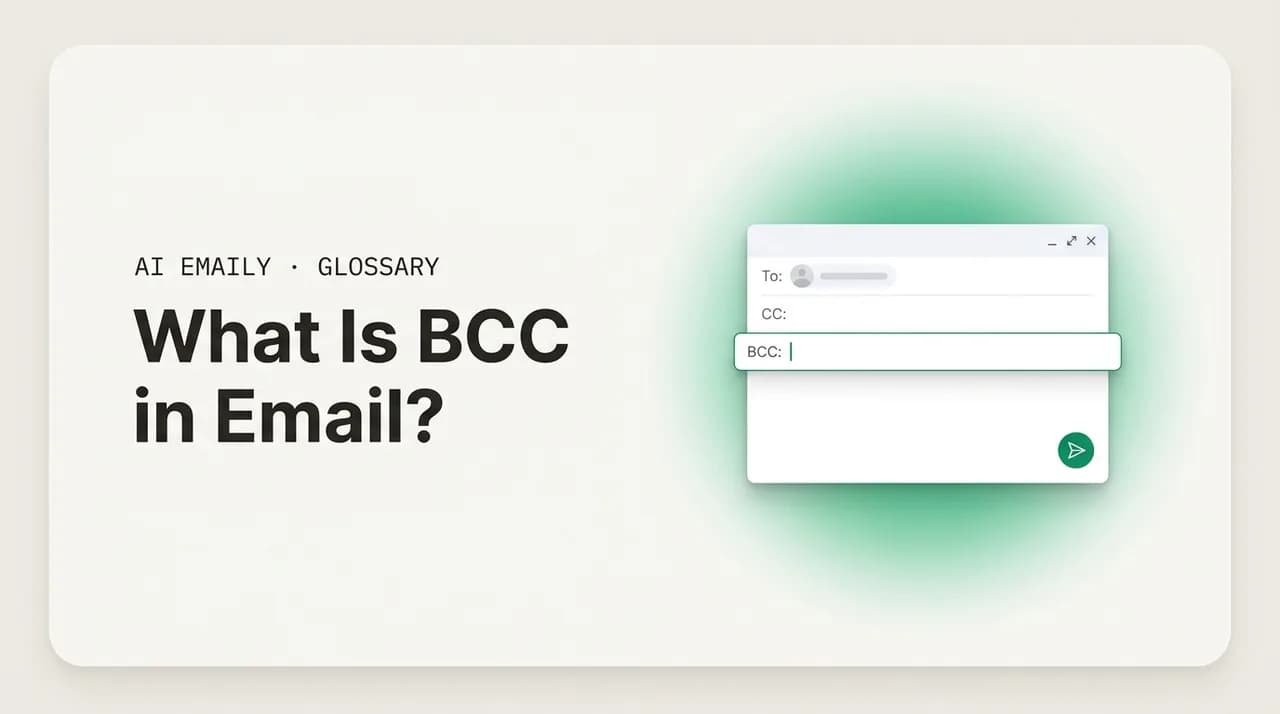
BCC, or blind carbon copy, is the email field that sends a copy of a message to recipients whose addresses are hidden from everyone else. People in To and CC cannot see who was BCC'd, and BCC'd recipients cannot see each other. It exists to protect recipient privacy and to loop someone in quietly.
BCC (blind carbon copy) is an email field that sends a copy to recipients whose addresses are hidden from everyone else on the message. Learn what BCC means, how it differs from To and CC, what recipients can and cannot see, and when to use it.
On this page
- 01What does BCC mean in email?
- 02Why is it called "blind carbon copy"?
- 03How does BCC differ from the To and CC fields?
- 04What can recipients actually see when you use BCC?
- 05When should you use BCC? The legitimate cases
- 06What is the BCC reply trap, and how do you avoid it?
- 07Is using BCC private, polite, or sneaky?
- 08How do you BCC someone in Gmail, Outlook, and Apple Mail?
- 09Does BCC make an email private or secure?
- 10Common BCC questions, answered briefly
- 11How does AI Emaily handle BCC and recipient privacy?
- 12The bottom line on BCC
You are about to send one email to forty people — a newsletter, an event invite, a notice that your team is moving offices. You drop all forty addresses into the To field, hit send, and feel productive. Then the replies start. Someone hits Reply All to say "thanks," and now forty strangers have each other's email addresses and a thread that will not die. One of them was a client who did not want a competitor seeing they are on your list. Another was a private individual whose address you have just published to a crowd. The field you wanted was not To. It was BCC.
BCC stands for blind carbon copy, and it is one of the three address fields on every email you send. To and CC are visible to everyone on the message. BCC is the one that is not — it sends the same email to people whose addresses stay hidden from all the other recipients. It is the quiet field, the private field, the one that exists precisely so that a copy can go somewhere without announcing it. And because it is invisible by design, it is also the field people misunderstand most, use least, and occasionally use in exactly the wrong way.
This guide is a plain-English definition of BCC: what the term means, where it comes from, how it actually behaves when you send a message, and what every recipient can and cannot see. We will walk through the legitimate reasons to reach for it — protecting the privacy of a large recipient list, looping someone in without cluttering the visible thread, and gracefully moving a person out of a conversation — and the one trap that catches people every time, the BCC reply. There is a visibility table that lays out To, CC, and BCC side by side, a worked example of what each recipient sees, and step-by-step instructions for finding and using BCC in Gmail, Outlook, and Apple Mail.
We will keep it concrete. By the end you will know not just what BCC means but when it is the right tool, when it is the wrong one, and why a field nobody talks about quietly does more for privacy than almost anything else in your inbox. There is a separate, fuller comparison of CC versus BCC for when you need to choose between the two — here, the focus is BCC itself: what it is and how it works.
What does BCC mean in email?#
BCC means blind carbon copy. It is an address field on an outgoing email — alongside To and CC — that sends a copy of the message to one or more recipients whose email addresses are hidden from everyone else on the message. The word "blind" is the whole point: the other recipients are blind to who else received a copy. Someone in the To field, or someone in the CC field, sees the message but cannot see that anyone was BCC'd at all. And the people in the BCC field cannot see each other.
Put simply, a BCC recipient gets the email exactly as the To and CC recipients do — same subject, same body, same attachments — but their presence on the message is invisible to the rest of the list. The sender knows who was BCC'd, because the sender typed the addresses in. Nobody else does. That single property — a copy delivered privately, without disclosure to the other recipients — is what BCC is for, and everything else about how it behaves follows from it.
It helps to see BCC as one of three roles a recipient can have on an email, not as a special or advanced feature. The To field is for the primary recipients — the people the message is actually addressed to and expected to act on or reply to. The CC field (carbon copy) is for secondary recipients you are keeping in the loop, visibly: "I am telling you this too, and everyone can see I told you." The BCC field is for recipients you are keeping in the loop invisibly: "I am telling you this too, and nobody else needs to know I did." Same email, three different relationships to it, and BCC is the only one of the three that comes with privacy built in.
One more clarification, because it trips people up: BCC is not encryption and it is not security. It hides recipient addresses from other recipients of the same message — that is all. The contents of the email are exactly as visible (or as protected) as any other email, and your mail provider, the recipients' providers, and anyone with access to those mailboxes can still see the message. BCC is a courtesy-and-privacy field about who is on the to-line, not a tool that makes a message secret. We will come back to that distinction, because conflating the two is where people get into trouble.
The definition in one line
Why is it called "blind carbon copy"?#
The phrase is older than email, and knowing where it comes from makes both halves of it click. "Carbon copy" goes back to the typewriter era. To make a duplicate of a letter as you typed it, you would stack a sheet of carbon paper — paper coated on one side with a dark, waxy pigment — between two sheets of regular paper. The pressure of each keystroke transferred ink through the carbon onto the second sheet, producing a copy of the document at the same time as the original. Typists would note at the bottom of a letter "cc:" followed by the names of everyone who received one of those carbon duplicates, so the recipient knew who else had been sent the same letter.
"Blind" carbon copy was the variation for when you wanted to send a copy to someone without the main recipient knowing. The typist would make the extra carbon copy but leave the "cc:" notation off the original — so the primary recipient was "blind" to the fact that a copy had gone elsewhere. The copy went out; the disclosure did not. That is the exact behavior email's BCC field reproduces, which is why the name carried over wholesale when email adopted the office-memo conventions of To, CC, and BCC in the early days of electronic mail.
So "carbon copy" is a fossil — there is no carbon paper anywhere in your laptop, and there has not been a carbon copy in the literal sense for decades. But the word survives because the idea survives: a duplicate of a message sent to additional people. And "blind" still means exactly what it meant to a 1950s secretary: the other recipients cannot see that this copy was sent. Email kept the labels CC and BCC because they were already the universal shorthand in offices, and changing them would have meant teaching everyone a new vocabulary for a behavior they already understood. The technology changed completely; the terms did not.
How does BCC differ from the To and CC fields?#
Every email has the same three address fields, and the difference between them is partly about intent and partly about visibility. The To field holds the primary recipients — the people the message is for, the ones you expect to read it and, usually, to reply. The CC field holds people you are copying for awareness: they are not the main audience, but you want them to see the message and to know they were included. CC is fully visible — everyone on the email sees the entire To and CC lists, so copying someone is also a small public signal that you wanted them in the loop.
BCC is the visibility exception. Like CC, it delivers a copy to people who are not the primary audience. Unlike CC, those people are hidden. The To and CC recipients do not see the BCC list at all — to them, the email looks like it went only to the visible recipients. And critically, the BCC recipients are hidden from each other too: if you BCC fifty people, each of them receives the message but sees only the To/CC lines, never the other forty-nine BCC addresses. That mutual invisibility among BCC recipients is the property that makes BCC the right tool for mass email to a list of people who should not see one another.
There is a behavioral consequence that matters more than it sounds. Because CC recipients are visible, a reply — especially Reply All — naturally includes them, and the conversation can sensibly continue with everyone. Because BCC recipients are invisible, they are deliberately excluded from the visible conversation. The intent of BCC is generally "receive this once, quietly" rather than "join the thread." That is why a BCC recipient who hits Reply All causes confusion: they reveal a presence the sender chose to hide. We will dig into that specific trap shortly, because it is the single most important thing to understand about using BCC safely.
It also helps to think about reply behavior as the practical fault line between the three fields. A plain Reply goes back to the sender only. A Reply All goes to the sender plus everyone in the To and CC fields — and never to the BCC recipients, because the replying person's email client cannot see addresses that were hidden from them in the first place. So the To and CC fields define the visible conversation; BCC sits outside it entirely. Choosing a field is really choosing whether a person is part of the conversation (To, CC) or simply receiving a private copy of it (BCC).
| Field | Visible to others? | Who it's for | Reply All includes them? |
|---|---|---|---|
| To | Yes — everyone sees the To list | Primary recipients — the people the email is addressed to | Yes |
| CC | Yes — everyone sees the CC list | Secondary recipients copied for visible awareness | Yes |
| BCC | No — hidden from all other recipients, and from each other | Recipients copied privately, outside the visible conversation | No |
What can recipients actually see when you use BCC?#
This is where most of the confusion about BCC lives, so it is worth being precise about who sees what. The behavior is consistent across every standard email client and provider, because it is built into how email itself handles these fields. There are three vantage points on any message that uses BCC: the sender, the visible recipients (To and CC), and the BCC recipients themselves.
The sender sees everything. You typed the addresses, so you can see the full To list, the full CC list, and the full BCC list on the message you sent. In your Sent folder, the saved copy normally shows all three fields including BCC, so you have a record of who you blind-copied. That is your view alone — it does not travel to anyone else.
The visible recipients — everyone in To and CC — see the To and CC lists and nothing else. To them, the email appears to have been sent only to the visible recipients. There is no indication that a BCC field was used at all; no count, no "and others," no asterisk. A message sent to one person in To and ten people in BCC looks, to that one visible person, exactly like a message sent to them alone. This invisibility is total and intentional: the entire purpose of BCC is that the visible recipients cannot tell anyone was blind-copied.
The BCC recipients see the To and CC lists — the visible recipients — but they do not see the BCC list, including their own presence on it. A BCC recipient knows they received the email (it is in their inbox), and they can usually tell they were not in the To or CC fields because their address is not listed there, which is often a quiet signal that they were BCC'd. But they cannot see who else was BCC'd. If you blind-copy a hundred people, each one receives the message and sees only the visible recipients, never the other ninety-nine. They are invisible to each other. Here is the full picture in one example.
What BCC does not hide
When should you use BCC? The legitimate cases#
BCC has a handful of clear, everyday uses where it is exactly the right tool — and recognizing them is what separates confident use from the vague sense that BCC is somehow sneaky. It is not sneaky when it protects people or keeps a thread clean; it is good etiquette. There are three core legitimate cases, and almost every appropriate use of BCC is a version of one of them.
The first and most important is protecting the privacy of a large recipient list. When you send one message to many people who do not all know each other — a newsletter, a community announcement, an invitation to a group that is not a team, a notice to a list of customers or clients — putting every address in To or CC exposes everyone's email address to everyone else. That is a privacy breach: people did not consent to having their address shared with strangers, and in many places (under data-protection rules like the GDPR) doing it by accident is a reportable incident. The fix is to put your own address in To and everyone else in BCC. Each person receives the message, nobody sees the others, and no one can Reply All to the whole list. This is the single most valuable thing BCC does.
The second is looping someone in quietly without cluttering the visible thread. Sometimes you want a person to receive a copy of a message for their awareness, but you do not want them drawn into the conversation or visibly attached to it. You might BCC an assistant so they have a record, BCC yourself to file a copy in another account, or send a one-time notice to a colleague who needs to know but should not become part of the reply chain. Because BCC recipients are excluded from Reply All, they receive the information once and quietly, exactly as intended — they are informed, not enrolled.
The third is gracefully moving someone out of a conversation. This is a specific, polite convention: when an introduction has done its job and you want to drop the introducer from the ongoing thread, you reply and move them from To/CC to BCC, with a short note like "moving Sarah to BCC to spare her inbox." The introducer gets this one message confirming the handoff worked, and is then cleanly out of the thread — they will not get the rest of the back-and-forth. It is a small courtesy that respects someone's inbox while acknowledging their role, and BCC is the field built for it.
The mass-email rule of thumb
What is the BCC reply trap, and how do you avoid it?#
There is one mistake that catches people again and again, and it comes directly from BCC's defining property: the sender hides the BCC recipients, but the BCC recipients do not necessarily know they were hidden. The trap is what happens when a BCC recipient hits Reply All.
Picture the sender BCC'ing someone — say, blind-copying their manager on a tense email to a vendor, so the manager has a record but the vendor does not know. The manager receives the email. From the manager's side, it looks like a normal message they were copied on. If the manager hits Reply All to say "good, send it," their reply goes to the sender and to everyone in the visible To and CC fields — including the vendor. Suddenly the vendor learns that the manager was secretly copied on the original. The whole point of the BCC — invisibility — is blown, and by the worst possible person at the worst possible moment. This is the BCC reply trap, and it is why blind-copying a person into a thread carries a real risk that a plain CC does not.
The trap has two sides, and both are worth understanding. From the sender's side: anyone you BCC into an active conversation is a loose end, because they can expose themselves (and you) with one careless Reply All. From the recipient's side: if you receive an email and notice your address is not in the To or CC fields, you were almost certainly BCC'd — and you should reply only to the sender, never Reply All, because replying to the whole list reveals that you were quietly copied. The safe move for a BCC recipient is to treat the copy as for-your-eyes-only unless the sender says otherwise.
The cleanest way to avoid the trap entirely is to not use BCC to secretly include a person in a live thread. If you want someone to have a copy of a conversation, forward it to them separately after the fact — that gives them the information with zero risk of an accidental Reply All blowing your cover. Reserve BCC for the cases where it shines and where the trap does not apply: mass email to a private list (where there is no shared conversation to reply into), record-keeping, and the polite move-to-BCC handoff (which is a deliberate, one-time goodbye, not a hidden ongoing presence). Used that way, the reply trap simply never arises.
Never BCC someone to secretly watch a thread
Is using BCC private, polite, or sneaky?#
BCC has a faint reputation for being underhanded — the field you use to copy your boss on a complaint without the other person knowing, or to quietly forward something. That reputation is mostly undeserved, and untangling it helps you use BCC with a clear conscience. The honest answer is that BCC is overwhelmingly a privacy-and-courtesy tool, and only occasionally a discretion tool, and the difference is in the intent.
Start with the privacy case, which is the dominant one and is unambiguously good etiquette. Using BCC to mail a group of people who do not know each other protects every one of them. The alternative — exposing the whole list in To or CC — is the rude, careless, and sometimes legally risky option. Here BCC is not sneaky at all; it is the considerate thing to do, the email equivalent of not reading out everyone's phone number to a room. The same goes for the polite move-to-BCC handoff and for quietly keeping a record. None of these hides anything from anyone who has a stake in it; they simply keep addresses and inboxes clean.
The discretion case — blind-copying a specific person into a conversation so another participant does not know — is where the reputation comes from, and it is the case to be thoughtful about. Sometimes it is entirely appropriate: copying HR on a sensitive matter, keeping a manager informed of a customer escalation, documenting something for the record. Other times it edges into something that would feel like a betrayal if the hidden recipient were revealed. A useful test: if the people in the To field learned you had BCC'd this person, would you be comfortable explaining why? If yes, the BCC is fine. If the honest answer is that you are relying on them never finding out, that is a sign to either CC the person openly or forward the message separately — both of which carry less risk and less guilt than a secret blind copy.
The etiquette summary is short. BCC to protect people's addresses on a mass send: always do this, it is the polite default. BCC to keep a clean record or make a graceful handoff: fine, low-stakes. BCC to secretly include someone in a live thread: rare, risky (the reply trap), and worth a second thought about whether you would defend it out loud. Judged by intent rather than by the field itself, BCC is far more often the courteous choice than the sneaky one.
The "would you explain it" test
How do you BCC someone in Gmail, Outlook, and Apple Mail?#
The mechanics are simple in every major email client — the BCC field is just usually tucked away, because most messages do not need it. In all three, you compose a new message, reveal the BCC field, add the addresses you want hidden, and send as normal. The recipients you place in BCC are hidden from everyone else automatically; there is no extra step to make them invisible. Here is how to find the field in each of the big clients, and a couple of practical notes that apply everywhere.
The one habit worth building, regardless of client: when you are mass-emailing a list with BCC, put your own address (or a no-reply address you own) in the To field rather than leaving To empty. Some providers and spam filters treat a message with an empty To line as suspicious, and a few clients will not send one at all. Putting yourself in To gives the message a clean visible recipient while every actual recipient stays safely hidden in BCC.
- 1
Gmail (web)
Click Compose. In the new message window, the To field has "Cc" and "Bcc" links on its right side — click "Bcc" to reveal the field. Type or paste the hidden recipients there, fill in the subject and body, and send. The Gmail mobile app shows Cc/Bcc when you tap the chevron or arrow at the end of the To row.
- 2
Outlook (new Outlook and web)
Click New mail. If you do not see a Bcc field, click the "Bcc" button in the message's options ribbon (top of the compose window) to turn it on — it then stays on for future messages. Add your hidden recipients to Bcc, complete the email, and send.
- 3
Outlook (classic desktop)
Open a new email, go to the Options tab in the ribbon, and click "Bcc" in the Show Fields group. The Bcc field appears under Cc and remains visible for subsequent messages until you turn it off the same way.
- 4
Apple Mail (Mac)
Open a new message. If the Bcc field is not shown, click the small fields button (the three-lines or chevron icon) at the left of the Subject/From row and choose "Bcc Address Field," or use the View menu. Add recipients to Bcc and send. On iPhone and iPad, tap the Cc/Bcc line in a new message to expand it, then enter addresses in the Bcc row.
- 5
Everywhere: protect the list
For a mass send, place your own address in the To field and everyone else in Bcc, so the message has a visible recipient while each real recipient stays hidden from the others. Double-check the field before sending — pasting a list into To instead of Bcc is the classic exposure mistake.
Check the field before you hit send
Does BCC make an email private or secure?#
It is worth stating plainly, because the word "blind" makes BCC sound more protective than it is: BCC is not a security feature, and it does not make an email private in any meaningful sense beyond hiding the recipient list. It hides addresses from other recipients of the same message — full stop. Everything else about the email is exactly as exposed, or as protected, as any normal message you send.
Concretely, here is what BCC does not do. It does not encrypt the message; the subject, body, and attachments travel and are stored the same way any email is. It does not hide the message from the recipients' email providers, from IT administrators with mailbox access, or from anyone the recipient chooses to forward it to. It does not stop a BCC recipient from revealing they received it — they can forward it, screenshot it, or, via the reply trap, expose themselves to the rest of the list. And it does not hide the message from your own provider or from the copy that sits in your Sent folder. BCC is a single, narrow function: keep recipient addresses from being shown to other recipients.
If what you actually need is for the contents of an email to be unreadable to anyone but the intended recipient, that is encryption, and it is a different mechanism entirely — transport encryption (TLS) protects mail in transit between servers, while end-to-end encryption (using standards like S/MIME or PGP, or an encrypted-mail service) protects the contents so that not even the mail providers can read them. BCC sits alongside none of that; you can BCC an encrypted email or an unencrypted one, and the BCC field changes only who is hidden on the to-line, never how readable the message is. Treat BCC as an addressing courtesy, and reach for encryption when you need real confidentiality.
BCC hides addresses, not content
Common BCC questions, answered briefly#
A few recurring questions do not need a full section but are worth settling, because they come up constantly and the answers are short and definite. Each follows directly from BCC's core behavior: a hidden copy that other recipients cannot see.
Does a BCC recipient know they were BCC'd? Not for certain, but usually they can infer it. The message does not announce "you were blind-copied," but a recipient who notices their address is not in the To or CC fields can reasonably conclude they were BCC'd. The polite response to that realization is to reply only to the sender, never Reply All.
Can the To and CC recipients ever find out who was BCC'd? Not from the email itself — there is no field, count, or marker that reveals it. They can only find out if a BCC recipient exposes it (most often by hitting Reply All) or if the sender tells them. The hiding is reliable as long as nobody on the BCC list breaks it.
Does BCC appear in my Sent folder? Yes. The copy of the message saved in your Sent folder normally shows all three fields, including the BCC list, so you keep a record of who you blind-copied. That record is visible only to you in your own mailbox. And one more: should you use BCC for a real mailing list? For a one-off note to a modest group, BCC is fine. For an actual list — a newsletter, a recurring announcement to many people — a dedicated email tool is better, because it handles unsubscribes, personalization, and sending limits that BCC does not. BCC is the right instinct for privacy; a proper tool is the right machinery at scale.
| Question | Short answer |
|---|---|
| Does a BCC recipient know they were BCC'd? | Not told outright, but they can infer it from not being in To/CC — they should reply to sender only |
| Can To/CC recipients see the BCC list? | No — never from the email itself; only if a BCC'd person exposes it or the sender says |
| Can BCC recipients see each other? | No — each sees only the visible To/CC recipients, never the other BCC addresses |
| Does Reply All reach BCC recipients? | No — they were hidden, so a replier's client cannot include them |
| Does the BCC list show in my Sent folder? | Yes — your saved copy normally shows all three fields, visible only to you |
| Is BCC good for a real mailing list? | Fine for small one-offs; use a dedicated email tool for true lists (unsubscribes, scale) |
How does AI Emaily handle BCC and recipient privacy?#
BCC is a small decision you make on the fly, and like most small email decisions, the cost is not any single instance — it is the hundreds of times you do it, and the one time you get it wrong by pasting a list into To instead of BCC. AI Emaily is an AI-native email client that helps with exactly that kind of quiet, easy-to-fumble call: when you are drafting or replying, it understands the difference between To, CC, and BCC and can place recipients in the right field for what you are trying to do, so a private list stays private without you thinking about it.
It works across every account you connect — Gmail, Outlook, and any IMAP provider — in one place, with the same threading and the same drafting voice wherever you write, so the rules above behave consistently no matter which inbox a message lives in. And it is private by design: your mail is yours, used to draft for you, never to train models for anyone else. In its default Copilot mode, nothing sends until you approve it — so you always get the final glance at which field your recipients are in before a message goes out, which is the one habit that prevents the classic BCC exposure. You can start free at app.aiemaily.com/signup.
One inbox, the fields handled for you
The bottom line on BCC#
BCC — blind carbon copy — is the email field that sends a copy of a message to recipients whose addresses are hidden from everyone else. People in To and CC cannot see who was BCC'd, and the BCC recipients cannot see each other. It descends, name and all, from the typewriter-era practice of making a carbon copy without noting it on the original, and it does in email exactly what it did then: deliver a copy quietly, without disclosing it to the other recipients.
Used well, it is one of the most considerate fields in your inbox. Put a private list in BCC and you protect everyone's address and head off a Reply-All storm. Use it to keep a clean record or to make a graceful move-to-BCC handoff and you respect people's inboxes. The one habit that keeps you safe is to avoid using BCC to secretly include a person in a live thread — that is where the reply trap waits, and forwarding the message separately afterward is the cleaner choice. And remember the limit: BCC hides addresses, not content. It is an addressing courtesy, not encryption.
Get those few points right — the definition, the visibility, the legitimate uses, and the one trap — and BCC stops being the mysterious field nobody talks about and becomes a quiet, reliable tool for privacy. If you would rather not weigh the call on every group email, that is the kind of thing AI Emaily handles, keeping your recipients in the right field and waiting for your approval before anything sends. Either way, the principle holds: when people on a message should not see each other, BCC is the field that keeps it that way.
Frequently asked
See it in AI Emaily
Keep reading
Sources

Written by
Nafiul HasanNafiul Hasan is an entrepreneur and AI automation system builder with 10+ years of experience turning messy, manual workflows into reliable automated systems. He designs and ships AI enterprise solutions end-to-end — the agent logic, the data plumbing, and the product people actually use — and founded AI Emaily to give busy professionals their attention back. He writes here from the builder's seat: what works, what breaks, and how to put AI to work without giving up control.