What Is Email Spoofing? How Forged Sender Addresses Work

The short answer
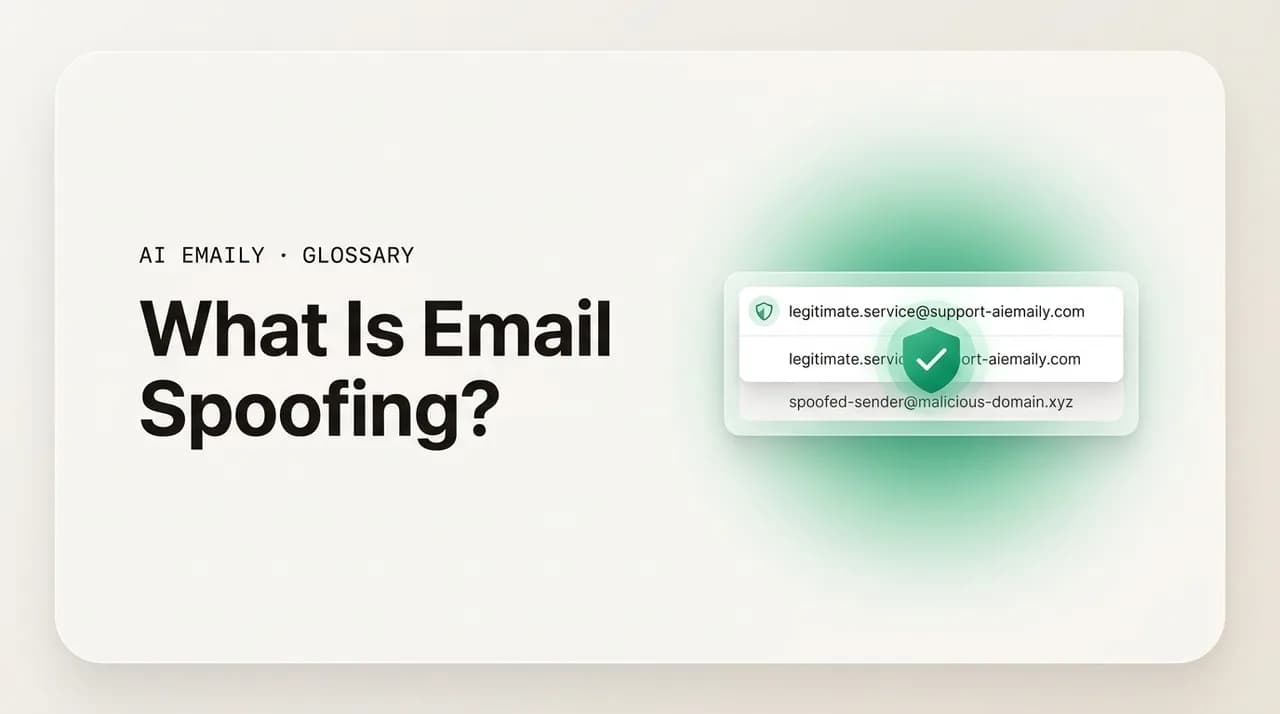
Email spoofing is forging the sender address on a message so it appears to come from a person or domain it did not. It works because the original email protocol never verified the "From" field. SPF, DKIM, and DMARC now authenticate senders and block most spoofing — when domains publish and enforce them.
Email spoofing is forging the sender address on a message so it looks like it came from someone it did not. Learn how it works, how it differs from phishing, how SPF, DKIM, and DMARC stop it, and how to spot a spoofed email.
On this page
- 01What is email spoofing, exactly?
- 02How does email spoofing work?
- 03What is the difference between spoofing, phishing, and impersonation?
- 04How do SPF, DKIM, and DMARC stop email spoofing?
- 05How can you spot a spoofed email?
- 06What should you do if your domain is being spoofed?
- 07How can you protect yourself from spoofed emails?
- 08How does AI Emaily handle spoofing and suspicious senders?
- 09The bottom line on email spoofing
You get an email that says it is from your bank, your CEO, or a service you use every day. The name is right. The address looks right. The message asks you to confirm a password, approve a wire, or click a link before something bad happens. Everything about it says trust this — and yet none of it proves the email actually came from where it claims. That gap, between what an email says about its sender and what is actually true, is the whole story of email spoofing.
Email spoofing is one of the oldest tricks on the internet, and it survives for an uncomfortable reason: the protocol that moves email was never built to check who a message is really from. When email was designed, the senders were a handful of trusting research institutions, and the "From" line was treated like the return address you write on an envelope — something the sender fills in, not something the post office verifies. Decades later, that same trust-by-default design is still underneath every message you receive, and attackers have spent those decades exploiting it.
This guide explains spoofing from the ground up, in plain language. You will learn exactly what spoofing is and what it is not, how a forged sender address is technically possible, the difference between the address you see and the address the mail system actually uses, and how spoofing relates to — but is not the same as — phishing and impersonation. Then we get to the defenses: how the three modern authentication standards (SPF, DKIM, and DMARC) work together to make spoofing far harder, how you can read an email's headers to spot a forgery yourself, and what to do if it is your own domain being spoofed in someone else's inbox.
We will keep it practical and accurate. There is a worked header example you can compare against your own mail, a table that lays the three authentication standards side by side, and a short, honest note at the end about how a modern email client — including AI Emaily — uses these same signals to flag suspicious senders and render messages safely. By the time you finish, a spoofed email should be a thing you can recognize, not a thing that recognizes you.
What is email spoofing, exactly?#
Email spoofing is the forging of the sender information on an email so that the message appears to come from a person, company, or domain that did not actually send it. The forged part is usually the "From" address — the line your email client shows as the sender — but spoofing can also forge the display name, the "Reply-To" address, or the domain the message claims to originate from. The defining feature is deception about origin: the email lies about where it came from.
The plain-English way to picture it is the postal envelope. When you mail a letter, you write a return address on the envelope, but nobody at the post office checks whether that return address is really yours. You could write anyone's address there, drop the letter in the box, and it would be delivered with that false return address printed on it. Email's "From" field works the same way: the sending software writes it, and for most of email's history nothing downstream verified that the sender had any right to use that address. Spoofing is simply writing a return address that is not yours.
What makes the envelope analogy especially apt for email is that the lie is cheap and the upside is large. Forging a paper return address gets you very little; forging an email sender can get you a password, a payment, or a foothold in a company — and it costs the attacker nothing but the time to type a different address. That asymmetry is why spoofing did not fade as the internet matured. It is not a clever exploit that vendors can patch away; it is a property of how email was designed, and the only real fix is the layer of verification the industry has spent years bolting on top.
It is worth being precise about what spoofing is not, because the word gets used loosely. Spoofing is not hacking into someone's account — that is account compromise, where the attacker really is sending from the genuine mailbox. Spoofing does not require access to the real sender's systems at all; the attacker sends from their own infrastructure and merely forges the labels. And spoofing is not the same as the broader attack it usually serves. Spoofing is the technique — the forged origin. Phishing and impersonation fraud are the goals that technique is used to achieve. We will untangle those terms in a dedicated section, because confusing them is the single most common mistake people make about this topic.
There are also degrees of spoofing, and the word covers all of them. At one end is the lazy version that forges only the display name and leaves a junk address behind it. In the middle is the forging of the exact visible address — [email protected] appearing perfectly in your inbox even though no one at the bank sent it. At the far end are blended attacks that combine a forged or lookalike sender with a convincing pretext, a cloned brand template, and a link to a credential-harvesting page. When people say "I got a spoofed email," they could mean any of these, which is part of why the term feels slippery. What unites them is the single constant: the message misrepresents who it is from.
Spoofing matters because so much of how we judge an email rests on the sender. We decide whether to trust a request, click a link, or hand over information based largely on who we think sent it. A forged sender hijacks that judgment at the source. If an attacker can make a message look like it came from your bank, your colleague, or a brand you already trust, they have borrowed that trust without earning it — and everything they ask you to do inherits credibility it should never have had. The reason it remains so common, despite being one of the oldest attacks online, is that it is cheap to attempt and occasionally enormously profitable: a single forged email that lands a wire transfer or a set of login credentials can pay for thousands of failed attempts, so attackers keep sending.
The core idea in one line
How does email spoofing work?#
To understand how spoofing is possible, you have to know that an email carries not one sender address but effectively two, and they live in different layers of the message. Most people only ever see one of them. The gap between the two is the room in which spoofing operates.
The first address is the one in the message headers — the "From:" field that your email client displays at the top of the message. This is part of the email's content, written by whatever software composed the message. When you read an email, this is the sender you see, and it is the one a spoofer forges, because it is trivial to set it to any value at all. The protocol that sends email, SMTP, treats this header as data to carry, not a claim to verify.
The second address is the envelope sender, also called the "MAIL FROM" or return-path address. This is the address the sending and receiving mail servers exchange during the SMTP conversation, before the message body is even transferred — the equivalent of what the two post offices say to each other about where a letter came from and where to bounce it if it fails. The recipient often never sees this address; it lives in the transport layer, not in the visible message. Crucially, the envelope sender and the header "From" do not have to match. Legitimate mail uses that flexibility (a newsletter platform sends on a company's behalf, for instance), but a spoofer abuses it: they can forge the visible header "From" to read [email protected] while the envelope sender points somewhere else entirely.
Here is the actual sequence. An attacker connects to a mail server — their own, a misconfigured open relay, or a compromised one — and starts an SMTP conversation. They declare an envelope sender, then supply the message including a forged "From:" header set to the address they want to impersonate. The sending server hands the message off, and unless the receiving side runs authentication checks (which we cover below), nothing in the basic protocol stops the forged header from being delivered exactly as written. The recipient opens their inbox and sees a message that appears, at the level they can see, to be from the impersonated sender. None of this requires special hacking tools; the same standard commands any mail server speaks are enough, which is why spoofing has been within reach of unskilled attackers for decades.
The technique varies in sophistication. The crudest form is display-name spoofing, which does not even forge the address — it just sets the human-readable display name to something trusted ("Acme Support") while the actual address behind it is some throwaway account. On a phone, where clients often show only the display name and hide the address, this is startlingly effective and requires no special infrastructure. A step up is forging the visible "From" address itself to an exact, legitimate-looking domain. The most sophisticated attacks add lookalike domains — registering a domain that reads almost identically to the real one (using a zero for an O, or rnicrosoft for microsoft) — so that even a careful reader who checks the address can be fooled.
It also helps to know where spoofers get the infrastructure to send. Some use their own servers and simply forge the headers, betting that the receiving domain does not enforce authentication. Some abuse open relays — mail servers misconfigured to forward mail for anyone — though these are far rarer now than they once were. Others rent capacity from bulletproof hosting providers that ignore abuse complaints, or quietly route mail through compromised servers and botnets to spread the volume across many addresses and dodge reputation-based blocking. The choice of infrastructure is mostly about avoiding the receiver's defenses, but it leaves fingerprints: the originating server recorded in the headers rarely matches anything the genuine sender would ever use, which is one of the things that gives a forgery away.
Why the protocol allows it
What is the difference between spoofing, phishing, and impersonation?#
These three words are constantly used as if they mean the same thing, and they do not. Getting them straight is the fastest way to actually understand the topic, because each names a different part of the same attack. The short version: spoofing is a technique, phishing is a goal, and impersonation is the disguise that connects them.
Spoofing is the technical act of forging the sender — making the email appear to come from somewhere it did not. It is a means, not an end. You can spoof an address purely to bypass a filter, to send spam, or as one ingredient in a larger scheme. Spoofing describes how the origin is faked, full stop.
Phishing is the goal of tricking a person into doing something harmful — revealing a password, entering credentials on a fake site, sending money, or opening malware. Phishing is about the deception and the payload, not specifically about the sender address. A phishing email very often uses spoofing to look credible, but not always: plenty of phishing comes from real, attacker-controlled accounts that were never spoofed at all. So spoofing frequently serves phishing, but the two are not synonyms — one is a method, the other is an objective.
Impersonation is the broader idea of pretending to be a specific trusted party — your boss, a vendor, a known brand. Impersonation is the disguise. Spoofing is one way to achieve impersonation (forge the address), but impersonation can also be done with a lookalike domain that is technically legitimate, or with display-name tricks, or by compromising a real account. Business email compromise (BEC) — the high-value scam where a fake "CEO" asks finance to wire money — is impersonation that may or may not involve true address spoofing; sometimes it is a lookalike domain that passes every authentication check precisely because the attacker really does own it.
The reason this matters in practice is that the defenses differ. Authentication standards like SPF, DKIM, and DMARC are excellent at stopping classic spoofing — forging your exact domain — but they do nothing about a lookalike domain the attacker legitimately registered, because that mail is genuinely authenticated for its own (deceptive) domain. So beating spoofing is necessary but not sufficient; you also need human awareness and client-side cues to catch the impersonation that authentication cannot. The table below lays out where each term sits.
A worked scenario makes the layers concrete. Imagine an email lands in your finance team's inbox appearing to come from the CEO, asking for an urgent payment to a new supplier. The forged "From" address is the spoofing. The request to move money is the phishing payload. The pretense of being the CEO is the impersonation. And if it succeeds in extracting a wire, it becomes business email compromise — the fraud category that costs organizations billions a year. One email, four labels, each describing a different facet. Pull on any single thread and you miss the others: a filter that catches the forged address does nothing if the attacker used a lookalike, and a team trained to spot impersonation still needs authentication to stop the easy forgeries before they ever arrive.
| Term | What it is | Example | Stopped by |
|---|---|---|---|
| Spoofing | Forging the sender so mail looks like it is from elsewhere (a technique) | Email with a forged From: [email protected] sent from an attacker's server | SPF / DKIM / DMARC authentication |
| Phishing | Tricking a person into a harmful action (a goal) | "Confirm your password" link to a fake login page | Filters + user awareness + auth |
| Impersonation | Pretending to be a specific trusted party (the disguise) | A fake "CFO" or a lookalike domain rnicrosoft.com | Awareness + lookalike detection |
| BEC | Targeted impersonation for financial fraud | "Wire $40k to this new vendor account today" | Process controls + awareness |
| Account compromise | Sending from the genuine, hijacked mailbox | Real account, real auth, attacker at the keyboard | MFA + anomaly detection (not auth) |
One distinction inside that table deserves a second look, because it trips up even technical people: spoofing versus account compromise. In spoofing, the attacker never touches the real account — they forge the labels from their own infrastructure, and authentication checks can catch them because they cannot prove they own the domain. In account compromise, the attacker is logged into the genuine mailbox; the email is truly from that account, passes every authentication check honestly, and looks legitimate because in a technical sense it is. That is why authentication alone cannot stop a compromised-account attack, and why spoofing and compromise call for different defenses — DMARC for the first, multi-factor authentication and behavioral detection for the second.
A useful mental model
How do SPF, DKIM, and DMARC stop email spoofing?#
Because the email protocol cannot verify a sender on its own, the industry built three authentication standards on top of it. They are published in a domain's DNS — the same place that holds the records pointing your domain at a website or a mail server — and receiving mail servers check them on every incoming message. Together they let a receiver answer the question the protocol never could: is this message really authorized by the domain it claims to be from? Understanding how each works is the key to understanding both how spoofing is stopped and where it still slips through.
SPF (Sender Policy Framework) is a published list of which mail servers are allowed to send email for a domain. The domain owner adds an SPF record to DNS naming the IP addresses and services permitted to send on its behalf. When a message arrives, the receiver checks the envelope sender's domain, looks up that domain's SPF record, and asks: did this message come from one of the listed servers? If yes, SPF passes; if it came from somewhere not on the list, SPF fails. SPF's blind spot is that it checks the envelope sender, not the visible "From" header — so on its own it does not directly protect the address the user actually sees, which is exactly why it needs the other two.
DKIM (DomainKeys Identified Mail) adds a cryptographic signature to the message. The sending server signs selected headers and the body with a private key, attaching a DKIM-Signature header; the matching public key lives in the domain's DNS. The receiver fetches that public key, verifies the signature, and learns two things: the message really was authorized by that domain, and it was not altered in transit. DKIM is powerful because it travels with the message and survives forwarding better than SPF, but on its own DKIM does not require that the signing domain match the visible "From" — a spoofer could validly sign with their own domain. Alignment is what fixes that, and alignment is DMARC's job.
DMARC (Domain-based Message Authentication, Reporting and Conformance) ties the first two together and closes the gap they leave. A DMARC record does two essential things. First, it requires alignment: the domain that passed SPF or DKIM must match the domain in the visible "From" header — so an attacker can no longer pass authentication for their own domain while displaying yours. Second, it lets the domain owner publish a policy telling receivers what to do when a message fails: do nothing (p=none, monitor only), send it to spam (p=quarantine), or reject it outright (p=reject). DMARC also generates reports back to the domain owner, showing who is sending mail as their domain — which is how organizations discover spoofing of their own brand. When a domain publishes DMARC at p=reject with aligned SPF and DKIM, classic exact-domain spoofing of that domain becomes very hard: forged mail fails the checks and gets rejected before it reaches an inbox.
It is worth seeing how these three run in sequence on a single arriving message. The receiver checks SPF against the envelope sender's domain and notes whether the sending server was authorized. It verifies any DKIM signature against the public key in DNS. Then DMARC asks the decisive questions: did SPF or DKIM pass, and does the passing domain align with the domain in the visible "From"? If yes, the message is authenticated and trusted as genuinely from that domain. If no, DMARC consults the published policy — none, quarantine, or reject — and the receiver acts accordingly, while logging the result into the aggregate report stream the domain owner reads. The whole evaluation happens in a fraction of a second, invisibly, on every message, which is why properly configured authentication scales to internet volumes.
The honest limit is worth stating plainly. These standards stop spoofing of domains that publish and enforce them. They do nothing for a domain with no DMARC record, or one stuck at p=none that never enforces. And they cannot touch lookalike domains, because that mail is legitimately authenticated for the attacker's own deceptive domain. They also have known friction: SPF can break when mail is forwarded, since the forwarding server is not on the original domain's allowed list, which is part of why DKIM and proper alignment matter. So authentication is the foundation — necessary, effective, and the reason large-scale exact-domain spoofing of well-configured brands has declined — but it is not the whole house. The remaining gaps are exactly where a careful reader and a vigilant mail client earn their keep.
| Standard | What it checks | What it proves | Blind spot on its own |
|---|---|---|---|
| SPF | Is the sending server on the domain's allowed list? | The mail came from an authorized server | Checks envelope sender, not the visible From; breaks on forwarding |
| DKIM | Does the cryptographic signature verify against the domain's public key? | The mail was authorized by the domain and not altered | Signing domain need not match the visible From |
| DMARC | Do SPF/DKIM pass AND align with the visible From? | The visible sender is genuinely authorized — plus a policy + reports | Cannot stop lookalike domains or compromised accounts |
The combination is what works
How can you spot a spoofed email?#
You do not need to be a security analyst to catch most spoofing — you need to know where to look and to slow down for a few seconds when an email asks something consequential. There are two layers of detection: the surface cues anyone can check in seconds, and the email headers, which are the authoritative record and where authentication results are stamped.
Start with the surface signals, because the majority of spoofed mail betrays itself here. Check the actual email address, not just the display name — tap or hover to reveal what is behind "Acme Support," and see whether the domain is exactly right or a near-miss (acme-support.com instead of acme.com, or a zero standing in for an O). Watch for a "Reply-To" that differs from the "From" — a classic spoofing tell, because the attacker wants your reply to land somewhere they control. Be alert to urgency and pressure ("act in the next hour or your account is closed"), requests that bypass normal process (a wire to a new account, a gift-card purchase, credentials "to verify"), a greeting that is oddly generic for someone who should know you, and links whose visible text does not match where they actually point. Any one of these is a yellow flag; two or three together is a stop sign.
When the surface is ambiguous or the stakes are high, go to the headers — the metadata your client usually hides but always carries. In most clients you can open the full headers (Gmail: "Show original"; Outlook: "View message source" or "Properties"; Apple Mail: "View → Message → All Headers"). Two things matter most. First, the Authentication-Results header, which records what the receiving server found: look for spf=pass, dkim=pass, and especially dmarc=pass. A dmarc=fail or a dkim=fail on a message claiming to be from a real brand is a strong spoofing indicator. Second, the Received chain — the stack of server stamps recording every hop the message took, read bottom-to-top as oldest-to-newest. The originating server should make sense for the claimed sender; a message claiming to be from a major bank but originating from an unrelated, unfamiliar server is a red flag. Attackers can forge the visible "From" freely, but they cannot rewrite the authentication results the receiver computed, nor fully fake the receiving server's own Received stamps.
There is one more reading skill worth practicing: distinguishing a true spoof from mail that merely fails authentication for innocent reasons. Forwarded messages, mailing lists, and some legitimate third-party senders sometimes show an SPF or even a DKIM failure without being malicious at all — the mail was real, the path just broke the check. That is why the strongest signal is a combination, not a single line: a failed DMARC and an originating server with no connection to the claimed brand and a mismatched Reply-To and a pressuring message body together paint a clear picture, where any one alone might be benign. Weigh the evidence rather than reacting to a single flag, and lean harder on the headers the higher the stakes of what the email is asking.
The worked example below shows a spoofed message's key headers next to what a legitimate one would show. The tells are concrete: the authentication results fail or the alignment is wrong, the originating server does not belong to the claimed sender, and the Reply-To diverts elsewhere. You do not have to parse every line — you are looking for the three or four fields that carry the verdict.
Trust the verdict, not the display
What should you do if your domain is being spoofed?#
If recipients are getting emails that forge your domain — complaints arrive, your bounce queue fills with messages you never sent, or your DMARC reports show unauthorized senders — the goal is to make your domain technically impossible to forge and to limit the damage from any lookalikes. The good news is that the same standards that protect everyone else's inboxes are entirely in your control to deploy. The steps below are the order an organization should take.
Authentication is the foundation, and it is the single most effective action you can take against exact-domain spoofing. Implement all three standards correctly, then move DMARC to enforcement. Many organizations stop at p=none and wonder why spoofing continues — monitoring is not protection. The progression is deliberate: publish, observe with reports, fix any legitimate mail that is failing, then tighten the policy until forged mail is actively rejected.
Beyond authentication, reduce the blast radius. Lookalike domains are the gap DMARC cannot close, so defensively register the obvious near-misses to your brand, and monitor for new registrations that mimic you. Keep your sending sources documented and minimal — every legitimate service that sends as you is an SPF entry to maintain and a thing that can break. And prepare your people: if you are being impersonated to customers, a brief, honest notice ("we will never ask you to confirm your password by email") does more than any technical control to blunt a spoofing campaign aimed at them.
It is worth being clear-eyed about what enforcement does and does not buy you. Moving DMARC to p=reject stops mail that forges your exact domain from landing in inboxes that honor the policy, which is most major mailbox providers — a genuine, measurable reduction in the impersonation your customers and staff see. What it does not do is stop the attacker from trying, or protect against the lookalike domain they pivot to once your exact domain stops working. That pivot is expected and normal; it is why enforcement and lookalike defense go together, and why DMARC reports remain useful after you enforce — they show you the campaigns shifting tactics so you can register the next near-miss before it gains traction. Treat domain protection as ongoing maintenance, not a one-time switch you flip and forget.
- 1
Publish a correct SPF record
List every server and service authorized to send mail for your domain — and only those. Keep it under the DNS lookup limit and review it whenever you add or drop a sending service.
- 2
Set up DKIM signing
Enable DKIM on every legitimate sending source and publish the public keys in DNS. This gives each message a cryptographic signature receivers can verify and proves the mail was not altered.
- 3
Publish DMARC at p=none and read the reports
Start in monitor mode so you can see every source sending as your domain — including the spoofers — without affecting delivery. Use the aggregate reports to map your real, legitimate senders.
- 4
Fix alignment for legitimate mail
Make sure every genuine sender passes SPF or DKIM in alignment with your visible From. Resolve failures before you enforce, so you do not block your own mail when you tighten the policy.
- 5
Move DMARC to quarantine, then reject
Tighten from p=none to p=quarantine, then to p=reject once you are confident legitimate mail passes. At p=reject, forged mail claiming your domain is dropped before it reaches inboxes.
- 6
Defend against lookalikes and warn your audience
Register obvious lookalike domains, monitor for new ones, and tell customers what you will never ask by email. This covers the impersonation that authentication alone cannot stop.
Enforcement is the point
How can you protect yourself from spoofed emails?#
Even with the best authentication in the world deployed across the internet, some spoofing and a lot of impersonation will reach you — because not every domain enforces DMARC and lookalikes pass authentication honestly. So personal defense matters, and it is mostly about habits rather than tools. The aim is not paranoia; it is a short, automatic pause before you act on anything an email asks of you.
The strongest single habit is to verify out of band any request that involves money, credentials, or sensitive data. If an email — however convincing — asks you to wire funds, change payment details, reset a password, or send personal information, confirm it through a separate channel you trust: a phone number you already have, a fresh login by typing the site address yourself, a message to the person on a different system. Never use the contact details in the suspicious email itself, and never click its links to "verify." Spoofing works by borrowing trust; an independent check is what refuses to lend it.
Around that core habit, a few reliable practices catch most of what slips through. Inspect the real sender address, not the display name, especially on mobile where the address is often hidden. Treat urgency and pressure as a signal to slow down, not speed up — manufactured time pressure is the most consistent feature of these attacks. Hover over links to see their true destination before clicking, and be wary of unexpected attachments. Use a password manager, which will refuse to autofill credentials on a lookalike domain and so quietly catches the fake-login trick. Turn on multi-factor authentication everywhere, so a stolen password alone is not enough. And report suspected spoofing to your provider or IT team — reporting feeds the filters that protect everyone, and flags campaigns early.
It also helps to understand the limits of your own defenses honestly, so you neither panic nor get complacent. No personal habit stops a spoofer from sending — you cannot prevent a forged message from being composed; you can only refuse to be fooled by it. And no filter is perfect: enough spoofed mail is novel or well-crafted that some reaches the inbox, which is precisely why the verify-out-of-band rule is the backstop that does not depend on any technology catching the forgery first. Think of it as layered defense. Authentication blocks the easy forgeries at the door, the client flags the suspicious ones that get through, and your own pause-and-verify habit catches the rare convincing message that beats both. Each layer is imperfect; together they are strong.
Finally, lean on a mail client that surfaces the signals for you rather than making you dig. Modern clients run the authentication checks automatically and many will warn you when a message fails them, when a sender's address does not match a display name you trust, or when a link is suspicious. The headers and verdicts we walked through earlier are exactly what a good client reads on your behalf — so the practical move is to use one that brings those judgments to the surface, and to keep the verify-out-of-band habit for the cases no tool can settle.
The one rule that beats most attacks
How does AI Emaily handle spoofing and suspicious senders?#
Everything above is the model: spoofing exploits a sender field the protocol never verified, authentication standards close most of the gap, and the rest comes down to surfacing the right signals and keeping a careful habit. A good email client should do the surfacing for you, so the verdict you need is in front of you instead of buried in headers.
AI Emaily is an AI-native email client built with that posture. It reads the authentication results that arrive with every message — SPF, DKIM, and DMARC — and uses them, along with sender and link signals, to flag mail that does not check out, rather than presenting a forged "From" line at face value. Because the agent treats email content as untrusted input, it is built to resist the prompt-injection and manipulation tricks that hide inside messages, and it renders mail in a sanitized way — neutralizing tracking pixels and treating links cautiously — so that simply opening a suspicious message does not quietly act against you.
The wider security posture follows the same principle of not trusting by default. In its standard Copilot mode, nothing is sent on your behalf without your approval, so a spoofed message cannot trick the assistant into firing off a reply or an action you did not sanction. Your mail is private — used to help you, not to train models for anyone else — and it works across the accounts you connect, Gmail, Outlook, and any IMAP provider, applying the same checks in one place. You can start free at app.aiemaily.com/signup, with AI drafting and your inbox connected on the Free plan, and Pro at $12.42/month billed annually when you want more. The point is simple: the signals that catch a spoof should be doing their job where you actually read your mail.
Untrusted by default
The bottom line on email spoofing#
Email spoofing is the forging of a message's sender so it appears to come from someone it did not, and it persists for one structural reason: the protocol that carries email was built to trust the "From" line rather than verify it — the digital equivalent of a fake return address no post office checks. Spoofing is the technique; phishing is the goal it usually serves; impersonation is the disguise. Keeping those three straight is most of understanding the threat.
The defenses are real and they work. SPF says the right server sent the mail, DKIM proves the domain signed it and nothing was altered, and DMARC requires those checks to match the address you actually see — and lets a domain owner reject forged mail outright. Enforced together, they make classic spoofing of an exact domain very hard, which is why deploying them, all the way to DMARC enforcement, is the single best thing any domain owner can do. What they cannot stop — lookalike domains and compromised accounts — is where human judgment and a careful client take over.
For you as a reader, the playbook is short: check the real address, not the display name; treat urgency as a reason to slow down; read the authentication results when the stakes are high; and verify any money-or-credentials request through a channel you already trust. A modern client like AI Emaily brings those signals to the surface and renders mail safely so you are not doing it all by hand. Spoofing relies on borrowed trust — and the way you beat it is to make trust something an email has to earn, not something it can simply claim.
Frequently asked
See it in AI Emaily
Keep reading
Sources

Written by
Nafiul HasanNafiul Hasan is an entrepreneur and AI automation system builder with 10+ years of experience turning messy, manual workflows into reliable automated systems. He designs and ships AI enterprise solutions end-to-end — the agent logic, the data plumbing, and the product people actually use — and founded AI Emaily to give busy professionals their attention back. He writes here from the builder's seat: what works, what breaks, and how to put AI to work without giving up control.