AI Email Assistant for Home-Services Businesses: Reply to Every Lead in Seconds

The short answer
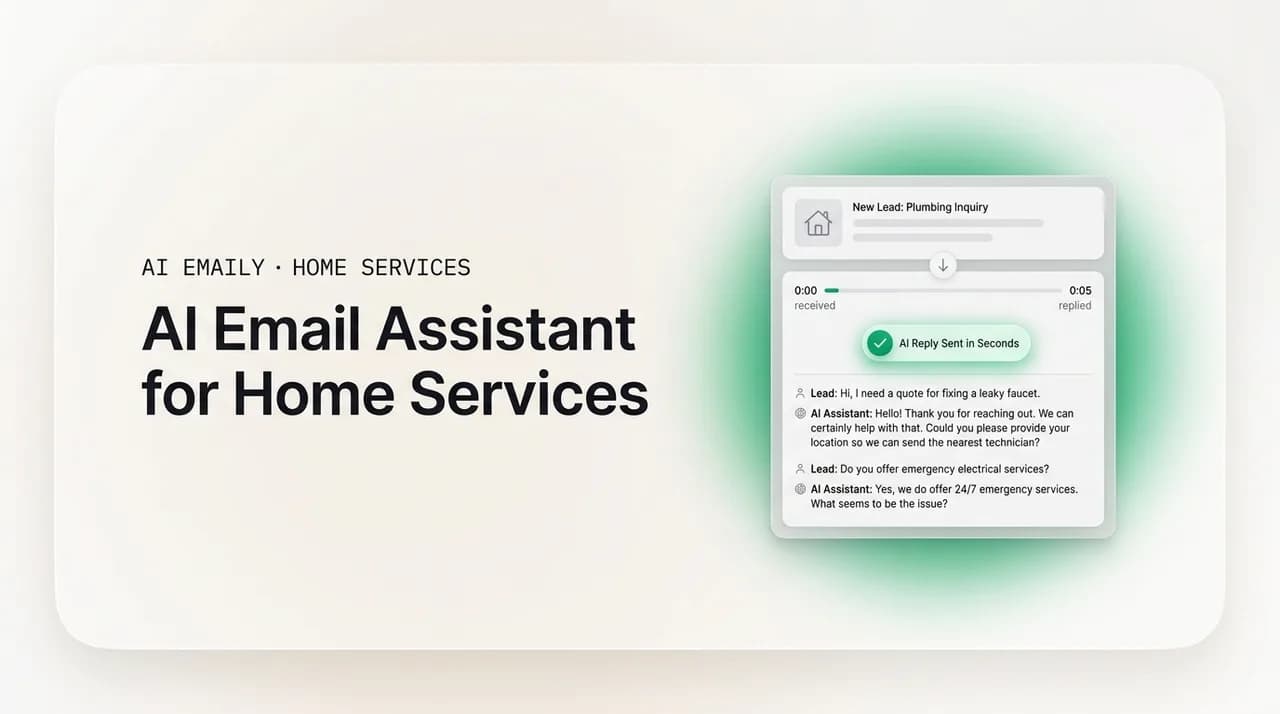
An AI email assistant for home services reads incoming leads and writes replies in your voice, so a roofing, HVAC, or solar lead gets an answer in seconds instead of sitting until you climb down off the roof. Because the buyer who replies first usually wins the job, the payoff is more booked estimates on the same lead spend — with you approving every send while you get set up, and full undo and audit when you let it run.
A plain-English guide to using an AI email assistant for home services: what it does, what to look for, and how contractors reply to every lead in seconds, follow up on estimates, and stop losing jobs to whoever answered first.
On this page
- 01What is an AI email assistant for home services?
- 02Why home-services businesses lose leads in the inbox
- 03What should you look for in an AI email assistant for contractors?
- 04The three modes, mapped to how contractors actually work
- 05How an AI email assistant replies to a lead in seconds
- 06The everyday jobs an AI email assistant handles for a contractor
- 07"But will it actually sound like me?" and other honest objections
- 08Roofing, HVAC, and solar: why the fit is especially strong
- 09How to roll it out without disrupting your business
- 10Why AI Emaily fits home-services businesses
- 11Putting it all together
What is an AI email assistant for home services?#
An AI email assistant for home services is software that sits on top of your inbox, reads the leads and messages that come in, and writes replies for you in your own voice. When a homeowner fills out a form for a roof inspection, a new furnace, or a solar quote, the assistant recognizes it as a lead, drafts an answer that sounds like you wrote it, and either sends it the instant it lands or hands it to you for one-tap approval. It works the same way on estimate follow-ups, appointment confirmations, and the dozen other emails that pile up while you are on a jobsite.
For a contractor, the point is not novelty. It is speed and coverage. You are on a ladder, under a house, or driving between jobs for most of the day, which is exactly when leads come in and exactly when you cannot answer them. An AI email assistant closes that gap. It never goes to lunch, never leaves at five, and never forgets to follow up on the estimate you sent last Tuesday. The result is that every lead gets a fast, competent reply whether or not you are anywhere near a keyboard.
It helps to separate two things people lump together. A basic auto-responder fires the same canned line at everyone: "Thanks, we got your message, we'll be in touch." An AI email assistant actually reads the message, understands that this is a homeowner in your service area asking about a leaking roof, and writes a specific, human-sounding reply that answers their question, asks for the address, and offers two times for an inspection. The first makes you look automated. The second makes you look like the responsive pro who has their act together — because, functionally, you now do.
The reason this matters so much in home services, more than in almost any other trade, comes down to one hard fact about how customers buy: they hire whoever answers first. When a homeowner needs a roof, a repair, or a quote, they rarely fill out one form and wait patiently. They fill out three or five, or they call several companies in a row, and they book with the first one that responds like a real business. Speed is not a nice-to-have in this market. It is the whole game.
The classic research on this is blunt. A widely cited Harvard Business Review study of thousands of U.S. companies found that firms trying to contact leads within an hour were far more likely to reach and qualify them than firms that waited even sixty minutes longer, and that the odds of a meaningful contact drop off a cliff after the first few minutes. Speed-to-lead research since then keeps landing in the same place: responding in the first minutes, not hours, is what separates the companies that book the job from the companies that get a voicemail back saying "we already hired someone."
That is the problem an AI email assistant is built to solve. Not to replace you, not to sound robotic, not to take the customer relationship out of your hands — but to make sure that the moment a lead lands, it gets a real answer, in your voice, before your competitor down the road has even seen the notification.
The one number to remember
Why home-services businesses lose leads in the inbox#
Before we get into what to look for, it is worth naming exactly where the leaks are, because an AI email assistant only earns its keep if it plugs the specific holes that cost you jobs. In home services, there are four of them, and they repeat in roofing, HVAC, solar, remodeling, plumbing, electrical, and every other trade.
The first leak is the field gap. You are the business, and you are also the person on the job. Leads arrive between 8 a.m. and 6 p.m., which is precisely the window you spend on rooftops, in crawlspaces, and in attics with no hands free and no signal. By the time you check your phone at lunch or at the end of the day, the lead is hours old and, more often than not, already booked with someone faster.
The second leak is the after-hours gap. A large share of home-services inquiries come in evenings and weekends, when a homeowner finally has time to deal with the leak or the dead AC. If your process is "I'll call them back in the morning," you have handed the job to whoever had coverage overnight. Nobody wants to hire an office staffer at 9 p.m. just to answer a form, but that is effectively what it takes to win those leads manually.
The third leak is the follow-up gap, and it is the quietest and most expensive of the four. You reply fast, you go out, you send the estimate — and then nothing. The homeowner gets busy, compares a couple of quotes, and drifts. The job does not go to a competitor with a better price; it goes to the competitor who followed up three times while you followed up zero. Most contractors know their follow-up is weak. They just do not have the time or the discipline to send the second, third, and fourth touch that actually closes the sale, especially on longer-cycle work like a kitchen remodel or a full solar install.
The fourth leak is the shared-lead problem, which is brutal in trades like solar and storm-restoration roofing. When you buy leads from an aggregator, that same lead is frequently sold to several companies at once. The homeowner is fielding a handful of near-simultaneous outreach attempts, and the one who lands first and looks most competent wins by default. In that environment, a five-minute delay is not slow — it is last place.
An AI email assistant is aimed squarely at all four. It answers during the field gap because it does not need your hands. It answers during the after-hours gap because it does not sleep. It runs the follow-up sequence you would run if you had time, on schedule, without you remembering. And it wins the shared-lead race because "instant" beats "whenever I get to it" every time.
Slow is the same as lost
What should you look for in an AI email assistant for contractors?#
Not every tool that calls itself an AI email assistant is built for the way a contractor actually works. A lot of them are designed for office workers with two hundred emails a day and no field time. When you are evaluating one for a home-services business, here is the checklist that actually matters, in rough order of importance.
| What to look for | Why it matters for contractors |
|---|---|
| Instant, automatic lead reply | The whole value is speed. If the tool can send a real, specific reply the second a lead lands — not five minutes later, not after you approve it — it wins jobs while you are on the roof. |
| Replies in your voice, not generic | A canned "we received your request" looks automated and loses to a human-sounding answer. The assistant should learn how you write and draft like you, not like a robot. |
| Levels of control (approve vs. auto-send) | You want to approve every send at first, then let it run once you trust it. A tool that is all-or-nothing forces a bad choice; you want a dial, not a switch. |
| Automatic follow-up sequences | Answering fast is half the job. The assistant should chase the estimate on its own — second, third, fourth touch — so warm leads don't go cold while you're busy. |
| Works on your existing email | You should not have to move to a new address or make homeowners email a weird domain. It should sit on the Gmail, Outlook, or other inbox you already use. |
| Real mobile use | You live on your phone. Approving a draft, tweaking a reply, and seeing what went out has to work with one thumb from a jobsite, not just at a desk. |
| Undo and an audit trail | When the assistant acts on its own, you need to see exactly what it sent and be able to reverse it. No black boxes touching your customer relationships. |
| Privacy and control of your data | Your customer list and job details are your business. Look for a tool that doesn't train on your mail and lets you keep your data yours. |
A quick word on the two most important rows, because they are where cheap tools fall down. "In your voice" is not marketing fluff for a contractor. A homeowner deciding between three roofers can feel the difference between a reply that sounds like a person who does good work and a reply that sounds like a form letter. If the assistant cannot match your tone — direct, friendly, no corporate padding — it will cost you the exact first impression it was supposed to win.
And "levels of control" is what separates a tool you can actually trust with your business from one you will quietly turn off after it sends something weird. The right answer is not "the AI sends everything" and it is not "the AI drafts and you do all the work." It is a dial you turn up as you build trust: start by approving every message, watch how the assistant handles real leads, and only hand over the routine, low-risk replies once you have seen it get them right a hundred times. That is exactly how AI Emaily is designed to work, which we will get to.
The three modes, mapped to how contractors actually work#
The most useful way to think about an AI email assistant is not as a single feature but as a dial with three settings. AI Emaily calls them Manual, Copilot, and Autopilot, and the reason there are three is that a contractor does not want the same level of automation for every kind of message. A custom price on a complex reroof is not the same as "yes, we service your area, here are two times this week." The three modes let you match the automation to the risk.
Here is what each one does, and where it fits in a home-services workflow.
| Mode | What it does | Best for |
|---|---|---|
| Manual | The assistant only helps when you ask. You open a lead, tap to draft a reply in your voice, edit it, and send it yourself. Nothing happens on its own. | Getting started; sensitive or high-dollar replies; the contractor who wants AI as a fast writing helper but keeps a hand on everything. |
| Copilot | The assistant reads every lead and stages a reply in your voice, ready to go. You review it and send with one tap. Nothing leaves without your approval. | The everyday default. You get the speed of a pre-written, specific answer without giving up the final say — ideal while you learn to trust it. |
| Autopilot | For the message types you've approved, the assistant sends on its own within your rules — instant lead acknowledgments, appointment confirmations, routine follow-ups — with undo and a full audit trail. | The leaks that only automation can plug: the field gap and the after-hours gap. It wins the leads you would otherwise lose because you were on a roof or asleep. |
Read those top to bottom and you can see the natural path a contractor takes. You start in Manual or Copilot, because trusting software with your customers is a leap and you should make it slowly. You spend a week or two watching Copilot stage replies and noticing that, more often than not, you would have sent the draft with no changes. That builds the confidence to turn on Autopilot for the narrow, high-value cases where speed matters most and the risk is lowest: the instant "got your request, here's what happens next" the second a lead lands, and the appointment confirmation that goes out at 9 p.m. so the homeowner wakes up to a booked slot.
The important design point is that you are never forced to hand over the whole inbox. You can run Autopilot for instant lead acknowledgments and routine confirmations while keeping every actual price quote and scope conversation in Copilot, where you approve it. And in AI Emaily, even Autopilot is bounded: it acts only within the rules you set, every autonomous action is reversible, and there is a full audit trail showing exactly what went out and when. This is the trust model the product is built around — Copilot approval before any send in the first version, and Autopilot gated, reversible, and audited. You are always the one in charge; the assistant just makes sure the customer never waits on you.
Don't automate the price, automate the speed
How an AI email assistant replies to a lead in seconds#
Let us walk through the single most valuable thing this software does for a contractor, step by step, so it is concrete rather than abstract. Say you are a roofer, it is 10:40 a.m., and you are on a steep tear-off with your phone in your truck. A homeowner two towns over just submitted a form on your site: "Missing shingles after the storm, water spot on the ceiling, can someone come look?" They also, as it happens, filled out forms for two other roofers in the last ten minutes. Here is what happens on Copilot or Autopilot.
- 1
The lead lands and is recognized
The assistant reads the incoming message, recognizes it as a new roofing lead in your service area, and pulls out the useful details: storm damage, a possible active leak, a request for an inspection. It does not treat it like every other email.
- 2
A reply is written in your voice
It drafts a specific, human answer — not a canned receipt. Something like: acknowledge the storm damage, note that a ceiling spot means they should get it looked at soon, confirm you cover their area, and offer two inspection windows. It sounds like you, because it learned how you write.
- 3
It sends instantly, or waits for your tap
On Autopilot, the acknowledgment goes out within seconds of the form landing — before the other two roofers have opened their notifications. On Copilot, it sits ready and you approve it from your phone the moment you're off the roof. Either way the customer is not waiting on you.
- 4
It captures what it needs to book
The reply asks for the one or two things you need to move forward — the property address and a good time — so the next message is a scheduling detail, not a cold restart. The lead is already warm and moving toward a booked inspection.
- 5
It stages the follow-up
If the homeowner doesn't reply, the assistant doesn't drop it. It stages a polite follow-up for the next day and, if needed, the day after, so the lead doesn't go cold while you're on the next job. You close loops you used to lose.
Play that out across a week and the math is obvious. The competitor who checks his phone at lunch answered that lead three hours late, by which point the homeowner had already scheduled with the roofer who replied in ninety seconds — which, on Autopilot, was you. You did not do anything differently. You were on the roof the whole time. The assistant simply made sure that being on the roof did not cost you the job. That is the entire value proposition, and it is why speed-to-lead software consistently shows more booked appointments from the same number of leads: you are not buying more leads, you are stopping the ones you already paid for from leaking away.
The everyday jobs an AI email assistant handles for a contractor#
Instant lead reply is the headline, but it is not the only thing. The same assistant handles the four or five recurring email chores that eat a contractor's evenings, and each one maps to a real revenue leak. Here is where it earns its keep beyond the first reply.
- Instant lead reply. The moment a form or lead email lands, the assistant answers in your voice with a specific, useful reply and a next step — during the workday when you're in the field and after hours when you're off the clock. This is the one that wins the shared-lead race.
- Estimate and quote follow-up. After you send an estimate, the assistant runs the follow-up you'd run if you had time: a friendly check-in a couple of days later, another the following week, each in your voice, until the homeowner responds or the job is clearly dead. This is where most contractors leave money on the table.
- Appointment reminders and confirmations. It confirms the inspection or install window, sends a reminder the day before, and reduces the no-shows that waste a truck roll. Routine, low-risk, and a perfect fit for Autopilot.
- Review requests. After a completed job, it asks the happy customer for a review at the right moment — which, in a business where word-of-mouth and star ratings decide the next ten leads, quietly compounds into more inbound work.
- Triage and organization. It sorts the genuine leads from the supplier emails, spam, and noise, so when you do open your inbox between jobs, the money is at the top and you're not digging for it.
Notice that these are not five separate products. They are one assistant doing the jobs a good office manager would do — if you could afford a full-time office manager who never slept and always sounded exactly like you. For a solo operator, that is the whole pitch: coverage you could not otherwise buy. For a growing crew with a CSR or two, it is leverage: your people stop drowning in routine replies and spend their time on the conversations that actually need a human, while the assistant handles the repetitive touches at a volume no person could match.
And because it all runs on one unified inbox that connects Gmail, Outlook, iCloud, Fastmail, Proton, and any IMAP account, you are not bolting a fragile automation onto a system it barely understands. The assistant works inside the email you already use, on the address homeowners already have, so nothing about the customer's experience changes except that you got faster and more consistent.
"But will it actually sound like me?" and other honest objections#
If you run a home-services business, you have earned a healthy skepticism about software that promises to handle your customers. Let us take the three objections that come up every time, honestly, because a tool is only worth adopting if it survives them.
The first is the one everyone asks: will it actually sound like me, or will it embarrass me? This is a fair worry. A reply that reads like a corporate chatbot is worse than a slow reply, because it makes you look like a big impersonal outfit when your whole edge is being the responsive local pro. The honest answer is that a good assistant learns from how you actually write and drafts in that voice — direct, friendly, plain, however you talk to customers — and that you should not take that on faith. You should run it in Copilot first, read the drafts it stages, and see for yourself. Most contractors find that within a week or two the drafts need little or no editing, and that is exactly the point of starting in Copilot: you earn the trust before you hand over the send.
The second objection is about control: can I really trust software to send emails to my customers on its own? You should not trust it blindly, and a well-designed assistant does not ask you to. That is what the three modes are for. You are never forced to jump straight to full automation. You start with the assistant only helping when you ask, move to it staging replies you approve with a tap, and only turn on hands-free sending for the specific, low-risk message types you have watched it handle correctly — the instant acknowledgment, the appointment confirmation, the routine follow-up. And when it does act on its own, you get undo and a full audit trail: you can see exactly what went out, when, and to whom, and reverse anything that was not right. It is automation with a seatbelt, not a black box you throw the keys to.
The third objection is practical: I live on my phone, not at a desk — does this work in the field? It has to, or it is useless to a contractor, and this is where tools built for office workers fall down. The whole workflow — getting notified that a lead came in, reading the staged reply, tweaking a word, approving the send, seeing what the assistant did on its own overnight — has to work with one thumb from the seat of your truck. AI Emaily runs on web, macOS, iOS, and Android with a unified inbox across all of them, so the same lead, the same draft, and the same audit trail are in your pocket, not stranded on a computer back at the shop.
The two-week trust test
There is a fourth concern worth naming even though it comes up less often: my customer list and my job details are my business — where does my data go? This is a legitimate question to ask any AI vendor, and the answers vary a lot. The version of the answer you want is that the tool does not train its models on your mail, that your credentials and keys are encrypted rather than sitting in plain text, and that if you want maximum control you can bring your own AI key so the AI runs on your terms. Private-by-default is not a given in this category, so it is worth confirming before you connect your inbox. AI Emaily is built around exactly this: no training on your mail, encrypted credentials, and a bring-your-own-key option on the Autopilot and Team plans for contractors who want their data to stay entirely their own.
Roofing, HVAC, and solar: why the fit is especially strong#
The general case for an AI email assistant applies to any trade, but three niches feel the benefit hardest because the speed-to-lead economics are the most extreme. It is worth being specific, because if you are in one of these, the payoff is not incremental — it is the difference between winning and losing a large share of your leads.
Roofing is high-ticket and callback-driven. Job values run into five figures, and nearly all roofing customers expect a fast callback — a large majority within days, many within one or two. But roofers are, definitionally, on roofs. The field gap is at its worst in this trade, and the value of the job at stake is at its highest. An assistant that answers the storm-damage lead in ninety seconds while you are mid-tear-off is protecting a five-figure job you would otherwise hand to a competitor for the crime of being on a ladder. Instant reply, inspection scheduling, and quote follow-up are the templated, high-ROI cases; the actual scope and pricing stay human-checked.
Solar is the purest speed game of all. Residential solar is one of the fastest-growing trades, and its leads are notorious for being sold to several companies at once. The rep who responds in under a minute wins; the one who responds in five is often too late, and after-hours inquiries that sit until morning are usually gone by morning. This is the textbook case for hands-free instant acknowledgment and relentless, templated follow-up. If you sell solar, the ability to answer every lead the instant it lands — and to keep following up automatically across a longer sales cycle — is not a feature, it is the entire competitive edge.
HVAC is the emergency-plus-replacement mix with a wide after-hours gap. It is a huge market with high customer lifetime value, and a large share of jobs get booked outside business hours, when a homeowner's AC finally dies on a Saturday or the furnace quits on a cold night — exactly when the owner and the dispatcher are unavailable. Autosending appointment confirmations, dispatch windows, and quote follow-ups covers that gap without a human awake to do it, while genuine diagnostics and custom pricing escalate to a person. The repair-or-replace conversation repeats endlessly in HVAC, and an assistant that handles the fast, routine front of it frees your people for the part that needs judgment.
Remodeling and kitchen-and-bath sit slightly differently: the leads are premium and the first-response speed still matters, but the sales cycle is long and nurture-heavy. Here the assistant's follow-up muscle matters as much as its speed — weeks of organized, in-voice touches so a warm lead does not go cold over a multi-week decision. The design and scope conversation stays human; the discipline of never letting a lead drift is what the assistant adds.
Same tool, different emphasis
How to roll it out without disrupting your business#
Adopting an AI email assistant should not mean rebuilding how you work or risking your customer relationships on day one. The sane rollout is gradual, and it mirrors the three modes. Here is the path most contractors should follow.
- 1
Connect your existing inbox
Link the Gmail, Outlook, iCloud, or IMAP account you already use for leads. You do not change your email address or ask homeowners to write to a new one. Nothing about the customer's experience changes at this step.
- 2
Start in Copilot and read the drafts
Let the assistant stage replies for incoming leads for a week or two, but approve every send yourself. Read what it drafts. This is where you learn whether it sounds like you — and, in practice, teach it to.
- 3
Turn on Autopilot for the narrow, high-value cases
Once you trust the drafts, enable hands-free sending for the message types where speed matters most and risk is lowest: the instant lead acknowledgment and the routine appointment confirmation. Keep price quotes and scope in Copilot.
- 4
Layer in follow-up sequences
Set the assistant to chase estimates automatically — a check-in a couple of days out, another the following week — so warm leads stop going cold. This is often where the biggest revenue gain shows up.
- 5
Review the audit trail and adjust
Check what the assistant sent on its own, undo anything that wasn't right, and tighten the rules. Over a few weeks you settle into a setup where the routine runs itself and only the genuinely human conversations reach you.
The reason this order works is that it front-loads trust and back-loads risk. By the time you are letting the assistant send anything on its own, you have already watched it draft dozens or hundreds of replies in Copilot and seen that they are good. You are not gambling on a demo; you are extending trust you have already earned in the safest possible increments. And because undo and the audit trail are there the whole time, the worst case is never "the AI sent something crazy to a customer and I found out too late." The worst case is "the AI sent something I would have phrased differently, I saw it in the log, and I fixed it."
Why AI Emaily fits home-services businesses#
Everything above describes the category. Here is where AI Emaily fits it specifically, because the design decisions line up almost exactly with what a contractor needs.
It is an AI-native email client with an autonomous chief of staff — not an add-on bolted to an inbox, but a client built around the AI from the ground up. It triages your inbox, drafts replies in your voice, schedules, and closes loops, on every provider and every device, while you stay in control. For a contractor, "chief of staff" is the right mental model: it is the office manager you cannot afford, handling the fast, routine, repetitive email so you can be on the job.
It runs on the three modes we walked through — Manual, Copilot, and Autopilot — which is exactly the dial a home-services business needs. You start with approval-before-send, because Copilot approval before any send is the default in the first version, and you graduate the routine, high-value cases to gated, bounded Autopilot when you are ready. Every autonomous action is reversible, and there is a full audit trail. That is the trust model that makes it safe to hand a tool your customer relationships.
It drafts in your voice, so the reply the homeowner gets sounds like the responsive local pro they want to hire, not a chatbot. It works across a genuinely unified inbox — Gmail, Outlook, iCloud, Fastmail, Proton, and any IMAP account — so it sits on the email you already use, on the address homeowners already have. And it runs on web, macOS, iOS, and Android, which matters more for a contractor than almost any other user, because you are approving drafts and checking what went out from your truck, not a desk.
On the concerns that should give any contractor pause, it is built the right way. It does not train on your mail. Your OAuth tokens and any bring-your-own-key credentials are envelope-encrypted, never logged and never sitting inline. It runs zero-retention inference, and on the Autopilot and Team plans you can bring your own AI key so the intelligence runs entirely on your terms and AI usage limits stop applying. Private-by-default is the design, not an upsell.
And it is priced to start with no risk. There is a Free plan at no cost, so you can connect a mailbox and see the assistant work on your real leads before you pay anything. Pro is $12.42 per month on the annual plan, and an Autopilot plan adds bounded hands-free sending with undo and audit. For a business where a single won roofing or solar job pays for the tool many times over, the math is not close. You are not spending to send more email; you are spending to stop paying for leads that leak away while you are on a roof.
Putting it all together#
In home services, the job is usually won or lost in the first few minutes after a lead lands, and those are exactly the minutes you spend in the field with no hands free. That is the gap that costs contractors the most, and it is the gap an AI email assistant is built to close. It reads your leads, writes replies in your voice, answers in seconds whether or not you are near a phone, follows up on the estimates you would otherwise forget, and confirms the appointments that keep your trucks full — all while you stay in control.
The right way to adopt it is gradually: connect the inbox you already use, run it in Copilot until the drafts consistently sound like you, then turn on hands-free sending for the narrow, high-value cases where speed matters most and risk is lowest. Keep the price quotes and the scope conversations human. Let the assistant win the speed race and run the follow-up. That is how you get more booked jobs from the same lead spend without changing anything about how you actually do the work.
If you want to see it on your own leads, AI Emaily starts free — connect a mailbox and watch it draft in your voice before you pay a cent. For a roofing, HVAC, solar, or remodeling business, the first job it helps you win almost certainly pays for it. The rest is upside.
Frequently asked
See it in AI Emaily
Keep reading
Sources

Written by
Nafiul HasanNafiul Hasan is an entrepreneur and AI automation system builder with 10+ years of experience turning messy, manual workflows into reliable automated systems. He designs and ships AI enterprise solutions end-to-end — the agent logic, the data plumbing, and the product people actually use — and founded AI Emaily to give busy professionals their attention back. He writes here from the builder's seat: what works, what breaks, and how to put AI to work without giving up control.