How to Automate Lead Follow-Up for Home-Services Businesses (Without Losing Your Voice)

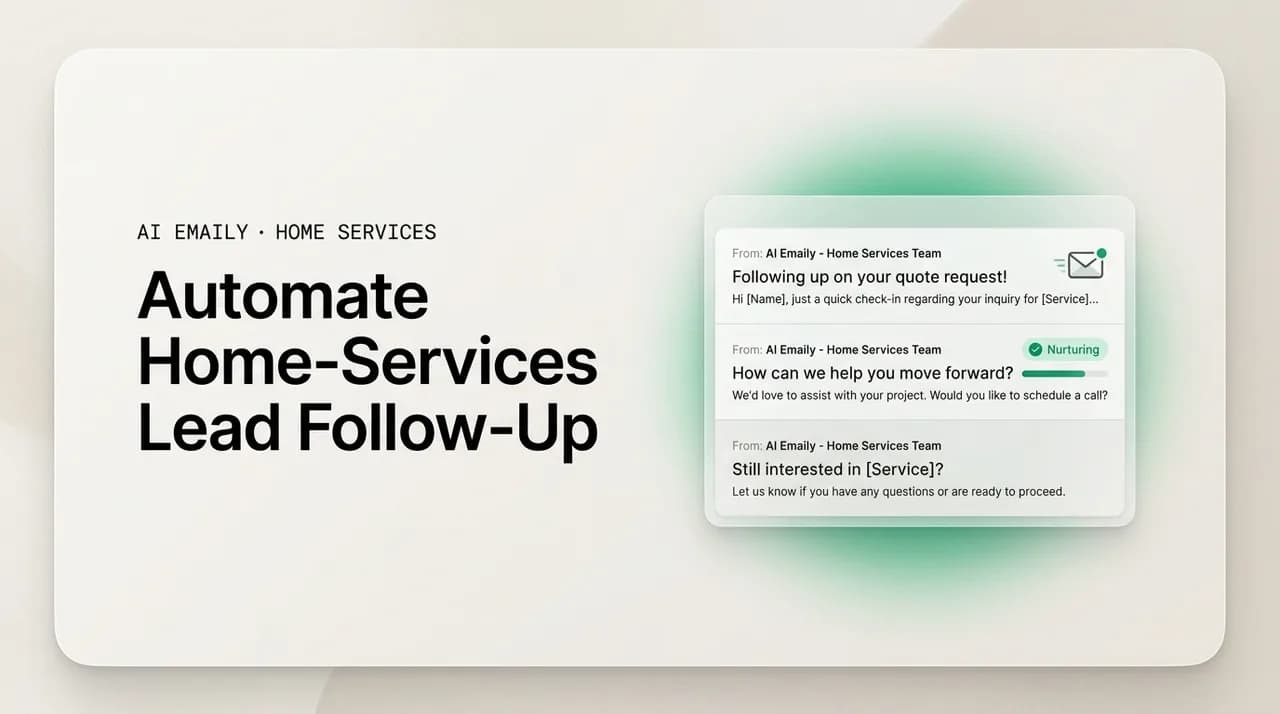
The short answer
To automate lead follow-up for home-services businesses, build a multi-touch cadence for each stage: instant reply to a new lead, a five-to-seven-touch sequence after an estimate, seasonal check-ins, and past-customer reactivation. Automate the timing and the plain templates, keep pricing and scope human-approved, and the quote follow-ups you keep forgetting will finally go out.
A practical guide to automate lead follow-up for home-services businesses: proven multi-touch cadences, copy-paste templates for new leads, post-estimate, seasonal, and past customers, plus how to keep it in your voice.
On this page
- 01Why follow-up wins jobs, and why home-services pros keep losing them
- 02The real cost of a dropped follow-up
- 03What a follow-up cadence actually is
- 04The new-lead cadence: win the job before the estimate
- 05The post-estimate cadence: the one you keep forgetting
- 06The seasonal cadence: catch leads when their need spikes
- 07The past-customer cadence: your cheapest leads are already in your inbox
- 08The follow-up cadence at a glance
- 09Automation versus personalization: you need both
- 10Auto-send versus approve-before-send: where to draw the line
- 11How to set this up without a marketing degree
- 12How AI Emaily helps you automate follow-up
- 13Putting it all together
Why follow-up wins jobs, and why home-services pros keep losing them#
Here is the pattern almost every roofing, HVAC, solar, and remodeling owner will recognize. A lead comes in while you are on a roof or under a house. You catch it that evening, send a quick reply, maybe book a visit, walk the property, and email over a clean estimate. Then the job goes quiet. The homeowner does not say no. They just go dark. Three weeks later you notice the estimate in your sent folder and think, "I should follow up on that." You never do. The customer, meanwhile, hired the company that emailed them twice more while you were busy.
That gap is where most home-services revenue leaks out, and it is exactly why learning to automate lead follow-up for home-services businesses is one of the highest-return moves a contractor can make. The work of winning the job is rarely the first reply and rarely the estimate itself. It is the disciplined string of touches in between, the ones that keep you top of mind while a homeowner compares three or four bids and decides who to trust with five figures of their house. Those touches are simple, repeatable, and almost nobody in the trades does them consistently, because doing them by hand competes with the actual work of running crews and jobs.
The reason follow-up wins is not psychological trickery. It is arithmetic and attention. A homeowner shopping for a new roof or a system replacement is busy, distracted, and cautious about a big spend. Your estimate lands in an inbox alongside two or three competitors, a mortgage statement, and forty other emails. A single quote, sent once and never mentioned again, is easy to forget. A polite reminder a few days later, a check-in the following week, a note when a seasonal window is closing, each one drags your name back to the top of the pile at a different moment, and one of those moments is when the homeowner is finally ready to decide. Whoever is present at that moment tends to win.
There is a well-documented reality underneath this. In home services, the company that responds first has an enormous advantage, and the company that keeps responding compounds it. Buyers overwhelmingly hire whoever gets to them first and stays engaged, not whoever has the lowest number on the estimate. The research on sales follow-up is blunt about how quickly a lead decays: the odds of qualifying a web lead drop by orders of magnitude within the first hour, which is why a slow first reply and a nonexistent follow-up sequence are the two most expensive habits in the trade.
And the leads themselves are not cheap. In home services a lead can run anywhere from around forty-five dollars for HVAC to several hundred for a premium remodel, and in fast-moving trades like solar and storm restoration the same lead is often sold to three to eight companies at once. When you pay that much per lead and then let a warm one go cold after the estimate, you are not just losing a job, you are throwing away the ad spend that generated it. Automating follow-up is, in dollars-and-cents terms, one of the cheapest ways to raise the return on every lead you already pay for.
Follow-up is a system, not a personality trait
The real cost of a dropped follow-up#
It helps to put a number on what a dropped follow-up actually costs, because the loss is invisible in the moment. Nothing breaks. No customer complains. The estimate just sits there. But run the math and the leak becomes hard to ignore.
Say you send twenty estimates a month, an average job is worth eight thousand dollars, and you close roughly a quarter of the estimates you actually follow up on but only a tenth of the ones you send once and abandon. That difference, fifteen extra percentage points of close rate, is three additional jobs a month, or twenty-four thousand dollars in revenue that was already in your pipeline. You paid to generate every one of those leads. You did the site visit. You wrote the estimate. The only thing missing was two or three short emails, and their absence quietly cost you nearly a quarter million dollars a year.
That is the part that stings. A dropped follow-up is not a lead you never had. It is a lead you already invested in, one visit and one estimate deep, that walked out the door in the last, cheapest mile. Multi-touch follow-up sequences routinely lift response and conversion because most sales in any considered purchase happen after several contacts, not on the first one, yet the majority of salespeople give up after a single try. In the trades, where the owner is the salesperson and also the person on the ladder, the give-up point comes even sooner, usually at zero follow-ups.
The damage is not only the lost job. There are three quieter costs stacked underneath it.
- Wasted acquisition spend. Every lead you let go cold still shows up on your ad invoice. A dropped follow-up raises your true cost per booked job across the whole account, because the winners have to carry the cost of the ones you abandoned.
- Wasted labor. A site visit for a remodel or roof is an hour or two of the owner's time plus drive time and fuel. Walk the property, measure, and write the estimate, then never follow up, and you have spent your scarcest resource, field time, on a lead you then let expire.
- Reputation drift. A homeowner who gets an estimate and then silence does not think "they must be busy." They think "they did not seem that interested," and that impression follows you into their next-door conversation and their online reviews. Consistent, polite follow-up reads as professionalism; silence reads as flakiness.
None of this requires being pushy. The instinct many contractors have, that following up more than once will annoy people or make them look desperate, is almost exactly backwards. Homeowners spending real money on their house generally appreciate a business that stays organized and responsive, because it signals the same reliability they are hoping for on the actual job. The failure mode in the trades is virtually never too much follow-up. It is too little, or none.
The one-more-touch rule
What a follow-up cadence actually is#
A cadence is just a planned sequence of touches spaced over time, each with a purpose and a trigger. Instead of following up when you happen to remember, you decide in advance that a new lead gets an instant reply and then a second nudge if there is no response, that an estimate gets a check-in on day two, day five, and day ten, and that a past customer hears from you at the start of every season. Once the sequence is written down, the only remaining question is who or what fires each touch on time. For most contractors the honest answer, before automation, is "nobody, most of the time."
The value of thinking in cadences is that it separates two jobs that get tangled together in a busy inbox: deciding what to say and remembering to say it. The wording of a good estimate follow-up barely changes from one job to the next. What kills your close rate is not the words, it is the remembering, on the fifth straight day of a hard install, that the Hendersons' estimate is now three days old and due for a nudge. A cadence writes the schedule down so the schedule, not your memory, drives the work.
There are four cadences that cover nearly every home-services situation. Each one attaches to a moment in the customer's journey, and each one is simple enough to run on autopilot once you set it up. The rest of this guide walks through all four, with the timing, the intent of each touch, and copy-paste templates you can adapt to your trade and voice.
- 1
The new-lead cadence
Fires the moment a lead comes in from a form, a call, or a marketplace. Instant acknowledgment, then a fast second touch if they do not respond, aimed at booking the site visit before a competitor does.
- 2
The post-estimate cadence
The one contractors drop most often. A structured series of check-ins after you send the quote, spaced over roughly two weeks, that keeps you present while the homeowner decides.
- 3
The seasonal cadence
Timed to your trade's calendar, tune-up season for HVAC, pre-storm and post-storm for roofing, spring for remodels, that reactivates warm-but-not-ready leads at the moment their need spikes.
- 4
The past-customer cadence
Periodic, low-key touches to people who already hired you once, because a satisfied past customer is the cheapest and highest-converting lead you will ever have.
The new-lead cadence: win the job before the estimate#
The first cadence starts before you have even quoted anything, and it is the one where speed matters most. When a lead lands, whether from a web form, a marketplace like a lead-gen service, or a missed call, the clock starts immediately. Buyers hire the company that responds first, and in the fastest trades the winning response is measured in minutes, sometimes under a minute. The lead you take an evening to answer has, in many cases, already booked someone else. So the new-lead cadence has one job: acknowledge instantly, then push politely toward a booked site visit.
The instant reply does not need to be long or clever. It needs to exist, land within moments, and sound like a real person from your company rather than a robotic auto-responder. Its purpose is to plant your flag first and buy you time to actually call or visit. Here is a lead-acknowledgment template that works across trades.
If the lead does not answer that first message within a day, the cadence fires a second, shorter nudge. This is not a new pitch, it is a gentle bump that assumes life got busy, because it usually did. The point is to be the company that followed up once more while the others sent one email and moved on.
After hours is not off hours for leads
The post-estimate cadence: the one you keep forgetting#
If there is a single cadence to fix first, it is this one. The estimate follow-up is the highest-value, most-neglected sequence in the trades. You have already done the expensive work, the visit, the measurements, the quote, and the only thing standing between you and the job is a handful of short, well-timed check-ins that most contractors never send. Sending an estimate and going silent is like walking a customer to the register and then leaving the store.
A good post-estimate cadence runs about two weeks and uses roughly five touches, each with a distinct angle so you are never just saying "following up" over and over. The rhythm gives the homeowner room to think without letting your name fade. Here is the shape of it, then the templates for each touch.
- 1
Day 0, the estimate itself
Send the quote with a clear next step and a soft deadline, not just a number. Tell them exactly what happens next and invite questions, so the estimate opens a conversation instead of ending one.
- 2
Day 2, the confirm-and-questions check-in
A short note confirming they received the estimate and inviting any questions. Most non-responses at this stage are confusion or hesitation you can clear up in one reply.
- 3
Day 5, the value and reassurance touch
Reinforce why the work matters and why you are the right crew, warranty, reviews, licensing, without dropping your price. This is where you address the quiet objection they have not voiced.
- 4
Day 10, the scheduling and urgency touch
Introduce a real reason to move: your calendar is filling, a seasonal window is closing, or a material price is rising. Make it easy to say yes by offering a concrete slot.
- 5
Day 14, the graceful close-out
The break-up email. Let them know you will stop following up but the door stays open. Done well, this one often revives a lead that simply got buried.
Start with the estimate itself, because how you send it sets up every touch after it. Do not just attach a PDF and a number. Frame the next step.
Two days later, the confirm-and-questions touch. Short, friendly, zero pressure. Its only job is to reopen the thread and surface any hesitation.
At day five, shift from logistics to reassurance. The homeowner is comparing bids and quietly worrying about being overcharged or hiring the wrong crew. This touch answers that worry without touching your price.
By day ten, it is time to give a real, honest reason to decide now. This is not manufactured pressure, it is the genuine constraint your calendar and season create. Offer a specific slot so saying yes is one reply away.
Urgency has to be true
Finally, the day-fourteen break-up email. Counterintuitively, telling someone you will stop following up is one of the most effective touches in the whole sequence, because it removes pressure and often prompts the reply that all the earlier nudges did not. Keep the door open and make it easy to come back.
The seasonal cadence: catch leads when their need spikes#
Not every lead is ready when they first reach out, and that is fine. Someone who got a roof estimate in July but decided to wait, or a homeowner who priced a mini-split in spring and put it off, is not dead, they are dormant. The seasonal cadence exists to wake those leads up at the exact moment their need becomes urgent again. Every trade has a calendar, and aligning a light touch to it is one of the easiest ways to reactivate a pipeline you already paid to build.
For HVAC, that means a pre-summer tune-up reminder as the first heat wave approaches and a pre-winter one before the first cold snap, plus a repair-or-replace nudge to anyone whose aging system you have quoted before. For roofing, it is pre-storm-season readiness and a fast post-storm outreach when damage is fresh and homeowners are motivated. For remodeling, it is the spring surge when people decide to tackle the kitchen before the holidays. The trigger is the season, not the customer's last reply, which is what makes this cadence so easy to automate: it fires on the calendar.
The same structure adapts to roofing, where fresh weather is the trigger and speed matters even more, because a homeowner with a leaking roof is deciding today.
Seasonal touches double as a reason to reappear
The past-customer cadence: your cheapest leads are already in your inbox#
The last cadence is aimed at the most overlooked asset a home-services business owns: the people who already hired you. A satisfied past customer trusts you, knows your work, and needs your services again on a predictable schedule, a new roof eventually needs maintenance, an HVAC system needs seasonal service and one day a replacement, a kitchen remodel becomes a bathroom remodel. Reactivating a past customer costs you nothing in lead spend and closes at a far higher rate than a cold lead, because the hardest part, trust, is already done. Yet most contractors never systematically stay in touch.
The past-customer cadence is low-key and infrequent by design. A couple of touches a year is plenty: a check-in after the job to make sure everything is holding up and to ask for a review, a seasonal maintenance reminder, and a note when a related service becomes relevant. The tone is warm and helpful, never salesy, because the relationship is already built. Here is a post-job follow-up that does double duty, confirming satisfaction and gently asking for the review that drives your next batch of leads.
Months later, a maintenance or reactivation touch keeps the relationship warm and surfaces the next job before a competitor does. Because these people already know you, the message can be short and personal.
The follow-up cadence at a glance#
Here is the whole system compressed into one table you can adapt to your trade. Treat the timing as a starting point, faster trades like solar and storm restoration compress the early touches, longer-cycle work like remodels can stretch them, but the structure holds across home services.
| Cadence | Trigger | Timing | Touches | Goal |
|---|---|---|---|---|
| New lead | Form, call, or marketplace lead arrives | Minutes, then next day | Instant acknowledgment, then a no-response nudge | Book the site visit before a competitor |
| Post-estimate | Estimate sent | Day 0, 2, 5, 10, 14 | Deliver, confirm, reassure, schedule, close out | Stay present while they decide; win the job |
| Seasonal | Trade calendar or weather event | Per season / after storms | One timely, helpful reactivation touch | Wake dormant leads when their need spikes |
| Past customer | Job completed | Weeks after job, then ~1–2x/year | Check-in + review, then maintenance reminders | Repeat work and referrals at near-zero cost |
Automation versus personalization: you need both#
The moment contractors hear "automate follow-up," a fair worry surfaces: won't automated emails sound like automated emails, and won't customers notice? It is a real concern, because a homeowner spending twenty thousand dollars on their house does not want to feel like a row in a spreadsheet. But the fear rests on a false choice. Automation and personalization are not opposites. The trick is to automate the part that is genuinely repetitive, the timing and the skeleton of the message, while keeping the part that has to feel human actually human.
Think of it as separating the machine's job from yours. The machine is excellent at remembering that the Hendersons' estimate is due for its day-five touch, at firing an instant acknowledgment at 9 p.m. when a lead lands, at making sure no thread ever falls silent by accident. It is terrible at knowing that the Hendersons mentioned their new baby, or that this particular roof has a tricky valley you flagged on the visit. Your job is those specifics. The best setups let the automation carry the reliability and the plain-template wording, then let you drop in the one or two personal details that make it land as a real message from a real person.
In practice, that means your templates should be written to sound like you on a normal day, warm, plain, and specific to the trade, not like a marketing blast. It means leaving a natural spot in each template for a personal line. And it means the customer's name, project, and details are merged in accurately every time, so the message never has the tell-tale "Hi [First name]" of a broken mail merge. Done right, the homeowner cannot tell which part a system scheduled and which part you typed, and they do not need to, because both are true.
There are a few practical rules that keep automated follow-up feeling personal rather than robotic.
- Write templates in your own voice, not corporate boilerplate. Read each one out loud; if it does not sound like something you would actually say to a homeowner on their porch, rewrite it until it does.
- Merge real details, not just names. Reference the specific project, the scope you quoted, the neighborhood, the thing they mentioned on the visit. Specificity is what separates a personal note from a blast.
- Leave room for a human line. The strongest follow-ups pair a reliable template with one genuine, situation-specific sentence you add before it goes out.
- Keep it short and plain. Long, polished, over-designed emails read as marketing. Two or three short paragraphs from a person read as follow-up. The trades win on plain and prompt, not slick.
- Stop the sequence when they reply. Nothing feels more robotic than getting the scheduled day-ten nudge after you already booked the job. Make sure a reply pauses the cadence automatically.
The fastest way to sound like a robot
Auto-send versus approve-before-send: where to draw the line#
Once you have cadences written and something firing them on schedule, one decision remains, and it is the one that determines whether you will actually trust the system: which messages go out on their own, and which ones wait for your thumbs-up first. This is not an all-or-nothing choice. The right answer is different for different touches, and the safest way to run automated follow-up is to draw a clear line between the two.
The rule of thumb is simple. Automate the touches that are templated, low-risk, and time-sensitive, the ones where speed matters more than customization and where nothing in the message commits you to a price or a scope. Keep a human in the loop for anything that quotes a number, changes scope, makes a promise, or requires judgment about a specific job. Getting this split right is what lets you capture the speed advantage of automation without ever waking up to an email that offered the wrong price to the wrong customer.
Here is how that line tends to fall in home services.
- Safe to auto-send: instant lead acknowledgments, appointment confirmations and reminders, generic no-response nudges, seasonal reactivation touches, and post-job review requests. These are templated, contain no pricing or scope commitments, and lose most of their value if they wait for approval, an instant reply that fires four hours late is just a slow reply.
- Approve before sending: anything with a price, a scope change, a warranty or timeline promise, an insurance-related statement, or a reply that negotiates. A wrong number sent automatically is far more expensive than a follow-up that goes out an hour later after you glanced at it.
- Always human: the actual estimate content, custom quotes, diagnostic conclusions, and any message where a homeowner is upset or the situation is delicate. Automation drafts and schedules; a person decides.
Start on approve, graduate to auto-send
How to set this up without a marketing degree#
Knowing the cadences is the easy part. The hard part, the reason most contractors never do it, is the plumbing: capturing leads reliably, storing templates somewhere you will actually use them, and making sure the next touch fires on time even during a brutal week on the jobsite. You do not need a marketing agency or a complicated stack to solve this. You need a system that watches the inbox for you and keeps the schedule so you do not have to.
The setup, at a high level, has four moving parts, and each maps to something you can automate.
- 1
Capture every lead in one place
Web-form leads, marketplace leads, and email inquiries all need to land somewhere they cannot get lost. The moment a lead is captured is the moment the new-lead cadence should start, so capture and follow-up have to be connected, not two separate chores.
- 2
Store your cadences as reusable templates
Write each touch once, in your voice, with merge fields for name, project, and scope. Good templates turn every future follow-up into a fifteen-second edit instead of a blank page, which is the difference between a cadence you keep and one you abandon.
- 3
Trigger the next touch automatically
The system should fire the next message on schedule and, crucially, stop the sequence the instant the customer replies or books. This is the piece manual follow-up always gets wrong, because it depends on a busy person remembering.
- 4
Keep yourself in control with approvals and undo
For anything sensitive, the draft should wait for your approval, and every automated action should be reversible and logged. Automation you cannot see or undo is automation you will not trust, and untrusted automation gets switched off.
This is exactly the kind of work an AI-native email client is built to take off your plate, and it is where a tool that lives in your actual inbox has a real edge over a bolted-on marketing automation platform. Your leads and your estimates already flow through email. The follow-up should happen there too, in your own account, in your own voice, rather than in a separate system you have to remember to open.
How AI Emaily helps you automate follow-up#
AI Emaily is an AI-native email client that connects to Gmail, Outlook, and any IMAP account and runs an autonomous chief of staff over your inbox, which makes it a natural fit for exactly the problem this guide describes: warm home-services leads going cold because nobody had time to send the next touch. It watches for new leads, drafts the follow-ups in your voice, and keeps the cadence on schedule so an estimate never again sits in your sent folder while a competitor closes the job.
For a home-services business, the fit is specific. When a lead lands, whether it is 2 p.m. on a jobsite or 9 p.m. after the office is closed, AI Emaily can acknowledge it instantly in a message that reads like you wrote it, because it learns how you actually write. It can run the full post-estimate cadence, day two, day five, day ten, day fourteen, drafting each touch, merging the customer's name and project, and firing it on time, then stopping the sequence the moment the homeowner replies. It handles the seasonal reactivation and past-customer touches on the same principle. The instant lead reply and appointment confirmation are exactly the templated, high-value, time-sensitive messages that are worth automating given a five-figure job value, while the estimate content, custom pricing, and scope specifics stay under your eye. That is not an accident; it is how the product is meant to be used.
The control model is what makes this safe to trust. AI Emaily runs in three modes, Manual, Copilot, and Autopilot. In Manual you write everything yourself with AI drafting help. In Copilot, the default, every follow-up is drafted and queued for your one-tap approval before it sends, so you keep a human hand on anything that quotes a price or makes a promise while still moving fast. In Autopilot, you let it handle the routine, templated touches on its own, the instant acknowledgments, the reminders, the generic nudges, always with undo and a full audit trail of every message it sent on your behalf. You draw the auto-send-versus-approve line described above, and the app respects it. Start every category in Copilot, watch it work, and promote only the messages you trust to Autopilot.
The result is the thing every contractor wants and almost none achieve by hand: relentless, on-time, personal follow-up that runs whether or not you remember, on the roof or after hours, without turning your customers into a spreadsheet. You can try it free at app.aiemaily.com/signup, with a Free plan at no cost and Pro at $12.42 per month on the annual plan.
Putting it all together#
Follow-up is the cheapest growth lever in home services and the one most contractors leave on the floor. The jobs are not lost on price, and they are not lost on the first reply, they are lost in the quiet two weeks after the estimate, when a busy owner forgets to send three short emails and a more organized competitor does not. Fixing that does not require being pushier or more charming. It requires a system.
Build the four cadences: an instant, persistent new-lead reply that books the visit before anyone else; a five-touch post-estimate sequence that keeps you present while the homeowner decides; a seasonal cadence that wakes dormant leads when their need spikes; and a past-customer cadence that turns one job into a lifetime of repeat work and referrals. Write each touch once, in your own voice, with real details merged in. Automate the templated, low-risk, time-sensitive messages, keep a human hand on anything that touches price or scope, and make sure a reply always stops the sequence.
Then hand the remembering to something that never forgets. Whether you run it yourself or let an AI email client keep the schedule and draft the touches in your voice, the goal is the same: no warm lead ever goes cold again because you were doing the actual work. The estimate you send today should be the start of a conversation, not the end of one.
Frequently asked
See it in AI Emaily
Keep reading
Sources

Written by
Nafiul HasanNafiul Hasan is an entrepreneur and AI automation system builder with 10+ years of experience turning messy, manual workflows into reliable automated systems. He designs and ships AI enterprise solutions end-to-end — the agent logic, the data plumbing, and the product people actually use — and founded AI Emaily to give busy professionals their attention back. He writes here from the builder's seat: what works, what breaks, and how to put AI to work without giving up control.