Email & Inbox Management for Contractors: Stop Losing Leads Between Jobsites

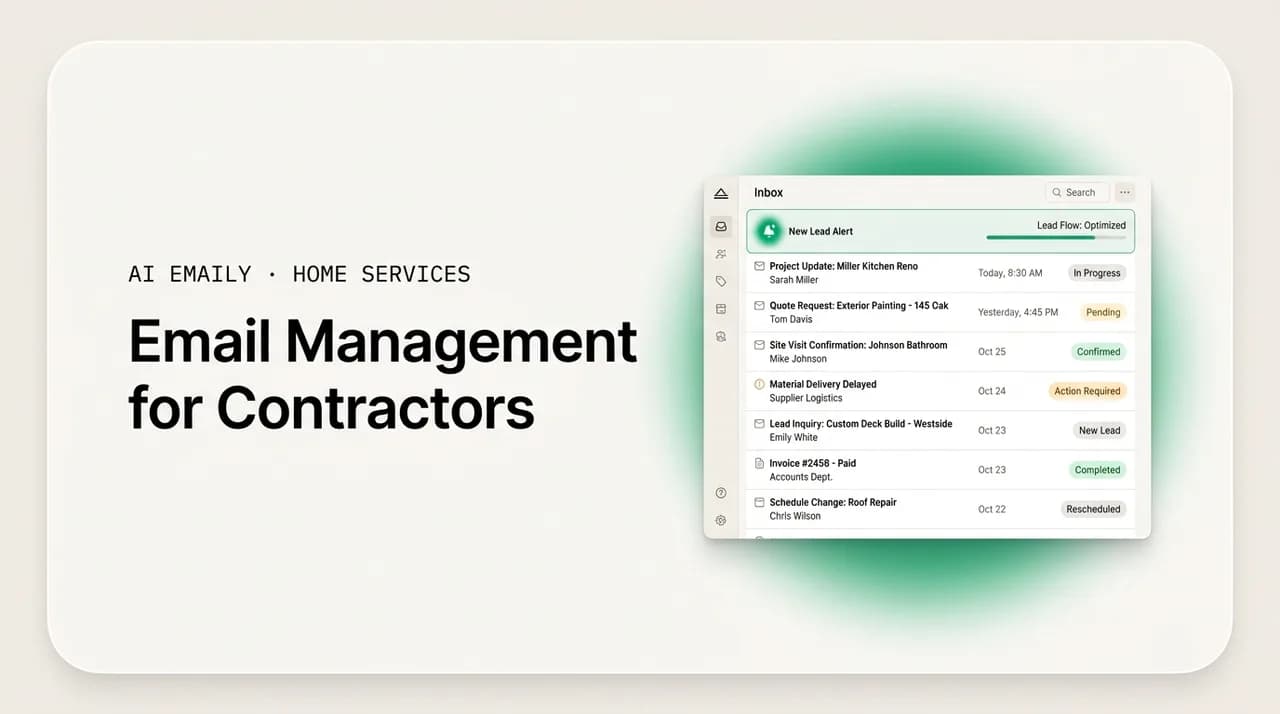
The short answer
Good email management for contractors is a system, not willpower: triage every message into a handful of buckets, reply to leads first and fast from your phone, batch the rest between jobs, template your common replies, and route the routine work to office admin or software. That is how a contractor stops leads from leaking out of an unmanaged inbox.
A practical guide to email management for contractors: why the inbox overflows, a triage-and-template system that runs from your phone between jobs, and how to stop losing leads while you are on a jobsite.
On this page
- 01Why email management for contractors is really a lead-protection problem
- 02Why does a contractor's inbox overflow in the first place?
- 03The contractor inbox system, in five moves
- 04Move 1: Triage every message into fixed buckets
- 05Move 2: Answer leads first, and answer them fast
- 06Move 3: Template your common replies so you never write from scratch
- 07Move 4: Batch the non-urgent work between jobs
- 08Move 5: Delegate and automate as the crew grows
- 09Setting up your inbox: filters, folders, and mobile
- 10Keeping it secure and compliant
- 11How AI Emaily helps contractors manage the inbox (honestly)
- 12Putting it all together
Why email management for contractors is really a lead-protection problem#
For a contractor, the inbox is not a filing cabinet. It is the front door of the business, and it is propped open all day while you are somewhere else. A new-roof inquiry lands at 9:40 a.m. while you are twenty feet up on a ladder. A customer replies to your estimate at lunch, when your phone is in the truck. A supplier confirms a delivery window at 3 p.m., right as you are packing up a job across town. By the time you sit down in the evening and open your email, you are staring at forty unread messages, and somewhere in that pile is a homeowner who wanted a callback this morning and has already booked the competitor who answered first.
That is the real problem with email management for contractors. It is not that the inbox is messy, though it usually is. It is that an unmanaged inbox quietly leaks money. The leads that matter most, the ones with real jobs attached, arrive at the exact moments you cannot answer them, and they do not wait. Research on online sales leads has shown for over a decade that the odds of connecting with a lead drop sharply as the minutes pass, and that responding fast dramatically raises the chance of winning the conversation. In home services, where a homeowner often contacts several companies at once, the first credible reply usually gets the appointment.
So when a contractor says "I need to get my email under control," the underlying job is bigger than tidiness. It is: make sure no lead ever sits unanswered while I am on a jobsite, keep customers and suppliers and inspectors from falling through the cracks, and do all of it without spending my evenings hunched over a laptop. This guide lays out a system that does exactly that, built for how contractors actually work, on a phone, between jobs, with dirt on your hands and no office staff to hide behind. The primary keyword here is email management for contractors, and everything below is aimed at one outcome: stop losing leads between jobsites.
A quick note on who this is for. If you are a solo owner-operator running jobs yourself all day, this is written for you first, because you are the person with the biggest leak: leads arrive while you are on a job, and by the time you check messages a faster competitor has already booked the customer. If you run a growing crew with a customer-service rep or an office admin, the same system scales up, and there is a whole section on delegating and layering in software as you grow. Roofing, HVAC, solar, remodeling, electrical, plumbing, landscaping, the trade changes the details, but the inbox dynamics are the same everywhere.
The core idea in one sentence
Why does a contractor's inbox overflow in the first place?#
Before you fix the flood, it helps to see where all the water is coming from. A contractor's inbox is not overflowing because you are bad at email. It is overflowing because a contracting business funnels five or six very different streams of communication into one small screen, and each stream has its own urgency, its own tone, and its own consequences if you drop it. Understanding those streams is the first step to managing them, because you cannot triage what you have not named.
Here are the streams that pile up in a typical contractor inbox, roughly in order of how much they cost you when they slip.
- New leads. Web-form inquiries, Google Local Services messages, marketplace leads, referral intros, and "can you come look at my roof" emails. These are the highest-value, most time-sensitive messages you get, and they are the ones most likely to arrive while you are unreachable. A lead ignored for a few hours is often a lead lost, because the homeowner contacted three other companies at the same time.
- Active customers. Homeowners you are already working with or have quoted: questions about the estimate, scheduling, change orders, "is it still on for Thursday," photos of the problem, and the occasional complaint. Slow replies here do not just cost one job, they cost the review and the referrals that follow it.
- Suppliers and vendors. Material quotes, order confirmations, delivery windows, backorder notices, invoices. Miss one and a crew shows up to a job with no shingles, or you eat a restocking fee. These are less urgent minute-to-minute but expensive when they fall through.
- Your crew and subs. Timesheets, "I'm running late," job photos, questions from the field, sub availability. In a growing business this becomes a real volume of internal traffic that competes with customer email for your attention.
- Permits, inspectors, and compliance. Permit office correspondence, inspection scheduling, code questions, insurance and licensing paperwork, warranty registrations. Low volume, but a missed inspector email can stall a whole job and put you at odds with a deadline.
- Noise. Newsletters, promotions from suppliers, software receipts, spam, and the endless "we can get you more leads" cold pitches. Individually harmless, collectively they bury the five messages that actually matter.
The trouble is that all six streams arrive in one undifferentiated list, sorted by nothing more meaningful than time of arrival. A permit reminder sits above a $30,000 lead sits above a supplier promo sits above your mother-in-law. Your brain has to re-triage the entire inbox every single time you open it, and you are doing that triage on a phone, in a hurry, often with one bar of signal and a customer standing next to you. No wonder things slip.
There is also a compounding effect. Every message you open but do not act on stays "unread in your head" even after it is marked read. You carry a running list of half-remembered obligations, and that mental load is exhausting in a way that has nothing to do with the actual work of contracting. A good system offloads that list from your head onto a repeatable process, which is the entire point of what follows.
Name the streams, then design for them
The contractor inbox system, in five moves#
Everything that follows is one system with five moves: triage, lead-first replies, templates, batching between jobs, and delegation. You do not need special software to start, though software makes each move easier and we will get there. You need a repeatable habit that turns a chaotic inbox into a short, predictable routine. Here is the shape of it before we go deep on each piece.
- 1
Triage every message into a fixed set of buckets
The moment you open the inbox, sort, do not read. Every message goes into one of a handful of buckets (lead, customer, supplier, crew, permit/inspector, noise) so you are deciding what kind of message it is before you decide what to say. Triage is fast because it is a category decision, not a writing decision.
- 2
Answer leads first, and answer them fast
Leads jump the line, always. A lead gets at least an instant acknowledgment within minutes, even a one-line "Got it, I'll call you within the hour to set up a time." Speed to that first reply is the single highest-ROI habit in the whole system, because in home services the first credible responder usually wins.
- 3
Template your common replies so you never write from scratch
You send the same ten or fifteen messages over and over: lead acknowledgment, appointment confirmation, estimate cover note, follow-up nudge, "we're running late," deposit request. Turn each into a saved template so a reply is a ten-second edit, not a two-minute compose. Templates are what make fast replies sustainable.
- 4
Batch the non-urgent work between jobs
Leads get answered in real time; almost everything else gets batched into two or three short sessions a day, between jobs and at end of day. Batching protects your focus on the roof and keeps email from bleeding into every spare minute, while still clearing the inbox daily.
- 5
Delegate and automate the routine as you grow
As soon as you can, hand the repetitive, rules-based email to an office admin, a virtual assistant, or software, and reserve your own attention for the judgment calls: pricing, scope, tricky customers. This is how the system scales from a solo operator to a multi-crew business without the owner drowning.
The order matters. Triage before you reply, so you never spend your best energy composing a thoughtful answer to a newsletter while a lead goes cold. Leads before everything, because they are perishable. Templates before batching, because templates are what make a batched session fast enough to finish between jobs. And delegation last, because you cannot hand off a process you have not yet defined, an office admin can only run a system that exists. We will now take each move in turn.
Move 1: Triage every message into fixed buckets#
Triage is the foundation, and it is the move most contractors skip. The instinct when you open a full inbox is to start at the top and read down, replying as you go. That feels productive and it is a trap, because it means the least important message that happens to be newest gets your freshest attention, and the lead buried four down waits while you answer a supplier promo. Triage flips this: you sort the whole list first, into buckets, and only then decide what to actually do.
The buckets should map to your streams. Here is a triage table you can adopt as-is, with the action each bucket triggers. The goal is that within thirty seconds of opening your inbox, every message has a home and you know exactly what happens to it.
| Bucket | What lands here | Action & timing |
|---|---|---|
| Lead (hot) | New inquiries, web forms, LSA/marketplace leads, referral intros, "can you quote my roof." | Reply within minutes with at least an acknowledgment. Never batch a lead. This bucket jumps the entire line. |
| Customer (active) | Estimate replies, scheduling, change orders, questions, photos, complaints from jobs in progress. | Same-day reply, ideally within a couple of hours. Batch into your next between-jobs session. |
| Supplier / vendor | Material quotes, order confirmations, delivery windows, backorders, invoices. | Handle in the end-of-day batch unless a delivery blocks tomorrow's job, then bump it up. |
| Crew / sub | Timesheets, running-late notes, field questions, sub availability. | Quick acknowledgment if it blocks the crew; otherwise batch. Move recurring items to a chat app. |
| Permit / inspector | Permit office correspondence, inspection scheduling, code questions, compliance paperwork. | Same-day, and flag anything with a deadline. A missed inspector email can stall a whole job. |
| Noise | Newsletters, promos, receipts, cold pitches, spam. | Archive or unsubscribe on sight. Filter these out of the inbox entirely so they never need triage again. |
Two mechanics make triage actually work on a phone. First, use labels or folders that mirror the buckets. In Gmail these are labels; in Outlook they are folders or categories. Set up filters so that as much as possible sorts itself automatically, supplier domains land in Supplier, permit-office addresses land in Permit, newsletters skip the inbox and go straight to Noise. Gmail's filters and Outlook's rules can both do this, and it means a large share of your inbox is pre-triaged before you ever look at it. That leaves you doing manual triage only on the ambiguous messages, mostly leads and customers, which are exactly the ones that deserve a human glance.
Second, adopt a starring or flagging convention for "needs a real reply from me." Everything that is not a two-second archive gets flagged during triage, and your batched sessions become simple: work the flagged list until it is empty. This is the difference between an inbox you scan anxiously all day and one you clear deliberately twice a day. The flag is your to-do list, and it lives in the tool instead of in your head.
Set filters once, benefit forever
Move 2: Answer leads first, and answer them fast#
If you do nothing else in this guide, do this. Leads are perishable, and speed to the first reply is the highest-leverage habit a contractor has. Decades of research on online sales leads point the same direction: the sooner you respond, the far higher your odds of actually connecting and winning the conversation, and those odds fall off a cliff as the minutes and hours pass. In home services specifically, homeowners commonly contact several companies at once, so the first credible, human-sounding reply usually gets the appointment, and everyone who answers later is competing for a customer who has already half-decided.
The practical rule is simple: a lead never waits for a batch. The moment a lead lands, it gets at least an acknowledgment, even if you cannot give a full answer from the top of a ladder. A one-line "Thanks for reaching out, I've got your details and I'll call you within the hour to set up a time to look at it" does an enormous amount of work. It tells the homeowner a real person saw their request, it sets an expectation, and it plants your flag before the competitor replies. You can send the detailed estimate later; the acknowledgment is what wins the race.
- 1
Make lead notifications impossible to miss
Route every lead source into one place and turn on a distinct notification for it, a separate sound or a priority label, so a lead pings differently from a newsletter. You cannot answer fast if leads look identical to noise on your lock screen.
- 2
Fire an instant acknowledgment, always
Within minutes, send the short "got it, I'll follow up by [time]" reply. This is a template (see the next move), so it costs you ten seconds even between jobs. The goal is to be the first human the homeowner hears back from.
- 3
Follow with a real reply on your schedule
The full answer, availability, a rough range, a request for photos, or a booked appointment, can come in your next between-jobs session or that evening. The acknowledgment bought you the time to do it properly.
- 4
Run relentless, polite follow-up
Most leads do not convert on the first message. A short sequence of follow-ups over the next week or two, spaced out and easy to template, recovers a large share of leads that would otherwise go quiet. Track which leads still need a nudge so none slip.
A word on after-hours and weekend leads, because they are a bigger deal than most contractors realize. A large share of home-services jobs are booked outside normal business hours, when the homeowner is finally home from their own work and dealing with the leaky roof or the dead furnace. Those are exactly the hours when you are least able to answer, and a lead that arrives at 7 p.m. and sits until 9 a.m. the next morning has had all night to book someone else. This is the single strongest argument for some kind of automatic instant reply on leads, whether that is a simple provider auto-responder, a missed-call-text-back tool, or an AI email client that acknowledges the lead in your voice the moment it lands. The point is that the acknowledgment cannot depend on you being awake and holding your phone.
The slow-lead leak is invisible until you measure it
Move 3: Template your common replies so you never write from scratch#
Fast replies are only sustainable if they are fast to write. That is what templates are for. Look honestly at your sent folder and you will find you send the same ten to fifteen messages over and over, with only the names, dates, and prices changing. Every one of those is a template waiting to happen, and turning them into saved snippets means a reply becomes a ten-second edit instead of a two-minute compose. Templates are the hidden engine that makes lead-first speed possible on a phone between jobs.
Here are the templates almost every contractor should have ready, regardless of trade. Write them once, in your own voice, save them where you can reach them from your phone, and edit the specifics on the fly.
- Lead acknowledgment. The instant "got it, I'll follow up by [time]" reply that wins the speed race. This is the single most valuable template you own.
- Appointment confirmation. Date, time, arrival window, what you'll do on the visit, and what the homeowner should have ready. Cuts no-shows and confusion.
- Estimate cover note. The short, warm message that goes with the quote, restating the scope in a sentence and making the next step obvious.
- Estimate follow-up. A polite nudge a few days after sending a quote, and a second one a week later. This is where a lot of contractors leave money on the table by never following up.
- Running-late note. A quick heads-up when the crew is delayed, which turns a potential complaint into a moment of good service.
- Deposit / payment request. Clear amount, method, and due date, in a tone that is friendly but unambiguous.
- Supplier order or quote request. Your standard "can you quote/confirm the following" message with a slot for the material list.
- Not-a-fit / referral. A gracious "this isn't in my wheelhouse, but here's who I'd call" that protects your reputation even on jobs you turn down.
A few rules keep templates from sounding like templates. Write them in your actual voice, the way you really talk to a homeowner, not in stiff corporate English, because a canned-sounding reply undercuts the very trust you are trying to build. Leave obvious blanks for the details you must personalize, and always fill them in; a template that still says "[NAME]" when it goes out is worse than no template at all. And revisit them every few months, because the questions customers ask and the objections you hear shift over time, and your best templates should evolve with them.
On the tooling side, both Gmail and Outlook have built-in template features (Gmail calls them templates, Outlook has Quick Parts and My Templates) and they sync to mobile. That is enough to start. The next level up is a tool that suggests the right template automatically based on what the incoming message says, or drafts a reply in your voice that you just approve, which is where an AI email client earns its keep. But do not wait for perfect tooling; a folder of copy-paste snippets in a notes app beats writing every reply from scratch, and you can start today.
Build your template library from your sent folder
Move 4: Batch the non-urgent work between jobs#
Here is the tension every contractor lives with: leads demand instant replies, but you cannot be in your inbox all day without falling off the actual roof. Batching resolves it. The rule is that leads get answered in real time, and almost everything else, customers, suppliers, crew, permits, gets handled in a small number of deliberate sessions rather than in a constant trickle of interruptions. You are not ignoring the inbox; you are metabolizing it in scheduled chunks so it stops eating your focus on the job.
For most contractors, two or three short sessions a day is the sweet spot. A morning triage before the first job, a midday session between jobs or at lunch, and an end-of-day clear-out. Each session has the same shape: triage anything new into buckets, then work your flagged list until the important stuff is handled, then close the inbox and go do the work. Because your leads are already being acknowledged in real time and your replies are templated, these sessions are short, often ten or fifteen minutes, which is exactly what you can fit between jobs from the cab of a truck.
- 1
Morning triage (5–10 min, before the first job)
Sort overnight arrivals into buckets, fire acknowledgments to any leads that came in after hours, flag what needs a real reply, and archive the noise. You leave for the first job with a clean, categorized inbox and no lead sitting unanswered.
- 2
Midday session (10–15 min, between jobs)
Work the flagged customer and supplier messages, confirm appointments, send any estimates that are ready, and handle anything with a same-day deadline. Leads that came in during the morning get their full reply here.
- 3
End-of-day clear-out (15–20 min)
The bigger session. Finish estimates, run follow-ups on quotes that have gone quiet, place supplier orders for tomorrow, deal with permits and inspectors, and get the inbox back to empty-of-important. Set tomorrow up so the morning is calm.
Two things make batching stick. First, turn off email notifications for everything except leads. If every supplier promo buzzes your phone, you will check constantly and batching collapses. A single distinct lead alert, and silence for the rest, is what lets you stay on the roof with a clear head, knowing that nothing perishable is being missed. Second, treat "inbox to zero important messages" as the daily goal, not "inbox to zero." You do not need to file every newsletter; you need every lead, customer, supplier issue, and permit handled or flagged for tomorrow. Chasing literal zero is a perfectionist trap that wastes the time batching was supposed to save.
Batching also pairs naturally with the mobile-first reality of contracting. You are not going to run this system from a desk, because you do not sit at a desk. The whole approach above is designed to work from a phone: triage with a thumb, fire a templated acknowledgment one-handed, flag the rest, and do the heavier composing in the end-of-day session when you might have a laptop or at least a quiet moment. If your current email setup is painful on mobile, fixing that is one of the highest-return changes you can make, because mobile is where a contractor's inbox actually lives.
Move 5: Delegate and automate as the crew grows#
The first four moves let a solo operator survive the inbox. The fifth is how a growing business escapes it. As soon as you have the revenue to justify it, the goal shifts from "do email faster" to "do less email personally," by handing the routine, rules-based messages to someone or something else and reserving your own attention for the judgment calls that genuinely need the owner: pricing, scope, tricky customers, and the relationships that win big jobs.
There is a natural ladder here, and most contractors climb it in roughly this order as they grow.
- 1
Delegate to an office admin or virtual assistant
The first hire who touches the inbox handles the templated, rules-based work: acknowledging leads, confirming appointments, chasing quotes, placing standard supplier orders. Give them your templates and your triage buckets, and they can run the routine while you handle only the escalations. A part-time VA can do this remotely before you can justify a full-time front-office person.
- 2
Split the inbox by role, not by person
As the team grows, move from one overloaded personal inbox to shared, role-based addresses (leads@, service@, office@) with clear ownership. Now a message lands in front of whoever owns that stream, and nothing depends on the owner personally seeing it. This is the structural fix that lets a business scale past one bottleneck person.
- 3
Connect email to your CRM or field-service software
Most growing home-services businesses run a field-service management (FSM) or CRM tool, ServiceTitan, Housecall Pro, Jobber, JobNimbus, AccuLynx, Buildertrend, and similar. Wire your email into it so leads become records automatically, follow-ups get tracked, and no one has to remember which quote is still open. The CRM becomes the source of truth; email becomes one channel feeding it.
- 4
Automate the repetitive replies with software
The final layer is letting software handle the messages that follow a clear pattern, instant lead acknowledgments, appointment confirmations, quote follow-up sequences, so your team's human attention goes only to the messages that need a human. This is where an AI email client fits, and we cover it honestly in the next section.
A caution on delegation: hand off the process, not the judgment. It is safe and hugely freeing to let an assistant or software send acknowledgments, confirmations, and routine follow-ups, because those follow clear rules. It is risky to let anyone but you commit to a price, a scope, or a hard promise on a complex job, because those are the decisions where a wrong answer costs real money and trust. The healthiest setup is one where the routine flows through your team or your tools automatically, and anything involving pricing, scope, or a difficult customer routes to you for a human decision. That division, routine automated, judgment human, is the same principle whether your "assistant" is a person or an AI, and it is the safe way to scale.
One more scaling reality: the volume does not just grow, it changes shape. A solo operator's inbox is mostly leads and customers. A multi-crew business adds a flood of internal traffic, crew timesheets, sub coordination, supplier accounts, that can drown out the revenue-generating leads if you are not careful. Push as much of that internal traffic as you can into a team chat app or your FSM tool, and keep the email inbox focused on the outside world: leads, customers, suppliers, permits. Protecting the inbox from internal noise is part of protecting the leads inside it.
Delegation is a system, not a rescue
Setting up your inbox: filters, folders, and mobile#
The system above runs better on a well-configured inbox, and the setup is a one-evening job in either Gmail or Outlook. The goal is to make your buckets real, route as much as possible automatically, and make the whole thing painless on a phone. Here is the practical setup, provider-agnostic first, then the specifics.
Start with your labels or folders. Create one per triage bucket, Leads, Customers, Suppliers, Crew, Permits, and let Noise be handled by filters that skip the inbox entirely. Then build the filters that do the automatic sorting: route your known supplier domains to Suppliers, your permit office and inspector addresses to Permits, your lead-source addresses (your web-form notifier, your LSA or marketplace sender) to Leads with a priority flag, and send newsletters and promos straight past the inbox to a read-later label or the archive. Every message the filters catch is a message you never have to hand-triage again.
- In Gmail: use Labels for your buckets and Filters (Settings, then Filters and Blocked Addresses, or the search-based "Filter messages like these") to auto-apply them. You can have a filter apply a label, mark as important, skip the inbox, or star, which maps neatly onto triage. Gmail's filters sync everywhere, so the sorting works on mobile automatically.
- In Outlook: use Folders or Categories for buckets and Rules to route mail (Settings, then Rules, or the classic "Manage Rules & Alerts"). Rules can move messages to folders, categorize, flag, or forward, which covers the same triage moves. You can also use Focused Inbox to keep the important stream separate from the clutter.
- For both: set up a signature that includes your phone and a clear next step, so every reply gives the customer an easy way to reach you and reinforces professionalism. This is a one-time setup that pays off on every message you send.
- For lead sources specifically: give them their own distinct notification. On both platforms you can configure per-label or per-folder mobile notifications so a lead pings differently from everything else. This is what makes lead-first speed possible without staring at your phone all day.
On mobile, which is where you actually live, spend a few minutes tuning notifications so the phone helps instead of nagging. Turn off notifications for the low-priority folders and leave them on only for Leads and, if you like, Customers. Pin or favorite your bucket folders so triage is a couple of thumb taps. And make sure your templates are reachable from the mobile app, whether that is Gmail's template feature, Outlook's My Templates, or a notes-app snippet library you can copy from. The test of a good contractor inbox setup is simple: can you triage the overnight pile and fire off three templated replies while your coffee is brewing, one-handed, without opening a laptop? If yes, the setup is working.
One caution on filters: check them for the first week. An over-aggressive filter that sends leads to a folder you never look at is worse than no filter at all, because now the leak is silent and automatic. Route leads to a folder you watch closely and keep them prominent, and reserve the aggressive skip-the-inbox treatment for genuine noise. When in doubt, err toward keeping a message visible; the cost of a stray newsletter in your inbox is trivial next to the cost of a buried lead.
Keeping it secure and compliant#
Two boring-but-important topics round out a contractor's inbox system: security and compliance. Neither is glamorous, both are cheap insurance against expensive problems, and both are easy to bake into the system you have already built.
On security, remember that email is how a lot of business fraud happens. A common scam targets contractors and their customers directly: an attacker who has compromised an inbox intercepts a payment conversation and sends the homeowner new "wire the deposit here" instructions that route the money to the thief. Protect against it with the basics: use a strong, unique password and turn on two-factor authentication on your email account, be suspicious of any message that changes payment details, and confirm banking or payment changes by phone using a number you already have, never a number from the email itself. If you delegate the inbox, use proper delegated access or shared mailboxes rather than sharing your password, so you can revoke access cleanly when someone leaves.
- Turn on two-factor authentication for every email account tied to the business. It is the single highest-return security step you can take, and it takes five minutes.
- Never trust a payment-detail change that arrives by email alone. Confirm it by phone on a known number before anyone moves money. Tell your customers you will never change payment instructions by email, so they are suspicious if "you" ever do.
- Watch for auto-forward rules you did not set. A hidden rule silently forwarding your mail to an outsider is a classic sign of a compromised account; check your rules periodically.
- Give staff their own access, not your password. Shared mailboxes and delegated access let people help with the inbox while keeping the account under your control.
On compliance, the relevant rule for most contractors is CAN-SPAM, which governs commercial email in the United States and applies the moment you send marketing or promotional messages, seasonal offers, maintenance reminders framed as promotions, newsletters to your customer list. One-to-one replies to a customer's inquiry are not the concern; bulk or promotional sends are. The requirements are straightforward and worth following: do not use deceptive subject lines or headers, identify the message as an ad where it is one, include a valid physical postal address, offer a clear way to opt out, and honor opt-out requests promptly. If you use an email marketing tool for your customer list, it handles most of this for you, but the responsibility is yours. Keeping your promotional email clean also protects your deliverability, which means your actual lead replies and estimates are less likely to land in spam.
The through-line on both topics is that a well-run inbox is also a safer and more compliant one. When leads, customers, and payments flow through a defined system rather than an ad-hoc scramble, it is far easier to spot the message that does not belong, the fake payment change, the header that looks off, and to keep your promotional sends on the right side of the rules. Security and compliance are not extra work bolted onto the system; they are properties of a system that is actually managed.
How AI Emaily helps contractors manage the inbox (honestly)#
Everything above works with a plain Gmail or Outlook account, filters, templates, and discipline. But the two hardest parts of the system for a contractor are the two an AI email client is built to handle: acknowledging every lead instantly even when you are on a roof, and running the repetitive follow-up and triage so it does not depend on you being at your phone. Here is an honest account of where AI Emaily fits, and where it deliberately keeps a human in the loop.
AI Emaily is an AI-native email client, an autonomous chief of staff for your inbox, that connects to Gmail, Outlook, iCloud, Fastmail, Proton, and any IMAP account. For a contractor, its most useful move is speed to the first reply: because it learns how you actually write, it can acknowledge a new lead in your own voice within moments of the lead landing, day or night, so the homeowner hears back from you first instead of from the competitor who happened to be at a desk. That instant acknowledgment is the single highest-ROI habit in this whole guide, and it is exactly the one that is hardest to do by hand from a jobsite.
Beyond the first reply, it takes on the parts of the system that are pure repetition. It triages the inbox into the kind of buckets described above, surfacing leads and time-sensitive customer messages and pushing the noise out of the way, so when you do open your phone between jobs you see the five things that matter, not the fifty that do not. It drafts replies from your templates and your history, so confirming an appointment or nudging a quiet quote is an approve-and-send, not a compose-from-scratch. And it can run the relentless, polite follow-up sequences that recover leads which would otherwise go quiet, tracking which quotes still need a nudge so none slip through the cracks while you are on a job.
Crucially, it keeps the judgment human, which matches the delegation principle from earlier. AI Emaily runs in three modes, Manual, Copilot, and Autopilot. In Copilot, which is the default for anything that matters, it drafts the reply and waits for you to approve before anything sends, so you review every message that goes out, and there is always undo and a full audit trail of what it did. The routine, rules-based work, the instant lead acknowledgment, the appointment confirmation, the standard follow-up, is the natural fit for more automation because it is templated and high-ROI given what a home-services job is worth. The judgment calls, the actual pricing, the scope of a complex job, the tricky customer, stay with you, checked by a human before they go out. That is the same routine-automated, judgment-human split a good office admin gives you, running around the clock.
It is also built for the contractor's real working conditions. It works from your phone, which is where your inbox actually lives, so triage and approvals happen one-handed between jobs. It handles after-hours and weekend leads, the ones that arrive at 7 p.m. and would otherwise sit until morning, without you having to be awake for them. And because it is your whole inbox and not a bolt-on, it keeps suppliers, crew, permits, and customers organized in the same place, feeding a CRM or field-service tool rather than fighting it. The honest summary: AI Emaily will not run your business or make your pricing calls, and it should not. What it will do is make sure no lead ever leaks out of your inbox while you are on a jobsite, and take the repetitive email off your evenings so you get them back. You can try it free at app.aiemaily.com/signup, with a Free plan at no cost and Pro at $12.42 per month on the annual plan.
Putting it all together#
Email management for contractors comes down to one shift in mindset: stop treating the inbox as a chore you catch up on at night, and start treating it as the front door of your business that has to be answered whether or not you are standing near it. The unmanaged inbox does not just cost you tidiness; it costs you leads, quietly and invisibly, every time a homeowner emails while you are on a ladder and books the faster company before you climb down.
The fix is a system, not more willpower. Triage every message into fixed buckets so you sort before you read. Answer leads first and fast, with an instant acknowledgment that wins the speed race, because in home services the first credible reply usually wins the job. Template your common replies so fast is sustainable. Batch the non-urgent work into a few short sessions between jobs so email stops bleeding into every spare minute. And as you grow, delegate and automate the routine, to an office admin, a CRM, or an AI email client, while keeping the pricing and scope judgment firmly in your own hands. Set up your filters and mobile notifications once so the whole thing runs from your phone, and keep it secure and compliant as a matter of habit.
Do that, and the forty-unread-messages evening disappears. Leads get acknowledged the moment they land, customers get same-day answers, suppliers and permits stop falling through the cracks, and your evenings stop belonging to your inbox. Whether you run the system by hand or let an AI email client handle the repetitive parts in your voice, the goal is the same and it is simple: never lose another lead between jobsites.
Frequently asked
See it in AI Emaily
Keep reading
Sources
- Harvard Business Review — The Short Life of Online Sales Leads (lead response time)
- Google Workspace Support — Create rules to filter your emails (Gmail)
- Microsoft Support — Use rules to automatically forward or manage messages (Outlook)
- FTC — CAN-SPAM Act: A Compliance Guide for Business
- FTC — Privacy and Security guidance for businesses

Written by
Nafiul HasanNafiul Hasan is an entrepreneur and AI automation system builder with 10+ years of experience turning messy, manual workflows into reliable automated systems. He designs and ships AI enterprise solutions end-to-end — the agent logic, the data plumbing, and the product people actually use — and founded AI Emaily to give busy professionals their attention back. He writes here from the builder's seat: what works, what breaks, and how to put AI to work without giving up control.