Home-Services Inbox Automation: Never Miss a Lead, On the Roof or After Hours

The short answer
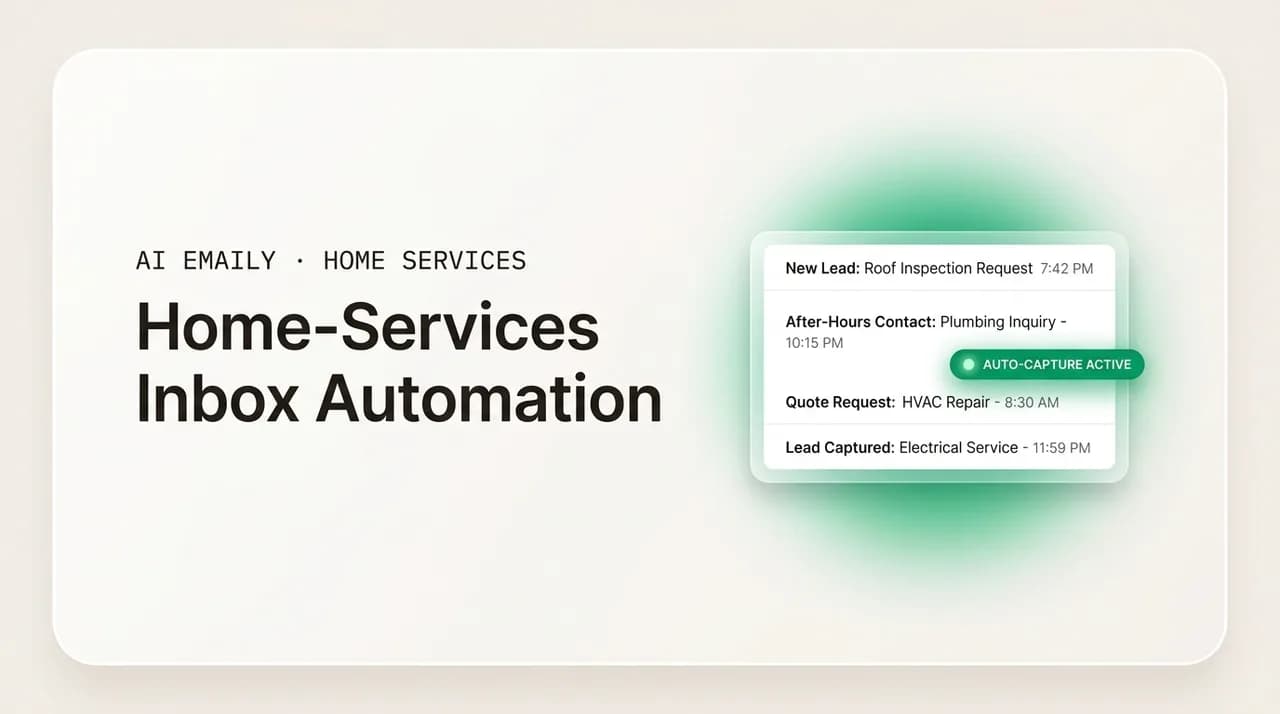
Home-services inbox automation means every lead is captured, acknowledged in seconds, triaged, drafted, followed up, and scheduled without you touching the inbox from a jobsite. Because leads are sold to 3–8 companies at once and the first to reply usually wins, automate the fast, repetitive parts (instant reply, follow-up cadence, confirmations) and keep scope and pricing human-approved. AI Emaily does exactly this: instant voice-matched replies, relentless follow-up, one unified inbox, undo and audit, on your phone.
Home-services inbox automation, explained for contractors: how to capture, acknowledge, triage, draft, follow up, and schedule every lead automatically so none of the 3–8 companies a lead is sold to beats you to the job.
On this page
- 01What home-services inbox automation actually means
- 02The lead journey: the six links you can automate
- 03Capture: get every lead into one place
- 04Acknowledge: the instant reply that wins the job
- 05Triage: sort hot from warm from noise
- 06Draft: replies that sound like you, ready to send
- 07Follow up: the cadence that closes
- 08Schedule and close the loop: keep the pipeline honest
- 09Automate vs. keep human: where to draw the line
- 10Building the system: rules, templates, cadences, escalation
- 11Zero lead leakage: the outcome the whole system is for
- 12Scaling the system: from solo truck to crews and office admin
- 13How AI Emaily helps: mapping each pain to a capability
- 14Speed-to-lead: instant, voice-matched acknowledgment
- 15Estimate follow-up: cadences that run themselves
- 16Scattered accounts: one unified inbox on every device
- 17Putting it all together
What home-services inbox automation actually means#
If you run a roofing, HVAC, solar, or remodeling business, your inbox is not really an inbox. It is your sales floor. Every web-form submission, every reply from a lead-gen platform, every "can you come take a look?" from a homeowner is a chance to book a job worth hundreds or tens of thousands of dollars. And most of the time, when that chance lands, you are on a roof, under a house, or elbow-deep in a panel, not staring at your phone waiting to pounce.
Home-services inbox automation is the practice of building a system that handles the predictable, time-sensitive parts of that sales floor for you, so a lead never sits unanswered while you are working. It is not one feature or one tool. It is a chain of small, reliable jobs that used to depend on you being free at the exact second a lead arrived: capturing the lead, acknowledging it instantly, sorting it by urgency, drafting the right reply, following up until the homeowner responds, getting an appointment on the calendar, and closing the loop when the job is booked or lost. Automate that chain and you stop losing work to whoever happened to be near their phone.
The reason this matters more in home services than almost any other business is the way leads are bought and sold. A single homeowner filling out a "get quotes" form is frequently sold to three to eight companies at the same time. You are not competing on price at that moment, you are competing on speed. The classic research on this is blunt: firms that contact a web lead within an hour are far more likely to have a meaningful conversation than those that wait even a couple of hours, and the odds fall off a cliff after that (Harvard Business Review). For a contractor, the practical translation is simple. The first credible reply usually wins the job, and "first" now means minutes, sometimes seconds, not "whenever I get down off the ladder."
It helps to separate two ideas people tend to blur together. Inbox management is keeping your email tidy: labels, folders, archiving, unsubscribing from junk. Inbox automation is different. It is teaching a system to take action on your behalf, on a schedule and by rules you set, so that the work happens whether or not you are watching. A tidy inbox still needs you to sit down and reply to each lead. An automated inbox has already sent the first reply, staged the follow-up, and put a proposed appointment slot in front of the homeowner before you have even seen the notification.
This guide walks the whole chain a lead travels through, from the moment it lands to the moment the loop closes, and shows you which links to automate, which to keep human, and how to build the system so it fits a business run out of a truck. Then it maps each of the specific pains home-services owners live with, speed-to-lead, after-hours leads, estimate follow-up, and scattered accounts, to how an AI-native email client like AI Emaily handles them. The goal throughout is one outcome: zero lead leakage. Every lead captured, every lead answered, none quietly lost to a faster competitor.
Why "never miss a lead" is a revenue number, not a slogan
The lead journey: the six links you can automate#
Every lead that reaches your inbox travels through the same sequence, whether you have thought about it as a sequence or not. Naming the links is the first step, because you cannot automate a process you have not made explicit. Here is the full chain a home-services lead moves through, from arrival to resolution.
As you read, notice that most links are fast and repetitive, exactly the kind of work a machine does well, while a couple demand judgment about scope, price, or a customer's specific situation, which is exactly the kind of work you want to keep. That split is the whole design principle of a good automation system, and we come back to it in the automate-versus-keep-human table further down.
- 1
Capture
Get every lead into one place. Leads arrive from a website form, Google Local Services Ads, a lead marketplace, a referral email, a reply to a past quote, sometimes a forwarded text. If any of those live in a separate inbox or app you check less often, that is a leak. Capture means all inbound flows into a single view you actually watch.
- 2
Acknowledge
Send an instant reply that confirms a real person (or their system) received the request. This is the single highest-leverage automation in home services. A reply in under a minute tells the homeowner you are responsive and buys you a place in line while slower competitors are still on the ladder. The acknowledgment does not have to book the job; it has to stop the homeowner from calling the next company on the list.
- 3
Triage
Sort the lead by what it is and how urgent it is. A no-heat emergency in January is not the same as a "thinking about a kitchen next spring" inquiry. Triage separates hot leads that need a call today from nurture leads that need a check-in next month, and it filters out the spam and the tire-kickers so your attention goes where the money is.
- 4
Draft
Prepare the right reply for the lead in front of you: a lead-response email that asks the two or three qualifying questions you always ask, a quote follow-up, an appointment confirmation. The draft should sound like you, pull in the details you already have about the customer, and be ready to send with a glance rather than written from a blank screen on a phone.
- 5
Follow up
Send the second, third, and fourth touches that most contractors never get to. The majority of booked jobs come after the first message, yet the follow-up is exactly the part that falls off when you are busy. A cadence, a scheduled series of gentle nudges that stops the moment the homeowner replies, is what turns a quote into a signed contract instead of a ghost.
- 6
Schedule and close the loop
Get the appointment or the estimate on the calendar, confirm it, send the reminder, and then mark the lead won or lost so nothing lingers in limbo. Closing the loop is the unglamorous link everyone skips, and it is why quotes sit "open" for months. Automating the confirmation and the status update keeps your pipeline honest and your inbox from becoming a graveyard of half-finished conversations.
Read that chain back and a pattern jumps out. The links that decide whether you win, capture and acknowledge, are entirely mechanical. There is no judgment in sending a fast, friendly "got your request, when's a good time?" The links that decide how much you make, the actual scope and price, are the judgment-heavy ones. A smart automation system does the mechanical links instantly and reliably, then hands you the judgment links pre-drafted so you spend your scarce attention only where it changes the outcome. You are not replacing yourself. You are removing yourself from the parts of the job that never needed you in the first place.
Capture: get every lead into one place#
You cannot automate a reply to a lead you never saw. The first and most boring cause of lead leakage is fragmentation, leads scattered across a website inbox, a personal Gmail, a lead-platform notification, a shared "info@" address the office admin sometimes checks, and a couple of accounts you set up years ago and half-forgot. When leads live in five places, no single reply system can watch all of them, and the ones in the neglected corners quietly rot.
The fix is consolidation. Every source of inbound work should flow into one unified view. That usually means connecting all of your mailboxes, business, personal-that-somehow-gets-leads, the trade-name account, the old Yahoo you used before you had a domain, into a single inbox, and pointing every web form and lead platform at an address that inbox actually sees. The test is simple: if a homeowner emails any address associated with your business, does it land somewhere you (or your automation) will act on it within minutes? If the honest answer is "depends which address," you have a capture problem, and no amount of clever follow-up downstream can fix a lead that never entered the pipe.
Capture is also where you decide the boundary of what counts as a lead. Not every message is one. Supplier invoices, spam, the newsletter you signed up for at a trade show, these should be filtered out at capture so they never dilute your attention or trigger a lead-response automation aimed at a homeowner. Getting the capture layer right, everything in, noise sorted out, is unglamorous groundwork, but it is the foundation the entire system stands on.
Acknowledge: the instant reply that wins the job#
If you automate only one link in the chain, automate this one. The instant acknowledgment is where speed-to-lead lives, and speed-to-lead is where home-services jobs are won and lost. The homeowner who filled out a form did not fill out yours alone, they filled out several, and they are sitting there with their phone, watching to see who answers first. The company that replies in the first minute earns the conversation. The company that replies at 6 p.m. when the owner finally checks email is often replying to someone who already booked a competitor.
An acknowledgment does a surprising amount of work in three or four sentences. It confirms the request arrived, which stops the homeowner from assuming it vanished and moving on. It signals that you are responsive and organized, which is a proxy for how you will handle the actual job. And it opens the next step, usually by asking for the small piece of information you need to move forward, a good time to call, the address, a photo of the problem. Done well, the acknowledgment converts a cold form-fill into a warm two-way thread before a human on your side has lifted a finger.
The catch, and the reason a lot of contractors resist automating this, is voice. A generic "Thank you for contacting us, a representative will be in touch" reads like a robot and does the opposite of building trust. The acknowledgment has to sound like you, or at least like a real person at your company, or it undercuts the very responsiveness it is trying to signal. That is the difference between a crude auto-responder and genuine inbox automation: the former sends the same dead template to everyone, the latter drafts a reply in your voice, grounded in what the lead actually asked, fast enough to still count as instant.
The under-a-minute standard
Triage: sort hot from warm from noise#
Once leads are captured and acknowledged, you need to know which ones to jump on. Not every inquiry deserves the same speed. A furnace that died in a cold snap is a same-hour call. A "we're renovating our kitchen sometime next year" is a real lead too, but it belongs in a nurture track, not your emergency queue. Triage is the link that routes each lead to the right treatment so you are not treating a tire-kicker like a house fire or letting a genuine emergency sit behind low-priority mail.
Good triage sorts along two axes: what kind of message is this, and how urgent is it. The "what kind" axis separates new leads from quote follow-ups from scheduling messages from existing-customer service requests from pure noise. The "how urgent" axis flags the emergencies, the high-value jobs, and the leads that are clearly comparison-shopping right now. When those two are working, your inbox stops being an undifferentiated pile and becomes a prioritized worklist: these three need you in the next hour, these can wait until tonight, these are handled automatically, these are junk.
Triage is also what makes the rest of the automation safe. You do not want the same aggressive follow-up cadence firing at a homeowner who already booked and a cold lead who has gone silent. You do not want a scope-heavy custom job answered with a canned template. By classifying leads first, the system can apply the right automation to each, fast reply and light-touch nurture for the standard stuff, immediate escalation to you for the complex or high-value ones. Triage is the traffic controller that keeps everything else from running into each other.
Draft: replies that sound like you, ready to send#
Drafting is where automation earns its keep on the jobs that need a human's eventual sign-off but not a human's time to compose. Most of what a home-services business sends is a variation on a handful of messages: the first reply to a new lead that asks your standard qualifying questions, the quote itself or a note that it is attached, the confirmation of an appointment, the follow-up after an estimate, the "here's what we found" after a diagnostic visit. You write slightly different versions of these all day. That repetition is precisely what makes them automatable.
The point of drafting automation is not to send blind, it is to eliminate the blank page. When a lead comes in, the right reply should already be waiting, populated with what you know: the homeowner's name, the service they asked about, the two or three questions you always ask before you quote, your normal availability. You glance at it, tweak a detail if needed, and send. On a phone between jobs, the difference between "tap to open, read, approve, send" and "open the app, figure out what to say, thumb-type a reply" is the difference between a lead answered in thirty seconds and one that waits until you are back at the shop.
The quality that makes or breaks draft automation is whether it sounds like you. Homeowners can smell a template, and a stiff, generic reply signals a company that will be stiff and generic to work with. Real drafting automation learns from how you actually write, your greeting, your level of formality, the way you explain a next step, and produces replies in that voice, using your real numbers and details rather than inventing them. That is the line between an autoresponder that embarrasses you and an assistant that sounds like the version of you that always has time to reply well.
Follow up: the cadence that closes#
Here is the uncomfortable truth most contractors already suspect: the money is in the follow-up, and the follow-up is the thing that never happens. You send a quote, the homeowner says "let me talk to my spouse," and then you get busy and never circle back. Weeks later the job is gone, and you will never know whether it went to a competitor who followed up or simply died of neglect. A large share of booked home-services jobs come after the first message, from a second, third, or fourth touch, yet those touches are exactly what falls off a to-do list when you are running crews all day.
A follow-up cadence fixes this by making the touches automatic and scheduled instead of dependent on you remembering. A quote follow-up cadence might be a friendly check-in two days after the estimate, a value-reinforcing note a few days later, and a final "still want to move forward?" a week after that, each written in your voice, each stopping instantly the moment the homeowner replies so nobody gets a nudge about a quote they already accepted. A new-lead cadence chases the homeowner who filled out a form but went quiet before you could connect. A long-cycle nurture cadence keeps a remodeling lead warm across the weeks or months those jobs take to close.
The discipline of a cadence is what separates businesses that grow from ones that plateau at the owner's personal follow-up capacity. When the follow-up depends on you, it scales to exactly one busy person's memory, which is to say it does not scale at all. When it is automated, every lead gets the persistent, professional follow-up you would give your best prospect if you had infinite time, and warm leads stop going cold in the gap between "I'll get back to you" and "I forgot."
Always give the cadence an exit
Schedule and close the loop: keep the pipeline honest#
The last link is the one everyone forgets, and it is why so many contractors' inboxes turn into a swamp of half-finished conversations. Scheduling and closing the loop means getting the appointment or estimate onto the calendar, confirming it, reminding the homeowner so they do not no-show, and then, crucially, marking the lead as won or lost so it stops living rent-free in your open pipeline.
Scheduling automation turns the back-and-forth of "what time works for you?" into a single clean exchange. Instead of three emails to land on Tuesday at 2, the system proposes a slot from your real availability, the homeowner confirms, it goes on the calendar, and a reminder fires the day before. Fewer no-shows, less thumb-typing, and a booked job while a competitor is still trading emails about scheduling. For a business where a missed estimate visit is a wasted trip across town, cutting no-shows with an automatic reminder is quiet, direct money.
Closing the loop is about hygiene, and hygiene is about not losing leads to your own disorganization. Every lead should end in a known state, booked, quoted-and-pending, or dead, rather than drifting in an ambiguous middle where you are not sure if you already replied. When the loop closes cleanly, your follow-up cadences know when to stop, your pipeline reflects reality, and you can tell at a glance which leads still need a human. An inbox where every conversation reaches a resting place is an inbox you can trust to tell you the truth about your business.
Automate vs. keep human: where to draw the line#
The single most important decision in building an inbox-automation system is knowing what to hand to the machine and what to keep in human hands. Get this wrong in one direction and you leave money on the table by doing repetitive work manually. Get it wrong in the other and you send a homeowner a confidently wrong price, or a canned reply to a delicate situation, and damage your reputation. The good news is that the line is fairly clear once you sort tasks by two questions: is it repetitive and predictable, and does a mistake cost you real money or trust?
Fast, repetitive, low-stakes tasks, the instant acknowledgment, the appointment confirmation, the follow-up nudge, are ideal for automation. They happen constantly, they follow a pattern, and the cost of the automation getting one slightly wrong is tiny compared to the cost of never sending them because you were busy. Judgment-heavy, high-stakes tasks, the actual scope of work, the price, the response to an upset customer or an unusual situation, should stay human, or at minimum be drafted by automation and approved by you before they go out. The table below is the practical version of that principle for a home-services business.
| Automate it | Keep a human in the loop |
|---|---|
| Instant acknowledgment of every new lead, in your voice. | The actual scope of work and what the job includes. |
| First-touch qualifying questions (best time to call, address, photos). | The quoted price and any custom pricing decisions. |
| Quote and estimate follow-up cadences that stop when the lead replies. | Responses to an upset customer, a complaint, or a dispute. |
| Appointment confirmations and day-before reminders. | Diagnostic conclusions and repair-or-replace recommendations. |
| After-hours and weekend replies so nothing waits until morning. | Anything touching liability, warranty terms, or a contract. |
| Triage: sorting hot leads, nurture leads, service requests, and noise. | Unusual or high-value jobs that don't fit a standard template. |
| Long-cycle nurture check-ins for remodeling and slow-close leads. | The final sign-off before any price or commitment leaves your inbox (v1). |
| Closing the loop: marking leads won or lost, updating the pipeline. | Judgment calls about which jobs to take or decline. |
Notice that "keep a human in the loop" does not mean "do it all by hand." Even the human column benefits from automation drafting the message first. The distinction is about the send decision on high-stakes items, the price, the scope, the sensitive reply. Those get written by the system and approved by you, so you keep control of the outcomes that matter while still losing the burden of composing every message from scratch. As trust in the system grows, you can move more of the low-stakes items to fully hands-free, and keep the send-approval gate exactly where the money and the reputation live.
Building the system: rules, templates, cadences, escalation#
A working inbox-automation system rests on four building blocks. You do not need all of them perfect on day one, but you do need to understand each, because together they are the machine that turns "leads arrive" into "leads get handled." Think of these as the parts you configure once and then let run.
- 1
Rules: the if-this-then-that layer
Rules are the conditions that route a message to the right action. "If a message comes from a lead platform, tag it as a new lead and send the acknowledgment." "If a reply arrives on a quote thread, stop the follow-up cadence and flag it for me." "If a message mentions 'no heat' or 'emergency,' escalate it immediately." Rules are the nervous system; they decide what happens to each message the moment it lands.
- 2
Templates: the reusable messages
Templates are your standard replies, the new-lead response, the quote cover note, the appointment confirmation, the estimate follow-up, written once and reused with the specifics swapped in. The best templates use placeholders for the details that change (name, service, address, price) so each send is personalized without being rewritten. Build the eight or ten messages you send most and you have covered the vast majority of your inbound volume.
- 3
Cadences: the timed follow-up series
Cadences are sequences of touches spaced over days or weeks, each firing on a schedule and each canceling automatically when the lead responds. You will want at least three: a new-lead chase for form-fills who went quiet, a quote follow-up for estimates awaiting a decision, and a long-cycle nurture for slow-close jobs. Cadences are what capture the majority of bookings that come after the first message.
- 4
Escalation: the hand-off to a human
Escalation is the rule that says "this one needs a person, now." An emergency keyword, a high-value job, an angry tone, a question the system can't answer, all should route straight to you (or your office admin) with the context attached, rather than getting a templated reply. A good system is confident about the routine and humble about the exceptions; escalation is how it knows the difference and keeps you in the loop where it counts.
The order to build these in matters. Start with capture and the instant acknowledgment, because that is where the biggest leak is and the fastest payback lives. Add triage next, so the acknowledged leads get sorted and the emergencies escalate. Then layer in your two or three core cadences for follow-up, which is where the second wave of bookings comes from. Templates get refined continuously as you notice which replies you send most. Escalation rules you tune as you learn which messages the system should never handle alone. You are not building a monolith; you are adding one reliable link at a time, and each link stops a specific kind of leak.
Zero lead leakage: the outcome the whole system is for#
Every part of this system serves one goal: zero lead leakage. A lead leaks when it arrives and nothing happens, or when something happens too slowly to matter, or when the first reply goes out but the follow-up never does, or when a conversation stalls in an inbox nobody is watching. Each of those is a job you paid to acquire and then gave away for free. The whole point of inbox automation is to seal every one of those gaps.
It helps to audit your own leakage honestly. Where do leads actually go missing in your business? For most home-services owners it is one of a few places: the lead that came in while you were on a job and got answered hours late; the after-hours inquiry that sat until morning; the quote you sent and never followed up on; the lead in the account you don't check often. Each of those maps directly to a link in the chain, capture, acknowledge, follow up, schedule, and each is fixable by automating that link. Zero leakage is not a fantasy; it is what happens when every link is covered.
The economics are what make this worth doing rather than just nice to have. You are already paying for these leads, sometimes a lot, and rising lead costs mean the margin for waste keeps shrinking. Improving how many of your existing leads you actually convert is almost always cheaper than buying more leads, because you have already paid the acquisition cost. A business that answers every lead fast and follows up relentlessly gets more booked jobs from the same lead spend than a competitor buying the same leads and losing half of them to slow replies. Zero leakage is, in the end, the highest-return marketing investment a contractor can make, because it is not marketing at all, it is refusing to waste the marketing you already bought.
Scaling the system: from solo truck to crews and office admin#
The beauty of building the automation first is that it scales with you instead of breaking as you grow. When you are a solo owner-operator in the field, the system is your office staff, it answers the leads you physically cannot because you are on a roof. It is the entire value: instant reply in your voice the moment a lead lands, follow-up that runs itself, so a one-person business behaves like it has a full-time front desk.
As you add an office admin or a customer-service rep, the automation does not become redundant, it becomes their force multiplier. Instead of hiring someone to sit and manually reply to leads (expensive, inconsistent, and asleep at night), you hire someone to handle the judgment links, the scope conversations, the escalations, the complex jobs, while the system continues to handle the instant acknowledgments and the follow-up cadences around the clock. Your admin starts their day with a triaged inbox and drafts already waiting, not a cold pile of overnight leads to dig through. The same person covers far more leads because the repetitive work is already done.
When you grow to multiple crews and several people touching the inbox, the automation becomes the shared backbone that keeps everyone consistent. A shared inbox with clear ownership means two people never reply to the same lead and no lead falls between them because each assumed the other had it. The templates keep every rep sounding on-brand. The follow-up cadences run regardless of who is out sick or on vacation. And because every action is logged, you can see exactly what happened to any lead, who replied, what was sent, whether the follow-up ran, which is the difference between a business you can manage and one that runs on hope. The system you built as a solo operator is the same system that lets you run five crews without leads slipping through the cracks.
How AI Emaily helps: mapping each pain to a capability#
Everything above is provider-agnostic advice, you could assemble a version of it out of separate tools. The reason an AI-native email client exists is to make the whole chain one system instead of a fragile stack of integrations, and to do the parts that used to be impossible, like drafting an instant reply that genuinely sounds like you. AI Emaily is an AI-native email client with an autonomous chief-of-staff that triages, drafts in your voice, schedules, and closes loops, on every provider and every device, while keeping you in control. Here is how each specific home-services pain maps to a capability, honestly, including where a human stays in the loop.
Start with the pain that decides the most jobs.
Speed-to-lead: instant, voice-matched acknowledgment#
The pain: leads are sold to three to eight companies at once, and the first credible reply usually wins, but you are on a jobsite when they arrive. The capability: AI Emaily drafts and can send an instant reply the moment a lead lands, written in your voice because the agent learns how you actually write, not from a generic template. This is the acknowledge link, automated, and it is the highest-leverage thing the product does for a contractor.
It works through the three authority modes, so you choose how much rope to give it. In Manual mode, the AI assists on demand, you get a draft when you ask for it. In Copilot mode, the reply is drafted and staged in your voice, waiting for one tap to send, so nothing leaves without your approval, this is the required default before any send in v1. In Autopilot mode, within boundaries you define, the agent sends the acknowledgment itself and stages the follow-up, hands-free, so a lead that arrives while you are on a roof still gets answered in under a minute. Whichever mode you pick, the reply sounds like you and uses your real details, and you can move from Copilot to Autopilot as your trust in it grows.
The after-hours pain is really the same pain wearing a different hat. A large share of home-services jobs are booked outside business hours, evenings and weekends, exactly when you and any office staff are unavailable. A lead that lands at 9 p.m. and sits until morning is a lead a competitor's automation answered at 9:01. AI Emaily does not sleep. In Autopilot mode it acknowledges after-hours and weekend leads the instant they arrive, in your voice, and stages the follow-up, so the inquiries that used to wait until morning are already in a live conversation by the time you wake up. Every one of those autonomous actions is reversible with a full undo window and logged in an audit trail, so "it acts on its own" never means "you lose visibility or control."
You stay in control, always
Estimate follow-up: cadences that run themselves#
The pain: the money is in the follow-up, and the follow-up is the first thing to fall off when you are running jobs. You send a quote, mean to circle back, and never do. The capability: AI Emaily stages and runs follow-up cadences for you, the second, third, and fourth touches after an estimate, each drafted in your voice, each stopping automatically the moment the homeowner replies. This is the follow-up link, automated, and it is where a lot of the bookings you have been leaving on the table come from.
Because the agent watches your threads, the cadence has the exit built in: it closes the loop when a lead responds or books, so nobody gets a nudge about a quote they already accepted, and your pipeline reflects reality instead of drifting. Follow-up autopilot and loop-closing are part of the agent's autonomy, so a remodeling lead on a multi-week cycle gets the same patient, professional check-ins you would give your best prospect if you had infinite time, without you remembering to send a single one. The drafts stay in your voice, so "automated follow-up" never reads as "impersonal spam."
Scattered accounts: one unified inbox on every device#
The pain: leads leak because they are scattered, a business account, a personal one that somehow gets leads, the trade-name address, an old account you barely check, and no single system watches them all. The capability: AI Emaily is a universal client with one unified inbox across every provider, Gmail, Outlook, iCloud, Fastmail, Proton, and any IMAP account, so every lead from every address lands in one view the agent actually watches. This is the capture link, solved. There is no more "which inbox did that come into?", because there is one inbox.
And because a contractor's real desk is a truck, it works where you do. AI Emaily runs on the web, macOS, iOS, and Android (with mobile rolling out), with fast, local-first interactions, so approving a staged reply between jobs is a single tap on your phone, not a wrestling match with a slow email app. The unified inbox plus the mobile app is what makes the whole system usable for someone who is genuinely never at a desk: you capture everything in one place and act on it from the field. Triage sorts the hot leads from the noise across all your accounts at once, so the emergency in the account you never check still reaches you.
One more capability ties the system together for a growing crew. As you add an office admin or more crews, AI Emaily's Team features give you shared inboxes with clear ownership, human-or-agent delegation, and a per-actor audit trail, so two people never double-reply to a lead, none falls between them, and you can see exactly what happened to any lead and who handled it. The context and variables engine keeps every reply grounded in the real details you already have about a customer, the agent uses the actual values rather than inventing them, and pre-send checks catch the "did you forget the address?" mistakes before a reply goes out. Put together, it is the difference between an inbox you hope is being handled and one you can prove is.
Putting it all together#
Home-services inbox automation is not a gadget, it is a decision to stop losing leads you already paid for. The chain is always the same: capture every lead into one place, acknowledge each one instantly in a voice that sounds like you, triage the hot from the warm from the noise, draft the reply so you are never staring at a blank page on a jobsite, follow up relentlessly until the homeowner responds, and schedule and close the loop so nothing lingers. Automate the fast, repetitive links, keep the scope-and-price judgment human, and you get the outcome the whole system is for: zero lead leakage.
The economics make it close to a no-brainer. When leads are sold to several companies and the first to reply wins, and when a large share of jobs book after hours, the business that answers every lead in under a minute and follows up without fail simply converts more of the same leads than the one relying on an owner to check email between jobs. You already bought the leads. The cheapest growth you can buy is refusing to waste them.
AI Emaily exists to make that one system instead of a pile of tools you have to wire together: instant voice-matched replies, follow-up cadences that run and close themselves, one unified inbox across every provider on every device, and Manual, Copilot, and Autopilot modes so you decide exactly how much the agent handles, always with undo and a full audit trail. Start on the free plan, connect your accounts, and let it answer the next lead that lands while you are on the roof. You can try it free at app.aiemaily.com/signup, with a Free plan at no cost and Pro at $12.42 per month on the annual plan.
Frequently asked
See it in AI Emaily
Keep reading
Sources

Written by
Nafiul HasanNafiul Hasan is an entrepreneur and AI automation system builder with 10+ years of experience turning messy, manual workflows into reliable automated systems. He designs and ships AI enterprise solutions end-to-end — the agent logic, the data plumbing, and the product people actually use — and founded AI Emaily to give busy professionals their attention back. He writes here from the builder's seat: what works, what breaks, and how to put AI to work without giving up control.