Emails to One Domain Always Bounce: How to Diagnose It


The short answer
Emails to one domain always bounce when that domain's mail server rejects you specifically. The usual causes are your sending IP on a blocklist, their gateway policy, a failed SPF, DKIM or reverse-DNS check, or broken MX records on their side. Read the bounce code, check the IP and your DNS, then send their IT team the exact error.
When emails to one domain always bounce, the cause is a blocklisted IP, their gateway policy, an auth mismatch or broken MX. Three checks tell you which.
On this page
- 01What does it mean when emails to one domain always bounce?
- 02Read the bounce code first
- 03Which cause is behind your bounce?
- 04Fix 1: Is your sending IP on a blocklist?
- 05Fix 2: Do your DNS and authentication pass?
- 06Fix 3: Are their MX records and gateway at fault?
- 07How do you tell which cause you have?
- 08What should you send their IT contact?
- 09How do you prevent it from happening again?
- 10Where does AI Emaily fit?
Everyone else gets your mail. One company, one client or one supplier gets a bounce every single time. That pattern is useful, because it rules out most of what could be wrong with your account and points at a rule that only applies to that one destination.
This guide covers the four causes behind emails to one domain always bouncing, three checks you can run in about twenty minutes, and the exact message to send their IT contact so they can find your rejection in their logs.
What does it mean when emails to one domain always bounce?#
A bounce is a rejection message generated by a mail server, not by your email app. When it comes from the recipient's server, that server looked at your message during the SMTP conversation and refused it. Your mail provider then turned that refusal into the bounce you see.
The key is that the refusal is consistent and tied to one domain. Mail servers decide per message using the sending IP address, the sending domain's authentication, the recipient address and their own policy. If only one domain refuses you, either that domain applies a rule you trip, or something about your route to that domain is broken.
Read the bounce code first#
Skip the friendly headline in the bounce and find the status code and the text beside it. A code starting with 4 is temporary and the sender usually retries. A code starting with 5 is permanent. The second block, such as 5.7.1 or 5.1.1, tells you the category.
Codes like 5.1.1 mean the mailbox does not exist, which is a typo or a departed employee and not a domain-wide block. Codes in the 5.7.x range mean a policy or authentication rejection, and 5.4.x means routing or DNS trouble. The bounce text often names the cause outright, for example a blocklist name or a failed check.
Copy the whole error, not a screenshot summary
Which cause is behind your bounce?#
Four causes account for almost every case where one domain rejects you and nobody else does. The table maps each to the evidence that confirms it and who has to fix it.
| Cause | How to confirm | Who fixes it |
|---|---|---|
| Your sending IP is on a blocklist | Bounce names a blocklist or says the client host is blocked; IP lookup shows a listing | You or your mail provider |
| Their gateway policy blocks you | Generic 5.7.1 policy rejection; IP is clean; other domains accept you | Their IT team (allow-listing) |
| Authentication or reverse-DNS mismatch | SPF, DKIM or DMARC fails in a test message; PTR does not match your sending host | You (DNS records) |
| Their MX records are broken or missing | Bounce mentions DNS, routing or no mail exchanger; an MX lookup fails or points nowhere | Their IT team or DNS host |
Fix 1: Is your sending IP on a blocklist?#
Receiving servers consult public blocklists, and a listing on a list one company trusts can block you at that company alone. Other domains may use different lists or none. This is the most common cause when the bounce text mentions a block or a listing.
- 1
Find the IP you actually sent from
Open the original sent message headers and look at the Received lines nearest to the bottom. If you send through Gmail, Microsoft 365 or another hosted provider, the IP belongs to them, not to your office connection.
- 2
Look the IP up on the Spamhaus checker
Paste the IP or your sending domain into the Spamhaus IP and Domain Reputation Checker. It reports whether the address is on their lists and gives a reason and a removal route if it is.
- 3
Act on who owns the IP
If it is your own server, follow the delisting steps the list publishes and fix the cause first, such as a compromised account or an open relay. If it is a shared provider IP, report the listing to the provider because you cannot delist it yourself.
- 4
Resend after the listing clears
Delistings take time to propagate. Retest with a short plain message to the same recipient rather than the original attachment-heavy one.
Fix 2: Do your DNS and authentication pass?#
Some domains reject any mail that fails basic identity checks, even when the rest of the internet is lenient. If you send to one strict company, a weakness in your SPF, DKIM or reverse DNS shows up there first.
- 1
Check SPF includes every sender
Your domain's SPF record must list every service that sends as you. A missing include for a newsletter tool or a CRM is a classic cause of failures on strict receivers.
- 2
Confirm DKIM is signing
Send a message to a mailbox you control and read the headers for a DKIM result of pass with your own domain. A signature from the provider's domain instead of yours can fail alignment under DMARC.
- 3
Match the reverse DNS
The sending IP should have a PTR record that resolves to a hostname, and that hostname should resolve back to the same IP. Gmail's own sender guidelines expect this for sending servers, and many corporate gateways do too.
- 4
Review your DMARC policy and reports
If your DMARC policy is set to quarantine or reject and alignment fails, strict receivers will refuse the message. Fix the failing sender before you loosen the policy.
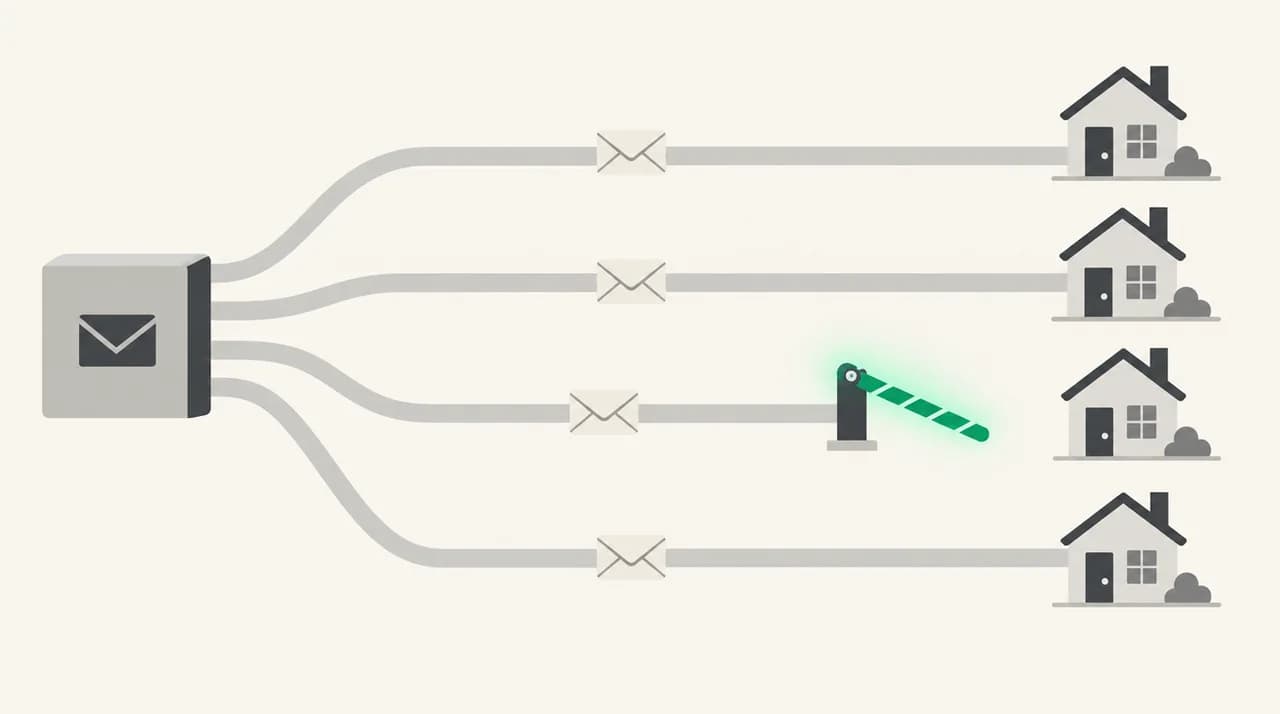
Fix 3: Are their MX records and gateway at fault?#
If your IP is clean and your authentication passes, the problem is probably on their side. Either their DNS is broken or their security gateway is configured to refuse you. Neither is something you can repair, but you can prove which it is.
- 1
Look up their MX records
Run an MX lookup on the recipient's domain, for example dig MX example.com or an online MX checker. You should see one or more mail hosts, and each should resolve to an IP address.
- 2
Flag a missing or dangling MX
No MX, an MX pointing at a name that does not resolve, or a recently changed MX with stale entries all produce routing bounces. If other people also report failures to that domain, it is their DNS.
- 3
Test from a different network
Send the same plain message from a second account on a different provider. If it delivers, their gateway is rejecting your route specifically and not the domain as a whole.
- 4
Collect the evidence for their IT team
Note the bounce text, the exact time with timezone, the sending address, the recipient address, your sending IP and the Message-ID header. These are the fields their mail logs index.
How do you tell which cause you have?#
Work in order and stop at the first confirmed cause. The bounce text, the IP lookup and a second-provider test together separate your fault from theirs without guessing.
- The bounce names a blocklist or a blocked client host: start with the IP checks in Fix 1.
- The bounce is a generic 5.7.1 and the IP is clean: check authentication in Fix 2, then ask them for an allow-list.
- A second provider delivers and yours does not: the issue is your route or IP reputation, not the domain.
- Both providers fail with routing or DNS wording: their MX or gateway is at fault.
What should you send their IT contact?#
Email addresses on the domain are no use if their gateway is rejecting you, so reach a person another way: a phone number, a contact form, or the recipient telling their own helpdesk. Keep the message short and searchable. Give them the facts and one clear ask.
How do you prevent it from happening again?#
Most repeat bounces trace back to the same few habits. Keep SPF, DKIM and DMARC accurate whenever you add a sending tool. Make sure your sending IP has matching reverse DNS. Watch for compromised accounts, which are the usual way a clean IP lands on a list.
Industry groups publish the practices receivers expect from senders. M3AAWG's sender best common practices are a readable reference if you send in volume or run your own mail server. For ordinary one-to-one business mail, the checks above are enough.
Keep a note of any client domain that needed an allow-list, and the contact who granted it. Gateways change, and the note saves you rediscovering the route the next time it breaks.
Where does AI Emaily fit?#
The tedious part of this problem is the loop: read the bounce, work out what it says, and write a clear note to a stranger in IT while the client waits. We build AI Emaily, and that is the part it helps with. It connects to Gmail, Outlook and IMAP accounts, sends through your own provider, and can draft that message to their IT contact from the bounce text. In Copilot mode nothing sends until you approve it.
To be plain about the limits: AI Emaily is an email client, not a deliverability tester or a blocklist monitor. It cannot change your DNS or delist an IP, and the sending IP is still your provider's. The seven-day free trial on the pricing page is enough to try the drafting step on a real bounce.
Frequently asked
See it in AI Emaily
Keep reading
Sources

Written by
Nafiul HasanNafiul Hasan is an entrepreneur and AI automation system builder with 10+ years of experience turning messy, manual workflows into reliable automated systems. He designs and ships AI enterprise solutions end-to-end — the agent logic, the data plumbing, and the product people actually use — and founded AI Emaily to give busy professionals their attention back. He writes here from the builder's seat: what works, what breaks, and how to put AI to work without giving up control.