554 5.7.1 Message Rejected as Spam: Diagnose and Fix

The short answer
554 5.7.1 is a permanent rejection: the recipient's server accepted the connection, then refused your message as spam or policy-blocked. The cause is almost always one of three things: your sending IP is on a blocklist, your SPF, DKIM or DMARC authentication fails, or the content tripped a filter rule. Read the bounce text to see which.
554 5.7.1 message rejected means the recipient's filter refused your mail as spam. Here is how to tell blocklist, authentication and content causes apart.
On this page
- 01What does 554 5.7.1 actually mean?
- 02What causes a 554 5.7.1 rejection?
- 03Fix 1: how do I clear a blocklisted sending IP?
- 04Fix 2: how do I repair authentication that fails?
- 05Fix 3: what if the content tripped the filter?
- 06How do I tell which cause I have?
- 07How do I stop it coming back?
- 08Where does AI Emaily fit?
You send a normal email and a few seconds later a bounce arrives: 554 5.7.1 message rejected. Sometimes the text adds 'as spam', sometimes 'service unavailable', sometimes a blocklist name. Either way, the message did not arrive and retrying the same message will not help.
This guide explains what the 554 5.7.1 message rejected bounce means, how to separate the three causes behind it, and what to change for each. It is written for people who send from their own domain, whether through a mail client, a hosting provider or a small SMTP relay.
What does 554 5.7.1 actually mean?#
The bounce carries two codes. The first, 554, is the SMTP reply code: a permanent transaction failure. The second, 5.7.1, is an enhanced status code. RFC 3463 defines the leading 5 as a permanent failure, the 7 as a security or policy issue, and 5.7.1 as 'delivery not authorized, message refused'. The RFC notes this can be the result of per-host or per-recipient filtering.
In plain terms: the receiving server decided your mail breaks its policy and refused it on purpose. Nothing is broken in transit, and nothing is wrong with the mailbox address. The recipient's filter looked at who you are, how you authenticated, or what you wrote, and said no.
Servers vary in when they send 554. Many accept the connection and the recipient address, then reject after the message body has been transferred. That timing matters: the filter has seen your headers and content, so the refusal can be about any of them. A few servers reject at connection time instead, which points straight at your IP address.
What causes a 554 5.7.1 rejection?#
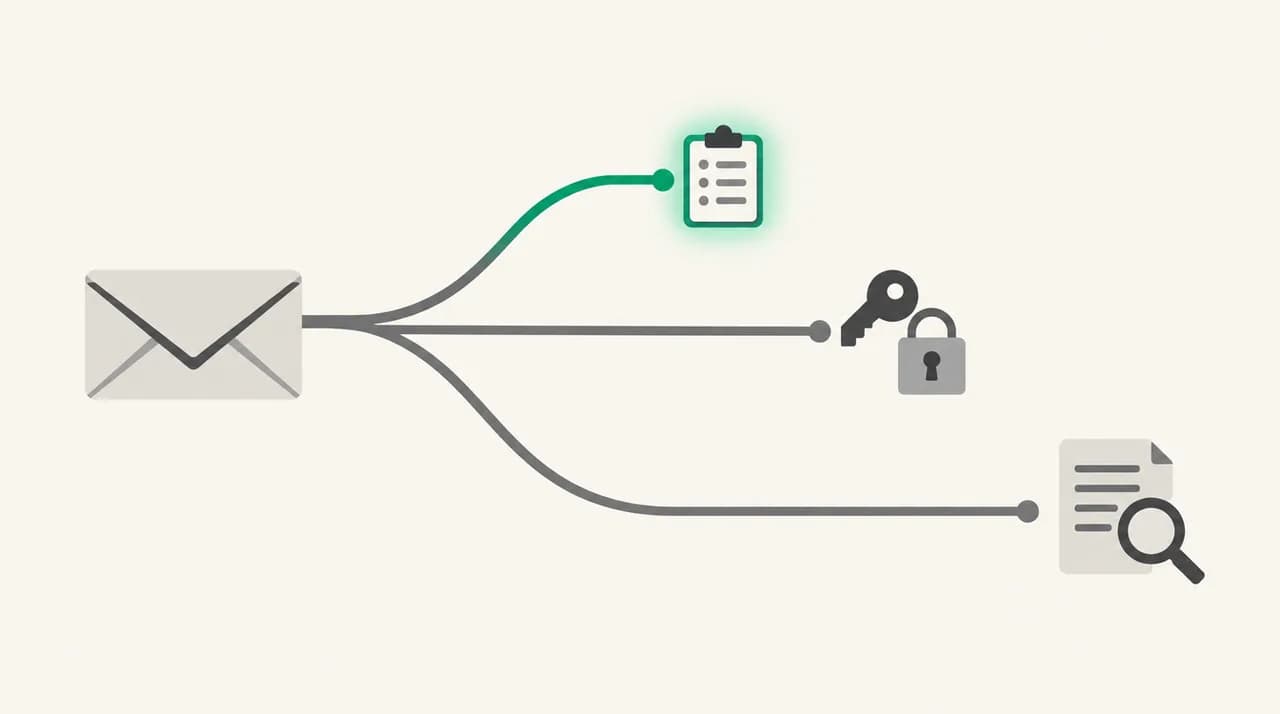
Receiving servers reject on three families of signal. The table maps each to the clue you will usually find in the bounce text, how to confirm it, and where the fix lives.
| Cause | Typical clue in the bounce | How to confirm | Fix |
|---|---|---|---|
| Sending IP is on a blocklist | Text names a list or says 'client host blocked' or 'blocked using' followed by a list name | Look up the IP that actually sent the message in a blocklist checker | Find and stop the source, then request delisting; or move to a clean IP |
| Authentication fails | Mentions SPF, DKIM, DMARC, or 'unauthenticated' | Read the Authentication-Results header on a test message | Publish or repair SPF, DKIM and DMARC; align the From domain |
| Missing or mismatched reverse DNS | Mentions PTR, rDNS or 'no reverse DNS' | Check that the sending IP has a PTR record and that it resolves back to the same IP | Set the PTR record at whoever owns the IP address |
| Content tripped a filter rule | Generic: 'message rejected as spam' or 'content rejected', no list named | Send a plain, short test; add the original parts back until it breaks | Remove the trigger: misleading subject, hidden text, odd links, risky attachment |
| Poor domain reputation | Generic spam wording, and mail to the same provider also lands in spam | Check the provider's reputation tools, such as Gmail Postmaster Tools | Clean the list, cut complaints, slow the sending volume, wait for recovery |
Fix 1: how do I clear a blocklisted sending IP?#
This is the likeliest cause when the bounce says 'client host blocked' or names a list. A blocklist is a database of IP addresses or domains. Receiving servers query it during the transaction and refuse mail from anything listed.
- 1
Find the IP that actually sent the message
Do not assume it is your office or home IP. If you send through a hosting provider, Microsoft 365, Google Workspace or a relay, the sending IP belongs to them. Open the bounce and look at the Received headers, or the IP quoted in the rejection text.
- 2
Look it up in a blocklist checker
Enter the IP or domain at the Spamhaus IP and Domain Reputation Checker (check.spamhaus.org). It shows whether the address is listed and on which list. Take the list name from the bounce too; different lists have different removal rules.
- 3
Stop whatever caused the listing
Listings follow behaviour: a compromised mailbox sending spam, malware on a machine behind the IP, a scraped or purchased list, or an open relay. Change the password, scan the machine, and close the hole first. A delisting request without a fix usually gets you listed again.
- 4
Request removal on the list's own page
Follow the removal process the list publishes. Some lists expire entries on their own after the bad behaviour stops, and some require a short explanation. Expect it to take time rather than minutes.
- 5
If the IP is shared, tell the provider
On a shared IP, another customer may have caused the listing and you cannot delist it yourself. Open a ticket with the provider, or ask for a different IP or a dedicated one. Gmail's sender guidelines also warn that a shared IP's activity affects every sender on it.
Fix 2: how do I repair authentication that fails?#
If the bounce mentions SPF, DKIM or DMARC, or the generic spam wording appears only when you send from your own domain, authentication is the next suspect. Receiving servers treat unauthenticated mail as higher risk, and some reject it outright.
As of October 2026, Gmail's published sender guidelines require every sender to set up SPF or DKIM, to have valid forward and reverse DNS for the sending IP, and to use TLS. Senders of more than 5,000 messages a day to Gmail must also publish DMARC, align the From domain with the SPF or DKIM domain, and support one-click unsubscribe on marketing mail. Other providers apply their own rules, so treat that list as a floor.
- 1
Send a test message and read the headers
Send to a mailbox you control at the provider that rejected you, or any mailbox that accepts it. Open the original message and find the Authentication-Results header. Look for spf=pass, dkim=pass and dmarc=pass.
- 2
Fix SPF so it lists every sender
Your domain needs one SPF TXT record that includes every service sending as you: your mail host, your newsletter tool, your CRM. A sender missing from the record is the classic cause of mail that passes in testing and fails for a third-party sender.
- 3
Turn on DKIM signing for the sending domain
Enable DKIM at your mail host and publish the key it gives you in DNS. Gmail requires a key of at least 1024 bits and recommends 2048 where your provider supports it.
- 4
Publish DMARC and check alignment
DMARC passes when SPF or DKIM passes and the authenticated domain matches the domain in the visible From header. A policy of none is enough to start, and it gives you reports before you tighten anything.
- 5
Check reverse DNS
The sending IP needs a PTR record that resolves to a hostname, and that hostname must resolve back to the same IP. If you do not control the IP, your provider has to set it.
Fix 3: what if the content tripped the filter?#
When there is no list name, authentication passes and your reputation is fine, the message itself is the problem. This is the hardest case, because filters rarely say which rule fired. The method is to take things away until the bounce stops.
- 1
Send a blank or one-line test to the same recipient
If that delivers, the rejection is content, not identity. If it also bounces, go back to Fix 1 and Fix 2. Google's own guidance suggests a blank test message as a first diagnostic.
- 2
Add the original back in pieces
Restore the subject first, then the body text, then links, then attachments, sending each version. The step where it bounces again points at the trigger.
- 3
Remove the usual triggers
Gmail's guidelines list content that tends to be marked as spam: misleading subjects such as a fake Re: or Fwd:, content hidden with HTML or CSS, links that do not make clear where they go, and emoji or images next to a display name that imply it has been verified. Also check for a link to a domain that is itself blocklisted, since filters check those too.
- 4
Check the attachment and the message format
Executable or archived attachments get blocked by many gateways. Gmail also expects messages to follow RFC 5322, with a valid Message-ID.
How do I tell which cause I have?#
Work from the cheapest check to the most expensive. Read the bounce text first: if it names a list, you have Fix 1. If it names a protocol such as SPF, DKIM or PTR, you have Fix 2. If it is generic, test whether mail from the same domain reaches other providers.
If every message to one provider bounces but the same messages reach others, suspect that provider's view of your IP or domain reputation. If one specific message bounces and others to the same person do not, suspect content. If everything you send bounces everywhere, suspect your IP or your authentication.
Do not keep retrying a 554
How do I stop it coming back?#
Most 554 rejections are preventable with habits rather than tools. Set up SPF, DKIM and DMARC once, and re-check them whenever you add a service that sends as your domain. Check reverse DNS whenever your provider changes the IP.
On reputation: send to people who expect your mail, keep your spam complaint rate low (Gmail asks senders to stay below 0.10% in Postmaster Tools and never reach 0.30%), and ramp volume gradually instead of in bursts. Gmail's guidance also says to avoid purchased lists and checked-by-default opt-ins.
Where does AI Emaily fit?#
The mechanism above is that a person can only judge content risk if they actually read the message before it goes, and most rejected mail was sent in a hurry. We build AI Emaily, an email client where the AI agent drafts replies from your own Personal Context and client profiles and holds them for your approval, so you see the subject, links and wording before anything sends, and can undo a send.
That helps with the content branch only. AI Emaily is not a deliverability tester, a blocklist monitor or a DMARC service: SPF, DKIM, reverse DNS and IP reputation belong to your mail provider and your DNS, and you fix them as described above. For inbound spam, our spam protection works on what reaches you. You can try it with a 7-day free trial on Pro, and the details are on the pricing page at /pricing.
Frequently asked
See it in AI Emaily
Keep reading
Sources

Written by
Nafiul HasanNafiul Hasan is an entrepreneur and AI automation system builder with 10+ years of experience turning messy, manual workflows into reliable automated systems. He designs and ships AI enterprise solutions end-to-end — the agent logic, the data plumbing, and the product people actually use — and founded AI Emaily to give busy professionals their attention back. He writes here from the builder's seat: what works, what breaks, and how to put AI to work without giving up control.