451 4.7.1 Greylisting: Why Your Email Is Delayed, Not Lost


The short answer
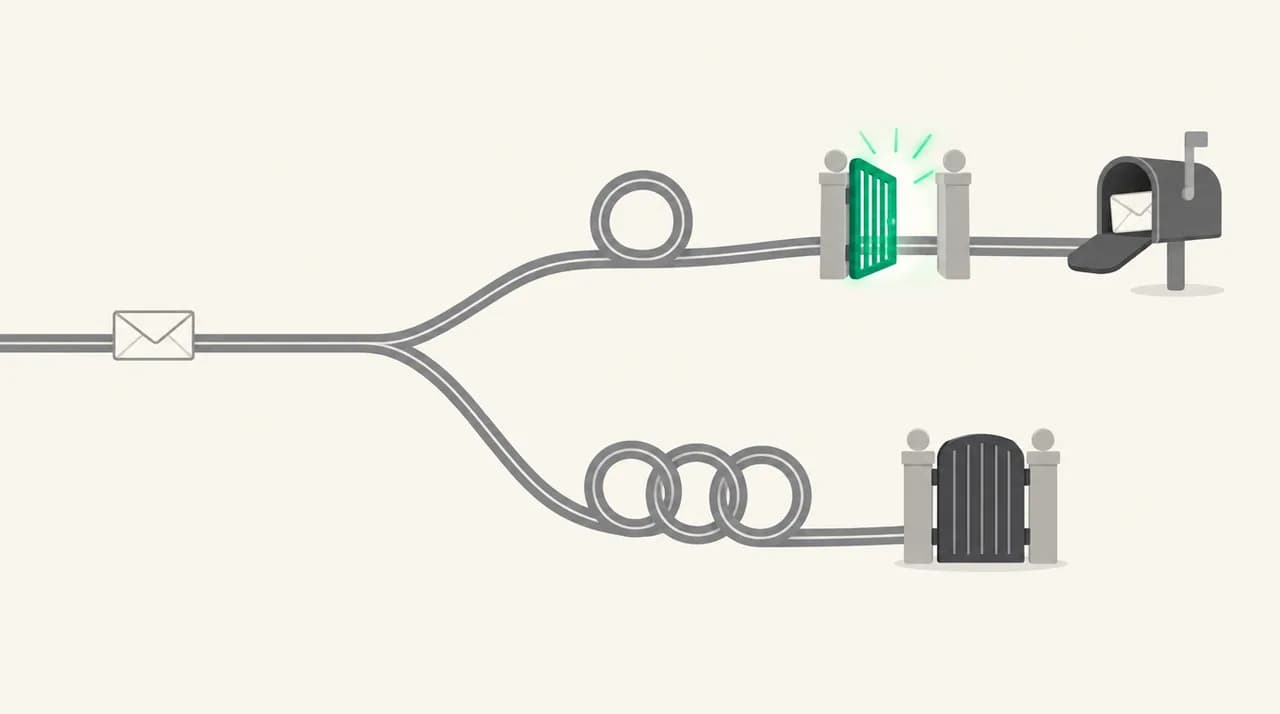
SMTP 451 4.7.1 is a temporary deferral: the receiving server refused the message for now and expects your server to retry. When greylisting is the cause, the retry is usually accepted within minutes to an hour. If the same message is still deferred after several hours of retries, treat it as a policy or reputation block instead.
451 4.7.1 greylisting is a temporary deferral, not a bounce. How long the delay lasts, and how to tell it from a block that will never clear.
On this page
- 01What does 451 4.7.1 mean?
- 02Causes of 451 4.7.1: how to confirm each one
- 03How long does greylisting delay email?
- 04Fix 1: Let the retry happen (and check it does)
- 05Fix 2: Make your retry look like the same message
- 06Fix 3: Clear a policy or reputation deferral
- 07How to tell which cause you have
- 08Preventing 451 4.7.1 deferrals
- 09Where a mail client fits, and where it does not
A 451 4.7.1 greylisting reply looks alarming in a delivery report, but it is usually the receiving server doing exactly what it was built to do. It refused your message once, on purpose, and is waiting to see whether your server comes back. Real mail servers retry. A lot of spam software does not.
The catch is that the same code also appears for deferrals that waiting will not clear. Here is how long a normal greylisting delay lasts, and when to stop waiting and check your sending setup.
What does 451 4.7.1 mean?#
The reply has two parts. The 451 is the basic SMTP reply code from RFC 5321. Any code starting with 4 is a transient negative reply: the server did not accept the message, but the condition is temporary and the sender may try again. A code starting with 5 is permanent.
The 4.7.1 is an enhanced status code from RFC 3463. The leading 4 repeats that the failure is temporary. The 7 means a security or policy reason, and 7.1 is defined as delivery not authorized, message refused. Put together, 451 4.7.1 reads as: refused for a policy reason, for now.
Greylisting itself is described in RFC 6647, an IETF Standards Track applicability statement from 2012. It defines greylisting as temporarily degraded service for unknown senders. The receiver records a tuple about the attempt, typically the sending IP, the envelope sender and the first recipient, and rejects it with a 4xx code. If the same tuple returns after a minimum wait, the message is accepted and the sender is usually remembered.
The RFCs do not name 451 4.7.1 for greylisting
Causes of 451 4.7.1: how to confirm each one#
RFC 6647 itself warns that the industry often confuses greylisting with any temporary failure. The table lists the common causes behind a 451 4.7.1 and how each shows up in your logs.
| Cause | How to confirm | Fix |
|---|---|---|
| Greylisting of a new sender | Reply text mentions greylisting or try again later; first attempt to this domain; later retry is accepted | Wait for the normal retry. Nothing to change. |
| Retries come from a different IP each time | Logs show each attempt leaving from a different outbound server or address | Pin the route, or ask the receiver to allow your IP range (Fix 2) |
| Envelope sender changes between retries | MAIL FROM differs per attempt, often from per-message bounce tracking | Keep the envelope sender stable for retries (Fix 2) |
| Sending server retries too rarely or not at all | Long gaps between attempts, or the message bounces after one 4xx | Fix the retry schedule on your server (Fix 1) |
| Reputation or blocklist deferral | Same 4xx on every retry for hours; reply text mentions reputation, policy or a blocklist | Check blocklists, PTR and authentication (Fix 3) |
| Rate limiting by the receiver | Deferrals start after a burst of messages; some go through, others wait | Slow the sending rate and spread volume out |
How long does greylisting delay email?#
The delay is set by two clocks: the receiver's minimum wait and your server's retry schedule. RFC 6647 gives about 30 minutes as an example minimum age and recommends that a retry be accepted anywhere from one minute to 24 hours after the first attempt. Receivers set their own minimum, and some use only a few minutes.
On the sending side, RFC 5321 says the retry interval SHOULD be at least 30 minutes, and notes that two attempts in the first hour followed by one every two or three hours is a common pattern. So a typical greylisting delay runs from a few minutes to about an hour. Longer delays usually mean your server backed off before retrying, not that the receiver is still holding it.
A practical rule: if the same message has been deferred on two or three retries spread over several hours, stop calling it greylisting. RFC 5321 says senders should keep retrying for at least four to five days before giving up, so the message is not lost yet, but waiting will not fix a policy block.
Fix 1: Let the retry happen (and check it does)#
If you send through Gmail, Outlook.com, Microsoft 365 or another hosted provider, the retry is not yours to manage. Their outbound servers queue the message and try again on their own schedule. Your job is mostly to avoid sending the message a second time, which creates a duplicate later.
If you run your own mail server, confirm it actually retries 4xx replies instead of treating them as failures. RFC 6647 notes that some software wrongly treats every error as fatal and returns the message as undeliverable.
- 1
Find the deferral in the queue
On Postfix, run mailq or postqueue -p and look for the message with the 451 reply. Other servers have an equivalent queue view.
- 2
Read the full reply text
Look for words like greylisted, greylisting or try again later. That points to Cause 1. Reputation, policy or blocklist points to Fix 3.
- 3
Check the retry interval
Confirm your server will retry within an hour. A first retry several hours out turns a five-minute greylist into a half-day delay.
- 4
Wait for one retry before acting
Watch the logs for the next attempt. If it is accepted with a 250 reply, it was greylisting and you are done.
Fix 2: Make your retry look like the same message#
Greylisting only lets a message through when the retry matches the tuple it recorded. If anything in that tuple changes between attempts, the receiver sees a brand new sender and defers it again. RFC 6647 describes this loop in detail, and it is the most common reason a greylisting delay never ends.
- 1
Check which IP each attempt used
If your outbound mail goes through a pool of servers or a NAT gateway with several addresses, each retry may leave from a different IP. Route retries for a message through the same address, or keep the pool inside one /24 block, which RFC 6647 allows greylisting servers to track as one sender.
- 2
Keep the envelope sender stable
Some systems write a unique tracking token into the MAIL FROM address. If that token changes per attempt, every retry looks new. Make sure retries reuse the original envelope sender.
- 3
Avoid rewriting the message on retry
Receivers that greylist after the DATA step may hash parts of the content. A footer or header that changes each attempt can break the match.
- 4
Ask the receiving admin to allow your server
RFC 6647 recommends that greylisting systems offer a manual exception list. If you send regularly to one domain, ask its admin to add your IP range.
Fix 3: Clear a policy or reputation deferral#
When every retry gets the same 451 4.7.1 for hours, the receiver is not waiting to see you again. It is deferring you on purpose, usually because something about your sending server looks risky.
- 1
Check public blocklists
Look up your sending IP and domain on the major DNS blocklists. RFC 6647 notes that some receivers greylist listed IPs instead of blocking them.
- 2
Check reverse DNS
Your sending IP should have a PTR record that names your mail server and resolves back. A PTR that looks like a home broadband address is a common greylisting trigger.
- 3
Confirm SPF, DKIM and DMARC pass
Send a test to an address you control and read the Authentication-Results header. A failing check gives receivers a reason to hold your mail.
- 4
Look at your volume pattern
A sudden burst from a new IP or domain looks like a spam run. Warm up new senders gradually and spread large sends over time.
- 5
Contact the receiving postmaster
If everything checks out and one domain still defers you, use its postmaster contact or support form and include the full reply text and timestamps.
How to tell which cause you have#
Watch what happens on the next attempts, and read the reply text and the timing together.
- Accepted on the first or second retry: greylisting. No action needed.
- Deferred again on every retry, and each attempt came from a different IP or envelope sender: a broken retry match. Use Fix 2.
- Deferred again on every retry from the same IP and sender, for several hours: a policy, reputation or rate-limit deferral. Use Fix 3.
- Bounced back to you after one attempt: your sending software is treating a temporary error as permanent. Use Fix 1.
- Only some recipients at one domain deferred, after a large send: rate limiting. Slow down.
Do not resend while a deferral is queued
Preventing 451 4.7.1 deferrals#
You cannot switch off greylisting on someone else's server, but you can make sure it costs you one short delay per new recipient domain and nothing more.
- Send from a stable IP or a small block of addresses, not a rotating pool.
- Keep a matching PTR record and passing SPF, DKIM and DMARC for every sender.
- Retry within 30 to 60 minutes after a 4xx, then back off.
- Never treat a 4xx reply as a hard bounce or drop an address from a list because of one.
- For time-critical mail to a known partner, ask their admin for a greylisting exception.
Where a mail client fits, and where it does not#
Greylisting happens between mail servers, so no mail client can skip it: the retry belongs to whichever server sends your mail. What a client can help with is the effect on your day, because a greylisted message is a reply that arrives an hour after the other person expected it. We build AI Emaily, an AI email client that connects to Gmail, Outlook and IMAP accounts, and its assistant tracks threads that are still waiting on an answer so a delayed exchange does not quietly drop. It does not change how your provider retries or how a receiver scores your server. Paid plans start with a 7-day free trial, with details on /pricing.
Frequently asked
See it in AI Emaily
Keep reading
Sources

Written by
Nafiul HasanNafiul Hasan is an entrepreneur and AI automation system builder with 10+ years of experience turning messy, manual workflows into reliable automated systems. He designs and ships AI enterprise solutions end-to-end — the agent logic, the data plumbing, and the product people actually use — and founded AI Emaily to give busy professionals their attention back. He writes here from the builder's seat: what works, what breaks, and how to put AI to work without giving up control.