452 4.2.2 Over Quota: Why It Retries and When It Fails

The short answer
452 4.2.2 over quota means the recipient's mailbox is full right now, but the failure is temporary. Your sending server queues the message and retries, often for days. It only bounces once the queue lifetime expires. Re-sending changes nothing. Wait for the retries, or ask the recipient to free space.
452 4.2.2 over quota means the recipient's mailbox is full right now. Your server keeps retrying and only bounces when the queue lifetime runs out.
On this page
- 01What does 452 4.2.2 over quota literally mean?
- 02How is 4.2.2 different from 5.2.2?
- 03What causes a 452 4.2.2 over quota error?
- 04What does the retry schedule look like?
- 05Fix 1: if you sent the email, wait and use a second channel
- 06Fix 2: if the full mailbox is yours, free space
- 07Fix 3: if you run the sending server, tune retries and warnings
- 08How do you tell the delay warning from the final bounce?
- 09How do you prevent 452 4.2.2 errors?
- 10Where AI Emaily fits
You sent an email and got a message back that says delivery is delayed, with 452 4.2.2 over quota in the diagnostic text. Nothing has bounced yet. The message is sitting in a queue, and the question is whether it will ever arrive.
Usually it will, if the recipient clears space in time. This post explains what the code says, how the retry schedule works, how to read the delay warning versus the final bounce, and what to do in each seat: sender, recipient and mail admin.
What does 452 4.2.2 over quota literally mean?#
The code has two parts. 452 is the SMTP reply code. RFC 5321 lists it as 'insufficient system storage', and the leading 4 marks it as a temporary failure. 4.2.2 is the enhanced status code from RFC 3463: class 4 (persistent transient failure), subject 2 (mailbox status), detail 2 (mailbox full).
RFC 3463 defines 4.2.2 as a mailbox that is full because the user exceeded a per-mailbox quota or physical capacity, and it says the recipient can delete messages to make space. It also says the code should be used as a persistent transient failure, which is why your server retries instead of giving up. Gmail's published error list, as of October 2026, words it as 452 4.2.2 The recipient's inbox is out of storage space.
- Class 4: try again later. The message itself is valid.
- Subject 2: the problem is the destination mailbox, not DNS, routing or your sending reputation.
- Detail 2: the quota is exceeded. The mailbox exists and the address is correct.
How is 4.2.2 different from 5.2.2?#
The last two digits are the same, so the cause is the same: a full mailbox. The first digit decides what happens next. With 4.2.2 the receiving server says 'not now', and the sender queues the message. With 5.2.2, usually sent with a 552 reply, the receiving server says 'no', and the sender bounces the message immediately.
Which one you get is the recipient server's policy, not yours. Some providers treat a full mailbox as temporary to give the owner time to clean up. Others reject at once. Our post on the 552 5.2.2 mailbox full error covers the permanent case.
What causes a 452 4.2.2 over quota error?#
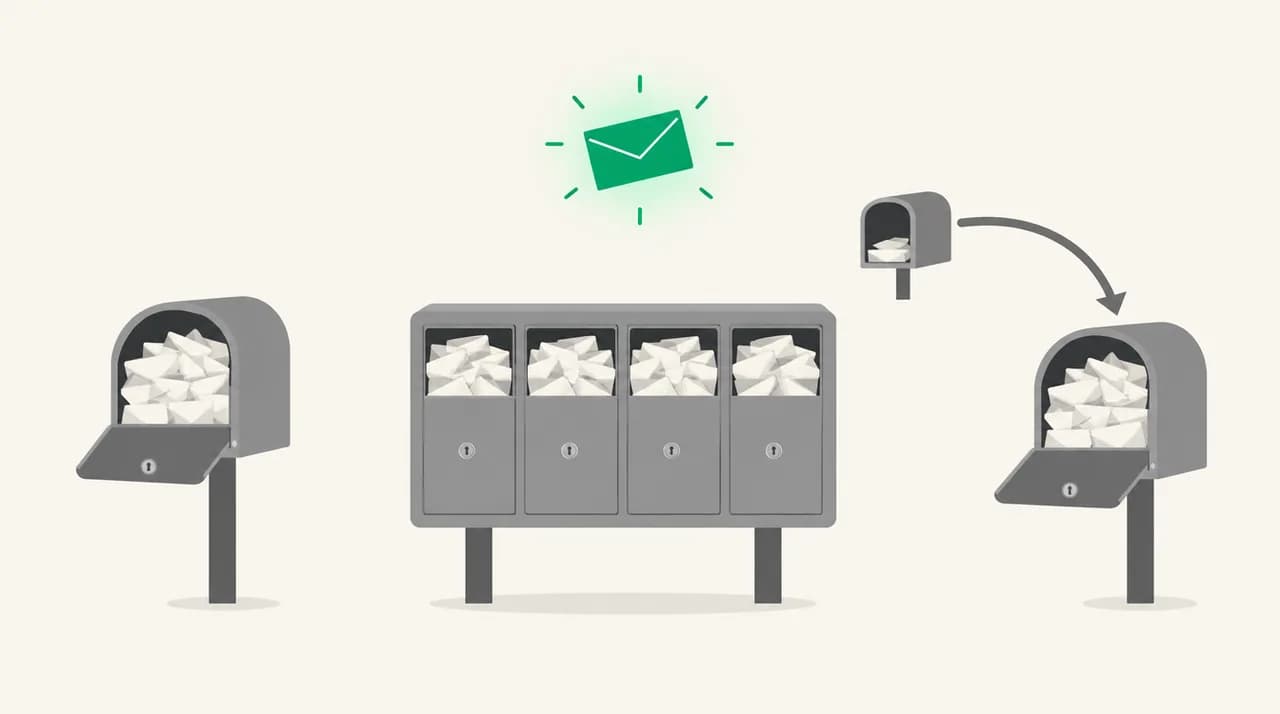
Almost every case is a full mailbox on the receiving side. The table separates the variants because the fix depends on who owns the full mailbox.
| Cause | How to confirm | Fix |
|---|---|---|
| Recipient's main mailbox is at quota | Delay notice shows Status 4.2.2 and the recipient's address in Final-Recipient. Other senders to that person report the same. | Recipient deletes mail, empties Deleted Items or archives. Admin raises the quota. |
| Shared or group mailbox is full | The address is a shared mailbox, helpdesk or role account, not a person. | Mailbox owner or admin clears or archives items, or raises that mailbox's quota. |
| Forwarding rule targets a full mailbox | The recipient's own inbox has space but the notice still names a different final address. | Fix or remove the forward, or free space at the forwarding destination. |
| Provider-side soft limit or grace period | Recipient is under the size shown in their mail app but still gets over-quota errors. | Recipient checks their provider's storage page. Mailbox and attachments often count toward one shared pool. |
| Server-wide storage trouble on the recipient side | Several unrelated recipients at the same domain fail together, often with 4.3.1 instead. | Only the recipient's admin can fix it. You wait and retry. |
What does the retry schedule look like?#
There is no single schedule. RFC 5321 says a sender must delay retrying after a failed attempt, that the retry interval should generally be at least 30 minutes, and that the give-up time generally needs to be at least 4 to 5 days. Real servers are set per their own configuration.
As of October 2026, the vendor documentation shows how much that varies. Postfix defaults to a minimum backoff of 300 seconds, a maximum backoff of 4000 seconds and a 5 day queue lifetime. Exchange Server defaults to a 15 minute message retry interval, a 4 hour delay notification and a 2 day expiration. Microsoft documents 24 hours of retries for Exchange Online. Check your own provider, because administrators can change these values.
Do not read a schedule from the code
Fix 1: if you sent the email, wait and use a second channel#
Your server is already doing the useful work. Re-sending is the one thing that makes the situation slightly worse, for the reasons in the next section.
- 1
Confirm the code is 4.2.2 and the action is 'delayed'
Open the delay notice and find the Status line. A delay warning normally says the message is still being retried and no action is needed.
- 2
Do not resend the same message
The original is still queued. If the mailbox clears, the recipient gets your original, plus every copy you sent in the meantime.
- 3
Reach the recipient another way
If it is urgent, phone, message them in chat or use a different address you know is valid. Tell them their mailbox is full so they can free space.
- 4
Wait for delivery or the final notice
If the message delivers, you usually get nothing more. If the queue lifetime ends first, you get a final non-delivery report and can resend once the recipient confirms they have space.
Fix 2: if the full mailbox is yours, free space#
Senders cannot fix this for you. Only the mailbox owner, or the admin who sets the quota, can.
- 1
Find what is using the space
Sort by size in your mail app or in your provider's storage page. Large attachments in Sent Items and old threads are the usual culprits.
- 2
Delete, then empty Deleted Items and Junk
Deleted mail often still counts toward the quota until the folder is emptied.
- 3
Archive what you need to keep
Move old mail to a local archive or an archive mailbox, if your provider offers one, so it stops counting against the main quota.
- 4
Ask your admin to raise the quota if needed
On a managed domain, raising the per-mailbox limit is a setting change. Tell the sender once you have space so they can resend if the message has already bounced.
Fix 3: if you run the sending server, tune retries and warnings#
Admins choose how long a temporary failure is tolerated and when senders are told. The defaults above are reasonable, but two settings change what your users see.
- 1
Look at the queue
On Postfix, postqueue -p lists deferred messages and the reason for each. On Exchange Server, Get-Queue shows queues in Retry status.
- 2
Set the delay warning on purpose
Postfix leaves delay_warning_time at 0h, so no warning is sent by default. Exchange Server defaults to 4 hours. Pick a value that tells users early enough to act.
- 3
Match the queue lifetime to your users' needs
A long lifetime gives a recipient time to clean up. A short one gives the sender faster bad news. RFC 5321 suggests at least 4 to 5 days as a general rule.
- 4
Force a retry only when you have a reason
postqueue -f on Postfix, or Retry-Queue on Exchange Server, tries again now. It helps if you know the recipient just cleared space. It does nothing if the quota is still full.
How do you tell the delay warning from the final bounce?#
They look similar and mean opposite things. The delay warning means 'still trying'. The final non-delivery report means 'stopped trying'. Check three fields.
| Field | Delay warning | Final bounce |
|---|---|---|
| Subject line | Usually says delayed or delivery status notification (delay) | Usually says undeliverable or delivery failure |
| Action | delayed | failed |
| Status | 4.2.2 (the live cause) | Often 4.4.7 (expired), or another code your server chose |
| What it means for you | Nothing is lost. Do not resend. | Delivery stopped. Resend after the recipient confirms space. |
A different code on the final bounce is normal
How do you prevent 452 4.2.2 errors?#
As a recipient, set a storage alert before you hit the limit, and clear large attachments on a schedule. A mailbox that is nearly full will sometimes accept small messages and refuse big ones, which makes the problem look random.
As a sender who mails important contacts, keep attachments small. A large file is the message most likely to be refused by a nearly full mailbox. Share a link instead.
As an admin, put quota warnings in front of users before they are blocked, and review shared mailboxes, which grow without anyone owning the cleanup.
Where AI Emaily fits#
The mechanism in this post is that a delay warning is not a failure. The message is still in someone's queue, and the real risk is silence: you assume it landed, or you resend and create duplicates. We build AI Emaily, and the part of it that applies here is follow-up tracking. It flags threads where you sent a message and have had no reply, and drafts the nudge for you to approve before anything goes out.
To be plain about the limit: AI Emaily is an email client. It does not run the recipient's server, change their quota or alter your provider's retry schedule, and it cannot make a full mailbox accept mail. It works with Gmail, Outlook and IMAP accounts, and there is a 7-day free trial on the pricing page.
Frequently asked
See it in AI Emaily
Keep reading
Sources

Written by
Nafiul HasanNafiul Hasan is an entrepreneur and AI automation system builder with 10+ years of experience turning messy, manual workflows into reliable automated systems. He designs and ships AI enterprise solutions end-to-end — the agent logic, the data plumbing, and the product people actually use — and founded AI Emaily to give busy professionals their attention back. He writes here from the builder's seat: what works, what breaks, and how to put AI to work without giving up control.