421 4.7.0 Try Again Later: Causes and How to Respond

The short answer
SMTP 421 4.7.0 try again later is a temporary refusal: the receiving server is closing the connection, usually because it is rate-limiting you, distrusts your IP or domain, or is shedding load. Do not loop retries. Let your queue back off, read the text after the code, and fix authentication or volume if it persists.
421 4.7.0 try again later is a temporary SMTP deferral that closes the connection. Learn what triggers it, when to wait, and when to act on reputation.
On this page
- 01What does 421 4.7.0 try again later actually mean?
- 02What causes a 421 4.7.0 deferral?
- 03Fix 1: How do I back off correctly?
- 04Fix 2: What if the reply text points to authentication or DNS?
- 05Fix 3: What if I am simply sending too much, too fast?
- 06How do I tell which cause I have?
- 07How do I stop 421 4.7.0 from coming back?
- 08Where does AI Emaily fit?
You sent a message and got back 421 4.7.0 try again later. Nothing was bounced, nothing was delivered, and the connection is gone. That combination confuses people, because the wording sounds like a glitch while the cause is often a deliberate decision by the receiving server.
What does 421 4.7.0 try again later actually mean?#
An SMTP reply has two parts. The three-digit code, 421, is the basic reply. The 4.7.0 is an enhanced status code, which narrows it down. The leading 4 in both means transient: the receiver is telling you the failure is temporary and the same message may succeed later (RFC 5321, section 4.2.1).
The 421 itself is defined as service not available, closing transmission channel, and RFC 5321 notes it may be sent in reply to any command if the server knows it must shut down. That is the key difference from a 450 or 452. Those refuse one command or one mailbox. A 421 ends the whole session, so every recipient in that transaction is deferred together.
The enhanced code 4.7.x sits in the security-or-policy family. A bare 4.7.0 carries no detail, which is why the free text after it matters so much. Google's own list of Gmail SMTP errors, as of October 2026, shows 421 4.7.0 used for several different situations, from a generic try-again-later through to low IP reputation and missing reverse DNS.
What causes a 421 4.7.0 deferral?#
There is no single cause. The table below groups the common ones. The wording quoted for Gmail comes from Google's published SMTP error list, which as of October 2026 puts some of these under neighbouring codes, such as 421 4.7.26 for unauthenticated mail and 421 4.7.28 for an unusual rate of email; other providers phrase theirs differently, so treat the text as a pattern to look for, not an exact string.
| Cause | How to confirm | Fix |
|---|---|---|
| Receiver is rate-limiting your IP or domain | Reply text mentions an unusual rate of email or says mail was temporarily rate limited; failures arrive in bursts | Slow down, reduce parallel connections, let the queue retry (Fix 1 and Fix 3) |
| Low IP or domain reputation | Text mentions very low reputation of the sending IP or domain; Postmaster-style data shows a poor rating | Pause volume, clean the list, check for compromised accounts (Fix 3) |
| Failed SPF, DKIM or missing TLS | Text says the message is unauthenticated or that TLS is required; SPF or DKIM fail in message headers | Fix the DNS records and enable TLS on the sending connection (Fix 2) |
| No PTR record or mismatched reverse DNS | Text mentions the PTR record or forward DNS not matching the sending IP | Set reverse DNS to a hostname that resolves back to the sending IP (Fix 2) |
| Too many messages or recipients per connection | Errors appear only on large batches; small test sends succeed | Cap messages per connection and recipients per message (Fix 3) |
| Receiver shedding load or a short outage | Reply is a generic try again later with no reason; other senders report it; later attempts succeed | Wait. Your queue should retry on its own (Fix 1) |
| Receiver-side policy such as an allowlist | Text says your IP is not in a whitelist for the recipient domain | Contact the recipient's admin to be allowed; retrying will not help |
Notice how many rows are about you rather than them. A deferral that repeats on the same destination day after day is almost never a blip.
Fix 1: How do I back off correctly?#
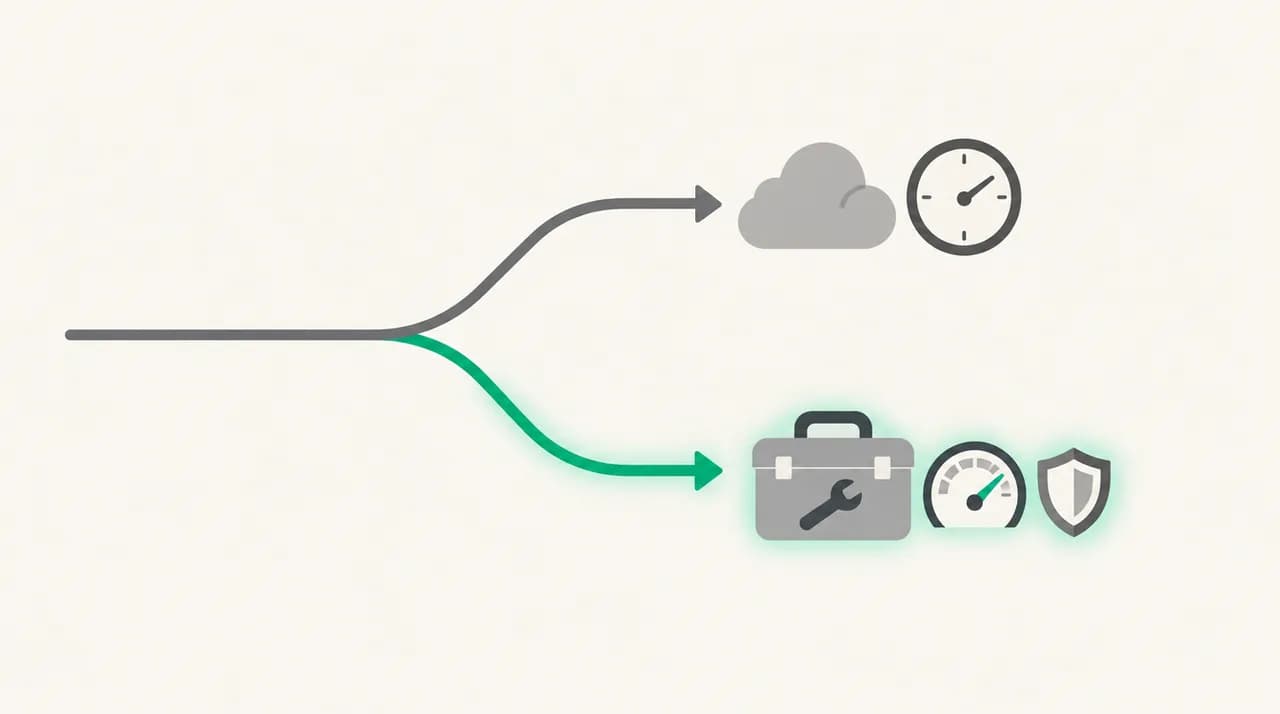
If the reply gives no reason, or the reason is a rate limit, the correct response is to stop pushing and let a queue handle the retry. RFC 5321, section 4.5.4.1, says the sender must delay retrying a destination after a failure, that the retry interval should be at least 30 minutes, and that the give-up time generally needs to be at least four to five days.
- 1
Stop manual resends
Clicking send again opens a new connection that can trip the same limit. If your mail is in an outbox or queue, leave it there.
- 2
Confirm the message is queued, not lost
On a mail server, list the queue and check the message shows as deferred. In a mail client, look for it in the outbox or the sent-failed folder, and note the time of the first attempt.
- 3
Wait at least 30 minutes before the next attempt
A sensible pattern is a couple of attempts in the first hour, then one every two or three hours. RFC 5321 describes exactly this as common experience.
- 4
Set a maximum, then alert a human
After a few hours of repeated 421s to one domain, stop retrying automatically and look at the reply text. Repetition at that point is a signal, not a delay.
Fix 2: What if the reply text points to authentication or DNS?#
When the free text names SPF, DKIM, TLS or a PTR record, the receiver is telling you what to repair. Waiting will not fix a missing record. Google's list, as of October 2026, includes 421 deferrals for failed SPF, failed DKIM, unauthenticated mail and non-TLS connections (under 421 4.7.26 to 4.7.30 rather than 4.7.0), as well as a 4.7.0 reverse-DNS variant that rate limits the sending IP.
- 1
Read the full reply, not only the code
Copy the whole line from your server log or bounce notice. The sentence after 4.7.0 is the diagnosis.
- 2
Check the authentication results in a delivered test message
Send to a mailbox you control at another provider and open the original headers. Look for SPF, DKIM and DMARC results. A fail on any of them lines up with the text you saw.
- 3
Repair the DNS record
Add the sending service to your SPF record, publish the DKIM selector your provider gives you, and make sure there is only one SPF record on the domain.
- 4
Fix reverse DNS and TLS
Ask your host or ISP to set a PTR record for the sending IP that resolves back to the same IP. Turn on STARTTLS or implicit TLS for the connection your mail software uses.
Fix 3: What if I am simply sending too much, too fast?#
Rate-based deferrals respond to behaviour. The receiver is measuring how much mail arrives from your IP, domain or even a single link domain, and comparing it to what it has seen from you before. A sudden jump is what trips it.
- 1
Reduce concurrency
Lower the number of simultaneous connections to the same destination provider. One or two connections per provider is a safe place to start.
- 2
Cap messages per connection and recipients per message
Large recipient lists in one transaction are a common trigger. Split them into smaller transactions and spread them out.
- 3
Ramp volume gradually
If you are on a new IP, a new domain, or returning after a quiet period, increase daily volume in steps rather than jumping straight to full volume.
- 4
Check reputation data
If you send to Gmail addresses from your own domain, register it in Google Postmaster Tools and look at the domain and IP reputation views. Postmaster Tools only shows meaningful data once you send enough volume, so low-volume senders may see little there.
How do I tell which cause I have?#
Work through these questions in order. They take a few minutes and usually settle it.
- Does the reply have text after 4.7.0? If it names authentication, TLS, PTR, reputation or rate, you have a sender-side cause. If it only says try again later, closing connection, it is more likely load or a soft rate limit.
- Did a single test message get through at the same time? If yes, the problem is volume or batch shape. If a lone message also defers, suspect reputation, authentication or the receiver.
- Is it one destination domain or many? One domain points at that receiver's policy or an outage. Many domains point at your own infrastructure.
- Did it start after a change? A new sending IP, a DNS edit, a new campaign or a mailbox migration all show up as sudden deferrals.
- Does it clear on its own within a few hours? A blip does. A deferral that persists past a day or comes back every day is a warning to act on.
Do not retry in a tight loop
How do I stop 421 4.7.0 from coming back?#
Most prevention is boring and works. Authenticate every sending source with SPF and DKIM, publish a DMARC policy, send over TLS, and keep a valid PTR record on any IP you control.
Then manage the shape of your sending. Send at a steady pace, ramp up slowly when something changes, keep bounce and complaint rates low by removing dead addresses, and keep each message to a sensible number of recipients. Review your outbound logs weekly so a hijacked account shows up as a spike you notice, not a reputation hit you discover later.
Where does AI Emaily fit?#
We build AI Emaily, so weigh this accordingly. It is an email client with an AI assistant, not a sending platform, and it will not repair SPF records, rebuild IP reputation or replace Postmaster Tools. If your 421s come from a bulk or cold-outreach run, that is a sender infrastructure job, and a deliverability or sending service is the right tool.
Where the mechanism touches us is rate. A rate-based deferral punishes bursts of mail that nobody checked. In AI Emaily, drafts written from your own Personal Context leave when you approve them, with undo and an audit trail, unless you deliberately turn on gated Autopilot. Replies go out at human pace, which is the profile receiving servers are least likely to rate limit. You can connect Gmail, Outlook or any IMAP mailbox, and there is a 7-day free trial on Pro and Autopilot; details are on aiemaily.com/pricing.
Frequently asked
See it in AI Emaily
Sources

Written by
Nafiul HasanNafiul Hasan is an entrepreneur and AI automation system builder with 10+ years of experience turning messy, manual workflows into reliable automated systems. He designs and ships AI enterprise solutions end-to-end — the agent logic, the data plumbing, and the product people actually use — and founded AI Emaily to give busy professionals their attention back. He writes here from the builder's seat: what works, what breaks, and how to put AI to work without giving up control.