17 Home-Services Email & Estimate Templates (Lead Reply, Quote, Follow-Up)

The short answer
These home services email templates cover the full job cycle for roofing, solar, HVAC, and remodeling pros: instant lead reply, estimate send, three follow-ups, appointment confirm and reminder, invoice, review request, and reactivation. Copy one, swap in your details, and send. The fast, personal first reply usually wins the job, so respond in minutes, not hours.
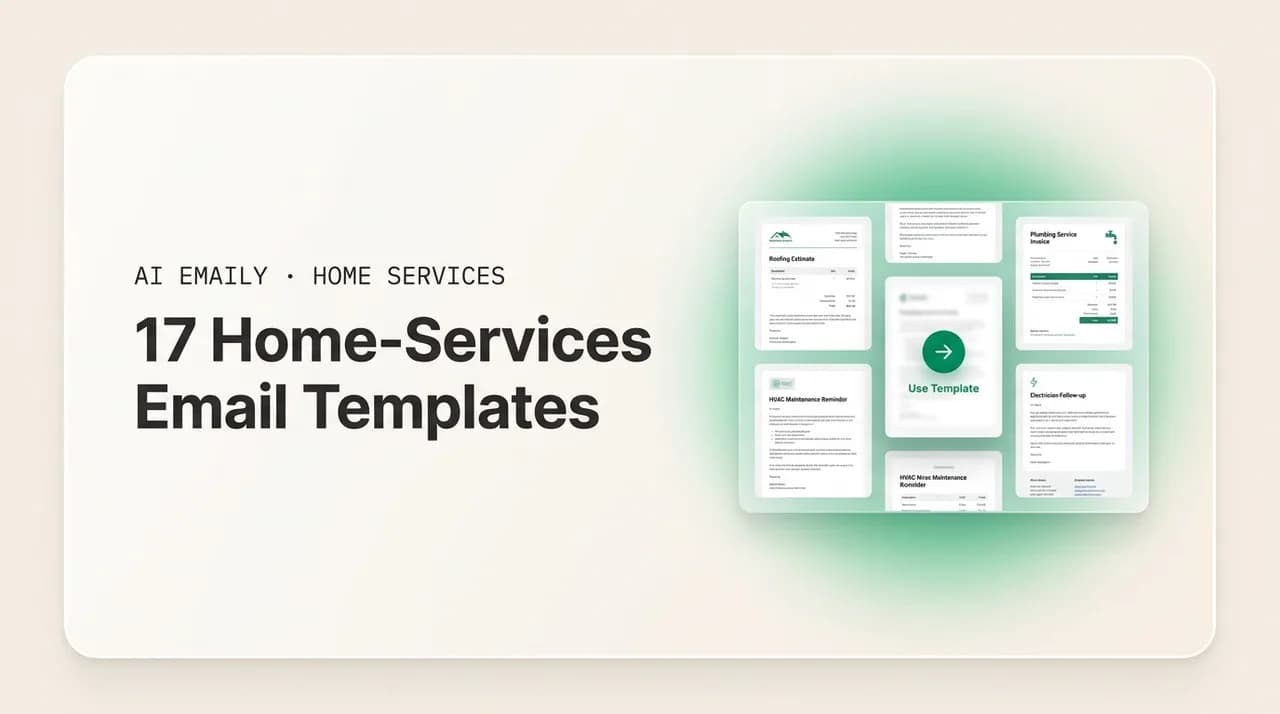
17 copy-paste home services email templates for contractors — new-lead reply, estimate send, quote follow-ups, appointment confirmations, invoices, review requests, and reactivation — plus a table showing which emails are safe to automate.
On this page
- 01Why these home-services email templates matter
- 02The first reply: new-lead response templates
- 03Sending the estimate: quote and proposal templates
- 04The money is in the follow-up: three estimate follow-up templates
- 05Locking it in: appointment and scheduling templates
- 06Getting paid: invoice and deposit templates
- 07After the job: review, reactivation, maintenance, and referral templates
- 08Which of these emails are safe to automate?
- 09How AI Emaily helps you send these faster
- 10Putting it all together
Why these home-services email templates matter#
You are on a roof, under a condenser, or halfway through a kitchen demo when three leads land in your inbox. By the time you climb down, wash up, and open your phone, one of those homeowners has already booked the company that answered first. That is the whole problem in this trade, and it is exactly why a set of ready-to-send home services email templates earns its keep. When the reply is already written, you send it in fifteen seconds from the truck instead of promising yourself you will "get to it tonight" and then not getting to it.
Leads in home services are rarely exclusive. A homeowner filling out a form on a lead marketplace or an ad is often sold to three, five, sometimes eight companies at once, and research on online sales leads has long shown that the odds of even reaching a lead drop sharply the longer you wait. Speed is not a nice-to-have; it is the deciding factor in who books the job. A template removes the single biggest reason contractors respond slowly, which is not laziness but friction: the blank screen, the where-do-I-start, the worry about sounding unprofessional in a rushed note.
This guide gives you 17 templates that cover the entire job cycle, from the first "thanks for reaching out" through the estimate, the follow-ups, the confirmed appointment, the invoice, and the review request months later. They are written in a warm, professional contractor voice, the kind that sounds like a real person who does good work and shows up on time, not a corporate auto-responder. Each one is a starting point. Paste it, change the name and the numbers, add a line that sounds like you, and send.
Below the templates you will find a table showing which of these emails are genuinely safe to automate and which need a human to look at the numbers first, plus a short, honest section on how AI Emaily can send the fast ones for you in your own voice while keeping you in control of anything with a price on it.
How to use these templates
The first reply: new-lead response templates#
The new-lead reply is the most important email you will ever send, and the one you are most likely to fumble because it has to go out fast. Its job is small and specific: confirm you got the request, sound like a competent human, and lock in the next step before a competitor does. Do not try to sell, quote, or diagnose here. You are just planting a flag that says "a real person saw this and is on it."
Keep it short. A homeowner who submitted a form thirty seconds ago is often still on their phone. A quick, friendly reply that lands while they are still thinking about the project makes you the company they remember. Here is the all-purpose version that works for almost any trade.
When the lead comes in after hours, the goal shifts slightly. You are not going to schedule anything at 9 p.m., but you can still be the one company that answered while everyone else's inbox stayed dark until morning. Acknowledge, set a clear expectation for when you will follow up, and give them a way to reach you if it is genuinely urgent. This is often the difference between a booked job and a homeowner who called someone else at 8 a.m.
For emergency trades like HVAC and roofing, an urgent inbound (no heat in January, water coming through the ceiling) deserves its own reply that leads with reassurance and a concrete window. Homeowners in a crisis are anxious and calling everyone; the company that sounds calm and gives a real time frame wins.
Speed beats polish
Sending the estimate: quote and proposal templates#
Once you have seen the property and worked out a number, the estimate email carries it across the finish line. This is where a lot of contractors lose deals they had already half-won, because the quote lands as a bare PDF with no message, or a one-line "here's your estimate" that gives the homeowner nothing to hold onto. The estimate email should frame the number, remind them what they are getting, and make the next step obvious. Price is only half the decision; confidence is the other half.
Here is a solid general contractor estimate email template you can adapt to any trade. Notice it restates the scope in plain language, gives the price a little context, and ends with a clear, low-pressure call to move forward.
For a roofing quote specifically, homeowners are often comparing several bids and are wary of the cheap number that balloons later. A roofing quote email template does well to name what is included, because "included" is where roofers win trust. Spell out tear-off, underlayment, flashing, disposal, and warranty so they can see your bid is apples-to-apples with the others they are weighing.
Remodeling and other high-ticket, longer-cycle jobs benefit from an estimate email that acknowledges the homeowner is making a big decision and will take their time. Rushing them backfires. Instead, position yourself as the calm, organized pro who will still be here when they are ready, and offer to walk through the proposal together.
The money is in the follow-up: three estimate follow-up templates#
Most jobs are not won on the estimate; they are won on the follow-up. A homeowner gets your quote, means to reply, and then life happens: kids, work, the other three bids they are juggling. Silence from you reads as "they do not really want the job." A short, friendly nudge, sent at the right moment, is often all it takes to become the contractor they actually hire. The home services estimate follow up email is quietly one of the highest-return things you can send, and almost nobody sends enough of them.
The trick is to follow up without nagging. Space the touches out, change the angle each time, and stay warm rather than pushy. Here is a three-step sequence. Send the first a couple of days after the estimate, the second about a week later, and the third a couple of weeks after that as a genuine last check-in.
Follow-up one is the gentle bump. Assume the best (they are busy, not uninterested) and make it effortless to reply.
Follow-up two, about a week out, adds a small reason to act: a scheduling note, a seasonal factor, or a reminder that the quote has a shelf life. This gives the homeowner a nudge that is about their timeline, not just your close.
Follow-up three is the polite last call. Done right, it often gets a reply precisely because it takes the pressure off. Tell them you will stop following up, restate that the door is open, and leave on a warm note. Homeowners frequently come back to the contractor who was gracious at the end.
Change the angle, not just the date
Locking it in: appointment and scheduling templates#
Once a homeowner says yes to a site visit or a job, confirmations do two jobs: they cut down no-shows and they make you look organized, which is a preview of how the whole job will feel. A confirmed, reminded appointment is one the customer takes seriously. Skipping the confirmation is how you end up driving forty minutes to an empty driveway.
The appointment confirmation goes out as soon as a time is set. For HVAC and other service trades, an hvac appointment confirmation email that names the arrival window, the tech, and what to expect sets a professional tone before you have even arrived.
A reminder the day before (or the morning of) meaningfully cuts no-shows and gives the homeowner a clean chance to reschedule instead of ghosting. Keep it brief and give them an easy out, which paradoxically means more people keep the appointment.
When the deal is signed and the job is booked on the calendar, a job-scheduled email sets expectations for the work itself: start date, rough duration, what happens on day one, and how you will keep them posted. This is where you earn the review you will ask for later, because a homeowner who knows what to expect is a calm, happy homeowner.
Getting paid: invoice and deposit templates#
Billing emails feel routine, but a clear, friendly one gets you paid faster and keeps the relationship warm right when you are about to ask for a review. The two you will use most are the deposit request (before the work, to secure materials and the slot) and the final invoice (after, when the job is done). Both should be plain about the number, the due date, and how to pay, with none of the awkwardness contractors sometimes bring to money conversations.
The deposit request goes out with or just after the signed agreement. State the amount, what it covers, and how to pay it, and frame it as the normal, professional step it is.
The final invoice goes out when the work is complete and the site is clean. Thank them, restate what was done, give the balance and how to pay, and keep the tone appreciative rather than transactional. This email is the natural lead-in to your review request, so end it on a note that leaves them feeling good about the whole experience.
After the job: review, reactivation, maintenance, and referral templates#
The job being done is not the end of the relationship; it is the start of the part that fills next year's calendar. Reviews, repeat work, and referrals are where home-services businesses grow, and they almost all start with an email you could have automated. These four templates keep you in front of past customers without feeling like you are pestering them.
The review request is the single highest-leverage after-job email, because online reviews decide who the next homeowner calls. Send it a day or two after the job wraps, while the good feeling is fresh, and make leaving a review a two-tap task with a direct link.
The past-customer reactivation email brings old jobs back to life. A homeowner you served two years ago has forgotten your name but not their house's needs. A friendly check-in, tied to the specific work you did, reminds them you exist right when something is due for attention. This is nearly free revenue that most contractors leave on the table.
The seasonal-maintenance reminder is the workhorse of recurring revenue, especially for HVAC and roofing. Tie it to the calendar (spring AC tune-up, fall furnace check, post-storm roof inspection) so it lands as a helpful heads-up rather than a sales pitch. Homeowners genuinely appreciate the nudge, and it books your slower season.
The referral ask is a bonus template worth keeping in your back pocket. Happy customers refer readily when you make it easy and specific, so pair it with the review request or send it a few weeks after a great job. Keep it low-key and human; a natural ask beats a gimmicky "refer a friend" program for most local trades.
Which of these emails are safe to automate?#
Not every email in the list above should go out on autopilot. The line is simple: anything that is the same every time and carries no pricing risk is a great candidate for automation, while anything with a number, a scope decision, or a diagnosis in it needs a human to look before it sends. Automating the first kind is how you win the speed game without ever letting a bad quote go out unchecked.
Here is how the 17 templates break down. "Safe to autosend" means the content is boilerplate you can trust to fire on its own. "Auto-draft, you approve" means an assistant can write it instantly but you glance at it before it goes. "Human-first" means you write or verify the substance yourself because money or scope is on the line.
| Automation level | Why | |
|---|---|---|
| Instant new-lead reply | Safe to autosend | Same acknowledgment every time; no pricing. Speed is the entire value. |
| After-hours / emergency acknowledgment | Safe to autosend | Fills the gap when you are unreachable; sets a follow-up expectation only. |
| Appointment confirmation & reminder | Safe to autosend | Pure logistics from a set time; cuts no-shows with zero pricing risk. |
| Job-scheduled / kickoff | Auto-draft, you approve | Mostly logistics, but dates and access notes are worth a glance. |
| Estimate follow-ups #1–#3 | Auto-draft, you approve | Great to schedule and draft automatically; approve so the tone and any restated price are right. |
| Review request & referral ask | Auto-draft, you approve | Timing-based and templated; a quick look keeps them personal. |
| Seasonal maintenance & reactivation | Auto-draft, you approve | Calendar-triggered; approve so the offer and timing fit the customer. |
| Estimate / quote send | Human-first | Contains the price and scope. Never let a number go out unverified. |
| Deposit request & final invoice | Human-first | Money and amounts due; confirm the figures before sending. |
The pattern is worth internalizing, because it is the whole strategy for winning on speed without losing control. The moment a lead lands, an acknowledgment should go out instantly, because that is a fixed message and every minute of delay costs you the job. The moment you set a time, the confirmation and reminder should fire on their own. But the estimate, the deposit, and the invoice, the three emails with a dollar figure attached, always get your eyes first. Automate the reflexes; keep the judgment human.
How AI Emaily helps you send these faster#
Templates fix the blank-page problem, but they do not fix the you-are-on-a-roof problem. You still have to be holding your phone, find the right template, swap in the details, and hit send, all while a competitor who answered ninety seconds ago is already booking the job. That gap between a lead arriving and you being free to respond is where most home-services revenue quietly leaks out. AI Emaily is built to close it.
AI Emaily is an AI-native email client with an autonomous chief-of-staff for your inbox. It learns how you actually write, from these templates and from your real sent mail, so the drafts it produces sound like you talking, not like a generic auto-reply. When a lead lands, it can send the instant acknowledgment for you in seconds, in your voice, so every homeowner gets a fast, human reply whether you are on a ladder, under a condenser, or asleep. That is the single highest-ROI thing it does for this trade, because in home services the first real response usually wins.
You stay in control, and the level of control is yours to set. In Copilot mode, AI Emaily drafts every reply and follow-up instantly and waits for you to approve before anything sends, so you can green-light a quote follow-up from your truck in one tap without writing a word. In Autopilot mode, it can handle the safe, repetitive emails entirely on its own, but only within rules you define: send the new-lead acknowledgment and the appointment reminder automatically, and hold anything with a price on it for you. The estimate, the deposit, the invoice, always get your eyes first, exactly as the table above lays out.
Because email agents can make mistakes and email is hard to take back, every action comes with undo and a full audit trail. You can see precisely what was sent, when, and to whom, and reverse a send within the undo window if something is not right. Nothing happens in the dark. It is the difference between an assistant you have to babysit and one you can actually trust with the reflexive parts of the job while you keep your hands on the wheel for the parts that involve money and scope.
The result is straightforward: you respond to every lead in seconds instead of hours, your follow-ups actually go out instead of living on a mental to-do list, and your review and maintenance emails run in the background filling next season's calendar, all without you having to sit at a desk. You can try it free at app.aiemaily.com/signup, with a Free plan at no cost and Pro at $12.42 per month on the annual plan.
Putting it all together#
Winning jobs in home services is mostly about doing the boring things consistently: answering fast, following up more than once, confirming the appointment, asking for the review, checking in next season. None of it is complicated, but all of it competes with a full day of actual work on actual homes, which is why so much of it gets skipped. That is exactly what these templates are for, to turn the writing part into a fifteen-second copy-and-paste so the doing part actually happens.
Start with the ones that matter most today. Save the new-lead reply and the estimate follow-up sequence somewhere you can reach them from the field, because those two touch the most money. Then work the rest into your routine one at a time: the confirmation and reminder to kill no-shows, the review request to feed your reputation, the seasonal and reactivation notes to keep old customers coming back.
And when copy-and-paste from a phone on a jobsite still feels like one thing too many, let your email client carry the reflexes for you, sending the instant lead reply in your voice, drafting the follow-ups for a one-tap approval, and running the after-job emails in the background, while you keep final say on anything with a price attached. Answer first, follow up like you mean it, and treat every finished job as the start of the next one. That is how the calendar stays full.
Frequently asked
See it in AI Emaily
Keep reading
Sources

Written by
Nafiul HasanNafiul Hasan is an entrepreneur and AI automation system builder with 10+ years of experience turning messy, manual workflows into reliable automated systems. He designs and ships AI enterprise solutions end-to-end — the agent logic, the data plumbing, and the product people actually use — and founded AI Emaily to give busy professionals their attention back. He writes here from the builder's seat: what works, what breaks, and how to put AI to work without giving up control.