550 5.7.25: Sending IP Has No PTR Record — How to Fix

The short answer
550 5.7.25 means Gmail blocked your message because the sending IP has no PTR (reverse DNS) record, or the PTR hostname does not resolve back to that same IP. Ask whoever owns the IP — your host or ISP — to set a PTR like mail.yourdomain.com, add a matching A record, then verify both with dig.
550 5.7.25 PTR record fix: Gmail found no reverse DNS for your sending IP. Who sets it, the exact request to send, and how to verify it.
On this page
- 01What does 550 5.7.25 mean, literally?
- 02What causes it? Causes, checks and fixes
- 03Fix 1: How do I get a PTR record created for my mail server?
- 04Fix 2: What if a PTR exists but Gmail still rejects mail?
- 05Fix 3: What if I can't control reverse DNS at all?
- 06How do I tell which cause I have?
- 07How do I stop 550 5.7.25 coming back?
- 08Where does an email client fit in this?
A 550 5.7.25 PTR record bounce is a permanent rejection from Gmail. The receiving server looked up the IP address your message came from, asked DNS which hostname that IP belongs to, and either got no answer or got a hostname that does not point back to the same IP.
This is not a DMARC, SPF or content problem, and changing your domain's DNS alone often will not fix it. Reverse DNS lives with whoever owns the IP address. This guide covers the three causes, the exact request to send your host, and how to check the fix before you resend.
What does 550 5.7.25 mean, literally?#
As of October 2026, Gmail's SMTP error reference describes 550 5.7.25 this way: the message was blocked because the sending IP address doesn't have a PTR record, or the forwarding DNS entry doesn't reference the sending IP address. Older bounces carry the wording many people search for: "The IP address sending this message does not have a PTR record setup."
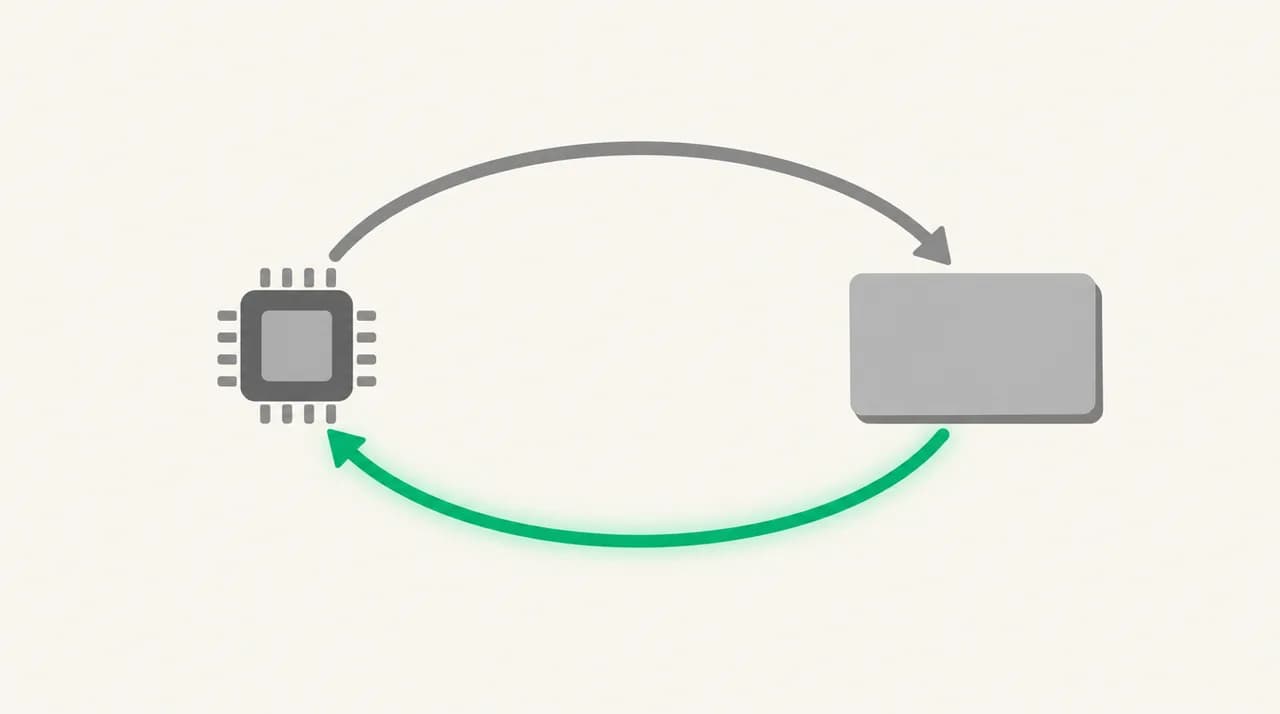
Two lookups are involved. The reverse lookup turns the IP into a hostname using a PTR record. The forward lookup turns that hostname back into an IP using an A record (IPv4) or AAAA record (IPv6). When both agree, that is called forward-confirmed reverse DNS, and Gmail's sender guidelines list it as a requirement for all senders, not only bulk senders.
Gmail has a softer cousin of this error. 421 4.7.0 and 451 4.7.23 cite the same PTR problem but rate-limit the mail temporarily instead of blocking it. If you see those, you have the same fix to make, with a little more time to make it.
What causes it? Causes, checks and fixes#
| Cause | How to confirm | Fix |
|---|---|---|
| No PTR record exists for the sending IP | dig -x 203.0.113.10 +short returns nothing | Ask the IP owner (host, cloud provider or ISP) to create one — Fix 1 |
| PTR exists but the hostname doesn't resolve back to the IP | dig -x returns a name; dig A on that name returns a different IP or nothing | Add or correct the A/AAAA record for that hostname — Fix 2 |
| PTR is the provider's generic name and you can't change it (home or office broadband) | dig -x returns something like 10-113-0-203.dsl.example-isp.net | Relay outbound mail through a smarthost that has proper rDNS — Fix 3 |
| Mail left over IPv6, and the IPv6 address has no PTR | The bounce shows an IPv6 address in brackets | Add an IPv6 PTR, or force the server to send over IPv4 — Fix 3 |
| Mail left from a different IP than you configured | IP in the bounce doesn't match the server you set up | Find the real egress IP (NAT, second interface, failover) and fix rDNS for that one |
The single most useful thing you have is the IP in square brackets inside the bounce. Every check below runs against that address, not the one you think your server uses.
Fix 1: How do I get a PTR record created for my mail server?#
You cannot add a PTR record at your domain registrar the way you add an MX or TXT record. Reverse DNS zones belong to whoever was allocated the IP block. That means your VPS host, your cloud provider or your ISP has to set it for you.
- 1
Pick the hostname first
Use a name under a domain you control, such as mail.yourdomain.com. Avoid names that look dynamic or generic. Gmail's guidelines recommend reverse DNS that points to your domain; the hard check is the round trip, not an exact match with your From address.
- 2
Create the forward record before you ask
At your DNS host, add an A record for mail.yourdomain.com pointing at the sending IP (and an AAAA if you send over IPv6). Some providers refuse to set a PTR until the forward record already resolves.
- 3
Look for a reverse DNS field in your host's control panel
Many VPS and cloud hosts expose a reverse DNS or PTR field on the IP or server settings page. Some set it from the server's name; some only allow it on a static or reserved IP. If there is no field, open a support ticket.
- 4
Send a precise request if you need a ticket
Please set the PTR (reverse DNS) record for IP 203.0.113.10 to mail.yourdomain.com. The forward A record for mail.yourdomain.com already resolves to 203.0.113.10. This is required for outbound mail delivery to Gmail (error 550 5.7.25).
- 5
Wait, then verify
PTR changes usually show up within minutes to a few hours, depending on the provider's TTL. Run the verification checks below before you resend anything.
Check outbound port 25 at the same time
Fix 2: What if a PTR exists but Gmail still rejects mail?#
This is the forward-confirmation half of the check. Your IP has a PTR, but the hostname it names either has no A record or points somewhere else. It often happens after a server migration, when the IP changed but the old DNS stayed.
- 1
Read the current PTR
Run dig -x 203.0.113.10 +short (macOS, Linux) or nslookup 203.0.113.10 (Windows). Note the hostname it returns.
- 2
Resolve that hostname forward
Run dig A mail.yourdomain.com +short. If it returns 203.0.113.10, forward confirmation passes. If it returns another IP or nothing, that is your fault line.
- 3
Correct whichever side is wrong
If the hostname is right but the A record is stale, update the A record at your DNS host. If the PTR names a hostname you don't control (an old server name, a provider default), ask the IP owner to change the PTR as in Fix 1.
- 4
Align the HELO name while you're there
Set your mail server's HELO/EHLO hostname to the same name as the PTR. Gmail's error is about the PTR round trip, but a matching HELO is widely treated as good practice and removes one more inconsistency.
Fix 3: What if I can't control reverse DNS at all?#
On most home and small-office broadband, the ISP assigns a generic PTR to your IP and will not change it, especially on a dynamic address. Even with a perfect PTR, residential IP ranges commonly carry poor sending reputation. The practical fix is to stop sending directly from that IP.
- 1
Choose a relay (smarthost)
Use the SMTP submission service of your mailbox provider, or a transactional email service. Their outbound IPs already have forward-confirmed reverse DNS.
- 2
Point your server at the relay
In Postfix this is the relayhost setting; in Exchange it is a send connector with a smart host; in an app it is the SMTP host field. Use port 587 with authentication and TLS.
- 3
Update SPF for the relay
Add the relay's include to your domain's SPF record and turn on DKIM signing with the relay, or Gmail may reject you next with 550 5.7.26 instead.
- 4
For IPv6 bounces, fix or disable IPv6 sending
If the bounce shows an IPv6 address, either ask for an IPv6 PTR plus a matching AAAA record, or configure the server to send over IPv4 only (in Postfix, inet_protocols = ipv4). Gmail's guidelines specifically flag IPv6 senders without PTR records.
How do I tell which cause I have?#
Three commands answer it. Run them against the IP from the bounce, not from memory. If you prefer a browser, Google's Admin Toolbox Dig tool does the same PTR lookup.
Passing on your end but still bouncing?
How do I stop 550 5.7.25 coming back?#
- Make reverse DNS part of server setup, done in the same step as the A record — not after the first bounce.
- Re-check PTR and A records after every migration, IP change, or provider switch. A new IP has no PTR by default.
- Use static or reserved IPs for mail. A dynamic IP can change under you and lose its PTR.
- Keep one hostname per sending IP, and use it for the PTR, the A record and the HELO name.
- If you send over IPv6, give every sending IPv6 address the same treatment as IPv4.
- Watch Gmail Postmaster Tools for your domain, and read 451 4.7.23 warnings as early notice of the same problem.
- If you run your own mail server, M3AAWG publishes free operator best practices covering sending infrastructure; they are worth a read before you go to production.
Where does an email client fit in this?#
A 550 5.7.25 is a server-side fix. No email client can repair it, AI Emaily included: we build AI Emaily, and it does not touch DNS or set PTR records. If you connect an IMAP account whose outgoing SMTP server has no PTR, your mail will bounce from AI Emaily the same way it bounces anywhere else.
What we do is the receiving side of the same mechanism. Gmail rejects mail whose infrastructure doesn't check out, and AI Emaily's spam protection reads similar signals — sender infrastructure, authentication and behaviour — to decide what reaches your inbox and what gets flagged. If you want that triage on your own mail, see aiemaily.com and the plans on /pricing; Pro and Autopilot come with a 7-day free trial.
Frequently asked
See it in AI Emaily
Keep reading
Sources

Written by
Nafiul HasanNafiul Hasan is an entrepreneur and AI automation system builder with 10+ years of experience turning messy, manual workflows into reliable automated systems. He designs and ships AI enterprise solutions end-to-end — the agent logic, the data plumbing, and the product people actually use — and founded AI Emaily to give busy professionals their attention back. He writes here from the builder's seat: what works, what breaks, and how to put AI to work without giving up control.