553 5.7.1 Sender Address Rejected: Causes and Fixes

The short answer
SMTP 553 5.7.1 sender address rejected means your outgoing server refused the From (envelope sender) address before delivery even started. The account you signed in with is not allowed to send as that address. Fix it by sending from the address you logged in with, or by adding the address as a verified alias or send-as permission.
553 5.7.1 sender address rejected means your server won't let this login send as that From address. Causes, how to confirm each, and the fix.
On this page
- 01What does 553 5.7.1 mean?
- 02Why the server checks the sender at all
- 03Causes of 553 5.7.1 sender address rejected
- 04Which part of the path is refusing you?
- 05Fix 1: Make the From address match your login
- 06Fix 2: Add the alias as a verified send-as address
- 07Fix 3: Get send-as rights on a shared or self-hosted server
- 08Applying the Postfix change
- 09What if the bounce mentions SPF or access denied?
- 10How to tell which cause you have
- 11How to prevent 553 sender rejections
- 12Keeping the sender and the login the same
A 553 5.7.1 sender address rejected bounce is unusual among 5.7.1 errors because the problem is on your side, not the recipient's. Your own outgoing server compared the address in MAIL FROM with the account you authenticated as, and said no. Nothing was delivered.
It is almost always one of four things: a From address that does not match your login, an alias that was never added, a missing send-as permission, or a policy that rejects the domain outright.
What does 553 5.7.1 mean?#
The error has two parts. The basic code 553 is defined in RFC 5321, the SMTP standard, as "Requested action not taken: mailbox name not allowed." In plain terms, the server will not accept the mailbox name you gave it in that command.
The enhanced code 5.7.1 comes from RFC 3463 and means "Delivery not authorized, message refused." The 5 says it is permanent, so retrying the same message will fail the same way. The 7 says it is a security or policy decision, not a typo or an unknown user.
Put together, the server is telling you: this sender address is not allowed for you, by policy. The exact text after the code tells you which policy. The most common wording you will see is "Sender address rejected: not owned by user", followed by your login name.
Why the server checks the sender at all#
Without this check, anyone with a valid login could send mail as the CEO or the finance team, and the server's reputation would take the damage.
Postfix documents this exactly. Its reject_authenticated_sender_login_mismatch restriction rejects mail when the client is signed in but the MAIL FROM address is not in the sender login map, or the login is not an owner of that address (checked against postfix.org, October 2026). Hosted providers apply the same idea as send-as rights or verified identities.
Causes of 553 5.7.1 sender address rejected#
| Cause | How to confirm | Fix |
|---|---|---|
| From address differs from the login | Bounce says "not owned by user" and names a login that differs from the From address | Send from the login address, or change the client's From field to match it |
| Alias exists but was never added to your account | You receive mail at the alias, but sending as it fails | Add and verify the alias in your provider's send-as or identity settings |
| Shared or group mailbox without send-as rights | Sending as team@ or support@ fails for you but works for a colleague | Ask an admin to grant send-as permission, or add your login as an owner |
| Mail client or app uses the wrong account's server | Error appears only from one device, script or app | Point that client's outgoing server at the account that owns the From address |
| Script or plugin sets a hard-coded From | Website forms, printers or cron jobs fail; your normal mail works | Set the From to the authenticated address and use Reply-To for the visitor |
| Server rejects the sender domain by policy | Bounce text mentions SPF, access denied, or a domain rather than a login | Fix the domain's SPF record or ask the receiving admin to review the policy |
Which part of the path is refusing you?#
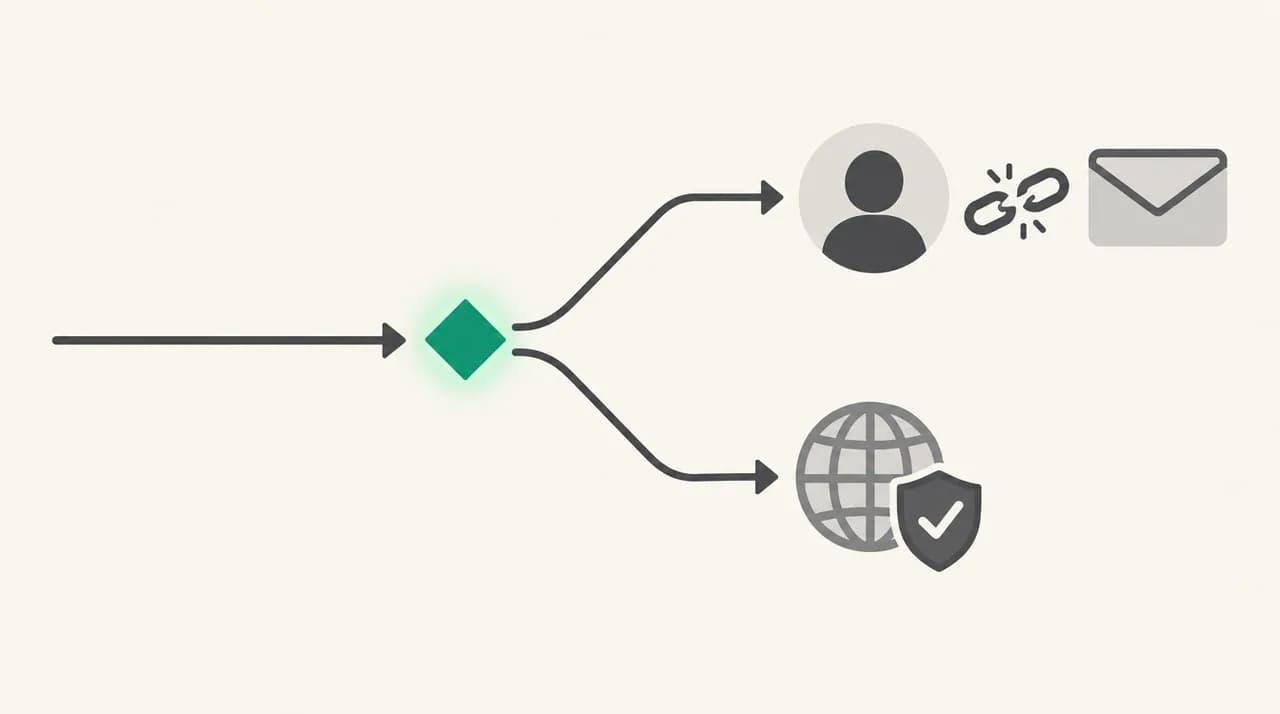
Most of the causes above live in one place: the gap between who you signed in as and who you claim to be. The diagram below is a decision point you can walk through with the bounce text in hand.
Fix 1: Make the From address match your login#
This is the most common fix. Clients let you type any From address, but the server only accepts addresses tied to the account you signed in with.
- 1
Find the login name in the bounce
Look for the words "not owned by user" followed by an address or username. That is the account your client authenticated as.
- 2
Open the account settings in your mail client
Check the outgoing server (SMTP) section. Note the username it signs in with and the email address set as the sender.
- 3
Set the From address to the login address
If they differ, change the sender address to match the SMTP username. Save the settings.
- 4
Send a test message
Send to an address you control at a different provider. If it arrives, the mismatch was the cause.
Do not just switch to a relay that skips the check
Fix 2: Add the alias as a verified send-as address#
To send as an alias or a second domain you own, the server has to know you own it.
In Gmail, the setting is under Settings, See all settings, Accounts and import, Send mail as. Gmail sends a confirmation link to the address you add, and the address only becomes usable after you click it (checked against Gmail Help, October 2026). Google also states that from January 2027 Gmail will stop supporting Send as for third-party addresses such as Yahoo or Outlook; Workspace aliases and other Gmail addresses you own are not affected.
- 1
Confirm you actually own the alias
The alias should already deliver mail to you. If it does not, it is not set up on the server yet and an admin needs to create it first.
- 2
Add it in your provider's send-as or identities settings
Use the provider's web settings, not just your desktop client. The client only picks an address; the server decides whether you may use it.
- 3
Complete verification
Click the confirmation link sent to the alias. Check spam if it does not arrive.
- 4
Select the alias in your client and resend
Restart the client if the new address does not appear.
Fix 3: Get send-as rights on a shared or self-hosted server#
Shared addresses like support@ or billing@ need an explicit permission for each person who sends as them. On hosted business mail this is an admin setting, often called send-as or send-on-behalf. On a self-hosted Postfix server it is a line in the sender login map.
The Postfix documentation shows the format: the left column is the envelope sender, the right column lists the login names that own it. One address can have several owners, and a whole domain can be assigned with an @domain entry.
Applying the Postfix change#
- 1
Edit the map file
Add the address and the login names that should own it to the file named in smtpd_sender_login_maps.
- 2
Rebuild the lookup table
Run postmap on the file after every change, as the Postfix docs instruct. Postfix reads the indexed version, not the text file.
- 3
Reload Postfix
Run postfix reload so the change takes effect, then send a test as the shared address.
What if the bounce mentions SPF or access denied?#
Some servers return 553 5.7.1 with text like "access denied" or an SPF message. That points at the domain, not your login. RFC 7208, the SPF standard, says that when a server rejects mail for an SPF fail during the SMTP session it SHOULD use reply code 550 with 5.7.1. Some servers use 553 instead, so treat the text as more reliable than the number.
An SPF fail means the server you are sending from is not listed as allowed for the From domain. Add your sending service to the domain's SPF record, or send through the server that is already listed. Our guide to what SPF is covers the record format.
How to tell which cause you have#
Start with the bounce text, not the code. The code is the same across every cause; the explanation after it is not.
- Text says "not owned by user" and names your login: ownership mismatch. Use Fix 1 or Fix 2.
- You can send as the address from webmail but not from one app: that app is using a different account or server. Fix the app's outgoing settings.
- Only a shared address fails, and only for you: missing send-as rights. Use Fix 3.
- Text mentions SPF, a domain, or "access denied" with no login: domain policy. Fix the SPF record.
- Only automated mail fails (forms, printers, scripts): hard-coded From. Use the authenticated address and put the visitor in Reply-To.
- Text says "not logged in": the client did not authenticate at all. Turn on SMTP authentication in the client.
How to prevent 553 sender rejections#
Most repeat cases come from addresses changing hands. Someone leaves, an alias moves to a new mailbox, and a script or shared inbox keeps sending as the old identity.
- Keep a list of every address that sends mail and which login owns it, including scripts and devices.
- Grant send-as rights on shared mailboxes at the moment someone joins the team, not when the first bounce arrives.
- In web forms and apps, always send from an account you authenticate as and put the visitor's address in Reply-To.
- Review SPF whenever you add a new sending service, before you switch it on.
- If you use Gmail Send as for an outside address, plan for the January 2027 change now.
Keeping the sender and the login the same#
This error exists because the From address and the signed-in account drifted apart. AI Emaily connects each mailbox with that mailbox's own sign-in, through Google or Microsoft or an app password for IMAP/SMTP, and sends through that same connection, so the address and the login it sends with come from one account rather than a From field typed by hand. It does not grant alias or send-as rights; those still come from your provider or admin. We build AI Emaily, and you can see how it works on the homepage (/) or compare plans, including the 7-day free trial, on the pricing page (/pricing).
Frequently asked
See it in AI Emaily
Keep reading
Sources
- RFC 5321 — Simple Mail Transfer Protocol (reply code 553)
- RFC 3463 — Enhanced Mail System Status Codes (X.7.1)
- RFC 7208 — Sender Policy Framework (SPF), section 8.4
- Postfix configuration parameters — reject_authenticated_sender_login_mismatch
- Postfix SASL README — envelope sender address authorization
- Gmail Help — Send emails from a different address or alias

Written by
Nafiul HasanNafiul Hasan is an entrepreneur and AI automation system builder with 10+ years of experience turning messy, manual workflows into reliable automated systems. He designs and ships AI enterprise solutions end-to-end — the agent logic, the data plumbing, and the product people actually use — and founded AI Emaily to give busy professionals their attention back. He writes here from the builder's seat: what works, what breaks, and how to put AI to work without giving up control.