550 5.7.509: Sending Domain Fails DMARC Verification

The short answer
550 5.7.509 means Microsoft 365 refused your message because the From domain failed DMARC and publishes p=reject. Neither SPF nor DKIM passed for a domain aligned with the From address. Fix it at the sender: authorise the real sending service in SPF, sign with DKIM on your own domain, then resend. Forwarding failures need the recipient's admin.
550 5.7.509 does not pass DMARC verification: why Microsoft 365 rejects your mail, how to find the failing sender, and the three fixes that clear it.
On this page
- 01What does 550 5.7.509 literally mean?
- 02What causes 550 5.7.509?
- 03Fix 1: How do I make a third-party sender pass DMARC?
- 04Fix 2: How do I fix my own Microsoft 365 tenant's SPF and DKIM?
- 05Fix 3: What if forwarding or a gateway breaks DMARC?
- 06How do I tell which cause I have?
- 07How is 5.7.509 different from other 5.7.5xx codes?
- 08How do I prevent 5.7.509 from coming back?
- 09Where AI Emaily fits
The full bounce reads: 550 5.7.509 Access denied, sending domain [yourdomain.com] does not pass DMARC verification and has a DMARC policy of reject. It comes from Exchange Online Protection, the filter in front of every Microsoft 365 and Outlook.com mailbox. The message never reached the recipient's mailbox.
This is the Microsoft cousin of Gmail's 550 5.7.26. The root cause is the same, but the logs, the admin screens and the people who can fix it are different. This guide covers how to read the bounce, the five causes behind it, and the fix for each.
What does 550 5.7.509 literally mean?#
Microsoft's own non-delivery report reference defines it in one line: the sender's domain in the 5322.From address does not pass DMARC. The 5322.From is the From address a person sees in their mail app, not the hidden envelope sender. Your domain publishes p=reject, so the receiving tenant refused the message during the SMTP conversation.
DMARC passes when at least one of two checks passes and is aligned with that visible From domain. SPF must pass for an envelope sender (Return-Path) on your domain, or DKIM must pass with a signature whose d= value is your domain. A message can pass SPF and DKIM and still fail DMARC if both passes belong to someone else's domain, such as a mailing service's.
Two details trip people up. First, the recipient decides whether to enforce your reject policy. Microsoft 365 anti-phishing policies have a setting called Honor DMARC record policy when the message is detected as spoof, and the admin can choose reject or quarantine for p=reject failures. Second, the code string varies. Microsoft's DMARC configuration page summarises a p=reject rejection as 550 5.7.1, while its NDR reference lists 5.7.509 for the same case. Treat them as one problem.
Which DMARC standard applies (checked October 2026)
What causes 550 5.7.509?#
Nearly every case is one of five causes. The first three are fixed by whoever owns the sending domain. The fourth needs the recipient's admin. The fifth means DMARC is working as intended.
| Cause | How to confirm | Fix |
|---|---|---|
| A third-party service (CRM, helpdesk, newsletter, invoicing) sends as your domain without aligned SPF or DKIM | Authentication-Results shows dkim=pass header.d=theirservice.com and smtp.mailfrom on their domain | Fix 1: custom DKIM and a custom return-path at that service |
| Your own Microsoft 365 tenant signs with the onmicrosoft.com domain because custom-domain DKIM was never turned on | header.d= ends in onmicrosoft.com while header.from is your custom domain | Fix 2: enable DKIM for the custom domain in Microsoft Defender |
| SPF is broken: a missing include, more than 10 DNS lookups, or two SPF records | spf=permerror or spf=fail, or the sending IP is not in your record | Fix 2: rebuild the SPF record |
| Forwarding, a mailing list or a gateway changed the message in transit | Your own copy passes; only mail relayed through an intermediary fails | Fix 3: trusted ARC sealer or connector settings on the receiving side |
| Someone is spoofing your domain | The sending IP belongs to no service you use; DMARC aggregate reports show unknown sources | No fix needed: the rejection is the protection working |
Fix 1: How do I make a third-party sender pass DMARC?#
This is the most common cause. A tool you added last month sends from [email protected]. It signs with its own domain and uses its own bounce address, so nothing aligns with your From domain.
- 1
Identify the service
Open the bounce or the original message headers. The Received lines and the smtp.mailfrom value name the platform that actually sent it.
- 2
Turn on domain authentication in that service
Most sending platforms have a sender authentication, domain verification or custom DKIM screen. It gives you one or more CNAME or TXT records to publish under your domain.
- 3
Publish the DKIM records
Add the records exactly as given at your DNS host. Once they resolve, the service signs with d=yourdomain.com, which aligns with the From address and passes DMARC on its own.
- 4
Set a custom return-path if offered
A bounce domain such as bounce.yourdomain.com makes SPF align too. This is optional for DMARC but gives you a second passing path if DKIM ever breaks.
- 5
Send a test and read the headers
Send to a Microsoft 365 or Outlook.com mailbox you control. Look for dkim=pass header.d=yourdomain.com and dmarc=pass in Authentication-Results.
Fix 2: How do I fix my own Microsoft 365 tenant's SPF and DKIM?#
If the failing mail comes from your own Exchange Online users, the tenant itself is not aligned. Until you enable DKIM for a custom domain, Microsoft 365 signs outbound mail with your initial onmicrosoft.com domain. That signature passes but does not align, so DMARC then depends entirely on SPF.
- 1
Check the SPF record
Look up the TXT record at your domain root. It should contain include:spf.protection.outlook.com plus every other service that sends as you, and end in -all or ~all.
- 2
Keep SPF to one record and under 10 lookups
Two v=spf1 records or more than 10 DNS-querying mechanisms cause a permerror, and DMARC treats that as a fail. Remove includes for services you no longer use.
- 3
Enable DKIM for the custom domain
In the Microsoft Defender portal, open the email authentication settings, select your domain, and publish the two selector CNAME records it shows. Then turn signing on.
- 4
Confirm with PowerShell
Get-DkimSigningConfig shows whether signing is enabled per domain. Resolve-DnsName -Name _dmarc.yourdomain.com -Type TXT confirms the DMARC record you think is live.
Fix 3: What if forwarding or a gateway breaks DMARC?#
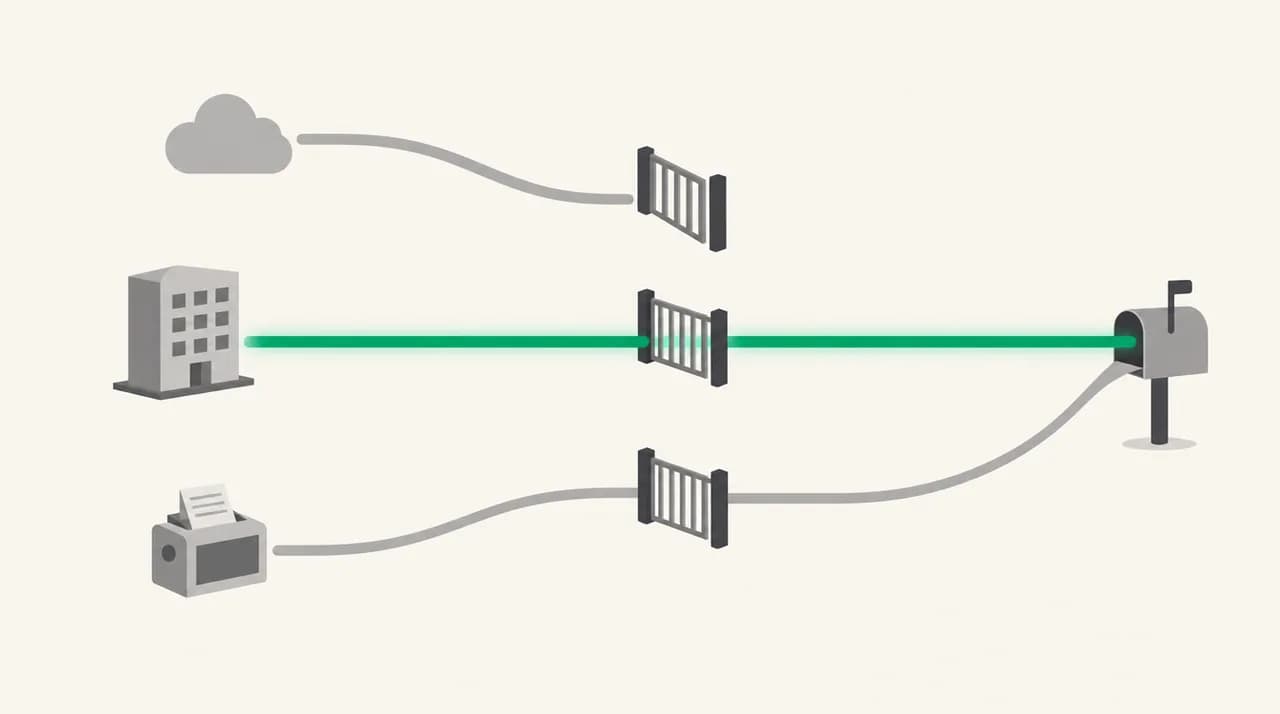
Sometimes your mail is correctly authenticated when it leaves you and fails only after a hop. A forwarding rule changes the sending IP, which breaks SPF. A mailing list adds a footer or a subject tag, which breaks DKIM. A security gateway in front of Exchange Online can do both.
You cannot fully fix this from the sending side, because the change happens after your mail has left. The recipient's Microsoft 365 admin has the tools.
- 1
Add the intermediary as a trusted ARC sealer
If the forwarding service or gateway adds ARC headers, the recipient admin can list it as a trusted ARC sealer in Microsoft Defender. Microsoft then trusts the authentication results recorded before the change.
- 2
Turn on Enhanced Filtering for Connectors
If the recipient's MX points to a third-party filter rather than straight to Microsoft 365, the inbound connector needs this setting. Without it, Microsoft sees the filter's IP, not the real sender's.
- 3
Use a narrow spoof allow entry only as a last resort
The Tenant Allow/Block List can allow a specific spoofed sender and infrastructure pair. Keep it narrow. A broad allow undoes the protection that the reject policy exists to give.
Do not relax your DMARC policy to stop one bounce
How do I tell which cause I have?#
Read the Authentication-Results header on a failing message. If you are the sender, send a copy to a Microsoft mailbox where the rejection is not enforced and read it there. If you are the recipient admin, use message trace and the Received event details. Three fields settle most cases.
In that example both checks pass, but for the vendor's domain, not yours. That is cause one. The quick reads for the rest are below.
- header.d ends in onmicrosoft.com: custom-domain DKIM is off in your tenant (cause two).
- spf=permerror: too many lookups or duplicate SPF records (cause three).
- Direct sends pass but relayed copies fail, often with X-MS-Exchange headers from a forwarder: an intermediary (cause four).
- The sending IP belongs to nobody you pay: spoofing (cause five). Leave it rejected.
- dmarc=fail action=oreject but the message was delivered: the recipient has Honor DMARC turned off or an allow entry in place.
How is 5.7.509 different from other 5.7.5xx codes?#
Exchange Online uses the 5.7.5xx range for several access-denied rejections, and they are easy to mix up when you skim a bounce. Only 5.7.509 is about DMARC. The neighbours below come from Microsoft's NDR reference as checked in October 2026, and each one points somewhere else.
| Code | What Microsoft says it means | Where the fix lives |
|---|---|---|
| 5.7.501 to 5.7.503 | Sending account banned after detected spam activity | Secure the account, reset credentials, contact Microsoft Support |
| 5.7.506 | Bad HELO: the server introduced itself with the recipient's name | Your sending server's HELO/EHLO configuration |
| 5.7.507 | The recipient's organisation blocked your sending IP | Contact the recipient |
| 5.7.509 | Sending domain fails DMARC and publishes p=reject | SPF and DKIM alignment for your From domain |
| 5.7.511 | Sending IP banned | Microsoft's delisting process |
If your bounce shows a different code in this range, the DMARC fixes on this page will not help. Look up the exact string first. A 5.7.509 also says nothing about your IP reputation, so a delisting request will not clear it either.
How do I prevent 5.7.509 from coming back?#
The pattern behind almost every 5.7.509 is a sender nobody registered. Someone in marketing or finance connects a new tool, it sends as the company domain, and the first sign of trouble is a customer's bounce.
- Keep an inventory of every service allowed to send as your domain, and make DKIM setup part of onboarding any new tool.
- Publish a rua= address so receivers send DMARC aggregate reports. Microsoft 365 sends aggregate reports but not forensic (ruf) reports, per its own documentation.
- Use a DMARC report service to read those reports. They are XML files, and a dashboard spots a new failing source in days rather than after a customer complains.
- Under RFC 9989 the pct tag is gone. Instead of a percentage ramp, move from p=none to quarantine to reject once the reports show every legitimate source aligned, and consider separate subdomains for bulk mail.
- Park unused domains, including onmicrosoft.com if you never send from it, with v=DMARC1; p=reject so they cannot be spoofed.
Where AI Emaily fits#
We build AI Emaily, and it will not fix this bounce. It is an email client, not a DMARC monitor or a sending platform, so your SPF, DKIM and aggregate reports stay with your DNS host and a reporting service. What it covers is the other side of the same mechanism. A reject policy only protects you from domains that publish one, and plenty of spoofed mail comes from domains still on p=none. AI Emaily scores every inbound message on SPF, DKIM and DMARC alongside lookalike domains and display-name impersonation. It quarantines what fails with a plain-English reason, and plans start with a 7-day free trial.
Frequently asked
See it in AI Emaily
Keep reading
Sources
- Microsoft Learn — Non-delivery reports in Exchange Online
- Microsoft Learn — Set up DMARC to validate the From address domain
- Microsoft Learn — Anti-phishing policies in Microsoft 365
- RFC 9989 — Domain-Based Message Authentication, Reporting, and Conformance (DMARC)
- RFC 7489 — DMARC (obsoleted by RFC 9989)

Written by
Nafiul HasanNafiul Hasan is an entrepreneur and AI automation system builder with 10+ years of experience turning messy, manual workflows into reliable automated systems. He designs and ships AI enterprise solutions end-to-end — the agent logic, the data plumbing, and the product people actually use — and founded AI Emaily to give busy professionals their attention back. He writes here from the builder's seat: what works, what breaks, and how to put AI to work without giving up control.