AI Email Assistant for MSPs: Draft, Follow Up and Handle Client Comms on Autopilot

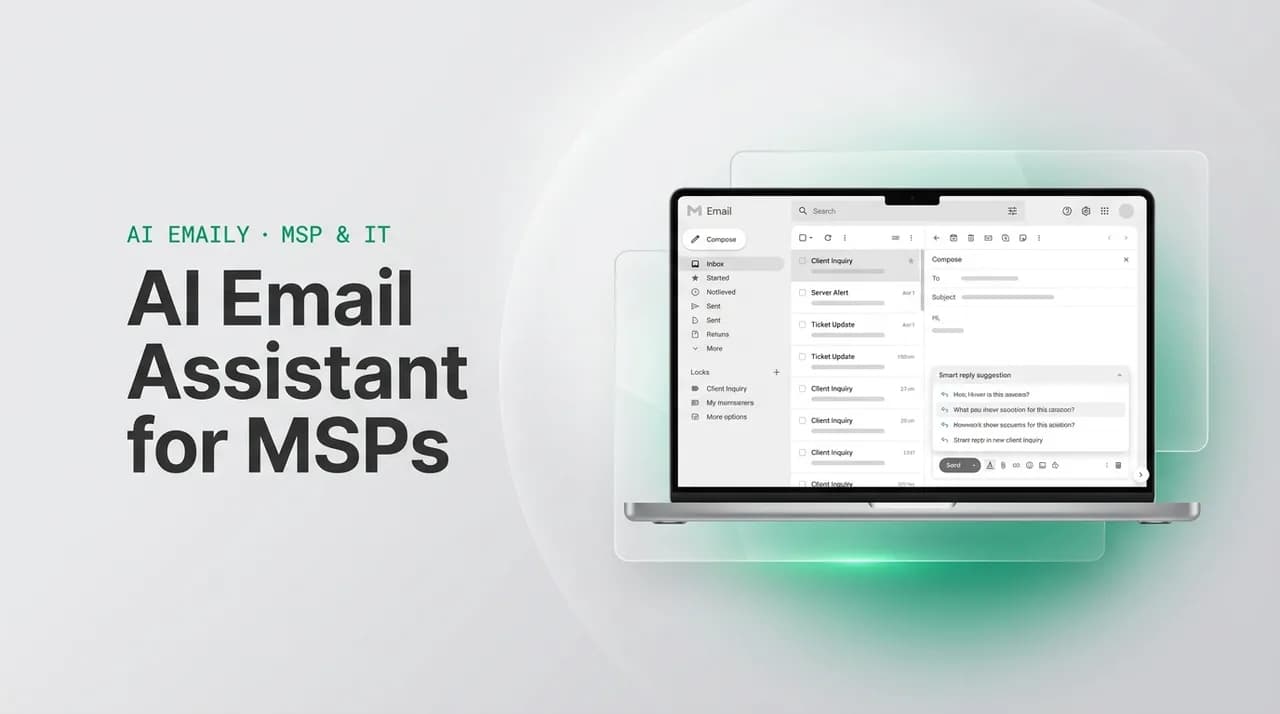
The short answer
An AI email assistant for MSP owners should read client threads for context, draft replies in your voice, and catch proposals, renewals, and QBR windows before they go stale — with a human approving anything sent, or narrow Autopilot rules for routine, low-risk messages. Generic AI email tools built for ticket routing or cold outreach don't fit the relational, high-stakes nature of MSP client email. AI Emaily connects to Gmail, Outlook, and IMAP and is built for exactly this.
An AI email assistant for MSP owners that drafts client replies, catches renewals, and sends routine follow-ups with Copilot approval or Autopilot rules.
On this page
- 01What should an AI email assistant actually do for an MSP?
- 02Why do generic AI email tools miss what MSPs need?
- 03What should you look for when evaluating an AI email tool for your MSP?
- 04What client email situations eat an MSP owner's week?
- 05What does Manual, Copilot, and Autopilot actually mean for client email?
- 06How does AI drafting work without pretending to know your voice from spying on your inbox?
- 07Copilot vs Autopilot for MSP client comms: which mode for which message?
- 08How do you roll out Autopilot without a bad email going out to a client?
- 09How do you never miss a renewal, QBR, or stale proposal again?
- 10What does a full MSP inbox automation setup look like?
- 11Does this replace your PSA, or sit alongside it?
- 12How do you keep client trust when AI is touching sensitive communication?
- 13Should AI draft your security incident and price increase emails too?
- 14What does this cost for a small MSP team?
- 15What are the honest limits of an AI email assistant for MSPs?
- 16How AI Emaily works as the AI email assistant for MSP owners
An MSP owner's inbox is not a support queue and it is not a sales funnel — it is where forty to sixty client relationships live at once, and most of the software built for MSPs ignores it. A PSA routes tickets. An RMM watches endpoints. A CRM tracks the pipeline. None of them touch the actual email thread where a client asks a real question, a renewal quietly approaches, or a proposal you sent three weeks ago sits unanswered. That gap is exactly what an AI email assistant for MSP owners is supposed to close: something that reads the inbox the way you would if you had the time, drafts the reply, and flags the thing about to slip.
This matters more for an MSP than almost any other business, because the product is the relationship. A client doesn't renew because your monitoring dashboard looks good; they renew because they trust that when something matters, you're on it and you say so clearly. Slow, generic, or missed client email erodes exactly the thing you're selling. This guide covers what an AI email assistant should actually do for an MSP, why the tools built for support teams or cold outreach fall short, how Copilot approval and Autopilot rules apply to client comms specifically, and how AI Emaily handles the whole loop.
Start with the honest version of the problem. Most MSP owners already use an AI tool of some kind to wordsmith a tricky client email — a browser tab open to a chat assistant, pasting in a draft to make it sound less blunt or more precise. That workaround proves the need is real. It also shows exactly where it breaks down: the assistant has no idea what thread it's replying to, no memory of the client's account history, and no way to actually send anything. You still do the reading, the pasting, the sending, and the remembering. An AI email assistant built for MSP work should live inside the inbox itself, not next to it.
It's also worth naming why this problem is specific to MSPs and not just "every small business has too much email." A typical MSP owner runs client relationships that are contractual, recurring, and reputation-sensitive — a bookkeeping firm's inbox rarely has to draft a security incident notification or negotiate a per-seat price increase across twenty separate accounts by Friday. The stakes per email are higher, the account count is often larger than a comparable single-location business, and the tone has to flex from routine status update to calibrated incident language within the same week. A generic small-business inbox tool doesn't carry that weight; an MSP-specific one has to.
What should an AI email assistant actually do for an MSP?#
Strip away the marketing language and the job is narrow and concrete. An MSP owner needs help with a small number of recurring, high-value email tasks — not a general chatbot, and not a ticket-routing engine. The bar for a tool to be worth adopting is that it should:
- Read a client thread and understand the context — what was promised, what's pending, what tone this account expects — before drafting anything.
- Draft replies that sound like you, using a Context you set rather than a black-box guess, so a proposal follow-up doesn't read like a form letter.
- Notice when a proposal has gone quiet, a contract is nearing renewal, or a QBR window has opened, and surface it before you'd have caught it manually.
- Handle the emails that are routine and low-risk — a scheduling confirmation, a status update, a gentle nudge — without you touching every one.
- Leave every message that could damage a client relationship with a human decision before it sends, no exceptions by default.
- Work across whatever you and your clients already use — Gmail, Microsoft 365, or plain IMAP — without forcing a migration.
Why do generic AI email tools miss what MSPs need?#
Search for an AI email tool today and you land in one of two buckets, and neither fits an MSP owner managing an operator relationship with forty accounts. The first bucket is support-desk AI — built to triage inbound tickets, suggest canned responses, and close volume fast. It assumes high ticket count, low relationship depth, and a support team behind it. An MSP owner's client email is the opposite: low volume per account, high relationship depth, and often just you or a small team on the other end.
The second bucket is sales and cold-outreach AI — built to write and send a lot of first-touch emails to strangers, optimized for open rates and reply rates at scale. That is close to useless for an MSP, whose email problem is almost never "how do I write to people who don't know me," it's "how do I keep forty existing relationships warm without every one of them landing on my desk at once." The archetypes below make the mismatch concrete — compare on what each is actually built for, not on any specific vendor's feature list, which changes constantly and should always be verified on the vendor's own page.
| Archetype | Built for | Where MSP client email breaks it |
|---|---|---|
| Support-desk AI / helpdesk assistant | High-volume ticket triage, canned replies, deflection | Treats every message as a ticket to close, not a relationship to manage; no sense of renewal timing or account history |
| Cold-outreach / sales-sequence AI | First-touch volume to strangers, reply-rate optimization | Assumes no existing relationship; wrong tone entirely for an existing client who already trusts you |
| General-purpose AI writing assistant | One-off drafting when you paste in the context yourself | No inbox access, no memory of the thread, no way to notice a stale proposal or send anything |
| AI-native email client (AI Emaily's category) | Reading real inbox context, drafting in your voice, and acting with approval or bounded autonomy | Built for exactly this: fewer, deeper relationships where each message matters and needs a human decision on risk |
What should you look for when evaluating an AI email tool for your MSP?#
Once you accept that the support-desk and cold-outreach archetypes don't fit, the next question is how to tell a genuinely MSP-fit tool from one that's simply relabeled. A handful of criteria separate the two, and they're worth checking against any tool you're evaluating, including AI Emaily — verify current pricing and feature specifics on the vendor's own page before deciding, since both change over time.
- Provider coverage that matches how you actually work — Gmail, Outlook/Microsoft 365, and IMAP, not just one ecosystem, since MSPs frequently manage client-side mail on a different provider than their own.
- An approval-first default for anything client-facing, not an all-or-nothing autosend switch — you should be able to see every draft before it's a Copilot approval away from anyone's inbox.
- A visible, editable Context or writing profile, rather than a black-box claim that it 'learned your voice' from silently reading years of sent mail.
- A real audit trail and undo on every AI-initiated action, so you can reconstruct exactly what went out, to whom, and reverse it if needed.
- A stated position on training: your client correspondence should not be used to train the provider's models, given how sensitive that content is for an MSP specifically.
- Transparent, published pricing with a free tier to test drafting quality on your real inbox before you commit a card number.
What client email situations eat an MSP owner's week?#
It helps to name the actual recurring situations, because "client email" is vague enough to hide the real cost. Across a typical book of accounts, the same handful of scenarios repeat every week, and each one has its own failure mode when it's handled late or generically:
- A proposal sent two or three weeks ago with no reply — does the client need a nudge, or did it die quietly?
- A contract renewal approaching in 30, 60, or 90 days with no conversation started yet.
- A QBR that's overdue, or one coming up that needs a prep email with an agenda attached.
- An upsell moment — a client mentioned a pain point in passing that maps to a service you offer, and it needs a timely, low-pressure follow-up.
- A price increase that has to go out to twenty accounts with individually correct numbers and a tone that doesn't trigger churn.
- A security incident, from a phishing alert to a full containment event, that needs calibrated, non-technical, tiered communication fast.
- The ordinary daily traffic of writing to clients — status updates, scheduling, answering a question — that consumes hours nobody budgeted for.
- An after-hours message from a worried client that shouldn't wait until 9 a.m. for at least an acknowledgment.
None of these is exotic — every MSP owner recognizes the list immediately, and most have a personal war story attached to at least one of them: the renewal that slipped because the calendar reminder was set for the wrong quarter, the proposal that quietly died because a follow-up never went out, the price increase that went out with the wrong number to the wrong account. The pattern across all of them is the same: the task itself is simple, but doing it consistently across forty accounts, every week, without a system, is where it breaks. That's the actual job description for an AI email assistant in an MSP context — not writing clever prose, but doing the noticing and the first draft reliably, at the volume a human alone tends to drop.
What does Manual, Copilot, and Autopilot actually mean for client email?#
Any AI email assistant worth using for client comms needs a clear answer to "who is actually in control of what gets sent," and the honest answer is that it should depend on the message. AI Emaily frames this as three modes. Manual is you, unassisted — the AI stays out of the way entirely. Copilot is the default for anything client-facing that carries real weight: the AI reads the thread, drafts the reply, and it sits there until you read it and hit send. Nothing goes to a client without your approval. Autopilot is narrower and rule-bound: you define exactly which situations are safe to send without you in the loop — a scheduling confirmation, a receipt of a message, a templated reminder — and only those fire on their own, inside the rules you set.
The reason this three-way split matters specifically for MSPs is the asymmetry of the downside. A wrong email to a stranger costs you a lead. A wrong email to an existing client — one that misreads the account, gets a number wrong, or lands the wrong tone during a tense moment — costs you trust you spent years building, on an account that's probably your highest-margin revenue. The mandatory human approval in Copilot mode is not a limitation bolted on for legal reasons; for an MSP it's the correct default, because the cost of a bad send is so much higher than the cost of a five-second review.
Manual mode still has a real place even once you've adopted the other two. A client who's upset about downtime, a negotiation over a disputed invoice, a genuinely personal note about a change in their business — these deserve your own words from the first keystroke, not a draft to edit. The value of Copilot and Autopilot isn't that they replace judgment on the hard 10% of messages; it's that they clear the easier 90% off your desk so you have the time and attention left to write the hard ones properly.
Approval is the default, not an afterthought
How does AI drafting work without pretending to know your voice from spying on your inbox?#
"It learns how you write" is the pitch you'll hear from a lot of AI email tools, and it's worth being precise about what that should actually mean, because the honest version and the creepy version sound similar from a distance. The useful version is a Context you set yourself — a profile that captures how formal or casual you are with which accounts, the phrases you actually use, the details each client cares about — plus, where relevant, a per-client profile noting things like their account history, past commitments, and communication preferences. The AI drafts from that Context.
That distinction matters for two reasons. First, it's more accurate: a Context you actively curate and correct gets better every time you adjust it, instead of drifting based on whatever pattern an algorithm inferred. Second, it's honest: you know exactly what the draft is based on, which matters when the client on the other end is paying you specifically because they trust your judgment. A draft that reads like you, because you told the system how you write and what this client needs to hear, is a defensible product. A draft that claims to have quietly absorbed your entire inbox history is not something you should have to take on faith.
In practice, the Context you set covers a small number of things and takes maybe twenty minutes the first time: how formal you are by default, a handful of phrases or sign-offs you actually use, and how much technical detail you typically include for a non-technical client versus a more hands-on one. Per-client notes layer on top of that — flagging, for instance, that one account is mid-negotiation on renewal terms and should get a more careful tone, or that another prefers short emails with a single clear ask. None of this requires the AI to have silently watched your inbox for months before it's useful; it's useful the day you set it up, and it improves every time you correct a draft rather than accept it as-is.
Copilot vs Autopilot for MSP client comms: which mode for which message?#
Not every message deserves the same level of caution, and treating a scheduling confirmation with the same ceremony as a price increase letter is how a good system gets abandoned for being slow. The useful way to think about it is by what happens if the message is wrong: if being wrong means a minor scheduling mix-up, Autopilot is a reasonable default once you trust the rule; if being wrong means a client feels blindsided, mishandled, or misinformed, it belongs in Copilot every time.
| Mode | What happens | Best MSP use case |
|---|---|---|
| Manual | You write and send everything yourself; the AI stays out of it | Sensitive, first-time, or unusually delicate conversations — a difficult client call follow-up, a personal note |
| Copilot | AI drafts from context and your Context profile; a human reviews and approves before it sends | Proposal follow-ups, renewal conversations, QBR agendas, price increase letters, incident notifications |
| Autopilot | Pre-approved rules fire automatically for narrowly defined, low-risk situations, with full audit and undo | Meeting confirmations, receipt-of-message acknowledgments, routine status pings, templated reminders |
How do you roll out Autopilot without a bad email going out to a client?#
The MSPs who get the most value from Autopilot are the ones who earn their way into it gradually, rather than turning it on broadly on day one. The rollout that works looks like this, and it's worth following in order rather than skipping to the end:
- 1
Run everything through Copilot first
For at least a few weeks, let the AI draft every client email and hold it for your approval. This builds the Context profile, and it shows you exactly what the AI would have sent — the real test of whether it's trustworthy.
- 2
Identify the truly low-risk, repetitive categories
Look back at what you approved with zero or trivial edits — usually scheduling confirmations, meeting reminders, and simple acknowledgments. Those are Autopilot candidates; anything you keep rewriting is not.
- 3
Write a narrow rule, not a broad one
"Send an automatic acknowledgment when a client emails outside business hours" is a good rule. "Handle client email" is not a rule, it's an abdication. Autopilot should feel boring — a small, explicit set of situations, nothing ambiguous.
- 4
Turn on one rule at a time and watch the audit log
Every Autopilot send is logged with a full trail. Review the first batch closely, confirm the tone and content hold up across different clients, and only then add the next rule.
- 5
Keep undo live and revisit rules quarterly
Client relationships change — an account that was low-touch can become high-stakes overnight after an incident or a renewal negotiation. Revisit which rules still make sense as your book changes, and use undo the moment something looks off.
How do you never miss a renewal, QBR, or stale proposal again?#
The single most expensive failure mode in MSP client email isn't a bad reply — it's silence. A proposal that goes eighteen days without a nudge, a renewal that's sixty days out with no conversation started, a QBR that's overdue by a quarter: these don't feel urgent in the moment, which is exactly why they slip. Nothing forces you to notice them the way an angry client or a broken server does. An AI email assistant earns its keep here by treating the absence of activity as a signal worth flagging, not just reacting to messages that arrive.
This is the same problem the msp-inbox-automation angle on renewals and QBRs is built around: the goal isn't to write a better renewal email, it's to make sure the renewal conversation starts at all, on schedule, instead of forty-five days late because nobody was watching the calendar against the inbox.
The mechanics behind this are simpler than they sound. The assistant tracks two things against each thread: how long it's been since the last reply, and how close the account is to a known date — a contract end, a QBR cadence you've set, a follow-up you promised. Cross those two signals and you get exactly the short list that deserves attention this week, instead of scrolling every account manually to guess which ones have gone quiet. It's the same principle as a good CRM's pipeline view, applied to the inbox instead of the deal stage — except most MSPs never built a pipeline view for their existing clients, only for new sales.
What does a full MSP inbox automation setup look like?#
Putting all of this together doesn't require a big-bang migration. A workable setup for a solo MSP owner or a small team looks like this, built up over a week or two rather than switched on all at once:
- 1
Connect every account you actually use
Gmail, Microsoft 365, or IMAP — connect the real inboxes where client email lands, not a secondary alias nobody checks. Coverage across providers matters because most MSPs run mixed environments even internally.
- 2
Set up your Context and, where useful, per-client profiles
Note your general tone, the phrases you use, and anything account-specific worth remembering — a client who prefers brief emails, one who wants technical detail, one mid-negotiation on price.
- 3
Let Copilot run on every client thread for a trial period
Don't send anything you haven't reviewed yet. Use this stretch to correct drafts and refine the Context — every edit teaches the system what "you" actually sounds like for this account.
- 4
Turn on renewal, QBR, and stale-thread flags
Configure the signals that matter to your book: proposals with no reply after a set number of days, contracts inside a renewal window, QBRs overdue by your own cadence.
- 5
Graduate the safest categories to Autopilot
Once you trust the drafts, move scheduling confirmations and simple acknowledgments to Autopilot, one rule at a time, watching the audit log as you go.
- 6
Review weekly, not daily
A short weekly pass through what was flagged, what was sent under Autopilot, and what's pending approval is usually enough once the system is running — the point is to stop needing daily inbox triage.
Does this replace your PSA, or sit alongside it?#
It sits alongside it, and the distinction matters because conflating the two is how MSP owners end up disappointed with either category of tool. Your PSA is the system of record — tickets, time entries, billing, contracts. An AI email assistant for MSP client communication is not trying to replace that; it's covering the layer your PSA was never built for, which is the free-form, relational email thread where a client asks a real question or a renewal conversation actually happens. Most PSA platforms can notify you that a contract is expiring; very few of them draft the actual email that opens that renewal conversation in a tone that fits the specific client.
The two work best in parallel: your PSA stays the source of truth for what's contracted, billed, and scheduled, while the email assistant handles the human-language layer — reading the thread, drafting the reply, noticing the silence — that sits on top of those records. If a tool in this category asks you to abandon your PSA or duplicate all your ticketing into it, that's a sign it's built for a different, larger business than a typical MSP, not a sign you need to switch platforms.
How do you keep client trust when AI is touching sensitive communication?#
Handing any part of client communication to an AI tool raises a fair question: what happens to the content of these emails, and can the tool be tricked into doing something it shouldn't? Both deserve straight answers, not reassurance. Email content should be treated as untrusted input by the system itself — a malicious or malformed message shouldn't be able to manipulate the AI into taking an action outside what you've explicitly allowed, the same discipline any system handling external input needs. Sensitive content, including anything that touches client credentials or account access, should never be logged in plain text or exposed beyond what's needed to draft the reply.
The practical version of "never spy on your mail to sell you ads" is: no training your provider's models on your client correspondence, every AI action logged in an audit trail you can review, and you deciding when the AI is allowed to act versus when it only drafts. For an MSP specifically — where a breach of client trust in how you handle their data would be existential given that data protection is literally your business — this isn't a nice-to-have feature, it's table stakes for adopting any AI tool near client email at all.
There's also a credibility dimension worth naming plainly: you sell clients on your own security posture, sometimes in the very emails this assistant helps you write. Adopting an AI tool that can't answer basic questions about data handling, model training, or audit visibility undercuts that pitch the moment a curious client asks how you handle their information internally. Choosing a tool that treats those questions as answerable, not awkward, keeps your own story consistent.
Treat inbound email as untrusted, always
Should AI draft your security incident and price increase emails too?#
Two categories deserve a specific answer because they carry unusually high stakes and unusually high frequency for an MSP: security incident notifications and price increase letters. Both are exactly the kind of email where a good draft saves you real time under pressure, and both are exactly the kind of email that should never leave Copilot mode.
A security incident notification has to match severity to language — a routine phishing alert reads nothing like a ransomware containment update, and getting that mismatch wrong either alarms a client unnecessarily or understates something serious. An AI assistant that can surface a severity-matched template pre-filled with the client's name and affected systems saves the panic of writing from scratch mid-incident, but a human has to read every word before it goes, every time, no exceptions. The same logic applies to a price increase letter sent across twenty accounts: the mechanics — per-seat math, the right renewal-timing order, the tone that reframes value instead of just announcing a number — can be drafted individually per client, but each one needs your eyes before it lands, because a wrong number or a tone-deaf line to the wrong account is the kind of mistake that causes churn.
High-stakes categories stay in Copilot, permanently
What does this cost for a small MSP team?#
For a solo MSP owner or a two-to-five-person shop, the cost question usually comes down to whether the tool pays for itself in reclaimed hours, not whether it's the cheapest option on the market. A single missed renewal conversation or one client who churns because a proposal follow-up never went out costs more than a year of most software subscriptions — the honest ROI framing is against that downside, not against doing the same work by hand for free, since the hand-done version is rarely actually free once you count the hours and the misses. AI Emaily's pricing is structured around that:
- Free tier — one connected account, enough to try the drafting and triage on your primary inbox before committing.
- Pro — $12.42/month on the annual plan, built for a single operator running client email personally.
- Team — $14.92/seat/month on the annual plan, with a 10% discount at five or more seats, for MSPs where more than one person touches client accounts.
- Autopilot is included in the Autopilot and Team plans rather than metered per message, so turning on rules for routine sends doesn't create a usage bill that punishes you for automating well.
What are the honest limits of an AI email assistant for MSPs?#
No AI email tool replaces judgment on a genuinely hard client conversation — a contract dispute, a client who's upset about an outage, a negotiation where tone and timing matter more than the words themselves. Those belong in Manual mode or, at most, as a Copilot draft you rewrite heavily rather than lightly edit. The AI is also only as useful as the Context you give it; skip that setup step and the drafts will read generic, which defeats the entire point for relationship-driven client work.
There's also a real ramp-up period. The first week or two of Copilot drafts will need more correction than the drafts three months in, simply because the Context and per-client profiles haven't been refined yet. Treat that period as investment, not a verdict on whether the tool works — and don't move anything to Autopilot until the Copilot drafts are consistently close to what you'd write yourself.
For MSPs with more than one technician touching client accounts, there's a coordination question worth thinking through before rollout, not after: who owns the Context for a shared account, and who reviews Copilot drafts when the primary contact is out. The cleanest approach is usually to keep account ownership explicit — one technician is the reviewer of record for a given client's Copilot drafts — rather than leaving approval ambiguous across a team, which is how a message either gets double-sent or sits unapproved for days. This is a process decision your team makes, not something the software can fully resolve on its own.
How AI Emaily works as the AI email assistant for MSP owners#
AI Emaily is an AI-native email client built around exactly this shape of problem — fewer, deeper relationships where each message carries weight, rather than high-volume tickets or cold outreach. It connects to Gmail, Google Workspace, Outlook, Microsoft 365, and standard IMAP, so it fits whatever mix of accounts your practice and your clients already run, without a migration.
In practice, that means it reads a client thread and drafts a reply using the Context you've set — your tone, your standard phrasing, and any per-client notes worth remembering — rather than guessing. It watches for the signals that matter to an MSP specifically: a proposal gone quiet, a renewal window opening, a QBR overdue. And it gives you an honest choice about autonomy on every category of message: Copilot holds every client-facing draft for your review and approval, and Autopilot only ever covers the narrow rules you define yourself for genuinely low-risk, repetitive sends. Every AI action, in either mode, is logged with a full audit trail and can be undone.
That combination — reading real client context, drafting in a Context you control, and defaulting to human approval on anything that could affect a relationship — is the honest version of "AI email assistant for MSP," as opposed to a generic tool repurposed from ticket triage or cold outreach. You can try it on your primary inbox for free at app.aiemaily.com/signup.
Start with your busiest account, not your easiest one
The pattern across all of this is the same one that shows up in the sibling scenarios — writing better client-email templates, following up on a stalled proposal, automating the routine reminders, keeping the whole inbox from becoming an unmanaged liability. An AI email assistant for MSP owners isn't a single feature, it's a layer that sits across every one of those situations: it drafts, it flags what's about to slip, and it hands you a fast, honest decision on what to send, instead of quietly doing it all for you. For a business built on trust, that's the right trade.
None of this requires betting the whole business on day one. The realistic path is small: connect one inbox, set a Context that takes twenty minutes, run Copilot on your busiest client relationship for a couple of weeks, and see whether the drafts save you real time once you stop correcting the same thing over and over. If they do, add the next account, graduate the safest categories to Autopilot one rule at a time, and let the renewal and QBR flags do the noticing you used to have to do by memory. If they don't, you've lost twenty minutes of setup and learned something concrete about what your client email actually needs — either way, you're better off than leaving it to chance.
Frequently asked
See it in AI Emaily
Keep reading
Sources

Written by
Nafiul HasanNafiul Hasan is an entrepreneur and AI automation system builder with 10+ years of experience turning messy, manual workflows into reliable automated systems. He designs and ships AI enterprise solutions end-to-end — the agent logic, the data plumbing, and the product people actually use — and founded AI Emaily to give busy professionals their attention back. He writes here from the builder's seat: what works, what breaks, and how to put AI to work without giving up control.