Best Spam Blocker Apps for iPhone Email (2026)

The short answer
iPhone Mail's junk filter and iCloud+ Hide My Email handle the basics. A third-party spam blocker adds three things they cannot: server-side triage upstream of any device, cold-email detection the mail provider allows through, and a native iOS interface that acts fast. AI Emaily, SaneBox and Clean Email each do one of those best.
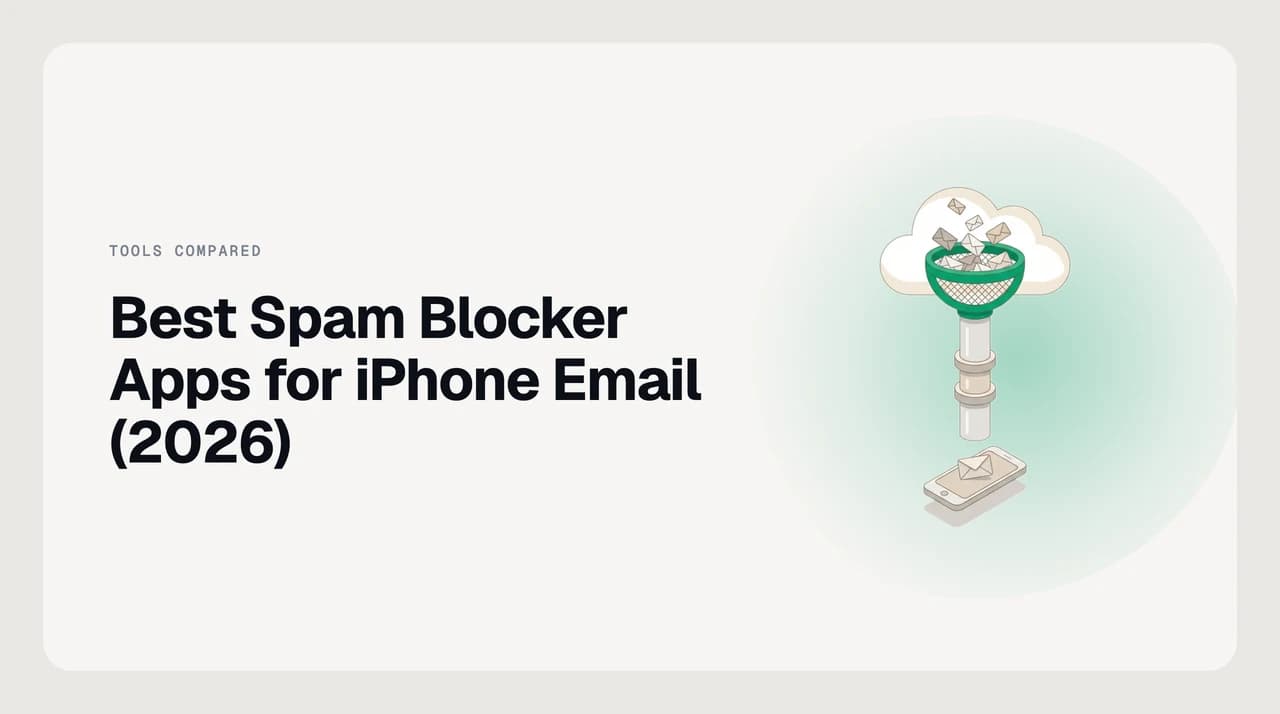
Spam is filtered at the server before iOS downloads anything. A real blocker also catches cold outreach the provider allows through — and that filter must run upstream.
On this page
Most searches for the best app to block spam emails on iPhone start from the wrong place. The spam decision is made by the mail server long before the message reaches iOS, so a phone app that lives inside Apple Mail can only tidy up what the server let through. The apps that actually reduce spam either move the decision upstream — before the mail hits your account — or replace iOS Mail with a client that catches a different category of message the server allows through, like cold outreach and low-quality newsletters.
This is a ranking of the options an iPhone owner can actually install or subscribe to today. We compared them on documented capability from each vendor's live page, not on a private test bench. Prices change; we describe packaging shape and tell you where to check the current number. Note that we build AI Emaily and rank it first for reasons stated in the criteria — read the concession in the SaneBox section before you decide.
The short answer#
For most iPhone owners the best combination is an upstream service and one client-side layer, not two clients competing for the same inbox. If you want one app that ships native on iOS, filters spam and cold outreach on the account itself, and works across Gmail, Outlook, iCloud and IMAP, use AI Emaily. If you refuse to switch away from Apple Mail on your iPhone, add SaneBox as a server-side service instead — it triages the mailbox before iOS ever downloads a message. Everything else in this roundup solves a narrower problem well and a broader one badly.
How we compared#
We ranked eight options on five dimensions that decide whether an iPhone user actually stops seeing spam: whether the filter runs upstream of iOS, whether it catches cold outreach the mail provider allows through, whether there is a native App Store app or a mobile-web workaround, which mail providers it supports, and how the free tier is shaped.
We did not run a private test batch or invent a spam sample set — capability comparisons on documented behaviour are more defensible and easier for a reader to verify than "we tested twelve apps", which is a claim nobody can check. Every capability below is from the vendor's live page as of July 2026; check the vendor before you buy, because pricing tiers in this category change every quarter.
About prices
Comparison table#
Everything is verified against the vendor's own page as of July 2026. "Upstream" means the filter runs on the mail server before iOS downloads the message; "client-side" means it runs after Apple's servers have delivered the mail to a mailbox. Cold outreach is unsolicited pitch mail that mail providers usually allow through because it is technically well-formed.
| App | Where filter runs | Cold-email filter | iOS App Store | Providers | Packaging |
|---|---|---|---|---|---|
| AI Emaily | Client-side + provider-level rules | Yes, separate from spam | Native app | Gmail, Outlook, iCloud, IMAP | Free tier + paid plans + LTD |
| Apple Mail + iCloud+ | Upstream (iCloud) + on-device | No | Built into iOS | iCloud native; IMAP accounts | Free; iCloud+ paid |
| SaneBox | Upstream (server-side service) | No, but noise triage | No dedicated iOS app | Any IMAP, Gmail, Microsoft 365, iCloud | 14-day trial + paid tiers |
| Clean Email | Client-side plus rules on the account | No | Native app | Gmail, iCloud, Yahoo, Outlook, IMAP | Free tier + paid plans |
| Edison Mail | Client-side, replaces iOS Mail | No | Native app | Gmail, Outlook, iCloud, Yahoo, IMAP | Free with paid OnMail tier |
| Spark Mail | Client-side, replaces iOS Mail | Partial (Gatekeeper for unknown senders) | Native app | Gmail, Outlook, iCloud, Yahoo, IMAP | Free tier + paid tiers |
| Canary Mail | Client-side, replaces iOS Mail | No documented spam feature | Native app | Gmail, Outlook, iCloud, IMAP | Free tier + paid tiers |
| Unroll.Me | Client-side, subscription rollup only | No | Mobile app | Gmail, Outlook, iCloud, Yahoo, AOL | Free (ad-supported model) |
The tools#
Each entry below explains what the app actually does about spam on an iPhone, where it wins, and where it does not. We give AI Emaily a longer entry because we know our product best; the rest are ranked on capability against the criteria above.
1. AI Emaily#
AI Emaily is our product — we build it — and it ships as a native app on the Apple App Store for iPhone and iPad, alongside downloadable desktop apps for macOS and Windows and a web app for everything else. On iOS it acts as your mail client rather than sitting behind Apple Mail, which is the point: the filter runs against every incoming message and can act before you see it.
For spam specifically we run two separate filters. The first is an AI spam-and-phishing layer, described on our features page, that inspects sender behaviour, headers and content rather than only the sender address — which matters on iPhone because bulk senders rotate addresses inside one domain and a per-address block does not survive the rotation. The second is a cold-email filter that catches unsolicited outreach mail providers usually deliver: recruiter pitches, sales prospecting, agency intros. That mail is technically well-formed, so a spam filter alone leaves it in the inbox.
Copilot mode holds proposed actions for approval before they run, so nothing is deleted or replied to without you seeing it. There is an audit log and an undo. On iCloud, Gmail, Outlook and IMAP accounts, filtering happens against the account itself rather than only on the device, so the same decisions carry over when you open mail on your desktop. Free tier plus paid plans plus a lifetime deal on the pricing page; check it there for the current numbers.
Where AI Emaily is not the right pick: if you want to stay inside Apple Mail on iPhone and change nothing about the client, we cannot help — you need an upstream service. See SaneBox below.
2. SaneBox#
SaneBox is not an iPhone app in the strict sense — there is no dedicated SaneBox app in the App Store, and its own page says there is nothing to download. What it is instead is a server-side service that connects to your mailbox over IMAP, Microsoft Exchange, or ActiveSync and triages messages upstream of every device: iPhone, iPad, Mac, web. The result on iOS is that you keep using Apple Mail exactly as-is, and the noise arrives already sorted into folders like SaneLater and SaneBlackHole.
For the spam-adjacent job SaneBox is honest about scope. It does not market itself as a phishing or malware filter — that stays with your mail provider. What it does is silence low-priority mail and permanently blackhole senders you never want to hear from again. Trial plus paid tiers with different mailbox and feature limits; see the vendor page for the current pricing.
SaneBox has run a server-side triage service on IMAP mailboxes for well over a decade, longer than AI Emaily has existed. If you refuse to switch away from Apple Mail on your iPhone and want the filter to run upstream of every device, SaneBox is the better fit than we are. That is a real advantage of a server-side service over a client, and it will not change unless you change client.
3. Clean Email#
Clean Email ships a native iOS app and works with Gmail, iCloud, Yahoo, Outlook and IMAP accounts. Its spam story is built around three features that are documented on its live page: the Unsubscriber, which sends unsubscribe requests on your behalf and blocks mailing lists that ignore them; the Screener, which holds mail from unknown senders for review before it lands in the inbox; and Auto Clean rules that keep pruning by category once set.
The Screener is the closest thing to a genuine cold-outreach filter in this list outside of AI Emaily — an unknown sender does not reach the inbox until you allow them. It is coarser than sender-behaviour scoring, but on a personal iCloud account it stops most first-touch pitch mail cleanly.
Free tier with a message-count limit, then paid subscriptions per account with meaningful annual savings. Check the vendor page for the current number. Because Clean Email uses an app-specific password on iCloud and OAuth elsewhere, it runs against the account rather than only on the device — the same as we do.
4. Edison Mail#
Edison Mail replaces Apple Mail on iPhone with its own free client. Its stated spam-adjacent features are one-tap unsubscribe, per-domain blocking (block every sender at a domain at once rather than address by address), and default blocking of tracking pixels — its site cites over eight thousand tracker types blocked out of the box.
Domain blocking is the differentiator worth naming: bulk senders often rotate the local part of the address and keep the domain, so per-domain blocks survive a rotation that a per-address block does not. Tracker blocking is a privacy feature more than a spam one, but it does reduce sender feedback and, indirectly, targeting.
The client is free; Edison also runs a separate paid product called OnMail that is a different service. Edison Mail does not publish a dedicated spam-scoring feature and does not filter cold outreach as a category — a recruiter pitch will still arrive if the sender address does not match your block list.
5. Spark Mail#
Spark from Readdle is a mature native iOS mail client — the app is an App Store Editors' Choice and has been on iOS for years. The spam-adjacent feature is called Gatekeeper: mail from senders you have not exchanged with before is held for review, and you allow or block from there. That is functionally a first-touch filter and covers a lot of unsolicited outreach.
Spark also offers muting for threads that will not stop, and a Priority inbox that pushes newsletters and notifications out of the main view. It does not publish a separate cold-email classifier, and mail that clears Gatekeeper on first touch keeps arriving until you mute or block it manually.
Free tier plus paid tiers — Plus and Pro — with team collaboration and AI features unlocked on the higher tiers. Check the Spark pricing page for the current numbers. Works across Gmail, Outlook, iCloud, Yahoo and IMAP.
6. Canary Mail#
Canary Mail is another native-iOS AI mail client. Its live page emphasises 1-Click Unsubscribe and end-to-end encryption features rather than a dedicated spam or cold-email filter — as of July 2026 we could not find a documented sender-scoring feature on canarymail.io. If a vendor does not publish a capability, we do not infer it, so treat Canary as an unsubscribe and privacy tool with mail-client conveniences rather than a spam blocker in the strict sense.
It supports Gmail, Outlook, iCloud and IMAP. There is a free tier and a paid tier (Growth and Pro+ are documented plan names as of July 2026); check the pricing page for the current shape.
Where Canary is a good fit: iPhone users who mainly want to unsubscribe cleanly from lists they signed up for. Where it is not: catching mail from senders you never signed up with, which is what a spam or cold-outreach filter is actually for.
7. Apple Mail plus iCloud+ (the baseline)#
This is the option every iPhone already has. Apple Mail marks obvious junk and moves it to the Junk folder; you can block a sender in-app; Mail Privacy Protection hides your IP and preloads remote content so tracking pixels see the same signal for everyone. iCloud+ adds Hide My Email, which creates one-way alias addresses you hand out instead of your real one — when an alias starts getting spam, you deactivate the alias and the whole thread of mail stops without touching your inbox.
That combination handles the base rate of spam better than most people give it credit for. Where it stops helping: cold outreach that is technically well-formed (sales pitches, agency intros, recruiter mail), high-volume newsletters you did opt into once, and senders that rotate addresses within a permitted domain. Those are the categories the rest of this list exists to catch.
Free for the built-in Mail features; iCloud+ is a paid Apple subscription with several storage tiers. Check Apple's iCloud+ page for the current pricing.
8. Unroll.Me#
Unroll.Me handles a narrow slice: it identifies newsletters and promotional mail you subscribed to and either unsubscribes you or rolls them into a single daily digest. It has a mobile app and a web app, and works with Gmail, iCloud, Outlook, Yahoo and AOL accounts as documented on its live page.
For spam in the strict sense (unsolicited mail from senders you never signed up with) Unroll.Me is not the tool — it does not filter incoming senders and does not classify cold outreach. Rate it well only for the specific job of pruning newsletter subscriptions.
The service is free; the historical business model has attracted enough scrutiny that some readers prefer a paid alternative for the unsubscribe job. Clean Email covers the same use case on a subscription basis; either works.

How to choose for your situation#
The apps above solve four different problems and it helps to name yours before you install one.
- You want one app that filters both spam and cold outreach on iPhone across every provider. Use AI Emaily. It is why we ship a native iOS app and a separate cold-email filter alongside spam.
- You will not switch away from Apple Mail on iPhone. Use SaneBox as a server-side layer. It triages upstream of the device and Apple Mail stays untouched.
- You mostly want to escape newsletter overload and unsubscribe cleanly. Use Clean Email (paid, more thorough) or Unroll.Me (free, narrower).
- You want a free replacement client with per-domain blocking and tracker blocking. Use Edison Mail — that is exactly its shape.
- You are already comfortable in Spark and want a first-touch filter. Turn on Gatekeeper. It is not as granular as a scoring model, but it stops most cold outreach on first contact.
- You want alias-based prevention so spam never reaches your real address at all. Use iCloud+ Hide My Email. It is complementary to any of the above, not a replacement.
Two apps beat one in most inboxes
Where AI Emaily fits#
We build AI Emaily and rank it first because it is the only entry on this list that ships a native iOS App Store app, filters spam and cold outreach as two separate categories, works against the account rather than only the device, and covers Gmail, Outlook, iCloud and IMAP from the same client. That combination is what the ranking criteria above were built around, and it is a real differentiator, not a rigged one.
It is not the right pick if you refuse to switch clients or if you want a purely server-side service that requires nothing on the phone — for that, SaneBox is honestly the better fit and we said so in its section. If you want the client-side layer, our pricing page has the current tiers and a free plan to start on.
Frequently asked
See it in AI Emaily
Keep reading
Sources

Written by
Nafiul HasanNafiul Hasan is an entrepreneur and AI automation system builder with 10+ years of experience turning messy, manual workflows into reliable automated systems. He designs and ships AI enterprise solutions end-to-end — the agent logic, the data plumbing, and the product people actually use — and founded AI Emaily to give busy professionals their attention back. He writes here from the builder's seat: what works, what breaks, and how to put AI to work without giving up control.