Notion Mail Is Shutting Down: Where to Move Your Inbox

The short answer
Notion Mail's inbox retires on 22 September 2026. Your mail is safe — it lives in Gmail and stays there. What disappears is the Notion Mail layer: drafts, scheduled sends, snippets, auto-label instructions and custom views, all deleted if you have not exported them by 21 September 2026. Export first, then connect Gmail to a new client.
Notion Mail is shutting down 22 Sep 2026. What to use instead, what gets deleted 21 Sep, and how to export drafts, snippets and rules before it goes.
On this page
- 01What actually shuts down — and what doesn't
- 02The three dates that matter
- 03Before you export: a five-minute checklist
- 04How to export your Notion Mail data
- 05What breaks when you leave, and where each thing goes
- 06Switching without downtime — and how to roll back
- 07Notion says agents made the inbox app redundant. Are they right?
- 08How to choose the replacement
- 09Where AI Emaily fits, and where it doesn't
- 10The bottom line
Notion announced on 25 June 2026 that the Notion Mail inbox is being retired. The app stops working on 22 September 2026, and anything that lived only inside it is deleted after 21 September. If you are here to work out what to use instead, start with the export — the deadline is the part that cannot be undone.
Here is the reassuring half first. Notion Mail synced two ways with Gmail, so every message you sent or received is already sitting in your Gmail account. Your mail is not going anywhere. What disappears is the layer Notion built on top of it.
What actually shuts down — and what doesn't#
The distinction that matters is between your mailbox and your workflow. The mailbox is Gmail's, and Notion never held it. The workflow — the drafts, the scheduled sends, the snippets, the instructions that labelled things for you — was Notion Mail's, and it has no home after 22 September.
A quick way to tell them apart without reading any documentation: open Gmail in a browser tab. Anything you can see there survives. Anything you can only see in Notion Mail does not.
Notion's help page lists the Notion Mail-only data explicitly. The table below maps it against what stays exactly where it is.
| What it is | Where it actually lives | After 22 September 2026 |
|---|---|---|
| Sent and received email | Your Gmail account | Unaffected — it was always in Gmail |
| Drafts written in Notion Mail | Notion Mail only | Deleted if not saved by 21 September |
| Scheduled sends | Notion Mail only | Deleted — do not rely on anything queued past the date |
| Snippets | Notion Mail only | Deleted; attached files need a manual download |
| Auto-label instructions | Notion Mail only | Deleted — they are instructions, not Gmail filters |
| Custom views and inbox layout | Notion Mail only | Deleted — rebuild them in the new client |
| Email reminders | Notion Mail only | Deleted |
| Your Notion workspace and Calendar | Notion | Unaffected — only the Mail inbox retires |
The three dates that matter#
Three dates run this whole thing. 25 June 2026 is when Notion announced the retirement and opened the export path. 21 September 2026 is the last day to save your Notion Mail-only data. 22 September 2026 is when the inbox stops working.
Treat 21 September as the real deadline, not the 22nd. Exports are exactly the kind of task that fails on the last afternoon, and there is no support queue to appeal to once the service is off. These dates are Notion's own, checked in July 2026 — confirm on its help page if you are reading this later.
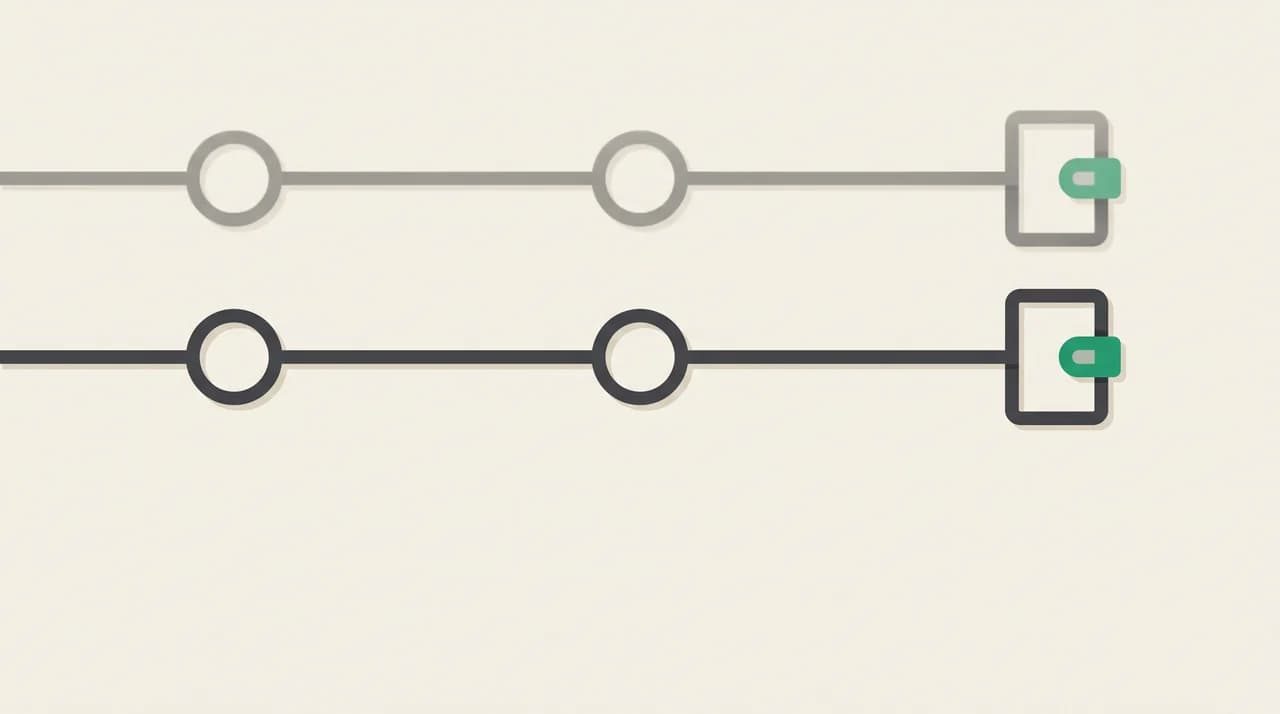
The deletion deadline is a day earlier than the shutdown
Before you export: a five-minute checklist#
A few minutes of preparation makes the export shorter, mostly because it tells you what you actually need to save. Most people find that half of what they feared losing is already in Gmail.
- Confirm which Google account or accounts Notion Mail is connected to.
- Open Gmail directly and confirm your mail is there — this is the fear worth killing first.
- Walk your Notion Mail sidebar and note everything you cannot see in Gmail. That list is your export.
- Check for scheduled sends and reminders dated after 22 September; those need action, not just export.
- Decide roughly where you are going, so you know what format to save snippets and rules in.
- Put 21 September in your calendar with a one-week warning attached.
How to export your Notion Mail data#
Notion provides an export for Notion Mail-only data in the app and on web. The exact path may move before September, so treat Notion's help page as the authority on where the button is, and this list as what to tick off.
- 1
Inventory what only exists in Notion Mail
Open the app and write down your snippets, saved views, auto-label instructions, unsent drafts, scheduled sends and reminders. You are building a checklist, not saving anything yet.
- 2
Run Notion's export of Notion Mail-only data
Start with the export Notion provides in the app or on web. It covers the data Notion classifies as Mail-only. Do this first so you know what is left over.
- 3
Download snippet attachments by hand
Files attached to snippets are not saved for you. Go to Settings, open Snippets, and download each attached file individually. This is the step most people miss.
- 4
Deal with scheduled sends now
Anything queued to go out after the shutdown will not send. Either send it early, or reschedule it in Gmail or your new client and confirm it appears there.
- 5
Rescue drafts as real email
For any draft you care about, email it to yourself or paste it into a note. A draft that exists only in Notion Mail is gone on 22 September.
- 6
Write your auto-label instructions down in plain English
These are instructions to a model, not portable rules, so there is nothing to import anywhere. Copy the wording of each one and rebuild them as Gmail filters or as rules in the new client.
- 7
Take a Gmail archive with Google Takeout
Optional, but cheap insurance and useful regardless. Note the caveats: you cannot pick a date range, the archive expires in about seven days, and it can only be downloaded a limited number of times.
- 8
Connect your new client and run it alongside
Sign in to the replacement with the same Google account and let it index. Keep Notion Mail open until the shutdown so you can check anything you forgot to write down.
What breaks when you leave, and where each thing goes#
Nothing about your mail breaks. What breaks is the set of shortcuts you built around it, and each one lands somewhere different. Auto-label instructions are the awkward case: they were written in natural language rather than as conditions, so no other product will accept them as a file.
| Notion Mail feature | Do this before 21 September | Where it lands afterwards |
|---|---|---|
| Snippets | Copy the text out; download attachments from Settings → Snippets | Templates or saved replies in the new client |
| Auto-label instructions | Copy the wording of every rule | Gmail filters, or natural-language triage rules in an AI client |
| Scheduled sends | Send early or reschedule elsewhere | Scheduled send in Gmail or the new client |
| Drafts | Export, or email each one to yourself | Compose again in the new client |
| Custom views | Note the filter behind each view | Saved searches or views in the new client |
| Email reminders | List anything due after 22 September | Snooze or follow-up reminders |
Switching without downtime — and how to roll back#
There is no cutover event here, which makes this one of the easier switches you will ever do. Your mail stays in Gmail. A replacement client connects to the same account and reads the same messages, so for a few weeks you simply have two windows onto one inbox.
Run them in parallel. Connect the replacement now, use it for a week while Notion Mail is still alive, and keep your export somewhere you will find it again. If the new client is wrong for you, you stop opening it — there is nothing to migrate back.
The only genuine rollback deadline is 21 September, because after that Notion Mail is not something you can fall back to. That is the argument for doing this in July or August rather than in the last week.
Run both, then stop opening one
Notion says agents made the inbox app redundant. Are they right?#
It would be easy to sell this shutdown as proof that Notion built the wrong thing. That reading is too convenient, because Notion's stated reason is an argument against email clients in general — ours included.
Notion said most of its Mail users never opened the app, and that the email work had moved into AI agents instead. It is keeping the email capability: the Gmail connector, mail blocks and the agent tools that read and send mail from inside Notion. What it cut was the inbox as a place you go.
For a lot of people that is simply correct. If email is a side effect of work that happens somewhere else, you do not need a client with an agent in it. You need an agent in the tool you already live in, and Gmail can stay Gmail.
The argument stops holding when the inbox is the work. Sales, recruiting, agency and founder inboxes are not a queue to be summarised — they are dozens of decisions a day, where you need to see what the assistant did and take it back when it gets one wrong. A connector in another app can draft for you; it is a poor place to run a full day of triage.
So the honest test: if your last year of Notion Mail was mostly agent commands, a connector may genuinely be enough. If you were in that inbox all day, you want a client — and this is a good moment to pick one that connects to your mailbox rather than holding it.
How to choose the replacement#
Once the export is done the decision is no longer urgent. You have until 22 September, and Gmail's own web app is a perfectly legitimate parking spot in the meantime. Use the weeks to test rather than to panic-buy.
Plans and prices in this category changed repeatedly through 2026, so check the current terms on the vendor's own pricing page before you commit — including ours. Six questions are worth asking of every candidate.
| Ask this | Why it matters after this shutdown |
|---|---|
| Does it host my mailbox, or connect to it? | If it connects, the next shutdown costs you a login rather than a migration |
| Does it support more than Gmail? | Notion Mail was a Gmail client. Outlook and IMAP support is insurance against your next job |
| Can I export what I create inside it? | Snippets, rules and drafts should be recoverable, not stranded |
| Is this the company's main product? | Side bets inside large companies get cut first — that is the lesson here |
| Does it send without asking? | Approve-before-send, an undo window and an audit log decide how much you can safely delegate |
| What happens to my mail data? | Look for no training on your mail and zero retention with model providers, in writing |
Where AI Emaily fits, and where it doesn't#
AI Emaily is an AI email client. Here is specifically what that does and does not mean for someone in this situation.
It connects to your existing mailbox over Gmail, Outlook or standard IMAP. It does not host mail, it does not move mail, and there is no new address. For a departing Notion Mail user that is the whole point: you sign in with the same Google account, your mail is already there, and there is no import step to get wrong.
The agent runs in three modes — Manual, Copilot and Autopilot — and in Copilot every send is approved by you first, with an undo window and an audit log of what the agent did. Its writing comes from a Personal Context brain and client profiles that you set, not from reading through your archive.
The limits, because you have just been burned by someone else's product decision. AI Emaily installs from the browser on macOS and Windows; there is no native Linux build, Android is a PWA today with a native app on the roadmap, and there is no watchOS app. Offline support is partial by design.
The continuity question applies to us too. We are far smaller than Notion, and nobody gets to promise they will still be here in three years. What we can tell you is what it would cost you if we were not: you disconnect an account. Your mail never moved in the first place.
Your mailbox never moves
The bottom line#
Do the export this week. It takes an hour at most, the hard deadline is 21 September 2026, and what gets deleted is not your mail — it is the drafts, snippets, rules and views you spent a year building.
Then pick a replacement on one question: does it hold your mailbox, or connect to it? Notion Mail never held yours, which is the only reason this shutdown is survivable. Choose the same shape again and the next one will be survivable too. You can connect Gmail to AI Emaily free at app.aiemaily.com/signup and run it alongside Notion Mail until the lights go out.
Frequently asked
See it in AI Emaily
Keep reading
Sources

Written by
Nafiul HasanNafiul Hasan is an entrepreneur and AI automation system builder with 10+ years of experience turning messy, manual workflows into reliable automated systems. He designs and ships AI enterprise solutions end-to-end — the agent logic, the data plumbing, and the product people actually use — and founded AI Emaily to give busy professionals their attention back. He writes here from the builder's seat: what works, what breaks, and how to put AI to work without giving up control.