What Is the DMARC DNS Tree Walk? (RFC 9989 Explained)

The short answer
The DMARC DNS tree walk is RFC 9989's method for locating a domain's DMARC policy: query _dmarc at the From domain, then climb toward the root, bounded to eight DNS queries. It replaced the Public Suffix List because a security protocol should not depend on a manually maintained external file.
What is the DMARC DNS tree walk? RFC 9989's bounded, eight-query climb from the From domain toward the DNS root — and why it replaced the Public Suffix List.
On this page
- 01Why does DMARC need to walk the DNS?
- 02How does the DNS tree walk work?
- 03How many DNS lookups does the tree walk make?
- 04Why was the Public Suffix List replaced?
- 05Public Suffix List vs the DNS tree walk
- 06What else changed in RFC 9989?
- 07What is the psd tag, and is the pct tag gone?
- 08Common misconceptions about the tree walk
- 09What should you do if you publish a DMARC record?
- 10Where this shows up in AI Emaily
- 11The bottom line
The DMARC DNS tree walk is the procedure defined in RFC 9989 for finding which DMARC policy record applies to an email's From domain. A receiver queries _dmarc at that domain, then climbs toward the DNS root one label at a time, capped at eight DNS queries. It replaced the Public Suffix List for organizational-domain discovery.
RFC 9989 is a Proposed Standard published in 2026. It obsoletes RFC 7489 — the 2015 DMARC specification — along with RFC 9091. Most DMARC documentation still describes the older model, so this page covers the tree walk specifically. For DMARC itself, alignment, policies and reports, read our what is DMARC explainer instead.
Why does DMARC need to walk the DNS?#
DMARC asks DNS two questions about every message. First: is there a DMARC policy record for the domain in the From header? Second: what is the Organizational Domain — the registered name that this domain belongs to?
The second question matters because of alignment. DMARC's default relaxed mode passes when the domain SPF or DKIM authenticated shares an Organizational Domain with the visible From address, so mail.example.com aligns with example.com. To decide that, a receiver has to know where an organization's control of a name actually begins.
DNS does not advertise that boundary. Both example.com and example.co.uk are registrable, but co.uk is not — and nothing in the protocol itself distinguishes them. RFC 7489 answered this by consulting the Public Suffix List. RFC 9989 answers it by walking the tree.
How does the DNS tree walk work?#
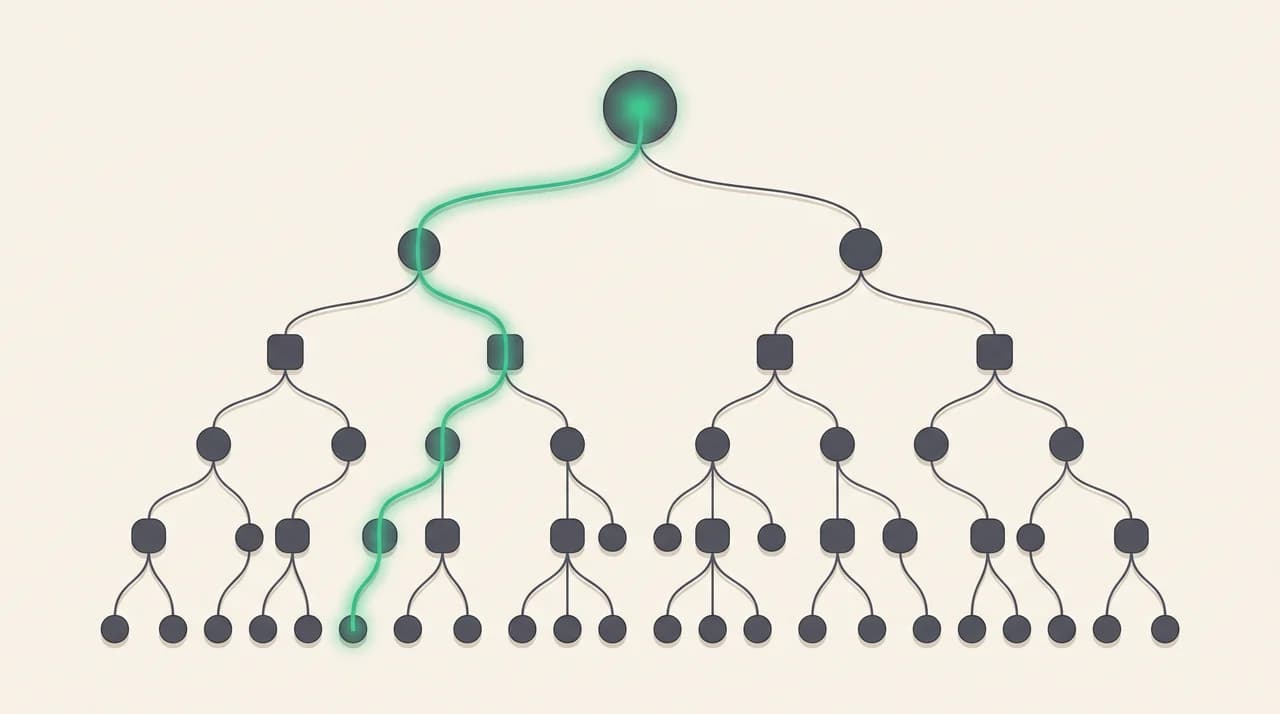
The walk starts at the exact domain being evaluated and moves toward the root, one label at a time. Every stop is a TXT lookup at _dmarc prefixed to the current name.
- 1
Query the starting domain
Look up a TXT record at _dmarc prefixed to the domain under evaluation — the From domain when the receiver is discovering a policy.
- 2
Discard anything that is not DMARC
Records that do not begin with a v tag identifying the current DMARC version are thrown away. If a single name returns more than one valid DMARC record, all of them are discarded.
- 3
Trim the name
Count the labels. If there are fewer than eight, remove the leftmost one. If there are eight or more, remove leftmost labels until seven remain.
- 4
Query again, then keep climbing
Look up _dmarc at the new name, apply the same validation, then remove the next leftmost label and repeat toward the root.
- 5
Stop
The walk ends when a single valid record carries a psd tag of y or n, or when there are no further labels to remove.
How many DNS lookups does the tree walk make?#
At most eight. The bound is deliberate. Without it, someone could send mail from an Author Domain with tens or hundreds of labels and force every receiver on the internet to run one query per label — a cheap way to turn mail servers into a DNS amplifier.
RFC 9989's shortcut closes that. Fewer than eight labels means one label removed per step. Eight or more means the walk jumps straight to the seven-label version of the name and continues from there. Either path stays within eight queries.
For an ordinary domain the cost is trivial. news.example.com is three labels, so the walk is three lookups at most, and receivers cache aggressively.
The tree walk is bounded, not open-ended
Why was the Public Suffix List replaced?#
The Public Suffix List enumerates every suffix under which the public can register names — com, co.uk, github.io, and thousands more. It is community-maintained, published by Mozilla, distributed as one flat file, and consumed by browsers, cookie policy, certificate tooling and, until RFC 9989, DMARC.
RFC 7489 required a PSL to determine the Organizational Domain but never named one. Two receivers could hold different copies of different lists and reach different conclusions about the same message. For a protocol whose job is deciding whether to reject phishing that forges your domain, that is a genuine interoperability problem.
The deeper issue is the dependency itself. A security decision was being made against an external file that the domain owner does not control and cannot correct quickly. A new suffix takes time to be added, and longer to propagate into every receiver's bundled copy. Until then, the edge of your own organization is whatever a stale file says it is.
The tree walk moves the answer into DNS, where the domain owner already publishes everything else. RFC 9989 also frames the change as flexibility: large organizations with decentralized DNS management can publish records at the levels that match how they actually delegate, rather than inheriting a boundary drawn by an outside list.
Public Suffix List vs the DNS tree walk#
Both approaches answer the same question. They differ in where the answer lives and who can change it.
| Public Suffix List (RFC 7489) | DNS tree walk (RFC 9989) | |
|---|---|---|
| How the org domain is found | Match the name against a list of registrable suffixes | Query _dmarc up the name toward the root and read what is published |
| What it depends on | An external file bundled with the receiver's software | The domain owner's own DNS records |
| Who maintains it | A community-maintained list published outside the IETF | The domain owner, plus public suffix operators via the psd tag |
| How fast it changes | When the list is amended and every receiver refreshes its copy | As soon as DNS propagates, at the owner's discretion |
| Typical failure mode | Stale or differing copies make receivers disagree about one domain | Missing, duplicated or malformed records somewhere in the path |
| Cost per message | A local lookup, no network traffic | Up to eight DNS queries, usually served from cache |
What else changed in RFC 9989?#
The tree walk is the largest change, but three tag-level changes matter to anyone maintaining a record.
| Tag | Status in RFC 9989 | What to know |
|---|---|---|
| pct | Removed | Percentage-based partial enforcement is gone from the specification |
| t | New | Test mode. Signals that the published policy is not yet meant to be applied as written |
| psd | New | Declares whether a name is a Public Suffix Domain: y, n, or u (the default) |
| np | Defined | Policy for non-existent subdomains; falls back to sp, then p, when absent |
What is the psd tag, and is the pct tag gone?#
The psd tag lets a registry or other public suffix operator declare the boundary outright. psd=y means this name is a public suffix. psd=n means this name is the Organizational Domain for itself and its subdomains. psd=u, the default, means work it out with the tree walk. Either explicit value ends the walk on the spot.
pct is the change most likely to bite. It applied a policy to a sampled percentage of failing mail — pct=25 quarantined a quarter of failures — and it was widely recommended as the way to ramp toward enforcement. RFC 9989 removes it, and the new t tag covers the same intent differently: instead of sampling failures, you declare that you are still testing.
Check your record for pct
Common misconceptions about the tree walk#
Four claims come up repeatedly. None of them survive contact with the specification.
| What people say | What RFC 9989 actually says |
|---|---|
| The tree walk means unlimited DNS lookups | It is bounded at eight queries, with a label shortcut added specifically to stop long names from generating more |
| It stops as soon as it finds a DMARC record | It keeps climbing unless a record carries psd=y or psd=n; the record with the fewest labels is what identifies the Organizational Domain |
| Existing DMARC records must be rewritten | A valid v=DMARC1 record keeps working. The tree walk changes how receivers find and interpret records, not the syntax you publish |
| It replaces the Public Suffix List everywhere | It replaces the PSL for DMARC's Organizational Domain discovery only. Browsers, cookies and certificate tooling still use the list for their own purposes |
What should you do if you publish a DMARC record?#
For most domains, nothing urgent. The syntax you already publish is still valid, and a receiver implementing RFC 9989 will find your record without you touching it. Three things are worth checking anyway.
- Duplicate DMARC records. Two valid records at the same _dmarc name cause both to be discarded, which can leave the domain with no discoverable policy at that level at all.
- A pct tag you were relying on. If the rollout plan was ramp pct from 25 to 100, that plan no longer maps to the specification.
- Records left on intermediate subdomains. Under the tree walk, a record you published years ago on a subdomain is now part of the path a receiver traverses.
The rollout discipline has not changed
Where this shows up in AI Emaily#
AI Emaily is an email client, not a DMARC tool. We do not publish your records, parse aggregate reports, or tell you when it is safe to move to reject — a dedicated DMARC service does that better. We sit on the receiving side, where authentication results help decide how much a message deserves to be trusted. Incoming mail is untrusted input to the agent, so a message that fails its own domain's published checks is a signal worth surfacing, not quietly summarizing. Our email security page covers how the agent is contained.
The bottom line#
The DMARC DNS tree walk is RFC 9989's answer to a question the protocol had been outsourcing: where does one organization's control of a domain name end? Instead of consulting a list maintained somewhere else, a receiver climbs the name in DNS — eight queries at most — and reads what the domain owner published.
The practical impact is small for most senders and meaningful for the ecosystem. Your record stays valid, pct stops being part of any plan, and a security decision that used to depend on an external file now depends on DNS.
Frequently asked
See it in AI Emaily
Keep reading
Sources

Written by
Nafiul HasanNafiul Hasan is an entrepreneur and AI automation system builder with 10+ years of experience turning messy, manual workflows into reliable automated systems. He designs and ships AI enterprise solutions end-to-end — the agent logic, the data plumbing, and the product people actually use — and founded AI Emaily to give busy professionals their attention back. He writes here from the builder's seat: what works, what breaks, and how to put AI to work without giving up control.